


Managing HR documents using scattered Excel files, shared folders, and manual processes often leads to data duplication, missing records, version control issues, and serious security risks. HR teams waste valuable time searching for documents instead of focusing on people management and compliance.
That is exactly why HR Document Management System V1.0 in Excel VBA is a powerful, practical, and cost-effective solution.
This ready-to-use Excel & VBA-based desktop application allows HR teams to store, manage, track, and control HR documents from a single, secure Excel file—without investing in expensive HR software or cloud subscriptions.
Designed for simplicity, security, and control, this system combines the familiarity of Microsoft Excel with the automation power of VBA to deliver a professional HR document management experience.
❓ What Is HR Document Management System V1.0?
HR Document Management System V1.0 is a role-based Excel VBA application that helps organizations manage HR documents such as:
Employee documents
Policy files
Compliance records
Offer letters
Appraisal documents
Contracts and agreements
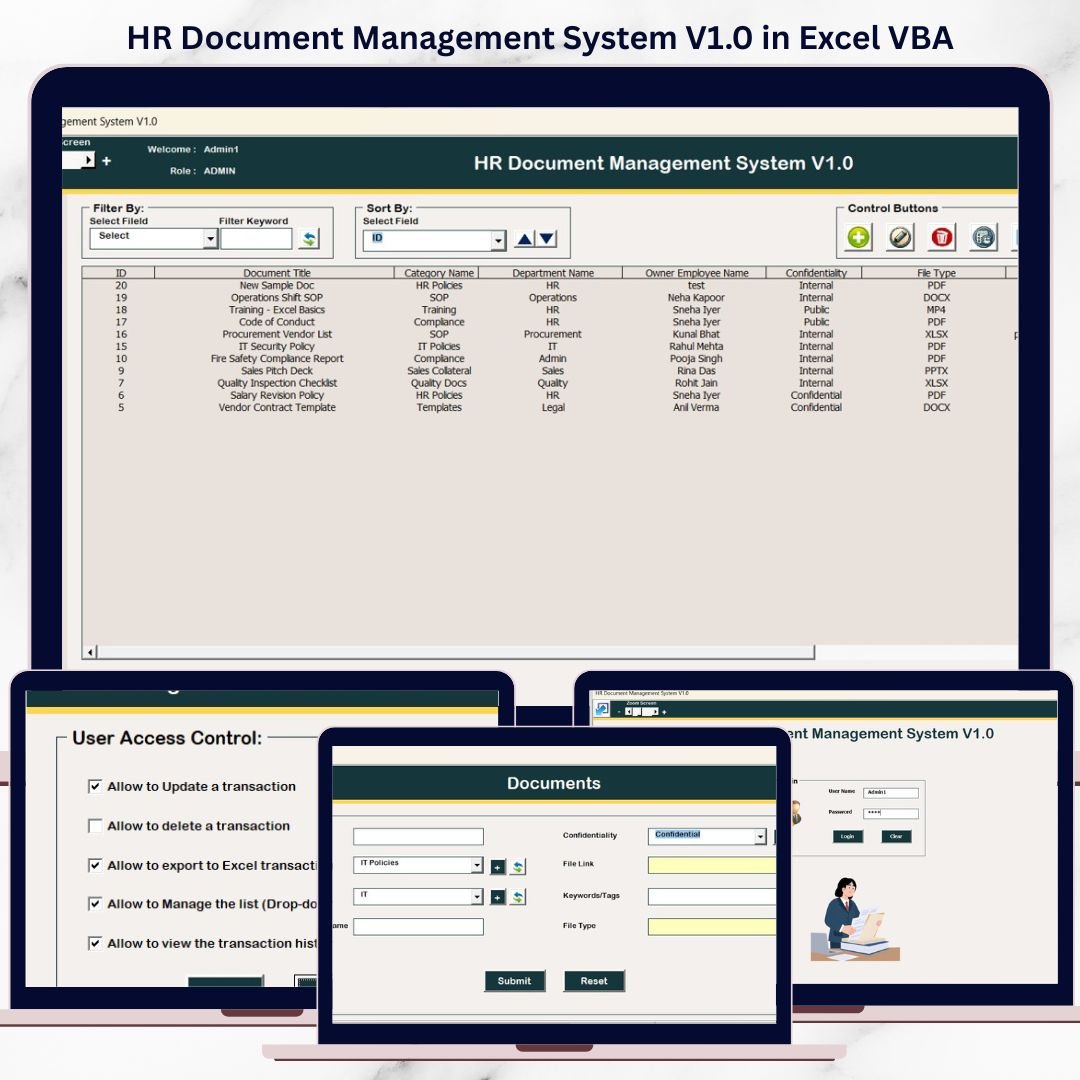
Instead of maintaining multiple files, all document records are stored in a centralized database, accessible through structured forms, filters, and secure user roles.
With features like login authentication, audit history, filtering, sorting, and export, this system provides full visibility and control over HR documentation.
🔐 Key Features of HR Document Management System V1.0
🔑 1. Secure Login Form (Role-Based Access)
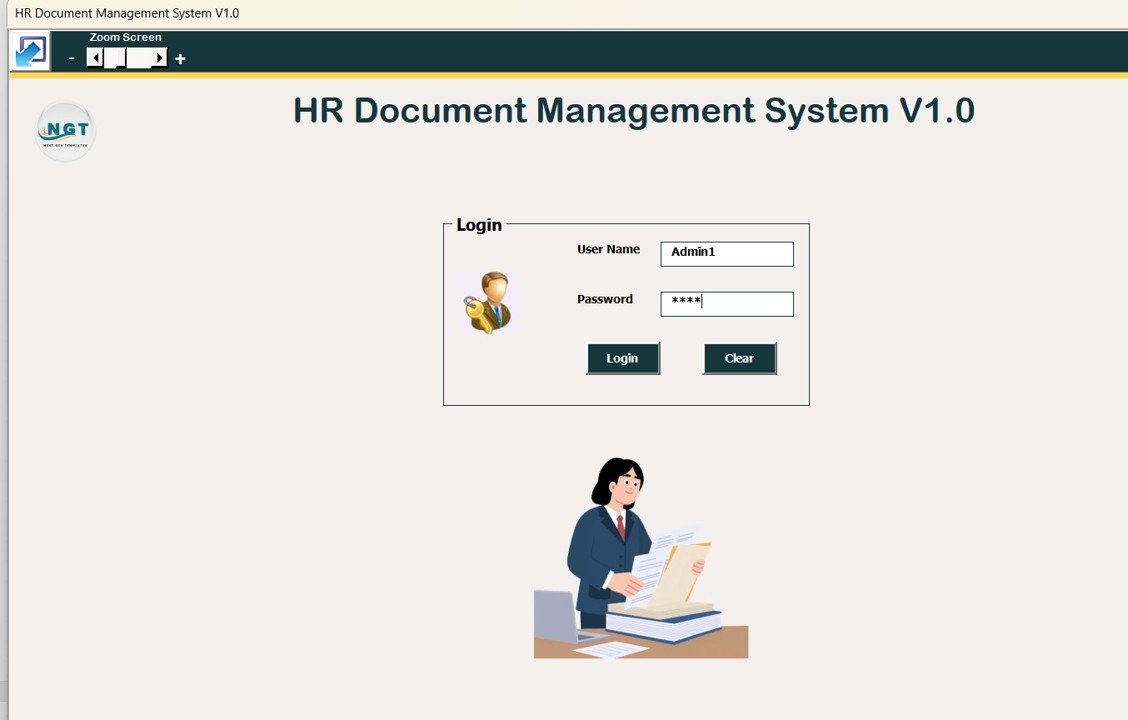
The system starts with a secure login screen.
Enter User ID and Password
Press Login or hit Enter
Access is granted based on user role
🔹 Default Login Credentials
Admin Role
Username:
Admin1Password:
abcd
User Role
Username:
User1Password:
abcd
Admin and User roles have different access permissions, ensuring data security and governance.
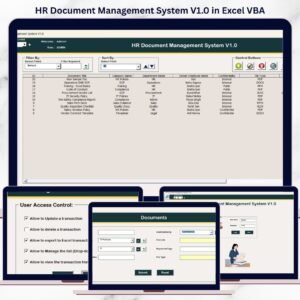
🧭 2. Main Form – Central Control Panel
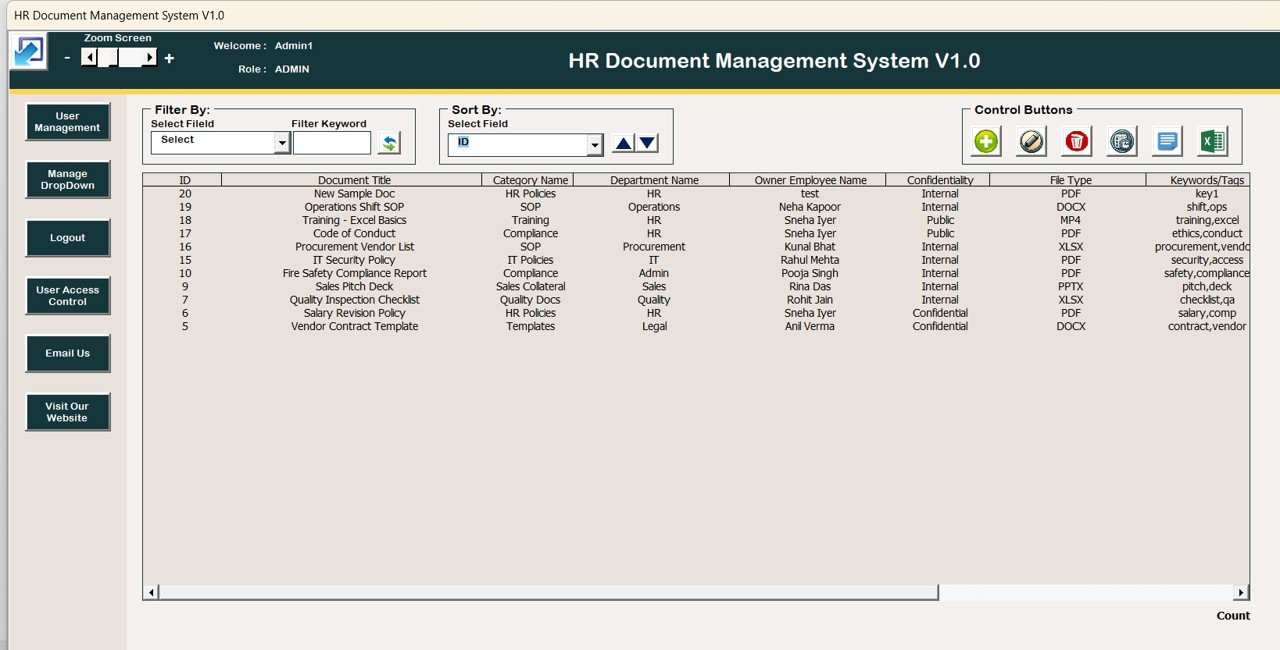
After login, users are redirected to the Main Form, which acts as the operational hub of the system.
📋 Central List Box
Displays all HR document records
Shows only filtered or relevant data
Supports record selection and double-click actions
🔍 Advanced Filters
Filter records by Date
Filter by Selected Column
Quickly locate specific documents
🔃 Sort By Feature
Sort records instantly
Alphabetical or category-wise sorting
Ideal for large HR datasets
🎛️ 3. Action Buttons on Main Form
Powerful action buttons below the list box enable complete control.
1️⃣ Add New Record
Opens Document Entry Form
Add new HR document details
2️⃣ Update Existing Record
Select record → Update or Double-Click
Modify document information
3️⃣ Delete Record
Safely remove selected records
Prevents data clutter
4️⃣ Show Record History
View full audit trail
Track who changed what and when
5️⃣ Export to Excel
Export filtered data to a new Excel file
Ideal for audits and reporting
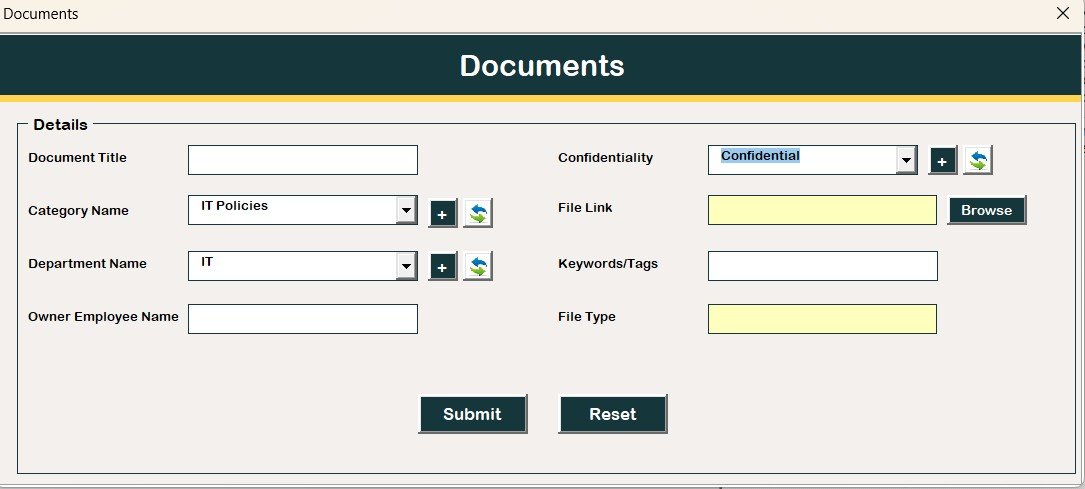
📝 4. Document Entry Form
This form is used for both adding and updating records.
Controlled data entry
Structured input fields
Ensures data accuracy and consistency
All changes are instantly reflected in the main database.
📂 5. Navigation Menu (Left Panel)
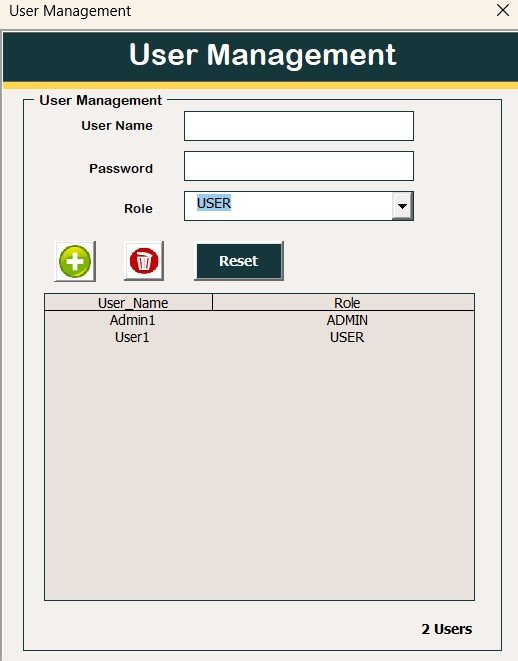
👤 User Management
Add / Update / Delete users
Reset passwords
Change existing passwords
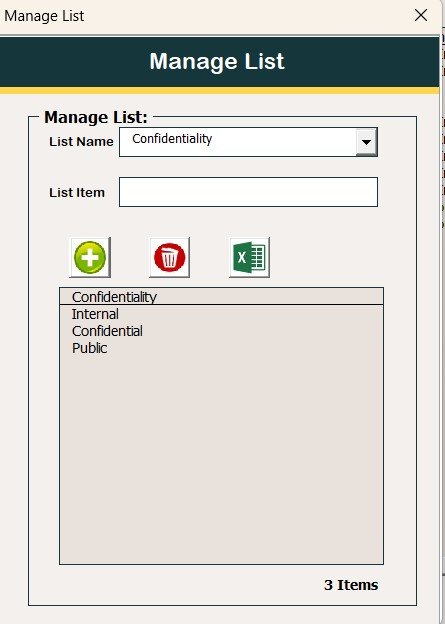
📑 Manage List
Control dropdown list values
Add or remove categories dynamically
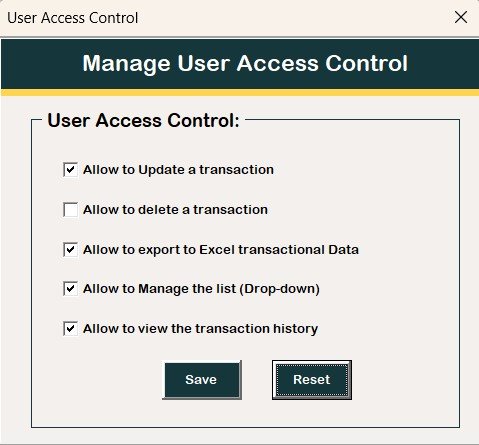
🔐 User Access Control (Admin Only)
Define role-based permissions
Enable or disable access using checkboxes
🚪 Logout
Saves all data
Safely closes the system
📧 Email Us
Contact support for customization or help
🌐 Visit Our Website
Explore more Excel & VBA tools
⚙️ System Compatibility (Important)
✔️ Windows 10 and above
✔️ Microsoft Excel 2010 or later
❌ Not supported on Mac OS
❌ Not supported on Mobile / Tablet
❌ Works only on Excel Desktop
⭐ Advantages of This HR Document Management System
Centralized HR document storage
Secure role-based access
Complete audit history
No internet dependency
Easy customization
One-time cost (no subscription)
👥 Who Should Use This Tool?
HR Managers & Executives
Small & Medium Businesses
Admin & Compliance Teams
HR Consultants
Organizations avoiding costly HR software
🎯 Conclusion
HR Document Management System V1.0 in Excel VBA is a practical, secure, and highly efficient solution for HR teams looking to organize documents without complexity. By combining Excel’s simplicity with VBA automation, this tool delivers enterprise-level document control at a fraction of the cost.
Click here to Read detailed blog post
Watch the step-by-step video tutorial:
▶️ Visit our YouTube channel to learn step-by-step video tutorials
👉 https://youtube.com/@NeotechNavigators
Compatibility and Requirements
- Works in Microsoft Excel desktop on Windows 10 or later (Excel 2010 or later), with macros enabled.
- It does not run in Excel for the web, Google Sheets, on Mac or on mobile devices.
- Microsoft explains how to turn macros on in Enable or disable macros in Microsoft 365 files.
Frequently Asked Questions
Does it need a login?
Yes. You enter a User ID and Password on the login form. The template has an Admin role and a User role with different access permissions.
Can I find a specific document quickly?
Yes. The Main Form list box can be filtered by date or by a selected column, and sorted with the Sort By option.
Can I see who changed a record?
Yes. Select a record and use Show Record History to see the audit trail of who changed what and when.
Can I export my data?
Yes. Export to Excel sends the filtered records to a new Excel file for audits and reporting.
Can I manage users and dropdown lists?
Yes. The left menu lets you add, update and delete users, reset passwords, edit dropdown list values, and set role permissions with checkboxes (Admin only).
Related HR and Document Templates
- Employee Document Data Entry System in Excel: a data entry system for employee documents
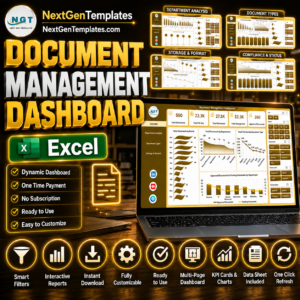
- Document Management Dashboard in Excel: a dashboard view of your documents
- Document Management Dashboard in Power BI: the same topic in Power BI
- Document Retention Checklist Template in Excel: a checklist for how long to keep records
- VBA Management Systems Mega Pack: 5 Excel VBA management systems in one download
Browse all Excel VBA tools.

















Reviews
There are no reviews yet.