In healthcare, missing one compliance deadline can cost thousands — or worse, damage your reputation. ⚠️ Regulatory audits, license renewals, internal reviews, staff certifications, and government reporting deadlines never stop.
Yet many healthcare teams still rely on scattered spreadsheets, emails, and manual reminders. Healthcare Compliance Calendar in Excel as a result, important dates get overlooked, audit preparation becomes stressful, and risk exposure increases.
So how do organized healthcare institutions stay audit-ready all year?
The answer is simple.
You need the Healthcare Compliance Calendar in Excel.
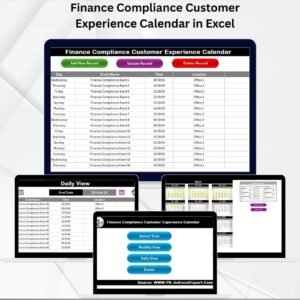
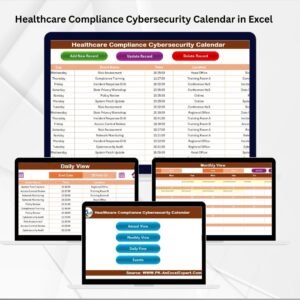
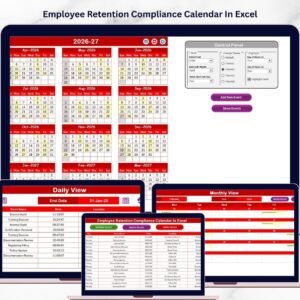
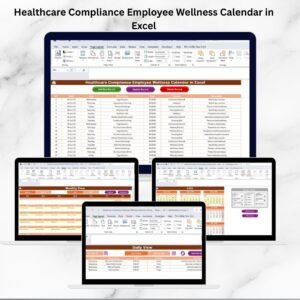
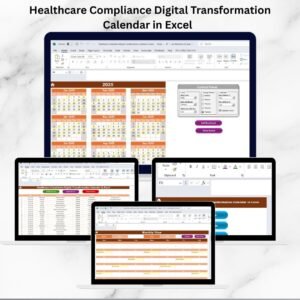
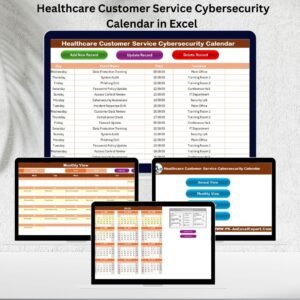
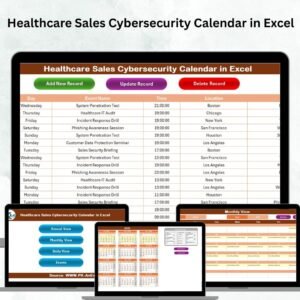
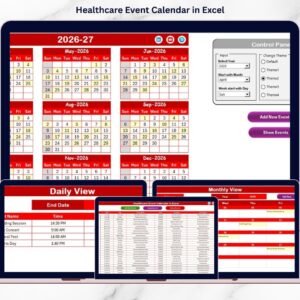
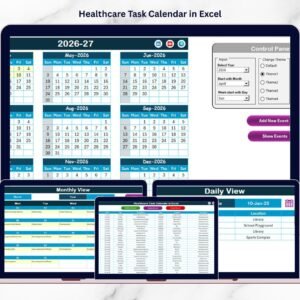
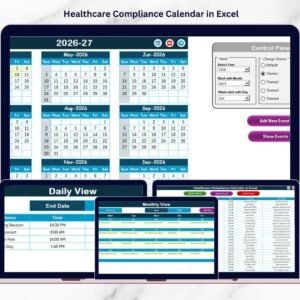
Healthcare Compliance Calendar in Excel This ready-to-use Excel calendar centralizes regulatory deadlines, inspections, training schedules, audits, and compliance reporting into one structured and interactive system. It provides Annual, Monthly, and Daily views, automated event management, and a clean compliance database — all inside Excel.
No more confusion. No more missed deadlines. Just complete compliance visibility.
Let’s explore why this calendar is essential for your organization.
🚀 Key Feature of Healthcare Compliance Calendar in Excel
📅 Annual, Monthly & Daily Views
Monitor compliance activities across the full year or focus on detailed daily schedules.
🧭 Home Navigation Dashboard
Access Annual View, Monthly View, Daily View, and Events database instantly.
🎨 5 Custom Color Themes
Match your organization’s branding with a single click.
🔔 Event Highlighting System
Highlight weekends or critical compliance dates automatically.
➕ Add, Update & Delete Events Easily
Manage compliance activities through user-friendly buttons.
📊 Structured Compliance Database
Store event ID, Date, Time, Location, and Description in one centralized sheet.
📆 Control Panel Customization
Adjust year, starting month, and week format dynamically.
⚡ Automatic Calendar Adjustments
All views update instantly when settings change.
Because everything stays centralized, healthcare teams gain clarity, accountability, and control.
📦 What’s Inside the Healthcare Compliance Calendar in Excel
This professional template includes 5 structured worksheets:

1️⃣ Home Sheet
The starting point of the workbook.
Includes 4 navigation buttons:
• Annual View
• Monthly View
• Daily View
• Events Database
This makes navigation smooth and professional.
2️⃣ Annual View Sheet
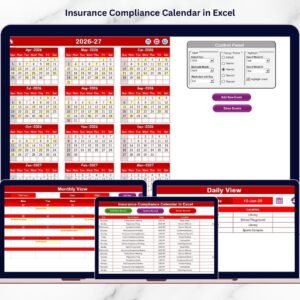
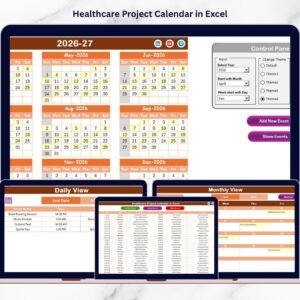
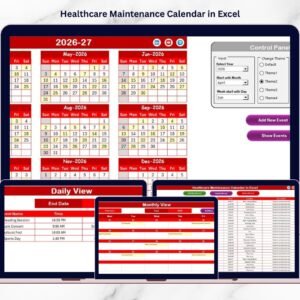
Displays all 12 months in one structured layout.
Includes:
• 12-Month Calendar Overview
• Control Panel
• Add New Event Button
• Show Event Button
You can:
✔ Select the Year
✔ Change Starting Month
✔ Choose Starting Day of Week
✔ Highlight 2 Days of the Week
✔ Automatically Highlight Events
The control panel gives you full flexibility.
3️⃣ Monthly View Sheet
Focus on one month at a time.
At the top, select:
• Month
• Year
If multiple events exist on a date, it shows “more than 1…” so nothing goes unnoticed.
You can also add or view events directly from this sheet.
4️⃣ Daily View Sheet
Perfect for detailed compliance planning.
Select:
• Start Date
• End Date
Click Refresh to view:
• Event ID
• Date
• Event Name
• Time
• Location
• Description
This helps prepare for inspections, audits, and internal reviews.
5️⃣ Events Sheet (Database)
The backbone of the calendar.
Stores:
• Auto-Generated ID
• Date
• Day
• Event Name
• Time
• Location
• Description
Buttons included:
➕ Add New Record
✏ Update Existing Record
🗑 Delete Record
Because all data stays centralized, the calendar remains organized and consistent.
📊 How to Use the Healthcare Compliance Calendar in Excel
Using this calendar is simple:
1️⃣ Set the year in the Control Panel.
2️⃣ Add compliance events using the Add New Event button.
3️⃣ Highlight critical days if needed.
4️⃣ Review Annual view for long-term planning.
5️⃣ Use Monthly view for tactical tracking.
6️⃣ Check Daily view for detailed execution.
Because the system updates automatically, you save time and reduce manual effort.
👥 Who Can Benefit from This Healthcare Compliance Calendar in Excel
This template is ideal for:
🏥 Hospital Administrators
⚖️ Compliance Officers
📋 Risk Management Teams
👩⚕️ Clinic Managers
📊 Healthcare HR Departments
🏢 Medical Facility Coordinators
Whether you run a small clinic or a large hospital network, structured scheduling improves compliance confidence.
This calendar strengthens compliance management by:
✔ Preventing missed regulatory deadlines
✔ Improving audit preparation
✔ Enhancing communication
✔ Increasing accountability
✔ Supporting proactive compliance culture
Stop relying on reminders. Start managing compliance with structure.
📘 Click here to read the Detailed blog post
Visit our YouTube channel to learn step-by-step video tutorials
👉 https://www.youtube.com/@PKAnExcelExpert
Watch the step-by-step video tutorial:
Compatibility and Requirements
- The calendar uses buttons to add, update and delete events and to refresh the Daily view. It runs in Excel desktop on Windows with macros enabled. It does not run in Excel for the web, Google Sheets or mobile. Microsoft explains how to enable or disable macros.
Frequently Asked Questions
Which sheets are included?
Five sheets: Home, Annual View, Monthly View, Daily View and Events. The Home sheet has four buttons that open the Annual View, Monthly View, Daily View and Events database.
What does the Events sheet store?
Each record has an auto-generated ID, date, day, event name, time, location and description. Buttons on the sheet add a new record, update an existing one or delete one.
Can I change the year and the starting month?
Yes. The Control Panel on the Annual View lets you select the year, the starting month and the starting day of the week. All views update when you change these settings.
How do I highlight weekends or key dates?
The Control Panel can highlight 2 days of the week. It also highlights dates that have events, so compliance deadlines stand out on the calendar.
What happens when two events fall on the same date?
The Monthly View shows “more than 1…” on that date. Use the Daily View to see every event in a date range with its ID, name, time, location and description.
Can I change the colors?
Yes. The template includes 5 color themes, and you can switch between them with one click.
Related Compliance and Healthcare Templates
- Healthcare Project Calendar in Excel: a calendar for healthcare project dates
- Health & Safety Compliance Calendar in Excel: the same calendar layout for health and safety deadlines
- Audit Schedule Calendar in Excel: a calendar built around audit dates
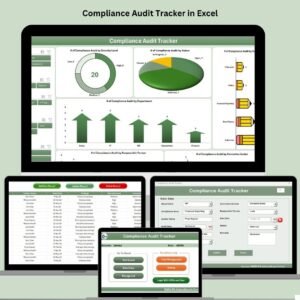
- Compliance Audit Tracker in Excel: a tracker for audit findings and actions
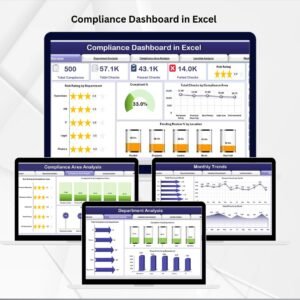
- Compliance Dashboard in Excel: a dashboard view of compliance data
Browse all Excel calendar templates.