



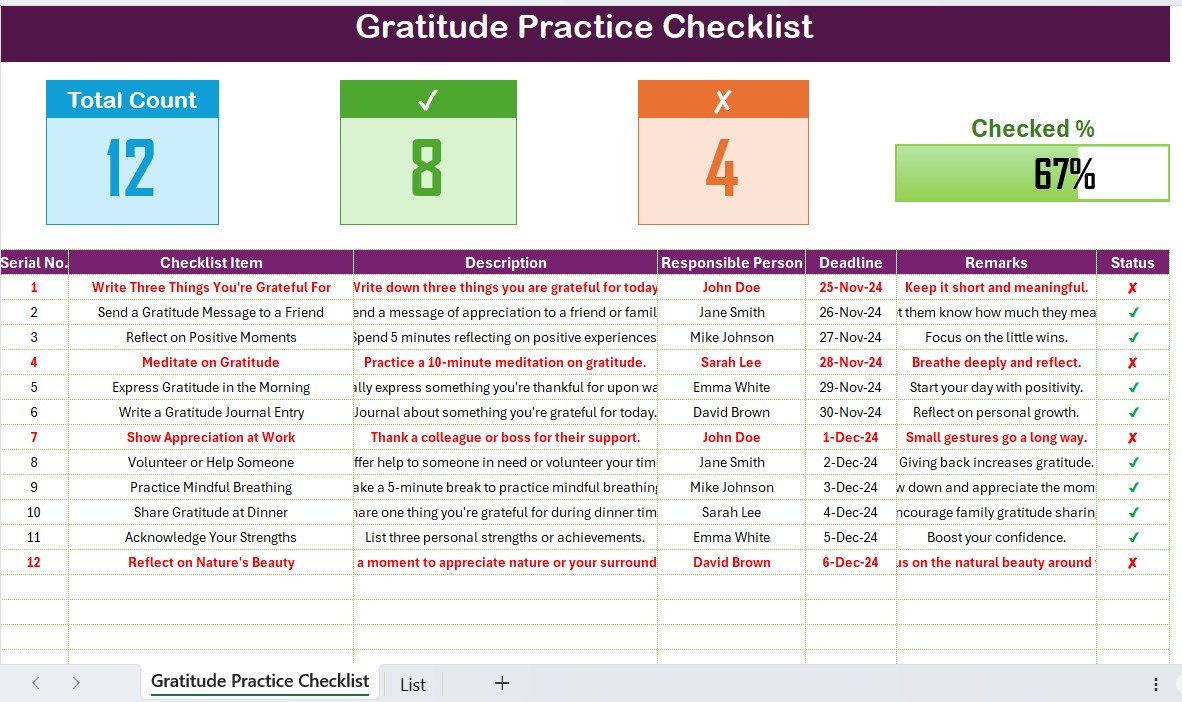
The Gratitude Practice Checklist in Excel is a powerful tool for anyone looking to cultivate a more positive mindset and improve mental well-being. Whether you are new to gratitude practices or looking for a structured way to keep track of your daily gratitude, this customizable checklist helps you stay consistent and intentional in your gratitude journey.
With this easy-to-use Excel template, you can organize your daily gratitude practice, reflect on things you’re thankful for, and monitor your progress over time. With built-in reminders, visual tracking, and a simple layout, this checklist makes it easy to incorporate gratitude into your daily routine and improve your overall outlook on life.
Key Features of the Gratitude Practice Checklist in Excel
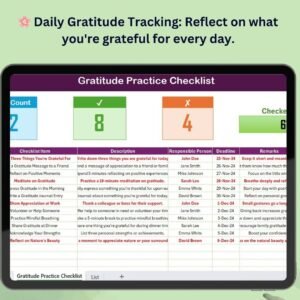
🌸 Daily Gratitude Tracking
Track your daily gratitude practice by writing down things you are thankful for, helping you cultivate a habit of gratitude.
⚡ Progress Monitoring & Reflection
Reflect on your progress with visual indicators and progress tracking, helping you stay consistent with your gratitude practice.
📅 Weekly & Monthly Goals
Set weekly or monthly gratitude goals and track how many days you practice gratitude, ensuring consistency and growth over time.
🔄 Customizable for Your Needs
Personalize the checklist to fit your specific gratitude practice. Modify tasks, set your own gratitude prompts, and create a plan that works best for you.
📊 Gratitude Practice Dashboard
Visualize your gratitude progress with an interactive dashboard that tracks your daily entries, weekly reflections, and overall achievements.
🖥️ User-Friendly Interface
The intuitive design allows for easy tracking and reflection, making it simple to add new gratitude entries and monitor your practice without any hassle.
Why You’ll Love the Gratitude Practice Checklist in Excel
✅ Build a Consistent Gratitude Practice
Stay focused on your daily gratitude practice, allowing you to cultivate a habit of appreciation and positivity.
✅ Track Your Progress
Monitor how often you practice gratitude and reflect on your progress to maintain a positive mindset over time.
✅ Set Gratitude Goals
Set weekly or monthly goals for how many gratitude entries you’d like to complete, helping you stay motivated and accountable.
✅ Visualize Your Growth
Use the dashboard to see your progress and celebrate the positive changes in your life as you practice gratitude more regularly.
✅ Customizable for Your Needs
Adapt the checklist to match your personal gratitude goals, whether you want to reflect on small daily things or focus on bigger aspects of life.
What’s Inside the Gratitude Practice Checklist in Excel?
- Daily Gratitude Tracking: A section to record things you’re grateful for each day.
- Weekly & Monthly Goal Setting: Sections to set and track your gratitude goals for the week or month.
- Progress Tracking: Real-time tracking with progress bars and task completion indicators.
- Gratitude Practice Dashboard: A visual summary that shows your progress and key areas to focus on.
- Customizable Prompts: Modify prompts for your gratitude practice or add personal goals to make the practice truly your own.
How to Use the Gratitude Practice Checklist in Excel
1️⃣ Download the Template: Instantly access your gratitude practice checklist.
2️⃣ Set Goals & Prompts: Add your gratitude goals for the week or month and set custom prompts for reflection.
3️⃣ Track Progress: Use the progress bars and dashboard to monitor your consistency and gratitude entries.
4️⃣ Reflect & Improve: Regularly reflect on what you are grateful for and use insights from your progress to keep improving your practice.
Who Can Benefit from the Gratitude Practice Checklist in Excel?
🔹 Individuals Looking to Improve Mental Well-Being
🔹 People Interested in Building a Positive Mindset
🔹 Anyone Looking for Personal Growth & Reflection
🔹 Coaches & Therapists Helping Clients with Gratitude Practices
🔹 Students & Professionals Interested in Self-Improvement
🔹 Anyone Wanting to Cultivate More Gratitude in Their Life
Create a daily gratitude habit and improve your mental well-being with this easy-to-use, customizable gratitude practice checklist.
Click here to read the Detailed blog post
Visit our YouTube channel to learn step-by-step video tutorials
Youtube.com/@PKAnExcelExpert
Compatibility and Requirements
- Works in Microsoft Excel desktop (Excel 2016 or later, or Microsoft 365).
- New to Excel? Microsoft’s Excel for Windows training course covers the basics.
Frequently Asked Questions
What does the checklist track?
Your daily gratitude entries, plus weekly and monthly goals for how often you practice.
How do I see my progress?
Progress bars and task completion indicators update as you go, and the gratitude practice dashboard gives a visual summary.
Can I write my own prompts?
Yes. You can change the gratitude prompts and add personal goals.
Is there a Google Sheets version?
Yes. See the Gratitude Practice Checklist in Google Sheets.
Related Gratitude and Wellbeing Templates
- Gratitude Practice Checklist in Google Sheets: the same checklist in Google Sheets
- Gratitude & Daily Journal Tracker in Google Sheets: a fuller daily journal
- Mindfulness and Meditation Checklist Template in Excel: a meditation routine
- Weekly Reflection Checklist Template in Excel: a weekly review
- Checklist & SOP Pack: 12 Excel and Google Sheets checklists in one pack
Browse all Excel checklists.
































Reviews
There are no reviews yet.