

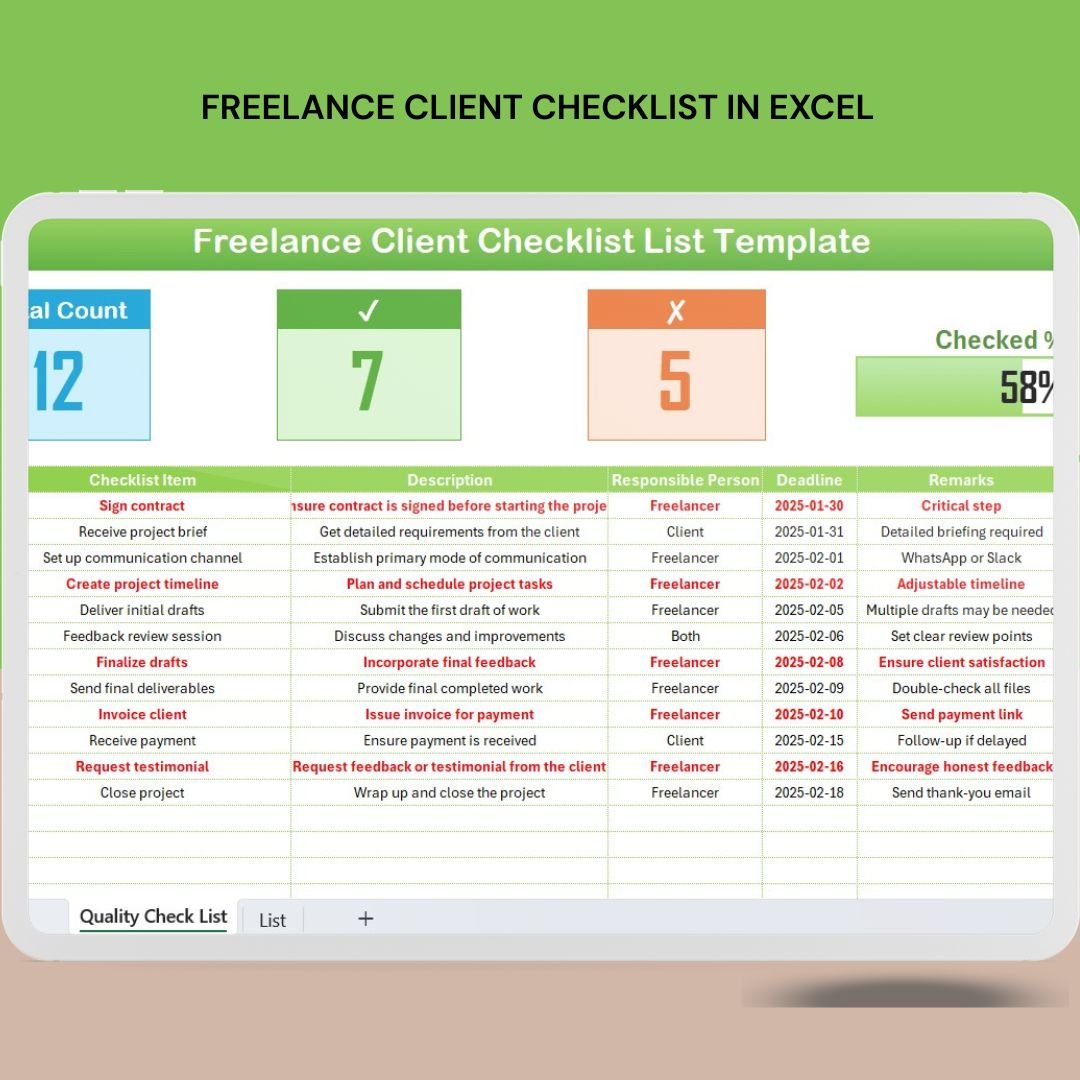

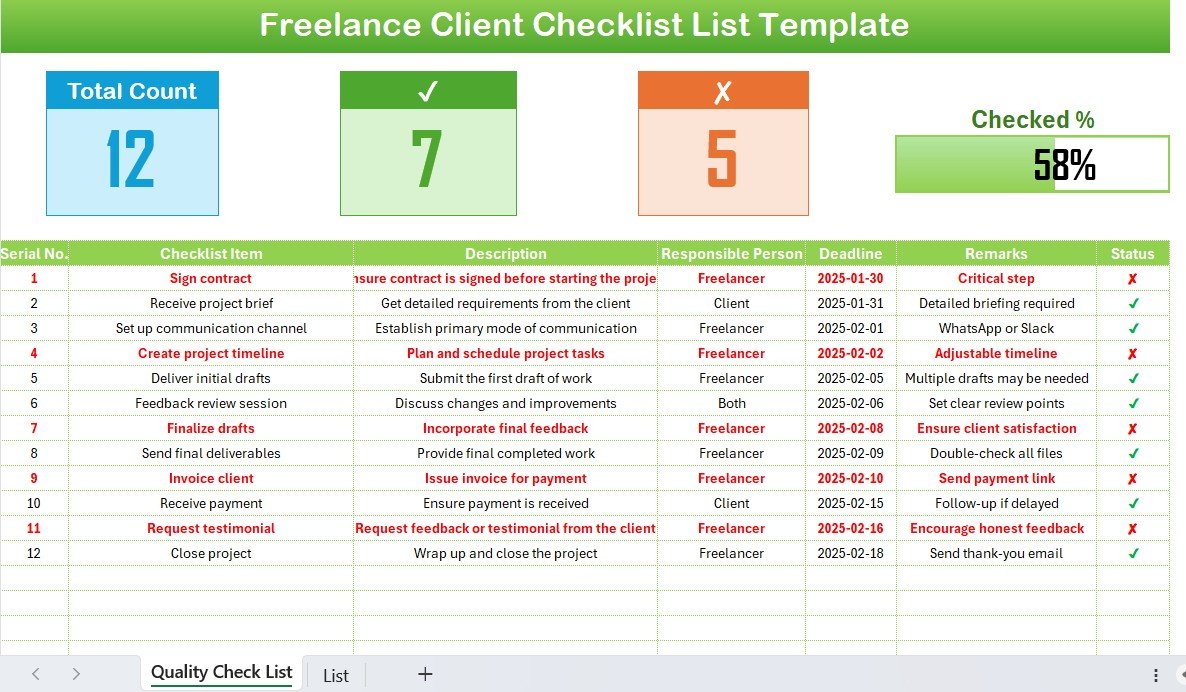
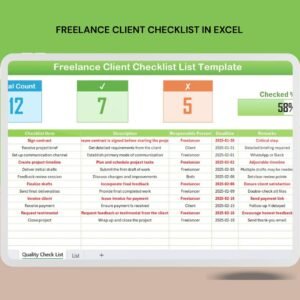
The Freelance Client Checklist in Excel is a practical and highly customizable tool designed to help freelancers manage their client relationships efficiently. Whether you’re a writer, designer, developer, or any other type of freelancer, this Excel-based checklist ensures that you stay on top of every task, deadline, and requirement for each client.
This tool helps you track key project milestones, set clear expectations, monitor deliverables, and streamline your communication. From initial onboarding to project completion, the checklist covers every step of your freelance work process, ensuring you stay organized, meet deadlines, and maintain a professional relationship with your clients.
Key Features of the Freelance Client Checklist in Excel
📋 Client Information Management
Track all essential client details, including contact information, project descriptions, and communication preferences. Keep everything organized in one place for easy reference.
📝 Project Milestones & Deadlines
Monitor key project milestones, deadlines, and progress. Stay on top of deliverables and ensure that tasks are completed on time and to the client’s satisfaction.
📅 Task Tracking & Prioritization
Track each task and assign deadlines. Prioritize tasks based on urgency and importance, ensuring that nothing is left unfinished.
🧑💼 Client Communication & Notes
Record important notes and communication logs for each client. Maintain a record of discussions, feedback, and project changes to ensure clarity and avoid misunderstandings.
💼 Invoicing & Payment Tracking
Easily manage invoicing and payment details for each client. Track amounts due, payment statuses, and ensure timely payments for your services.
⚙️ Customizable Tracker
The checklist is fully customizable, allowing you to tailor it to your specific needs. Add additional columns, adjust categories, and modify the tracker to fit your freelancing business.
Why You’ll Love the Freelance Client Checklist in Excel
✅ Stay Organized & Efficient
Never miss an important deadline or task with the checklist’s detailed tracking and organization features.
✅ Clear Communication with Clients
Keep a detailed log of client communications, feedback, and revisions to ensure smooth collaboration.
✅ Track Payment Status
Easily monitor payment progress and ensure timely invoicing, helping you maintain financial clarity.
✅ Boost Productivity & Timeliness
Prioritize tasks and track deadlines to ensure that every project is completed efficiently and on time.
✅ Scalable & Customizable
Adjust the checklist as your freelance business grows. Whether you have a few clients or a large portfolio, it’s fully customizable to fit your needs.
What’s Inside the Freelance Client Checklist in Excel?
Client Information Management: Track key details for each client.
Project Milestones & Deadlines: Monitor important milestones and deadlines.
Task Tracking & Prioritization: Organize tasks and set priorities to stay on track.
Client Communication & Notes: Keep a record of communication logs and notes.
Invoicing & Payment Tracking: Track invoices, payment statuses, and outstanding balances.
Customizable Layout: Tailor the tracker to suit your specific freelancing needs.
How to Use the Freelance Client Checklist in Excel
1️⃣ Download the Template: Get immediate access to the Freelance Client Checklist in Excel.
2️⃣ Input Client Details: Add essential client information, project descriptions, and contact information.
3️⃣ Track Milestones & Deadlines: Set project milestones and deadlines to ensure timely delivery.
4️⃣ Prioritize Tasks: Use the task tracking section to stay on top of your daily responsibilities.
5️⃣ Invoice & Payment Tracking: Use the invoicing tracker to monitor client payments and ensure timely payments.
Who Can Benefit from the Freelance Client Checklist in Excel?
🔹 Freelance Writers & Editors
🔹 Graphic Designers & Creatives
🔹 Web Developers & Programmers
🔹 Marketing & Social Media Consultants
🔹 Photographers & Videographers
🔹 Consultants & Coaches
🔹 Small Business Owners & Entrepreneurs
🔹 Virtual Assistants & Remote Workers
Ensure your freelance business runs smoothly with the Freelance Client Checklist in Excel. Stay on top of client information, deadlines, payments, and communication—all in one simple, easy-to-use tool.
Click here to read the Detailed blog post
Visit our YouTube channel to learn step-by-step video tutorials
Youtube.com/@PKAnExcelExpert
Compatibility and Requirements
- Works in Microsoft Excel desktop (Excel 2016 or later, or Microsoft 365).
- Microsoft’s guide Create a chart from start to finish explains the Excel feature this file is built on.
Frequently Asked Questions
What can I track for each client?
Contact information, project descriptions, communication preferences, milestones, deadlines, tasks, communication notes and invoice and payment status.
Can I track payments?
Yes. The invoicing and payment section records amounts due, payment status and outstanding balances for each client.
Can I keep notes on client conversations?
Yes. There is a communication and notes section for discussions, feedback and project changes.
Can I add my own columns?
Yes. The checklist is customizable, so you can add columns, adjust categories and change it to fit your freelance work.
Related Freelancer Templates
- Freelance Work Checklist in Excel: a checklist for the work itself
- Freelancer Project Calendar in Excel: plan project dates on a calendar
- Freelance Gig & Deadline Tracker in Google Sheets: track gigs and due dates in the browser
- Consultant and Freelancer Management System V1.0 in Excel VBA: a fuller system for client work
- Checklist & SOP Pack: 12 checklist templates in one download
Browse all Excel checklist templates or the Excel project management templates.































Reviews
There are no reviews yet.