



In today’s unpredictable business environment, Finance Marketing Supply Chain Resilience Calendar. Finance teams must meet strict deadlines, marketing teams must keep campaigns aligned with customer expectations, and supply chain managers must overcome disruptions without compromising service. To achieve this, organizations need more than basic planning—they need a centralized, interactive calendar that connects all departments.
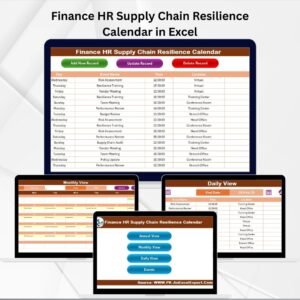
That’s why we created the Finance Marketing Supply Chain Resilience Calendar in Excel. This ready-to-use template brings together financial planning tasks, marketing campaigns, and supply chain events in one easy-to-navigate tool. With annual, monthly, and daily views, plus an event management database, it ensures every critical activity is tracked, shared, and reviewed across the organization.
Unlike scattered spreadsheets or paper planners, this calendar provides real-time visibility, structured records, and customizable layouts—making it an essential asset for finance, marketing, and supply chain professionals alike.
✨ Key Features of Finance Marketing Supply Chain Resilience Calendar
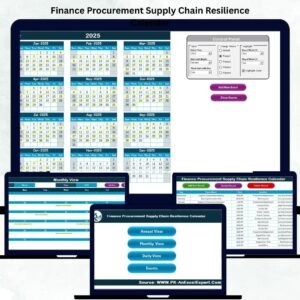
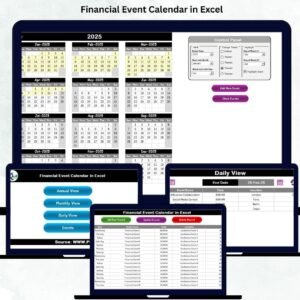
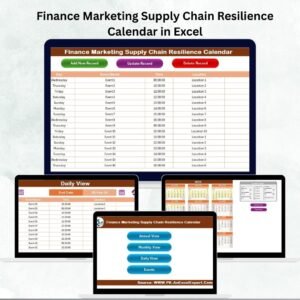
✅ 5 Interactive Worksheets – Home, Annual View, Monthly View, Daily View, and Events Database.
✅ Home Sheet Hub – Command center with navigation buttons to jump across views instantly.
✅ Annual View Planning – 12-month calendar with customizable start month, year, and day of the week.
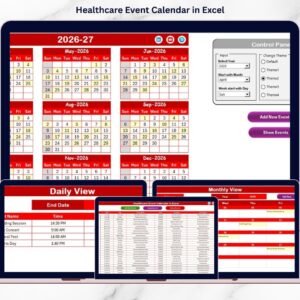
✅ Theme Customization – Choose from 5 professional themes to match your company’s branding.
✅ Weekend & Event Highlighting – Auto-highlight weekends and important dates.
✅ Monthly View Drilldown – Focus on campaigns, audits, or events for a specific month.
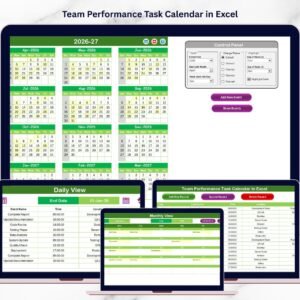
✅ Daily View Timeline – Track activities in date ranges with instant refresh options.
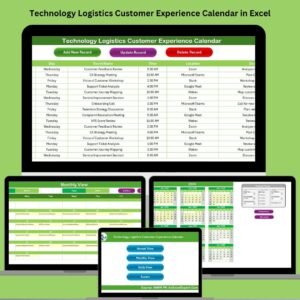
✅ Events Database – Centralized record of all events with ID, Date, Time, Location, and Description.
✅ Event Management Buttons – Add, update, or delete events with one click.
✅ User-Friendly Design – No advanced Excel skills required.
📦 What’s Inside the Resilience Calendar
When you download this Excel template, you get:
Home Sheet: Navigation panel for quick access.

Annual View: High-level 12-month calendar with event highlighting.
Monthly View: Month-specific breakdown of activities with event indicators.
Daily View: Detailed daily schedules, perfect for supply chain operations.
Events Sheet: Master database with all event details and management tools.
This structured design ensures finance, marketing, and supply chain managers work from one version of truth.
🛠️ How to Use the Finance Marketing Supply Chain Resilience Calendar
Set Year & Preferences – Adjust year, start month, and day of the week in the control panel.
Add Events – Enter tasks, campaigns, or deliveries via forms or the Events Sheet.
View Annual Schedule – Plan big-picture financial audits, product launches, and supply chain milestones.
Zoom Into Monthly View – Align campaigns with customer timelines or reporting deadlines.
Use Daily View for Execution – Track shipments, compliance checks, and campaign launches.
Update Events – Modify or delete outdated events in seconds.
Share & Collaborate – Save to cloud storage for multi-team usage.
👩💼 Who Can Benefit from This Calendar?
Finance Managers – Schedule audits, filing deadlines, and budget reviews.
Marketing Teams – Plan campaigns, launches, and customer engagement events.
Supply Chain Leaders – Monitor deliveries, shipments, and risk management tasks.
Executives – Gain cross-departmental visibility for better decisions.
Small & Large Businesses – Affordable, scalable, and flexible for all company sizes.
By aligning finance, marketing, and supply chain processes, organizations reduce risks, improve coordination, and build resilience.
👉 Click here to read the Detailed blog post
Visit our YouTube channel to learn step-by-step video tutorials
Watch the step-by-step video tutorial:
Compatibility and Requirements
- Needs Excel desktop on Windows with macros enabled. The add, update and delete event buttons and the event form run on macros, so the file does not work in Excel for the web, Google Sheets or mobile apps.
- Microsoft explains how to enable macros in Microsoft 365 files.
Frequently Asked Questions
Which worksheets are in the Finance Marketing Supply Chain Resilience Calendar?
Five: Home, Annual View, Monthly View, Daily View and Events. The Home sheet has buttons that jump to each view.
Can I change the year and the first day of the week?
Yes. The control panel sets the year, start month and starting day of the week.
How many color themes are there?
Five. Pick one in the control panel, and turn on weekend and event highlighting if you want it.
What is stored for each event?
The Events sheet keeps an ID, date, time, location and description for every event, and has buttons to add, update or delete records.
How do I see events for a set period?
Open the Daily View, choose the date range and refresh the list.
Related Supply Chain Resilience Calendars
- Finance Procurement Supply Chain Resilience Calendar in Excel: finance and purchasing dates in one calendar.
- Marketing Supply Chain Resilience Calendar in Excel: a marketing-only edition.
- Compliance Supply Chain Resilience Calendar in Excel: audits and compliance checks.
- Logistics Supply Chain Resilience Calendar in Excel: shipments and delivery dates.
- Calendar & Planner Pack: 12 Excel and Google Sheets calendars and planners.
Browse all Excel calendar templates or the Excel logistics templates.





















Reviews
There are no reviews yet.