

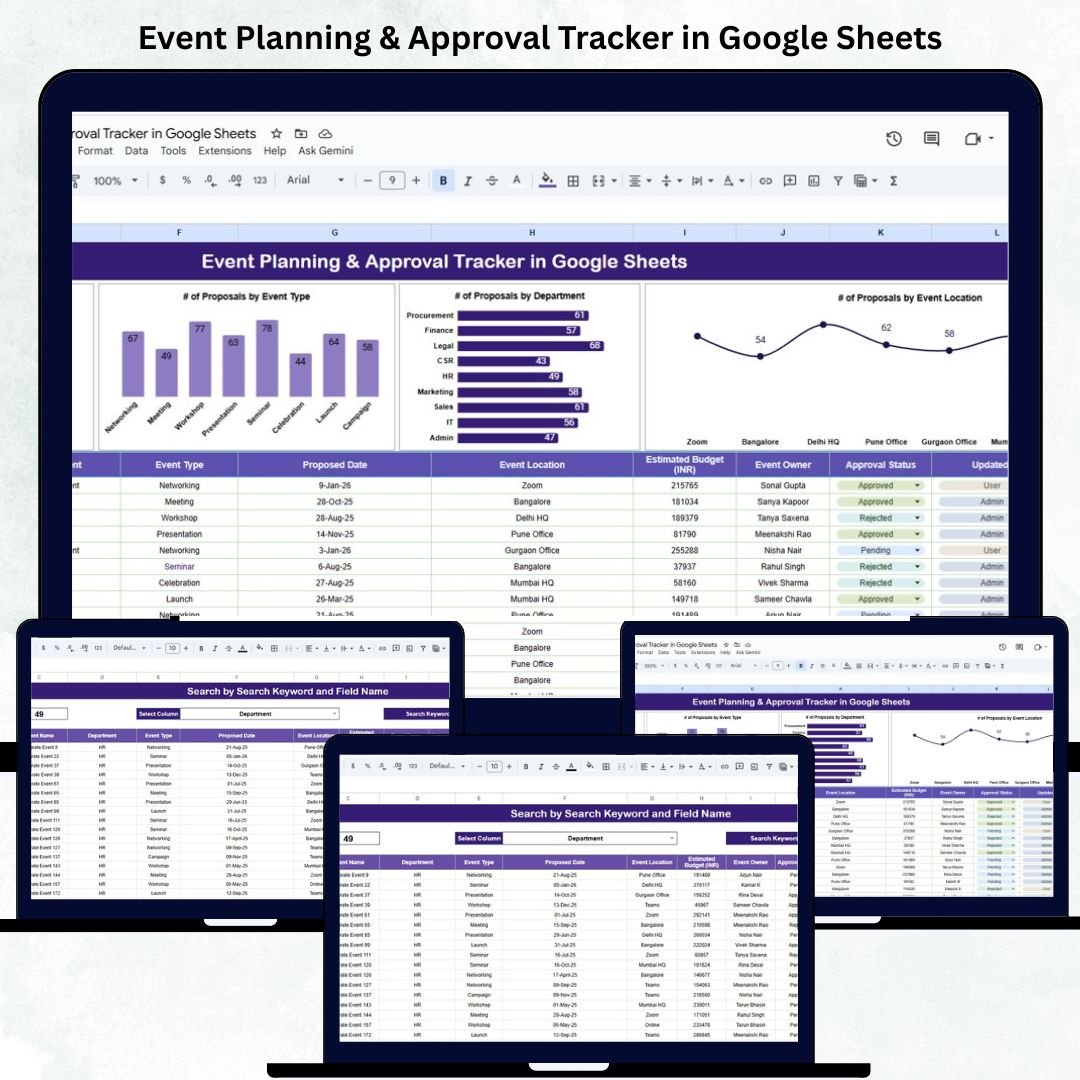

Planning corporate events, product launches, or internal programs requires coordination across multiple teams and approvals. The Event Planning & Approval Tracker in Google Sheets is a ready-to-use, collaborative, and automated solution that helps organizations manage the entire event workflow — from proposal submission to final approval. 📅✅
Built entirely in Google Sheets, this tracker provides a centralized system where marketing, HR, admin, and operations teams can log, review, and approve event requests with real-time visibility. With dynamic charts, dropdown selections, and search functionality, it simplifies how organizations plan, analyze, and monitor events — all in one place.
🔑 Key Features of the Event Planning & Approval Tracker in Google Sheets
📋 Tracker Sheet Tab (Main Dashboard)
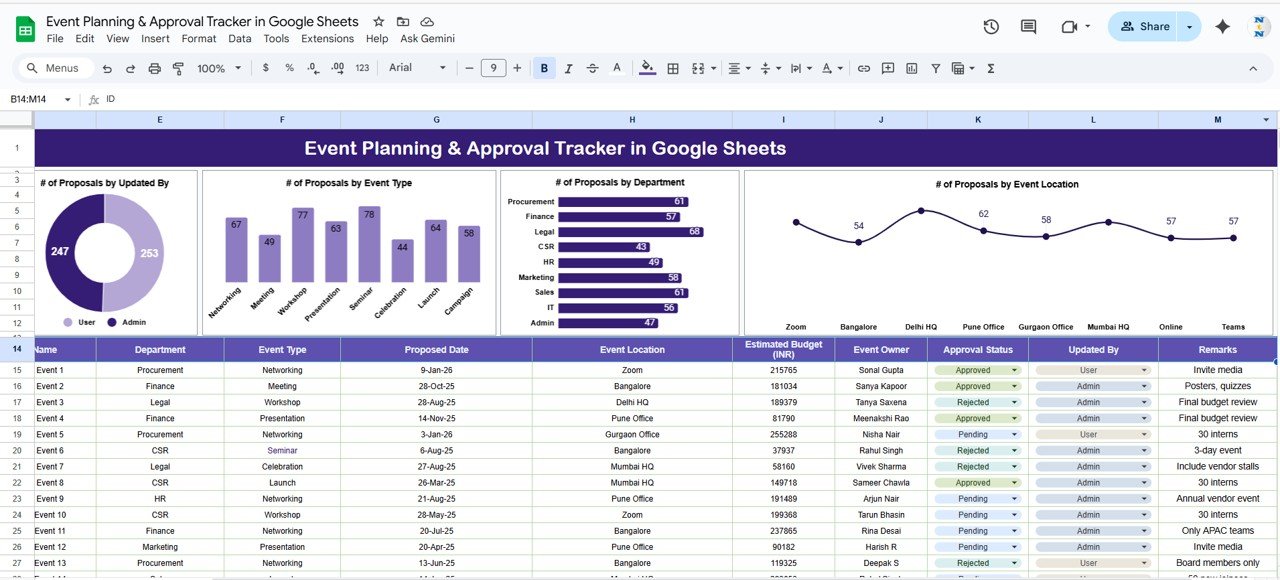
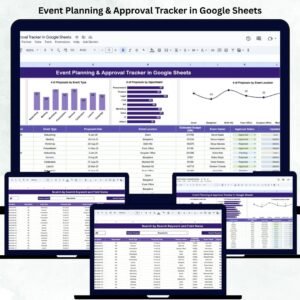
This is the main visualization page where all proposals and approvals are summarized. It provides instant visibility into organizational event activities and their approval stages.
📊 Charts Included:
# of Proposals by Approval Status: Track how many events are Pending, Approved, Rejected, or In Review.
# of Proposals by Updated By: See which teams or members are actively managing event submissions.
# of Proposals by Event Type: Categorize events such as Corporate Meetings, Workshops, Product Launches, CSR Events, or Training Programs.
# of Proposals by Department: Identify which departments are submitting the most event proposals.
# of Proposals by Location: Analyze event distribution across regions or cities for better logistics planning.
All visuals are automatically updated from the Data Sheet, ensuring real-time accuracy and easy interpretation.
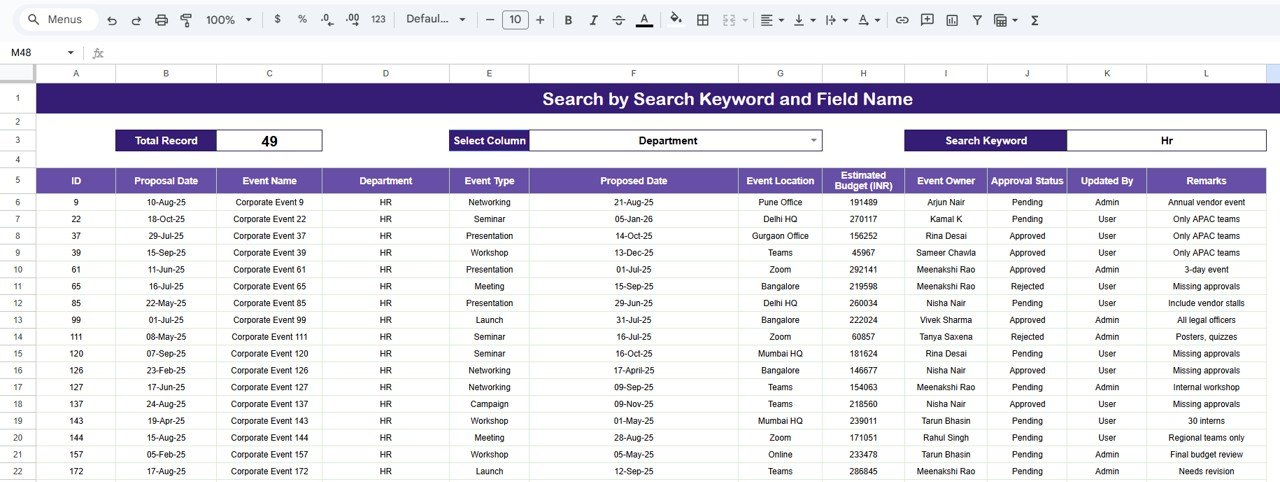
🔍 Search Sheet Tab
Find any proposal instantly without scrolling through large data tables.
You can search by:
Event Name
Department
Event Type
Approval Status
Event Location
Proposal ID
💡 Example: Type “Marketing” to instantly display all marketing event proposals awaiting approval.
🧾 Data Sheet Tab
The Data Sheet is the backbone of the tracker, where each record represents a single event proposal.
It includes columns for:
Event Name | Department | Event Type | Location | Proposed By | Date | Status | Updated By | Remarks
All data entered here drives dashboard visuals automatically.
⚙️ Support Sheet Tab
This sheet stores reference dropdowns for clean and standardized data entry — ensuring consistency across event categories, statuses, and departments.
📦 What’s Inside the Event Planning & Approval Tracker
✅ Fully automated Google Sheets dashboard
✅ Dynamic charts for department, type, and approval analysis
✅ Centralized event proposal log
✅ Smart search functionality
✅ Predefined dropdown lists for accuracy
✅ Real-time updates for collaboration
✅ Cloud-based access — no installation required
✅ 100% customizable structure for any organization
🧑💼 Who Can Benefit from This Tracker
🎯 HR Teams: Manage internal programs, training sessions, or celebrations.
📢 Marketing Teams: Track promotional events, campaigns, and product launches.
🛠️ Operations & Admin: Monitor venue allocation, logistics, and budgeting.
🏢 Corporate Planners: Ensure proposal transparency and approval compliance.
It’s perfect for organizations that want a structured, data-driven approach to event management — without expensive software.
🧪 How to Use the Event Planning & Approval Tracker
1️⃣ Log Events: Enter event proposals in the Data Sheet.
2️⃣ Monitor Dashboard: View dynamic charts and approval trends.
3️⃣ Search Records: Instantly find proposals by keyword.
4️⃣ Update Status: Change approval stages in real time.
5️⃣ Collaborate: Allow multiple departments to update simultaneously.
💡 Pro Tip: Integrate Google Forms to collect event proposals automatically — feeding data directly into this tracker.
🌟 Why Choose This Tracker
Streamlines approval workflows
Increases accountability across departments
Provides real-time visibility into event planning activity
Eliminates confusion over approval stages
Reduces time spent on manual follow-ups
Customizable for any organization or event type
With the Event Planning & Approval Tracker in Google Sheets, you get a smart, scalable system that replaces scattered spreadsheets and endless email chains — making event management efficient, transparent, and data-driven. 🎯📊
🔗 Click here to read the Detailed blog post
Watch the step-by-step video Demo:
🔗 Visit our YouTube channel to learn step-by-step tutorials
Compatibility and Requirements
- Works in Google Sheets. You need a free Google account and a web browser.
- Status, department, event type and location are picked from dropdown lists on the Support Sheet. Google explains dropdowns in Create an in-cell dropdown list.
Frequently Asked Questions
Which sheets are included?
Four sheet tabs: Tracker (the main dashboard with charts), Search, Data Sheet and Support Sheet.
How do I add an event proposal?
Enter it as a new row in the Data Sheet. Each row holds the event name, department, event type, location, proposed by, date, status, updated by and remarks. The Tracker charts update from this data.
Which charts does the Tracker tab show?
It shows the number of proposals by approval status, by updated by, by event type, by department and by location.
How do I find one proposal quickly?
Open the Search sheet and search by event name, department, event type, approval status, event location or proposal ID.
Can several departments update the tracker at the same time?
Yes. It is a Google Sheets file, so several people can update the approval status in the Data Sheet together.
Is there another event planning tracker in Google Sheets?
Yes. See the Enterprise Event Planning Register Tracker in Google Sheets.
Related Event Planning Templates
- Enterprise Event Planning Register Tracker in Google Sheets: a register-style tracker for events
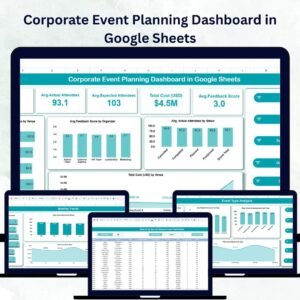
- Corporate Event Planning Dashboard in Google Sheets: a dashboard view of corporate events
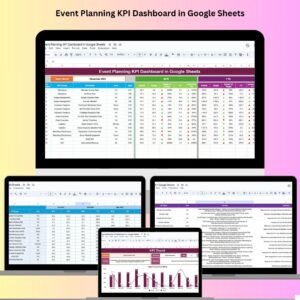
- Event Planning KPI Dashboard in Google Sheets: KPI tracking for event planning
- Event Planning Checklist in Google Sheets: a task checklist for each event
- Corporate Event Planning Dashboard in Excel: the same topic in Excel
Browse all Google Sheets trackers.


Reviews
There are no reviews yet.