

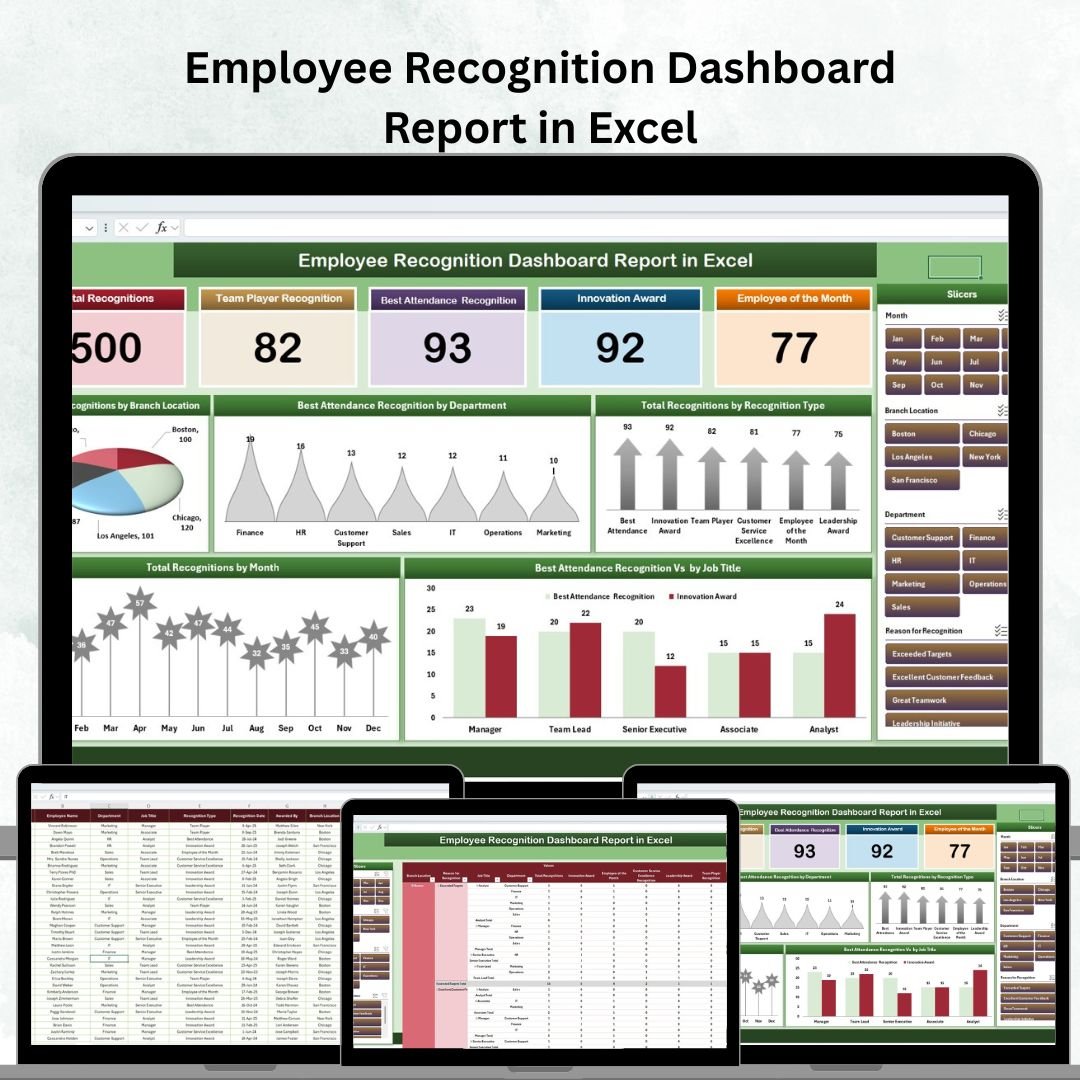

Recognizing employee contributions is one of the most powerful ways to boost morale, strengthen workplace culture, and improve retention. However, without a structured system, tracking recognition activities can quickly become disorganized. That’s where the Employee Recognition Dashboard Report in Excel comes in—a ready-to-use, professional solution designed to help HR teams, managers, and leaders monitor recognition programs effectively.
This tool transforms scattered recognition data into clear, interactive dashboards—making it easy to celebrate top performers, evaluate recognition trends, and align engagement programs with organizational goals. Whether you’re managing a small team or a large enterprise, this Excel-based dashboard gives you actionable insights at your fingertips.
✨ Key Features of the Employee Recognition Dashboard Report in Excel
Comprehensive Summary Dashboard 📊
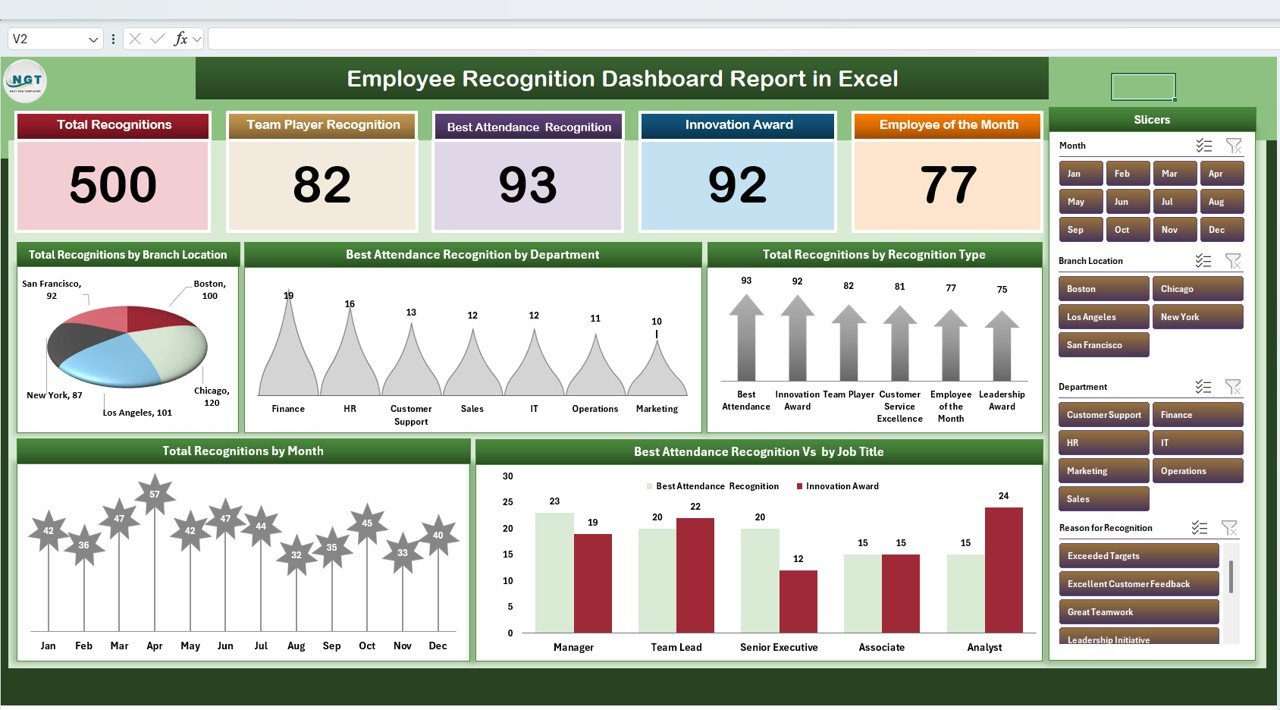
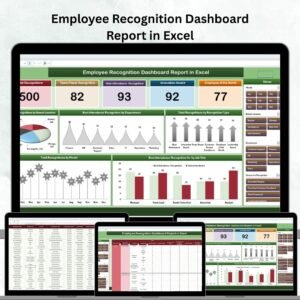
Get a quick snapshot of all recognition activities with cards and charts.Cards display Total Recognitions, Team Player Awards, Best Attendance Recognition, Innovation Awards, and Employee of the Month.
Charts provide insights into recognition by branch, department, job title, and month, making it easy to identify trends.
Detailed Report Tab with Power Pivot 📑
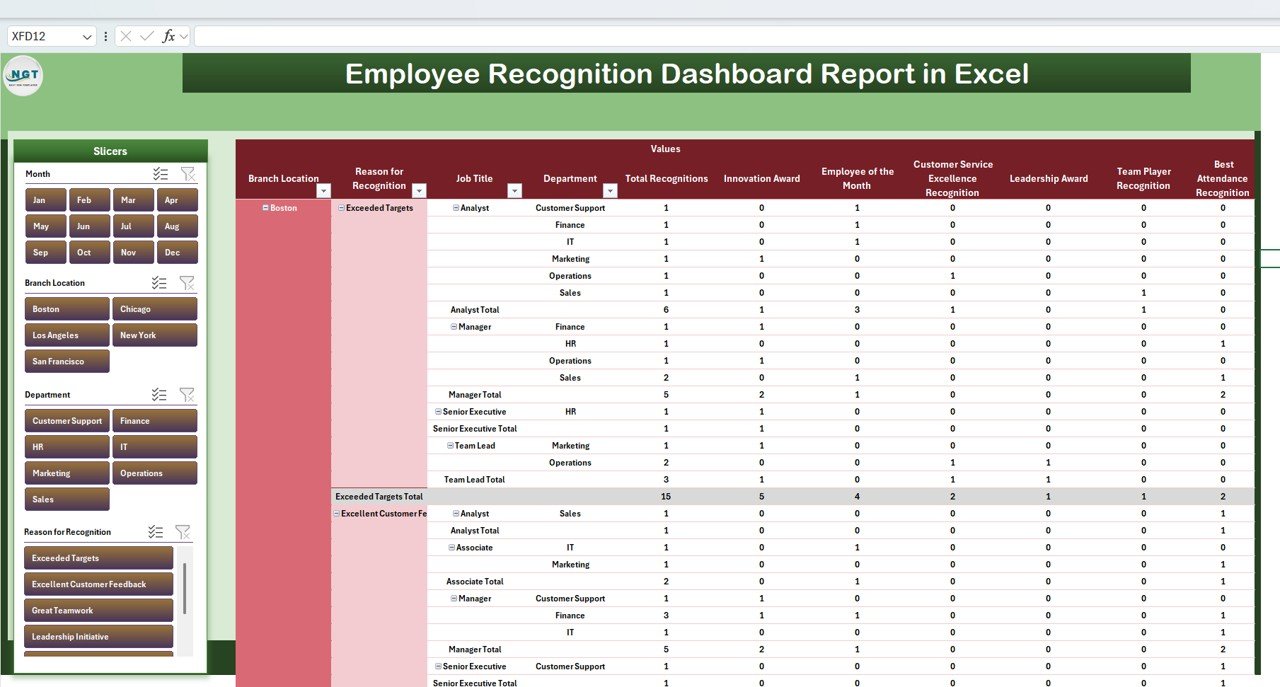
Drill deeper into recognition data with advanced filters.Analyze recognition by branch, department, recognition type, and job title.
Generate professional reports for leadership or HR presentations.
Structured Data Input Sheet ✍️
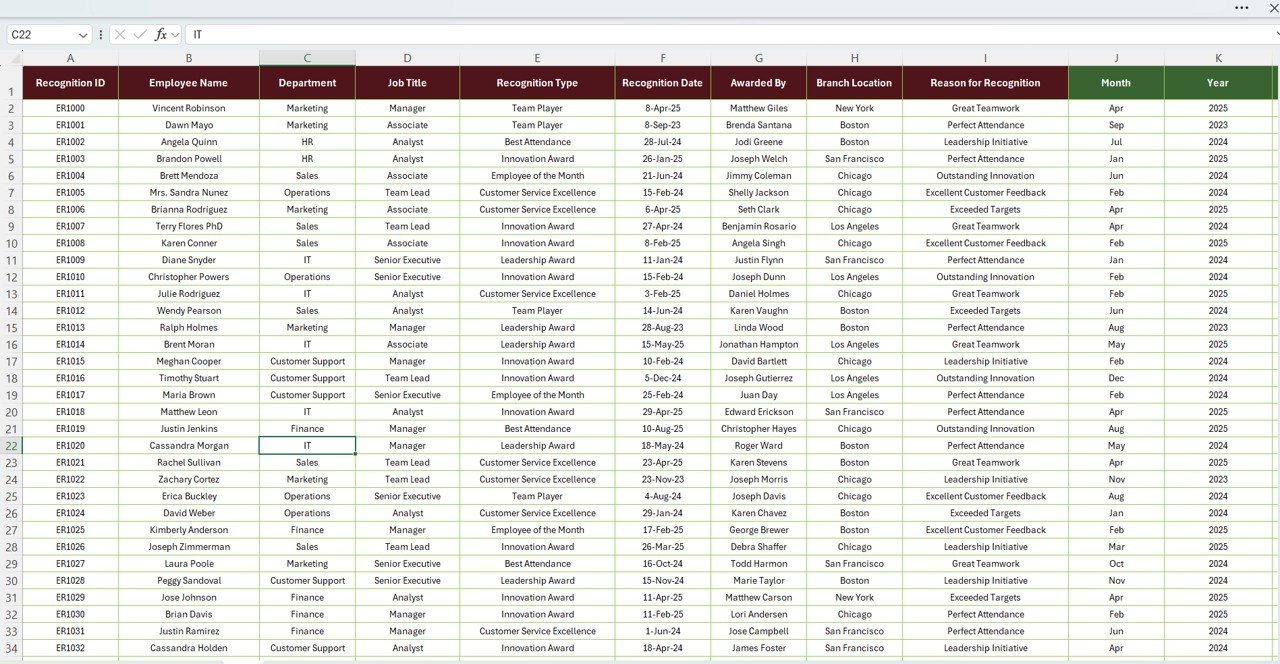
Capture recognition records efficiently with fields for Employee Name, Department, Branch, Recognition Type, Job Title, and Award Date.Automatic updates flow into summary and report tabs for real-time accuracy.
📂 What’s Inside the Employee Recognition Dashboard Report in Excel
Summary Sheet Tab – A visual overview with cards and charts for quick analysis.
Report Sheet Tab – A pivot-driven reporting system for detailed breakdowns.
Data Sheet Tab – Input all employee recognition details in one structured place.
This structure ensures seamless data entry, instant updates, and professional reporting without technical complexity.
⚙️ How to Use the Employee Recognition Dashboard Report in Excel
Input Data: Record recognition events in the Data Sheet (employee name, department, recognition type, etc.).
View Summary: Instantly see cards and charts update in the Summary Sheet.
Analyze Trends: Use the Report Sheet to filter and deep-dive by multiple dimensions.
Share Insights: Export charts or present the dashboard to leadership, HR, or employees.
No advanced Excel skills are needed—just update the data and let the dashboard do the work.
👥 Who Can Benefit from This Employee Recognition Dashboard Report?
HR Teams: Track recognition programs, ensure fairness, and celebrate achievements.
Managers: Identify top performers and encourage team motivation.
Leadership: Use recognition insights to guide culture-building initiatives.
Large Organizations: Monitor recognition across multiple branches or departments.
Small Businesses: Build structured recognition systems without costly HR software.
By recognizing employees consistently, you’ll foster loyalty, engagement, and long-term productivity.
🎯 Why Choose This Dashboard?
Easy to Customize: Add or remove recognition types to match your program.
Professional & Visual: Present recognition data in clear, engaging charts.
Scalable: Works for both small teams and large organizations.
Time-Saving: Automates reporting and reduces manual work.
Engagement-Boosting: Reinforces positive workplace culture through recognition.
📌 Final Thoughts
The Employee Recognition Dashboard Report in Excel is more than just a reporting tool—it’s a culture-building asset. By consolidating recognition data, presenting trends visually, and highlighting top performers, it ensures employees feel valued and appreciated. Recognition drives retention, productivity, and satisfaction, and this dashboard makes managing it effortless.
Click here to read the Detailed blog post
Watch the step-by-step video Demo:
Visit our YouTube channel to learn step-by-step video tutorials
Compatibility and Requirements
- Works in Microsoft Excel desktop (Excel 2016 or later, or Microsoft 365).
- The Report tab is built on pivot tables. Microsoft explains them in Create a PivotTable to analyze worksheet data.
Frequently Asked Questions
Which sheets are included?
Three sheets: Summary, Report and Data.
What do the cards show?
Total Recognitions, Team Player Awards, Best Attendance Recognition, Innovation Awards and Employee of the Month.
What fields do I enter?
Employee Name, Department, Branch, Recognition Type, Job Title and Award Date in the Data sheet.
How do I break the data down?
Use the Report tab to filter by branch, department, recognition type and job title.
Can I change the recognition types?
Yes. You can add or remove recognition types to match your program.
Related Employee Recognition Templates
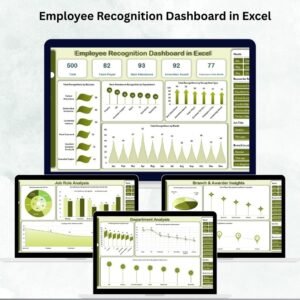
- Employee Recognition Dashboard in Excel: another recognition dashboard in Excel
- Employee Recognition Dashboard in Power BI: the Power BI edition
- Employee Recognition Dashboard in Google Sheets: the Google Sheets edition
- Employee Recognition Nomination Tracker in Excel: collect and review nominations
- HR & Workforce Analytics Bundle: 10 HR templates in one download
Browse all Excel dashboards.































Reviews
There are no reviews yet.