

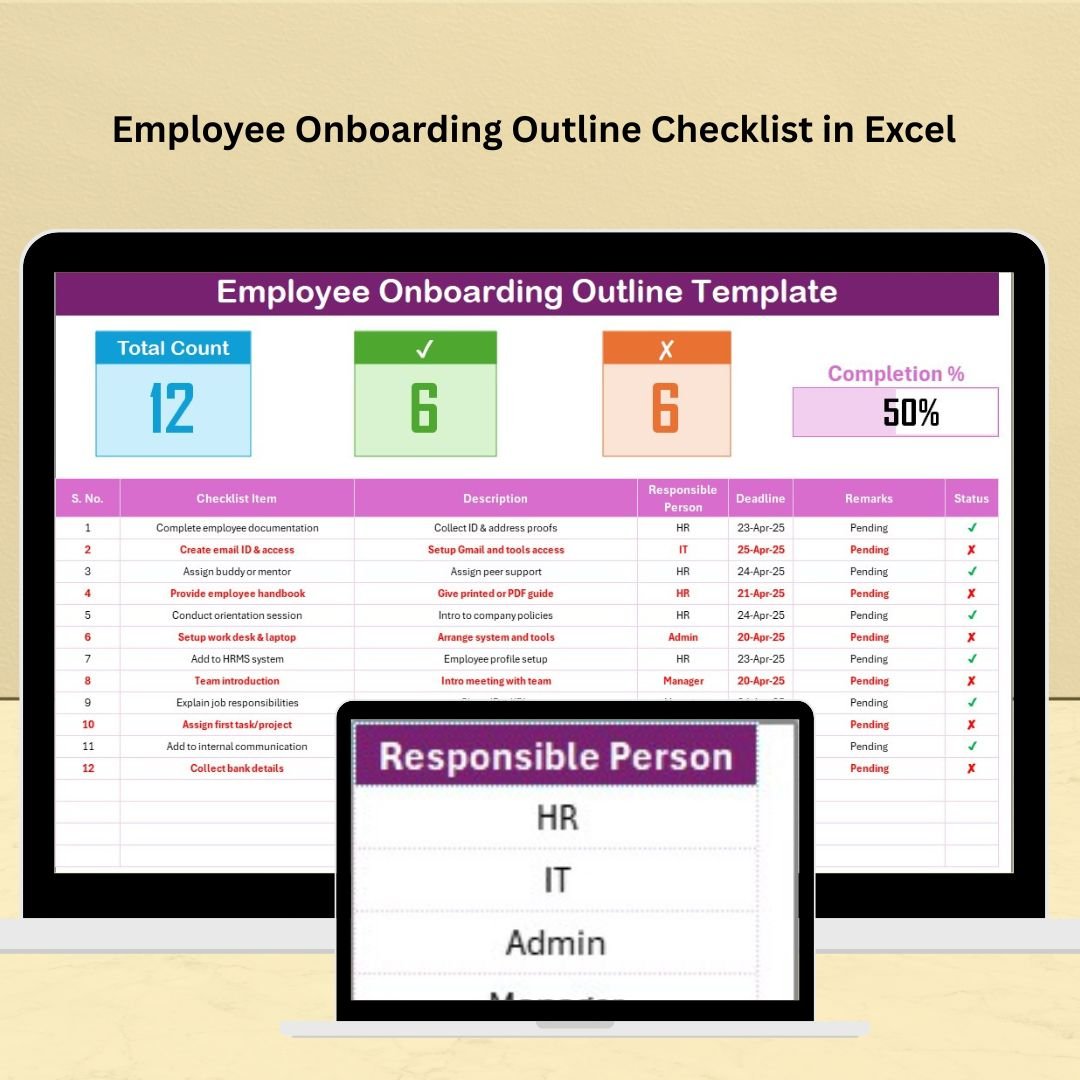

The Employee Onboarding Outline Checklist in Excel is a structured and effective tool designed to help businesses streamline their employee onboarding process. This checklist ensures that all essential steps, from pre-arrival tasks to post-hire evaluations, are completed efficiently, providing a smooth transition for new hires into their roles.
With this Excel template, HR teams can stay organized, track progress, and enhance the overall onboarding experience for new employees, ultimately improving retention and productivity.
Key Features of the Employee Onboarding Outline Checklist in Excel
📋 Comprehensive Task Management
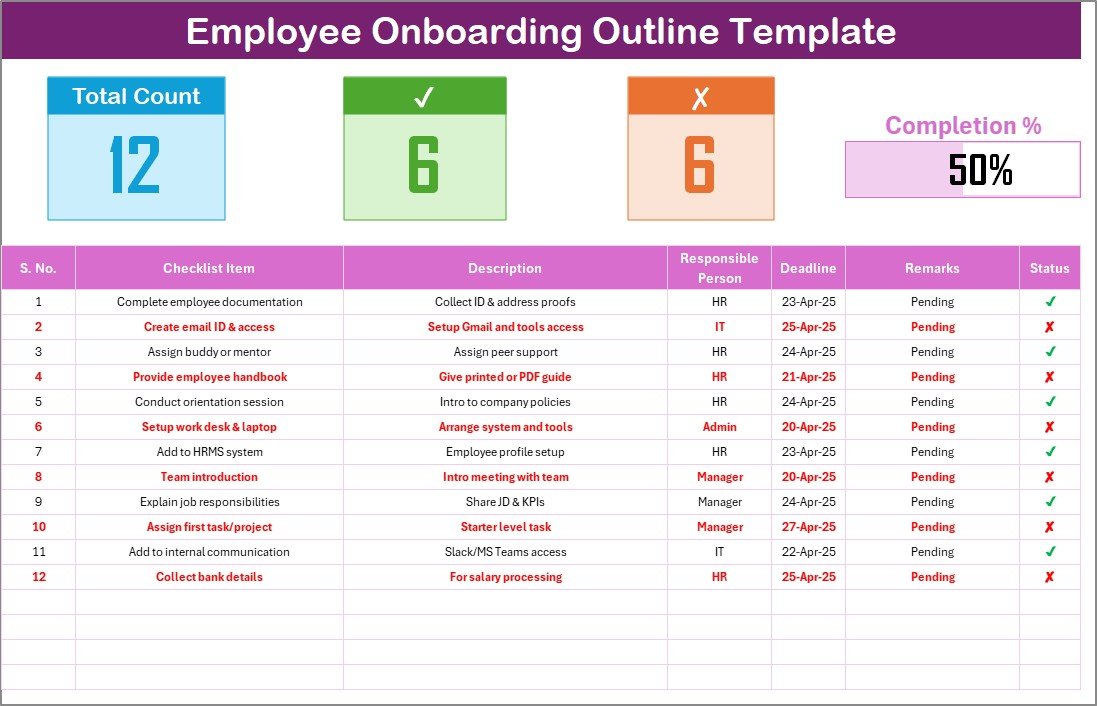
Complete Onboarding Checklist: Track all necessary activities involved in onboarding new hires, ensuring every step is completed on time.
Customizable: Tailor the checklist to your organization’s specific onboarding procedures and tasks.
🔄 Progress Tracking
Monitor Completion: Keep track of the status of each task to ensure the onboarding process stays on schedule.
Clear Accountability: Assign tasks to specific individuals, ensuring accountability and timely completion.
💼 User-Friendly Interface
Ease of Use: The checklist is designed to be intuitive, even for users with limited Excel experience.
Collaborative: Share the checklist with HR team members to collaborate and track progress together.
📅 Efficient Reporting and Documentation
Audit-Ready: Maintain records of the onboarding process, useful for future audits or reviews.
Task Documentation: Store detailed information on each onboarding task, including deadlines, responsible individuals, and completion statuses.
Benefits of Using the Employee Onboarding Outline Checklist in Excel
✅ Enhanced Organization
Organize the entire onboarding process in one place, making it easy for HR teams to manage and monitor.
✅ Increased Efficiency
Streamline the onboarding process, saving time for HR teams and ensuring no tasks are overlooked.
✅ Improved New Hire Experience
A smooth and well-structured onboarding process contributes to higher employee satisfaction, better retention, and quicker adaptation to their new roles.
✅ Greater Accountability
Assign clear responsibilities for each task, ensuring that HR teams and managers are accountable for their parts in the process.
Getting Started with Your Employee Onboarding Outline Checklist in Excel
Download the Template: Start by downloading the Employee Onboarding Outline Checklist to begin customizing it for your organization.
Customize Your Tasks: Add or modify onboarding tasks according to your company’s needs, ensuring a tailored onboarding experience.
Assign Responsibilities: Assign individuals to each task to ensure timely completion and accountability.
Set Deadlines: Establish clear deadlines for each task, ensuring that everything is completed before the employee’s start date.
Monitor Progress: Update the checklist regularly to track task completion and ensure the onboarding process stays on schedule.
By using the Employee Onboarding Outline Checklist in Excel, your organization can ensure a smooth and efficient onboarding process, leading to a positive experience for new hires and a productive start to their employment.
Click here to read the Detailed blog post
Employee Onboarding Outline Checklist in Excel
Visit our YouTube channel to learn step-by-step video tutorials
YouTube.com/@PKAnExcelExpert
Who Uses This Checklist
HR teams, hiring managers and small business owners who bring new employees on board and want every step, from pre-arrival tasks to post-hire reviews, done on time.
Compatibility and Requirements
- Works in Microsoft Excel desktop (Excel 2016 or later, or Microsoft 365).
- New to Excel? Microsoft’s free Excel for Windows training.
Frequently Asked Questions
What does the checklist cover?
It covers the onboarding steps from pre-arrival tasks to post-hire evaluations, with a deadline, an owner and a status for each task.
Can I assign tasks to people?
Yes. You assign each task to a person, which makes it clear who is responsible and when it is due.
Can I change the tasks?
Yes. You can add or modify tasks to match your company’s own onboarding steps.
Can I keep it as a record?
Yes. The checklist stores deadlines, owners and completion status for each task, so you keep a record for later reviews or audits.
Related Onboarding Templates
- Employee Onboarding Tracker in Excel: track several new hires at once
- Employee Onboarding Checklist Template in Excel: a classic onboarding checklist
- Employee Onboarding Evaluation Checklist in Excel: review how onboarding went
- New Hire Onboarding Calendar in Excel: plan the first weeks on a calendar
- Checklist & SOP Pack: 12 Excel and Google Sheets checklists in one download
Browse all Excel checklists or the Excel HR and payroll templates.


































Reviews
There are no reviews yet.