



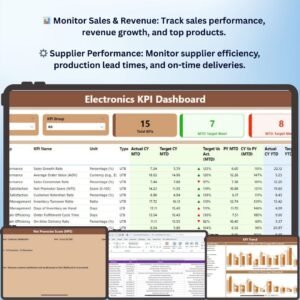
The Electronics KPI Dashboard in Power BI is an advanced, interactive tool designed to help electronics manufacturers, retailers, and distributors track and analyze key performance indicators (KPIs) across their operations. Whether you’re overseeing sales performance, inventory management, customer satisfaction, or supplier relationships, this dashboard provides comprehensive insights into your electronics business’s performance.
With this Power BI template, you can easily monitor crucial metrics, identify trends, and make data-driven decisions that will enhance efficiency, reduce costs, and improve customer experiences. The dashboard helps you stay on top of everything—from production and sales to inventory and customer service—empowering you to optimize processes, boost profitability, and strengthen your competitive advantage.
Key Features of the Electronics KPI Dashboard in Power BI
📊 Sales & Revenue Performance
Track sales data by product category, region, or sales team. Monitor revenue growth and identify top-performing products to help guide your sales strategies and marketing efforts.
🔧 Inventory Management & Stock Levels
Monitor real-time stock levels, product turnover, and supplier performance. Stay ahead of demand and prevent stockouts or overstock situations to optimize your inventory management.
💬 Customer Satisfaction & Feedback
Measure customer satisfaction and engagement with your products through feedback scores, Net Promoter Scores (NPS), and customer retention data. Identify areas to improve the customer experience and strengthen brand loyalty.
⚙️ Supplier & Production Efficiency
Track the performance of suppliers and production facilities by monitoring on-time deliveries, production capacity, and lead times. Ensure smooth operations across your supply chain and minimize delays.
📈 Real-Time Data Insights
Access live updates and interactive charts, allowing you to drill down into specific metrics and timeframes for detailed analysis and decision-making.
🖥️ Customizable & Interactive Dashboard
Customize the dashboard to fit your business needs, whether you’re a small electronics retailer or a large multinational manufacturer. Filter, segment, and analyze data by product, region, or timeframe for better insights.
Why You’ll Love the Electronics KPI Dashboard in Power BI

✅ Track Key Business Metrics
Monitor important KPIs such as sales, customer satisfaction, inventory turnover, and supplier performance, all in one place.
✅ Improve Decision-Making with Real-Time Data
Get actionable insights into your electronics business performance and make informed, data-driven decisions quickly with live data updates.
✅ Enhance Operational Efficiency
Track inventory levels, monitor production efficiency, and ensure that suppliers are meeting deadlines, helping you streamline operations and reduce costs.
✅ Measure Customer Experience & Loyalty
Use customer feedback and NPS scores to optimize the customer experience, enhance product offerings, and boost customer loyalty.
✅ Fully Customizable & Scalable
Adapt the dashboard to your specific business model. Customize the metrics you track, the layout, and the data fields to match your operational needs.
What’s Inside the Electronics KPI Dashboard Template in Power BI?
- Sales & Revenue Tracking: Monitor sales data, revenue trends, and performance by region, product, or team.
- Inventory Management: Track real-time stock levels, product turnover, and supplier performance.
- Customer Satisfaction Metrics: Analyze customer feedback, NPS, and retention rates.
- Supplier & Production Efficiency: Monitor supplier performance, lead times, and production capacity.
- Interactive Dashboards: Dynamic charts and filters to explore data, track KPIs, and uncover trends.
- Real-Time Data Monitoring: Access live updates to stay on top of your business performance at all times.
How to Use the Electronics KPI Dashboard in Power BI
1️⃣ Download the Template: Get instant access to the Electronics KPI Dashboard in Power BI.
2️⃣ Input Your Data: Enter your sales, inventory, supplier, and customer satisfaction data into the dashboard.
3️⃣ Track & Monitor KPIs: Use the dashboard to track sales performance, monitor inventory levels, assess supplier efficiency, and analyze customer satisfaction.
4️⃣ Analyze & Optimize: Use real-time data insights to optimize operations, enhance customer experiences, and improve supply chain efficiency.
Who Can Benefit from the Electronics KPI Dashboard in Power BI?
🔹 Electronics Manufacturers
🔹 Retailers & E-commerce Businesses in Electronics
🔹 Supply Chain & Operations Managers
🔹 Marketing & Sales Teams in Electronics
🔹 Customer Service Managers
🔹 Data Analysts in the Electronics Industry
Ensure that your electronics business operates efficiently, meets customer demands, and stays ahead of industry trends with the Electronics KPI Dashboard in Power BI. Monitor key performance indicators, track sales, optimize inventory, and enhance customer satisfaction with this customizable, interactive dashboard.
Click here to read the Detailed blog post
Visit our YouTube channel to learn step-by-step video tutorials
Youtube.com/@PKAnExcelExpert
Compatibility and Requirements
- Opens in Power BI Desktop, which is free from Microsoft: Get Power BI Desktop.
- Filter and segment the data by product, region or timeframe.
Frequently Asked Questions
Which KPIs does the Electronics dashboard cover?
Sales and revenue by product category, region or team, inventory and stock levels, customer satisfaction including NPS and retention, and supplier and production efficiency.
Can I track suppliers?
Yes. It monitors supplier performance, on-time deliveries, lead times and production capacity.
What data do I need?
Your sales, inventory, supplier and customer satisfaction data.
Is there an Excel or Google Sheets version?
Yes. See the Electronics KPI Dashboard in Excel and the Electronics KPI Dashboard in Google Sheets.
Related Electronics Templates
- Electronics KPI Dashboard in Excel: the same KPIs in Excel
- Electronics KPI Dashboard in Google Sheets: the same KPIs in Google Sheets
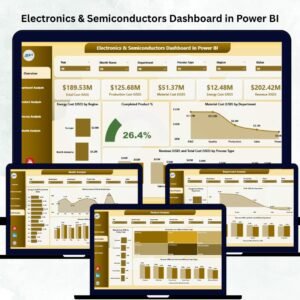
- Electronics & Semiconductors KPI Dashboard in Power BI: KPIs for electronics makers
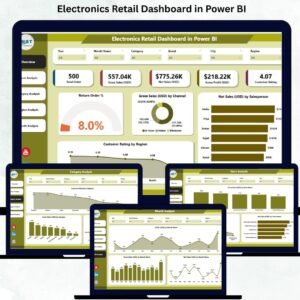
- Electronics Retail Dashboard in Power BI: a full dashboard for electronics stores
- Power BI Dashboard Mega Collection: 15 Power BI dashboards in one download
Browse all Power BI KPI dashboards or the Power BI dashboards.







Reviews
There are no reviews yet.