

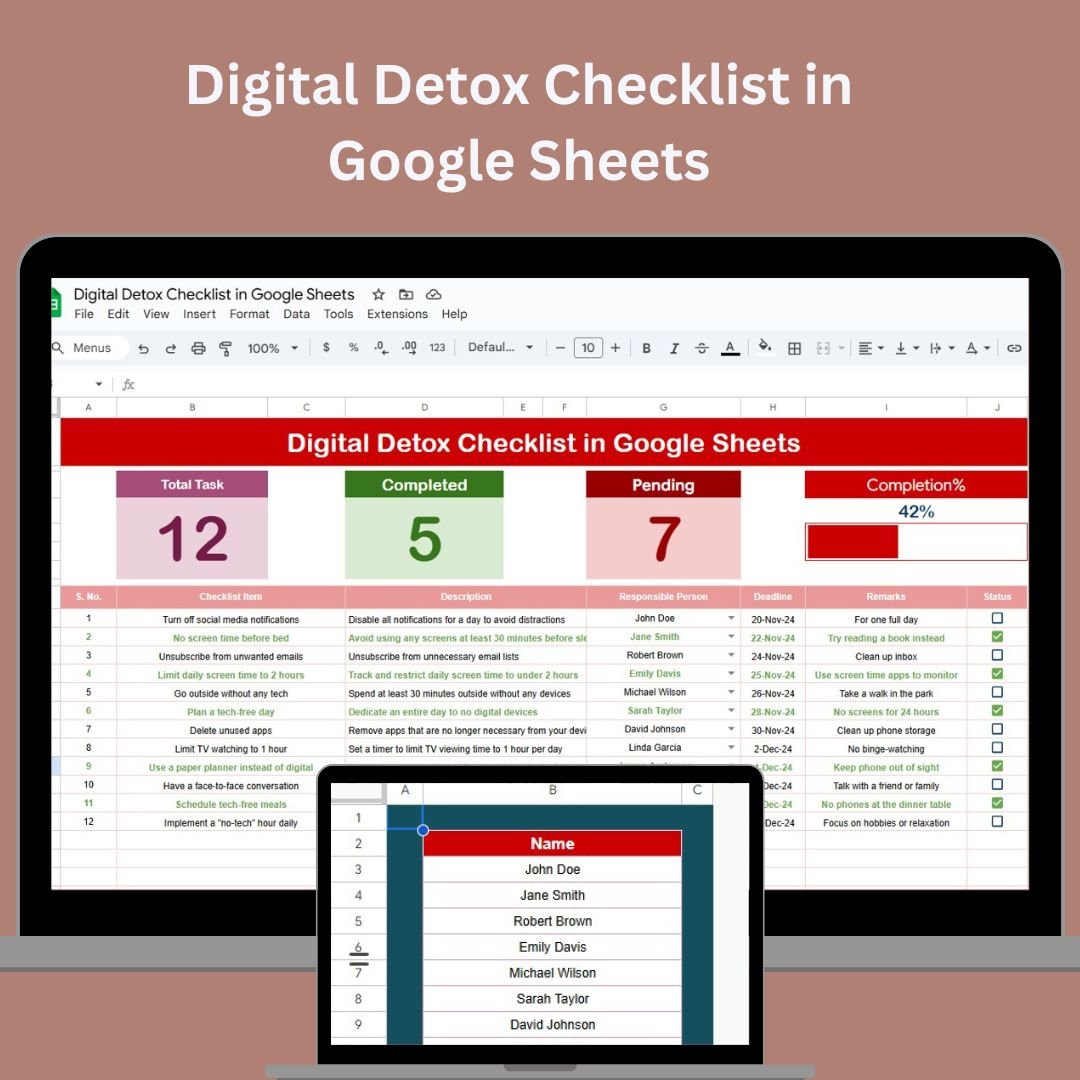
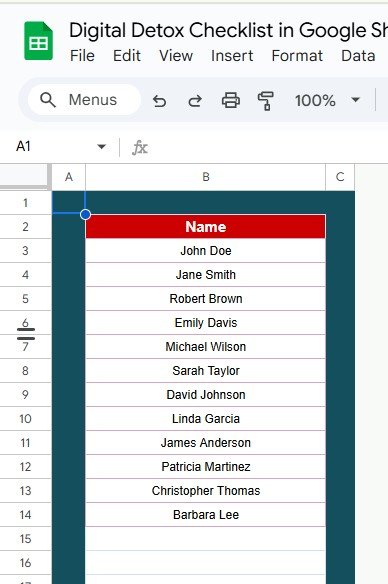

The Digital Detox Checklist in Google Sheets is a powerful and customizable tool designed to help individuals reduce screen time, minimize digital distractions, and cultivate a healthier relationship with technology. Whether you’re looking to improve focus, reduce stress, or regain control over your time, this checklist provides structured steps to guide you through a successful digital detox.
Key Features of the Digital Detox Checklist in Google Sheets
📋 Structured Detox Plan
Step-by-Step Tasks: Follow a detailed plan to gradually reduce your screen time and digital dependency.
Daily, Weekly, and Monthly Goals: Set achievable goals that match your lifestyle and detox timeline.
📊 Customizable Template
Flexible Layout: Personalize the checklist to align with your goals, allowing you to track the specific areas of your digital life that need the most attention.
Adjustable Timeframes: Customize the detox plan to fit your unique needs, whether you’re focusing on a short-term or long-term detox.
📅 Progress Tracking
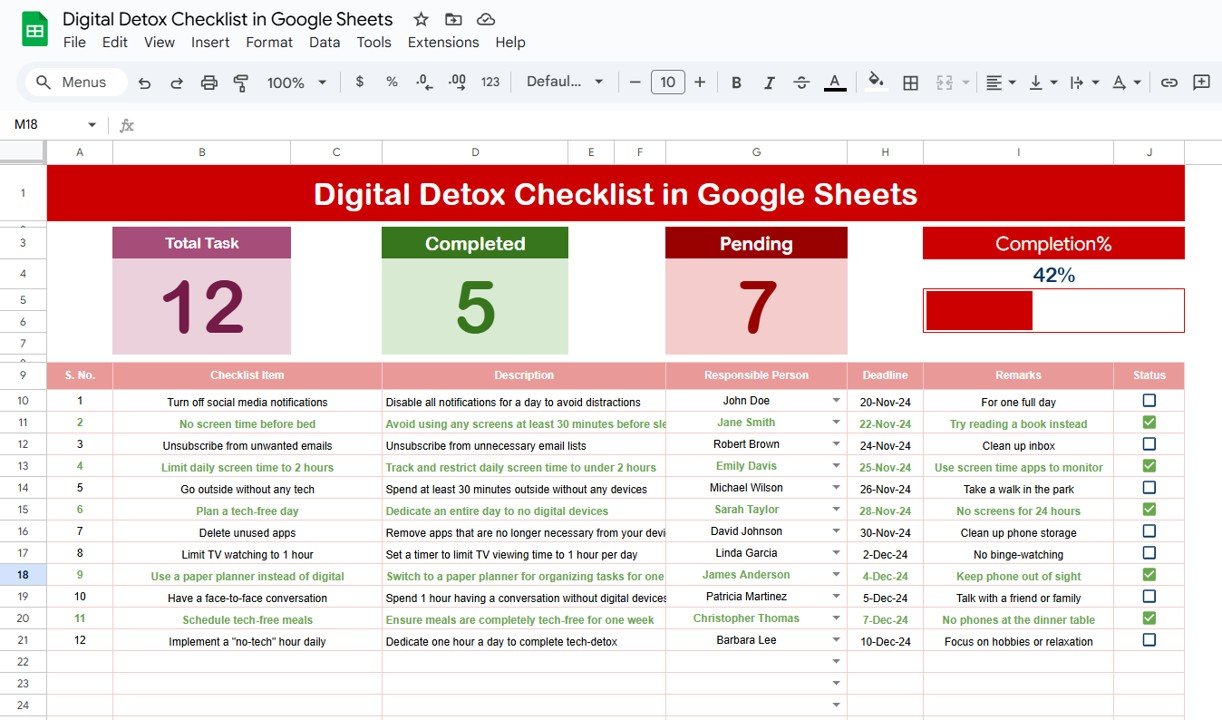
Visual Progress: Mark completed tasks to visually track your progress, helping you stay motivated throughout the detox.
Monitor Screen Time: Record your daily screen time and monitor improvements over time.
💭 Reflection Prompts
Personal Insights: Reflect on how reducing screen time is affecting your mood, focus, and well-being.
Track Challenges and Successes: Use the reflection sections to document what’s working, what’s challenging, and how you’re feeling during your detox.
Benefits of Using the Digital Detox Checklist
✅ Boosted Productivity
By reducing digital distractions, you’ll find it easier to stay focused and complete tasks more efficiently.
✅ Improved Mental Health
Limiting screen time can reduce stress, anxiety, and digital fatigue, leading to better overall mental health.
✅ Better Sleep Quality
Establishing tech-free periods, especially before bedtime, can help improve your sleep and promote better rest.
✅ Stronger Relationships
Spending more time offline allows for better connections with family, friends, and others, improving your social life.
How to Use the Digital Detox Checklist in Google Sheets
Download the Template: Download the Digital Detox Checklist template and save it to your Google Drive.
Set Your Detox Goals: Define specific goals such as reducing your screen time by a certain percentage or establishing tech-free zones in your home.
Implement Tasks: Follow the detox tasks, which might include turning off non-essential notifications, reducing screen time during meals, or designating screen-free hours.
Track Your Progress: Regularly update the checklist by marking off completed tasks and monitoring your screen time.
Reflect and Adjust: Use the reflection sections to assess your digital detox and make adjustments for continuous improvement.
By using the Digital Detox Checklist in Google Sheets, you can create a balanced and mindful relationship with technology, reduce your digital dependence, and enhance your overall well-being.
Click here to read the Detailed blog post
Digital Detox Checklist in Google Sheets
Visit our YouTube channel to learn step-by-step video tutorials
YouTube.com/@NeotechNavigators
Watch the step-by-step video Demo:
Compatibility and Requirements
- Works in Google Sheets. You need a free Google account and a web browser.
- New to Google Sheets? Google’s guide How to use Google Sheets covers the basics.
Frequently Asked Questions
Can I set daily, weekly and monthly goals?
Yes. You set detox goals by day, week or month to match your timeline.
Can I record my screen time?
Yes. You log daily screen time and watch how it changes over time.
How do I track progress?
You mark tasks as done, and the checklist shows your progress.
Is there space to reflect?
Yes. Reflection prompts let you note how less screen time affects your mood, focus and well-being.
Is there an Excel version?
Yes. The Digital Detox Checklist in Excel does the same job in Excel.
Related Digital Wellness Templates
- Digital Detox Checklist in Excel: the same checklist in Excel
- Screen Time & Digital Detox Tracker in Google Sheets: track screen time in more detail
- Daily Habits Tracker Checklist in Google Sheets: build daily habits
- Habit Tracker in Google Sheets: follow habits over time
- Checklist & SOP Pack: 12 checklist templates in one download
Browse all Google Sheets checklists or the Google Sheets trackers.
























Reviews
There are no reviews yet.