



Credit card companies operate in one of the most data-intensive and competitive financial ecosystems. Every single day, teams monitor transactions, revenue performance, customer behavior, risk exposure, and compliance metrics. However, when this critical data remains scattered across Excel sheets and static reports, organizations lose speed, accuracy, and strategic clarity.
That is exactly where the Credit Card Companies KPI Dashboard in Power BI becomes a powerful decision-making solution.
This ready-to-use Power BI dashboard converts raw operational and financial data into clear, interactive, and actionable insights. Instead of spending hours compiling reports, leadership teams can instantly track performance, identify risks, and monitor profitability using a single, centralized dashboard.
Designed specifically for credit card issuers and financial institutions, this dashboard helps you track Month-to-Date (MTD) and Year-to-Date (YTD) KPIs with precision and confidence—without technical complexity.
## 🚀 Key Features of Credit Card Companies KPI Dashboard in Power BI
📊 Centralized KPI Monitoring – Track all critical credit card business KPIs from one unified Power BI dashboard
📅 Dynamic Month & KPI Group Slicers – Instantly filter performance by reporting month or KPI category
🎯 MTD & YTD Performance Tracking – Monitor short-term and long-term performance side by side
📈 Target vs Actual Analysis – Visual indicators highlight whether KPIs meet or miss targets
🔄 Current Year vs Previous Year Comparison – Measure growth and performance improvement easily
📌 Conditional Formatting Icons – Green and red arrows instantly flag performance status
📁 Excel-Based Data Input – Update data easily without touching Power BI visuals
🔍 Drill-Through KPI Definitions – Understand every KPI clearly with formulas and definitions

## 📦 What’s Inside the Credit Card Companies KPI Dashboard in Power BI
This digital product includes a professionally designed Power BI Desktop (.pbix) file connected to a structured Excel data source.
📄 Power BI Pages Included
✅ Summary Page – High-level KPI overview with cards, slicers, and detailed KPI tables
✅ KPI Trend Page – MTD and YTD combo charts showing Actual, Target, and Previous Year trends
✅ KPI Definition Page – Drill-through page displaying KPI formula, unit, definition, and type (UTB / LTB)
📊 Excel Data Sheets
📌 Input_Actual Sheet – Enter MTD and YTD actual values
📌 Input_Target Sheet – Enter MTD and YTD target values
📌 KPI Definition Sheet – Define KPI number, group, unit, formula, and KPI type
This structure ensures clean data management, flexibility, and scalability.
## 🛠️ How to Use the Credit Card Companies KPI Dashboard in Power BI
Using this dashboard is simple—even for non-technical users:
1️⃣ Enter or update KPI data in the Excel input sheets
2️⃣ Open the Power BI Desktop file
3️⃣ Refresh the dataset
4️⃣ Use slicers to analyze KPIs by month or group
5️⃣ Review KPI cards, tables, and trend charts
6️⃣ Drill through KPIs to understand definitions instantly
No complex modeling. No manual calculations. Just fast, reliable insights.
## 👥 Who Can Benefit from This Credit Card Companies KPI Dashboard in Power BI
🏦 Credit Card Company Executives
📊 Finance & Strategy Teams
⚠️ Risk & Compliance Managers
🔄 Operations & Performance Teams
📈 Business Analysts & MIS Teams
Whether you manage strategy, risk, finance, or operations, this dashboard adapts to your role.
Click here to read the Detailed blog post
Watch the step-by-step video tutorial:
👉 Visit our YouTube channel to learn step-by-step video tutorials:
🔗 YouTube.com/@PKAnExcelExpert
Compatibility and Requirements
- Works in Power BI Desktop, which is free to download from Microsoft. Microsoft explains the download in Get Power BI Desktop.
- The data lives in an Excel file with the Input_Actual, Input_Target and KPI Definition sheets, so you also need Excel to edit your figures.
Frequently Asked Questions
Which pages does the dashboard have?
Three pages: Summary, KPI Trend and KPI Definition. The Summary page has KPI cards, slicers and detailed KPI tables. The KPI Trend page has MTD and YTD combo charts. The KPI Definition page is a drill-through page.
How do I update the numbers?
Enter your MTD and YTD actual values in the Input_Actual sheet and your targets in the Input_Target sheet. Then open the Power BI file and refresh the dataset.
Can I filter by month or KPI group?
Yes. The Summary page has slicers for the reporting month and the KPI group, so you can narrow the cards and tables to what you need.
Can I compare this year with the previous year?
Yes. The KPI Trend charts show Actual, Target and Previous Year values for both MTD and YTD, and the Summary page shows current year against previous year.
Is there an Excel version?
Yes. See the Credit Card Companies KPI Dashboard in Excel.
Related Credit Card and KPI Templates
- Credit Card Companies KPI Dashboard in Excel: the same KPIs in Excel
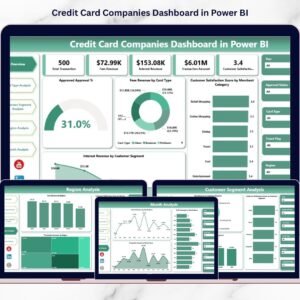
- Credit Card Companies Dashboard in Power BI: a Power BI dashboard for credit card companies
- Credit Card Companies Dashboard in Excel: the Excel edition of that dashboard
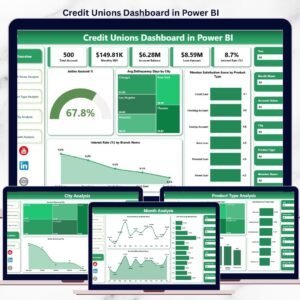
- Credit Unions Dashboard in Power BI: a similar finance dashboard for credit unions
- Power BI Dashboard Mega Collection: 15 Power BI templates in one download
Browse all Power BI KPI dashboards.
































Reviews
There are no reviews yet.