





Courier and logistics businesses run on speed, accuracy, and efficiency. A single delayed delivery, cost overrun, or missed target can directly impact customer trust and profitability. That’s why tracking performance manually is no longer enough. The Courier Services KPI Dashboard in Excel is a powerful, ready-to-use solution designed to help courier companies monitor, analyze, and improve operational performance with confidence.
This Excel-based dashboard converts raw courier data into clear, visual, and actionable insights. Instead of juggling multiple spreadsheets, you get a centralized performance view covering deliveries, costs, revenue, targets, and trends. Most importantly, it helps you make faster and smarter decisions without investing in expensive BI tools.
🚀 Key Features of Courier Services KPI Dashboard in Excel
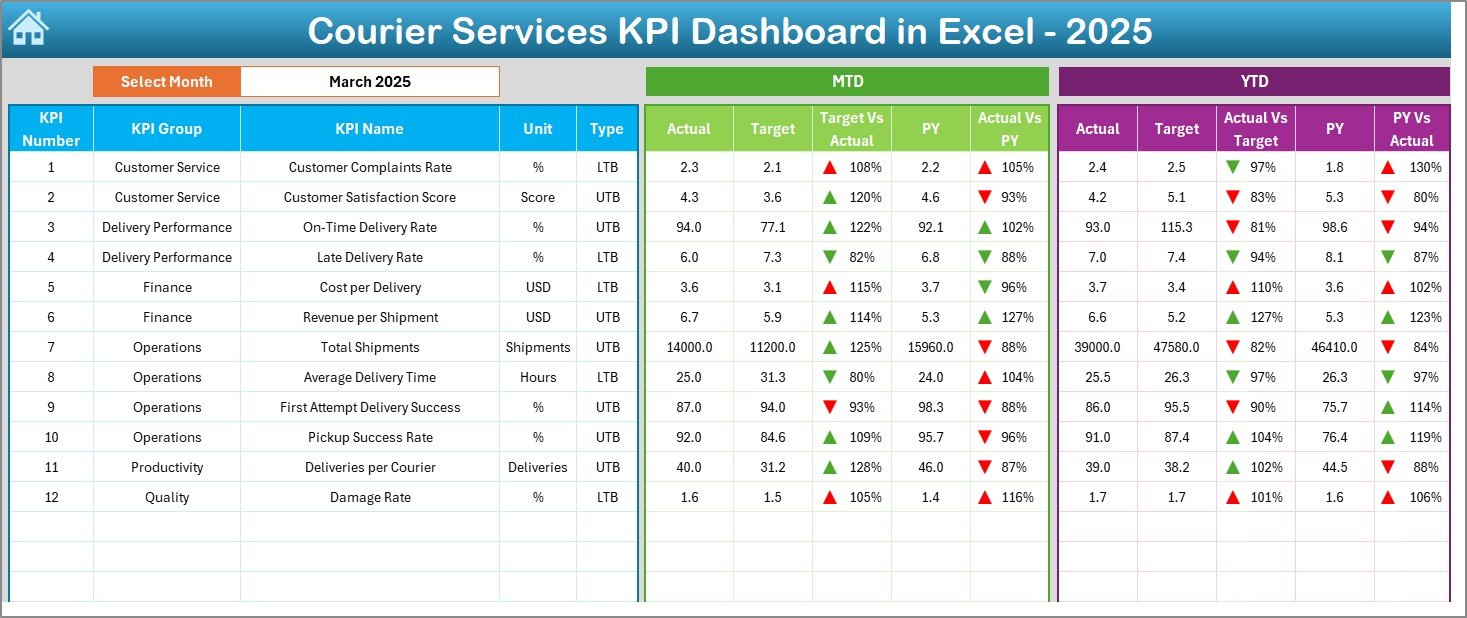
📊 MTD & YTD Performance Tracking – Automatically track Month-to-Date and Year-to-Date performance for all courier KPIs.
🎯 Actual vs Target Comparison – Instantly identify performance gaps with clear target comparisons.
📈 Previous Year Analysis – Compare current results with last year to spot improvement or decline.
🔽 Interactive Month & KPI Selection – Change the month or KPI using simple dropdowns and watch the dashboard update instantly.
🔼 Visual Performance Indicators – Green and red arrows highlight positive and negative trends at a glance.
🧭 Easy Navigation – Built-in navigation buttons make movement across sheets effortless.
🧮 Automated Calculations – No manual formulas required; Excel handles everything in the background.
📂 What’s Inside the Courier Services KPI Dashboard in Excel
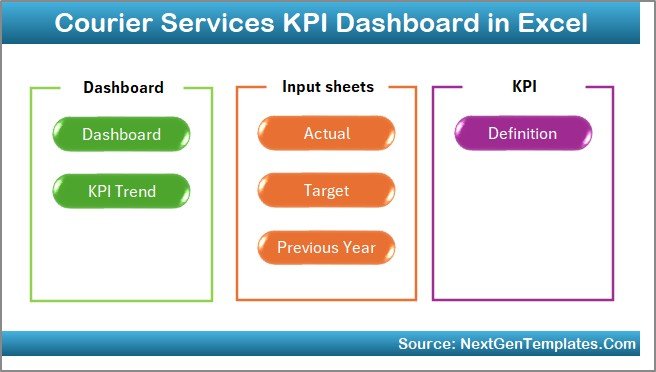
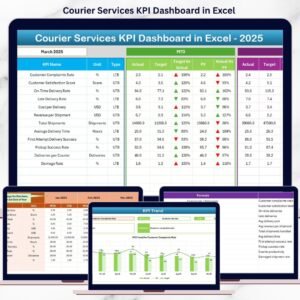
This ready-to-use dashboard includes 7 professionally designed worksheets, each serving a specific purpose:
📌 Summary (Index) Sheet – A clean navigation page with buttons for quick access to all sections.
📊 Dashboard Sheet – Displays all KPIs with MTD, YTD, Target, and Previous Year values using visuals and conditional formatting.
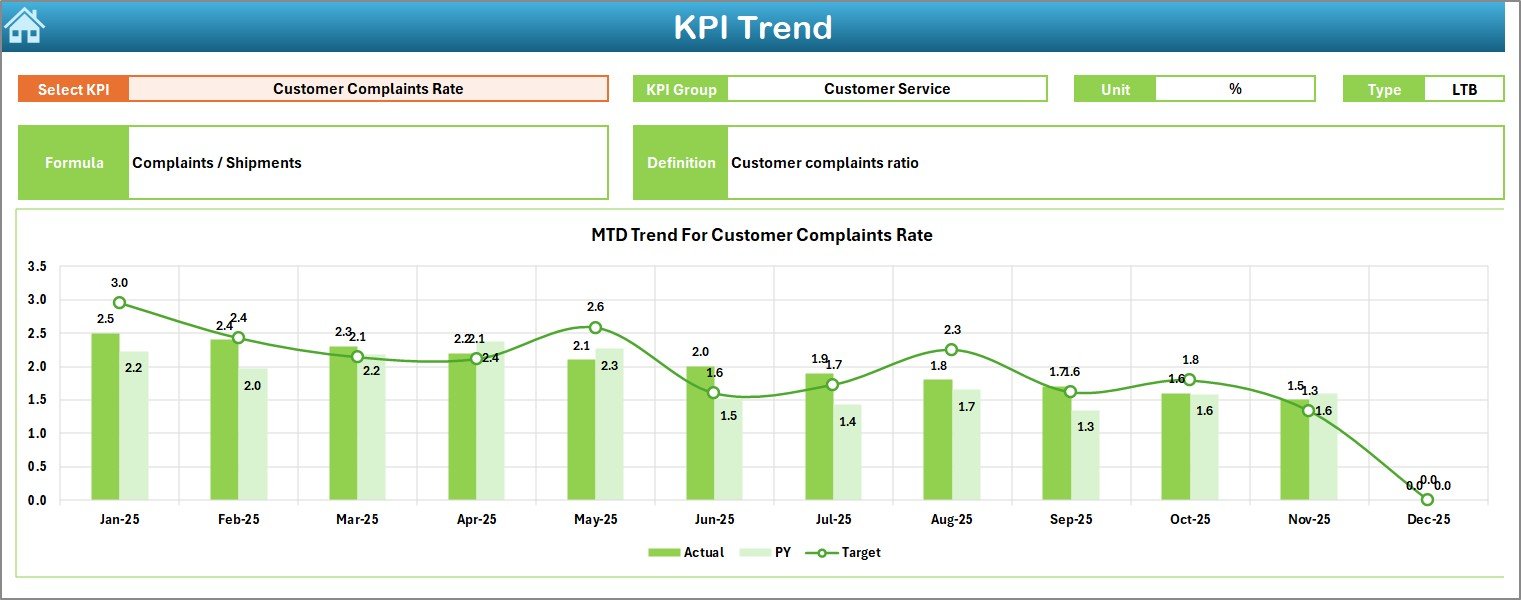
📈 KPI Trend Sheet – Analyze month-wise trends for selected KPIs with Actual, Target, and PY comparisons.
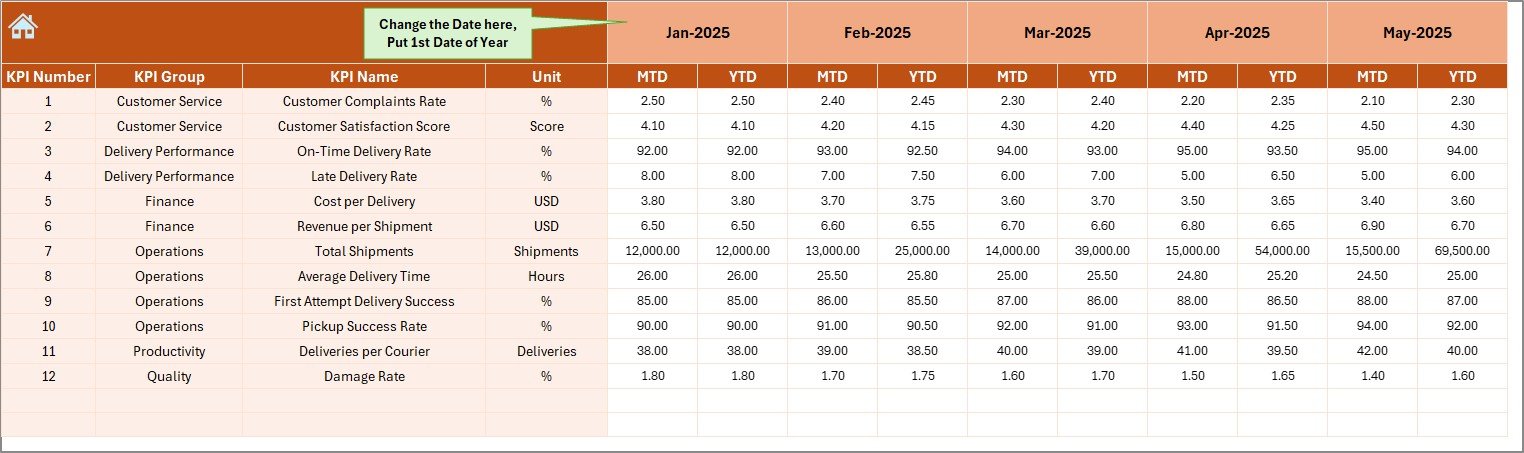
🧾 Actual Numbers Input Sheet – Enter real operational data without disturbing the dashboard layout.
🎯 Target Sheet – Define monthly and YTD targets for each KPI.
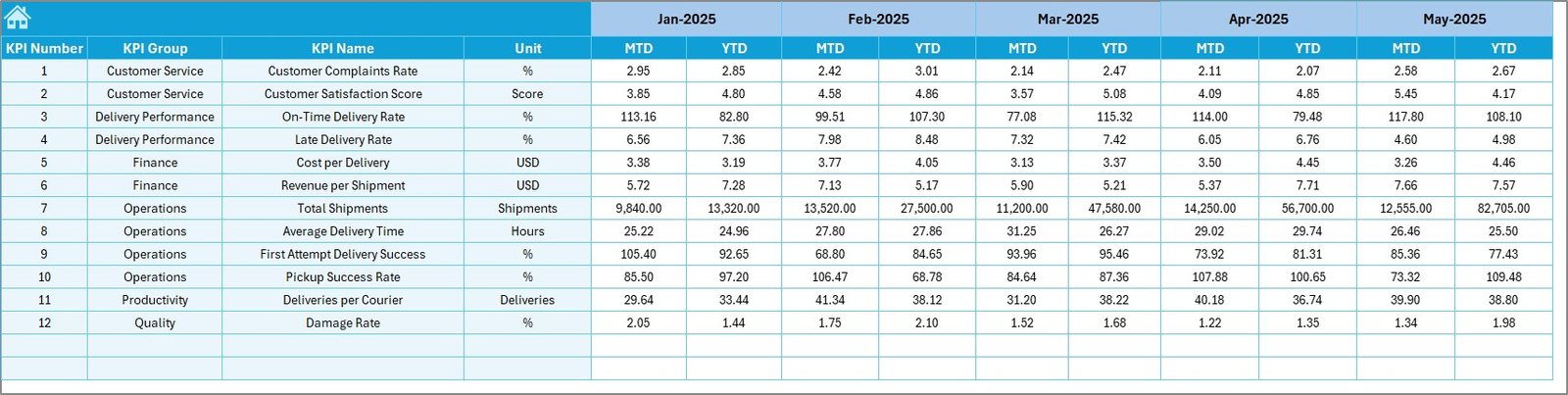
📉 Previous Year Numbers Sheet – Store last year’s data for accurate YoY analysis.
📘 KPI Definition Sheet – Maintain KPI names, units, formulas, groups, and definitions for clarity and consistency.
🛠 How to Use the Courier Services KPI Dashboard in Excel
Using this dashboard is simple and user-friendly:
1️⃣ Enter actual performance data in the Actual Numbers Input Sheet
2️⃣ Define monthly and YTD goals in the Target Sheet
3️⃣ Add last year’s data in the Previous Year Numbers Sheet
4️⃣ Select the month from the dropdown in cell D3
5️⃣ Instantly review performance on the Dashboard and Trend Sheets
No advanced Excel skills are required. Basic Excel knowledge is enough to maintain and operate the dashboard confidently.
👥 Who Can Benefit from This Courier Services KPI Dashboard
📦 Courier & Logistics Company Owners – Gain complete visibility into business performance
🚚 Operations Managers – Track delivery efficiency and identify bottlenecks early
💼 Finance Teams – Monitor costs, revenue, and profitability
📊 Business Analysts – Perform trend, variance, and comparative analysis
🧑💼 Fleet & Delivery Supervisors – Improve accountability and operational control
Whether you run a small courier firm or a large logistics operation, this dashboard adapts easily to your business size.
Click here to read the Detailed blog post
Watch the step-by-step video tutorial:
Visit our YouTube channel to learn step-by-step video tutorials
Compatibility and Requirements
- Works in Microsoft Excel desktop (Excel 2016 or later, or Microsoft 365).
- You pick the month and the KPI from dropdown lists. Microsoft explains them in Create a drop-down list.
Frequently Asked Questions
Which sheets are included?
Seven sheets: Summary (Index), Dashboard, KPI Trend, Actual Numbers Input, Target, Previous Year Numbers and KPI Definition.
How do I update the dashboard?
Enter your actual figures in the Actual Numbers Input sheet, your monthly and YTD goals in the Target sheet and last year’s figures in the Previous Year Numbers sheet. Then select the month in cell D3 and the Dashboard and Trend sheets update.
Can I compare this year with last year?
Yes. The Dashboard shows MTD and YTD values next to the target and the previous year, and green and red arrows mark whether a KPI is up or down.
Do I need advanced Excel skills?
No. Basic Excel knowledge is enough. The calculations run automatically, so you only enter data.
Is there a Power BI or Google Sheets version?
Yes. See the Courier Service KPI Dashboard in Power BI and the Courier Service KPI Dashboard in Google Sheets.
Related Courier and Logistics Templates
- Courier Service KPI Dashboard in Excel: another courier KPI dashboard in Excel
- Courier Service KPI Dashboard in Power BI: the Power BI edition
- Courier Service KPI Dashboard in Google Sheets: the Google Sheets edition
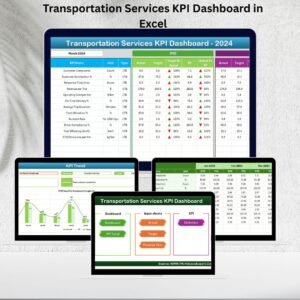
- Transportation Services KPI Dashboard in Excel: KPIs for transport operations
- Logistics and Transportation Hub: a bundle of logistics templates in one download
Browse all Excel KPI dashboards.
































Reviews
There are no reviews yet.