

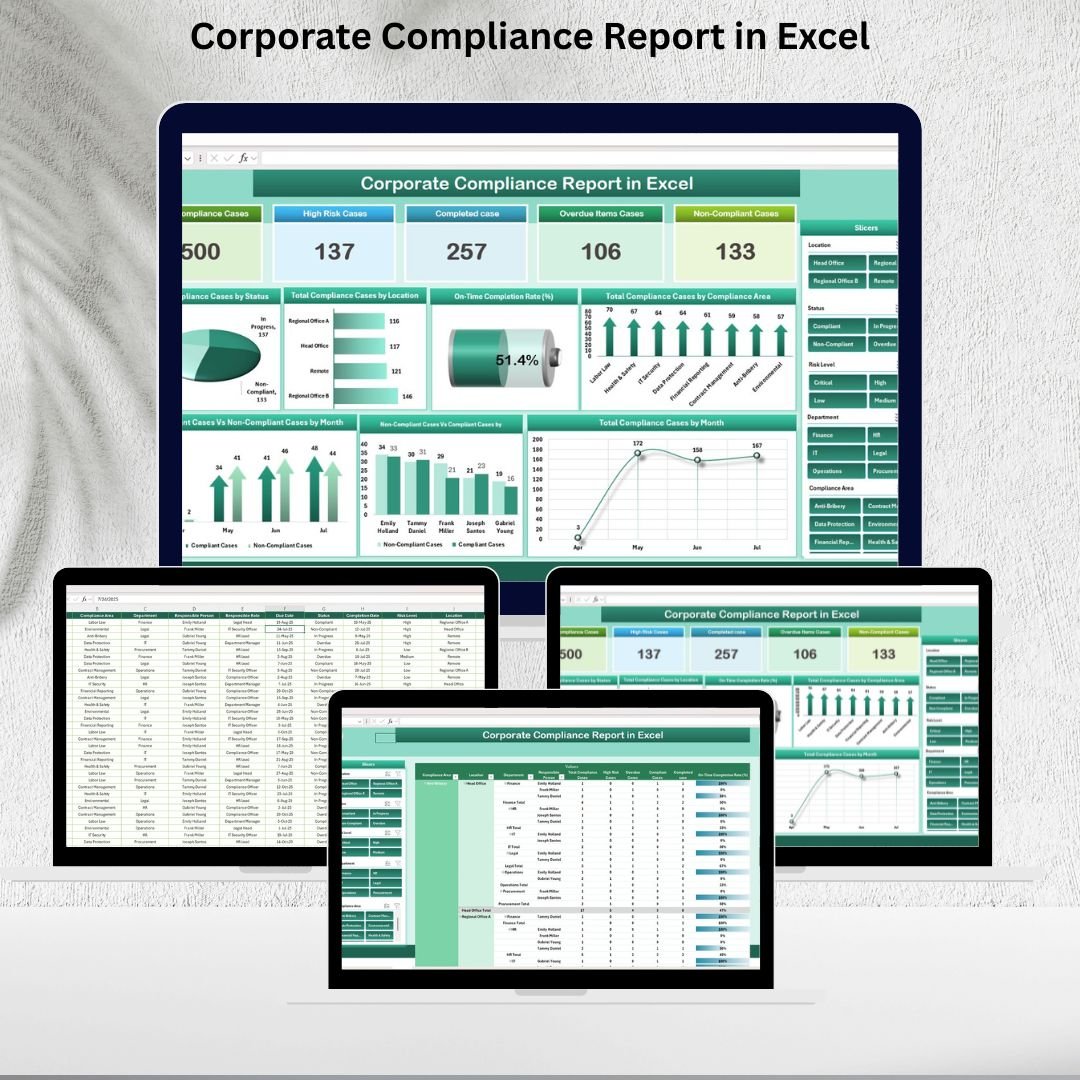
Maintaining corporate compliance is no longer optional—it’s essential. Non-compliance can lead to fines, reputational damage, and operational risks. The Corporate Compliance Report in Excel is a ready-to-use, structured solution that helps organizations monitor compliance cases, track risk levels, and analyze overall performance. 📊
This Excel-based tool empowers compliance officers, managers, and executives to stay on top of case statuses, deadlines, and accountability across locations and departments. With its pre-built cards, charts, and pivot reporting, this report simplifies compliance tracking and provides actionable insights for better decision-making.
🔑 Key Features of the Corporate Compliance Report
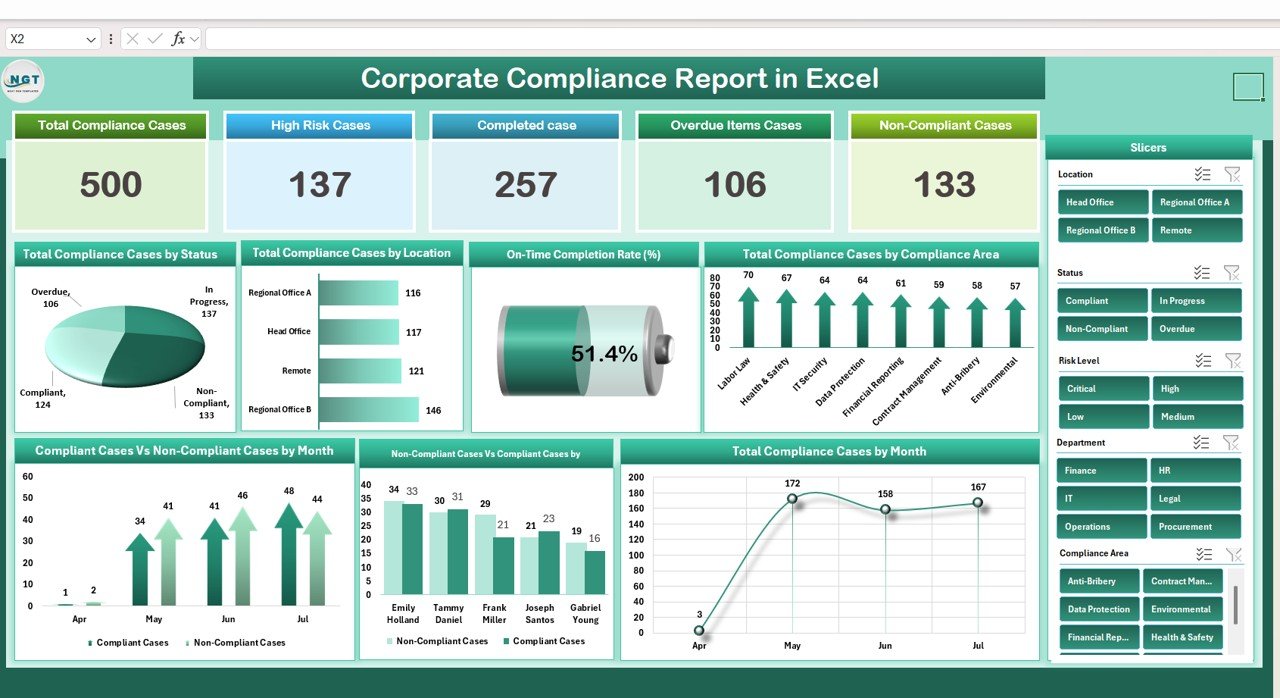
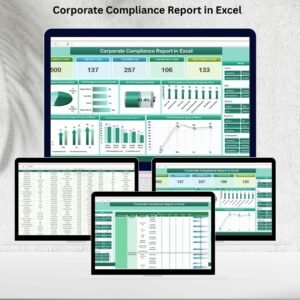
📋 Summary Sheet Tab
High-level view of compliance performance
Key cards showing:
Total Compliance Cases
High-Risk Cases
Completed Cases
Overdue Items
Non-Compliant Cases
Interactive charts to visualize:
Case distribution by status (Open, Closed, In Progress)
Compliance cases by location and area
On-Time Completion Rate (%)
Monthly compliance trends (Compliant vs Non-Compliant)
Accountability breakdown by responsible person
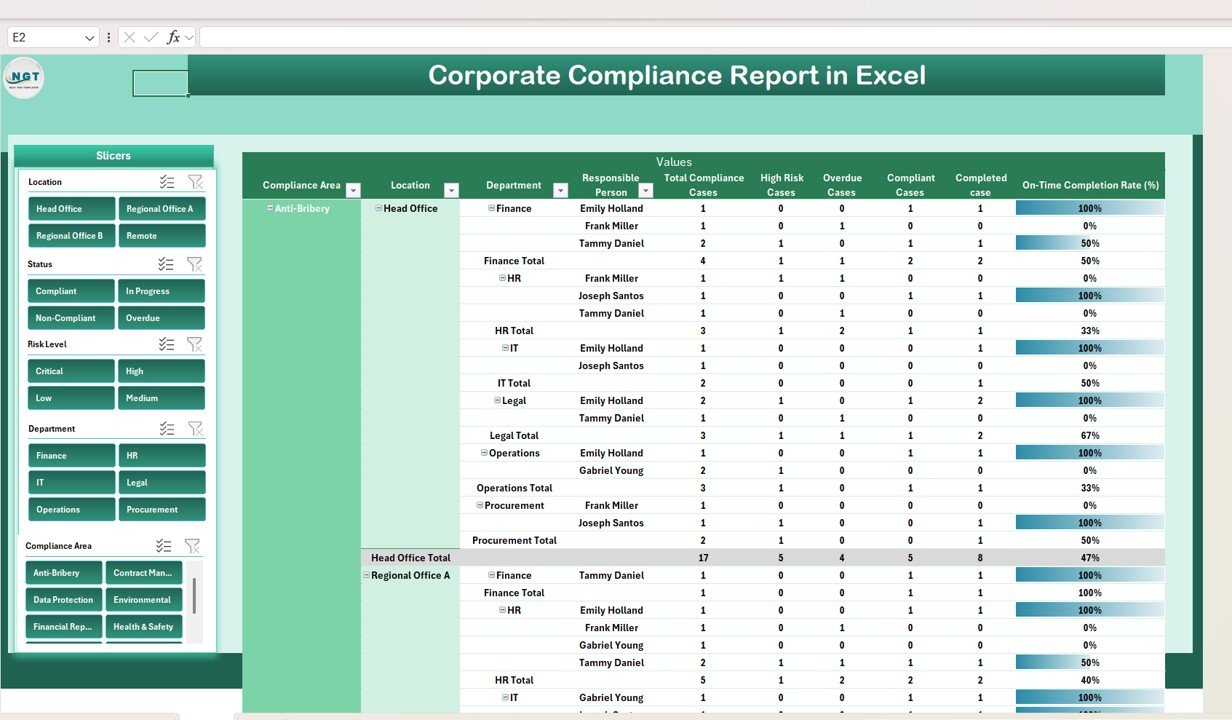
📊 Report Sheet Tab
Advanced Power Pivot view for in-depth analysis
Drill down into cases by department, location, or responsible individual
Generate reports for audits or management reviews
Flexible, customizable pivot reporting
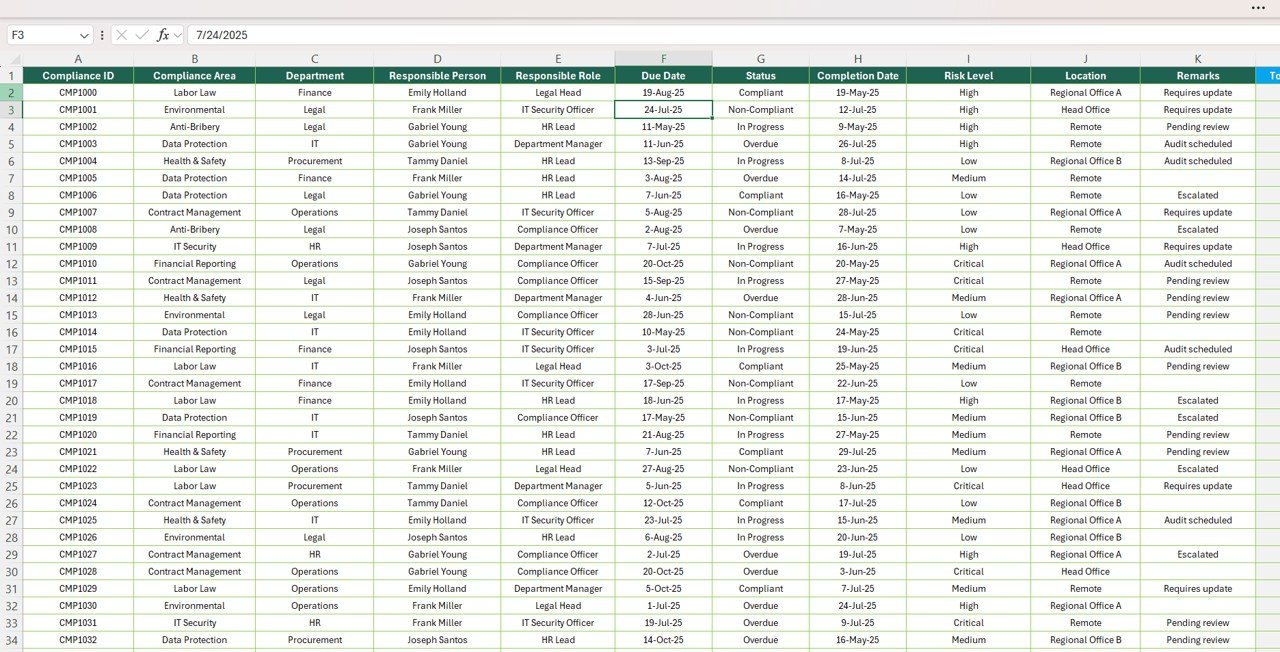
🧾 Data Sheet Tab
Structured input for all compliance cases
Capture status, risk level, due date, responsible person, and compliance area
Automatically updates Summary and Report sheets
Ensures consistency, accuracy, and transparency
📦 What’s Inside the Corporate Compliance Report?
Your download includes:
✅ Summary Dashboard – Visual KPIs and charts for instant insights
✅ Report Tab – Pivot-powered analysis for flexible reporting
✅ Data Sheet – Clean and structured input table
✅ Pre-Built Visualizations – Trend analysis, risk monitoring, accountability views
✅ Sample Data – Pre-filled records to demonstrate usage
✅ Customizable Design – Add new compliance areas, adjust charts, or modify fields
No coding. No complicated setup. Just plug-and-play compliance tracking in Excel. 🚀
🧑💼 Who Can Benefit from This Report?
🎯 Compliance Officers – Monitor high-risk and overdue cases in real time
🎯 Legal & Risk Teams – Track adherence to regulatory requirements
🎯 Executives – Gain a clear overview of organizational compliance
🎯 Internal Auditors – Generate quick reports for audits and inspections
🎯 Department Heads – Evaluate compliance by team and assign accountability
This tool is built for organizations of all sizes that want to reduce risks and strengthen governance.
🧪 How to Use the Corporate Compliance Report
Enter Case Details – Input case information in the Data Sheet
Review Dashboard – Check compliance status on the Summary Sheet
Drill into Reports – Use the Report Tab for department or location insights
Track Trends – Monitor monthly and compliance-area performance
Take Action – Address overdue or high-risk cases promptly
The system is designed to automate tracking and simplify reporting, allowing you to focus on corrective action.
🌟 Why Choose This Excel Report?
Centralized compliance monitoring
Visual dashboards for clarity
Automated KPIs and trend tracking
Risk and accountability insights
Flexible pivot reports
Fully customizable for your compliance needs
With this Corporate Compliance Report in Excel, you’ll have everything you need to ensure compliance, accountability, and risk management.
🔗 Click here to read the Detailed blog post
Watch the step-by-step video Demo:


Reviews
There are no reviews yet.