

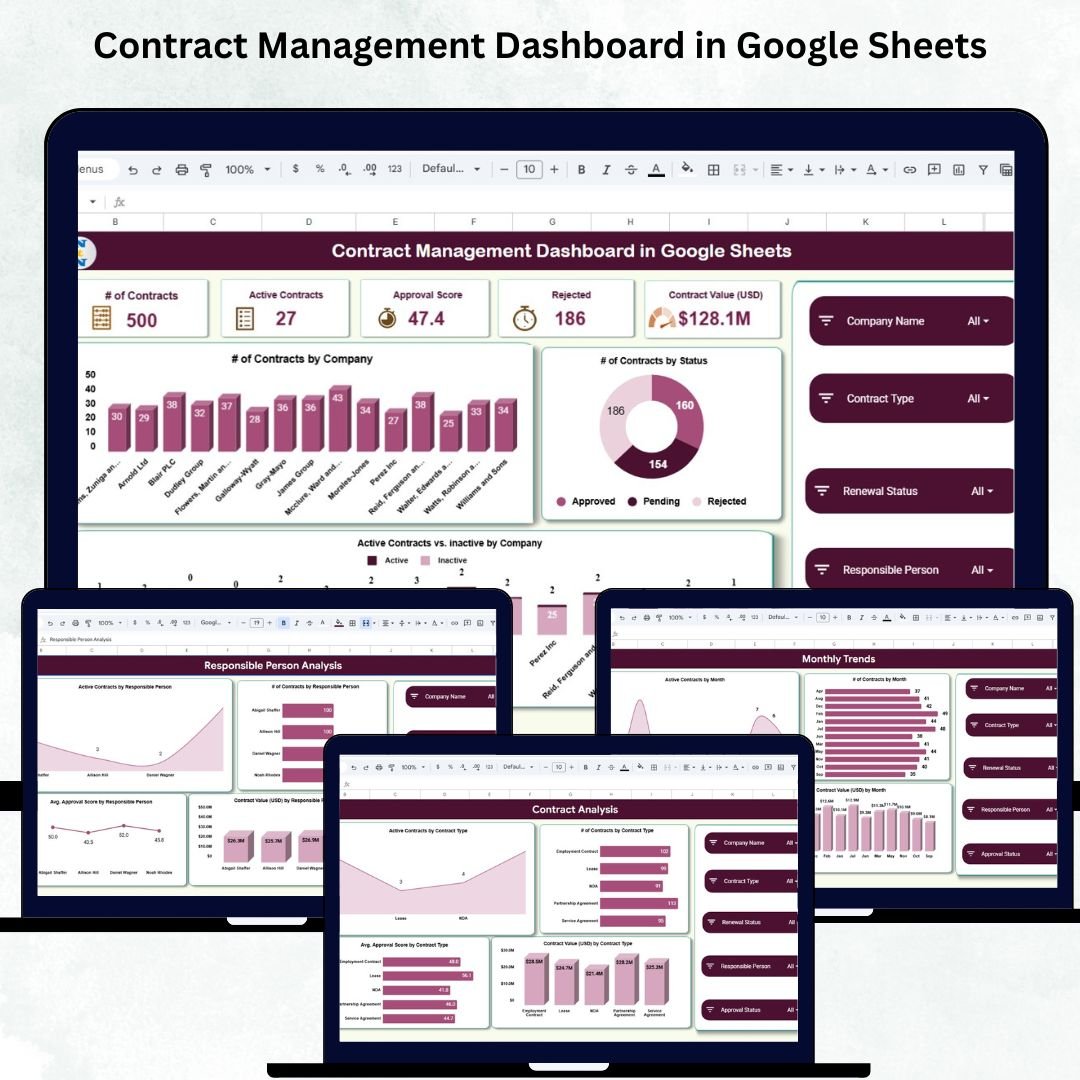

Managing contracts across multiple clients, departments, and vendors can quickly become overwhelming. Deadlines are missed, renewals get delayed, and approvals slow down because data is scattered across different sheets and folders. That’s exactly why we created the Contract Management Dashboard in Google Sheets — a powerful, ready-to-use solution designed to simplify your entire contract lifecycle using clean visuals, automated KPIs, and real-time insights.
This dashboard helps you track active contracts, approvals, financial value, renewal performance, and monthly trends — all in one place. With interactive charts, dynamic KPI cards, and a fast search system, you gain complete visibility while saving hours of manual work every week.
✨ Key Features of the Contract Management Dashboard in Google Sheets
This dashboard is loaded with smart, easy-to-use features that give your team instant clarity and control:
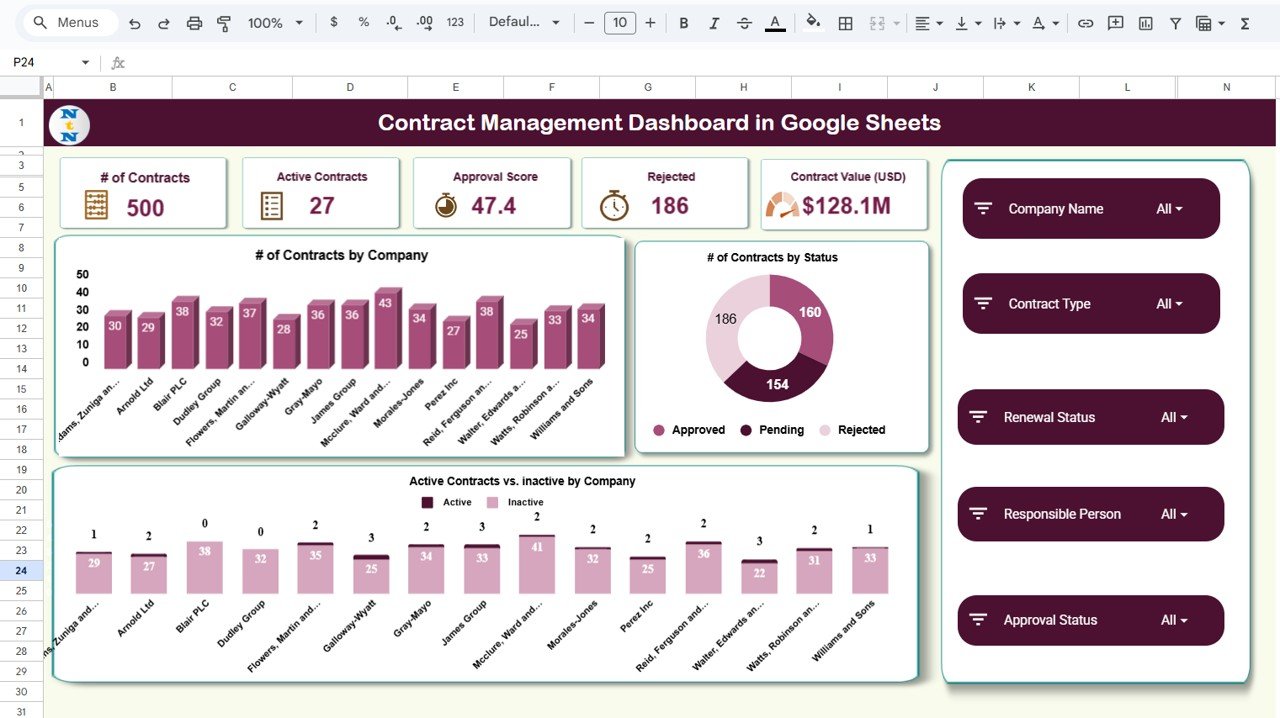
📊 Real-Time KPI Cards
Monitor the most important numbers instantly:
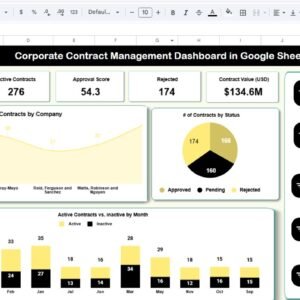
Total Contracts
Active Contracts
Rejected Contracts
Approval Score
Contract Value (USD)
These KPIs update automatically when new data is added — no manual calculations required.
📉 Interactive Visual Charts
Understand contract performance at a glance:
Contracts by Company
Contracts by Status
Active vs. Inactive Contracts
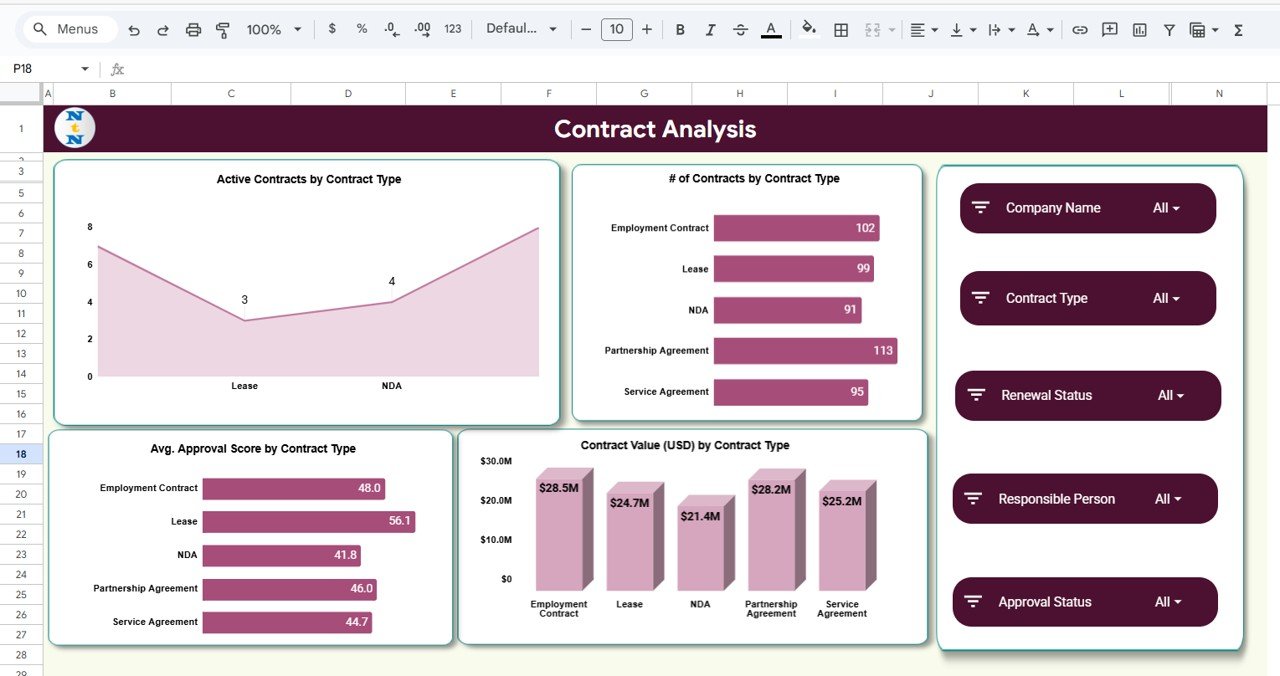
Contract Value by Contract Type
Approval Score by Type
Every chart is designed to help you make faster, more accurate decisions.
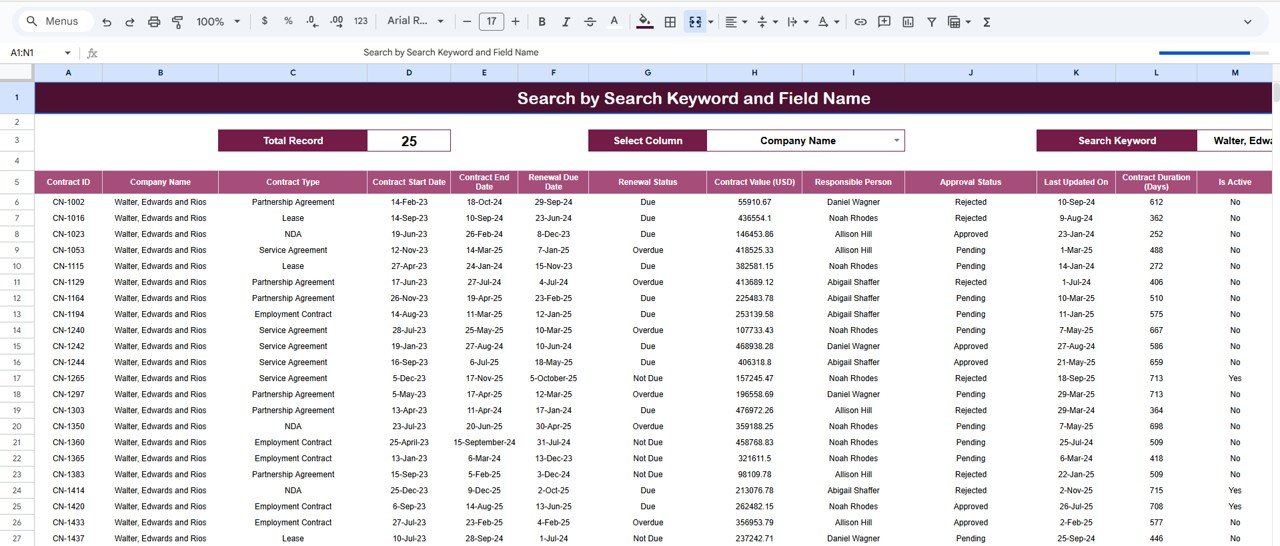
🔍 Advanced Search Module
Search contracts instantly by:
Contract ID
Company
Status
Contract Type
Renewal Status
Responsible Person
Perfect for audits, reviews, and reporting.
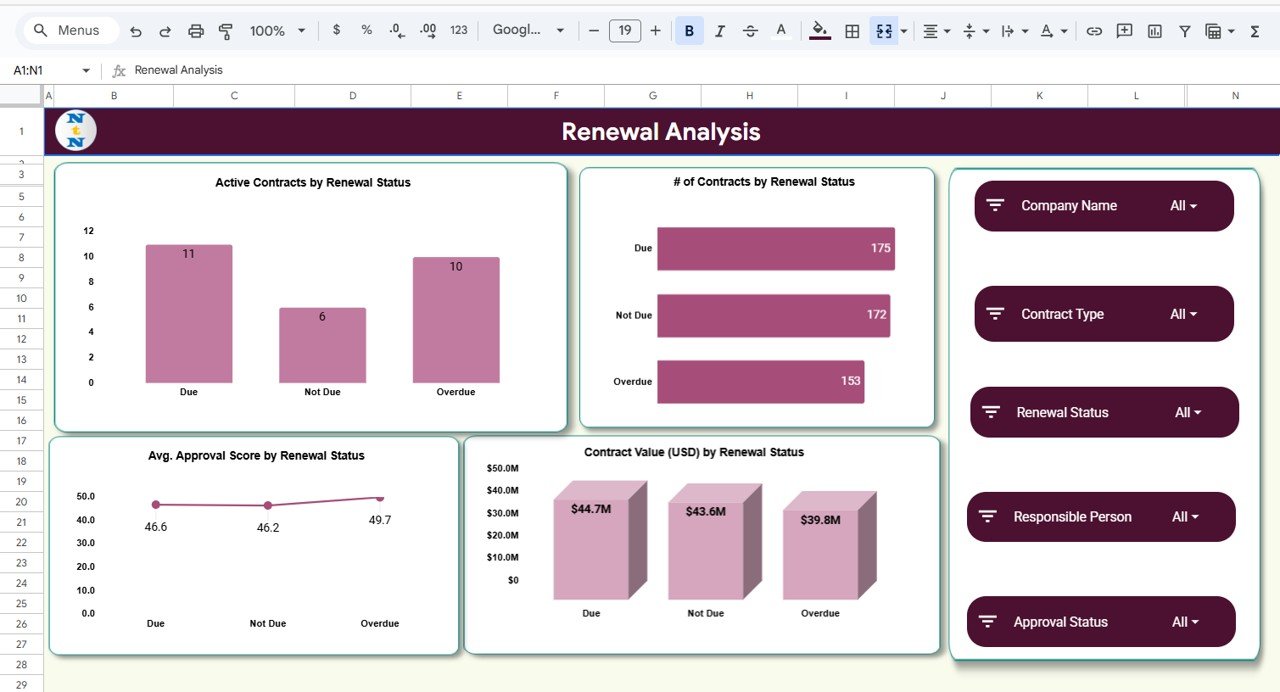
🔄 Complete Renewal Analysis
Identify which contracts are due, active, expired, or pending renewal — with financial impact and approval score comparisons.
📦 What’s Inside the Contract Management Dashboard
Inside the Google Sheets file, you get a clean and fully organized structure:
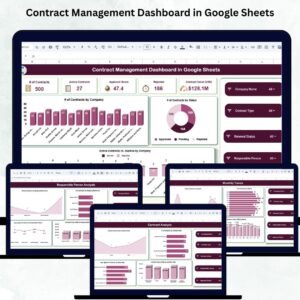
🏠 Overview Page
A visual summary of all KPIs and charts for quick decision-making.
🗂️ Contract Analysis
Analyze contracts by type, category, value, and success rate.
♻️ Renewal Analysis
Get renewal status insights, success trends, and renewal value distribution.
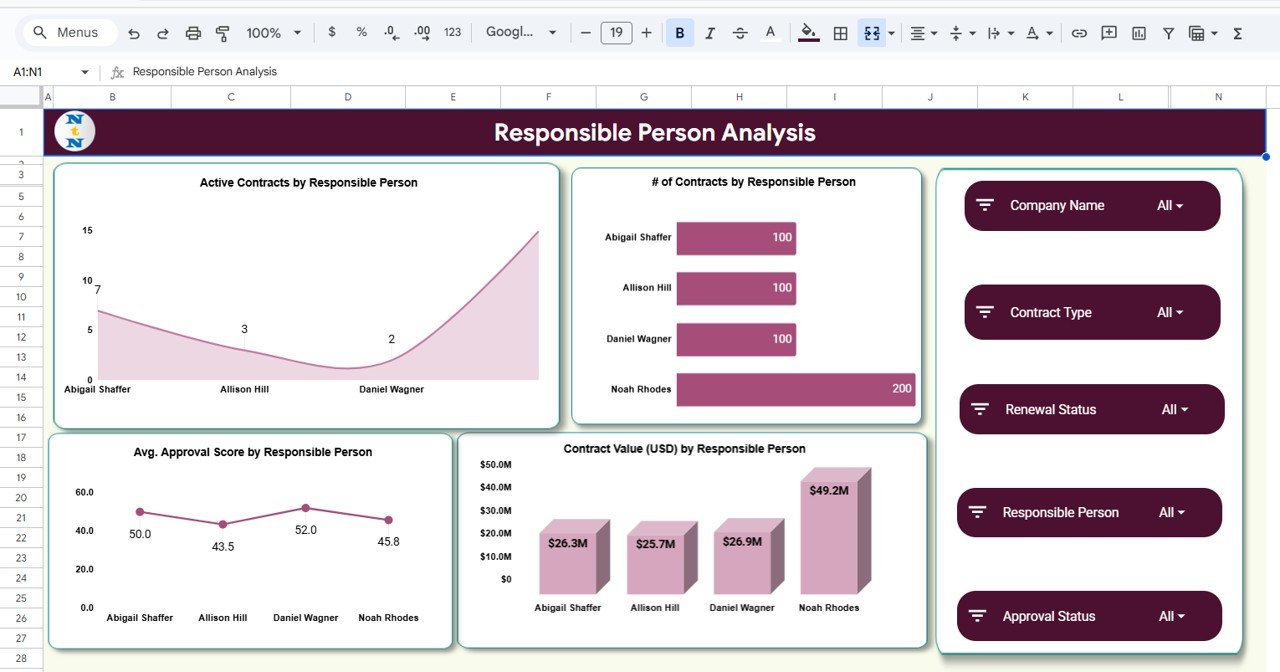
👤 Responsible Person Analysis
Track team member performance and workload distribution.
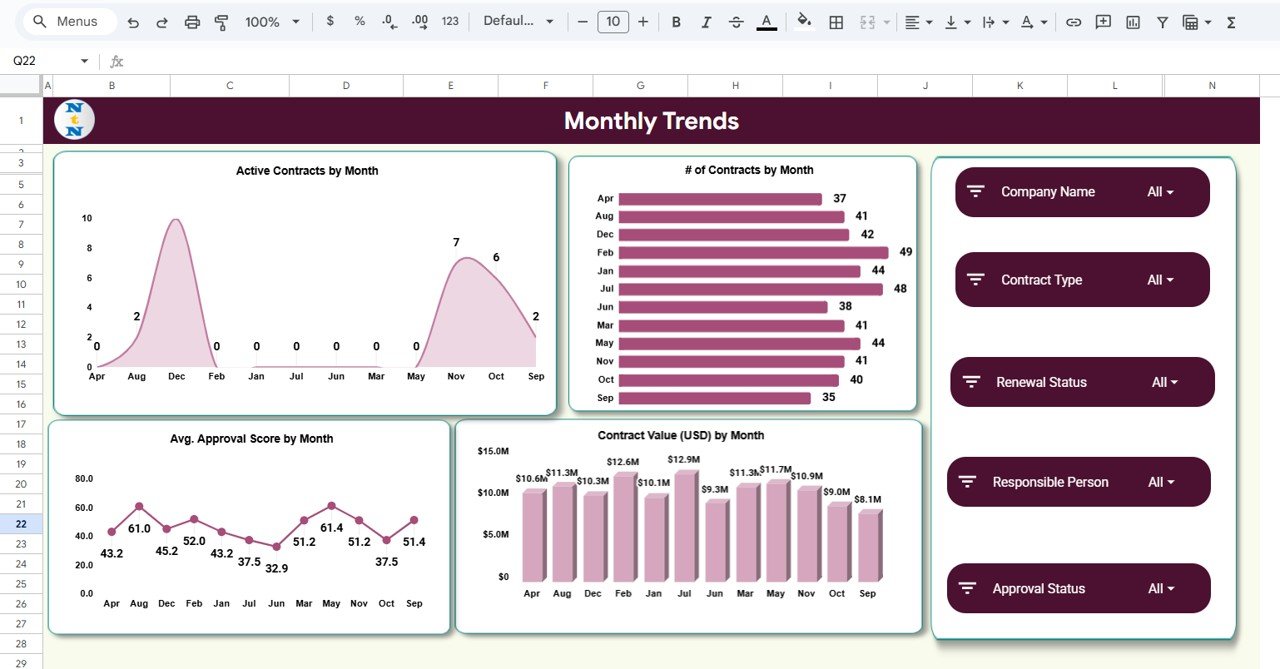
📅 Monthly Trend Charts
Understand monthly performance for planning, forecasting, and cycle analysis.
🔎 Smart Search Page
Find any contract in seconds using keywords or filters.
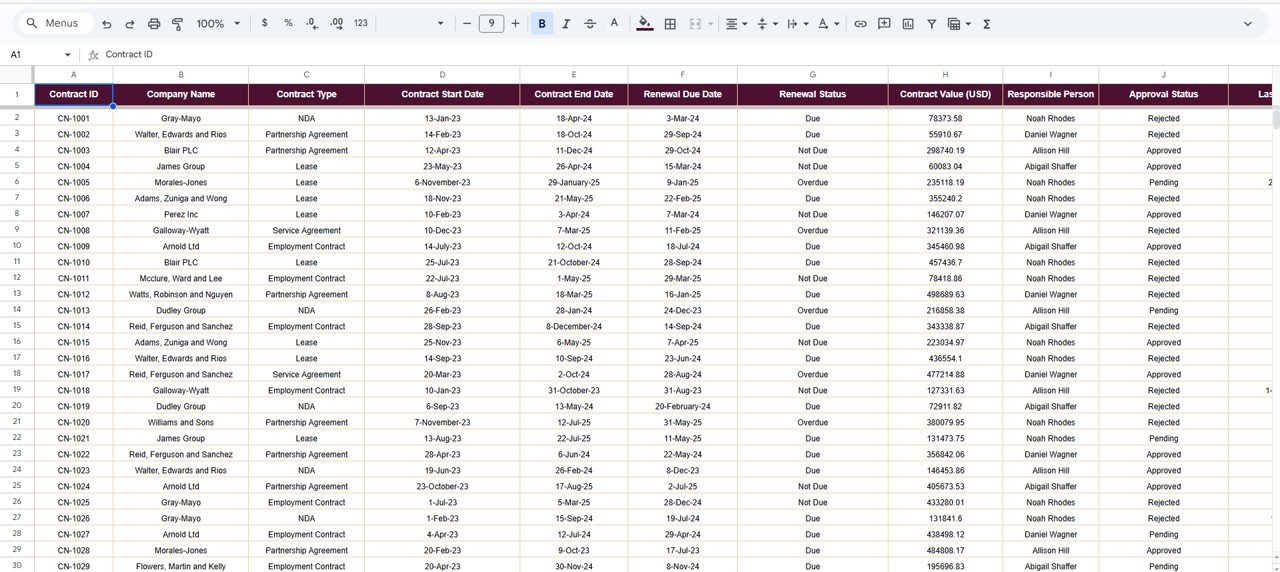
📄 Data Sheet (Backend)
All contract information stored in a clean table structure ready for analysis.
🛠️ How to Use the Contract Management Dashboard
Using this template is extremely simple, even for beginners:
Enter or import your contract data into the Data Sheet.
All KPIs, charts, and pages update instantly — no formulas needed.
Navigate using clear tabs for Overview, Contract Analysis, Renewal, and more.
Use the search module to quickly find contract details during reviews.
Update data regularly to maintain accuracy across all analytics.
No coding, no macros, no complex formulas — just plug and play.
👥 Who Can Benefit from This Product
This Google Sheets dashboard is perfect for:
🏢 Legal Departments
Track contract approvals, status, and compliance with ease.
🧾 Procurement Teams
Monitor vendor contracts, renewal cycles, and financial value.
🤝 Vendor & Supplier Management Teams
Get instant insights into contract performance and renewal behavior.
📋 Compliance & Risk Analysts
Identify contract gaps, pending approvals, and overall governance.
🧑💼 Client Relationship Teams
Track customer contracts, values, and monthly activity trends.
Whether you manage 20 contracts or 2,000, this dashboard gives you the power to stay in control always.
Click here to read the Detailed Blog Post
Watch the step-by-step video Demo:
Visit our YouTube channel to learn step-by-step video tutorials
👉 YouTube.com/@PKAnExcelExpert
Compatibility and Requirements
- Works in Google Sheets. You need a free Google account and a web browser.
- The dashboard includes charts that update when you add contract data. Google explains how charts work in Add and edit a chart or graph.
Frequently Asked Questions
Which pages are included?
The file has an Overview page, Contract Analysis, Renewal Analysis, Responsible Person Analysis, Monthly Trend charts, a Search page and a Data Sheet.
Which KPIs does the dashboard show?
It shows Total Contracts, Active Contracts, Rejected Contracts, Approval Score and Contract Value (USD). They update when you add new data.
Do I need formulas or macros?
No. You enter or import your contract data into the Data Sheet and the KPIs and charts update on their own.
Can I search for a single contract?
Yes. The Search page finds contracts by Contract ID, Company, Status, Contract Type, Renewal Status or Responsible Person.
Is there an Excel or Power BI version?
Yes. See the Contract Management Dashboard in Excel and the Contract Management Dashboard in Power BI.
Related Contract Management Templates
- Contract Management Dashboard in Excel: the same dashboard for Excel
- Contract Management Dashboard in Power BI: the Power BI edition
- Contract Management Tracker in Google Sheets: a tracker for contract records
- Contract Performance & Renewal Dashboard in Google Sheets: a dashboard focused on renewals
- Vendor Contract Renewal Calendar in Google Sheets: a calendar for vendor renewal dates
Browse all Google Sheets dashboards.





























Reviews
There are no reviews yet.