



In the fast-moving world of fundraising, every donation, event, and campaign matters 💖. Whether you’re managing donor engagement, monitoring campaign performance, or tracking fundraising efficiency, keeping everything organized can be challenging. That’s why the Charity Fundraising KPI Scorecard in Excel is your all-in-one solution to measure, analyze, and improve your fundraising performance — without needing any complex software!
This ready-to-use Excel scorecard helps nonprofit professionals bring data to life. With built-in charts, KPIs, and automated formulas, you can easily compare Actual vs Target, review Month-to-Date (MTD) and Year-to-Date (YTD) performance, and visualize trends that reveal where your fundraising strategy is thriving or needs attention.
✳️ Key Features of Charity Fundraising KPI Scorecard in Excel
✨ Interactive Dashboard – Switch between months effortlessly and view MTD or YTD summaries instantly.
📊 KPI Cards & Tables – Track up to 10 essential KPIs such as Donor Retention %, Average Gift Size, and Total Donations Raised.
🎯 Target vs Actual Comparison – Visual indicators (green for met, red for missed) instantly show where performance stands.
🔄 Real-Time Updates – Update your data once and watch all visuals refresh automatically — no formulas to fix!
📈 Trend Analysis Sheet – View detailed monthly trends for each KPI with historical comparisons to the previous year.
🧾 Definition & Formula Sheet – Every KPI includes a clear formula, unit, type (UTB/LTB), and definition for transparency.
💡 Customizable Design – Add or remove KPIs, tweak visuals, and brand it with your organization’s logo easily.
💰 No Extra Software Required – 100% Excel-based — simple, flexible, and cost-effective.

📦 What’s Inside the Charity Fundraising KPI Scorecard in Excel
📁 1. Scorecard Sheet (Main Dashboard):
Your mission control center! Select the month, view MTD/YTD insights, and analyze KPIs through dynamic visuals.
📈 2. KPI Trend Sheet:
Select any KPI (like “Donation Conversion Rate” or “Average Gift Size”) from a dropdown to see detailed monthly trends with color-coded charts.
🗂️ 3. Input Data Sheet:
Enter your Actual, Target, and Previous Year data here. Everything else updates automatically — ensuring seamless reporting.
📚 4. KPI Definition Sheet:
Clarifies what each KPI means, including formula, type (LTB or UTB), and unit — ensuring everyone in your team measures success the same way.
Each sheet has been designed to simplify your workflow, boost accuracy, and enhance reporting confidence.
🧠 How to Use the Charity Fundraising KPI Scorecard in Excel
1️⃣ Download & Open the file.
2️⃣ Enter your data in the Input Sheet — monthly values for Actual, Target, and Previous Year.
3️⃣ Check KPI Definitions to understand how metrics are calculated.
4️⃣ Select your desired month in the Scorecard Sheet to view instant visual summaries.
5️⃣ Review trends in the KPI Trend Sheet to identify areas needing attention.
6️⃣ Take action using insights — strengthen donor retention, optimize campaigns, and maximize fundraising impact.
This intuitive tool requires no Excel expertise — it’s plug-and-play simplicity designed for real-world nonprofit teams 🌍.
👥 Who Can Benefit from This Charity Fundraising KPI Scorecard in Excel
💼 Nonprofit Managers: Monitor campaign performance and donor engagement in one view.
🎓 Fundraising Coordinators: Track donation growth, conversion rates, and ROI for all campaigns.
📋 Board Members: Get transparent and professional performance reports at a glance.
💰 Charity Analysts: Analyze detailed metrics like Average Gift Size and Donor Retention %.
📊 Community Organizations: Simplify reporting and stay accountable to donors and sponsors.
Whether you run a local foundation or an international NGO, this scorecard gives you the clarity you need to turn data into actionable insights and measurable growth.
📈 Why Choose This Template
✅ Fully editable and reusable across campaigns.
✅ Visual design optimized for quick decision-making.
✅ Automatic MTD & YTD calculations.
✅ Compatible with both Excel and Power BI.
✅ Perfect balance of simplicity and professional-grade reporting.
Start making data-driven fundraising decisions today — and showcase your charity’s real impact like never before! 💖
Click here to read the Detailed Blog Post
Watch the step-by-step video tutorial:
Visit our YouTube channel to learn step-by-step video tutorials 🎥
Compatibility and Requirements
- Works in Microsoft Excel desktop (Excel 2016 or later, or Microsoft 365).
- The KPI Trend sheet uses a drop-down to pick a KPI, so no add-ins are needed.
- Microsoft explains how drop-down lists work in Create a drop-down list.
Frequently Asked Questions
Which sheets are in the Charity Fundraising KPI Scorecard?
It has four sheets: Scorecard, KPI Trend, Input Data and KPI Definition.
Which KPIs can it track?
It tracks up to 10 KPIs, such as Donor Retention %, Average Gift Size, Total Donations Raised and Donation Conversion Rate.
How do I compare actuals with targets?
Enter monthly Actual, Target and Previous Year values in the Input Data sheet. The Scorecard shows MTD and YTD results with green for met and red for missed.
Can I reuse it for other campaigns?
Yes. The scorecard is fully editable, so you can reuse it across campaigns.
Related Fundraising Templates
- Charity Fundraising KPI Scorecard in Google Sheets: the same scorecard in Google Sheets
- Charity Fundraising KPI Dashboard in Excel: fundraising KPIs with trend charts
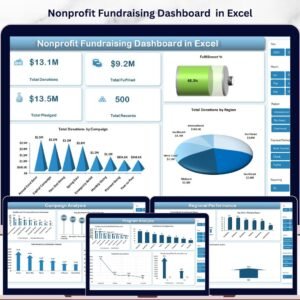
- Nonprofit Fundraising Dashboard in Excel: a page based fundraising dashboard
- Nonprofit Organizations KPI Dashboard in Excel: wider nonprofit KPIs
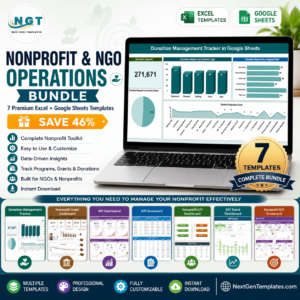
- Nonprofit & NGO Operations Bundle: 7 Excel and Google Sheets nonprofit templates in one bundle
Browse all Excel KPI dashboards or the template bundles.





















Reviews
There are no reviews yet.