



Key Features of CrossFit Gym KPI Scorecard
Unlock the power of data-driven decision making with our CrossFit Gym KPI Scorecard, a ready-to-use digital template designed exclusively for CrossFit gyms looking to track, analyze, and improve performance metrics efficiently. This comprehensive scorecard is loaded with practical features to help gym owners, managers, and coaches monitor vital KPIs, ensuring your gym stays on track to achieve its goals.
Featuring 4 versatile worksheets, this template offers a seamless way to manage your gym’s key performance indicators with accuracy and ease:

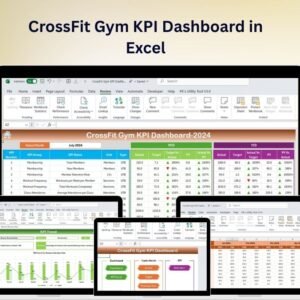
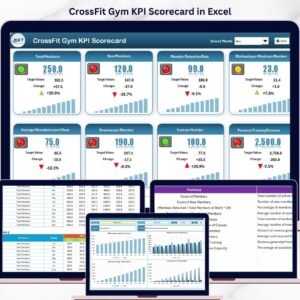
- 📊 Scorecard Sheet: The heart of the template, this sheet provides a user-friendly interface where you can view your KPI performance at a glance. Select the month, MTD (Month-to-Date), or YTD (Year-to-Date) using dropdown menus to customize your analysis. Compare actual values against targets instantly, supported by intuitive color-coded visual indicators that highlight your progress or areas needing attention. This sheet offers a comprehensive overview of all relevant KPIs, helping you spot trends and make informed decisions.
- 📈 KPI Trend Sheet: Select any KPI from the dropdown to dive deep into trend analysis. This sheet displays KPI Group, Unit, KPI Type (whether lower values are better or upper values), the formula behind the KPI, and a clear definition. It also features MTD and YTD trend charts comparing actual, target, and previous year (PY) numbers, empowering you to visualize progress and plan strategically.
- 📝 Input Data Sheet: Easily enter your KPI data here including actual performance values, targets, and other relevant metrics. The flexible layout allows quick updates to keep your scorecard current and reliable – no more manual errors or missing data.
- 📚 KPI Definition Sheet: Customize your KPIs by entering the KPI Name, Group, Unit, Formula, and detailed definitions. This sheet ensures clarity and consistency across your performance tracking system, making it easy for your team to understand and align with your gym’s goals.
What’s Inside the CrossFit Gym KPI Scorecard
When you purchase this digital KPI Scorecard, you receive a fully editable Excel template with the following components:
- 📋 Scorecard Sheet: Central dashboard for quick KPI performance snapshots with dropdown filters and visual cues.
- 📊 KPI Trend Sheet: Dynamic trend analysis with charts and detailed KPI info to help monitor progress over time.
- ✍️ Input Data Sheet: Easy-to-use data entry area for all your KPI metrics and targets.
- 📖 KPI Definition Sheet: Structured space for KPI descriptions, units, and calculation formulas to keep your data transparent.
This package is delivered instantly as a digital download, ready for immediate use – no setup required!
How to Use the CrossFit Gym KPI Scorecard
Using this scorecard is straightforward and requires no advanced technical skills. Here’s a quick guide to get started:
- 🔹 Step 1: Download and open the Excel template on your preferred device.
- 🔹 Step 2: Go to the Input Data Sheet and start entering your gym’s KPI data – actuals, targets, and other relevant metrics.
- 🔹 Step 3: Customize the KPI Definition Sheet to reflect the specific KPIs your gym tracks.
- 🔹 Step 4: Use the Scorecard Sheet to monitor performance by selecting the month and date ranges. Visual indicators will instantly show you how your gym is performing against goals.
- 🔹 Step 5: Explore deeper trends and comparisons in the KPI Trend Sheet to identify patterns and make strategic decisions.
- 🔹 Step 6: Regularly update your input data to keep the scorecard accurate and actionable.
With this easy workflow, you can continuously track your gym’s health, optimize operations, and enhance member satisfaction.
Who Can Benefit from This CrossFit Gym KPI Scorecard
This KPI Scorecard is a must-have tool for anyone involved in managing or operating a CrossFit gym who wants to boost efficiency and results:
- 🏋️♂️ Gym Owners: Gain clear insights into your business performance and growth opportunities.
- 📊 Managers: Monitor team and gym-wide KPIs to ensure targets are met consistently.
- 🤸♀️ Coaches & Trainers: Understand performance trends related to training programs and member engagement.
- 💼 Fitness Consultants: Use the template to advise clients with precise data-driven recommendations.
- 🧑💻 Data Enthusiasts: Easily customize and extend the scorecard to meet your unique tracking needs.
Empower your gym with a smart, efficient, and visually appealing KPI tracking system designed to deliver real results.
Click here to read the Detailed blog post.
Visit our YouTube channel to learn step-by-step video tutorials
Compatibility and Requirements
- Works in Microsoft Excel desktop (Excel 2016 or later, or Microsoft 365).
- You pick the month, MTD or YTD from dropdown menus on the Scorecard sheet and a KPI on the KPI Trend sheet. Microsoft explains dropdowns in Create a drop-down list.
Frequently Asked Questions
Which sheets are included?
Four sheets: Scorecard, KPI Trend, Input Data and KPI Definition.
Where do I enter my gym’s numbers?
Enter actual values, targets and other metrics on the Input Data sheet. The Scorecard sheet then shows them against your targets with color-coded visual indicators.
Can I change the KPIs?
Yes. On the KPI Definition sheet you enter the KPI name, group, unit, formula and definition for each KPI you want to track.
How do I see the trend for one KPI?
Open the KPI Trend sheet and pick a KPI from the dropdown. It shows the KPI group, unit, type (lower or upper is better), formula and definition, plus MTD and YTD charts comparing actual, target and previous year numbers.
Is there a Google Sheets or Power BI version?
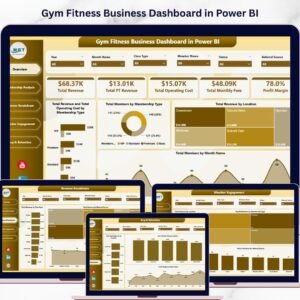
There is a dashboard version for CrossFit gyms in Google Sheets and in Power BI.
Related CrossFit and Gym Templates
- CrossFit Gym KPI Dashboard in Excel: a dashboard view of the same type of gym KPIs
- CrossFit Gym KPI Dashboard in Google Sheets: the Google Sheets edition
- CrossFit Gym KPI Dashboard in Power BI: the Power BI edition
- Gym Membership Data Entry System in Excel: record and manage member data
- KPI Dashboard Library (Excel): 15 KPI dashboard templates in one download
Browse all Excel KPI dashboards.















Reviews
There are no reviews yet.