

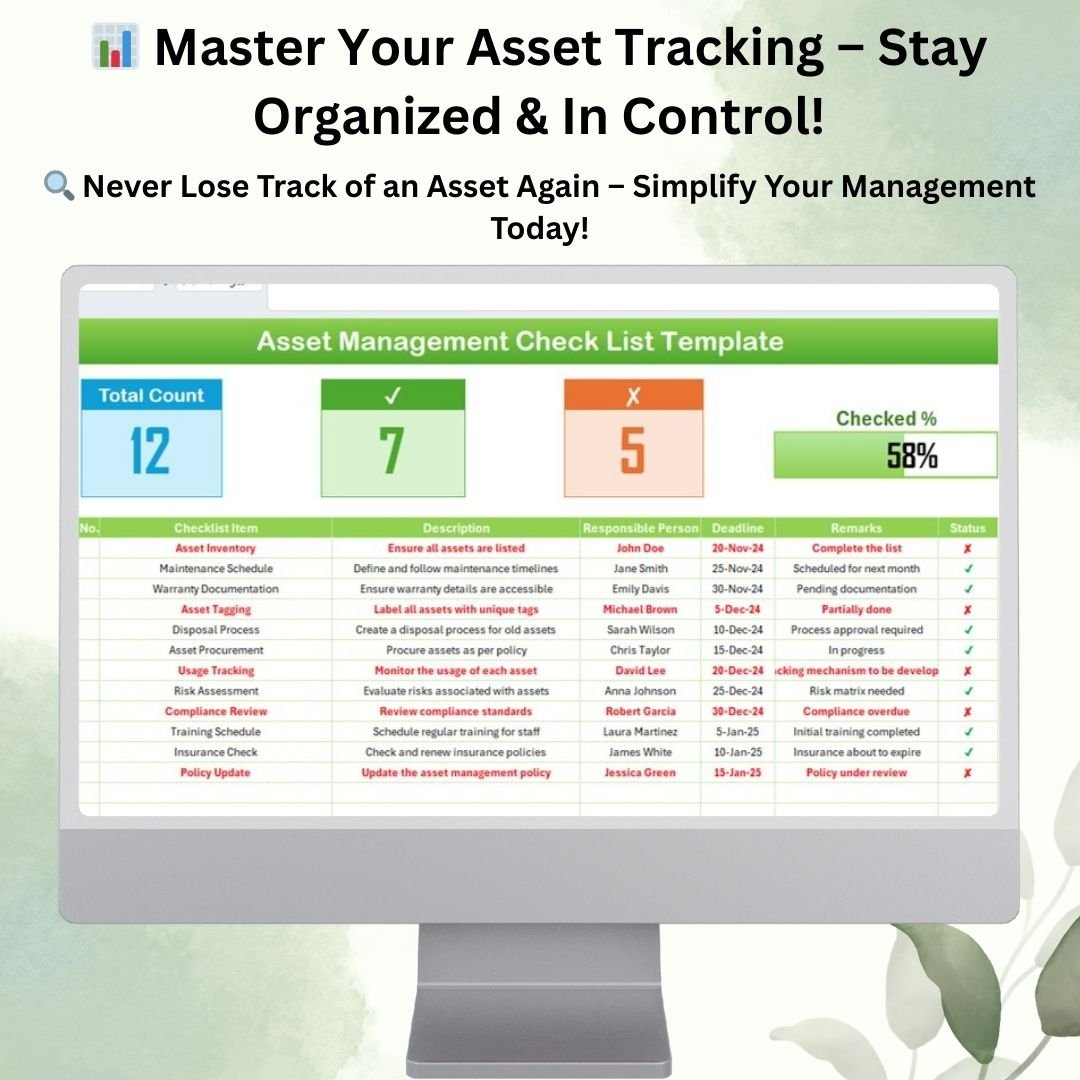
Managing assets efficiently is crucial for any organization, whether tracking physical inventory, procurement processes, or compliance regulations. Our Asset Management Check List Template in Excel provides a structured approach to streamline asset tracking, ensure proper documentation, and improve accountability.
This ready-to-use template helps businesses systematically manage their assets with an easy-to-follow checklist format, ensuring every aspect of asset management is covered.
Why Use an Asset Management Checklist?
Keeping track of assets manually can be time-consuming and prone to errors. With this checklist, businesses can:
✅ Streamline Asset Inventory – Keep a detailed record of assets with unique identification and tagging.
✅ Improve Compliance – Ensure all assets meet company policies and regulatory requirements.
✅ Monitor Asset Usage – Track the lifecycle of each asset, from procurement to disposal.
✅ Enhance Accountability – Assign tasks to specific team members and monitor progress with a visual completion tracker.
✅ Reduce Asset Mismanagement – Avoid unnecessary purchases and optimize the usage of existing resources.
Key Features of the Asset Management Checklist Template
Our Excel-based Asset Management Checklist consists of two primary worksheets, each designed for a specific function:
1. Asset Management Checklist Sheet
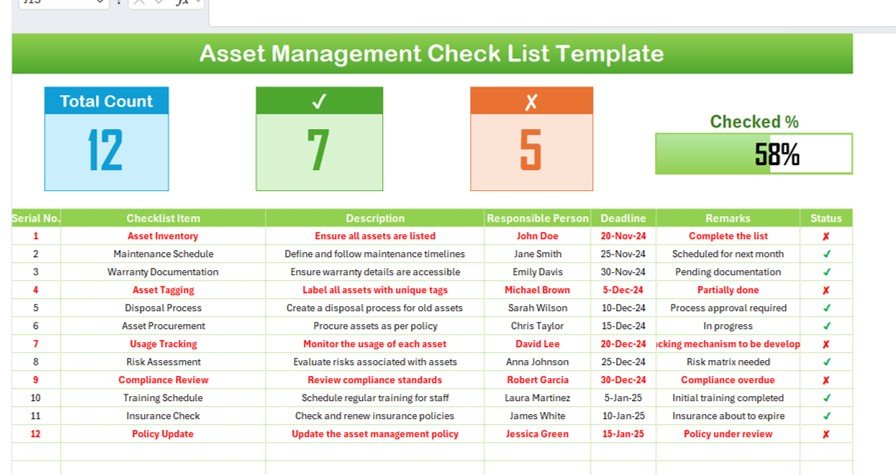
This is the main worksheet, where all asset-related tasks are tracked. It consists of:
🟢 Summary Section
- Total Count: Displays the total number of checklist items.
- Checked Count: Indicates the number of completed tasks.
- Crossed Count: Shows the number of incomplete or pending tasks.
- Progress Bar: A graphical indicator of task completion percentage.
🟢 Checklist Table
This table organizes asset management tasks into structured columns, including:
- Serial Number: Unique identifier for each task.
- Checklist Item: A specific task to be completed.
- Description: A short explanation of what the task entails.
- Responsible Person: The person assigned to complete the task.
- Deadline: The due date for completing the task.
- Remarks: Additional notes or comments related to the task.
- Status Indicator: A checkmark (✔) for completed tasks and a cross (✘) for pending tasks.
2. List Sheet Tab – Assign Responsibilities with Ease
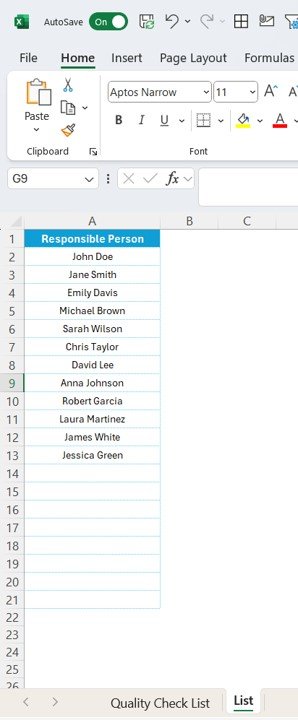
The List Sheet serves as a reference database for maintaining a list of responsible persons. This feature:
✔ Helps assign tasks quickly using a drop-down menu.
✔ Ensures accuracy and consistency in assigning roles.
✔ Reduces manual data entry errors.
How to Use the Asset Management Checklist Template?
Step 1: Input Asset Management Tasks
Enter all asset-related tasks into the Checklist Table, specifying the task description, responsible person, and deadline.
Step 2: Assign Tasks & Set Deadlines
Use the List Sheet Tab to assign each task to a specific team member, ensuring accountability.
Step 3: Track Progress in Real-Time
Update the Status Indicator for each task as it progresses. The Progress Bar automatically updates to reflect the completion percentage.
Step 4: Review and Update Regularly
Regularly update the checklist to maintain accuracy and add new asset-related tasks as needed.
Benefits of Using This Asset Management Checklist
✅ Better Organization: Maintain a structured approach to managing assets with a predefined checklist.
✅ Increased Efficiency: Save time by quickly identifying completed and pending tasks.
✅ Enhanced Accountability: Clear role assignments ensure tasks are completed on time.
✅ Customizable Layout: Modify the template to fit your specific asset management needs.
✅ Automated Progress Tracking: Monitor task completion with real-time status updates and a visual progress bar.
Who Can Use This Template?
This template is ideal for:
🔹 Facility Managers – To ensure all physical assets are accounted for.
🔹 Procurement Teams – To track purchases and ensure compliance.
🔹 IT Departments – To manage hardware, software, and digital assets.
🔹 Finance Teams – To track depreciation and warranty documentation.
🔹 Operations Managers – To oversee the entire lifecycle of company assets.
Why Choose Our Asset Management Checklist?
🚀 User-Friendly Layout – No complicated formulas; just enter data and track progress.
🚀 Customizable Design – Modify fields to meet your organization’s unique needs.
🚀 Instant Download – Get started immediately with an Excel template that’s ready to use.
🚀 Visual Dashboard – Monitor asset management progress at a glance.
Click hare to read the Detailed blog post
Visit our YouTube channel to learn step-by-step video tutorials































Reviews
There are no reviews yet.