



The Apparel Manufacturing KPI Dashboard in Excel is an essential tool for apparel manufacturers and production managers looking to optimize their operations and enhance business performance. This Excel-based dashboard helps you track key performance indicators (KPIs) across various stages of the apparel manufacturing process, from production efficiency to inventory management and quality control.
With real-time data tracking, this dashboard offers valuable insights into production speed, defect rates, order fulfillment, and more. By using this tool, businesses can identify operational inefficiencies, reduce production costs, and ensure timely delivery of high-quality products, all while maintaining complete control over their manufacturing processes.

Key Features of the Apparel Manufacturing KPI Dashboard in Excel
📊 Production Efficiency Monitoring
Track the efficiency of production lines by monitoring metrics such as units produced, downtime, and production speed. Identify areas for improvement and optimize your manufacturing processes.
📉 Quality Control Tracking
Monitor defect rates, returns, and product quality. This KPI helps ensure that the manufacturing process produces high-quality goods while minimizing waste and errors.
📦 Inventory Management & Tracking
Track raw materials and finished goods inventory levels to ensure you always have the necessary supplies without overstocking or understocking. Maintain optimal inventory levels for smooth production operations.
⏱ Production Time Tracking
Measure production cycle times, setup times, and downtime to ensure efficient resource utilization and reduce delays in the production schedule.
📈 Sales & Order Fulfillment Metrics
Track the number of orders completed, the sales revenue, and on-time delivery performance. This allows you to evaluate how well your manufacturing aligns with customer demand.
⚙️ Customizable KPIs & Metrics
Customize the dashboard to include the KPIs that are most relevant to your apparel manufacturing processes. Whether it’s tracking labor costs, machine efficiency, or production delays, the dashboard can be adapted to meet your needs.
Why You’ll Love the Apparel Manufacturing KPI Dashboard in Excel
✅ Optimize Production Efficiency
Easily track production speed and downtime to identify bottlenecks, reduce waste, and streamline operations for higher efficiency.
✅ Enhance Quality Control
Monitor defect rates and product returns, ensuring high-quality standards and reducing the risk of producing substandard products.
✅ Improve Inventory Management
Track raw materials and finished goods inventory to maintain an optimal supply and avoid production interruptions due to shortages or excess stock.
✅ Increase Profitability & Reduce Costs
By improving efficiency and reducing waste, the dashboard helps lower production costs and improve profitability.
✅ Customizable & Scalable
The dashboard is fully customizable to match your specific business needs and can be scaled to accommodate both small and large manufacturing operations.
What’s Inside the Apparel Manufacturing KPI Dashboard in Excel?
Production Efficiency Monitoring: Track units produced, downtime, and production speed.
Quality Control Tracking: Monitor defect rates and product returns.
Inventory Management: Keep track of raw materials and finished goods.
Production Time Tracking: Measure cycle times, setup times, and downtime.
Sales & Order Fulfillment Metrics: Track orders completed, sales revenue, and on-time deliveries.
Customizable KPIs: Tailor the dashboard to fit your specific manufacturing needs.
How to Use the Apparel Manufacturing KPI Dashboard in Excel
1️⃣ Download the Template: Access the Apparel Manufacturing KPI Dashboard in Excel instantly.
2️⃣ Input Production & Inventory Data: Enter your production and inventory data into the dashboard.
3️⃣ Track Key Metrics: Monitor efficiency, quality, inventory, and order fulfillment KPIs in real-time.
4️⃣ Analyze Performance & Trends: Use the time-based analysis to identify trends, optimize processes, and reduce inefficiencies.
5️⃣ Improve Manufacturing Operations: Leverage the insights to make informed decisions that boost production efficiency, quality, and profitability.
Who Can Benefit from the Apparel Manufacturing KPI Dashboard in Excel?
🔹 Apparel Manufacturers
🔹 Production Managers & Team Leads
🔹 Supply Chain & Logistics Teams
🔹 Inventory & Warehouse Managers
🔹 Quality Control Teams
🔹 Business Owners & Operations Managers
🔹 Small & Medium Enterprises (SMBs) in Apparel Manufacturing
Ensure the success of your apparel manufacturing operations with the Apparel Manufacturing KPI Dashboard in Excel. Track key metrics like production efficiency, quality control, and inventory management to optimize your processes and improve overall performance.
Click here to read the Detailed blog post
Visit our YouTube channel to learn step-by-step video tutorials
Youtube.com/@PKAnExcelExpert
Compatibility and Requirements
- Works in Microsoft Excel desktop (Excel 2016 or later, or Microsoft 365).
- The dashboard shows KPIs in charts. Microsoft explains charts in Create a chart from start to finish.
Frequently Asked Questions
Which areas of apparel production does it cover?
It covers production efficiency, quality control, inventory, production time and sales and order fulfillment.
Which quality metrics are tracked?
It monitors defect rates and product returns.
Does it track inventory?
Yes. It tracks raw materials and finished goods inventory levels.
Can I add my own KPIs?
Yes. You can add KPIs such as labor costs, machine efficiency or production delays.
Is there a Google Sheets version?
Yes. The Apparel Manufacturing KPI Dashboard in Google Sheets works in a browser.
Related Apparel and Manufacturing Templates
- Apparel Manufacturing KPI Dashboard in Google Sheets: the same dashboard in Google Sheets
- Apparel Manufacturing KPI Dashboard in Power BI: the same dashboard in Power BI
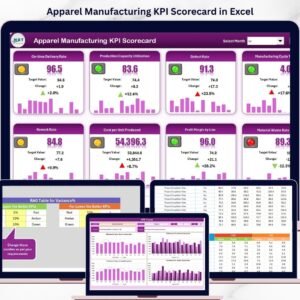
- Apparel Manufacturing KPI Scorecard in Excel: score apparel KPIs against targets
- Textiles & Apparel Manufacturing KPI Dashboard in Excel: KPIs for textile and apparel plants
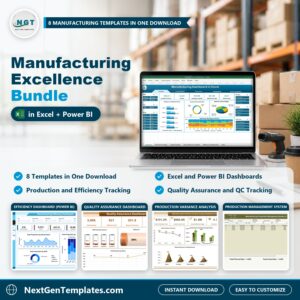
- Manufacturing Excellence Bundle: 8 manufacturing templates in one download
Browse all Excel KPI dashboards or the Excel manufacturing templates.
































Reviews
There are no reviews yet.