

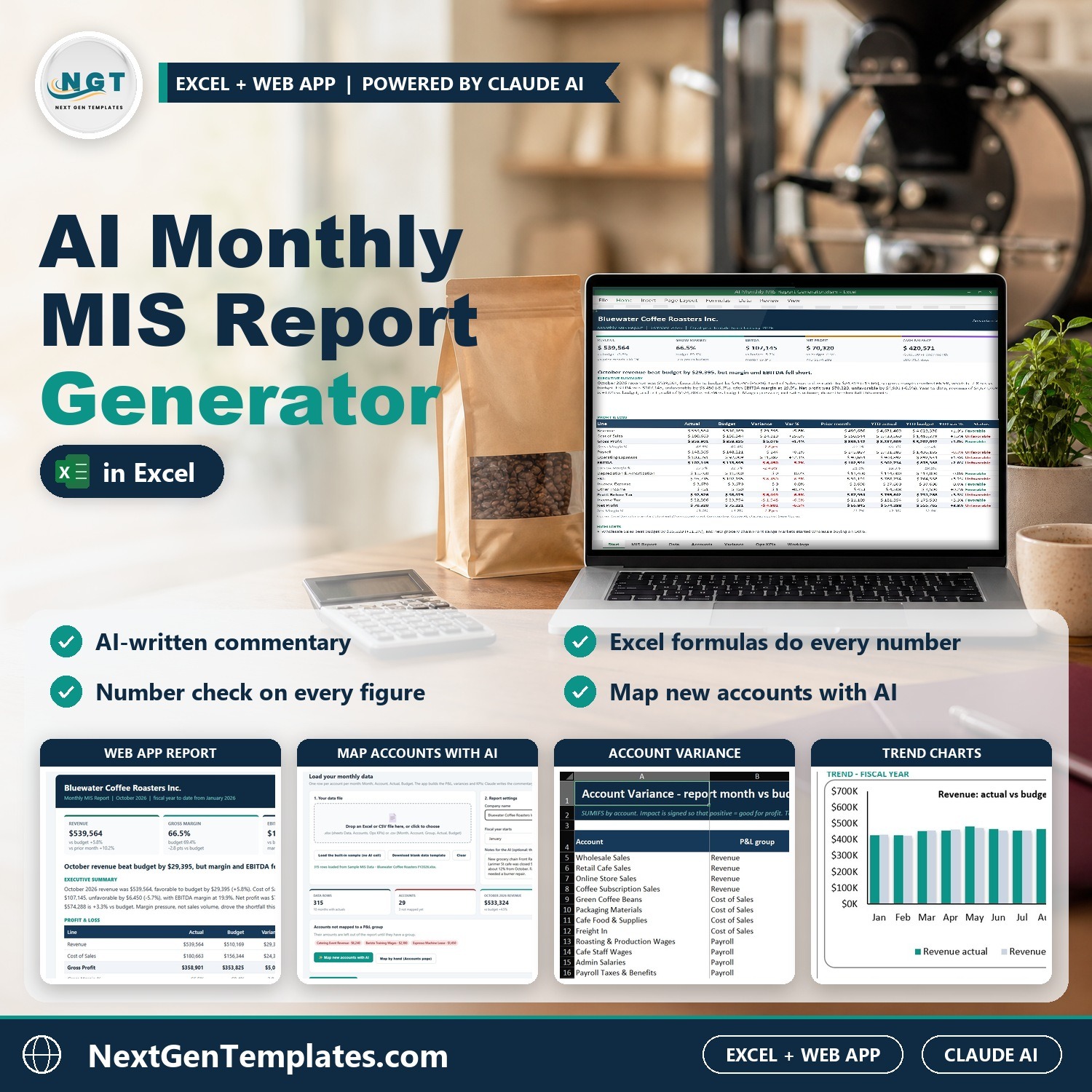
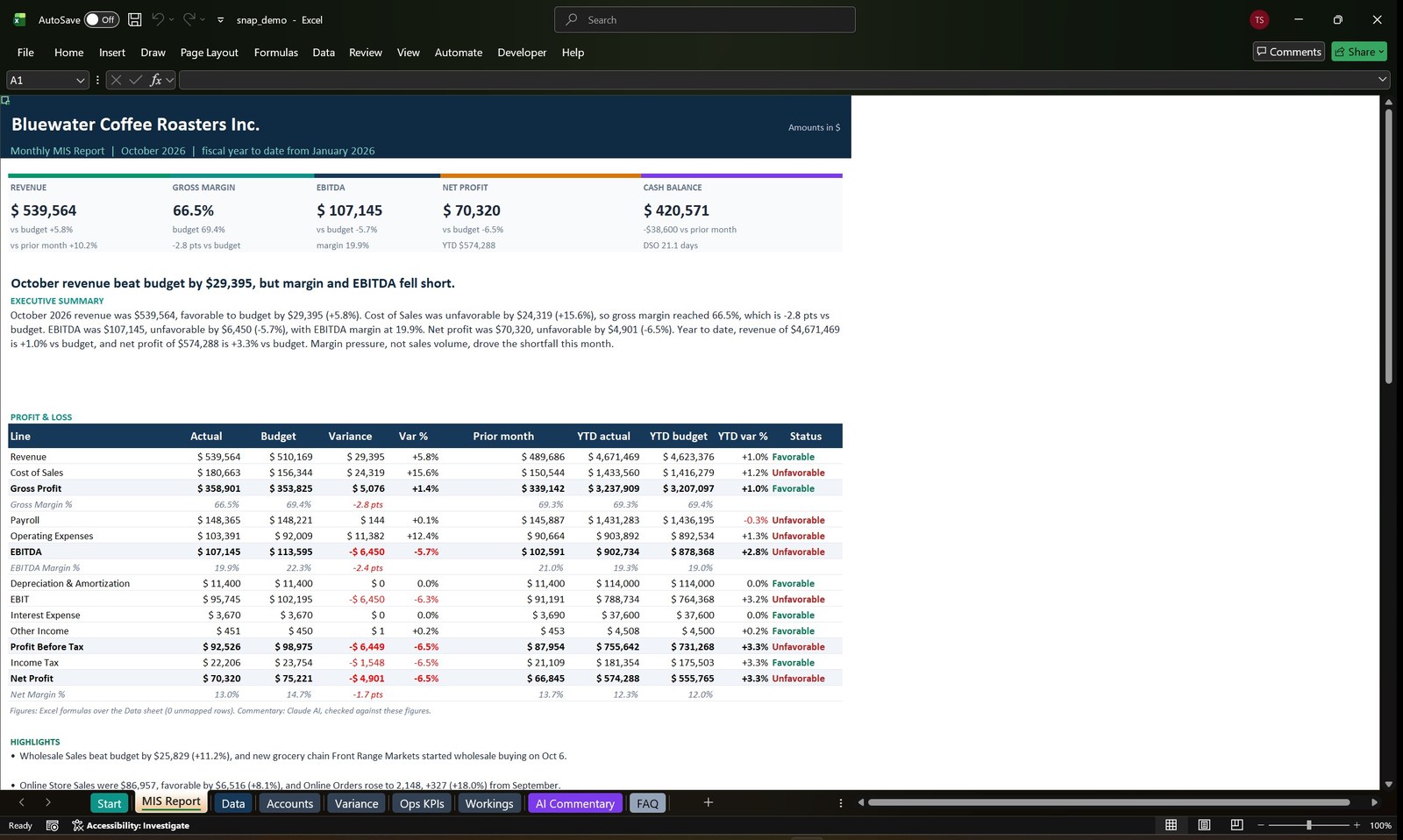
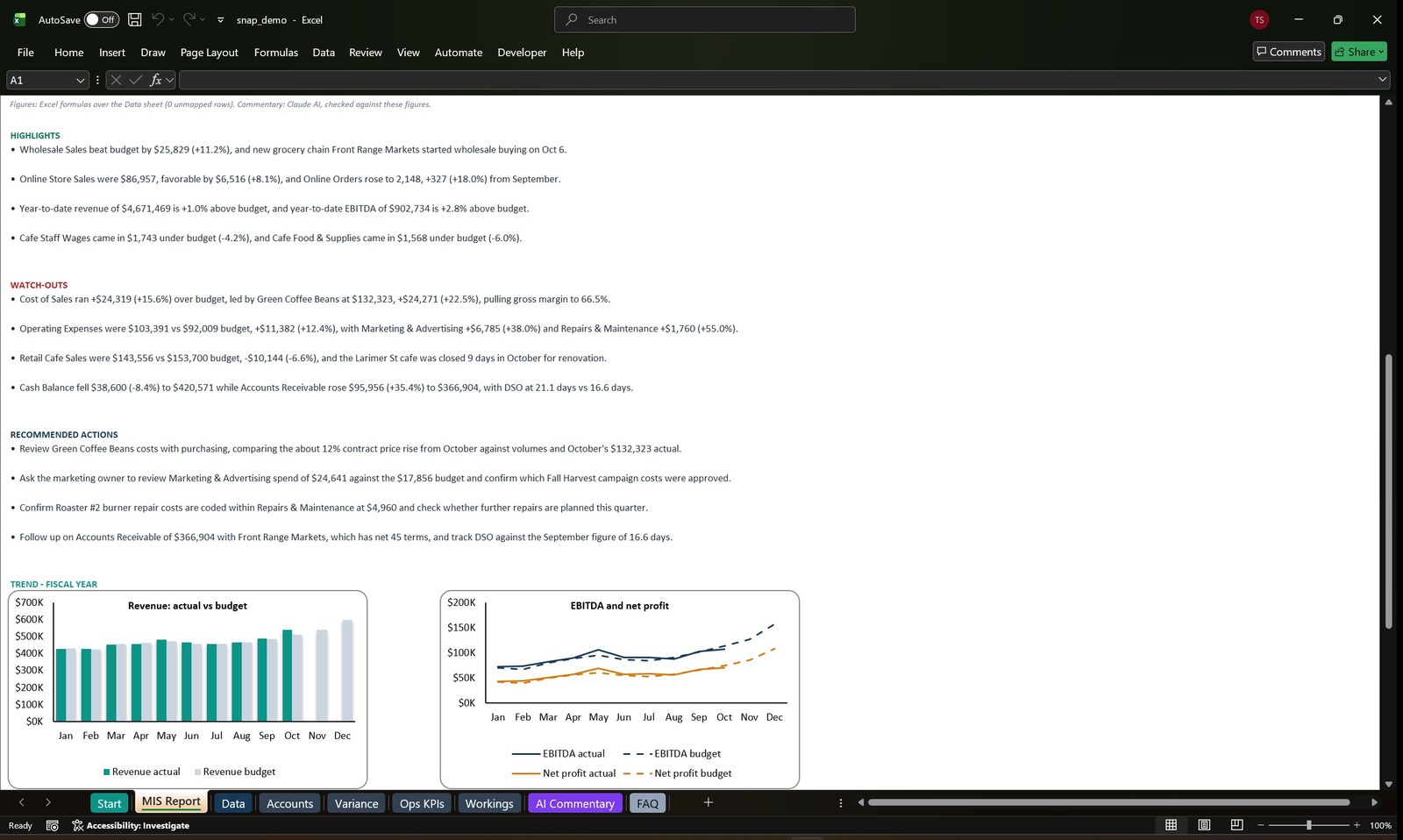
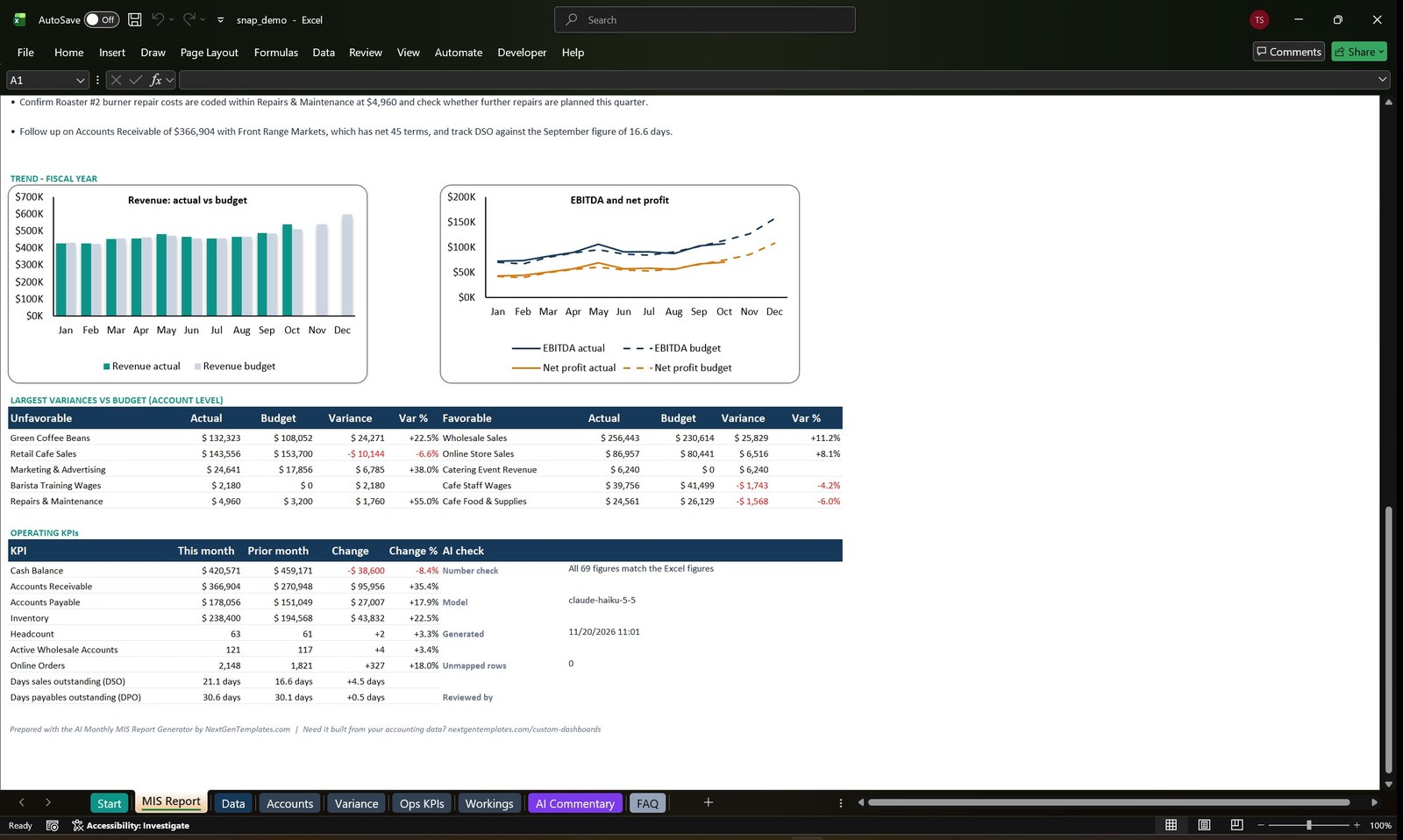
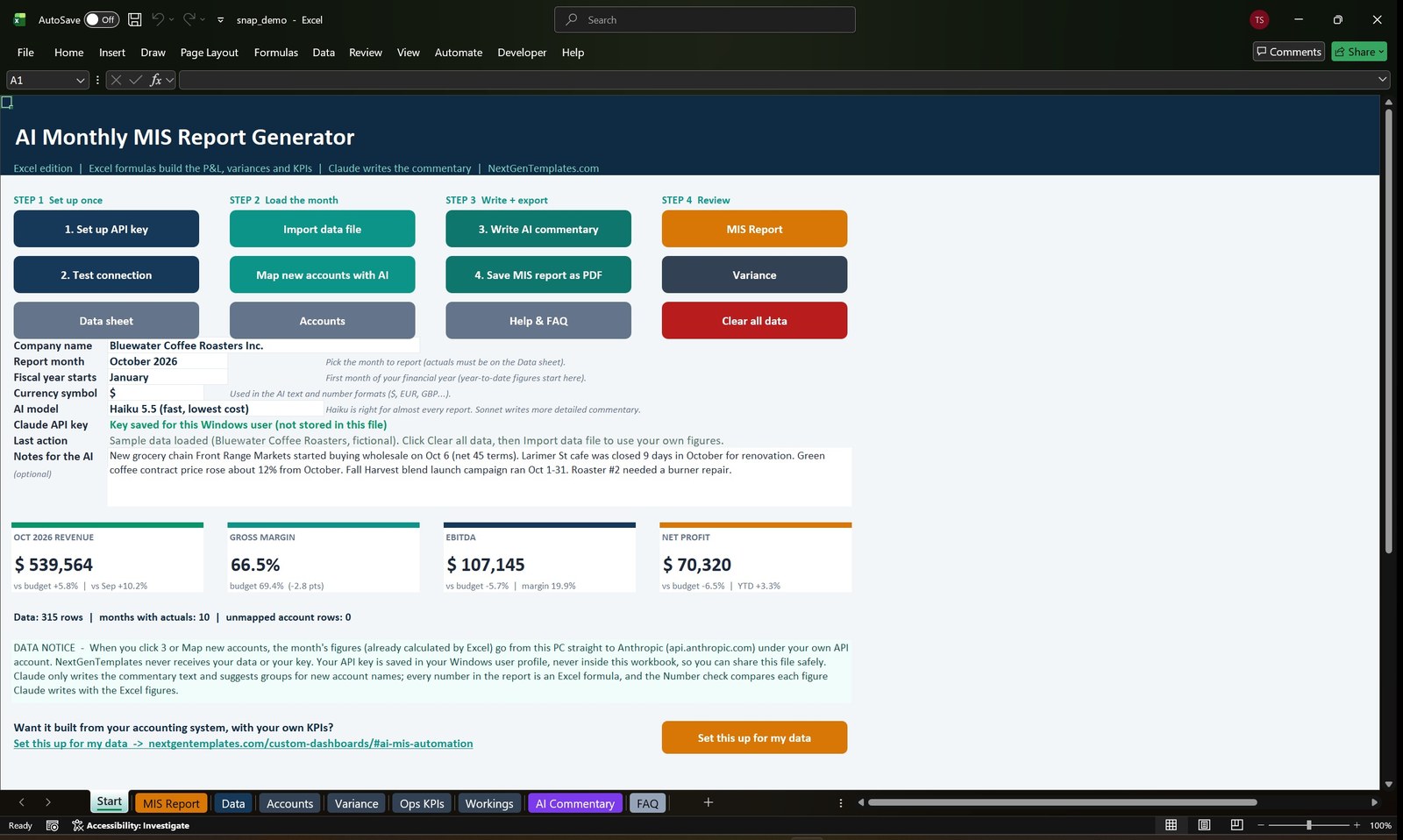
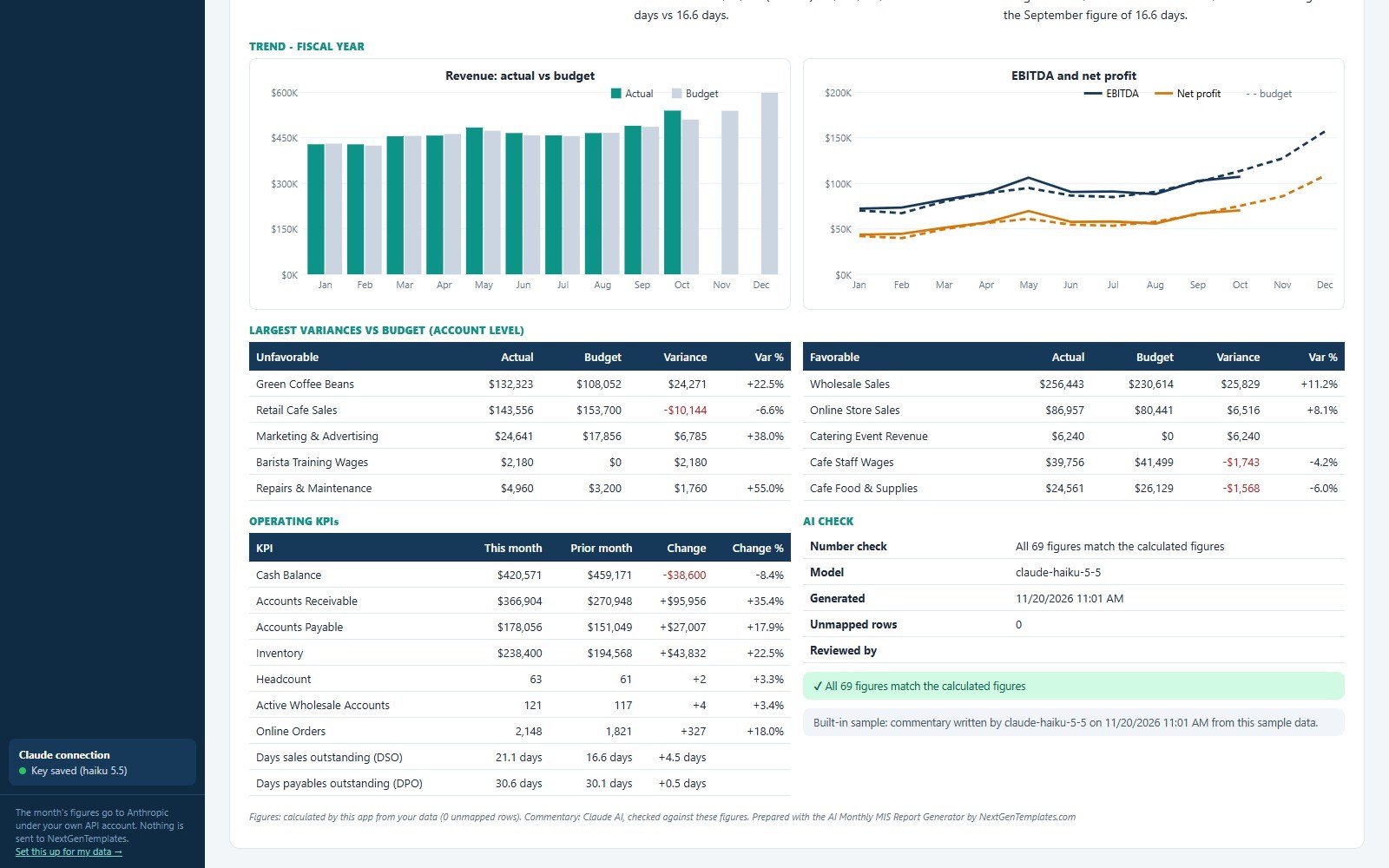
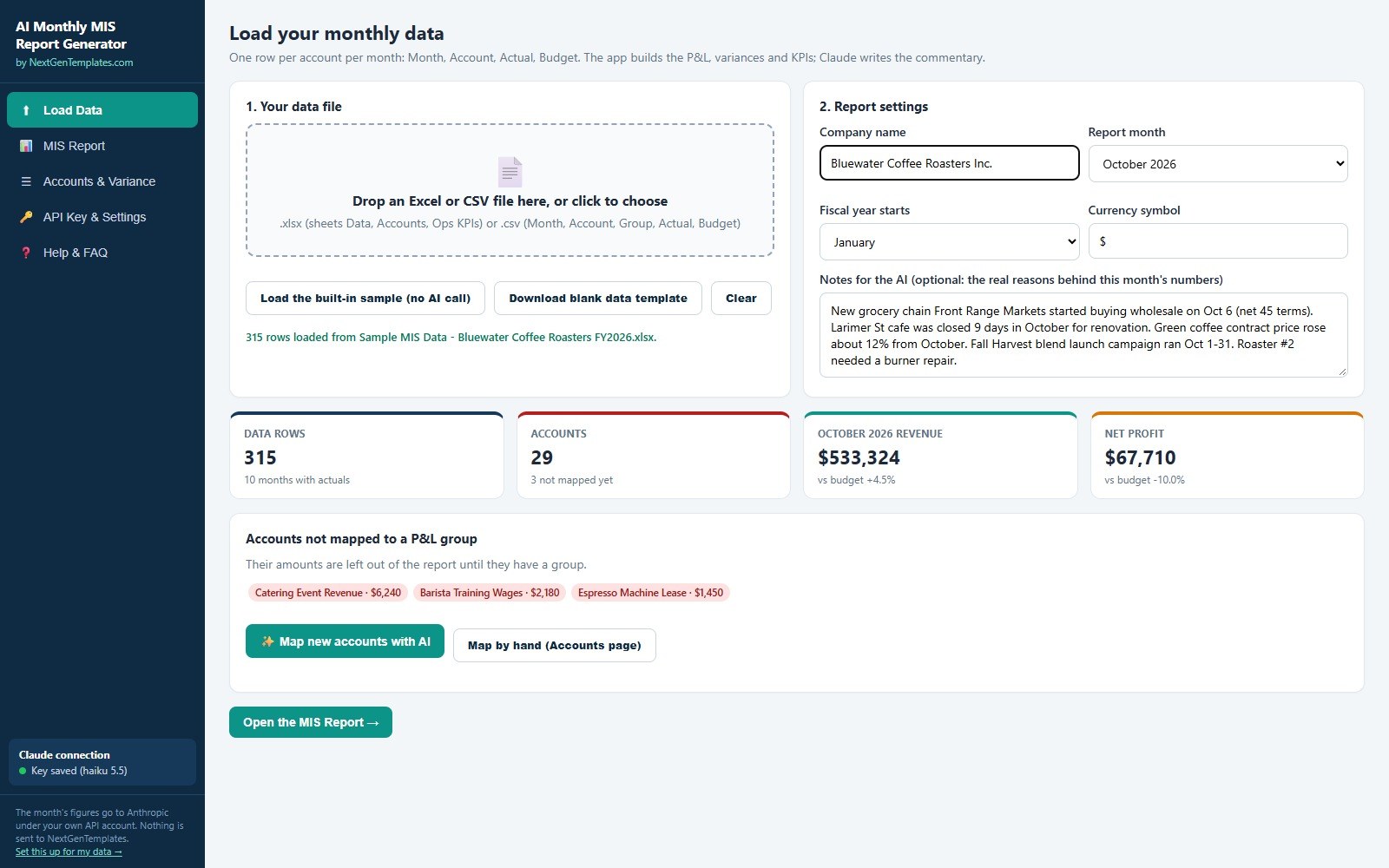
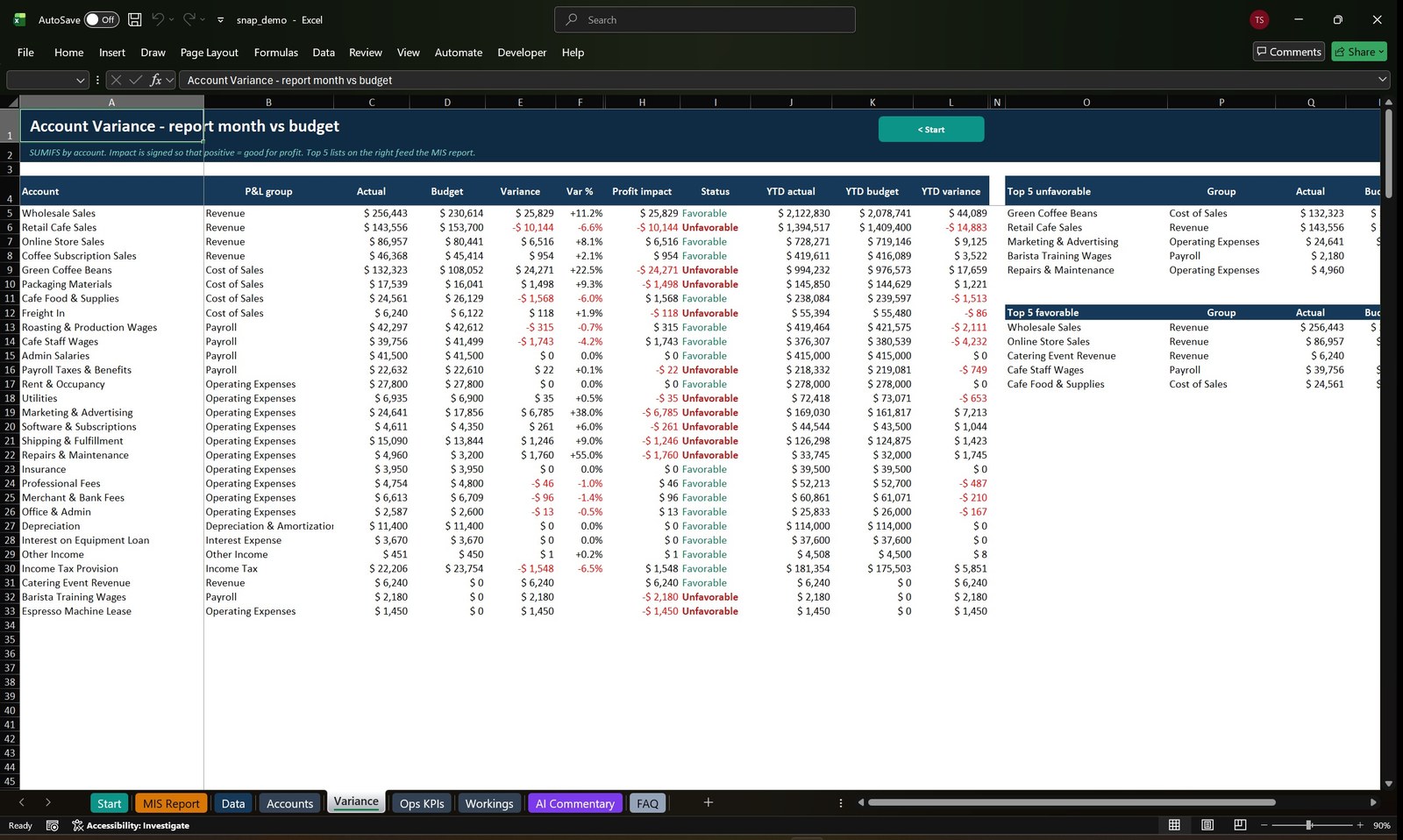
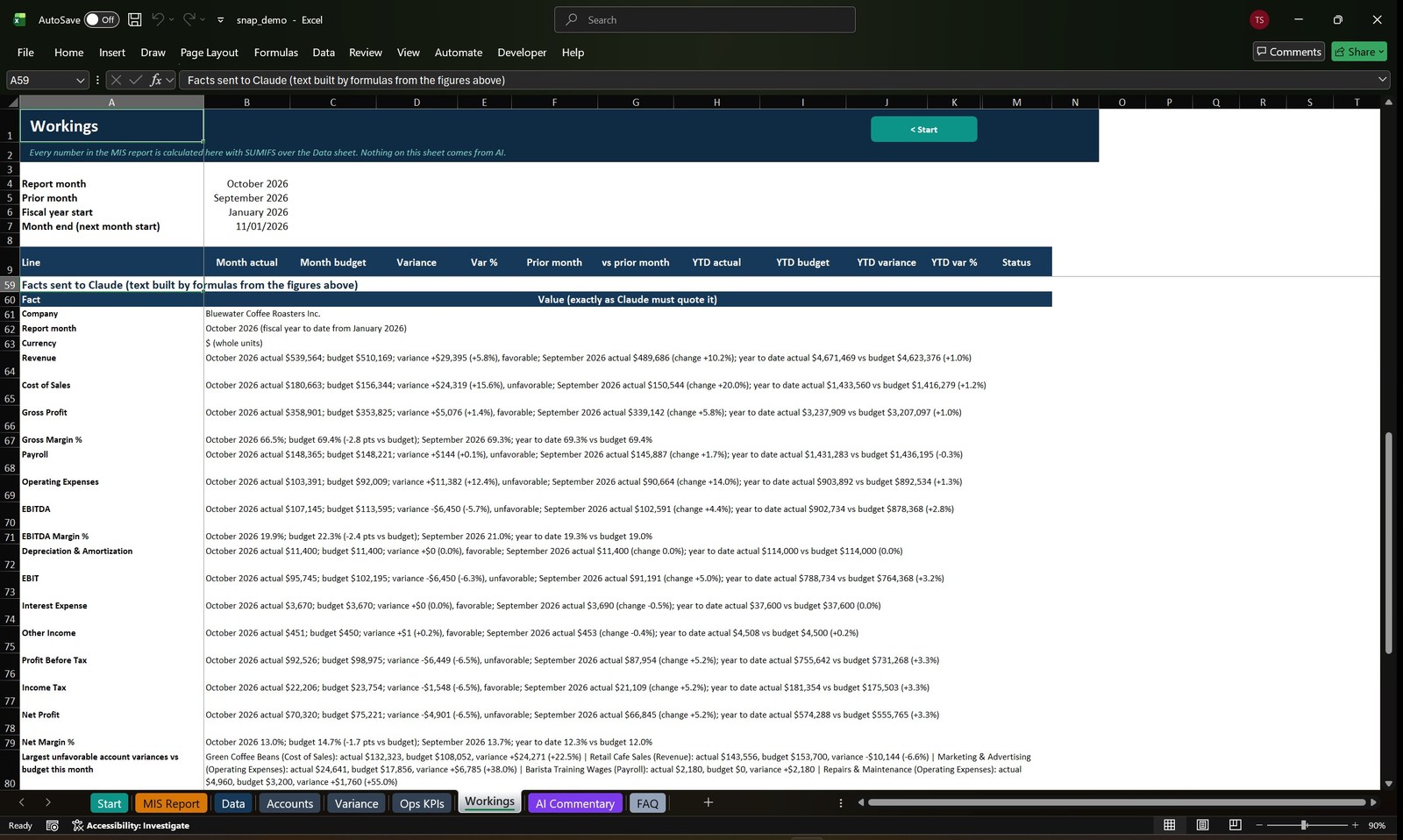
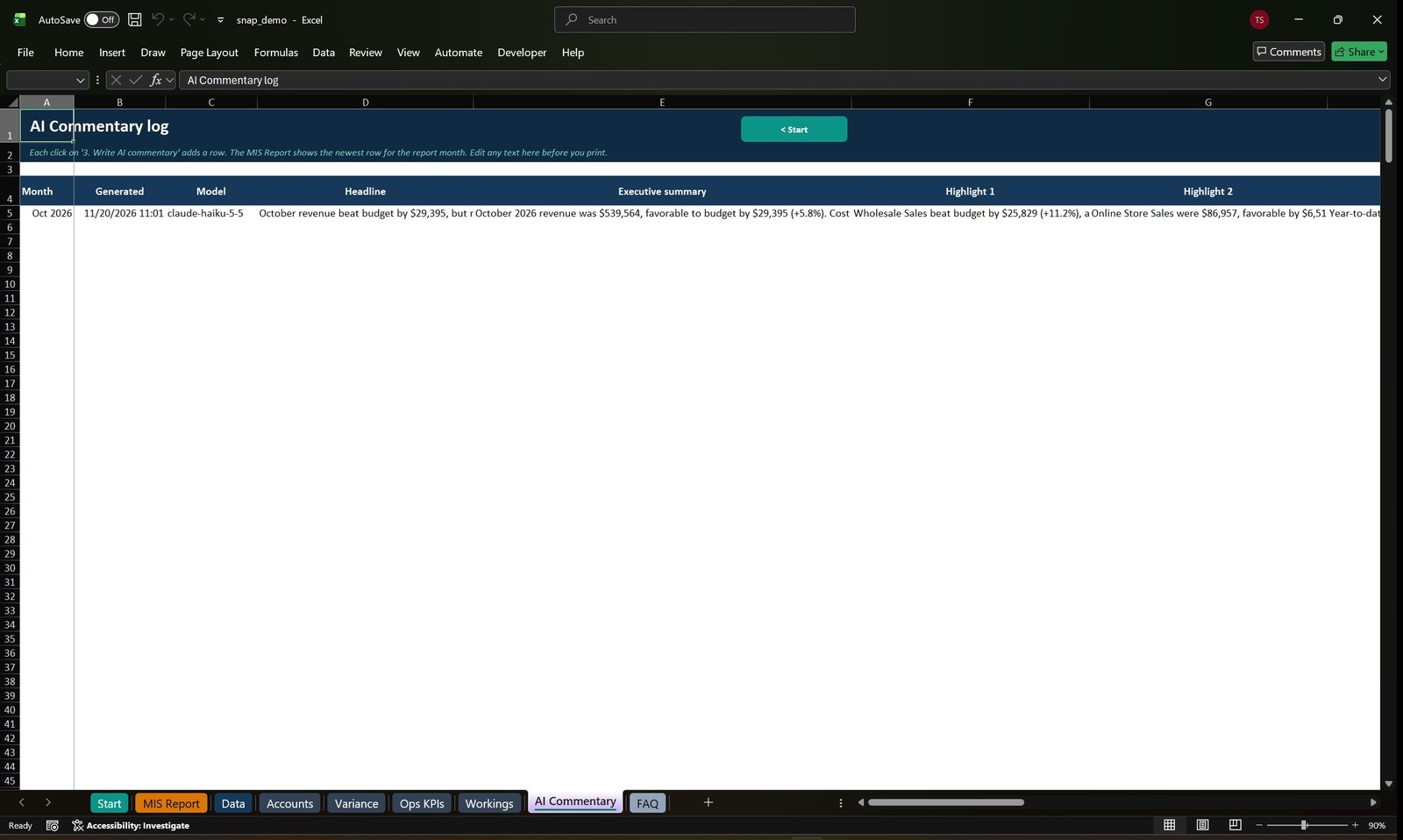

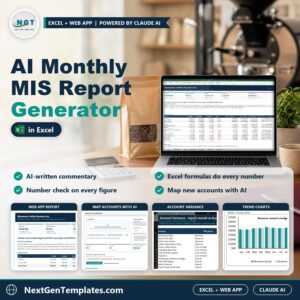
Stop spending the first week of every month writing the MIS commentary by hand. The AI Monthly MIS Report Generator takes one simple table (Month, Account, Actual, Budget) and builds the whole monthly MIS report: profit and loss against budget, prior month and year to date, account level variances, a 12 month trend and operating KPIs. Then Claude AI writes the headline, the executive summary, four highlights, four watch-outs and four recommended actions in your voice, ready to send as a PDF.
Watch the AI Monthly MIS Report Generator in Excel and Web App walkthrough
The AI never does your maths. Every figure in the report is calculated by Excel formulas in the Excel edition and by plain JavaScript in the web app. Claude only writes the words and suggests a P&L group for account names it has not seen before. A built-in Number check compares every figure in the commentary with the calculated figures and shows “All figures match” or lists the ones that do not.
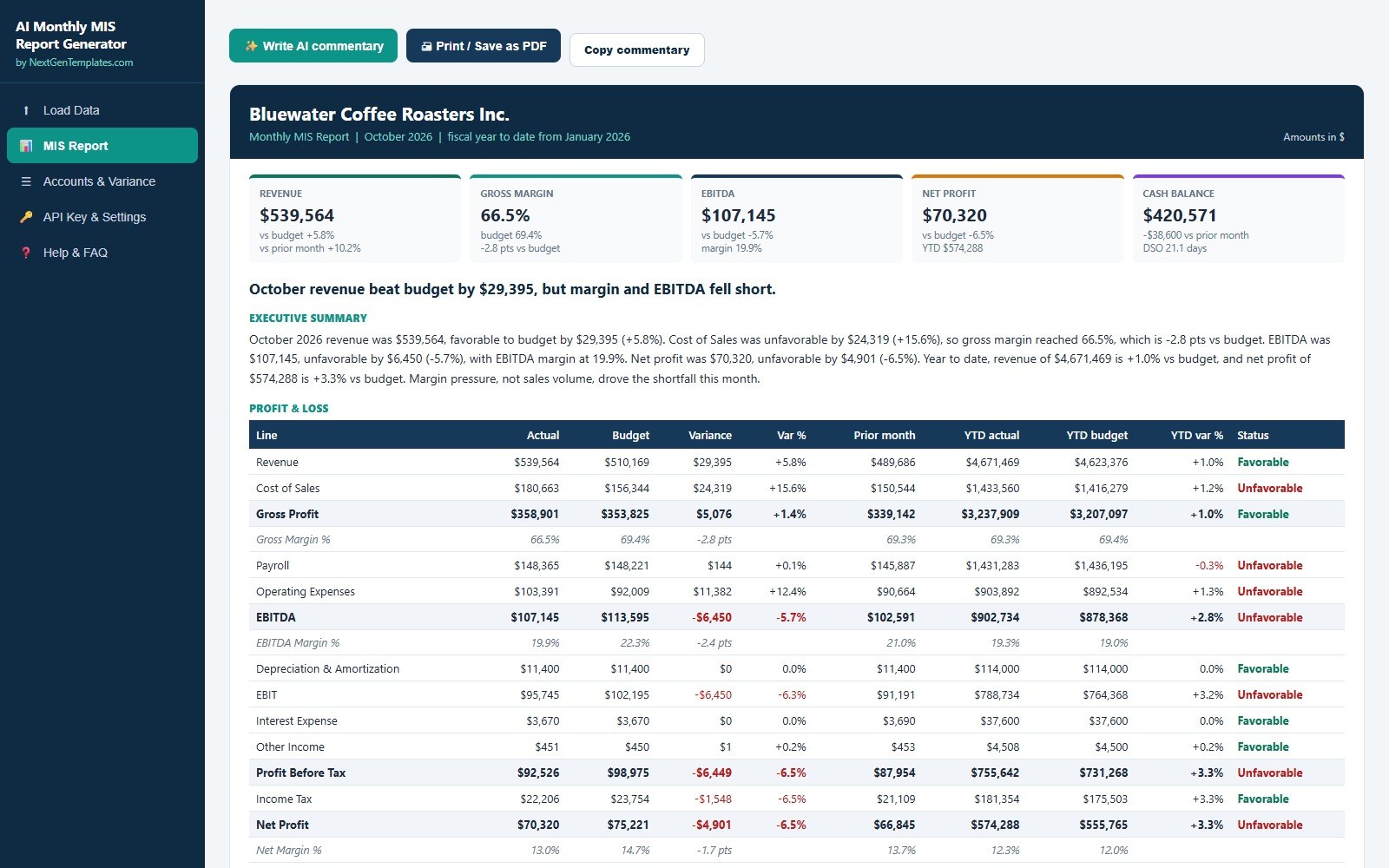
What You Get
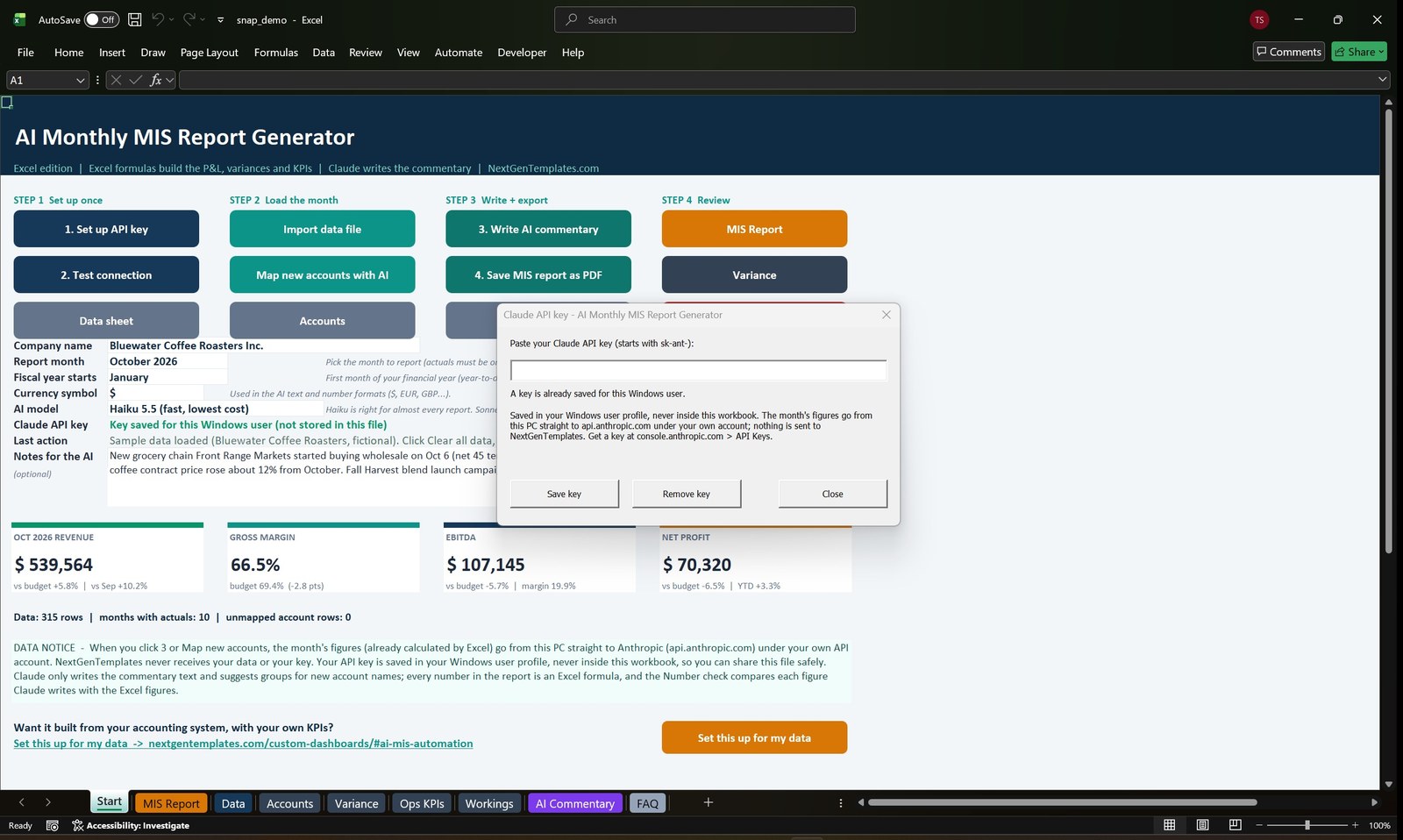
- An Excel edition (macro-enabled .xlsm for Windows Excel 2016 or later and Microsoft 365) with numbered buttons: set up your API key, test the connection, import data, map new accounts with AI, write AI commentary and save the MIS report as PDF.
- A web app (one HTML file that opens in Chrome, Edge or Firefox) with the same report, the same AI commentary and a Print / Save as PDF button.
- Sample data for a fictional company, Bluewater Coffee Roasters, as .xlsx and .csv, plus a blank MIS Data Template, so you can try everything before you use your own numbers.
- A one-page Claude API Key Guide (PDF), a step-by-step User Manual (PDF with screenshots) and a README.
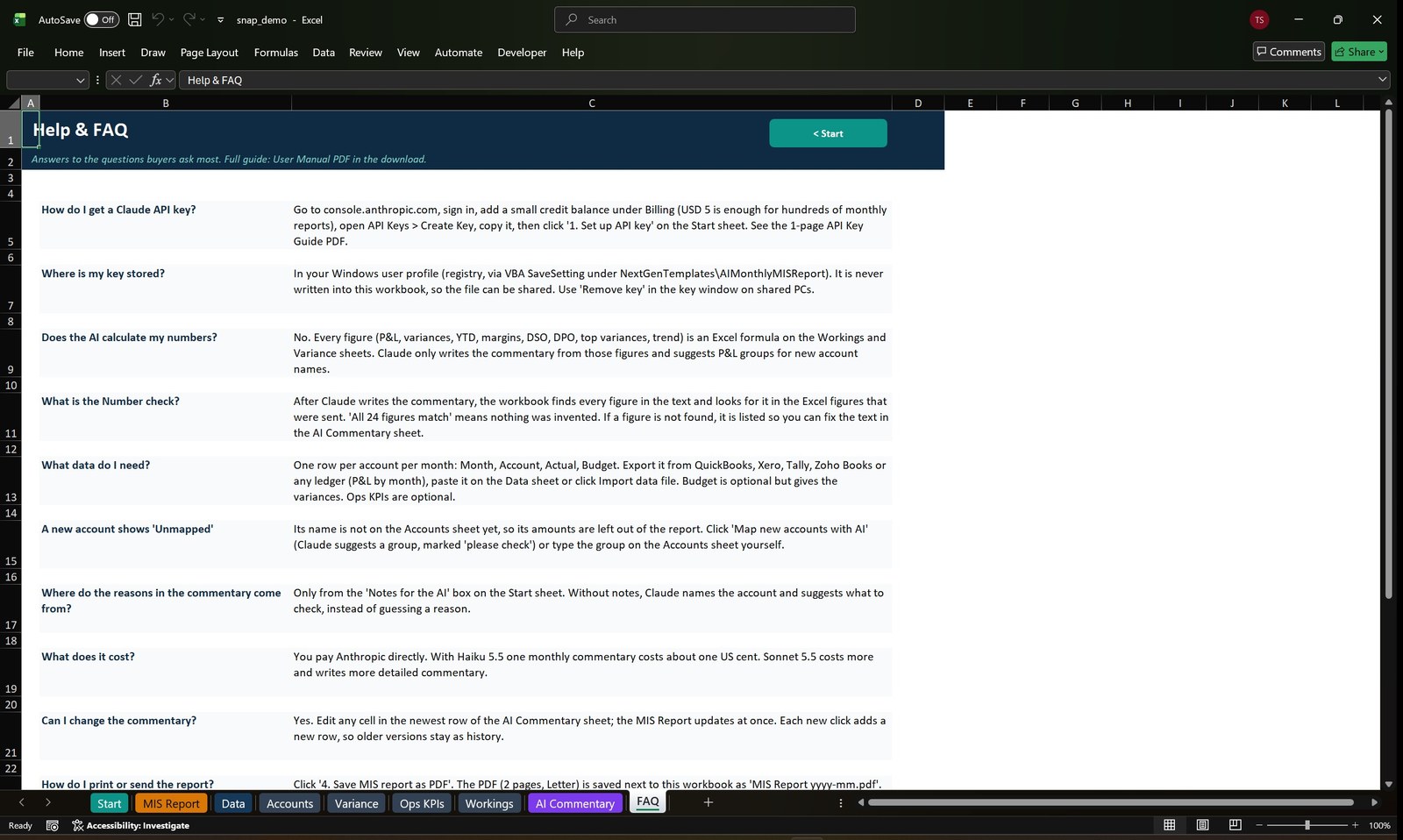
- A built-in Help and FAQ page in both editions.
Key Features
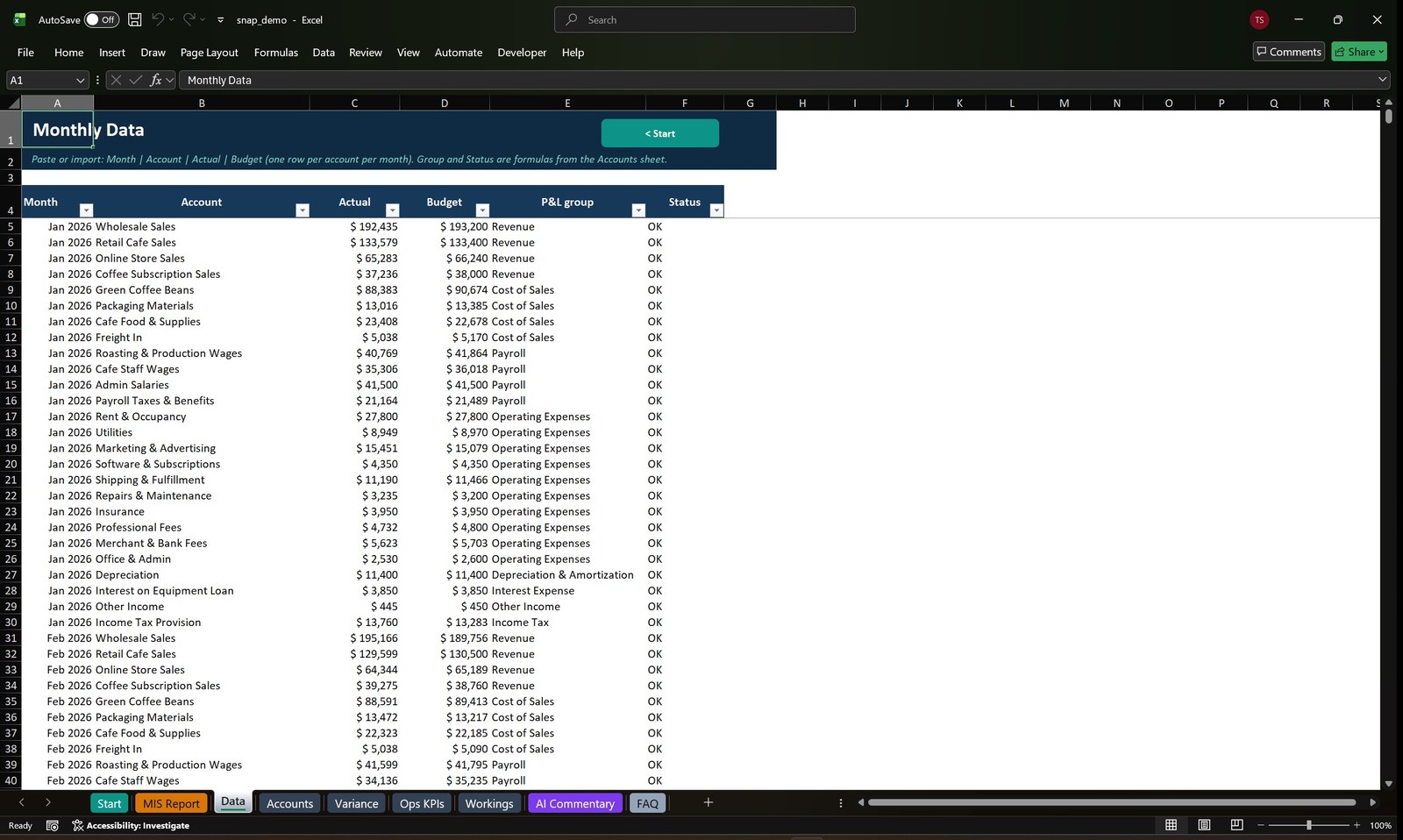
- One input table: Month, Account, Actual, Budget. Paste it, or import an Excel or CSV export from QuickBooks, Xero, Tally or any ledger.
- Profit and loss with gross profit, EBITDA, EBIT, profit before tax and net profit, each shown against budget, prior month and year to date, with margins and a Favorable or Unfavorable status.
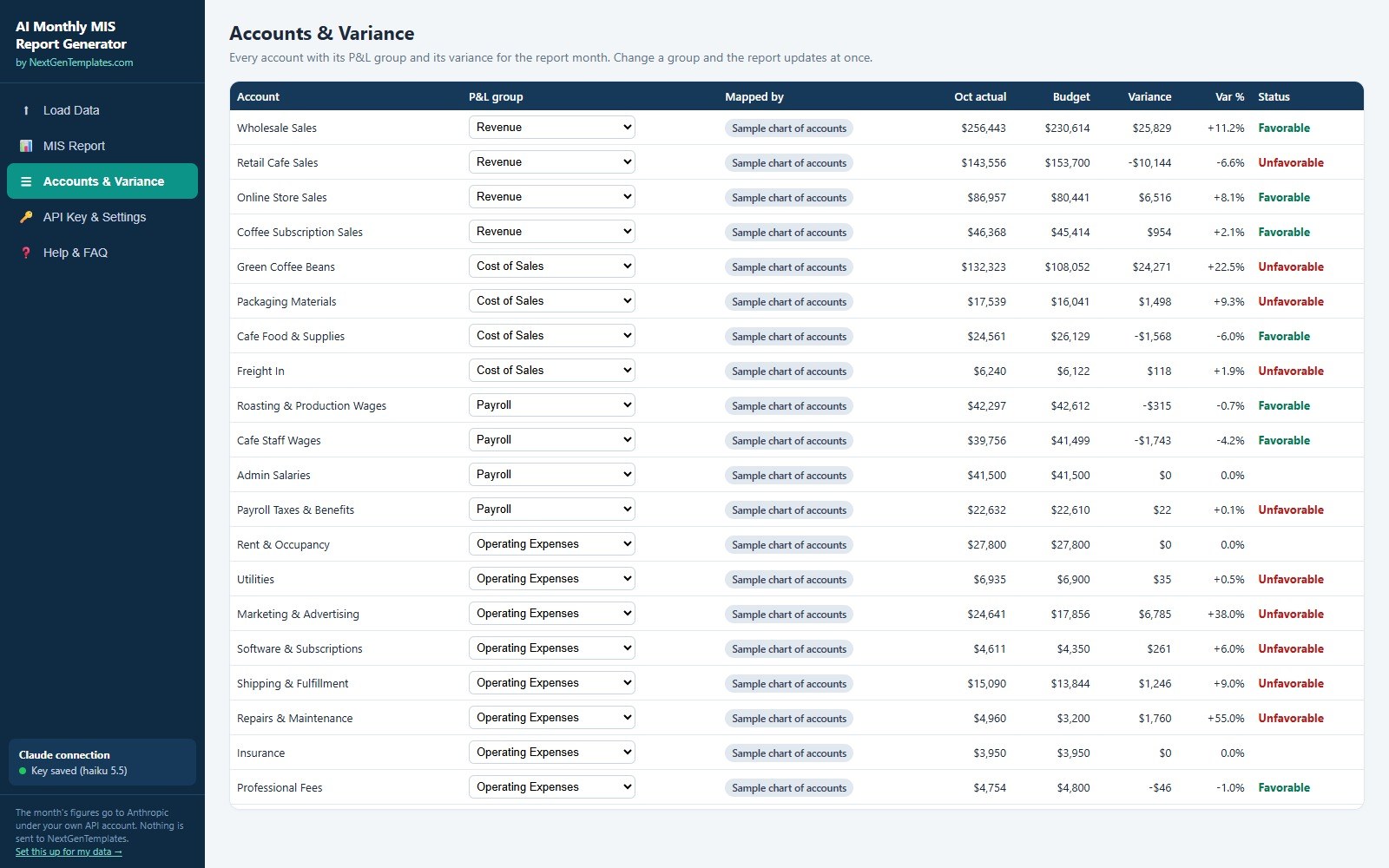
- Account level variance table with the top 5 favorable and top 5 unfavorable accounts for the month.
- 12 month trend charts for revenue against budget and for EBITDA and net profit.
- Operating KPIs such as cash balance, receivables, payables, inventory, headcount, days sales outstanding and days payables outstanding.
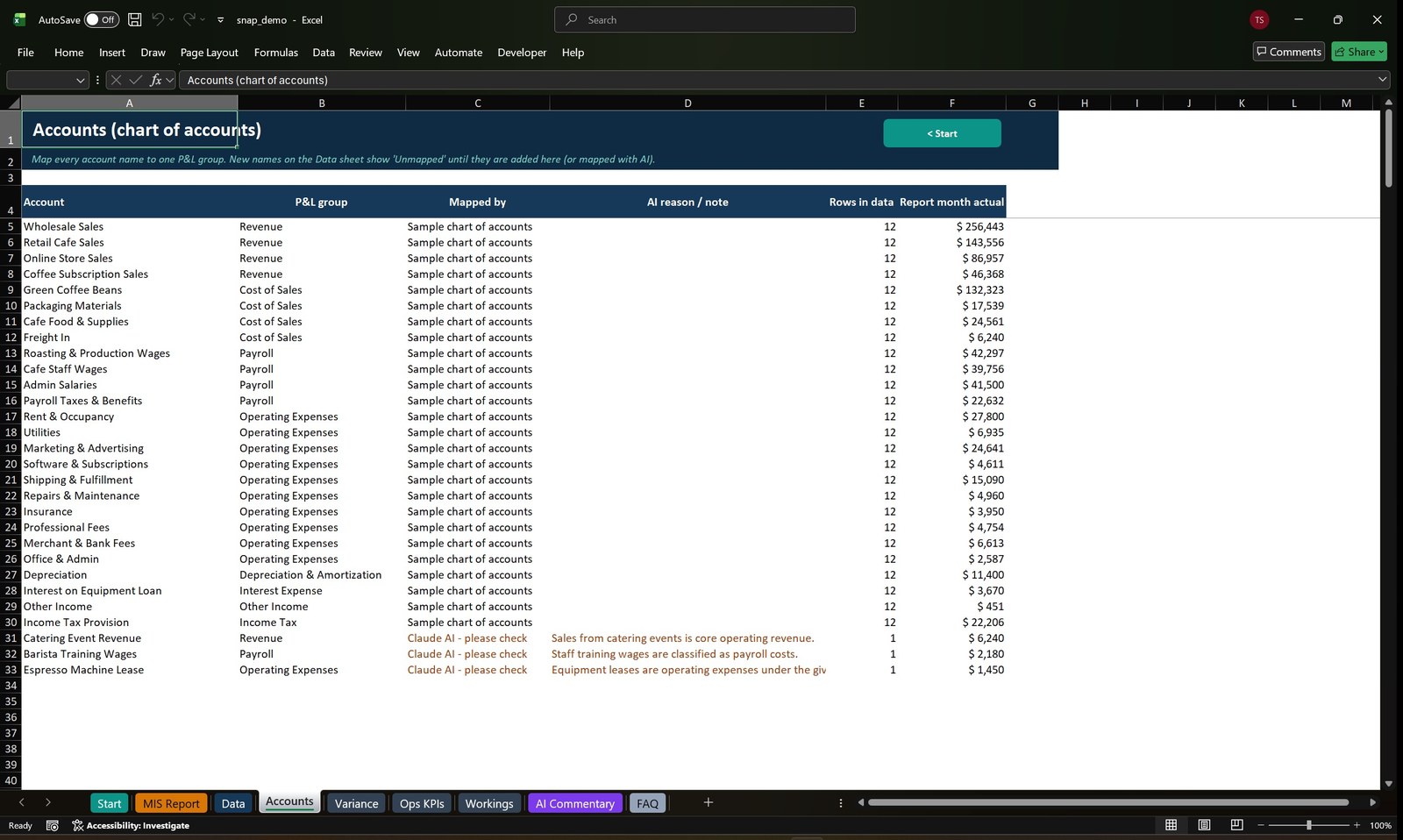
- Map new accounts with AI: accounts that are not in your chart of accounts are suggested a P&L group by Claude and marked “please check” for your review.
- A “Notes for the AI” box where you type the real reasons behind the month. Claude quotes reasons only from your notes and does not invent explanations.
- Number check on every commentary run, so a misquoted figure is caught before the report goes out.
- Choose Claude Haiku 5.5 (fast and lowest cost, the default) or Claude Sonnet 5.5 for richer wording.
- Built-in sample report in the web app that needs no API key at all.
- Print-ready PDF report, two Letter pages, from both editions.
How the AI Monthly MIS Report Generator Works
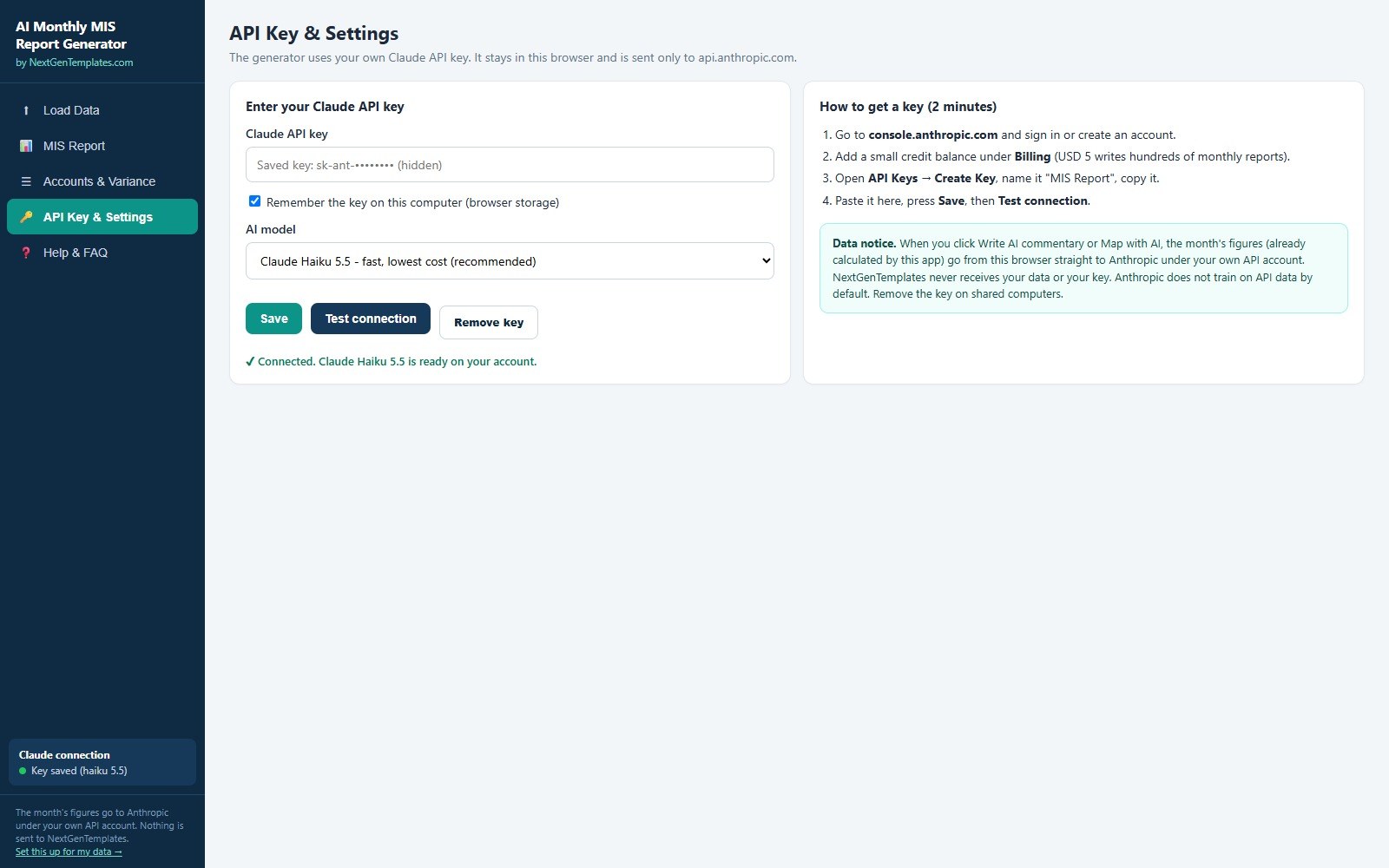
- Get your own Claude API key from Anthropic (about 2 minutes, the guide shows every click). Paste it into the app and click Test connection.
- Clear the sample data and import your monthly file, or paste your table into the Data sheet.
- Click Map new accounts with AI if the app lists accounts it does not know, and confirm the groups.
- Type the real reasons behind the month in Notes for the AI, then click Write AI commentary. It takes about 15 to 25 seconds with Haiku.
- Open the MIS Report, check the Number check line, and save it as a PDF.
Your Data and Your Key
You use your own Claude API key. When you click Write AI commentary or Map with AI, the month’s calculated figures (and your notes) go from your computer straight to Anthropic (api.anthropic.com) under your own account. NextGenTemplates never receives your data or your key. In the web app the key is kept in your browser’s local storage. In Excel it is stored in your Windows user profile, never inside the workbook, so the file can be shared safely. The download does not contain anyone’s key.
What It Costs to Run
You pay Anthropic for what you use, and the default Haiku 5.5 model is the lowest cost option. A monthly report is one short commentary request, so a small credit balance goes a long way. Sonnet 5.5 costs more per run. Prices can change, so check Anthropic’s current pricing.
Who Is It For?
- Finance managers and controllers who write the monthly MIS pack for management or the board.
- Accountants and bookkeepers who report to small business clients every month.
- Business owners who want a clear month-end story without a finance team.
- Startups and small companies that report to investors or lenders.
What It Does Not Do
- It does not connect to your accounting system. You import or paste a file with Month, Account, Actual and Budget.
- It needs an internet connection and your own Claude API key to write commentary. The figures, variances and charts work offline.
- It is not accounting software and gives no audit, tax or investment advice. Read the commentary and check it against your books before you send it.
- The Excel edition needs Microsoft Excel for Windows with macros enabled. It does not run on Mac, in Excel for the web or in Google Sheets. The web app works in a modern browser on any computer.
- Claude can only explain what your numbers and your notes show. Without notes it describes what changed and does not guess why.
Comparison
| Feature | Writing it by hand | AI Monthly MIS Report Generator |
|---|---|---|
| P&L vs budget, prior month and YTD | Only if you build it | Yes, formulas included |
| Written headline, summary, highlights and actions | Hours every month | Yes, in about 20 seconds |
| New account names mapped to P&L groups | Manual lookup | Yes, AI suggests, you confirm |
| Commentary checked against the figures | No | Yes, Number check |
| Totals calculated by formulas | Yes | Yes, never by the AI |
| Your data stays under your own account | Yes | Yes, straight to Anthropic, not to us |
| Connects to your accounting system | No | No |
Frequently Asked Questions
Do I need a Claude API key?
Yes, for the AI parts. The tool uses your own key so your figures go straight to Anthropic under your own account. The Claude API Key Guide in the download shows how to get one in about 2 minutes. The web app also has a built-in sample result you can open without a key.
Does NextGenTemplates see my financial data?
No. The month’s figures go from your computer to api.anthropic.com. Nothing is sent to NextGenTemplates.
Is the AI calculating my numbers?
No. Every figure is calculated by Excel formulas or by the web app. Claude writes the commentary text and suggests groups for new accounts. The Number check compares each figure Claude writes with the calculated one.
What data format do I need?
One row per account per month with four columns: Month, Account, Actual and Budget. Export it from QuickBooks, Xero, Tally or any ledger, or use the blank MIS Data Template in the download.
What if an account is not in my chart of accounts?
Click Map new accounts with AI. Claude suggests a P&L group, the row is marked “please check”, and you can change the group from a drop-down.
Does it work on Mac?
The web app runs in Chrome, Edge or Firefox on any computer. The Excel edition needs Excel for Windows with macros enabled.
Can you set this up for my own accounting system?
Yes. Use the Set this up for my data link in the app or see our custom MIS automation service.
Get the AI Monthly MIS Report Generator
Download the AI Monthly MIS Report Generator, add your Claude API key, run the sample company, then import your own month. Questions? Write to [email protected].
















Reviews
There are no reviews yet.