

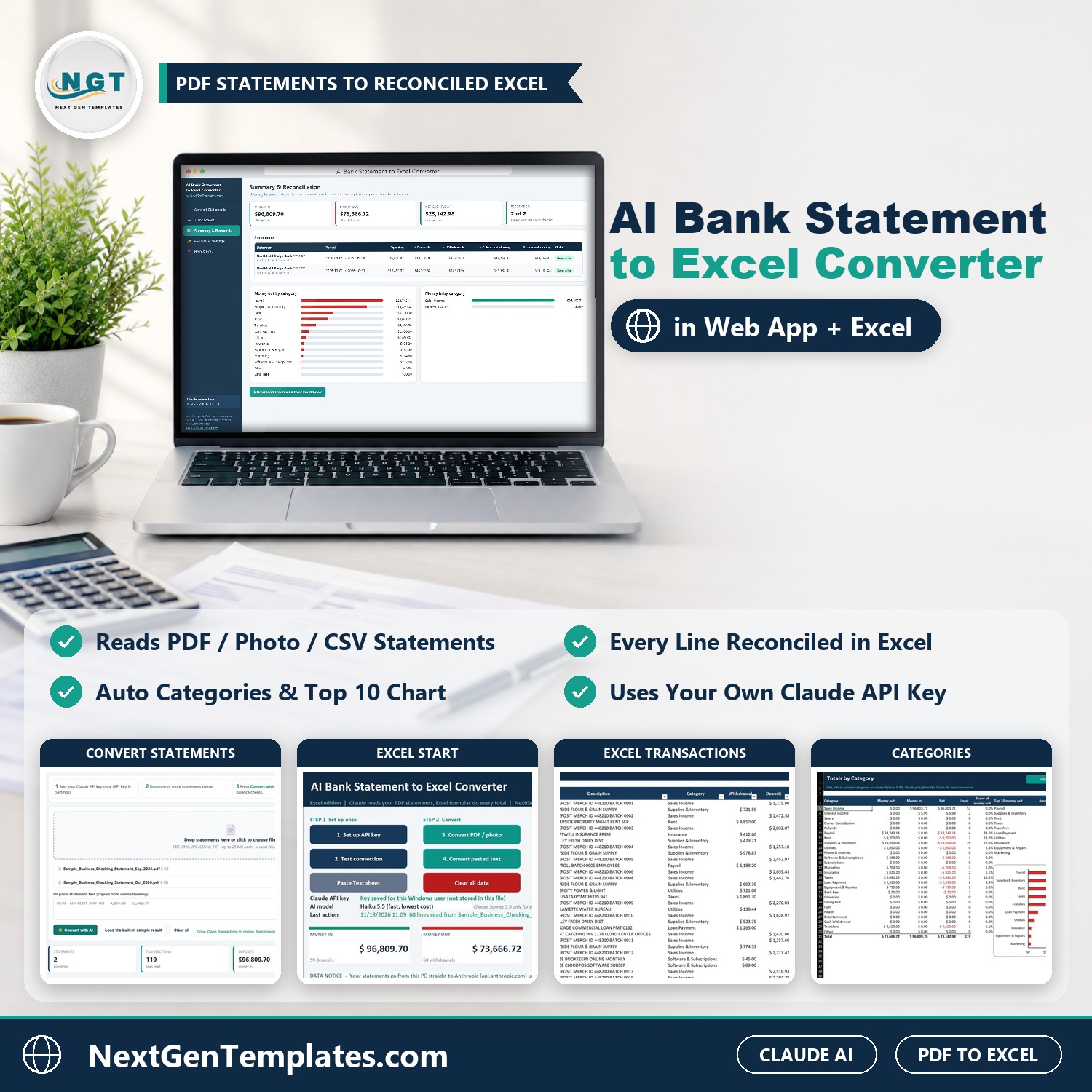






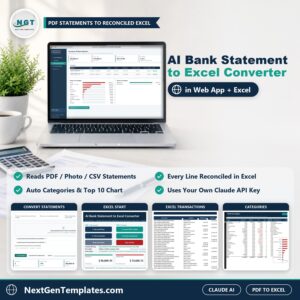
Stop typing bank statements into Excel by hand. The AI Bank Statement to Excel Converter reads a statement for you (a PDF from online banking, a scanned PDF, a phone photo or a CSV export), pulls out the date, description, withdrawal, deposit and printed balance of every line, and suggests a category. Then plain arithmetic and Excel formulas check each line and each statement, so a misread amount shows up at once.
Watch the AI Bank Statement to Excel Converter in Web App and Excel walkthrough
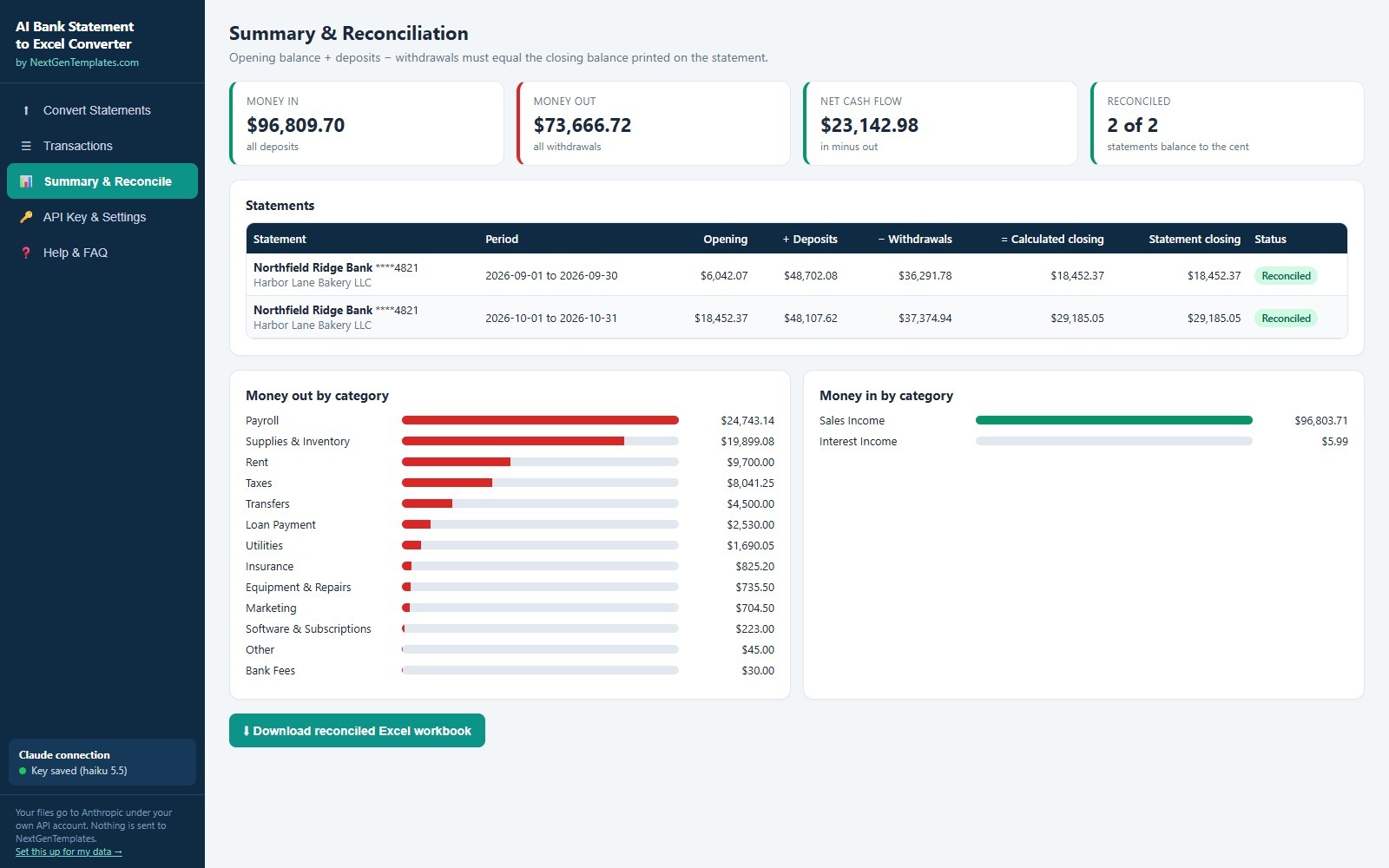
The AI never does your maths. Claude only reads and categorises. Every total, running balance and reconciliation comes from the app and from Excel formulas you can inspect. A statement is marked Reconciled only when opening balance plus deposits minus withdrawals equals the closing balance printed on the statement.
What You Get
- A web app (one HTML file, opens in Chrome, Edge or Firefox) that converts several statements at once and downloads a reconciled Excel workbook.
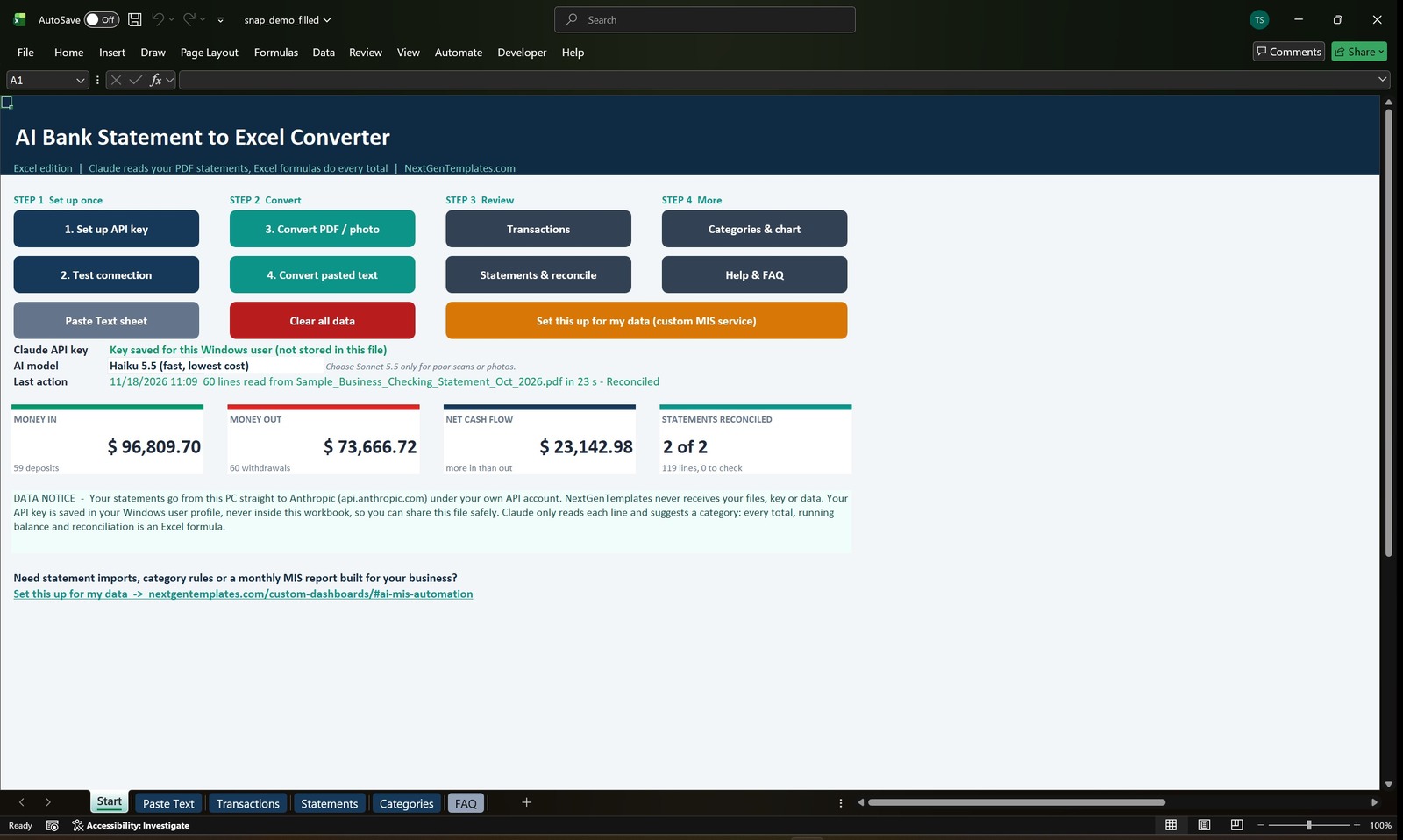
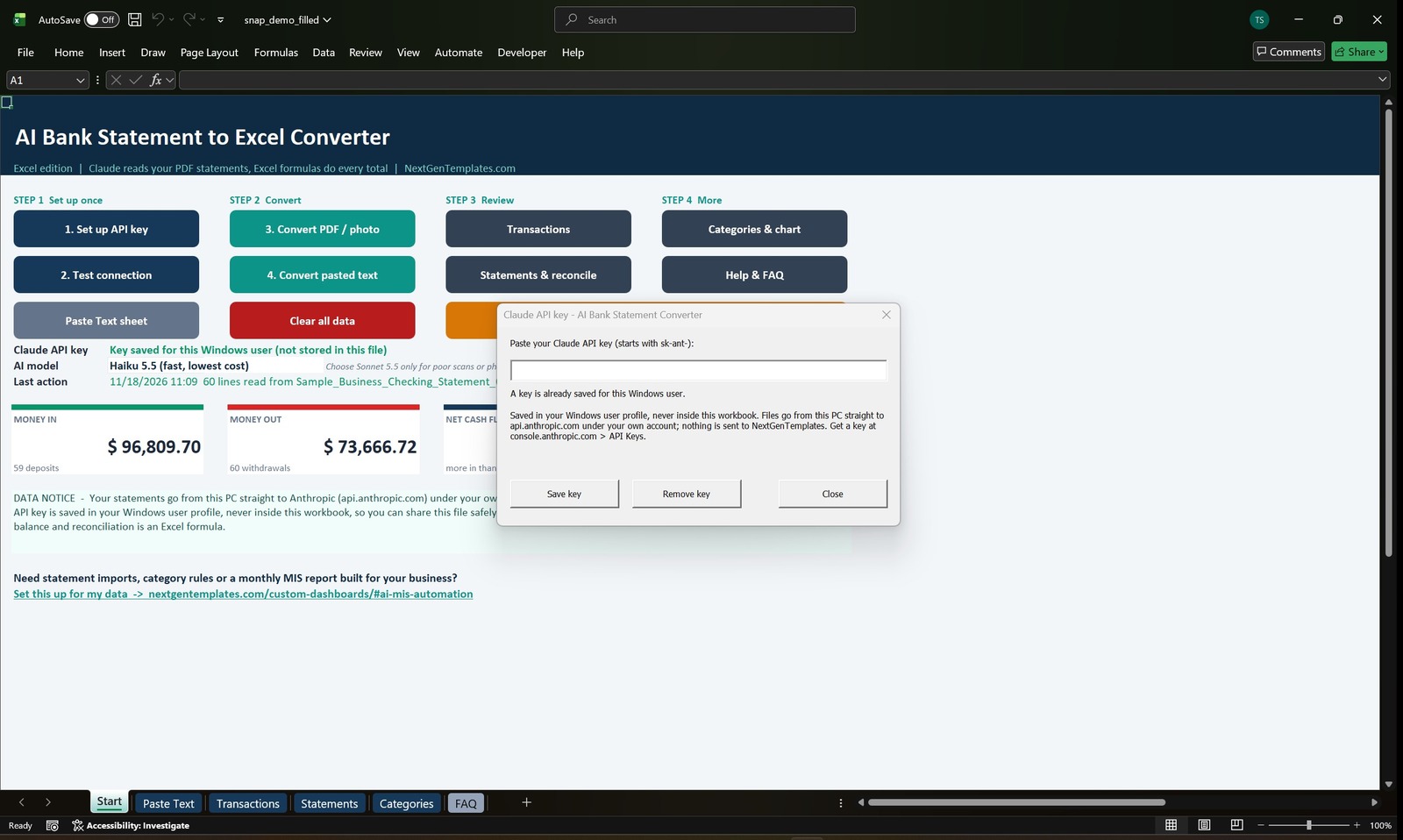
- An Excel edition (macro-enabled .xlsm for Windows Excel 2016 or later and Microsoft 365) with buttons to set up your key, test the connection, convert a PDF or photo, or convert pasted text.
- Sample statements (clearly marked SAMPLE) so you can try the tool before you use your own files.
- A one-page Claude API Key Guide (PDF) and a step-by-step User Manual (PDF) with screenshots.
Key Features
- Reads PDF statements, scanned PDFs, PNG or JPG photos, CSV files, and text you copy from online banking.
- Converts several statements in one go, for example twelve months.
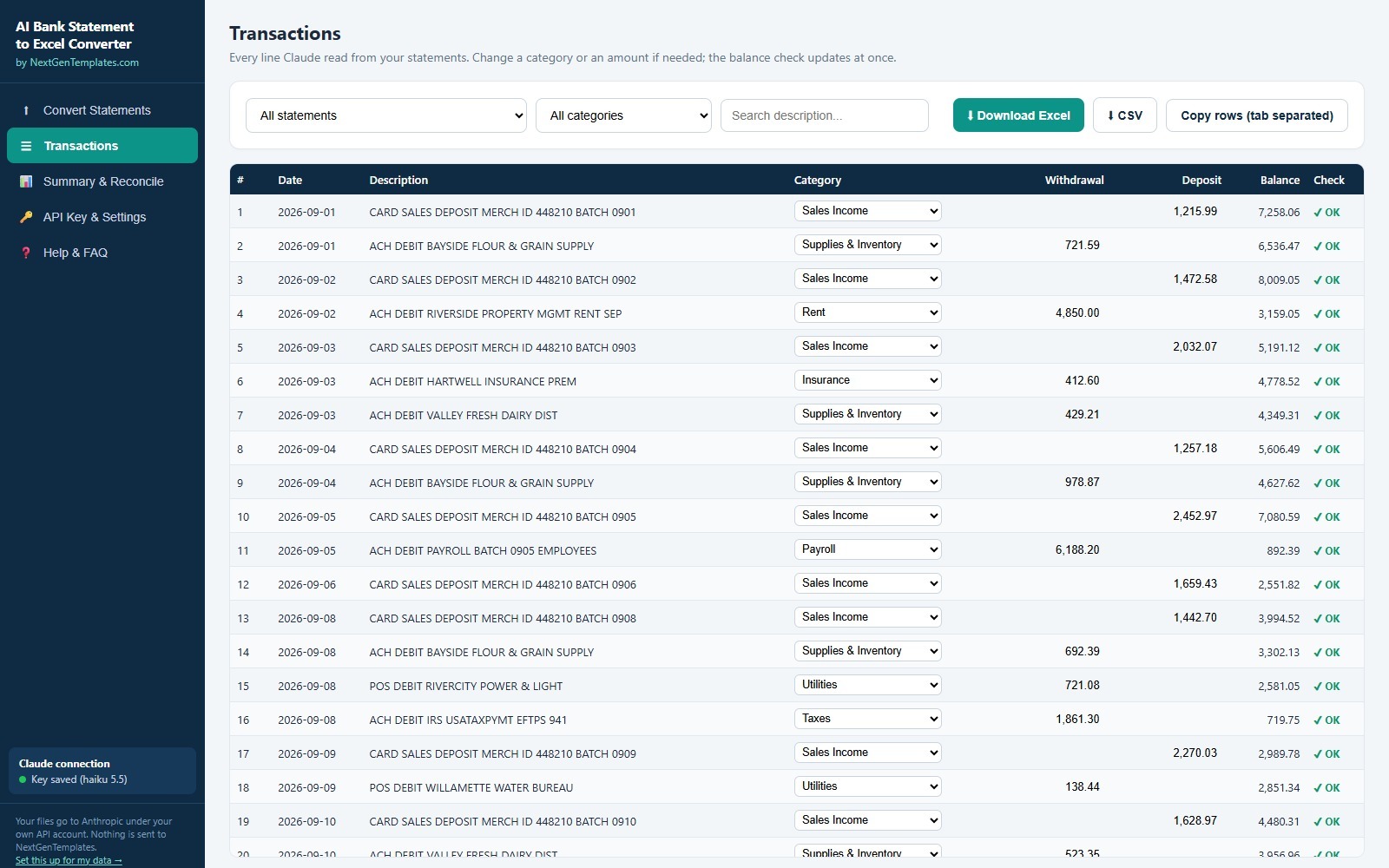
- Line check on every row: previous balance plus deposit minus withdrawal must equal the balance printed on the statement. A flagged line can be fixed by clicking the amount, and the flag clears at once.
- Statement check: opening balance plus deposits minus withdrawals compared with the printed closing balance, shown as Reconciled or Off by the difference.
- Automatic categories you can change from a drop-down. In the Excel edition the Categories sheet holds your own editable list (rows 5 to 40) and Claude picks from it on the next conversion.
- Summary cards for money in, money out, net cash flow and statements reconciled, plus money in and money out by category.
- Download a reconciled Excel workbook from the web app with four sheets (Statements, Transactions, Categories and About) where every total, running balance and check is a formula.
- Choose Claude Haiku 5.5 (fast and lowest cost, right for almost every statement) or Claude Sonnet 5.5 for poor scans and blurry photos.
- Test connection button, and a built-in sample result that needs no API key at all.
How the AI Bank Statement to Excel Converter Works
- Get your own Claude API key from Anthropic (about 2 minutes, the guide shows every click) and paste it into the app. Test the connection.
- Drop your statements on the web app, or click Convert PDF / photo in the Excel edition.
- Claude reads the lines. A two page statement takes about 10 to 25 seconds in the web app.
- Review any line marked Check, fix it if needed, then download the reconciled Excel workbook or copy the rows into your own file.
Your Data and Your Key
You use your own Claude API key. Statements go from your browser or Excel straight to Anthropic (api.anthropic.com) under your own account. NextGenTemplates never receives your files, your key or your data. In the web app the key is kept in your browser’s local storage (or only for the session if you untick Remember). In Excel it is stored in your Windows user profile with VBA SaveSetting, never inside the workbook, so the .xlsm can be shared safely. The download does not contain anyone’s key.
What It Costs to Run
You pay Anthropic for what you use. In our tests a 2 page, 60 line statement with Haiku 5.5 used about 7,000 input and 7,500 output tokens, which is well under one US cent. Sonnet 5.5 costs about 20 times more. A small credit balance of USD 5 goes a long way with the default Haiku model. Prices can change, so check Anthropic’s current pricing.
Who Is It For?
- Bookkeepers and accountants who receive PDF statements from clients.
- Small business owners who reconcile the bank account every month.
- Finance teams who want statement lines in Excel without retyping.
- Anyone preparing expense reports, tax records or a loan file from bank statements.
What It Does Not Do
- It does not connect to your bank or pull transactions automatically. You supply the statement files.
- It needs an internet connection and your own Claude API key to convert. Reviewing and the Excel formulas work offline.
- It is not accounting software and gives no tax, audit or financial advice. Check the numbers against your statement before you rely on them.
- The Excel edition needs Microsoft Excel for Windows with macros enabled. It does not run on Mac, in Excel for the web or in Google Sheets. The web app works in a modern browser on any computer.
- Limits: up to 25 MB per file and about 250 lines per file in one pass. Split longer statements by month or page range. Password-protected PDFs need the password removed first.
- Because AI reads the file, a blurry or unusual statement can be misread. That is exactly why every line and every statement is checked by arithmetic and flagged for you.
Comparison
| Feature | Typing it yourself | AI Bank Statement to Excel Converter |
|---|---|---|
| Reads PDF, scan, photo and CSV | No | Yes |
| Suggests a category for every line | No | Yes, editable |
| Checks every balance | Only if you build it | Yes, flagged line by line |
| Totals calculated by formulas | Yes | Yes, never by the AI |
| Your files stay under your own account | Yes | Yes, straight to Anthropic, not to us |
| Connects to your bank | No | No |
Frequently Asked Questions
Do I need a Claude API key?
Yes. The tool uses your own key so your statements go straight to Anthropic under your own account. The Claude API Key Guide in the download shows how to get one in about 2 minutes. The web app also has a built-in sample result you can load without a key.
Does NextGenTemplates see my bank statements?
No. Files go from your computer to api.anthropic.com. Nothing is sent to NextGenTemplates.
Is the AI doing my totals?
No. Claude reads the lines and suggests categories. Every total, running balance and reconciliation is calculated by the app and by Excel formulas.
What if a line is read wrongly?
The line is flagged Check. Compare it with your PDF, click the amount to correct it, and the flag turns OK when the balances match.
Which statements work?
PDF statements from online banking, scanned PDFs, PNG or JPG photos, CSV exports and pasted text. Try the sample statements first.
Does it work on Mac?
The web app runs in Chrome, Edge or Firefox on any computer. The Excel edition needs Excel for Windows with macros enabled.
Can you set this up for my own data or bank formats?
Yes. Use the Set this up for my data link in the app or see our custom MIS automation service.
Get the Converter
Download the AI Bank Statement to Excel Converter, add your Claude API key, convert the sample statements, then run your own. Questions? Write to [email protected].
















Reviews
There are no reviews yet.