


Bathroom Remodeling KPI Scorecard in Excel gives remodeling owners and project managers a ready Excel scorecard for 10 practical bathroom remodeling KPIs, including design consults booked, consult-to-sale rate, average bathroom value, revenue, gross margin, on-time completion, average project days, waterproofing pass rate, rework cost, and customer satisfaction. It is a one-time $9.99 sale-price workbook with sample data, formula-driven status lights, monthly selection, MTD/YTD views, and no subscription risk. Replace the sample numbers, tune the KPI definitions, and use the same file for weekly or monthly review meetings.
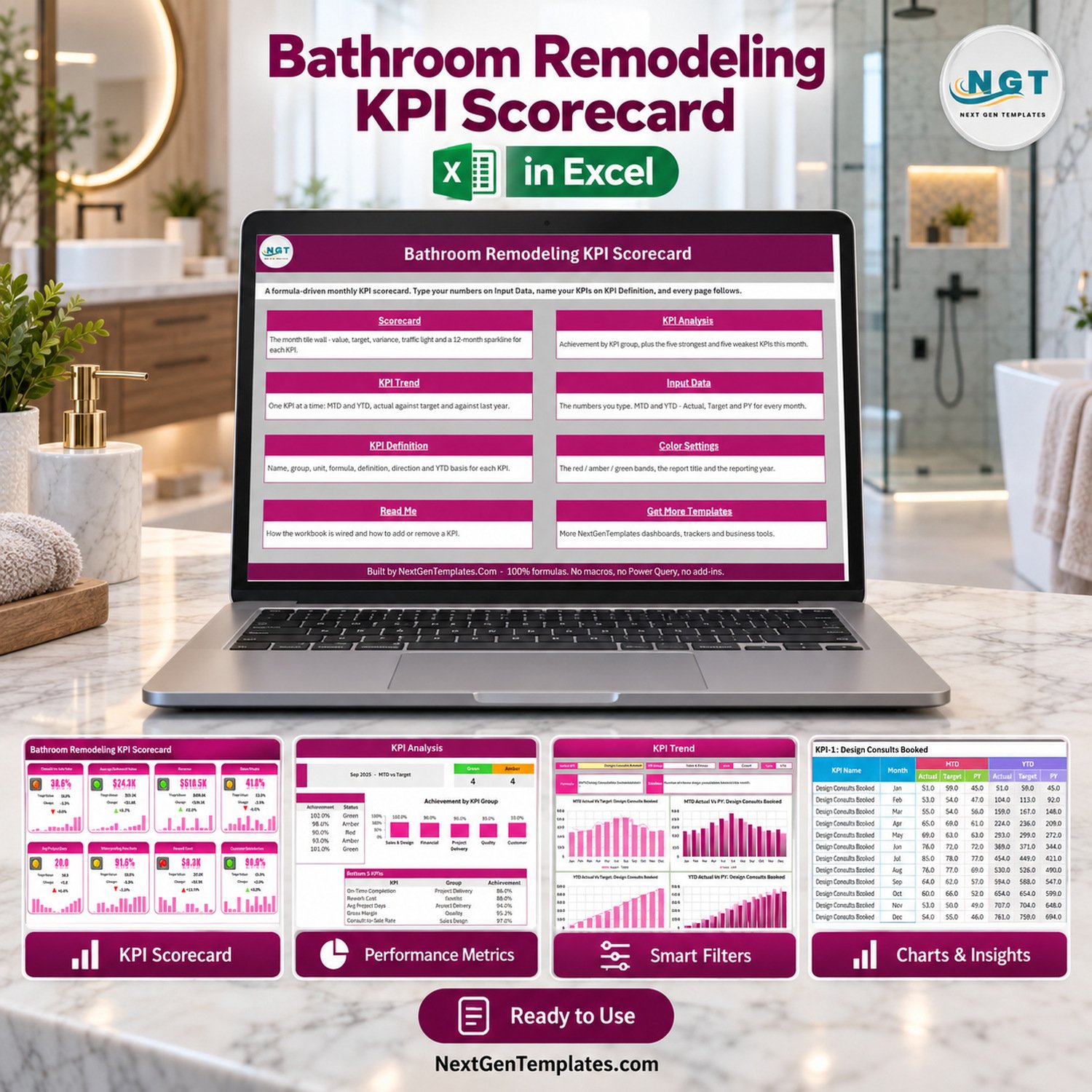
Bathroom Remodeling KPI Scorecard in Excel product preview
Key Features of Bathroom Remodeling KPI Scorecard in Excel
- 10 KPI tiles with actual value, target value, change, percentage variance, sparkline, and red/amber/green status.
- Month selector for Sep-2025 style monthly review, with MTD and YTD reporting options.
- Target or previous-year comparison selector for quick management review.
- KPI Analysis page summarizing achievement by KPI group plus top and bottom KPIs.
- KPI Trend page for one KPI at a time with month-by-month actual, target, and prior-year charts.
- Input Data sheet for actual, target, and previous-year values across every month.
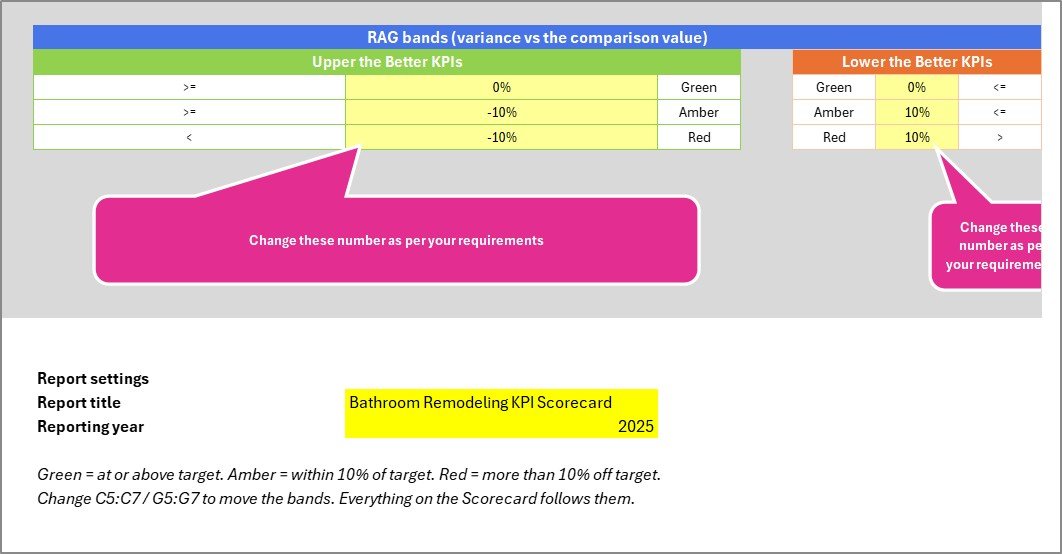
- KPI Definition and Color Settings sheets so the scorecard can be adapted to your own remodeling workflow.
What’s Inside the Excel Download
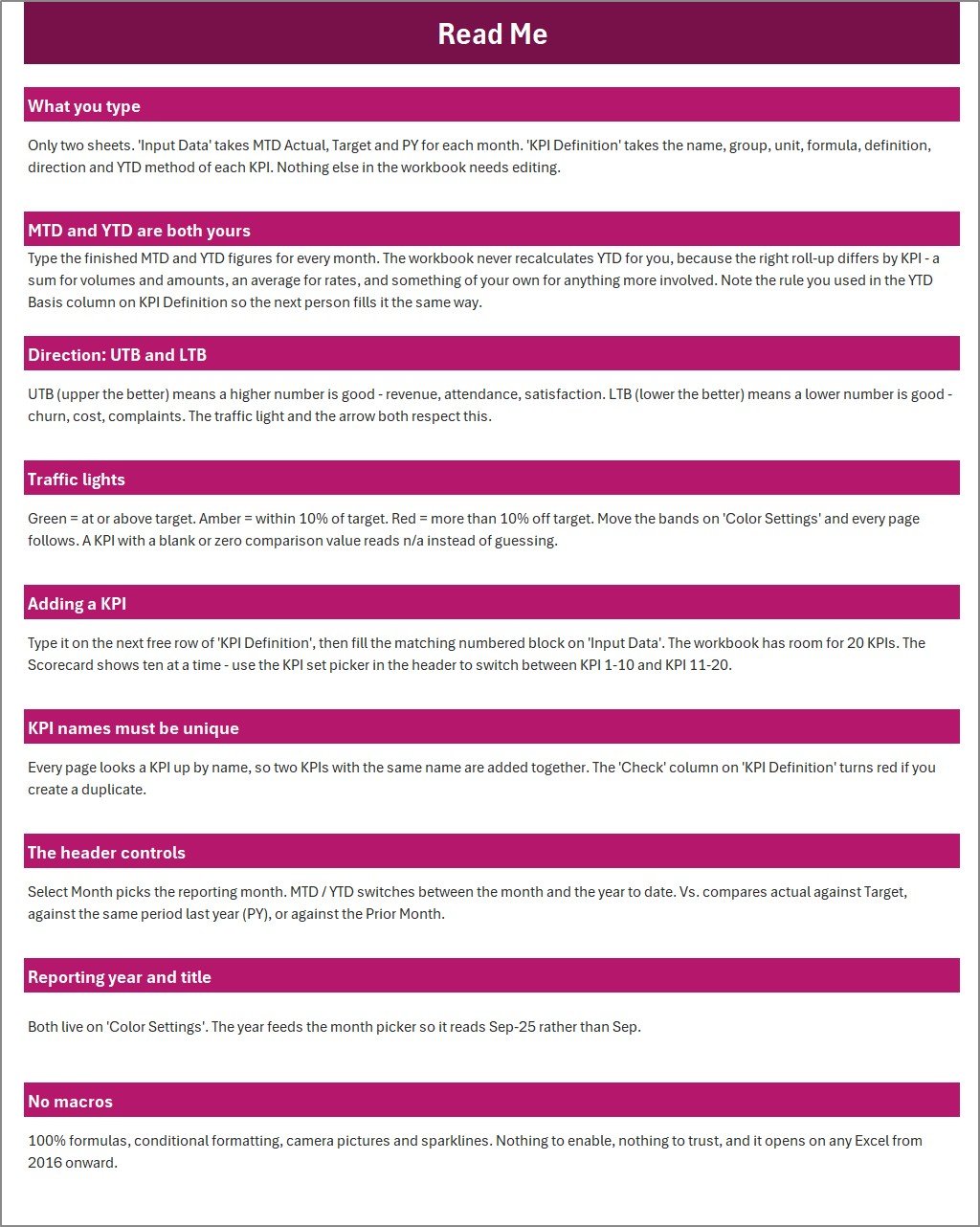
The download is a ZIP file containing the editable Excel workbook and the Excel KPI Scorecard user manual. The workbook includes a Home page, Scorecard, KPI Analysis, KPI Trend, Input Data, KPI Definition, Color Settings, Read Me, and template navigation page.
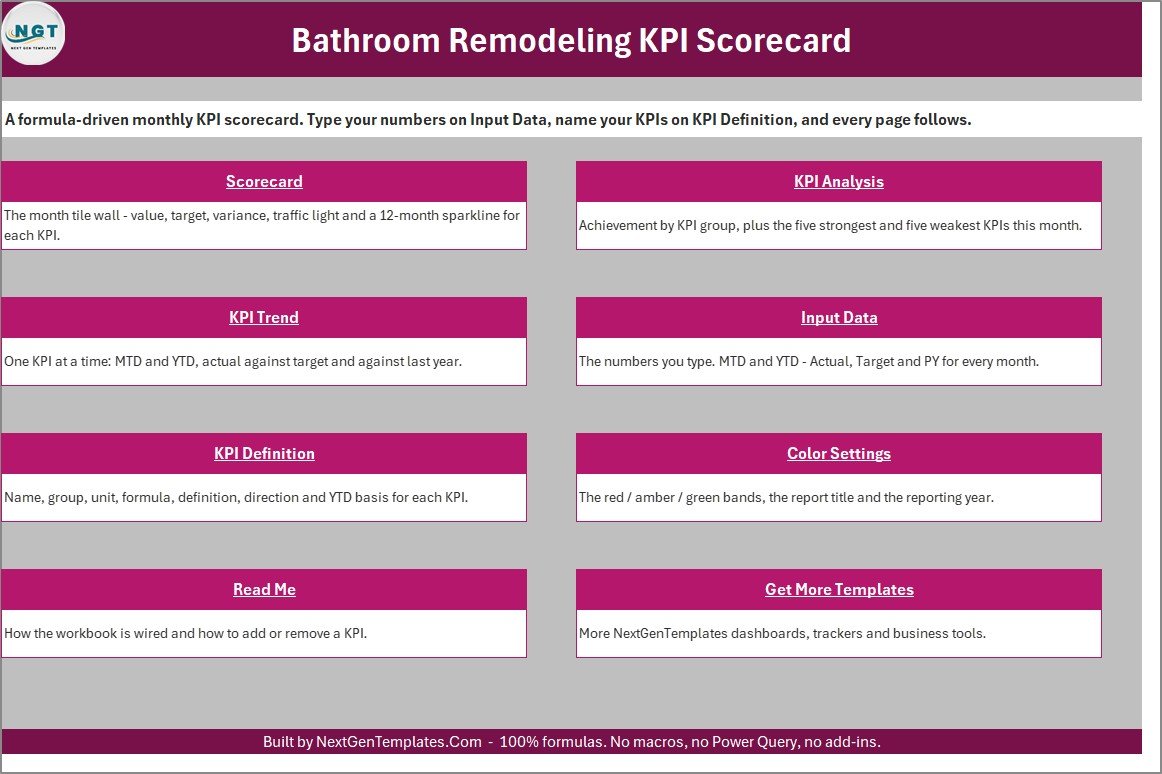
Home navigation page for the Excel scorecard
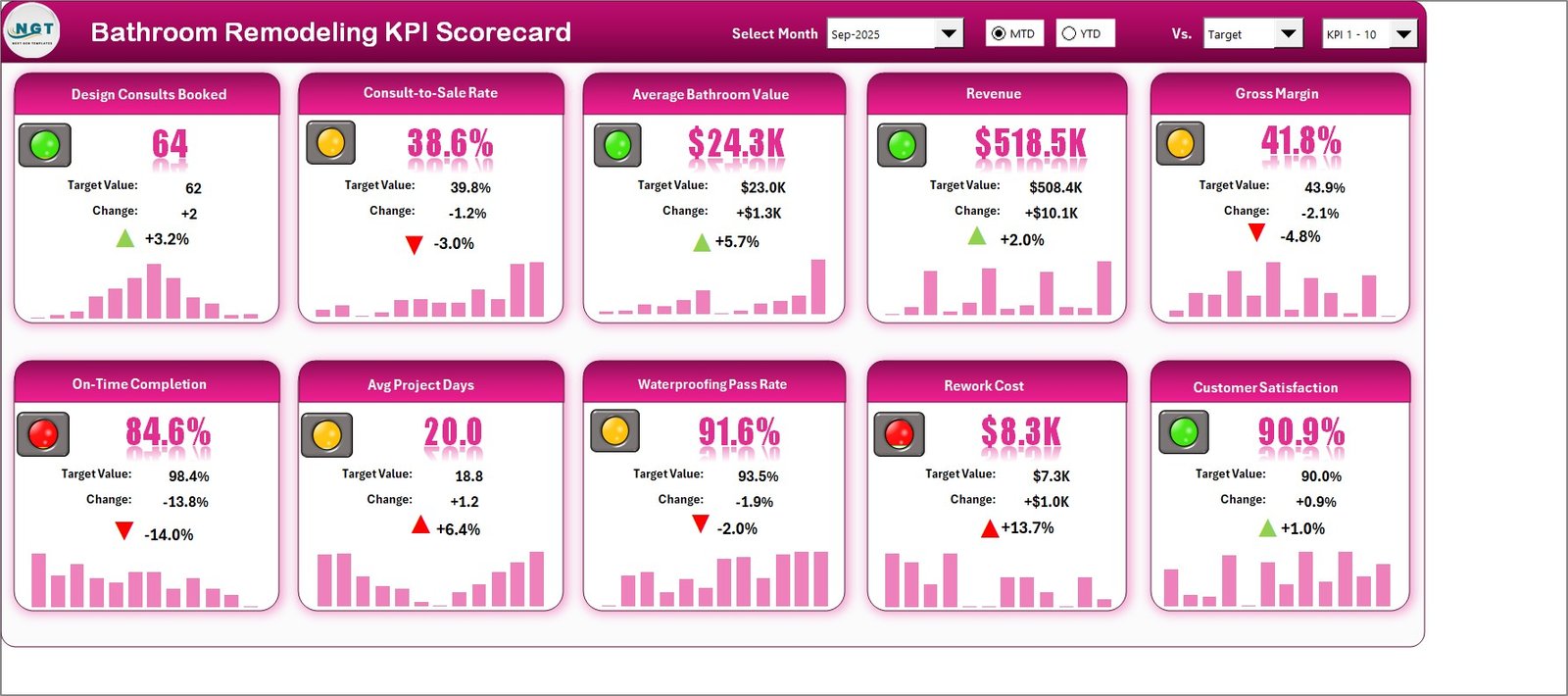
Monthly scorecard page with bathroom remodeling KPIs
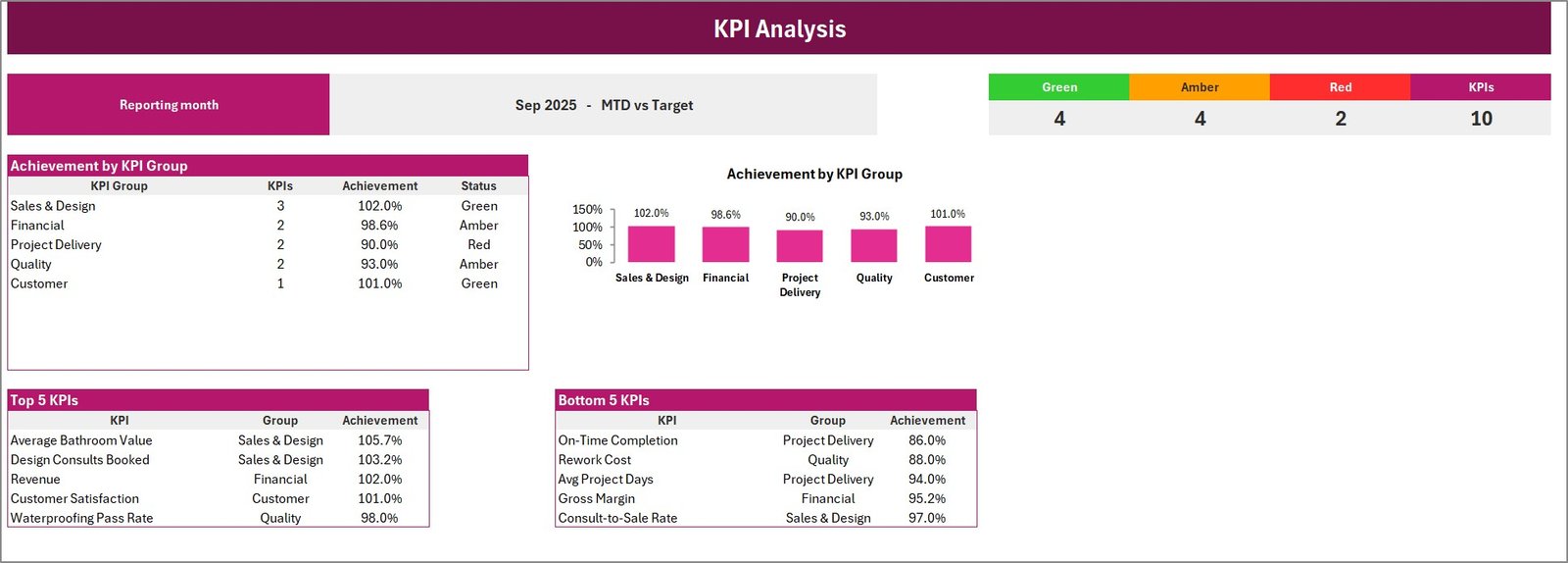
KPI analysis page showing achievement by group and top bottom KPIs
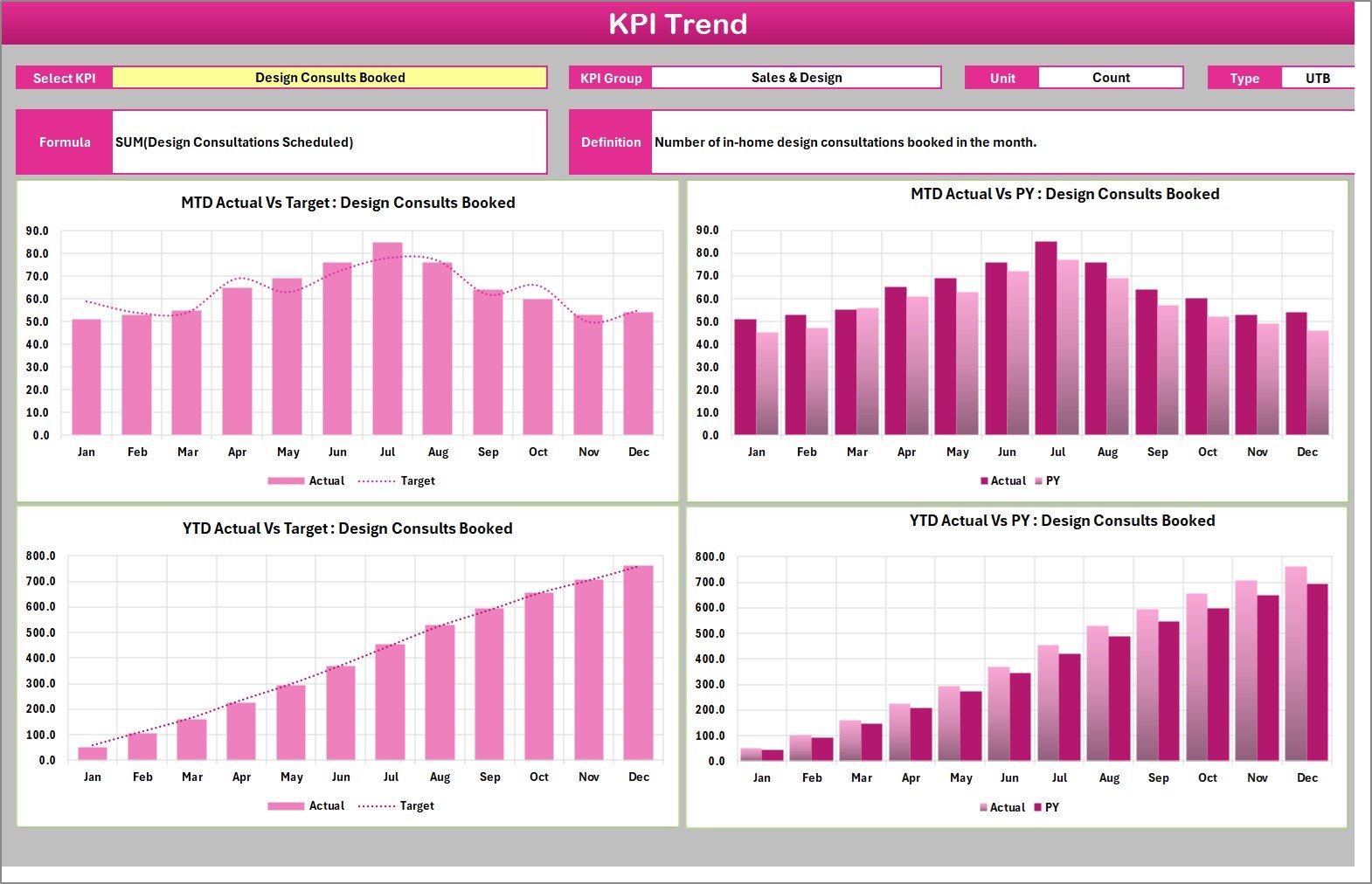
KPI trend page for bathroom remodeling performance
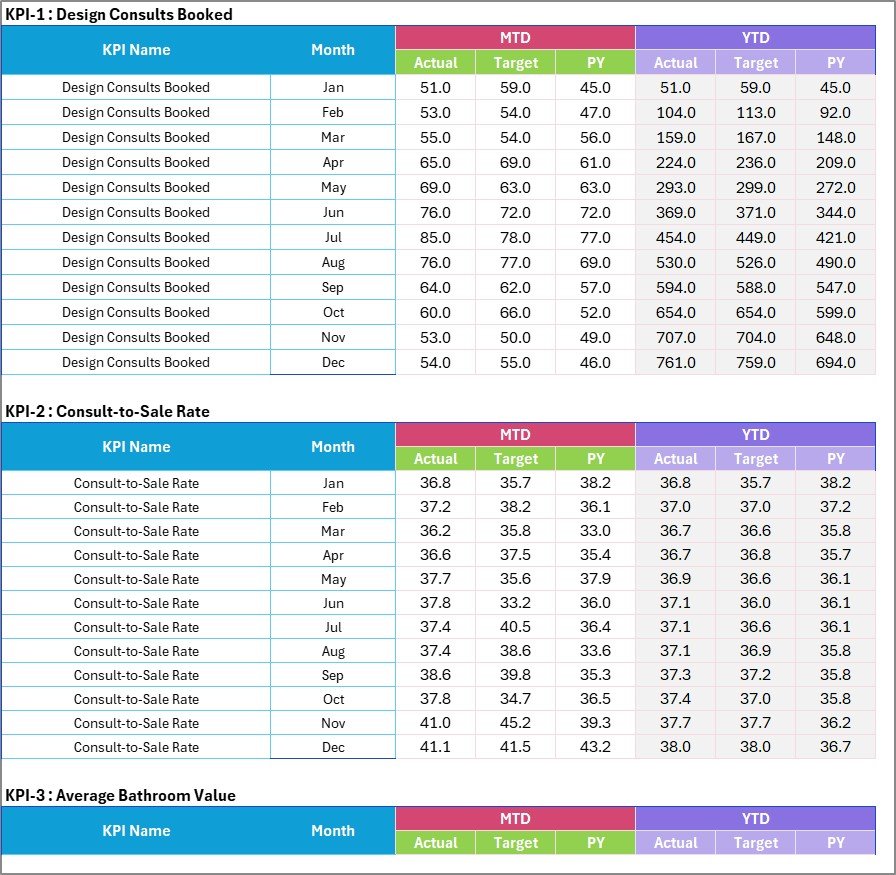
Input data sheet for actual target and previous year values

KPI definition sheet with formula unit and direction
Excel Remodeling Scorecard vs. Google Sheets vs. Paid CRM/SaaS – Where This Fits
| Area | This Excel scorecard | Google Sheets alternative | Paid CRM/SaaS alternative |
|---|---|---|---|
| Cost | One-time template purchase | Low cost, requires rebuilding formulas | Monthly subscription per user |
| Setup time | Replace sample data and definitions | Build layout, charts, and status logic | Configure pipeline, fields, reports, and users |
| Best use | Bathroom remodeling KPI review | Collaborative lightweight tracking | Full sales, job, and customer workflow |
| Offline use | Works in Excel desktop | Limited without internet | Usually internet dependent |
| Customization | Edit KPI names, groups, targets, and thresholds | Flexible but manual | Depends on plan and admin rights |
| Year-1 cost at 5 users | $9.99 sale price | Time cost to rebuild | Often hundreds or thousands of dollars |
Who This Template Is For – and Who It’s Not For
This template is for bathroom remodelers, interior renovation teams, franchise operators, project coordinators, and owners who already know their monthly numbers but need a clean way to review performance. It is useful when your review conversation covers sales conversion, project duration, waterproofing quality, rework, gross margin, and satisfaction.
It is not a live job-costing system, construction accounting application, quoting tool, CRM, permit tracker, or crew dispatch board. If you need multi-user approvals, invoice sync, or real-time mobile field capture, use a dedicated construction management or CRM platform and use this scorecard as a management reporting layer.
How to Use This Excel KPI Workbook
- Unzip the download and open the Excel workbook.
- Review the KPI Definition sheet and rename KPIs, groups, formulas, units, and directions where needed.
- Enter actual, target, and previous-year monthly values in the Input Data sheet.
- Select the month, MTD/YTD option, and comparison basis on the Scorecard page.
- Use KPI Analysis and KPI Trend in management meetings to decide where action is needed.
Real-World Use Cases
Owner reviewing monthly remodeling performance
An owner can compare revenue, gross margin, rework cost, and customer satisfaction in one monthly view before deciding which process needs attention.
Project manager tracking delivery risk
A project manager can monitor on-time completion, average project days, waterproofing pass rate, and rework cost before delays become customer complaints.
Sales lead reviewing design consult quality
A sales lead can review booked consults, consult-to-sale rate, and average bathroom value against targets before coaching the design team.
Frequently Asked Questions
Is this a macro-enabled workbook?
No. The workbook is built with Excel formulas and worksheet structure only. It does not require macros, Power Query, Power Pivot, or add-ins.
Can I change the bathroom remodeling KPIs?
Yes. Update the KPI Definition sheet to rename KPIs, assign groups, set units, write definitions, and mark each KPI as upper-the-better or lower-the-better.
How many KPIs are shown on the scorecard?
The sample file displays 10 bathroom remodeling KPIs across sales and design, financial, project delivery, quality, and customer groups.
Can I track MTD and YTD performance?
Yes. The scorecard includes MTD and YTD options and compares actual values against target or previous-year values depending on the selected view.
Is this suitable for live field scheduling?
No. This is a KPI scorecard for monthly performance review, not a dispatch board, estimating system, accounting platform, or field crew scheduler.
What version of Excel do I need?
Use Microsoft Excel desktop for the best experience. The workbook is designed for normal Excel editing after you replace the sample values with your own.
About the Author
Built by PK – Microsoft Certified Professional with 15+ years of Excel, Google Sheets, and Power BI experience. Founder of NextGenTemplates, reaching 300K+ subscribers across YouTube channels. Every template is hand-built and tested before release. For general workbook help, see Microsoft Excel support.
Explore Related Templates
Compare this Excel scorecard with the Bathroom Remodeling KPI Scorecard in Google Sheets, the Kitchen Remodeling KPI Scorecard in Google Sheets, and other Excel KPI templates. You can also browse the full MS Excel template category.
Ready to make remodeling performance easier to review? Download the workbook, replace the sample numbers, and start using a focused scorecard in your next monthly meeting.
Last updated: September 12, 2026.
Watch the demo video:
Compatibility and Requirements
- Works in Microsoft Excel desktop (Excel 2016 or later, or Microsoft 365).
- The scorecard uses Excel formulas and worksheet structure only. Microsoft explains how to create a chart from start to finish if you want to adjust the trend charts.



























Reviews
There are no reviews yet.