

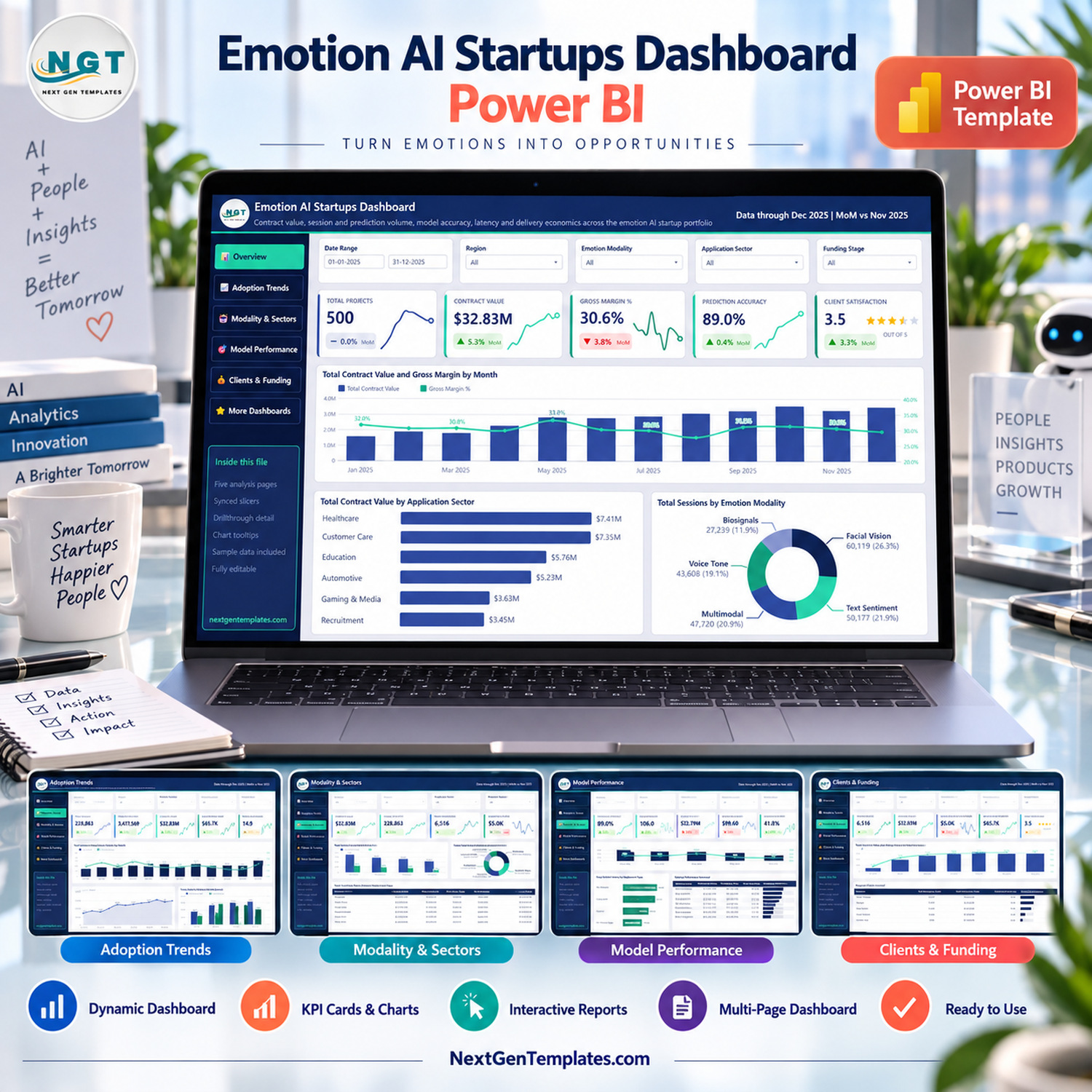

The Emotion AI Startups Dashboard in Power BI is a five-page Power BI report built over a 500-row, 18-column sample table covering one calendar year (January to December 2025). Its visuals reference 32 distinct measure names, five synced slicers sit on every page, and a hidden drillthrough page plus two tooltip pages sit behind the charts. Setup takes under ten minutes: point the model at your own table and every card, chart and matrix refreshes.
⚠️ This is a reporting template, not an emotion-recognition tool. It performs no emotion detection, no affect recognition, no facial analysis, no voice analysis and no biometric processing of any kind. It reads numbers you supply about companies in the emotion-AI market and charts them.
🌍 Join 8,400+ teams in 40+ countries using NextGenTemplates to replace paid SaaS reporting with one-time-purchase Excel, Google Sheets, Power BI and HTML templates.
✅ Instant download · One-time payment · No subscription · No per-user fees · Lifetime access
🔑 Key Features of the Emotion AI Startups Dashboard in Power BI
🧩 Five analysis pages, one navigation rail. Overview, Adoption Trends, Modality & Sectors, Model Performance and Clients & Funding each sit on a 1280×720 canvas set to Fit to Page, with a left rail of page-navigation buttons and a sixth “Get More Dashboards” page that is not part of the analysis.
🎚️ Five synced slicers on every page. Date Range, Region, Emotion Modality and Application Sector repeat across all five pages; the fifth slot changes with the page — Funding Stage on Overview and Model Performance, Deployment Type on Adoption Trends, Project Status on Modality & Sectors, Product Lead on Clients & Funding.
📇 Hidden detail pages you can reach from the visuals. The file contains a hidden “Details” drillthrough page filtered on Startup Name, Region and Emotion Modality, plus two 280×360 tooltip pages (“Metric Detail” and “Trend Detail”) that pop up on hover with their own cards and a regional bar chart.
🧮 Measures, not typed numbers. The report’s visuals reference 32 distinct measure names, including Total Contract Value, Gross Profit, Gross Margin %, Prediction Accuracy %, Predictions Per Session, Avg. Model Latency, Contract Value Per Client, Cost Per Session and Total Enterprise Clients. Every KPI card carries a month-on-month delta and a sparkline.
🗂️ A 500-row sample table with 18 columns. Startup ID, Record Date, Startup Name, Region, Emotion Modality, Application Sector, Funding Stage, Product Lead, Deployment Type, Project Status, Sessions Analyzed, Predictions Made, Accurate Predictions, Model Latency Ms, Enterprise Clients, Contract Value, Delivery Cost and Client Satisfaction.
🧾 All sample data is invented. The eight startup names in the file (EmpathIQ, MoodMetrix, NeuroFeel, Kairos Affect, Pulse Emotion, Sentio AI, Verve Cognition and Affectra Labs) are placeholders. They are not real companies, the funding stages and contract values attached to them are not research, and nothing in the file implies any association with any real vendor.
📦 What’s Inside the Emotion AI Startups Dashboard in Power BI
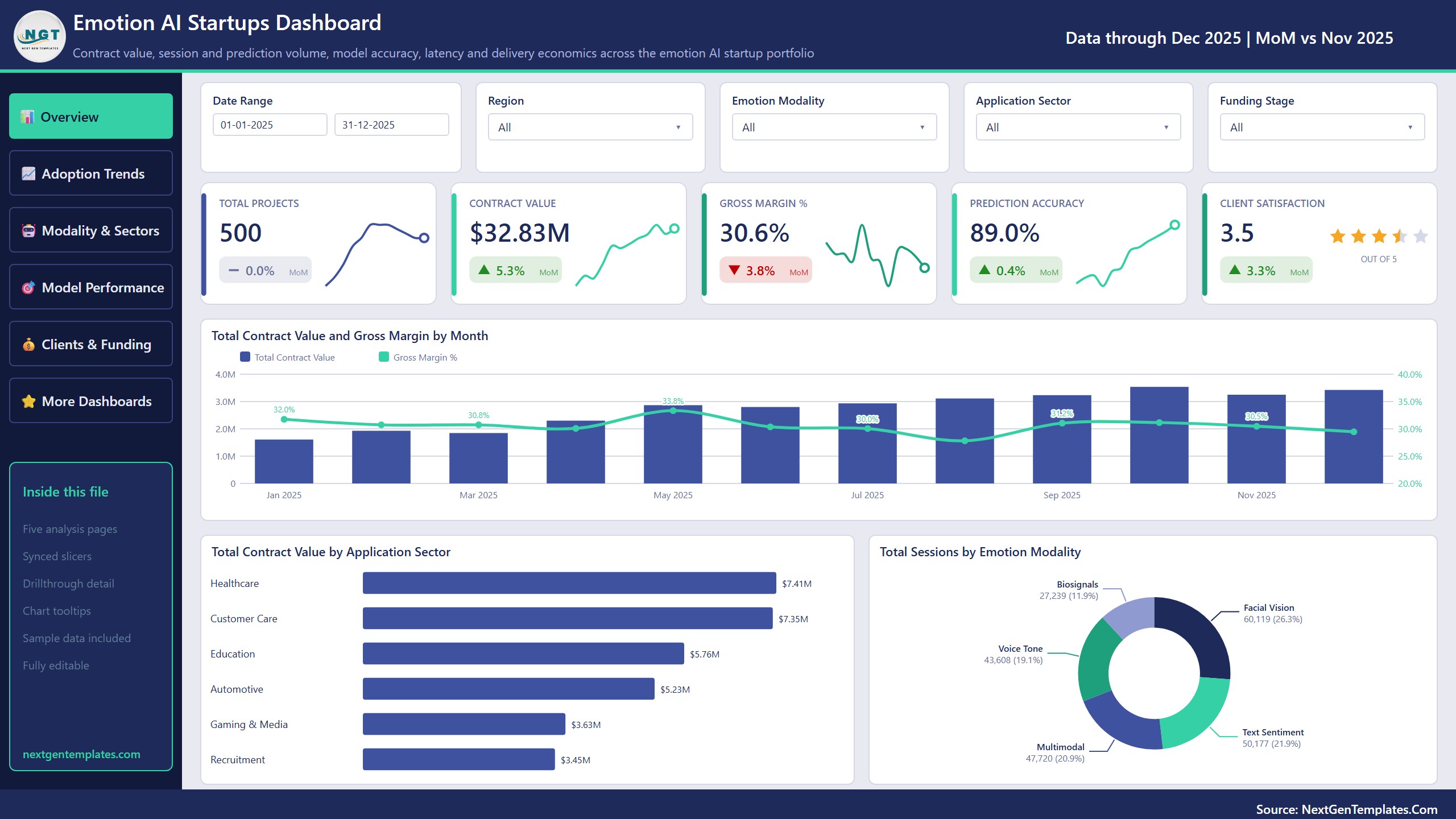
Page 1: Overview
Five KPI cards — Total Projects, Contract Value, Gross Margin %, Prediction Accuracy and Client Satisfaction — sit above three visuals: Total Contract Value and Gross Margin by Month, Total Contract Value by Application Sector and Total Sessions by Emotion Modality.
Page 2: Adoption Trends
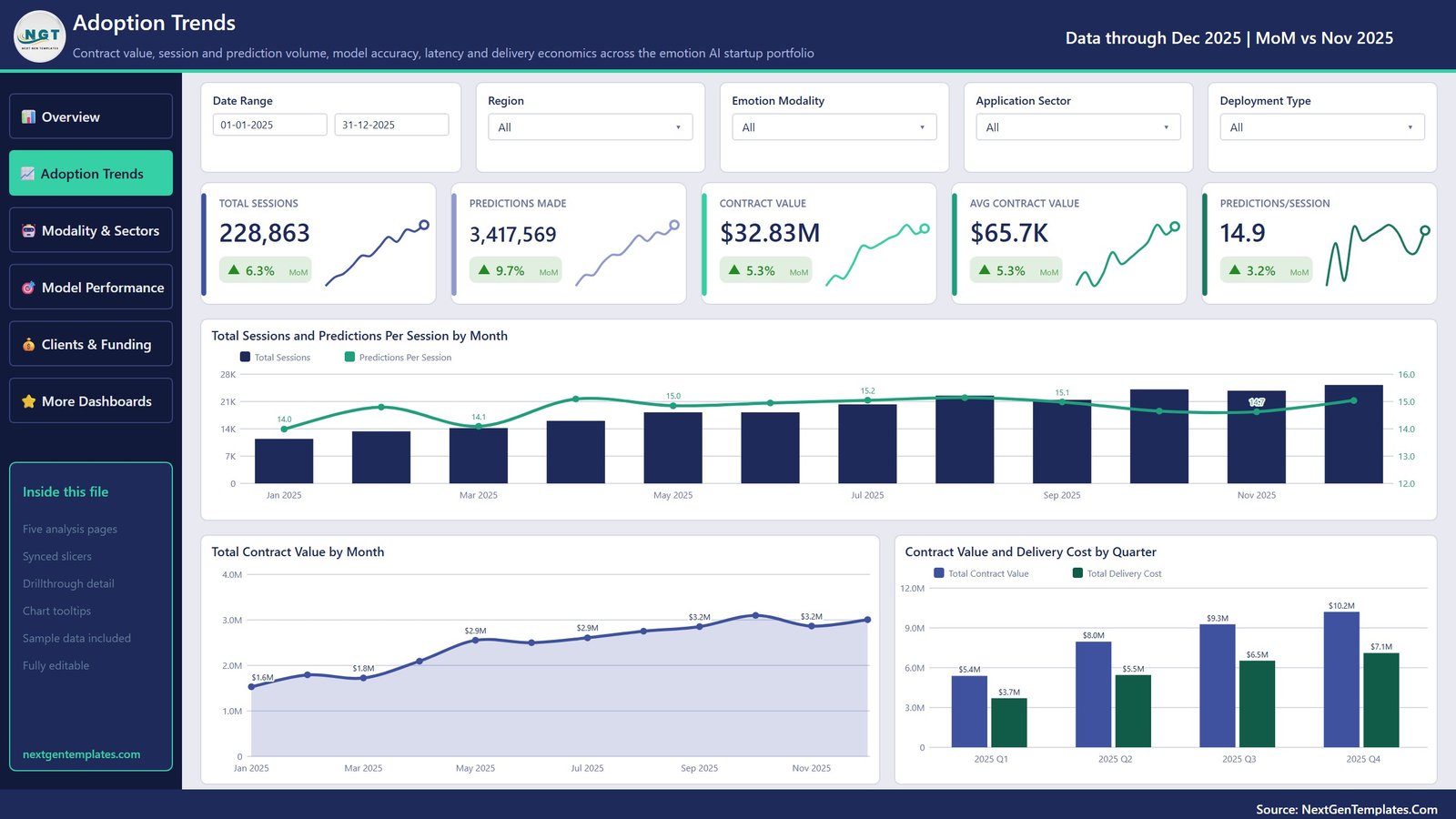
Cards for Total Sessions, Predictions Made, Contract Value, Avg Contract Value and Predictions/Session, then Total Sessions and Predictions Per Session by Month, Total Contract Value by Month and Contract Value and Delivery Cost by Quarter.
Page 3: Modality & Sectors
Cards for Contract Value, Gross Profit, Total Sessions, Enterprise Clients and Value Per Client, above Contract Value and Gross Profit by Emotion Modality, Total Contract Value by Application Sector and a matrix of Total Contract Value by Emotion Modality and Deployment Type.

Page 4: Model Performance
Cards for Prediction Accuracy, Avg Latency (ms), Delivery Cost, Cost Per Session and Completion Rate, above Total Sessions and Prediction Accuracy by Emotion Modality, Avg. Model Latency by Deployment Type and a Startup Performance Scorecard table.

Page 5: Clients & Funding
Cards for Enterprise Clients, Contract Value, Value Per Client, Avg Contract Value and Client Satisfaction, above Total Contract Value and Gross Margin by Funding Stage, Total Projects by Project Status and a Regional Client Scorecard table.

📊 Emotion AI Startups Dashboard vs. Tableau / Qlik vs. PitchBook / CB Insights
| Feature | Emotion AI Startups Dashboard (Power BI) | Tableau / Qlik build | PitchBook / CB Insights |
|---|---|---|---|
| Cost | $17.99 one-time ✅ | $75+ / user / month for Creator seats | $12,000-$30,000+ / year |
| Platform | Power BI Desktop (free) ✅ | Tableau Desktop or Qlik Sense | Vendor web portal only |
| Setup time | Under 10 minutes ✅ | Days to build five pages from scratch | Instant, but you cannot change the model |
| You own the data | Yes — your own table ✅ | Yes | No — vendor’s data, vendor’s definitions |
| Customisable fields | All 18 columns editable ✅ | Editable | Fixed schema |
| Drillthrough + tooltip pages | Included and pre-wired ✅ | Build them yourself | Not applicable |
| Offline use | Yes, .pbix on your machine ✅ | Yes | No |
| Year-1 cost at 5 users | $17.99 total ✅ | $4,500+ | $12,000+ |
| Market research included | No — you supply the figures | No | Yes, that is what you pay for |
For teams that already have their own deal or portfolio data and want it charted properly without a five-figure research subscription, this template sits in the sweet spot. If you need the underlying market research itself, buy a research service instead.
👥 Who This Template Is For — and Who It’s Not For
✅ This template is built for:
- Analysts at VC funds or corporate-venture teams who already track emotion-AI or affective-computing companies in a spreadsheet and want a proper report over it
- Product and partnership teams at an AI vendor comparing their own contract value, latency and accuracy figures across modalities and deployment types
- Consultants and market-research writers who need a repeatable five-page report they can repoint at a new dataset each quarter
- Power BI learners who want a finished, well-structured .pbix to take apart
❌ This template is NOT for you if:
- You want software that detects or measures emotions — this file does none of that and cannot be made to
- You expected real funding, valuation or market-size data — every figure shipped is invented sample data
- You need a compliance assessment against the EU AI Act, GDPR, BIPA or any other AI or privacy regulation — this template makes no such assessment
- You want investment advice or a screening signal — it is a reporting layer, nothing more
- You do not have Power BI Desktop and cannot install it; try the Excel edition instead
⚙️ How to Use the Emotion AI Startups Dashboard in Power BI
- Unzip the download. It contains three files: the .pbix report, Data.xlsx and a Power BI Dashboard user manual in PDF.
- Open the .pbix in Power BI Desktop, the free download from Microsoft.
- Open Data.xlsx and replace the 500 sample rows with your own, keeping all 18 column headers spelled exactly as they are.
- In Power BI Desktop, use Transform data to repoint the source to your file, then Close & Apply.
- Click Refresh. All five pages, the drillthrough page and both tooltip pages update together.
- Edit the page titles and the header subtitle to match your own reporting period.
💼 Real-World Use Cases
Priya is an associate at an early-stage deep-tech fund. She keeps a sheet of the affective-computing companies in her pipeline and swaps it into this file each month, so partners see contract value by funding stage and value per client without her rebuilding charts.
Daniel runs partnerships at a conversational-AI vendor. He repoints the model at his own delivery data and uses the Model Performance page to compare average latency across Cloud API, Hybrid, On-Premise and On-Device Edge deployments before committing to a rollout.
Ana writes a quarterly sector newsletter. She loads her own collected figures, exports the five pages, and keeps the drillthrough page for the company profiles she writes up in detail.
❓ Frequently Asked Questions
Does this dashboard detect or analyse emotions?
No. It is a Power BI report over data you supply. It performs no emotion detection, no affect recognition, no facial or voice analysis and no biometric processing. It charts numbers you have already collected about companies working in that market.
Does it make any claim about whether emotion recognition works?
No. The template takes no position on the scientific validity or accuracy of emotion-recognition technology. Any accuracy figure on the Model Performance page is a number from your own table, or from the invented sample rows shipped with the file.
Are the startups and funding figures in the file real?
No. All 500 rows are demo data, and the eight company names are invented placeholders. Nothing in the file is research, a valuation, or investment advice, and no association with any real vendor is implied.
Does it help with EU AI Act, GDPR or BIPA compliance?
No. The EU AI Act restricts emotion inference in workplaces and education, and biometric data is regulated under GDPR and laws such as BIPA. This template assesses none of that — it is a reporting layer and provides no compliance function.
How is this different from the KPI Dashboard and KPI Scorecard lines?
They are separate templates with similar names. This is the Power BI dashboard edition: five analysis pages with synced slicers, drillthrough and tooltip pages. The KPI Dashboard and KPI Scorecard products have a different page structure and a different measure set.
How long does setup take?
Under ten minutes. The Emotion AI Startups Dashboard in Power BI needs no rebuild if your columns already match. Replace the sample rows in Data.xlsx, repoint the source in Power BI Desktop, and refresh — all five pages update at once.
Is there an Excel version?
Yes. The Emotion AI Startups Dashboard in Excel covers the same subject in Excel, for teams without Power BI Desktop.
🧾 Known Rendering Notes
Disclosed honestly rather than retouched: on the exported page images, a few percentage data labels on the combo charts sit on top of the column tops and are hard to read — the Gross Margin % labels around Jul, Sep and Nov on the Overview page, one Predictions/Session label on Adoption Trends, several accuracy labels on Model Performance, and the Series B margin label on Clients & Funding. This is a label-collision at the fixed export size; the labels read correctly on screen and can be switched off per visual in Power BI Desktop. No clipped rows or stray selection outlines were found.
👤 About the Author
Built by PK — Microsoft Certified Professional with 15+ years of Excel, Google Sheets and Power BI experience. Founder of NextGenTemplates, reaching 300K+ subscribers across YouTube channels (@PKAnExcelExpert, @NextGenTemplates, @NeoTechNavigators). Every template is hand-built and tested before release.
🔗 Explore Related Templates
Also available as: Emotion AI Startups Dashboard in Excel — the same subject for teams that do not run Power BI Desktop.
- Neural Tech Startups Dashboard in Power BI — adjacent deep-tech portfolio reporting.
- AI in Customer Service Dashboard in Power BI — the deployment side of the same market.
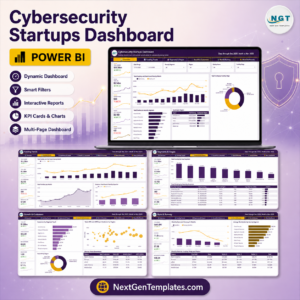
- Cybersecurity Startups Dashboard in Power BI — the same five-page structure on a different sector.
Browse more Power BI Dashboard Templates for other sectors.
🎥 Visit our YouTube channel for step-by-step video tutorials
👉 YouTube.com/@NextGenTemplates
📅 Last updated: September 2026
Watch the demo video:
Compatibility and Requirements
- Works in Power BI Desktop, which is free to download from Microsoft. Microsoft explains the install in Get Power BI Desktop.
- The download holds the .pbix report, Data.xlsx and a PDF user manual. Keep Data.xlsx open in Excel to edit your rows.
- Your own table needs the same 18 column headers as the sample data.



Reviews
There are no reviews yet.