

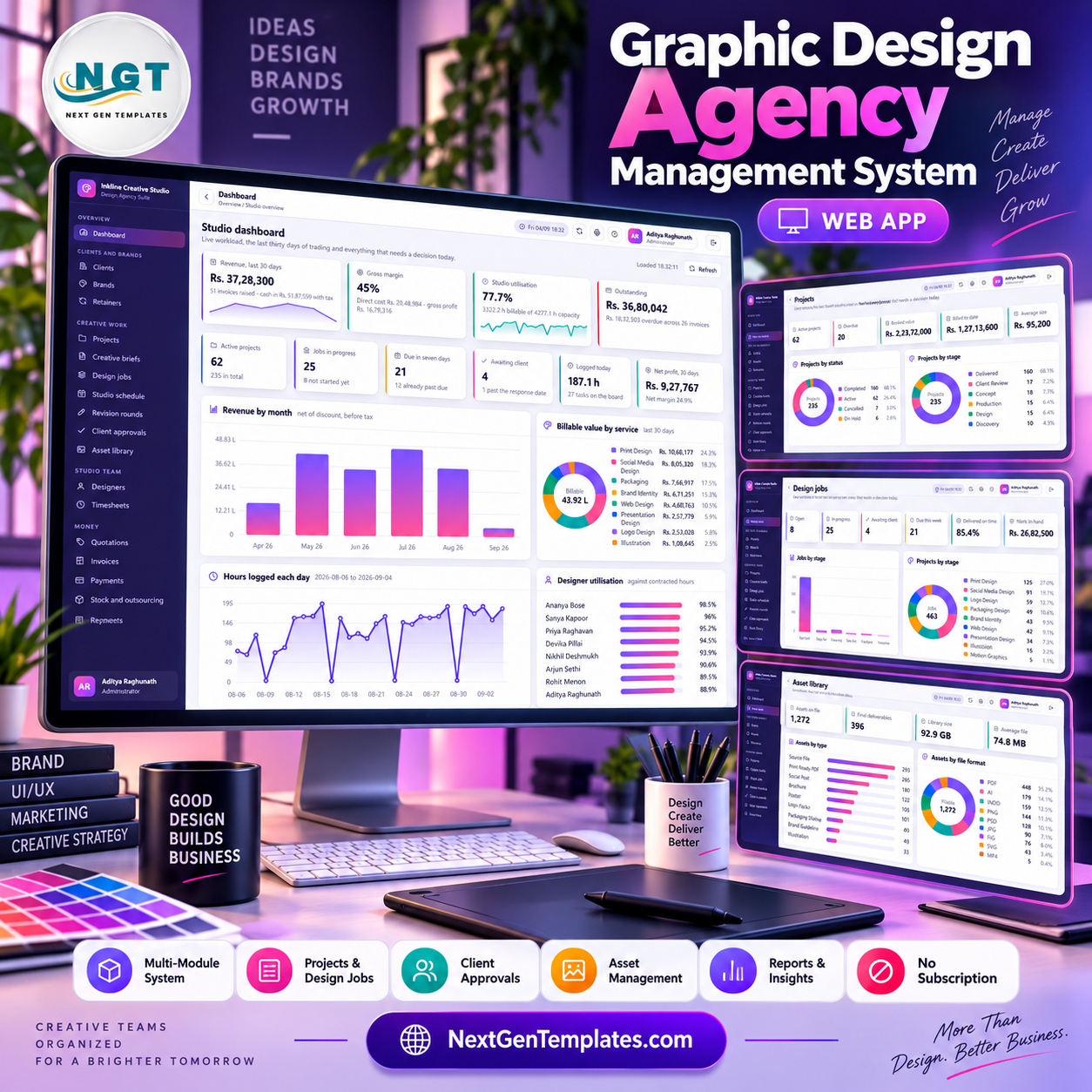
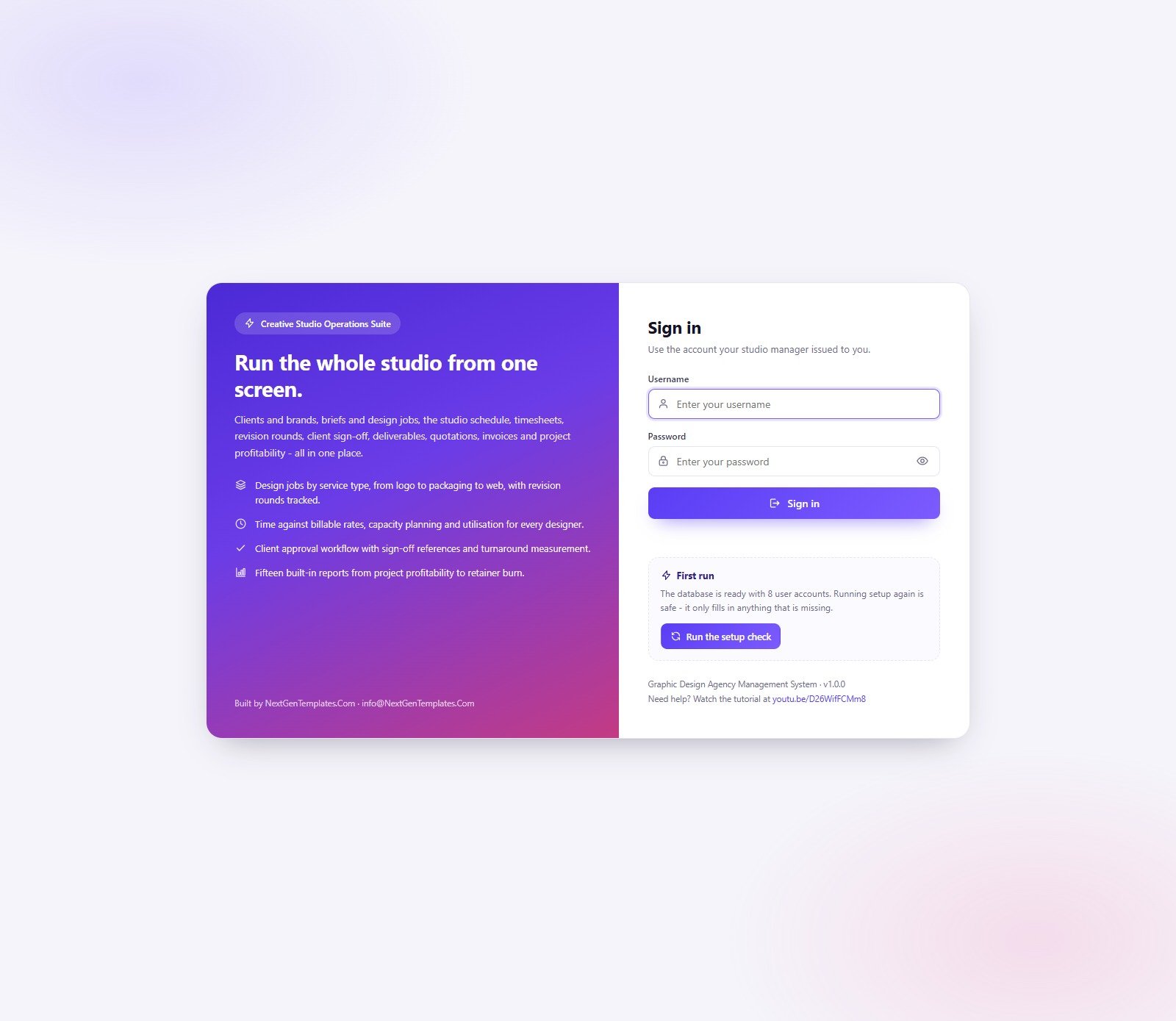
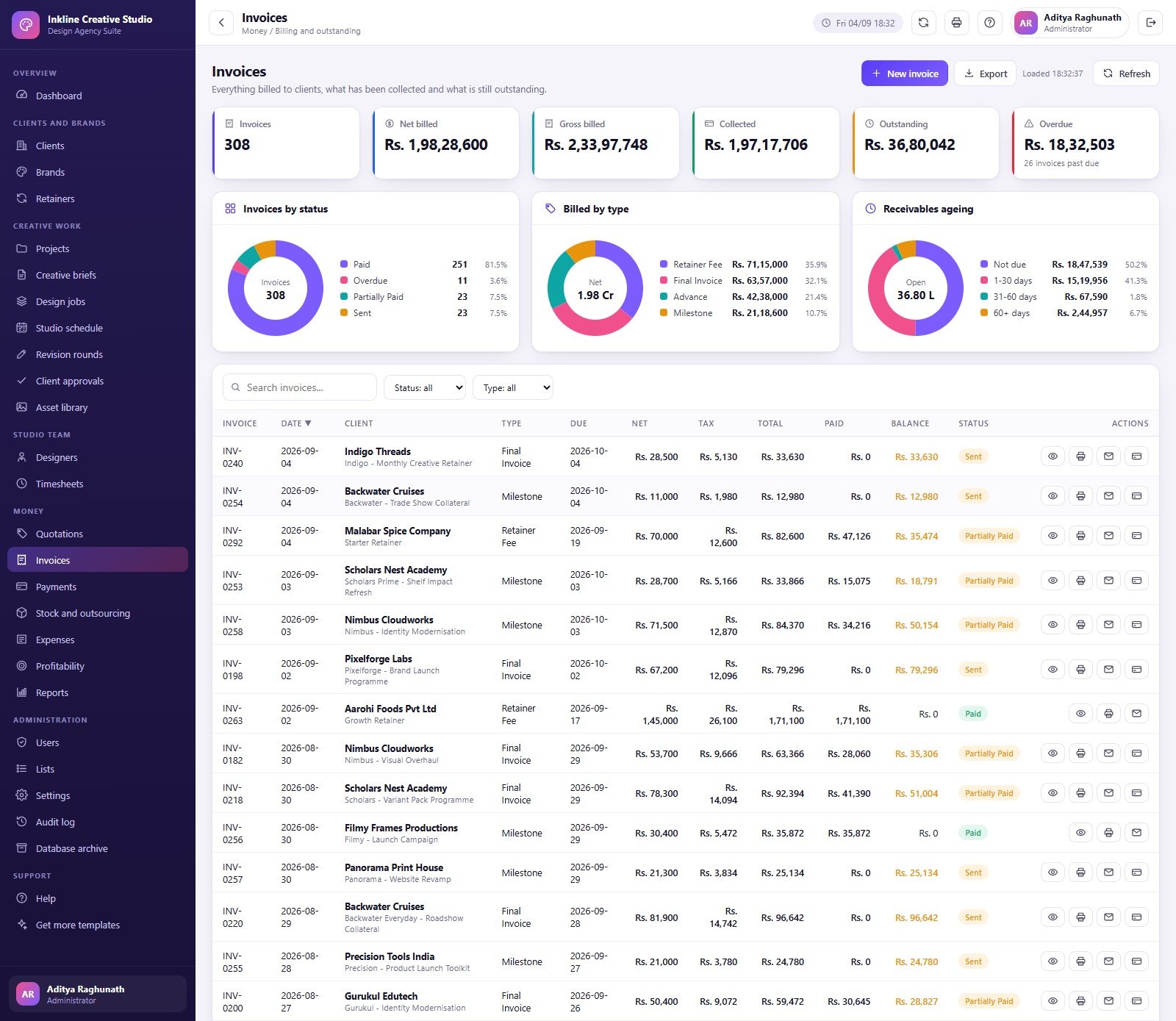
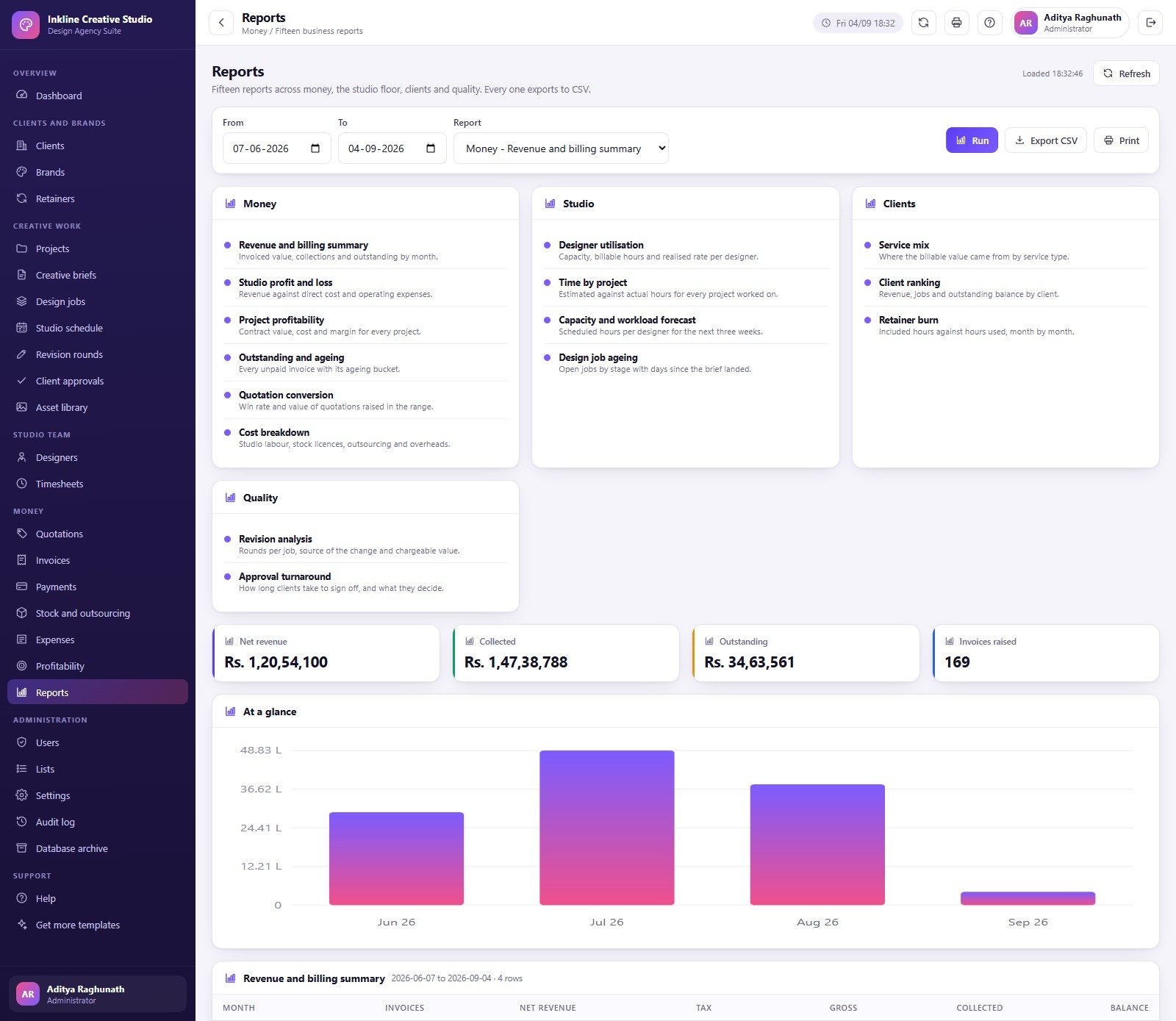

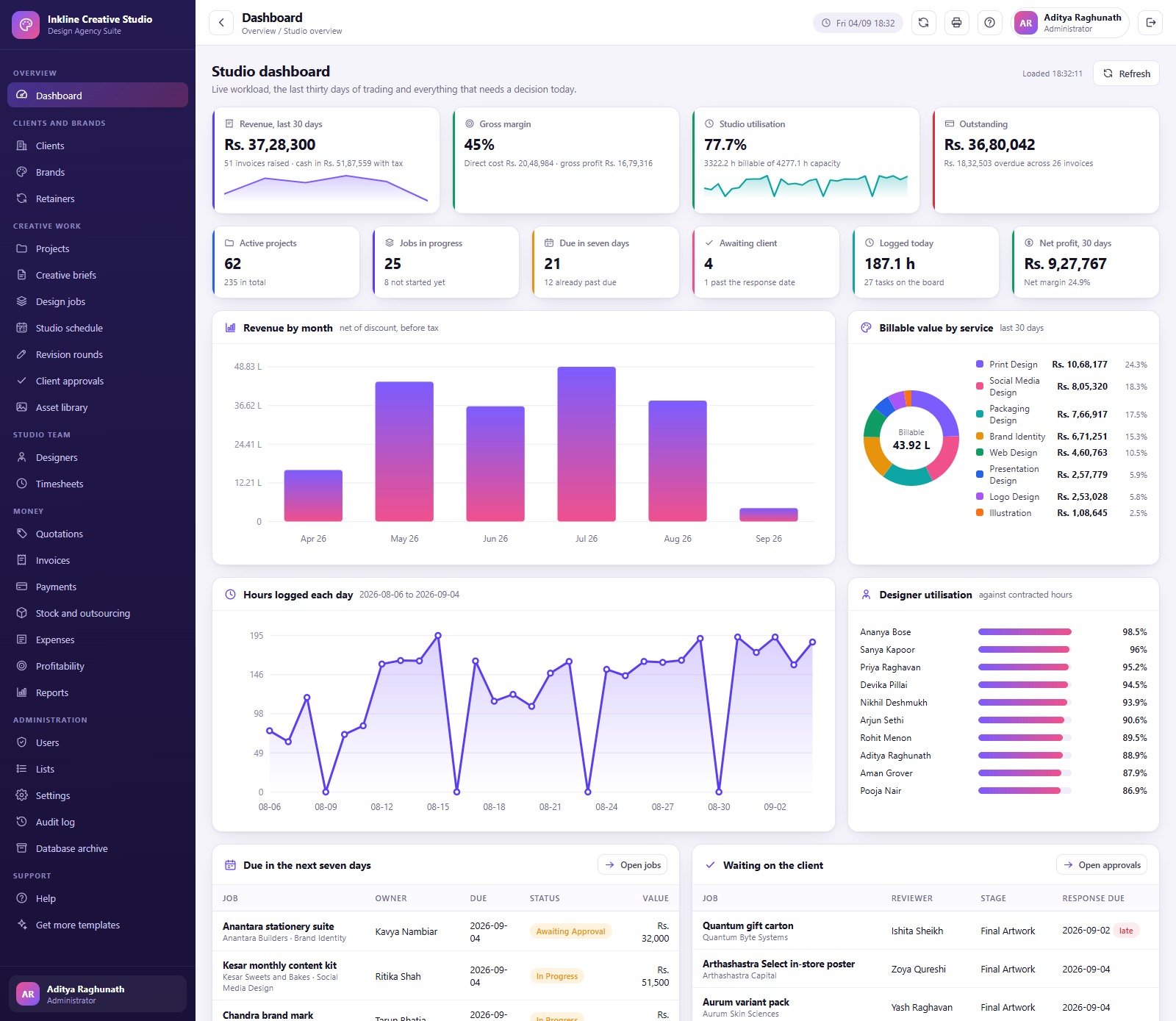
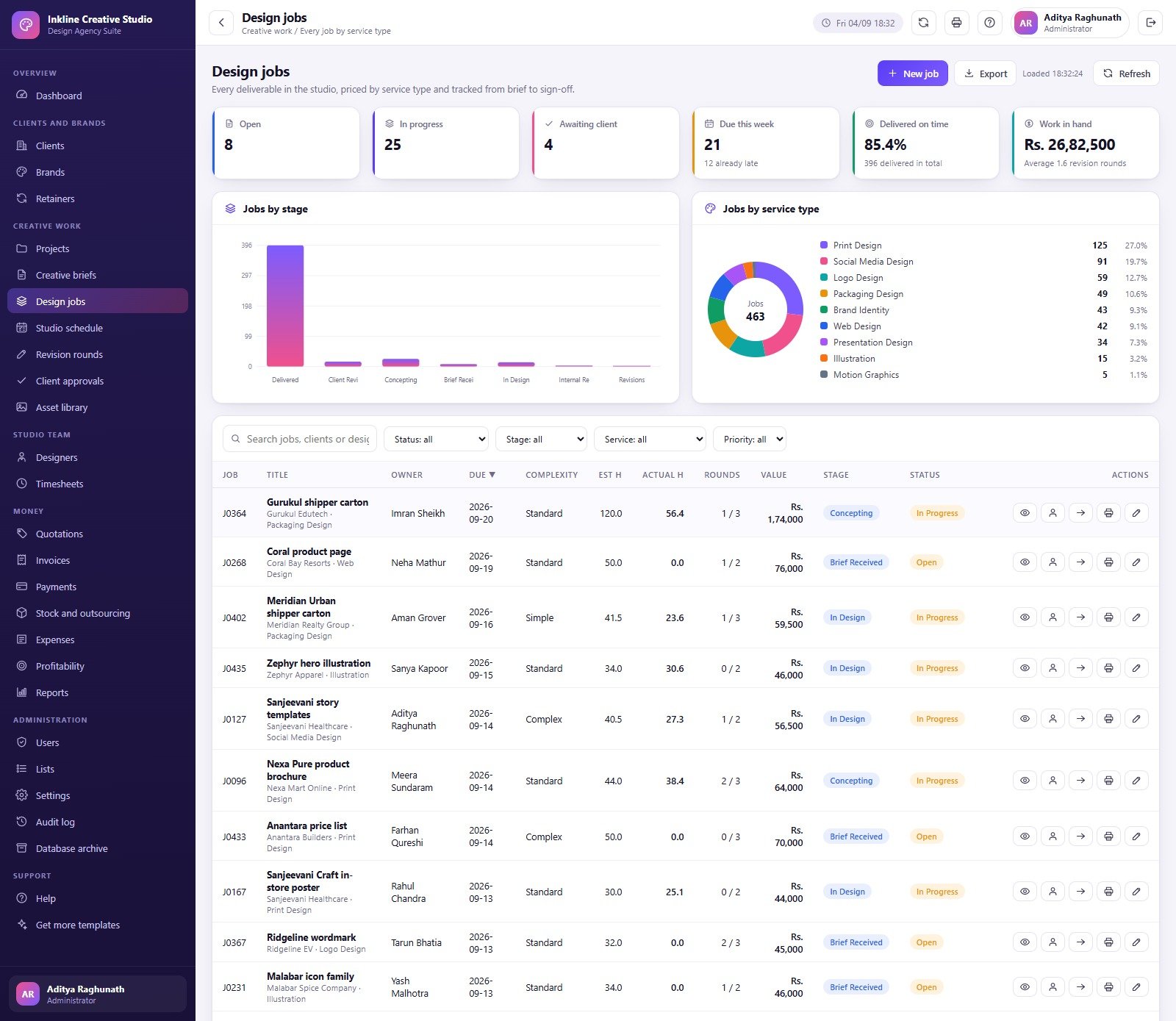
A graphic design studio can have dozens of active projects and still lose margin when briefs, revisions, approvals, time, invoices, and outsourced assets live in separate files. The Graphic Design Agency Management System Web App brings those workflows into one Google Apps Script system with 27 modules, 31 database tables, 15 reports, 8 seeded users, and 6 operational roles. The supplied demo shows 62 active projects, 25 jobs in progress, 21 jobs due within seven days, 4 client approvals waiting, and 187.1 hours logged today. These are demonstration figures, not business benchmarks. Buy once for $39.99 on sale; there is no subscription from NextGenTemplates.
Try the Live Demo
Open the shared demonstration system and explore the role-based workflows before buying.
Demo login details
| Role | Username | Password |
|---|---|---|
| Administrator | admin | Studio#2026 |
| Studio Manager | manager | Manage#2026 |
| Account Manager | account | Client#2026 |
| Account Manager | account2 | Brief#2026 |
| Senior Designer | senior | Design#2026 |
| Designer | designer | Create#2026 |
| Designer | designer2 | Layout#2026 |
| Finance Executive | finance | Ledger#2026 |
These credentials belong to a shared seeded demo that may be reset. They are not customer deployment credentials.
Key Features of Graphic Design Agency Management System Web App
- Role-based access: Administrator, Studio Manager, Account Manager, Senior Designer, Designer, and Finance Executive permissions.
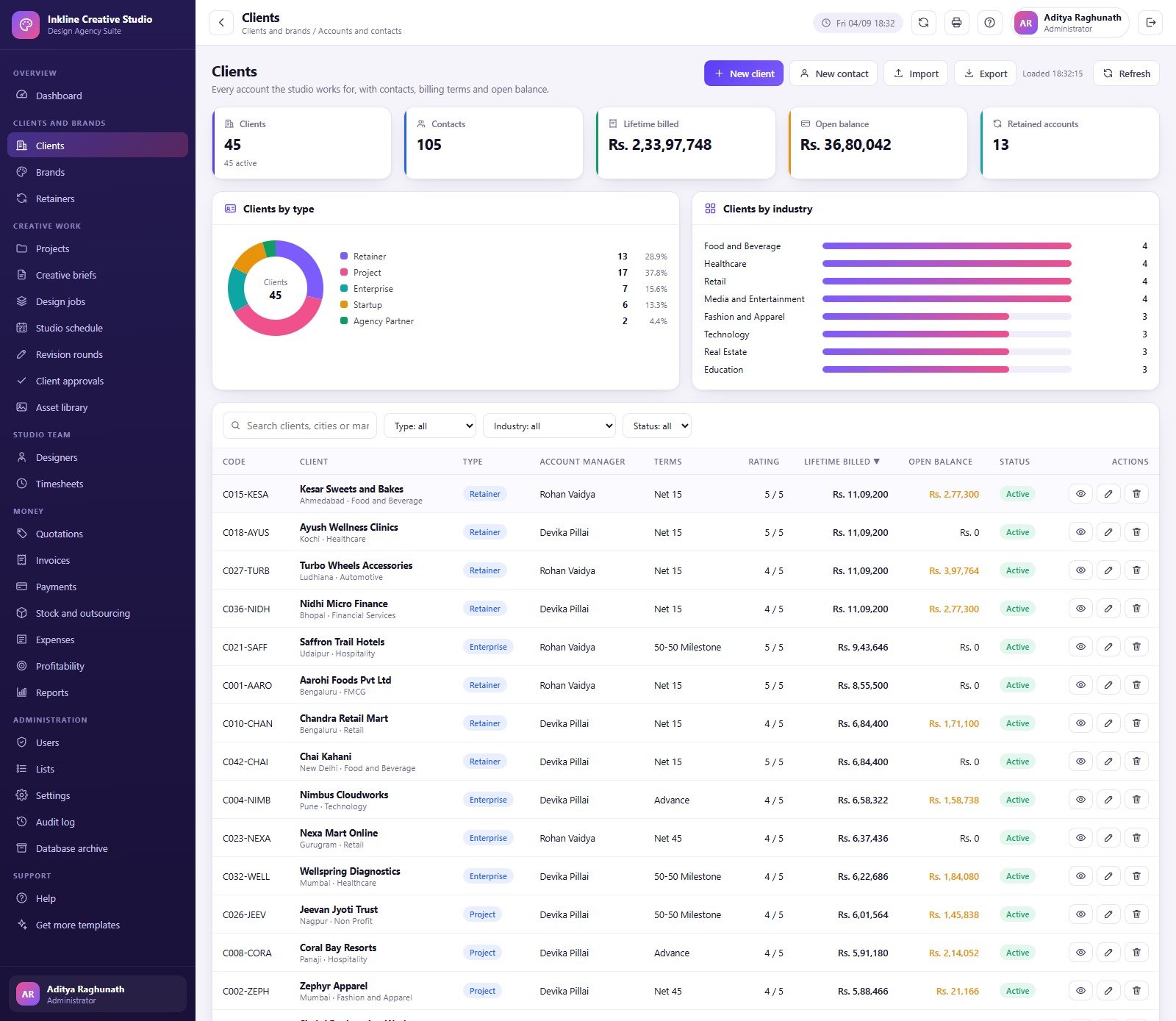
- Client and brand records: contacts, industries, lifetime value, brands, retainers, and brand palettes.
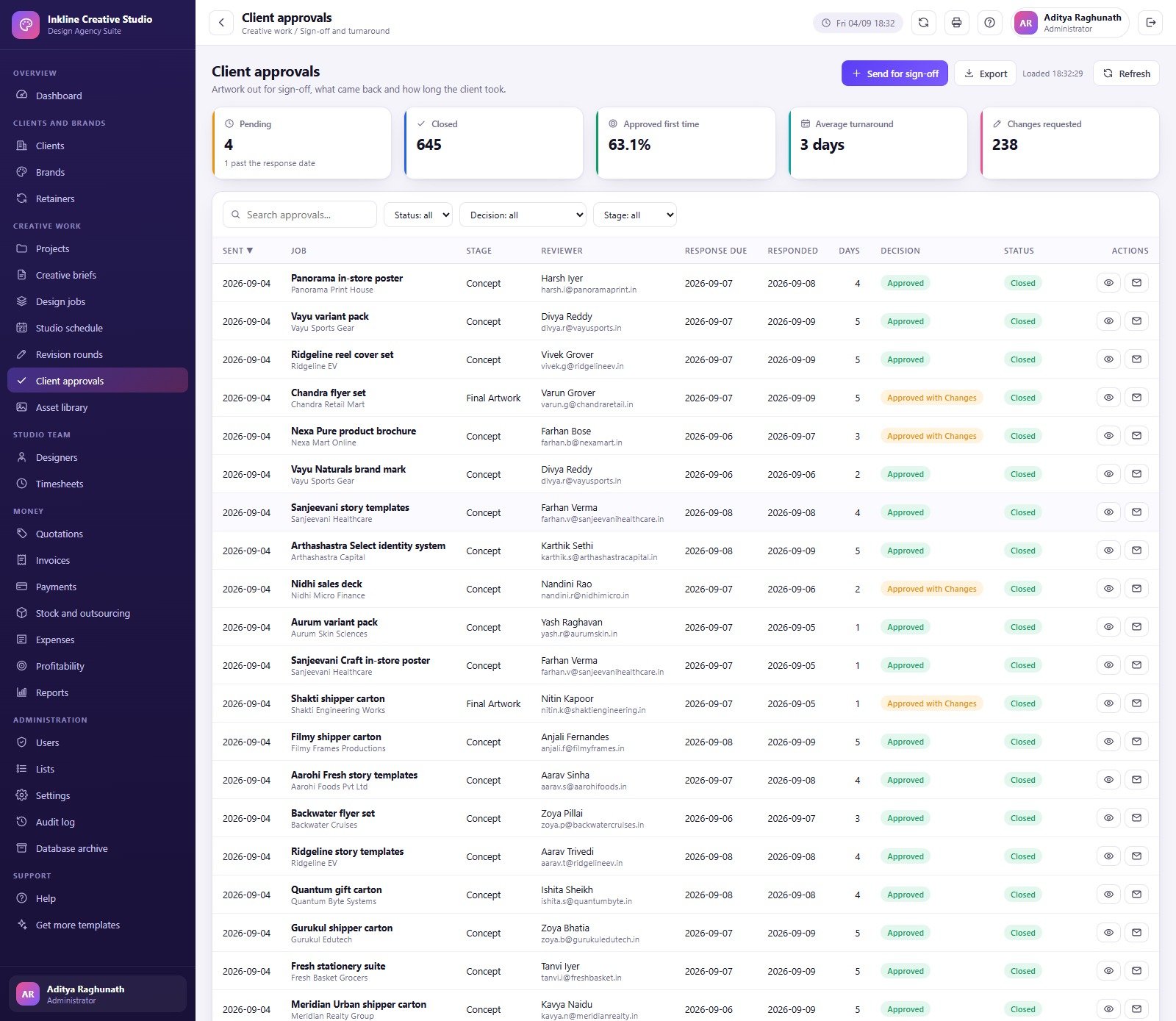
- Creative delivery: projects, briefs, design jobs, studio schedule, revision rounds, and client approvals.
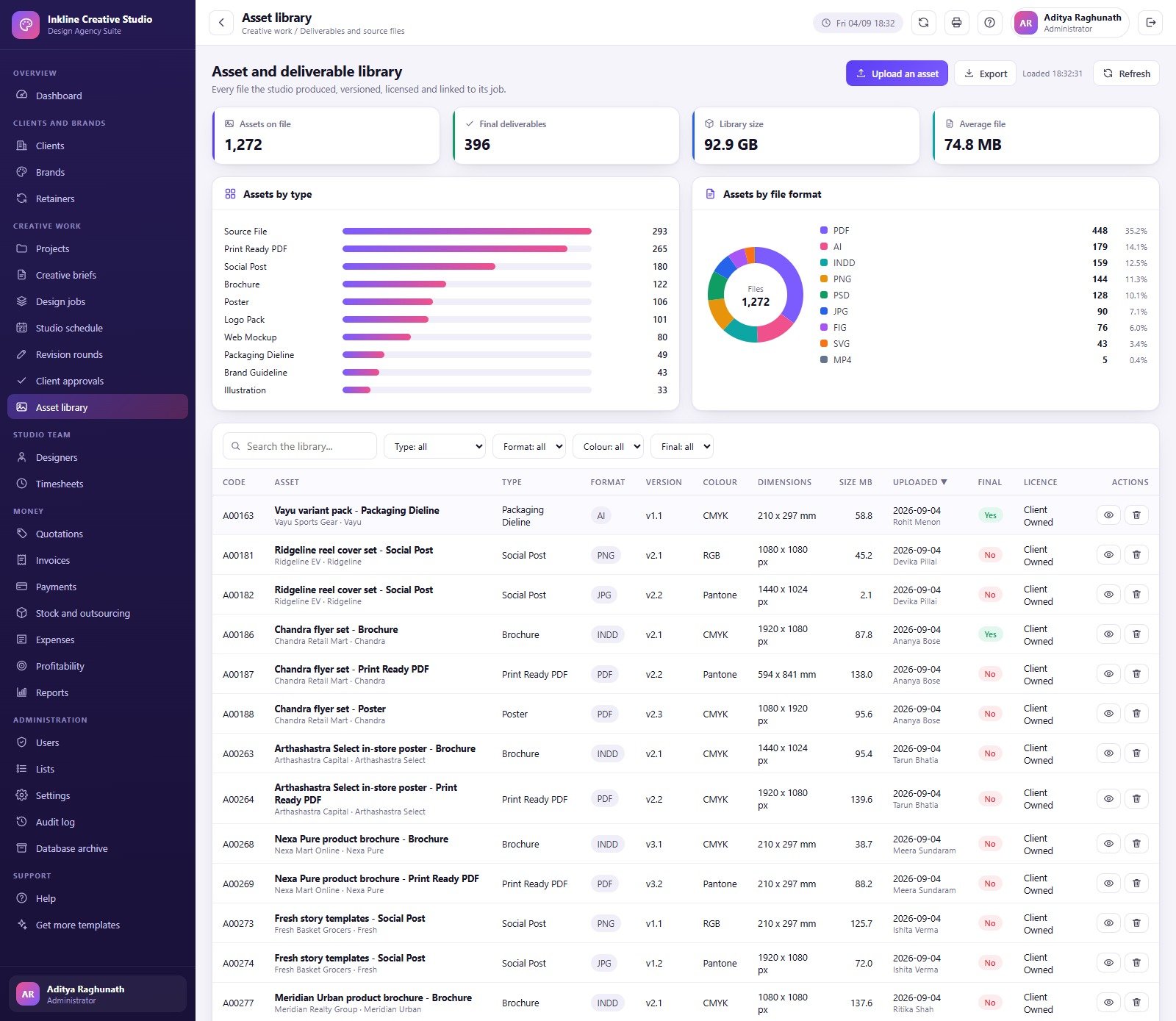
- Asset library: file-format, ownership, final-deliverable, licence, version, and size fields.
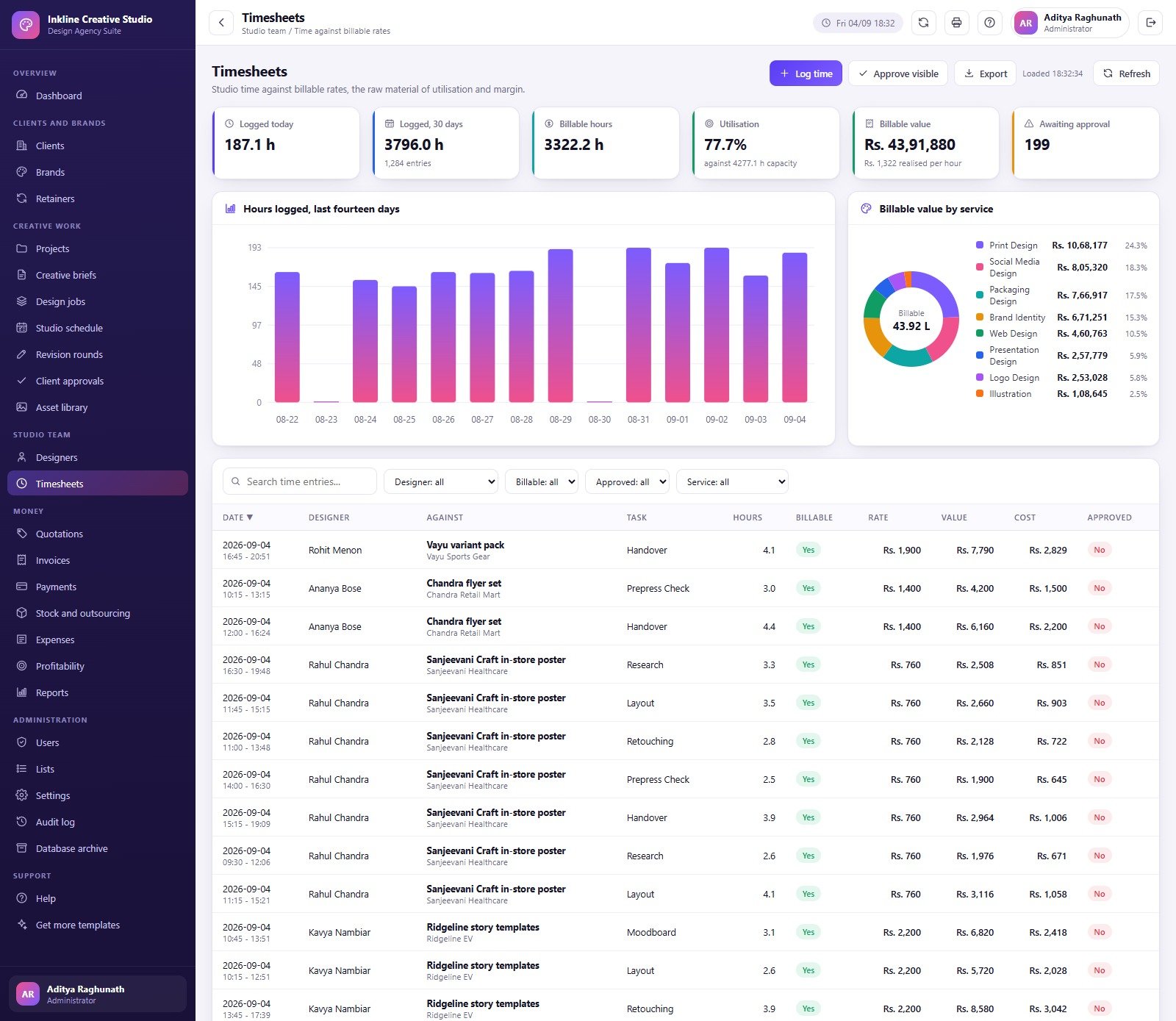
- Studio team: designer capacity, contracted hours, utilisation, billable value, skills, and availability.
- Commercial workflow: quotations, invoices, payments, retainers, stock and outsourcing, expenses, and project profitability.
- Reports: 15 report choices spanning money, studio capacity, clients, revisions, approvals, and profitability.
- Administration: editable lists, settings, users, audit log, and database archive tools.
- Seeded demonstration: realistic sample records make every page testable before you replace the data.
What’s Inside the Graphic Design Agency Management System Web App
The Home dashboard combines revenue, gross margin, utilisation, outstanding receivables, active work, jobs in progress, deadlines, approvals, billable service mix, designer utilisation, and workload charts. Clients and Brands organise the commercial relationship. Retainers record hours included, used and overage. Projects carry stage, lead, dates, value, booked hours, health, and status. Creative Briefs capture requirements and approval state, while Design Jobs track assignee, due date, complexity, estimated and actual hours, rounds, value, and production stage.
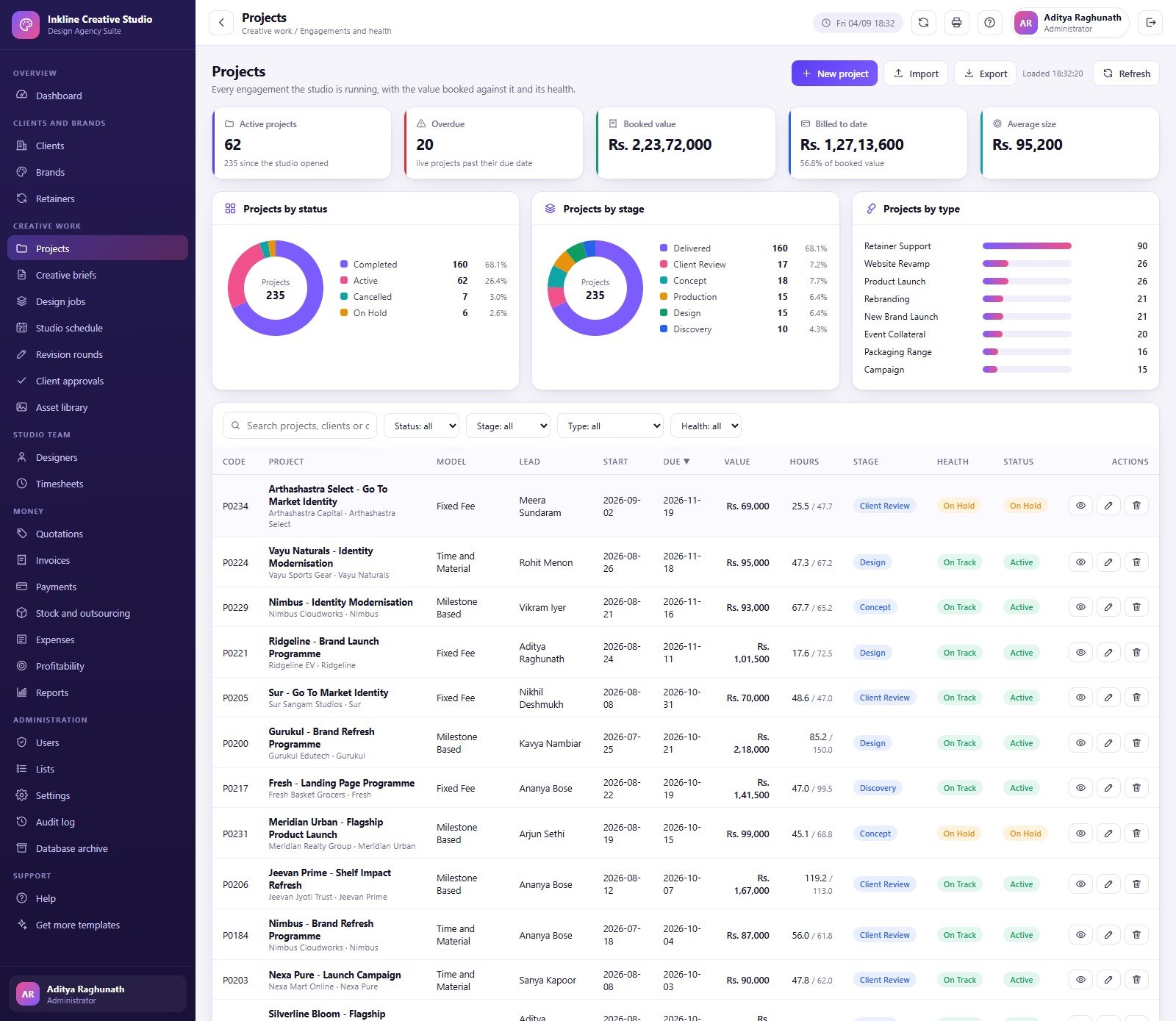
The delivery layer continues through Studio Schedule, Revision Rounds, Client Approvals, and Asset Library. Designers and Timesheets connect workload to capacity and billable value. Quotations can progress through acceptance and invoicing; Invoices, Payments, Stock and Outsourcing, Expenses, and Profitability provide a management view of money without pretending to replace full accounting software. Reports, Users, Lists, Settings, Audit Log, Database Archive, Help, and Get More Templates complete the system.
Graphic Design Agency Management System Web App vs. Spreadsheets vs. Paid Agency SaaS – Where This Fits
| Decision point | This web app | Separate spreadsheets | Paid agency SaaS |
|---|---|---|---|
| Cost | $39.99 sale price, one time | Low licence cost, high coordination effort | Recurring, often per user |
| Platform | Google Apps Script and Sheets database | Google Sheets or Excel | Vendor cloud |
| Setup | Deploy, run setup once, change passwords | Build and connect many files | Configure workspace and migrate data |
| Roles | Six operational roles | Mostly file-level permissions | Plan-dependent roles |
| Creative workflow | Briefs, jobs, revisions, approvals, assets | Manual handoffs | Usually included |
| Accounting | Operational quotes, invoices, payments and margin views | Manual | Often integrations |
| Year-one cost at five users | $39.99 plus your Google account environment | File/tool licences | Hundreds to thousands |
Who This Template Is For – and Who It’s Not For
It fits small and mid-sized graphic design studios, branding agencies, in-house creative teams, packaging designers, social content teams, and agency operations managers who want one structured workspace and can administer a Google Apps Script deployment.
It is not a public client portal, full double-entry accounting package, payroll system, cloud storage replacement, automatic design tool, or legal/compliance system. File records in the Asset Library are metadata and links; the system does not replace approved storage, backup, identity management, tax filing, or contract review.
How to Use the Graphic Design Agency Management System Web App
- Try the live demo first with the role that matches your work.
- Download and unzip the package.
- Create the Apps Script project, add
Code.cs.txtandIndex.txt, and follow the included PDF manual. - Deploy the web app under your own Google account and run setup once.
- Sign in as Administrator, change every seeded password, delete unused accounts, and review permissions.
- Update Settings and Lists before importing real records.
- Add clients and brands, then create projects, briefs, jobs, schedule entries, revisions, approvals, and assets.
- Use Timesheets and finance modules only after owners agree on definitions and controls.
Real-World Use Cases
Brand identity engagement
Maya creates a client, brand, project and approved brief, breaks the work into jobs, assigns designers, and records revision rounds and client sign-off.
Monthly studio review
Arjun compares capacity, utilisation, overdue work, approvals, billable service mix, receivables, and project margin before hiring or outsourcing.
Finance follow-up
Sneha reviews accepted quotations, sent invoices, collections, overdue balances, retainers, expenses, and project profitability while keeping statutory accounting in the approved finance system.
Frequently Asked Questions
Can I try it before buying?
Yes. Use the live demo above; the shared demo may reset.
What do I receive?
A ZIP containing the Apps Script server code, HTML interface code, and a PDF user manual.
Does it require a subscription?
No subscription is charged by NextGenTemplates. Normal Google account and Apps Script quotas still apply.
Can I change the roles?
The supplied deployment includes six role types and an editable permission matrix. Test changes carefully before using real data.
Does it store design files?
The Asset Library records metadata and file URLs; keep source and final files in your approved storage.
Is it accounting software?
No. It supports operational quotes, invoices, payments, costs, expenses and margin reporting, but it is not a general ledger or tax system.
About the Author
Built by PK – Microsoft Certified Professional with 15+ years of Excel, Google Sheets, and Power BI experience. Founder of NextGenTemplates, reaching 300K+ subscribers across YouTube channels. Every template is hand-built and tested before release.
Explore Related Templates
Compare the Architecture Firm Project Management System Web App, App Development Project Management System Web App, and Business Consulting Client Management System Web App. For reporting-only options, see the Graphic Design Dashboard in Excel and Graphic Design Dashboard in Power BI.
Run the studio from one structured screen. Download the Graphic Design Agency Management System Web App, deploy it in your own Google environment, and replace the seeded demonstration data with your workflows.
Last updated: September 2026.
Compatibility and Requirements
- Runs as a Google Apps Script web app under your own Google account, with the database kept in Google Sheets. You need a free Google account and a web browser.
- Setup follows the included PDF manual: add the two code files to an Apps Script project, deploy it and run setup once. Google explains the Sheets side in Get started with Google Sheets.






























Reviews
There are no reviews yet.