

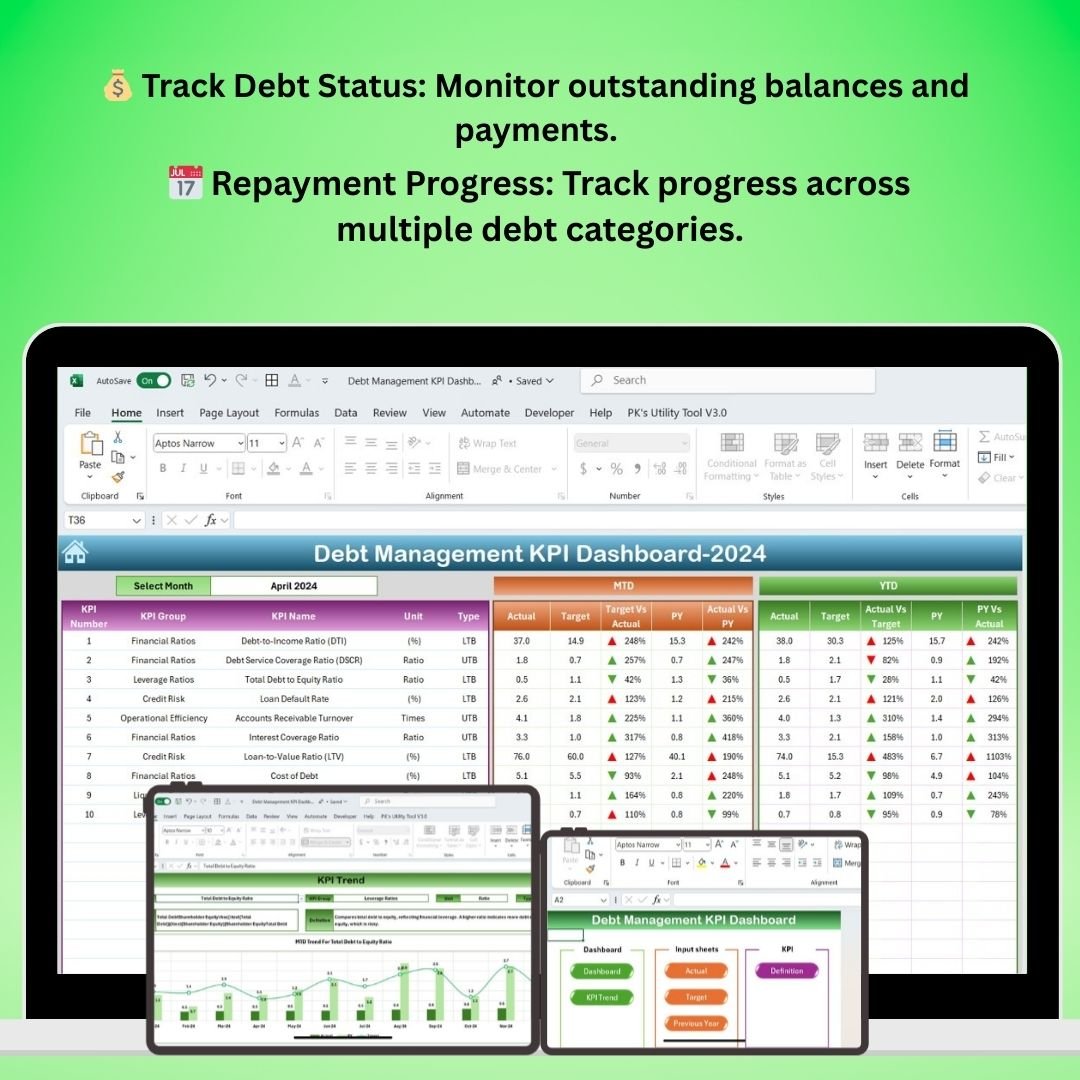
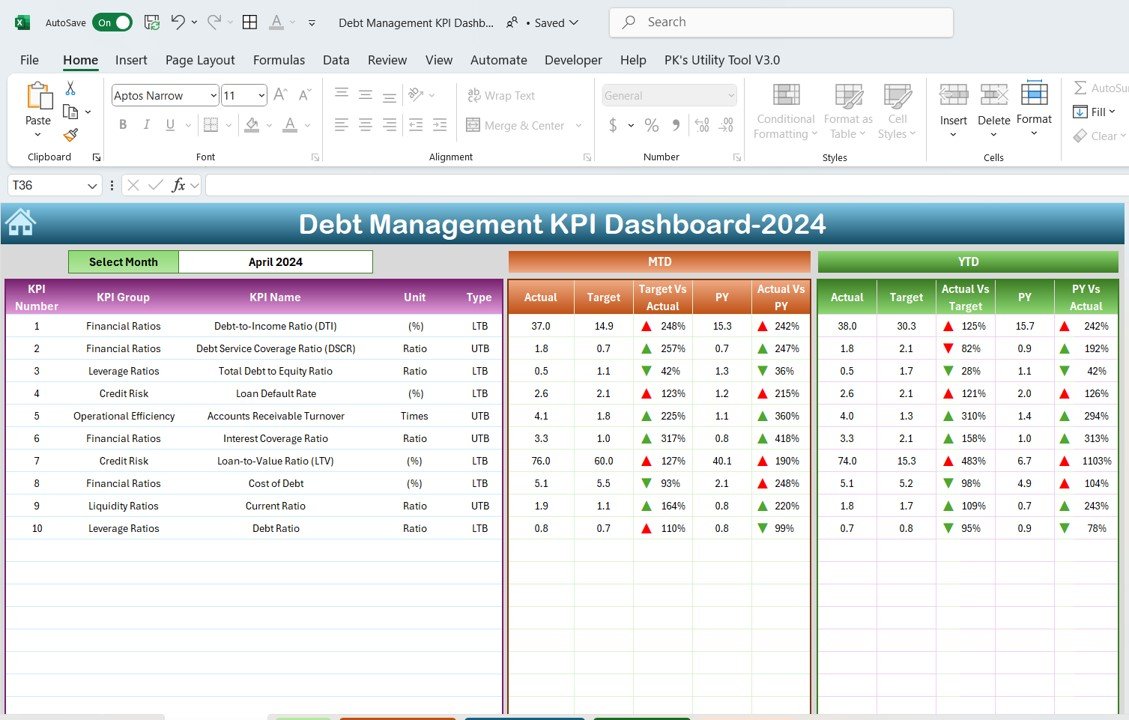

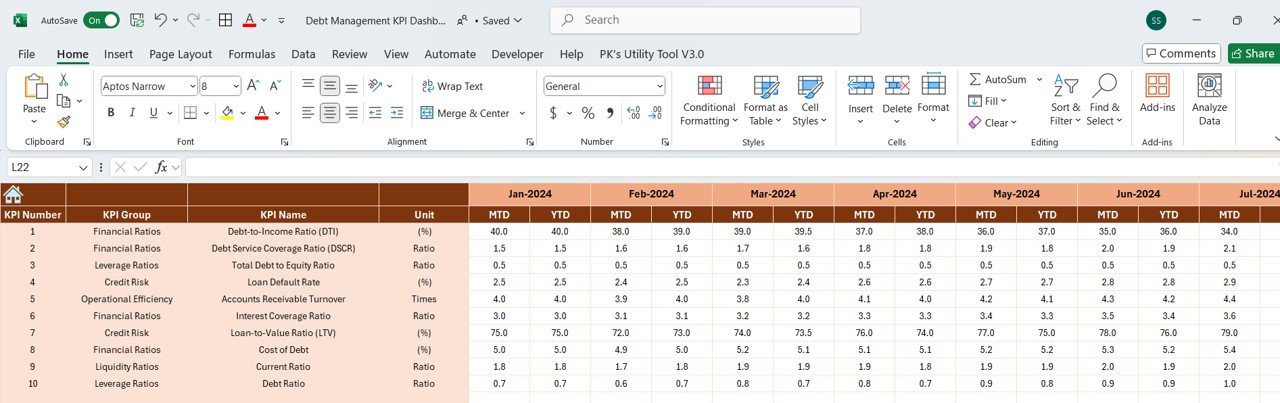
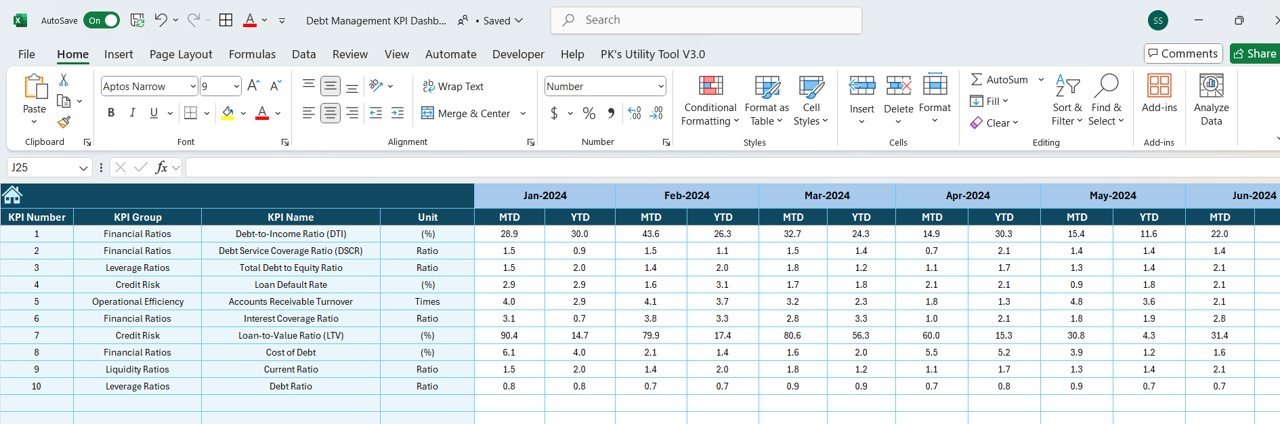
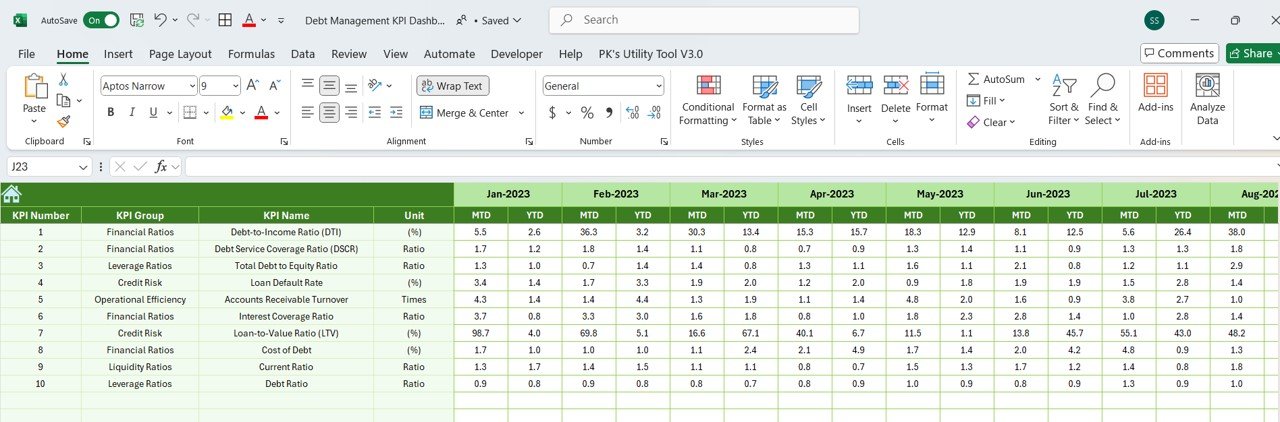
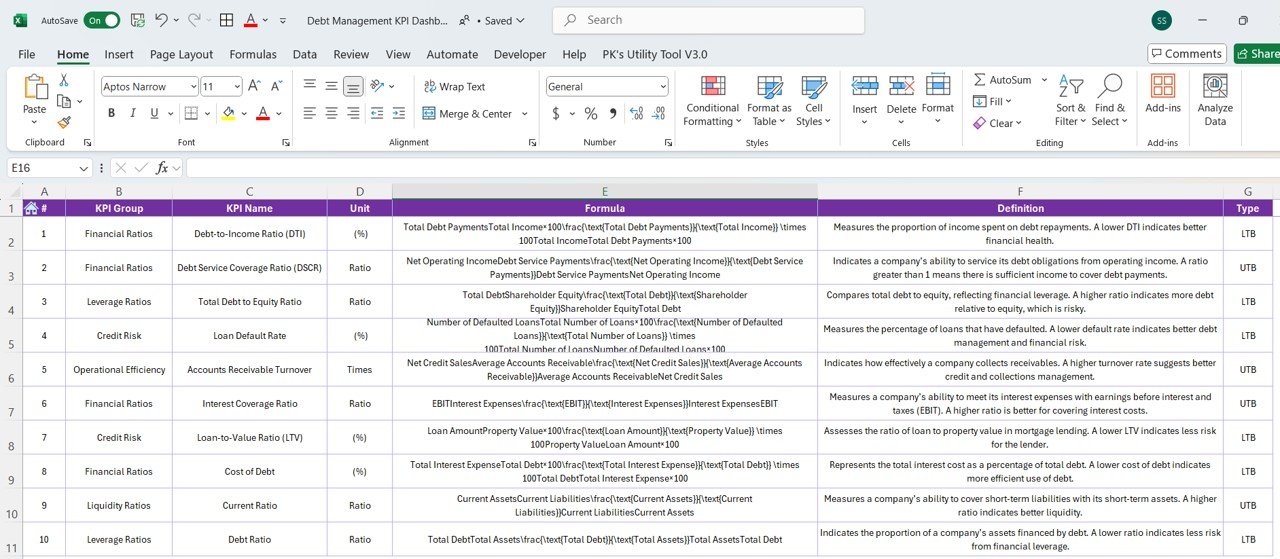

The Debt Management KPI Dashboard in Excel is a comprehensive tool designed for finance managers, accountants, and businesses looking to track, manage, and optimize their debt repayment strategies. This Excel-based dashboard provides real-time insights into your debt portfolio, allowing you to monitor key performance indicators (KPIs) such as outstanding debt, repayment progress, and interest rates.
With this dashboard, you can easily track your debt status, assess payment schedules, and evaluate the effectiveness of your debt repayment strategies. Whether you’re managing business loans, credit lines, or personal debt, this tool provides you with the visibility and data you need to stay on top of your financial obligations and optimize your debt management.
Key Features of the Debt Management KPI Dashboard in Excel
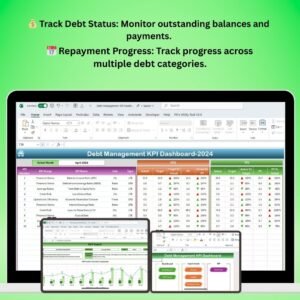
💰 Track Outstanding Debt
Keep track of the total outstanding debt across different categories such as loans, credit cards, and lines of credit. See how much is owed and how much has been paid off.
📅 Monitor Debt Repayment Progress
Track the progress of your debt repayment over time, including monthly payments and remaining balance. Stay on top of due dates and repayment schedules.
📈 Visualize Debt Reduction
Use visual graphs and charts to monitor how your debt is being reduced over time. Track key milestones in your repayment journey and see how much interest is being saved.
📊 Interest & Payment Analysis
Evaluate interest rates, payment terms, and the effectiveness of your repayment strategy. Analyze how different debt types contribute to your financial obligations and identify opportunities to refinance or consolidate.
🔄 Customizable KPIs & Data Fields
Easily modify the dashboard to fit your specific debt management needs. Customize fields such as interest rates, debt categories, and payment schedules to suit your situation.
📉 Real-Time Data & Reporting
Monitor your debt status and progress with real-time updates. Generate reports and share insights with stakeholders, investors, or financial advisors to evaluate your debt management strategy.
Why You’ll Love the Debt Management KPI Dashboard in Excel
✅ Gain Control Over Your Debt
Easily track your outstanding debt and monitor your repayment progress. Gain control over your finances by staying on top of payment schedules and interest rates.
✅ Save Time & Reduce Financial Stress
By organizing all your debt information in one place, you save time and reduce stress related to tracking multiple loans, credit lines, and bills. Stay on track with payments and avoid late fees.
✅ Optimize Debt Repayment Strategies
Use insights from the dashboard to evaluate your repayment strategies. Adjust your approach to reduce interest payments and pay off debt faster.
✅ Visualize Debt Progress
See your debt reduction in real time with easy-to-understand graphs and charts. Track milestones and get an overview of your progress to stay motivated.
✅ Fully Customizable to Fit Your Needs
Whether you’re managing business loans or personal debt, this dashboard can be easily tailored to fit your specific debt management needs.
What’s Inside the Debt Management KPI Dashboard Template in Excel?
- Debt Tracking: Track total outstanding debt, categorized by loan type, credit card, and more.
- Payment Progress: Monitor monthly payments and remaining balances across various debts.
- Interest & Rate Analysis: Analyze interest rates and evaluate the impact on your repayment strategy.
- Customizable Fields: Modify debt categories, payment schedules, and other key data points.
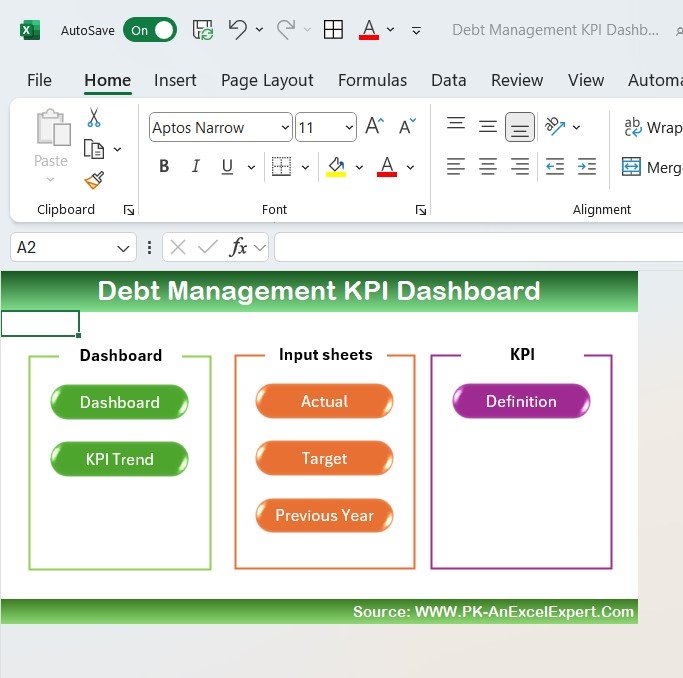
- Reports & Visualizations: Generate reports and track your debt reduction progress with charts and graphs.
- Real-Time Updates: Track payments and debt status with real-time updates for accurate data.
How to Use the Debt Management KPI Dashboard in Excel
1️⃣ Download the Template: Instantly access the Debt Management KPI Dashboard in Excel.
2️⃣ Enter Your Debt Data: Input information such as outstanding balances, interest rates, payment schedules, and debt categories.
3️⃣ Track Payments & Progress: Monitor your debt payments and see how much of your debt has been paid off.
4️⃣ Evaluate Repayment Strategies: Analyze your repayment strategy’s effectiveness and make adjustments to minimize interest payments.
5️⃣ Generate Reports & Visuals: Share real-time reports and visual data with stakeholders or financial advisors.
Who Can Benefit from the Debt Management KPI Dashboard in Excel?
🔹 Finance Managers & Accountants
🔹 Small Business Owners & Entrepreneurs
🔹 Personal Finance Advisors & Consultants
🔹 Individuals Managing Personal Debt
🔹 Debt Collection Agencies
🔹 Loan Servicing Teams
Take control of your debt and streamline your debt management process with the Debt Management KPI Dashboard in Excel. Track debt repayment, analyze interest rates, and optimize your strategy to achieve financial freedom.
Click here to read the Detailed blog post
Visit our YouTube channel to learn step-by-step video tutorials
Youtube.com/@PKAnExcelExpert
Compatibility and Requirements
- Works in Microsoft Excel desktop (Excel 2016 or later, or Microsoft 365).
- The debt reduction views are standard Excel charts. Microsoft explains them in Create a chart from start to finish.
Frequently Asked Questions
Which kinds of debt can I track?
You can track outstanding debt by category, such as loans, credit cards and lines of credit.
Does it show repayment progress?
Yes. It tracks monthly payments and remaining balances over time, with charts that show how the debt is coming down.
Can I analyze interest rates?
Yes. The interest and payment analysis lets you compare interest rates and payment terms across debt types.
Can I change the fields?
Yes. You can customize fields such as interest rates, debt categories and payment schedules.
Related Debt and Loan Templates
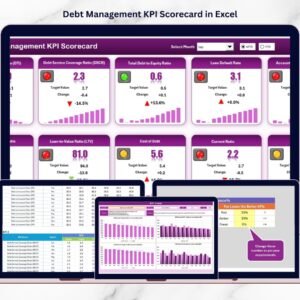
- Debt Management KPI Scorecard in Excel: a scorecard layout for debt KPIs
- Debt Payoff Calculator Template in Excel: work out a payoff plan
- Loan Portfolio KPI Dashboard in Excel: KPIs for a lender’s loan book
- Debt Management KPI Dashboard in Power BI: the same topic built for Power BI
- Debt Management KPI Dashboard in Google Sheets: the same topic for Google Sheets
Browse all Excel KPI dashboards or the Excel financial tools.































Reviews
There are no reviews yet.