
Managing multiple debts can quickly become stressful and confusing. Credit cards, personal loans, student loans, and medical bills often have different interest rates, payment schedules, and balances. As a result, many individuals struggle to decide which debt should be paid first and how to reduce the overall interest cost.
Without a clear repayment strategy, people may end up paying unnecessary interest, delaying their financial goals, and feeling overwhelmed by their financial obligations.
To solve this problem, we created the Debt Payoff Calculator Template in Excel — a powerful and easy-to-use financial planning tool designed to help individuals organize their debts, calculate repayment schedules, and compare different payoff strategies.
This Excel template automatically calculates debt repayment timelines using two widely recommended strategies:
• Debt Snowball Method – Pay off the smallest balance first
• Debt Avalanche Method – Pay off the highest interest rate first
Additionally, the template provides amortization schedules, payoff comparisons, and visual charts that clearly show how your debts reduce over time.
Because Excel automatically updates calculations when new values are entered, users can easily experiment with different payment strategies and determine the fastest and most cost-effective way to become debt-free.
Key Features of the Debt Payoff Calculator Template
📊 Organized Debt Input Calculator
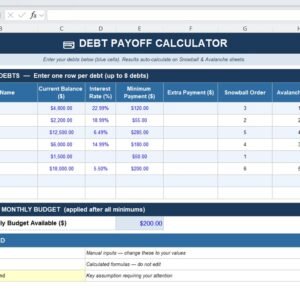
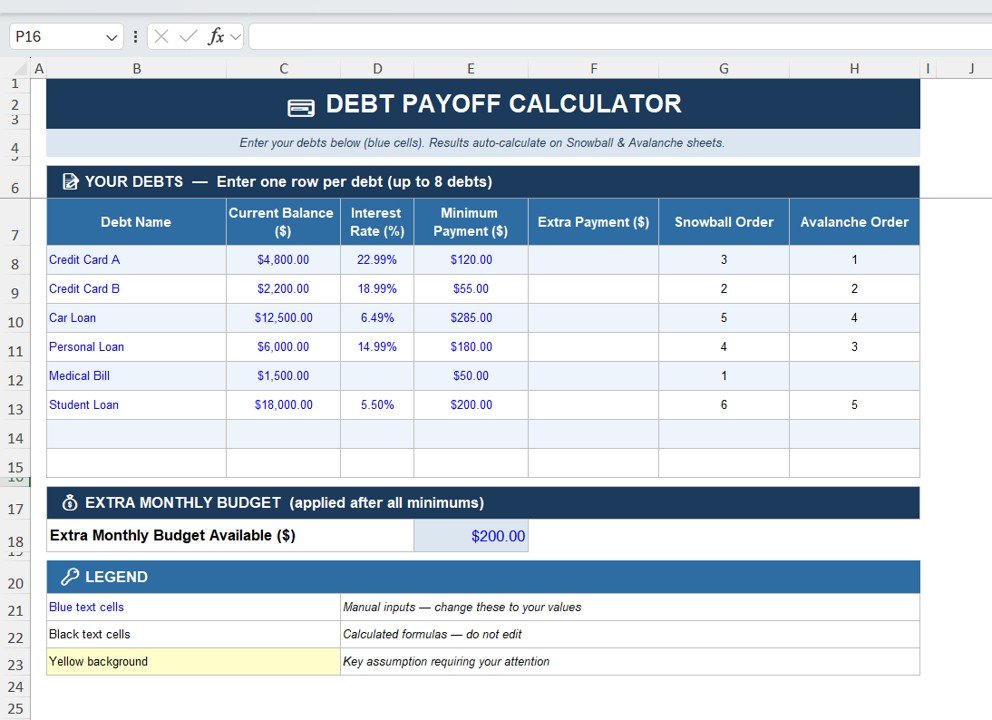
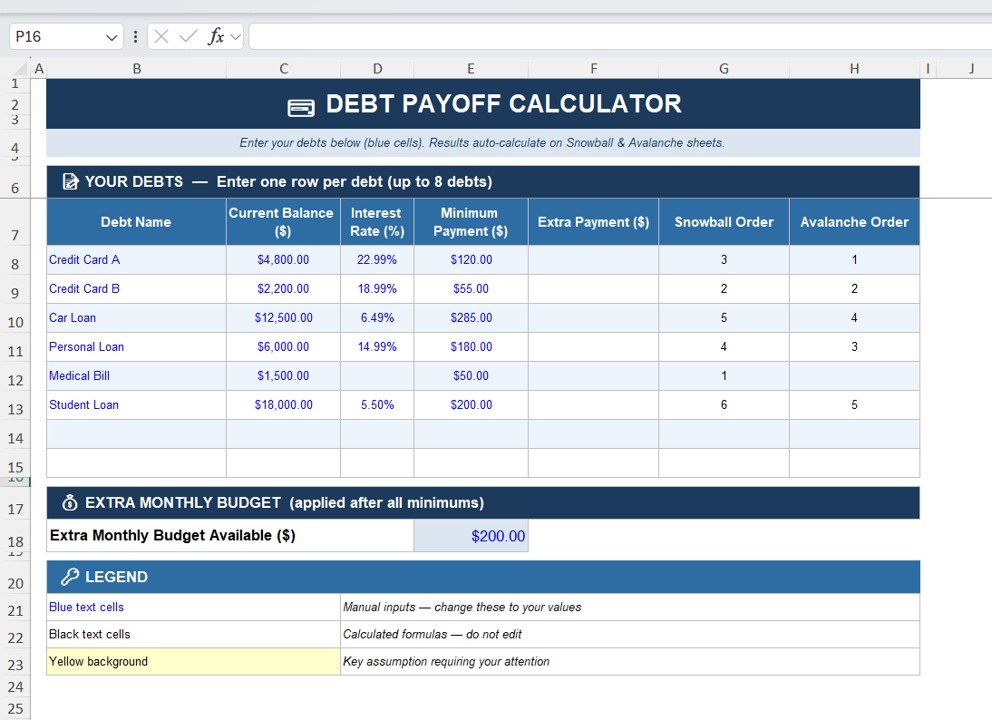
The template provides a structured input section where users can list up to 8 different debts in one place.
Users can enter:
• Debt Name
• Current Balance
• Interest Rate (%)
• Minimum Monthly Payment
• Extra Monthly Payment
This structure provides a clear overview of all debts in one dashboard.
💰 Extra Payment Allocation
Users can enter extra monthly payment amounts to accelerate debt payoff.
The calculator automatically allocates the extra payment to the highest priority debt based on the selected strategy.
When one debt is fully paid off, the extra payment automatically shifts to the next debt.
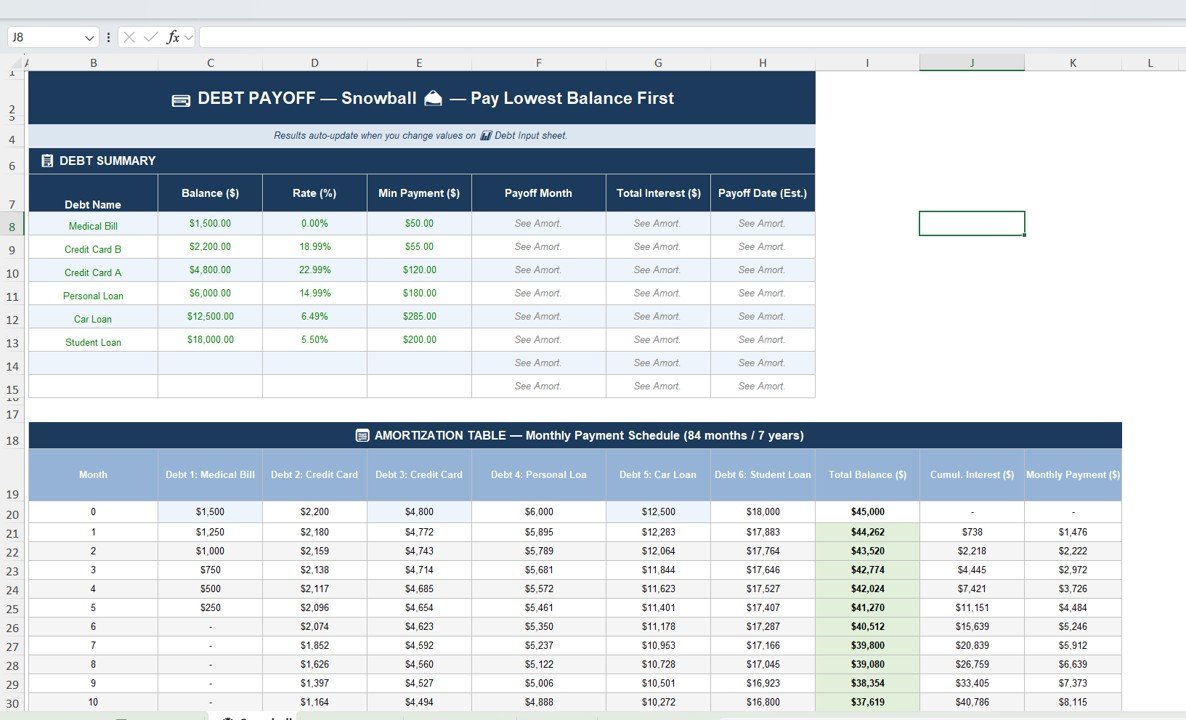
❄️ Debt Snowball Strategy
The Snowball method prioritizes debts with the smallest balances first.
This strategy builds motivation because users see quick wins as small debts disappear quickly.
The Snowball sheet includes:
• Debt summary table
• Payoff timeline
• Total interest calculation
• Estimated payoff date
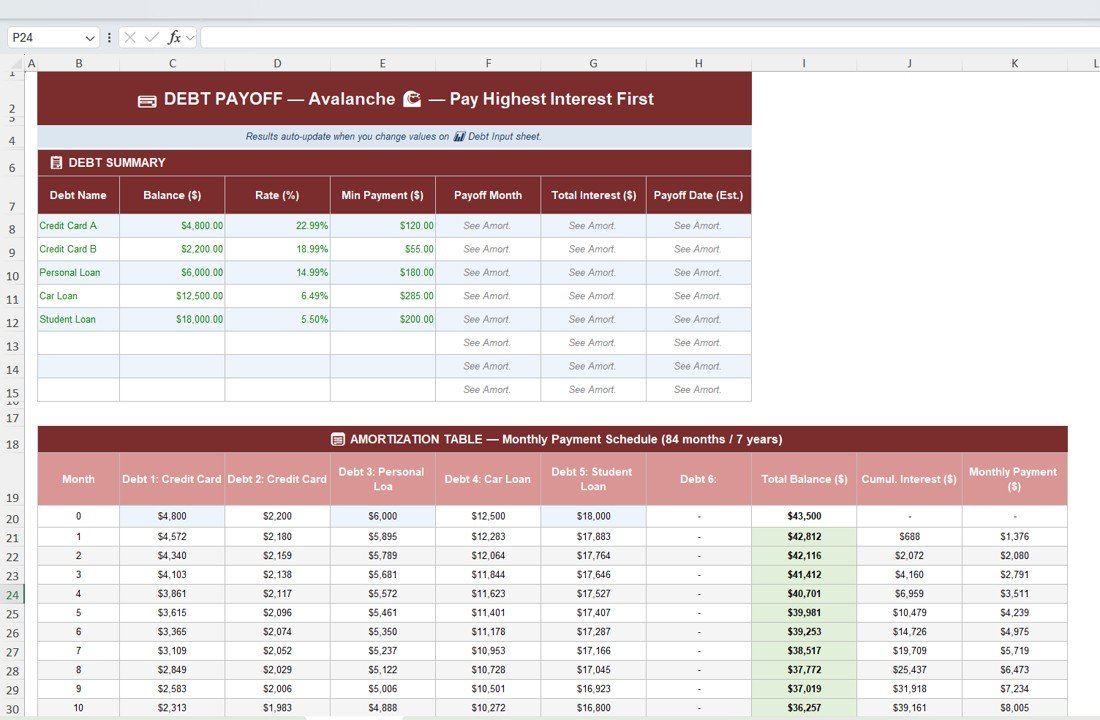
⚡ Debt Avalanche Strategy
The Avalanche method prioritizes debts with the highest interest rates first.
This strategy minimizes total interest costs and is considered the most financially efficient method.
The Avalanche sheet calculates:
• Payoff order based on interest rate
• Monthly repayment schedule
• Total interest paid
• Estimated payoff date
📅 Automatic Amortization Schedule
The template includes month-by-month amortization tables that show:
• Remaining balance
• Interest accumulation
• Total payment progress
This helps users track their debt payoff journey in detail.
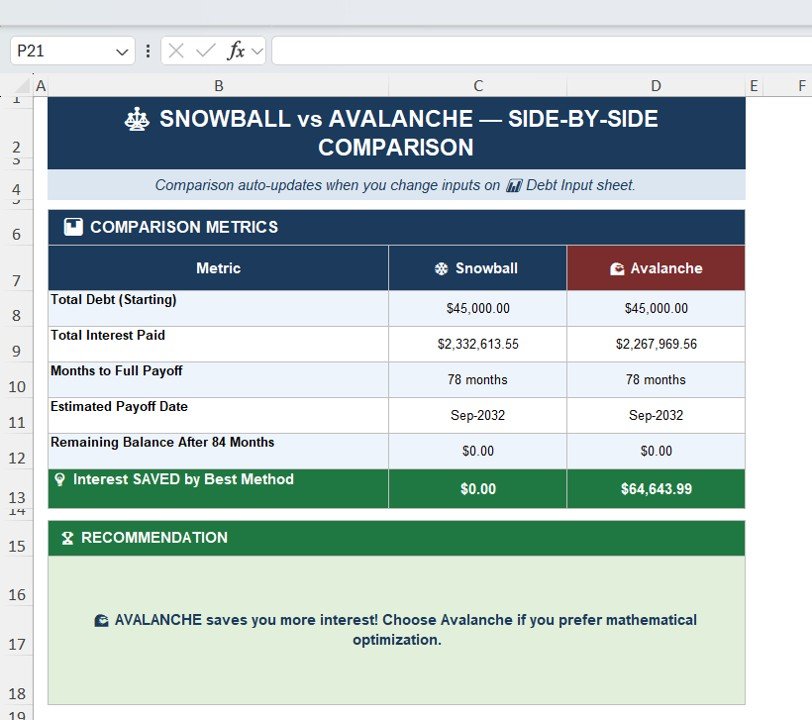
📈 Snowball vs Avalanche Comparison Dashboard
One of the most powerful features of this template is the strategy comparison dashboard.
This sheet compares:
• Total starting debt
• Total interest paid
• Months required to become debt-free
• Estimated payoff date
• Interest savings between strategies
The template even recommends the best strategy automatically.
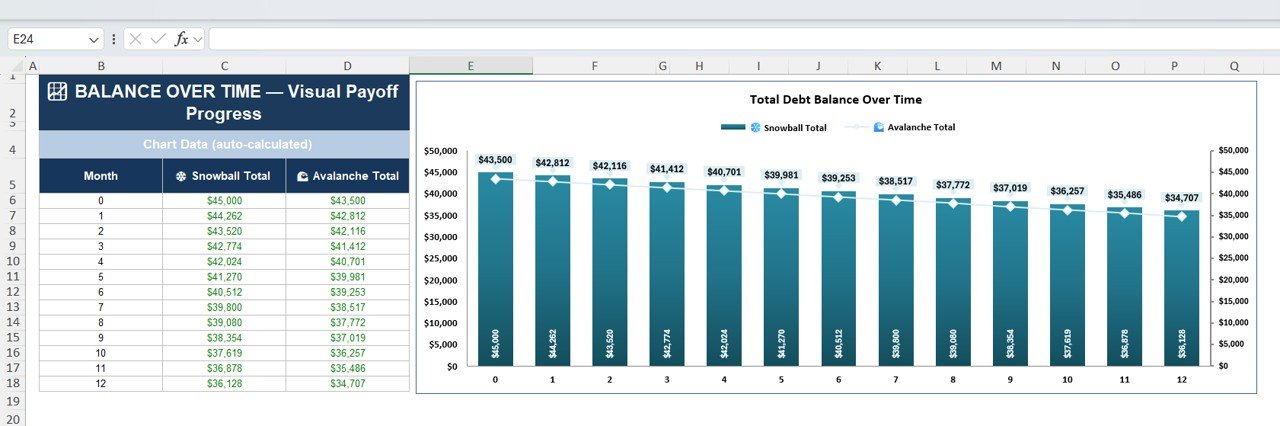
📉 Debt Payoff Progress Chart
The final sheet provides a visual chart showing balance reduction over time.
It compares the total remaining balance for both:
• Snowball Strategy
• Avalanche Strategy
These charts help users stay motivated as they watch their debt decrease month by month.
What’s Inside the Debt Payoff Calculator Template
When you download this template, you will receive an Excel file that contains five powerful worksheets:
✔ Debt Input Calculator – Enter all debt details and extra payments.
✔ Snowball Strategy Sheet – Calculate payoff using the smallest balance method.
✔ Avalanche Strategy Sheet – Calculate payoff using the highest interest rate method.
✔ Strategy Comparison Dashboard – Compare both strategies side by side.
✔ Debt Payoff Progress Chart – Visual representation of debt reduction.
Each sheet is fully automated using Excel formulas, making the template easy to use.
How to Use the Debt Payoff Calculator
Using the template is simple and requires no advanced Excel knowledge.
Step 1: Enter all debt information in the Debt Input sheet.
Step 2: Add extra monthly payments if available.
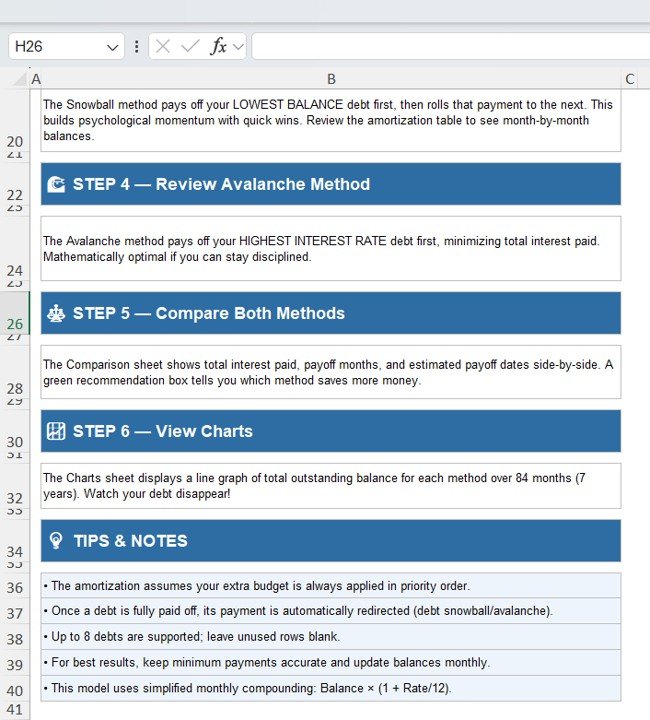
Step 3: Review payoff schedules for Snowball and Avalanche methods.
Step 4: Compare both strategies in the comparison dashboard.
Step 5: Track progress using the visual debt payoff chart.
Because calculations update automatically, users always see real-time payoff projections.
Who Can Benefit from This Template
This template is ideal for:
✔ Individuals managing multiple debts
✔ Families planning financial recovery
✔ Personal finance coaches
✔ Financial planners
✔ Budgeting enthusiasts
✔ Anyone working toward financial freedom
Whether you are managing credit cards, loans, or student debt, this template provides a clear roadmap toward eliminating debt.
Take Control of Your Financial Future
Debt can feel overwhelming, but having the right tools makes the journey much easier.
The Debt Payoff Calculator Template in Excel helps you organize debts, compare repayment strategies, calculate interest savings, and stay motivated through visual progress tracking.
Instead of guessing which debt to pay first, you can make smart, data-driven financial decisions and accelerate your path to becoming debt-free.
Click here to Read detailed blog post
3>Watch the step-by-step video tutorial:
Visit our YouTube channel to learn step-by-step video tutorials
Youtube.com/@NeotechNavigators
Compatibility and Requirements
- Works in Microsoft Excel desktop (Excel 2016 or later, or Microsoft 365).
- The progress chart is a standard Excel chart. Microsoft explains charts in Create a chart from start to finish.
Frequently Asked Questions
How many debts can I enter?
Up to 8 debts, each with a name, current balance, interest rate, minimum monthly payment and extra monthly payment.
What is the difference between Snowball and Avalanche?
Snowball pays off the smallest balance first. Avalanche pays off the highest interest rate first, which keeps total interest lower.
What happens to my extra payment when a debt is paid off?
The calculator moves the extra payment to the next debt in the chosen order.
Which method should I pick?
The comparison dashboard shows total interest, months to become debt-free and the payoff date for both methods, and it recommends one.
Do I need to know Excel formulas?
No. Every sheet is built with formulas, so you only enter your debt details.
Related Debt and Personal Finance Templates
- Debt Payoff Calculator Template in Google Sheets: the same calculator for Google Sheets users
- Debt Payoff (Snowball) Tracker in Google Sheets: track snowball payments month by month
- Personal Finance Tracker in Excel: record income and spending
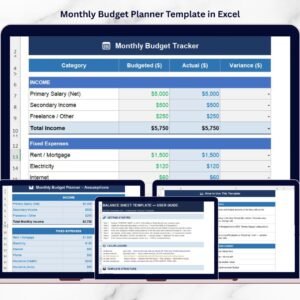
- Monthly Budget Planner Template in Excel: plan a monthly budget
- Finance and Accounting Command Center: a bundle of finance templates for Excel, Power BI and Google Sheets
Browse all Excel financial tools.