

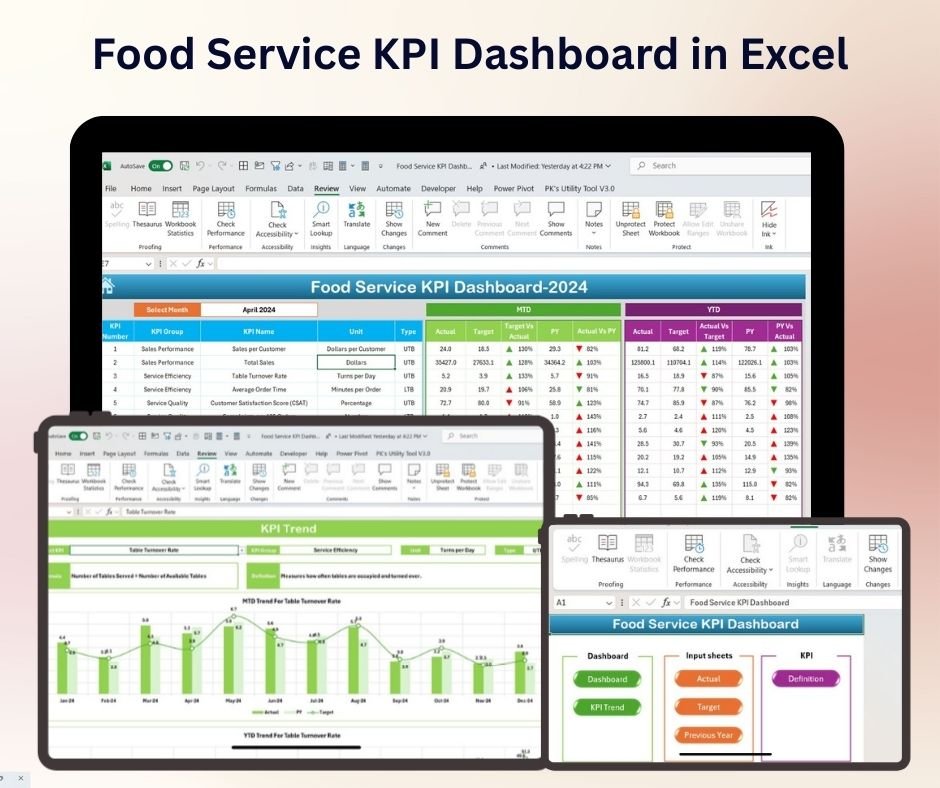


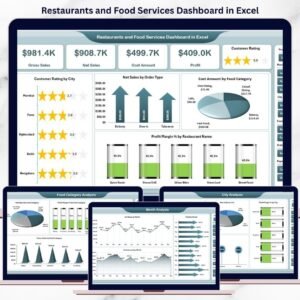
The Food Service KPI Dashboard in Excel is an essential tool designed to help food service businesses such as restaurants, cafes, catering companies, and food delivery services track, manage, and optimize their key performance indicators (KPIs). Whether you are monitoring food sales, employee performance, customer satisfaction, or inventory management, this dashboard provides a comprehensive overview of your business’s performance.
With real-time data tracking, visual charts, and customizable fields, this dashboard enables restaurant managers, owners, and food service operators to make data-driven decisions, streamline operations, and improve profitability. This easy-to-use Excel dashboard provides valuable insights to help ensure your food service business runs smoothly and efficiently.

Key Features of the Food Service KPI Dashboard in Excel:
📊 Comprehensive KPI Tracking
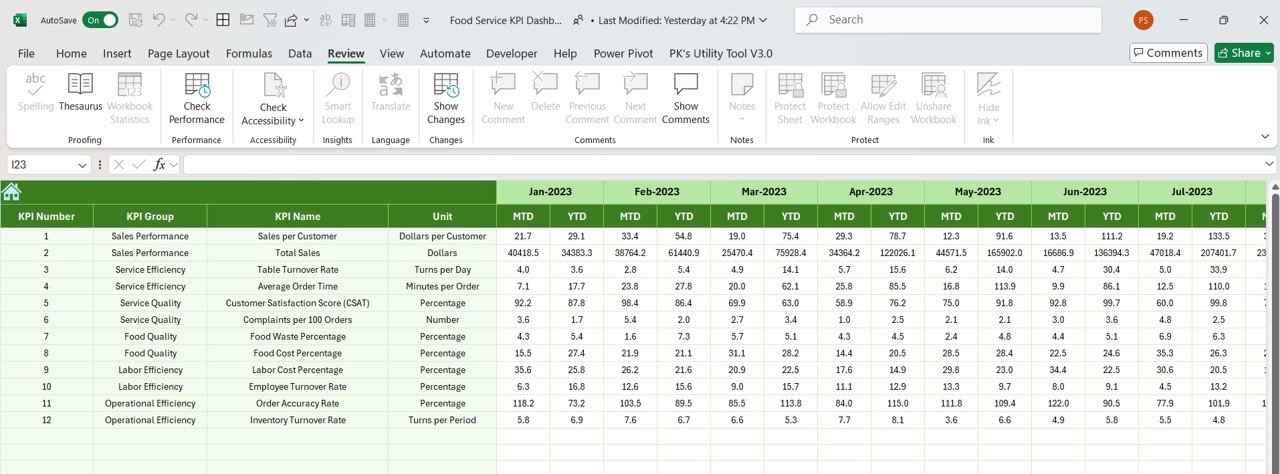
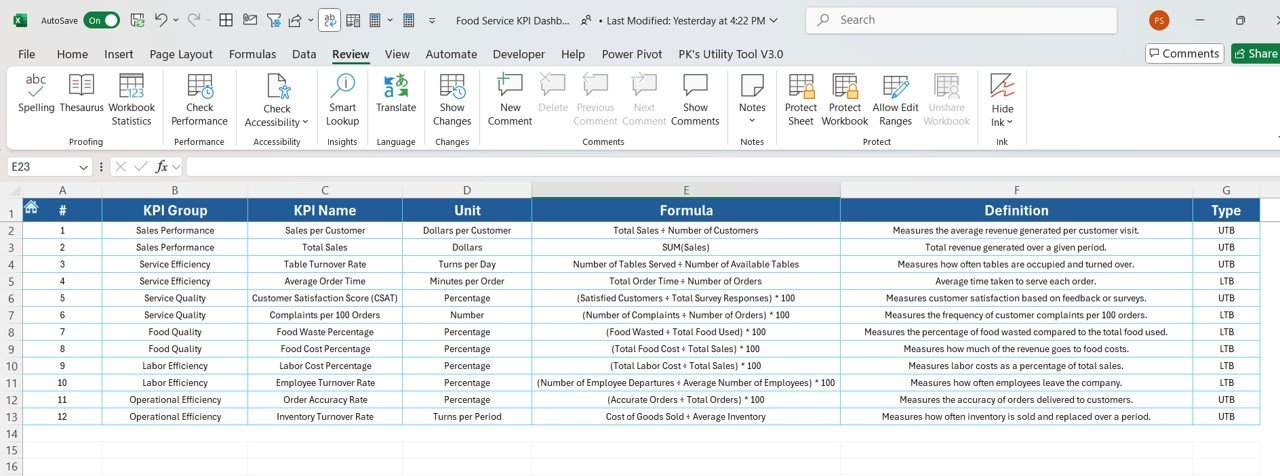
Track vital KPIs such as daily food sales, average order size, food waste, customer satisfaction, employee performance, and profit margins—all in one dashboard.
📈 Real-Time Performance Monitoring
Monitor sales, inventory, and employee performance in real-time, ensuring that you stay on top of your business’s key metrics and operations.
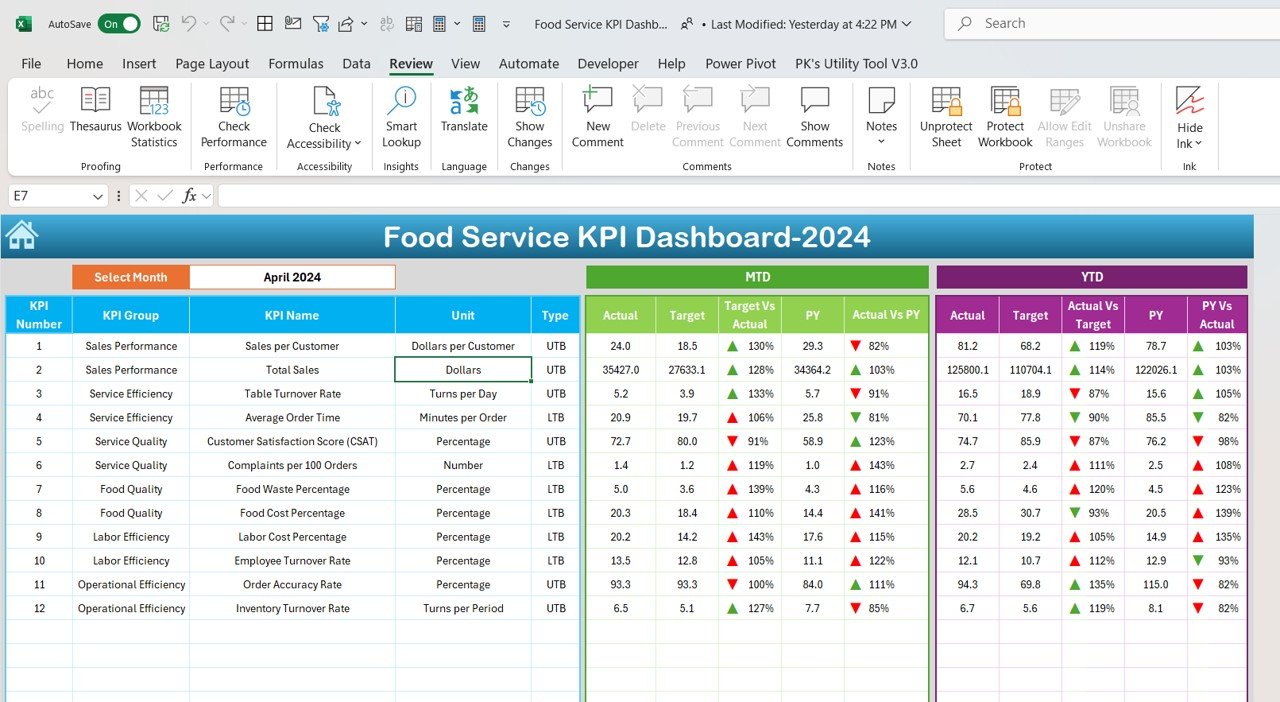
📅 Month-to-Date (MTD) and Year-to-Date (YTD) Performance
Track performance over time, comparing current data to previous months or years, to identify trends, seasonal patterns, and areas for improvement.
🎯 Goal Setting and Performance Comparison
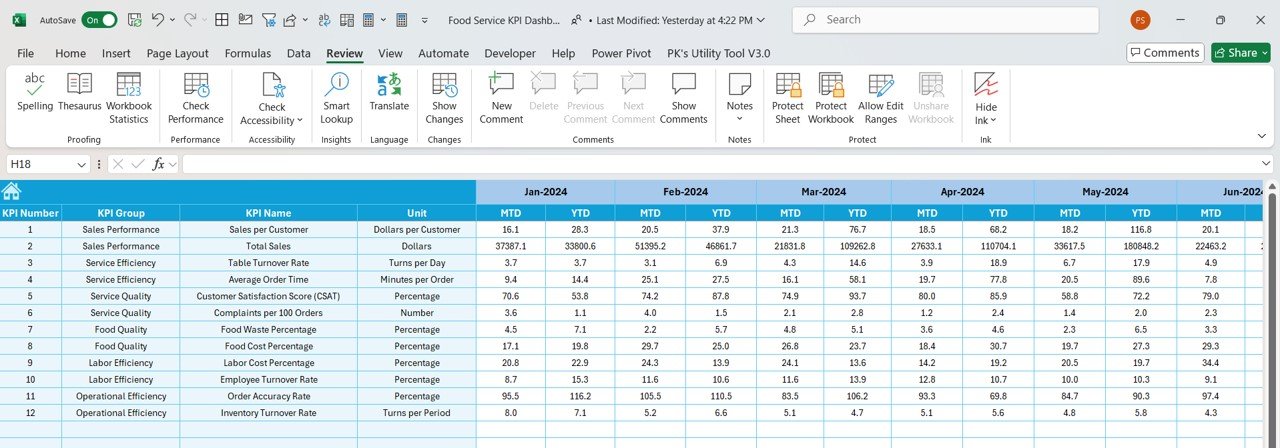
Set specific targets for each KPI and compare actual performance to these goals, ensuring that your business remains on track to meet its financial and operational objectives.
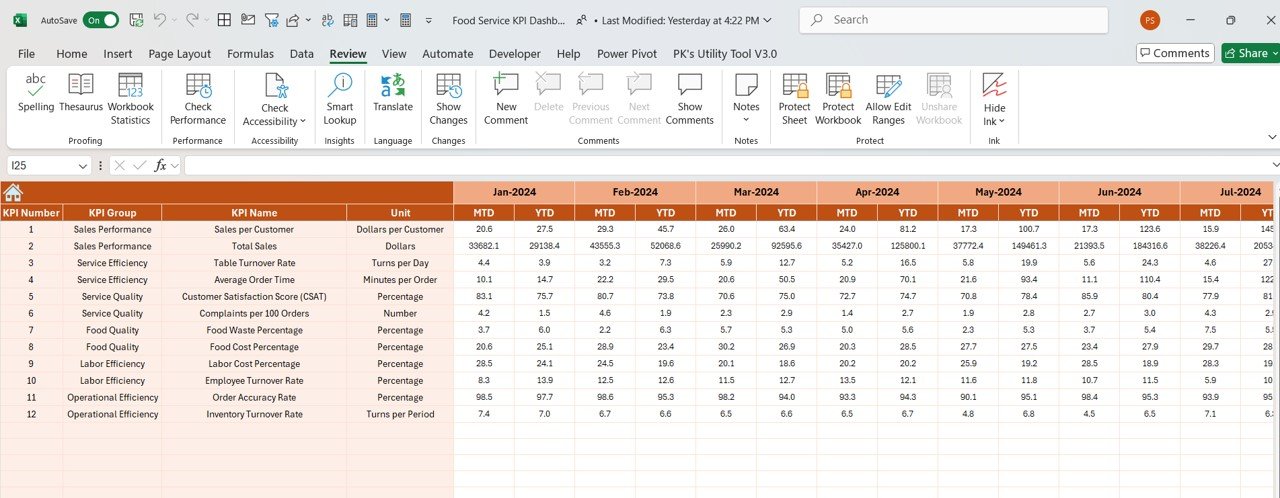
🛠 Customizable Inputs
Easily input data such as food sales, waste, and customer feedback, and customize the dashboard to meet the specific needs of your food service business.
🔔 Conditional Formatting Alerts
Get real-time alerts with color-coded indicators to quickly identify areas needing attention, such as underperforming employees, low inventory, or high food waste.
🍽️ Food Waste and Inventory Management
Track food waste, inventory levels, and product usage to ensure that your business minimizes waste and maintains efficient inventory levels.
🚀 Why You’ll Love the Food Service KPI Dashboard in Excel:
✅ Improve Sales Performance – Track daily sales, monitor sales trends, and identify top-performing dishes to optimize your menu and promotions.
✅ Reduce Food Waste – Monitor food waste and take action to minimize losses by improving portion control and inventory management.
✅ Enhance Customer Satisfaction – Measure customer satisfaction using feedback and review data, and adjust service or menu items accordingly.
✅ Increase Operational Efficiency – Monitor employee performance, including productivity and service speed, to ensure smooth operations and customer satisfaction.
✅ User-Friendly Interface – Designed for easy use by non-technical users, making it simple to input data, track performance, and make informed decisions.
✅ Fully Customizable – Tailor the dashboard to fit your specific food service business, whether it’s a fine-dining restaurant, fast food outlet, or catering service.
What’s Inside the Food Service KPI Dashboard in Excel:
- Daily Sales KPI: Track total sales, sales per item, and revenue trends.
- Food Waste KPI: Monitor the percentage of food waste, helping to identify areas where waste can be minimized.
- Customer Satisfaction KPI: Track customer feedback and satisfaction ratings from surveys, reviews, and social media.
- Employee Performance KPI: Monitor employee productivity, customer service ratings, and work efficiency.
- Average Order Size KPI: Measure the average size of orders placed, helping to identify opportunities to upsell or adjust pricing strategies.
- Profit Margin KPI: Track profit margins per dish, category, or time period to ensure financial sustainability.
How to Use the Food Service KPI Dashboard in Excel:
1️⃣ Download the Template – Gain instant access to your Excel file upon purchase.
2️⃣ Input Your Data – Enter food sales, waste data, customer feedback, and employee performance metrics into the pre-designed fields.
3️⃣ Set Targets – Define KPI targets for sales, waste reduction, employee performance, and customer satisfaction.
4️⃣ Track Performance – Monitor your food service business’s progress in real-time, adjusting strategies to improve performance and meet targets.
5️⃣ Generate Reports – Use the dashboard to create detailed reports for internal reviews or management presentations.
Who Can Benefit from the Food Service KPI Dashboard in Excel:
- Restaurant Owners and Managers
- Catering Companies
- Food Service Providers
- Chefs and Kitchen Managers
- Hospitality Managers
- Fast Food Chains
- Delivery Service Managers
The Food Service KPI Dashboard in Excel is the perfect solution for any food service business looking to track performance, reduce waste, optimize operations, and improve profitability.
Click here to read the Detailed blog post
https://www.pk-anexcelexpert.com/food-service-kpi-dashboard-in-excel/
Visit our YouTube channel to learn step-by-step video tutorials
Youtube.com/@PKAnExcelExpert
Compatibility and Requirements
- Works in Microsoft Excel desktop (Excel 2016 or later, or Microsoft 365).
- Color coded alerts use Excel’s conditional formatting, and the charts are standard Excel charts. Microsoft’s guide Create a chart from start to finish covers the chart basics.
Frequently Asked Questions
Which KPIs does the Food Service KPI Dashboard track?
Daily sales, food waste, customer satisfaction, employee performance, average order size and profit margin.
Does it show MTD and YTD results?
Yes. It tracks month-to-date and year-to-date performance so you can compare with earlier months and years.
Can I set targets for each KPI?
Yes. You set a target for each KPI and the dashboard compares actual results with it.
How does it flag problems?
Color coded indicators highlight KPIs that need attention, such as high food waste or low inventory.
Related Food Service Templates
- Food Service KPI Dashboard in Power BI: the Power BI edition
- Food Service KPI Dashboard in Google Sheets: the Google Sheets edition
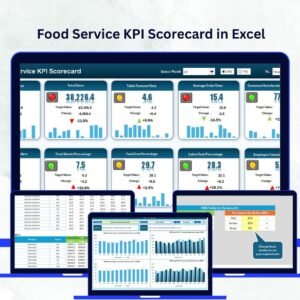
- Food Service KPI Scorecard in Excel: a scorecard view of the same KPIs
- Food and Beverage KPI Dashboard in Excel: KPIs for food and beverage businesses
- Catering Business KPI Dashboard in Excel: KPIs for caterers
Browse all Excel KPI dashboards or the Excel templates.






























Reviews
There are no reviews yet.