





Running a food service business requires more than just great recipes — it’s about ensuring consistency, speed, quality, and profitability. 🍽️ The Food Service KPI Scorecard in Excel is your all-in-one performance tracking solution that empowers restaurant owners, catering managers, and food service operators to measure every key metric that drives success.
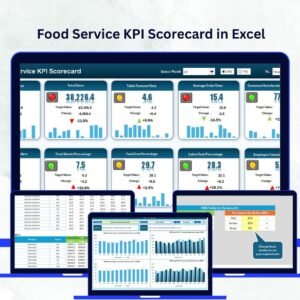
This ready-to-use Excel template transforms complex data into simple visuals, making it easier than ever to monitor cost control, service speed, hygiene standards, and customer satisfaction — all from one interactive dashboard. 📊 Whether you manage a single café or a large restaurant chain, this scorecard helps you make smarter, data-driven decisions every day.
⚙️ Key Features of Food Service KPI Scorecard in Excel
✨ Automated Calculations: All MTD and YTD values update automatically as soon as you enter data.
📈 Dynamic Dashboards: Instantly visualize sales, costs, and satisfaction levels using interactive charts.
🎯 Actual vs Target Comparison: Identify performance gaps and areas for improvement effortlessly.
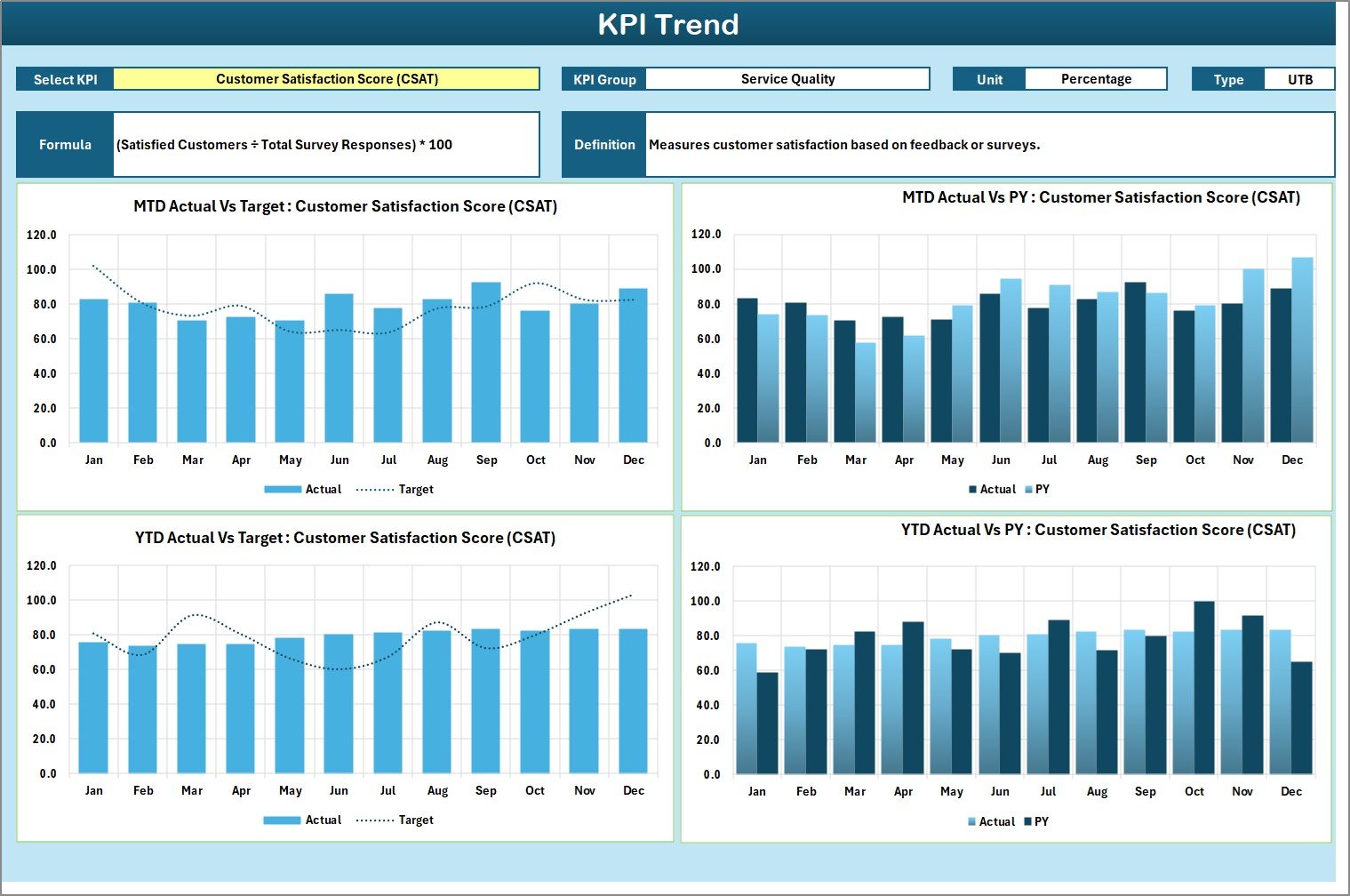
📊 KPI Trend Analysis: Track performance trends across months and years for better forecasting.
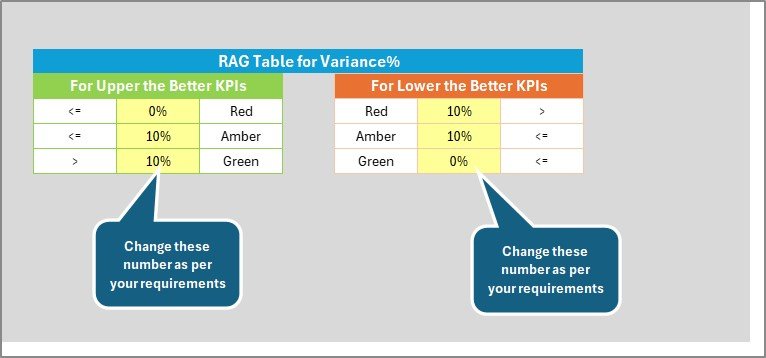
🎨 Color-Coded Indicators: Green means great — red means review. Spot problem areas in seconds.
🧩 Editable & Customizable: Add, delete, or modify KPIs to fit your business needs.
📅 Historical Comparison: Compare current results with last year to track true growth.
💻 Fully Excel-Based: No software installation required — just open and analyze.
📦 What’s Inside the Food Service KPI Scorecard

This Excel file includes four interlinked sheets designed for simplicity and accuracy:
1️⃣ Scorecard Sheet: The main dashboard showing MTD and YTD metrics for sales, costs, and satisfaction. Conditional formatting and dropdown menus make navigation smooth and interactive.
2️⃣ KPI Trend Sheet: View long-term performance of each KPI through charts and metrics like Actual vs Target and Previous Year comparisons.
3️⃣ Input Data Sheet: Record monthly data in an organized format. As you input values, charts and dashboards update automatically.
4️⃣ KPI Definition Sheet: Clearly defines every KPI — name, formula, unit, and type — ensuring everyone measures success the same way.
This structure makes it easy for food service businesses to stay organized, accurate, and efficient.
🧭 How to Use the Food Service KPI Scorecard
🪄 Step 1: Enter your actual, target, and previous-year data in the Input Sheet.
📊 Step 2: Go to the Scorecard Sheet to view real-time visual results and comparisons.
📈 Step 3: Use the KPI Trend Sheet to analyze monthly and yearly performance patterns.
🧾 Step 4: Refer to the KPI Definition Sheet for clarity on metrics and formulas.
💡 Step 5: Review data monthly, identify underperforming areas, and make timely improvements.
That’s it — no macros or advanced formulas required. This scorecard works perfectly right out of the box. 🚀
👥 Who Can Benefit from This Food Service KPI Scorecard
👨🍳 Restaurant Owners & Café Managers: Track revenue, cost ratios, and customer satisfaction all in one view.
🥗 Catering Companies: Monitor event profitability, service timing, and delivery accuracy.
🏨 Hotels & Resorts: Manage dining quality, room service efficiency, and customer feedback.
🍔 Fast Food Chains: Measure order accuracy, speed, and wastage levels efficiently.
🏫 Institutional Food Services: Ensure compliance, quality, and nutritional balance.
📊 Consultants & Auditors: Analyze restaurant performance and provide data-backed insights.
Whether you run a single outlet or multiple branches, this Excel-based solution ensures data transparency, real-time analysis, and better decision-making every day.
🔗 Click here to read the Detailed Blog Post
🎥 Visit our YouTube channel to learn step-by-step video tutorials
Watch the step-by-step video tutorial:
Compatibility and Requirements
- Works in Microsoft Excel desktop (Excel 2016 or later, or Microsoft 365).
- The Scorecard sheet uses dropdown menus and conditional formatting. Microsoft explains color coding in Use conditional formatting to highlight information in Excel.
Frequently Asked Questions
Which sheets are included?
Four sheets: Scorecard, KPI Trend, Input Data and KPI Definition.
Where do I enter my data?
Enter your actual, target and previous-year figures in the Input Data sheet. The Scorecard and KPI Trend sheets update from those entries.
Can I add or change KPIs?
Yes. The KPIs are editable, so you can add, delete or modify them to fit your business.
How do I tell which KPIs need attention?
The Scorecard uses color-coded indicators: green means the KPI is on track and red means it needs review. It shows MTD and YTD values against targets.
Is there a Google Sheets version?
Yes. See the Food Service KPI Scorecard in Google Sheets. A dashboard edition is also available in Excel and Power BI.
Related Food Service and KPI Scorecard Templates
- Food Service KPI Scorecard in Google Sheets: the same scorecard for Google Sheets
- Food Service KPI Dashboard in Excel: a dashboard view of food service KPIs
- Restaurants & Food Services KPI Dashboard in Excel: a restaurant-focused dashboard
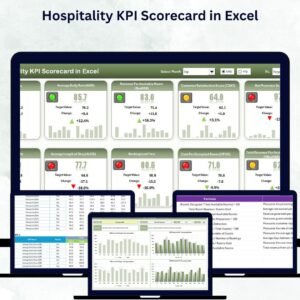
- Hospitality KPI Scorecard in Excel: a scorecard for hotels and hospitality
- KPI Scorecard Mega Pack: 12 KPI scorecard templates in one download
Browse all Excel KPI dashboards.




























Reviews
There are no reviews yet.