

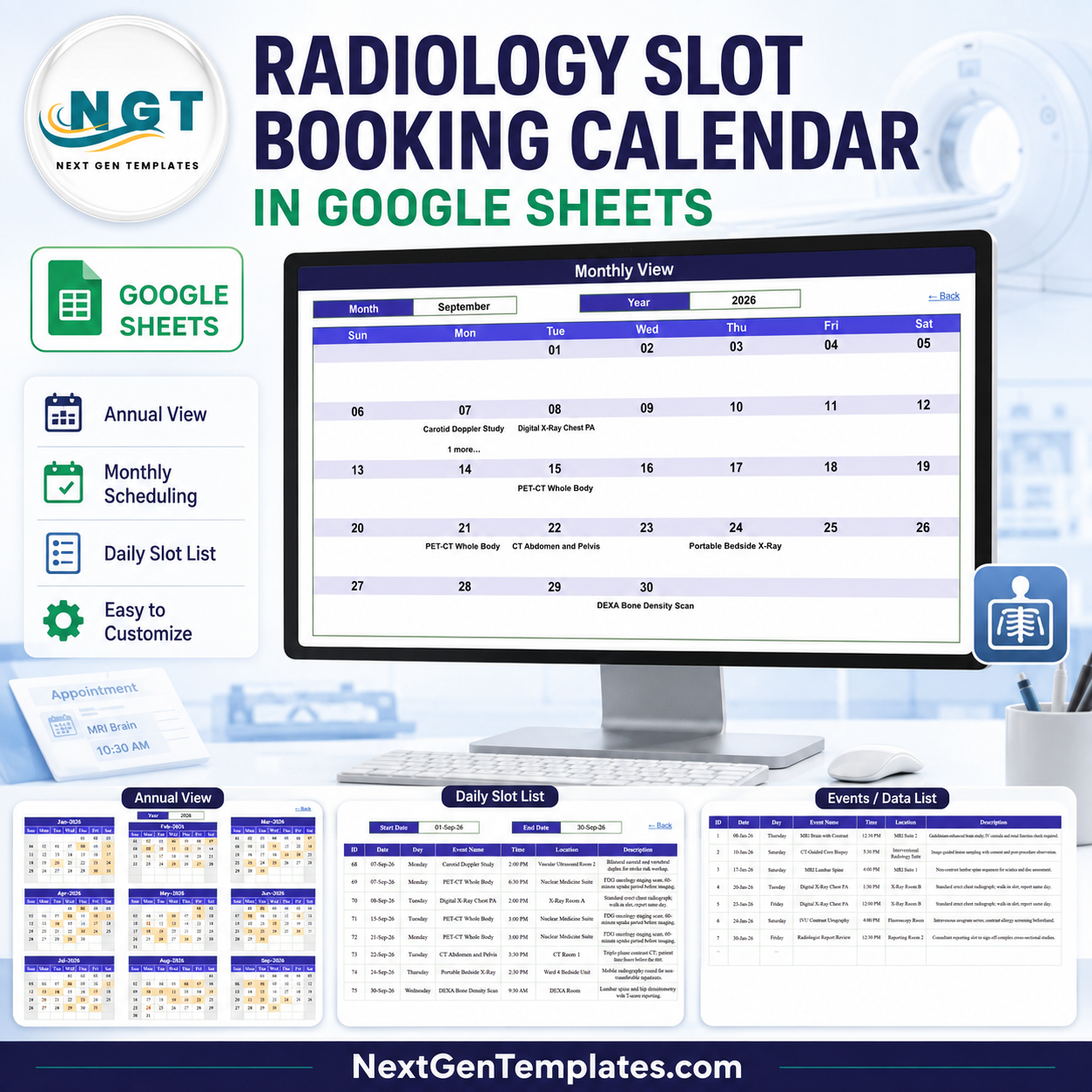
The Radiology Slot Booking Calendar in Google Sheets is a ready-to-copy scheduling workbook with six tabs, three linked calendar views and 100 sample imaging slots loaded across 2026, covering 21 procedure types in 21 named rooms and suites. Buy it once at $4.99, open the PDF in your download, click the copy link, and the calendar lands in your own Google Drive in about two minutes. No subscription and no per-radiographer licence. Built and tested by NextGenTemplates, reaching 300K+ subscribers across our YouTube channels. If the file does not open or copy correctly, contact us for a replacement or a refund.
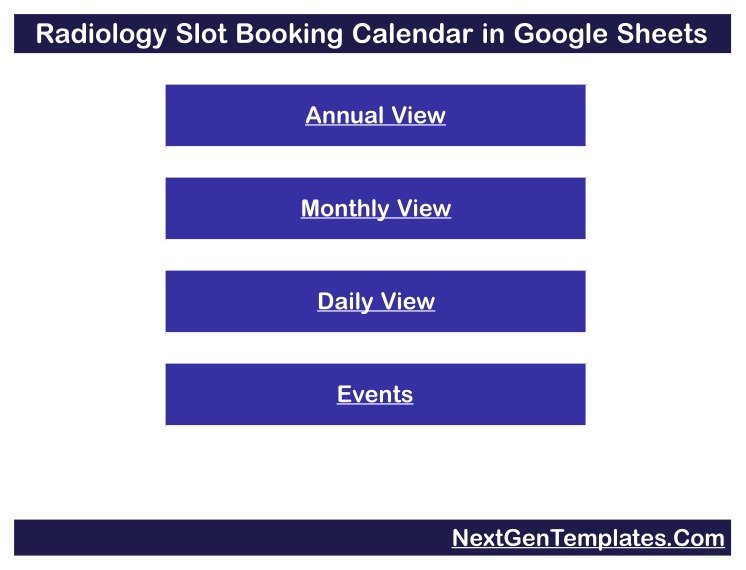
Key Features of Radiology Slot Booking Calendar in Google Sheets
- Six tabs, five visible – Home, Annual View, Monthly View, Daily View and Events, plus one hidden List tab that feeds the dropdowns.
- Four navigation buttons on Home jump to each view, and every view carries a “Back” link home.
- Annual View driven by one cell – type a year and all twelve month grids rebuild, with booked days shaded so a whole year of scanner load reads at a glance.
- Monthly View with Month and Year dropdowns – pick September and 2026 and the Sun-to-Sat grid fills with that month’s slots by date.
- Daily View date range – set a Start Date and End Date and a
FILTERformula returns every slot between them across all seven columns. - 100 sample slots on the Events tab, numbered 1 to 100 and dated 08-Jan-2026 to 24-Dec-2026, with room for roughly 900 more rows.
- 21 realistic procedure types including MRI Brain with Contrast, MRI Lumbar Spine, MRI Knee Joint, CT Abdomen and Pelvis, Coronary CT Angiography, HRCT Chest, CT-Guided Core Biopsy, PET-CT Whole Body, Nuclear Bone Scan, Digital X-Ray Chest PA, Portable Bedside X-Ray, Screening Mammography, DEXA Bone Density Scan, Obstetric Ultrasound, Abdominal Ultrasound, Carotid Doppler Study, IVU Contrast Urography, Barium Swallow Fluoroscopy and OPG Dental Panoramic.
- 21 named rooms and suites such as MRI Suite 1 and 2, CT Room 1 and 2, X-Ray Room A and B, Ultrasound Room 1 to 3, Mammography Suite, DEXA Room, Nuclear Medicine Suite, Gamma Camera Room, Fluoroscopy Room, Interventional Radiology Lab, Dental Imaging Room, Reporting Room 1 and 2, and bedside units on Ward 4 and ICU.
- Non-patient slots are scheduled too – the sample data blocks out Scanner QA and Calibration and Radiologist Report Review alongside the clinical work, so the calendar reflects real scanner availability rather than only bookings.
- Rolling year list – the hidden List tab carries a 36-year range that rebuilds from today’s date, so the year dropdown moves forward on its own instead of expiring.
- Nothing to install – native Sheets formulas only. No Apps Script, no macros, no add-on permissions.
What’s Inside the Radiology Slot Booking Calendar in Google Sheets
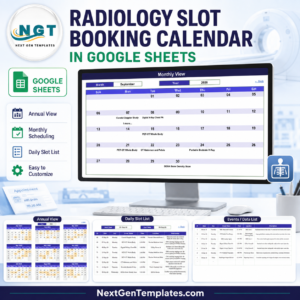
Home is a title banner over four stacked buttons – Annual View, Monthly View, Daily View, Events. It is the menu, not a dashboard: no counters, no charts.
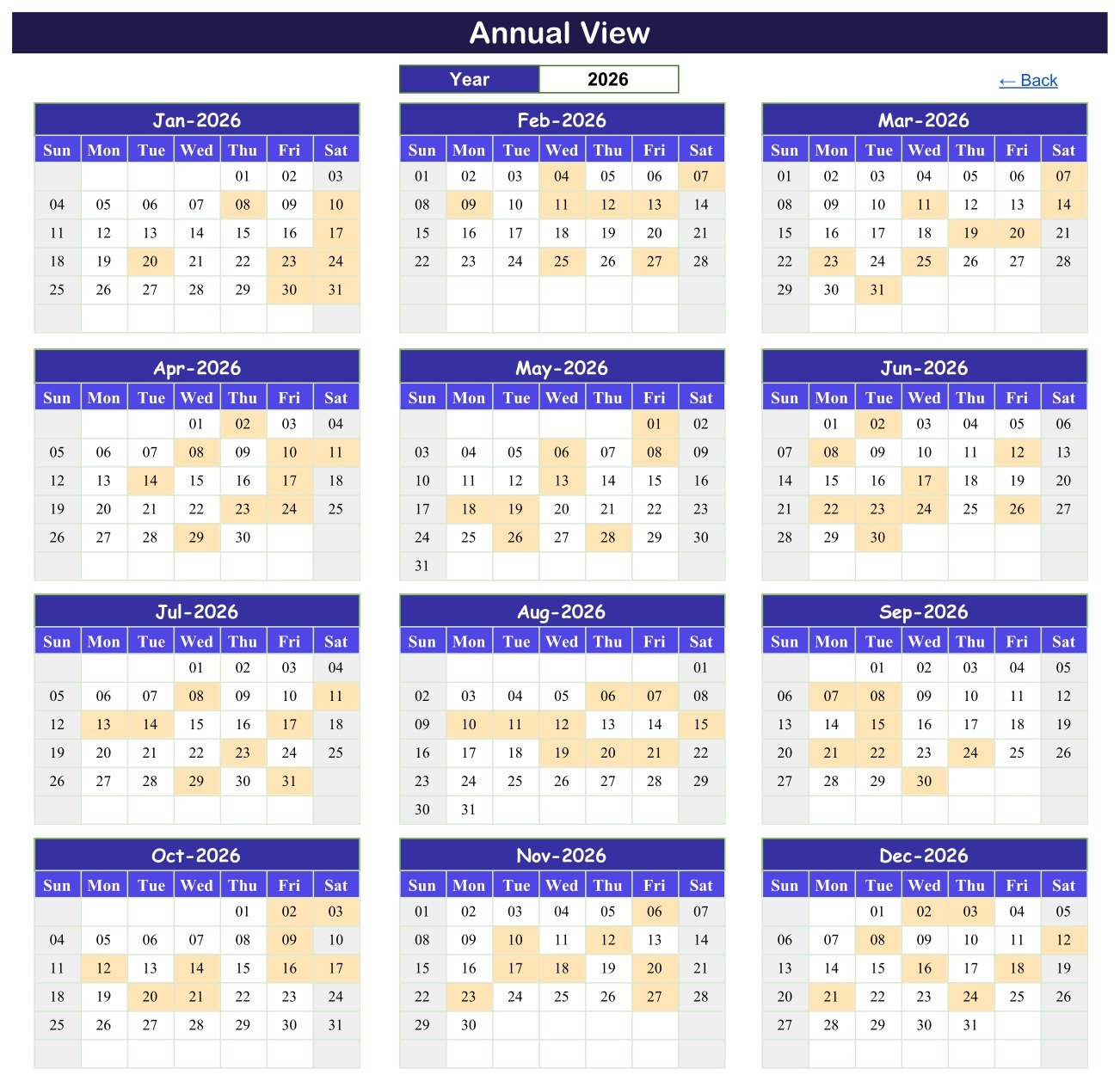
Annual View lays out twelve month grids, three across and four down, each Sun to Sat. One Year cell drives them all, and days carrying a slot are shaded, so a full year’s imaging workload reads at a glance.
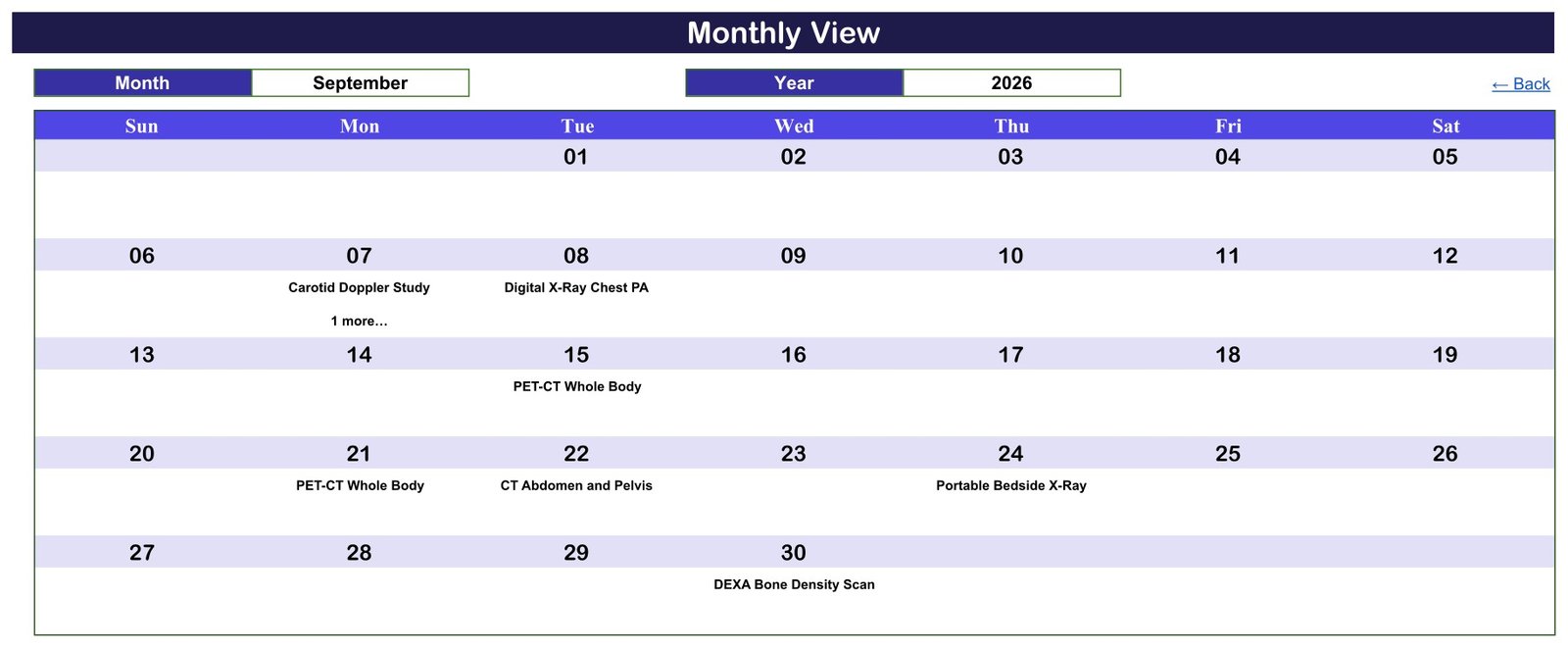
Monthly View puts Month and Year dropdowns above a Sun-to-Sat grid. Each day cell shows the date and the procedure booked that day; where a day holds more than one, the first name appears with a “1 more…” note – the grid is a summary, and the full list lives in Daily View and Events.
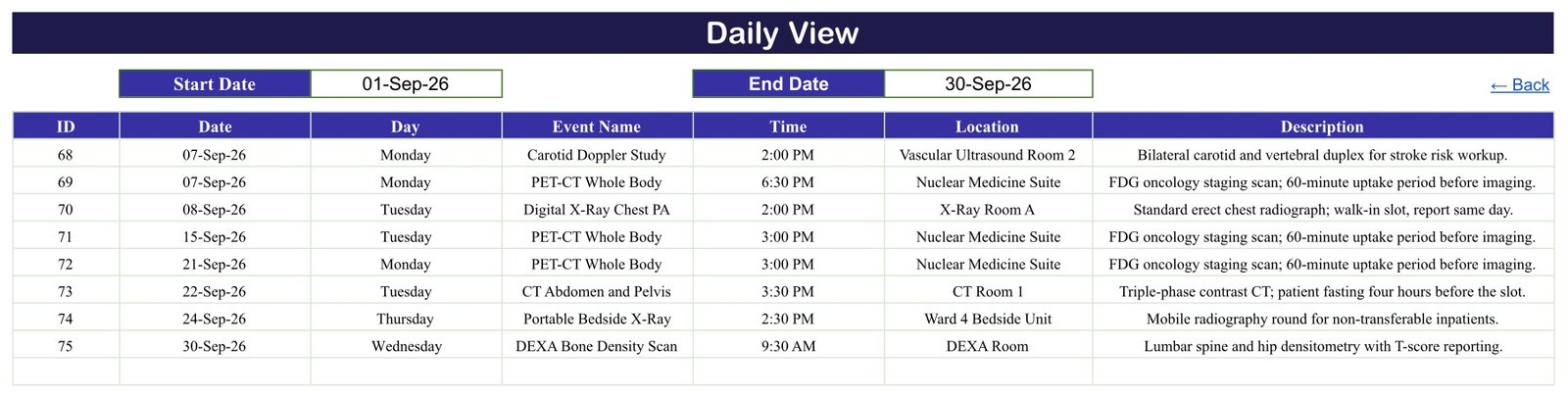
Daily View takes Start Date and End Date over a seven-column table. Set 01-Sep-26 to 30-Sep-26 and it returns the eight September slots – IDs 68 to 75 – with day, time, room and a one-line description such as “FDG oncology staging scan; 60-minute uptake period before imaging.”
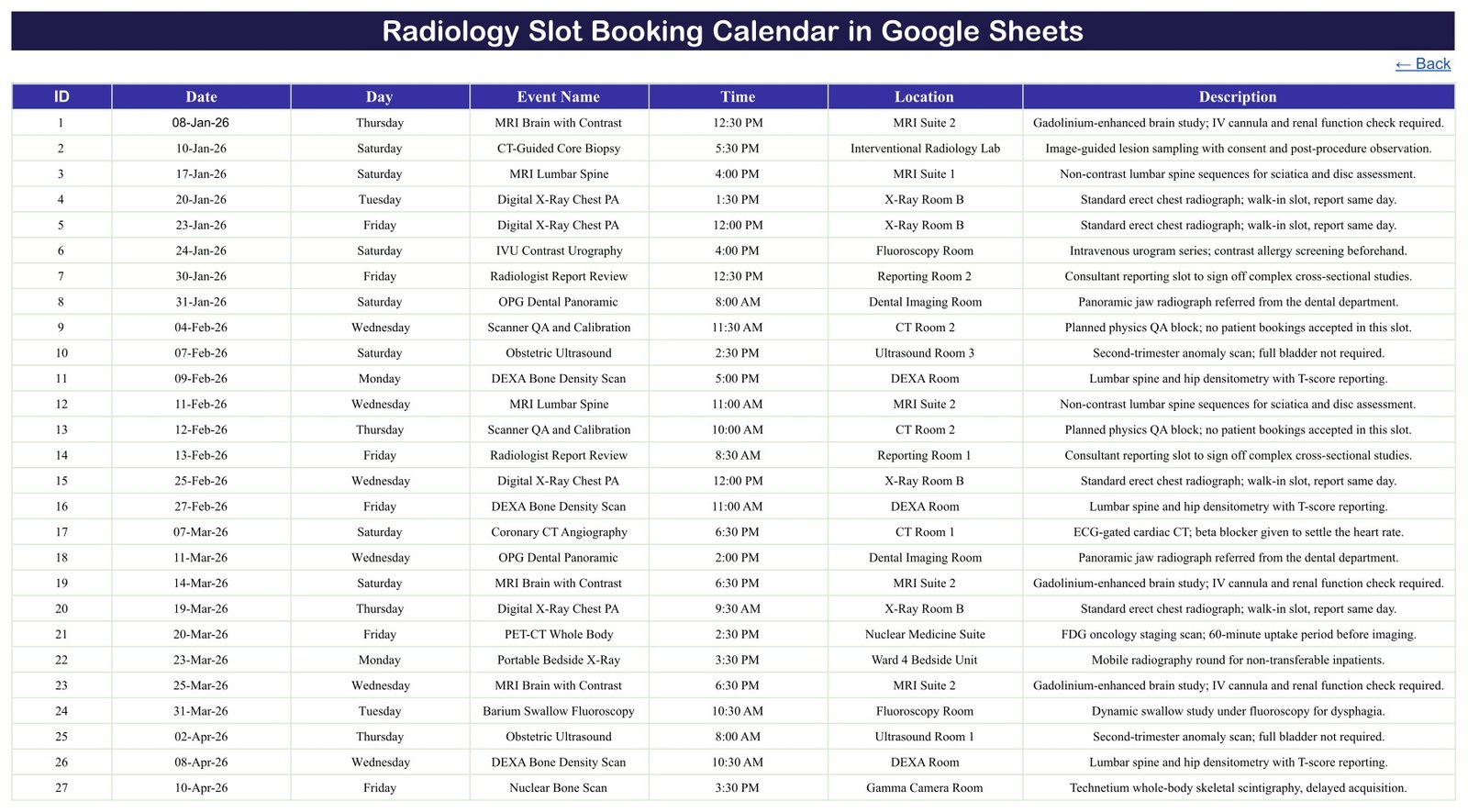
Events is the single source table behind all three views: ID, Date, Day, Event Name, Time, Location, Description. Add a row here and every view updates without touching a formula. List (hidden) holds the month names and the rolling year range behind the dropdowns.
Radiology Slot Booking Calendar in Google Sheets vs. Microsoft Excel Calendar vs. RIS or Paid Scheduling SaaS – Where This Fits
| This Google Sheets calendar | Excel calendar file | RIS or paid scheduling SaaS | |
|---|---|---|---|
| Cost | $4.99 once | One-off file price | Recurring subscription |
| Platform | Google Sheets in a browser | Desktop Excel | Vendor’s web app |
| Setup time | Copy link, about 2 minutes | Download and open | Onboarding, imports, training |
| Real-time team editing | Yes, native to Sheets | Only via OneDrive co-authoring | Yes |
| Mobile access | Google Sheets app | Excel mobile app | Vendor app |
| Customisable procedures and rooms | Yes, it is your sheet | Yes | Usually fixed catalogues |
| Share with a link | Yes | File send or cloud link | Seat invitations |
| Year-1 cost, 5 people | $4.99 total – seats are free in Sheets | One file price | Scales with user count |
| Automated patient reminders | No – it sends nothing | No | Usually yes |
| Online booking by patients or referrers | No | No | Usually yes |
| DICOM, PACS or HL7 integration | No | No | Usually yes |
| Images, reports, billing, claims | No | No | Usually yes |
| Double-booking prevention | No – nothing blocks a clash | No | Usually yes |
Read the bottom five rows before you buy. This is a scheduling spreadsheet: it shows which room is busy and when. It does not message anyone, take bookings, store images or reports, talk to a PACS or RIS, or stop you booking two scans into the same scanner at the same time.
Who This Template Is For – and Who It’s Not For
A good fit if you run a small imaging centre or a single-modality department and keep the slot book on paper or in a plain spreadsheet; if you want a twelve-month view of scanner and room load before you commit to capital or extra sessions; or if two or three radiographers need to edit the same day list from a browser.
Not a good fit if you need automated SMS or email reminders, referrer or patient self-booking, DICOM or PACS integration, HL7 or RIS messaging, radiologist worklists and report distribution, contrast or dose records, invoicing, insurance claims, or an audit trail of who changed what. Those are RIS and PACS jobs, and this template does none of them.
Please note. This is a scheduling spreadsheet, not a clinical or patient-records system. It is not a RIS, PACS, EHR or EMR, it is not practice-management software, and it makes no HIPAA, GDPR or other compliance or certification claim. It holds only what you type into a file in your own Google account, with no access control, encryption or audit trail beyond the sharing settings Google itself provides. Do not store identifying patient data in it. The 100 sample rows deliberately carry procedure types, times and rooms only – there is no patient name, patient ID, accession number or clinical-notes column anywhere in the workbook, and we recommend you keep it that way.
How to Use the Radiology Slot Booking Calendar in Google Sheets
- Open the PDF in your download and click the “Make a copy” link. The calendar is created in your own Google Drive.
- Open the Events tab. The sample data runs from ID 1 to ID 100.
- Replace the samples with your own slots, keeping the column order and using real dates so the views can read them. Keep it to procedure, time and room – not patient identities.
- Block your QA and reporting time first. Add Scanner QA and Calibration and Radiologist Report Review rows the way the sample data does, so the calendar shows true availability rather than only clinical bookings.
- Check Monthly View – pick your month and year from the dropdowns and the grid fills from Events automatically.
- Use Daily View for the week ahead by setting Start Date and End Date to the range you want, then print it for the control desk.
- Use Annual View for planning – change the Year cell to see the whole year’s booked days at once.
- Share it with Google’s own Share button. Anyone with the link sees whatever the sheet contains, so set the sharing scope deliberately.
Real-World Use Cases
Sunita, superintendent radiographer at a two-scanner imaging centre. She keeps MRI Suite 1 and 2 in the Location column and uses Annual View each quarter to find the weeks where MRI is saturated while the DEXA Room sits idle, then moves the bone-density lists to balance the diary.
Marcus, lead radiographer in a hospital CT department. Every Friday he sets Daily View to the coming week and prints the filtered list for the control-room noticeboard, so the team knows which slots are contrast studies needing a cannula and which are walk-in chest films.
Aisha, practice manager at a private diagnostic clinic across two sites. She adds each slot as it is booked, uses the Monthly View dropdowns to check a Tuesday is not already full, and shares view-only access with the referring practice that rents the second ultrasound room.
Frequently Asked Questions
Is this a RIS, PACS or patient-records system?
No. It is a scheduling calendar in Google Sheets. It is not a RIS, PACS, EHR or EMR, it holds no patient records and no images, and it is not HIPAA, GDPR or otherwise certified. It stores only what you type into a file in your own Google account, with no access control, encryption or audit trail beyond Google’s own sharing settings. Do not put identifying patient data in it.
Does it send appointment reminders or preparation instructions to patients?
No. Nothing here sends an SMS, an email or a notification of any kind. The Description column carries preparation notes such as “patient fasting four hours before the slot” for the person reading the sheet – it does not deliver them to anyone.
Can patients or referrers book their own slots through it?
No. There is no booking form and no patient-facing page. Slots are added by whoever edits the Events tab.
Will it stop me double-booking a scanner?
No, and this is worth knowing before you buy. Nothing validates a clash – if you enter two studies in MRI Suite 2 at 3:00 PM on the same day, both simply appear. Monthly View flags a busy day with a “1 more…” note and Daily View lists everything in the range, so you can see clashes, but you have to look.
Does it store images, reports or dose records?
No. There is no image, report, contrast or radiation-dose feature. The Description column is a one-line note about what the procedure involves, not a clinical record.
What exactly is in the download?
A PDF carrying the “Make a copy” link for the Google Sheet. There is no Excel or ZIP file – the PDF is how you get the sheet into your own Drive.
Can I change the procedures and rooms?
Yes. All 21 procedure names and 21 room names sit in ordinary cells on the Events tab. Overwrite them and all three views follow.
Do I need Apps Script, macros or an add-on?
No. The views use native formulas – FILTER, VLOOKUP and DATE. Nothing asks for permissions and nothing runs in the background.
The sample data is 2026 – does it expire?
No. The Year cell accepts any year and the hidden List tab rebuilds its 36-year range from today’s date, so the dropdown moves forward with the calendar.Radiology Slot Booking Calendar in Google Sheets
About the Author
Built by PK – Microsoft Certified Professional with 15+ years of Excel, Google Sheets, and Power BI experience. Founder of NextGenTemplates, reaching 300K+ subscribers across YouTube channels. Every template is hand-built and tested before release.Radiology Slot Booking Calendar in Google Sheets
Explore Related Templates
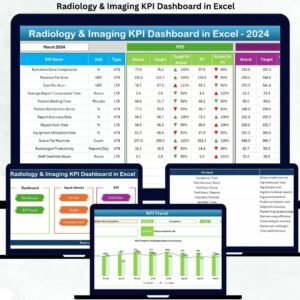
The Radiology Slot Booking Calendar in Excel is exactly this schedule for desktop workbook users, and the Medical Appointment Calendar in Google Sheets is the general-practice version of the same layout. To log which tests were requested rather than only when the scanner is free, add the Lab Test Booking Data Entry System in Excel. For staff rotas alongside the slot book there is the Doctor Duty Roster Data Entry System in Excel. When you want to analyse throughput rather than schedule it, the Radiology & Imaging KPI Dashboard in Excel and the Radiology and Imaging Dashboard in Excel take the reporting side, and when a spreadsheet is no longer enough, the Pathology Lab Management System Web App is the multi-user step up.Radiology Slot Booking Calendar in Google Sheets
Browse the whole Google Sheets Calendar category or the wider Google Sheets template library.
Get the Radiology Slot Booking Calendar in Google Sheets for $4.99 – one payment, no subscription, yours to copy and edit in your own Google Drive. A full walkthrough of every tab is on the blog: Radiology Slot Booking Calendar in Google Sheets.
Watch the step-by-step video Demo:
Last updated: 24 August 2026.Radiology Slot Booking Calendar in Google Sheets






























Reviews
There are no reviews yet.