

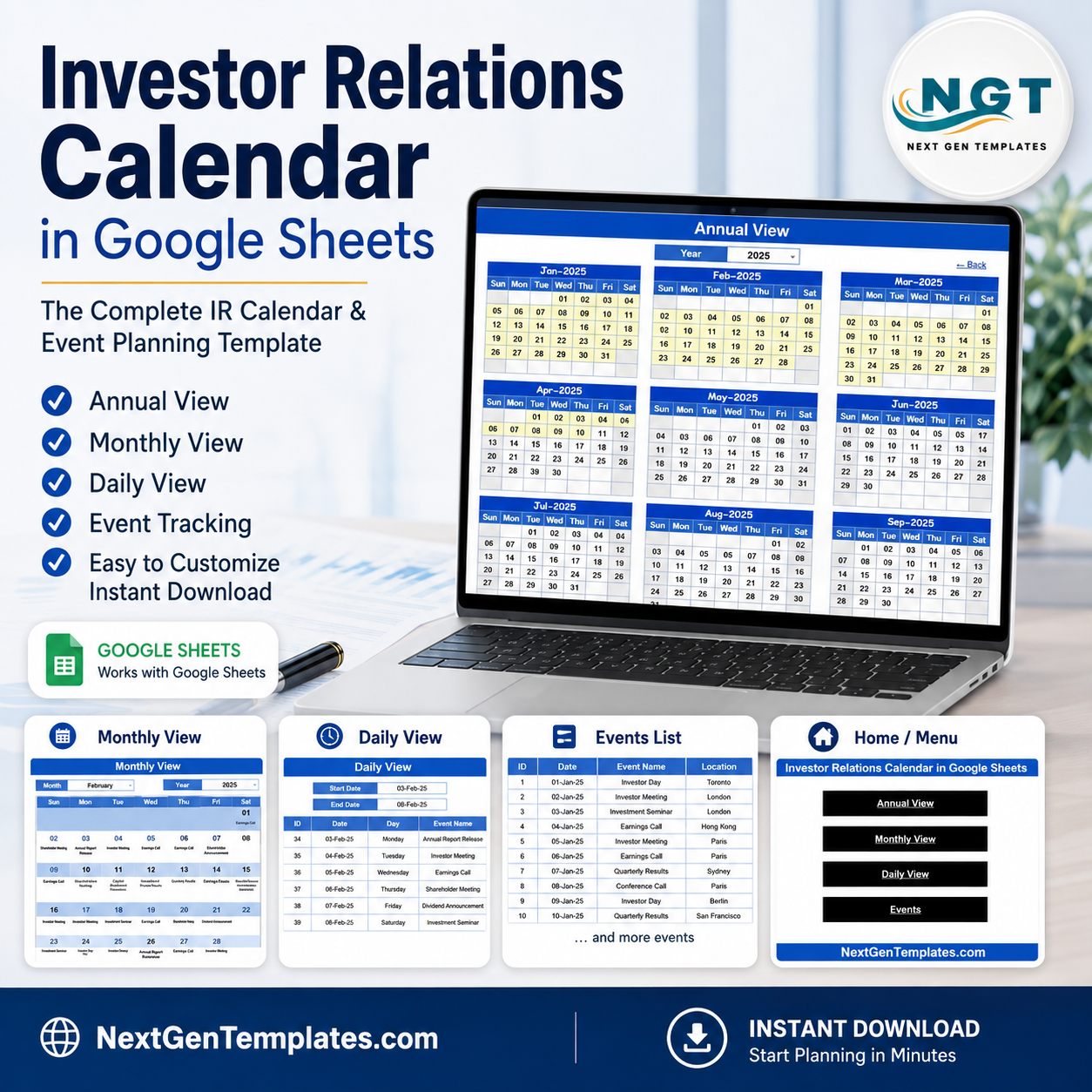

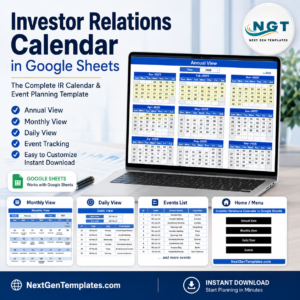
The Investor Relations Calendar in Google Sheets keeps every earnings call, shareholder meeting, dividend announcement and investor event in one shared file. It ships with 5 linked sheets and 4 navigation buttons, and every event carries 7 fields – ID, Date, Day, Event Name, Time, Location and Description. Setup takes under 10 minutes: paste your events into the Events sheet and the Annual, Monthly and Daily views update automatically.
🌍 Join 10,000+ customers in 180+ countries using NextGenTemplates to replace paid SaaS tools with one-time-purchase Excel, Google Sheets, Power BI and HTML templates.
✅ Instant download · One-time payment · No subscription · No per-user fees · Lifetime access
🔑 Key Features of the Investor Relations Calendar in Google Sheets
- 📅 5 linked worksheet tabs. Home, Annual View, Monthly View, Daily View and a central Events database are connected by four navigation buttons, so the whole calendar works as one click-through file rather than five separate sheets.
- 📅 12-month Annual View. A single year selector shows the entire financial year on one screen, so you can spot earnings season, the AGM month and dividend windows before committing to a roadshow schedule.
- 📅 Monthly View with events in the cell. Choose a month and year and each event name – Earnings Call, Shareholder Meeting, Annual Report Release, Quarterly Results – prints directly on its date.
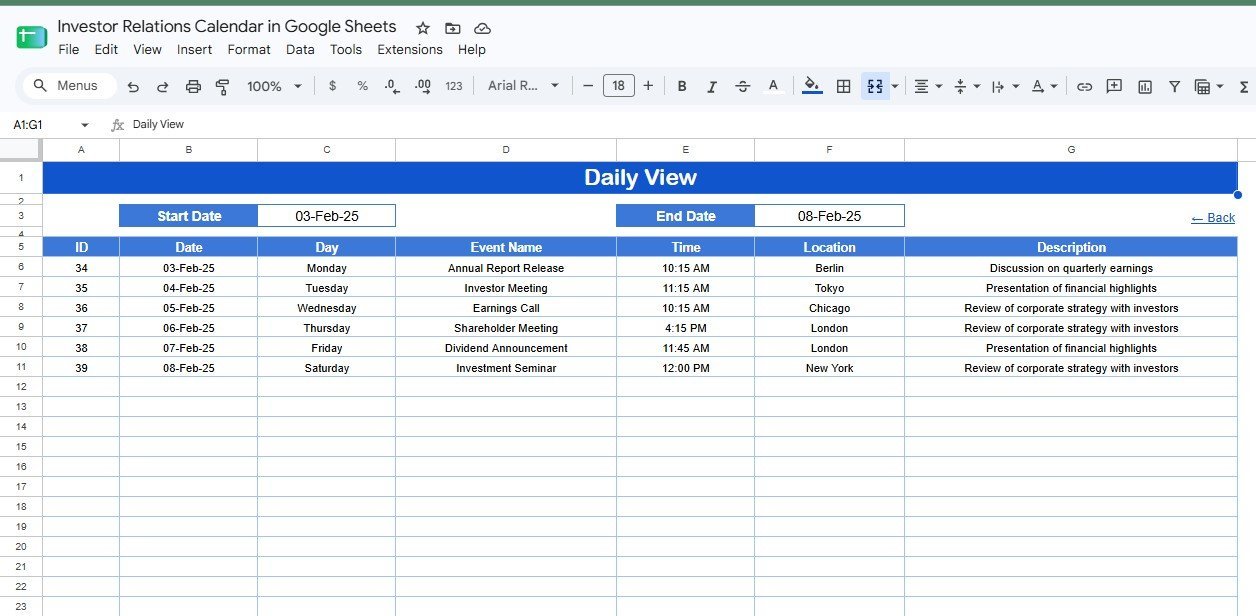
- 📅 Daily View date-range filter. Set a Start Date and End Date and the sheet returns every event in that window with ID, Date, Day, Event Name, Time, Location and Description, ready to print as a briefing sheet.
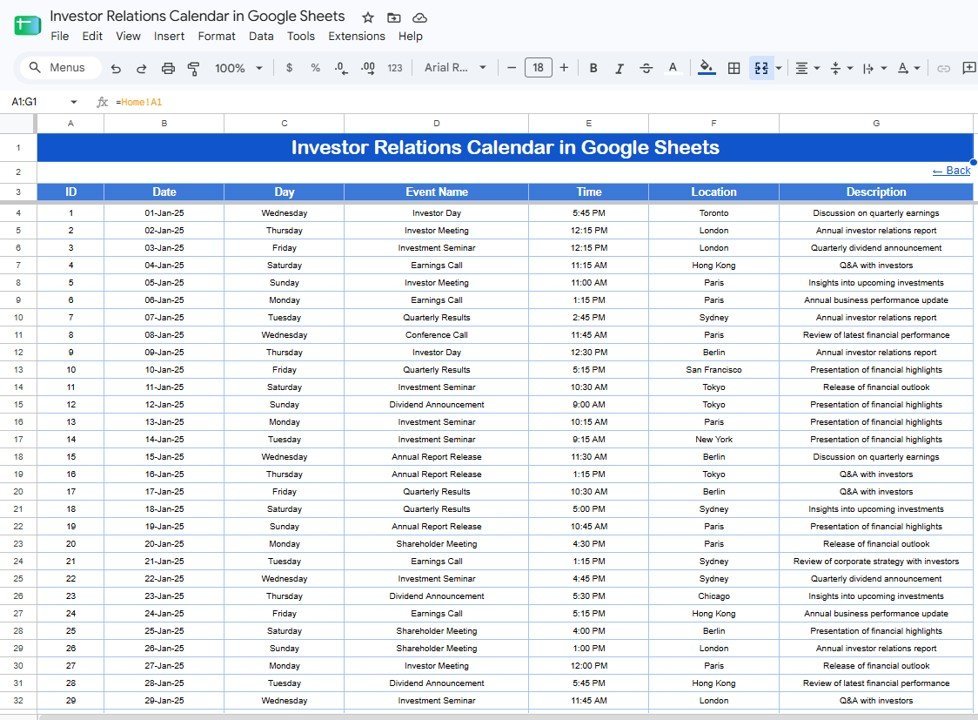
- 📅 7-field Events database. ID, Date, Day, Event Name, Time, Location and Description drive all three views automatically, so you update data in one place only.
- 📅 Runs 100% in Google Sheets. No add-ons, no macros and no subscription – it works in any modern browser and shares like any other Google Sheet.
📦 What’s Inside the Investor Relations Calendar in Google Sheets
Home Sheet
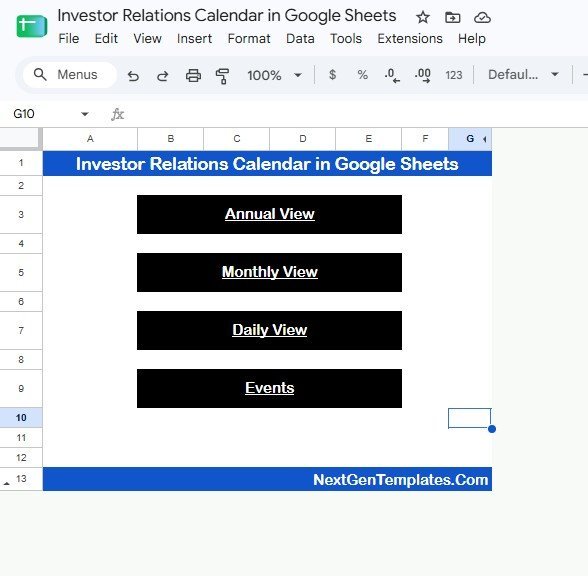
The navigation page. Four large buttons – Annual View, Monthly View, Daily View and Events – let an IR officer jump straight to the right screen during a planning call.
Annual View
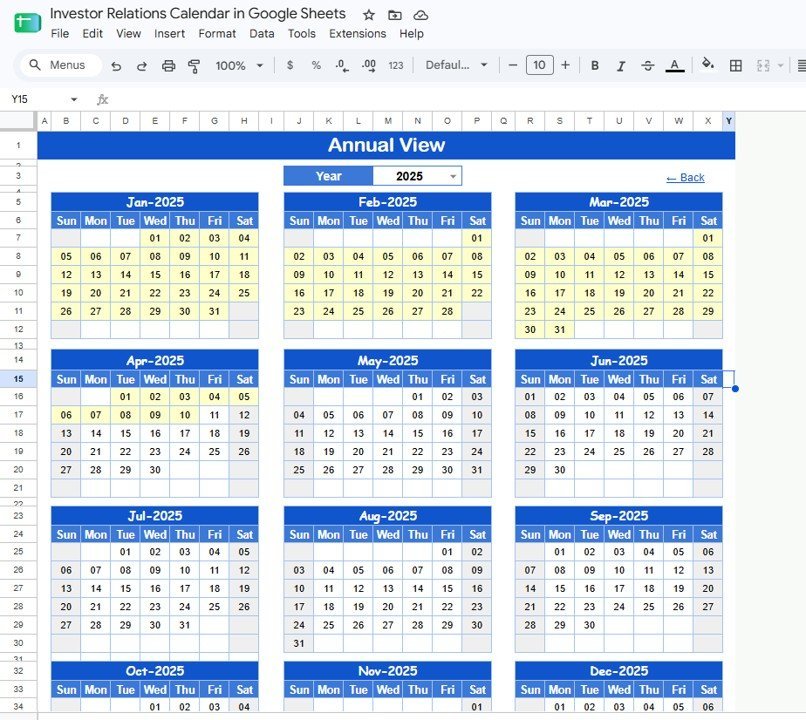
All 12 months of the selected year on one screen, driven by a single year selector. The fastest way to see heavy reporting windows before planning investor events.
Monthly View
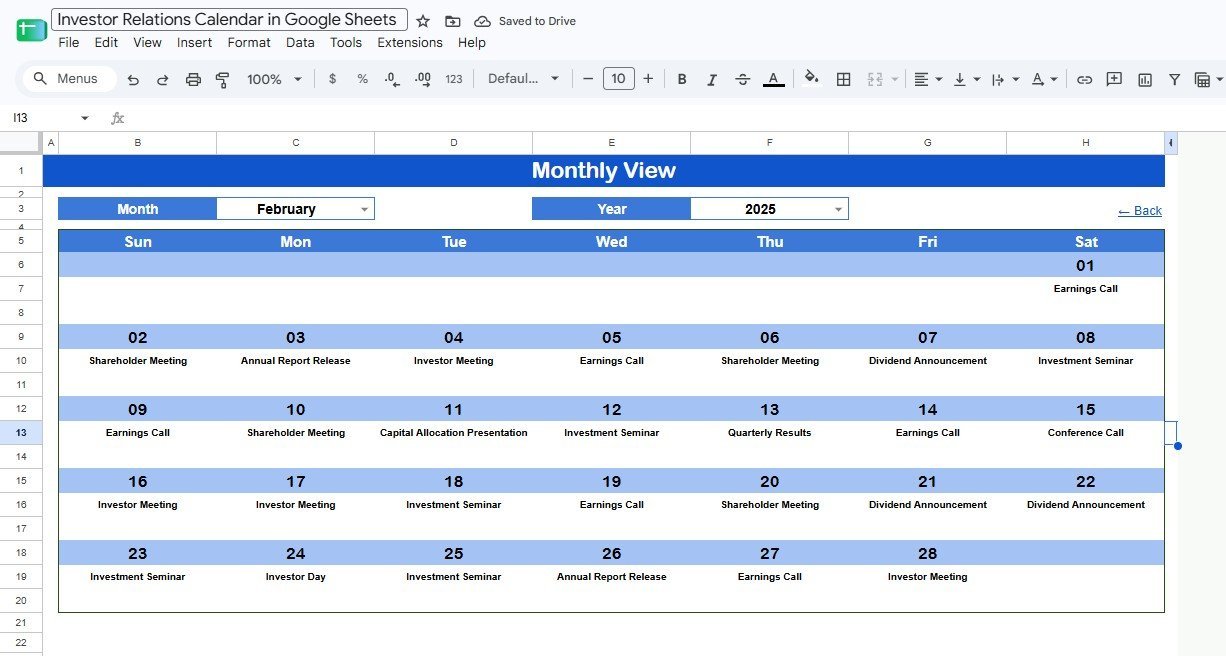
One selected month and year, with each event name printed inside its calendar date. Best for weekly planning and same-month follow-up.
Daily View
Enter a Start Date and End Date to return every event in that period with time, location and description – the earnings-week briefing sheet for the executive team.
Events Sheet
The database behind the calendar. Add each event here first and every view picks it up. Rename event types, edit sample rows, or add columns such as Analyst, Region or Status.
📊 Investor Relations Calendar in Google Sheets vs. Excel Calendar vs. Paid IR Platform
| Feature | Investor Relations Calendar (Google Sheets) | Excel calendar | Paid IR platform |
|---|---|---|---|
| Cost | $4.99 one-time | Usually one-time, plus an Office licence | Subscription, often four figures a year and up |
| Platform | Browser, any operating system | Excel desktop or cloud | Vendor web application |
| Setup time | Under 10 minutes | Under 15 minutes | Onboarding, often weeks |
| Real-time team collaboration | Built into Google Sheets ✅ | Needs OneDrive or SharePoint | Native, by seat |
| Mobile access | Google Sheets app or browser | Excel mobile app | Vendor app |
| Customizable fields | Fully editable ✅ | Fully editable | Usually vendor-controlled |
| Share with a link | Yes, via Google Drive ✅ | Cloud storage only | Seat-based invitations |
| Year-1 cost at 5 users | $4.99 total ✅ | $4.99 plus Office licences | Per-seat subscription |
| Investor event focus | Built around IR events ✅ | Generic calendar | Broad IR and disclosure suite |
For IR teams that want a shared, editable event calendar without another per-seat subscription, the Investor Relations Calendar in Google Sheets sits in the sweet spot.
👥 Who This Template Is For – and Who It’s Not For
✅ This template is built for:
- IR managers at listed mid-caps who report to a board each quarter
- CFOs and company secretaries at growth companies preparing investor updates
- Fund administrators, family offices and consultants tracking events for several clients
❌ This template is NOT for:
- Teams needing automatic regulatory filing or a live shareholder register
- Anyone needing automatic reminders sent to investors or regulator-grade audit trails
⚙️ How to Use the Investor Relations Calendar in Google Sheets
- Open the PDF in your download and click the “Make a copy” link to create your own editable Google Sheet.
- Go to the Events sheet and replace the sample rows with your own events.
- Fill in ID, Date, Day, Event Name, Time, Location and Description for each event.
- Open the Annual, Monthly or Daily view from the Home buttons to read the calendar.
- Share the file through Google Drive with viewer or editor access for your team.
💼 Real-World Use Cases
Priya runs investor relations at a listed mid-cap. She opens the Monthly View every Monday to confirm the reporting calendar, adds new events to the Events sheet, and prints the Daily View as the earnings-week briefing for the executive team.
David is CFO at a growth company. He checks the Annual View before agreeing to a new investor conference, so the AGM and a results release never collide in the same week.
Anna is an IR consultant. She copies the template once per client and uses the Daily View to prepare every board update without rebuilding the same calendar by hand.
❓ Frequently Asked Questions
How many sheets does the Investor Relations Calendar in Google Sheets include?
The Investor Relations Calendar in Google Sheets includes 5 linked sheets – Home, Annual View, Monthly View, Daily View and Events – connected by four navigation buttons on the Home sheet.
What event types can it track?
It is built around IR event types such as Earnings Call, Shareholder Meeting, Dividend Announcement, Annual Report Release, Investor Day, Quarterly Results, Conference Call and Investment Seminar. You can rename or add your own in the Events sheet.
How long does setup take?
Under 10 minutes. Make your own copy, paste your events into the Events sheet, and the Annual, Monthly and Daily views update automatically.
Can several people use the same calendar?
Yes. Share the Google Sheets copy through Google Drive and assign viewer, commenter or editor access. Several people can read or update the calendar at the same time.
How does this compare to a paid IR platform?
A paid IR platform runs on a subscription and adds a live register and filing tools. The Investor Relations Calendar in Google Sheets is a one-time $4.99 scheduling layer – ideal beside a platform, or on its own for smaller teams.
👤 About the Author
Built by PK – Microsoft Certified Professional with 15+ years of Excel, Google Sheets, and Power BI experience. Founder of NextGenTemplates, reaching 300K+ subscribers across YouTube channels (@PK-AnExcelExpert, @NextGenTemplates, @NeoTechNavigators). Every template is hand-built and tested before release.
🔗 Explore Related Templates
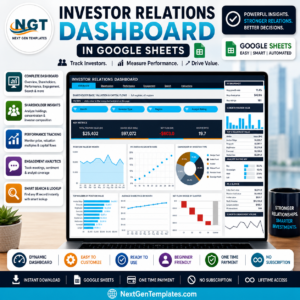
- Investor Relations Dashboard in Google Sheets – also available as a full analytics dashboard with shareholder register, valuation and engagement pages.
- Corporate Social Responsibility Calendar in Google Sheets
- Office Supplies Restock Calendar in Google Sheets
- Warranty Expiration Calendar in Google Sheets
See all Google Sheets calendar templates for more date-based planners.
📖 Click here to read the detailed blog post
🎥 Visit our YouTube channel for step-by-step video tutorials
👉 YouTube.com/@NextGenTemplates
Watch the step-by-step video Demo:
📅 Last updated: August 2026
Compatibility and Requirements
- Works in Google Sheets. You need a free Google account and a web browser.
- You open the file through the “Make a copy” link in the PDF, then share your copy through Google Drive. Google explains the basics in Get started with Google Sheets.





Reviews
There are no reviews yet.