

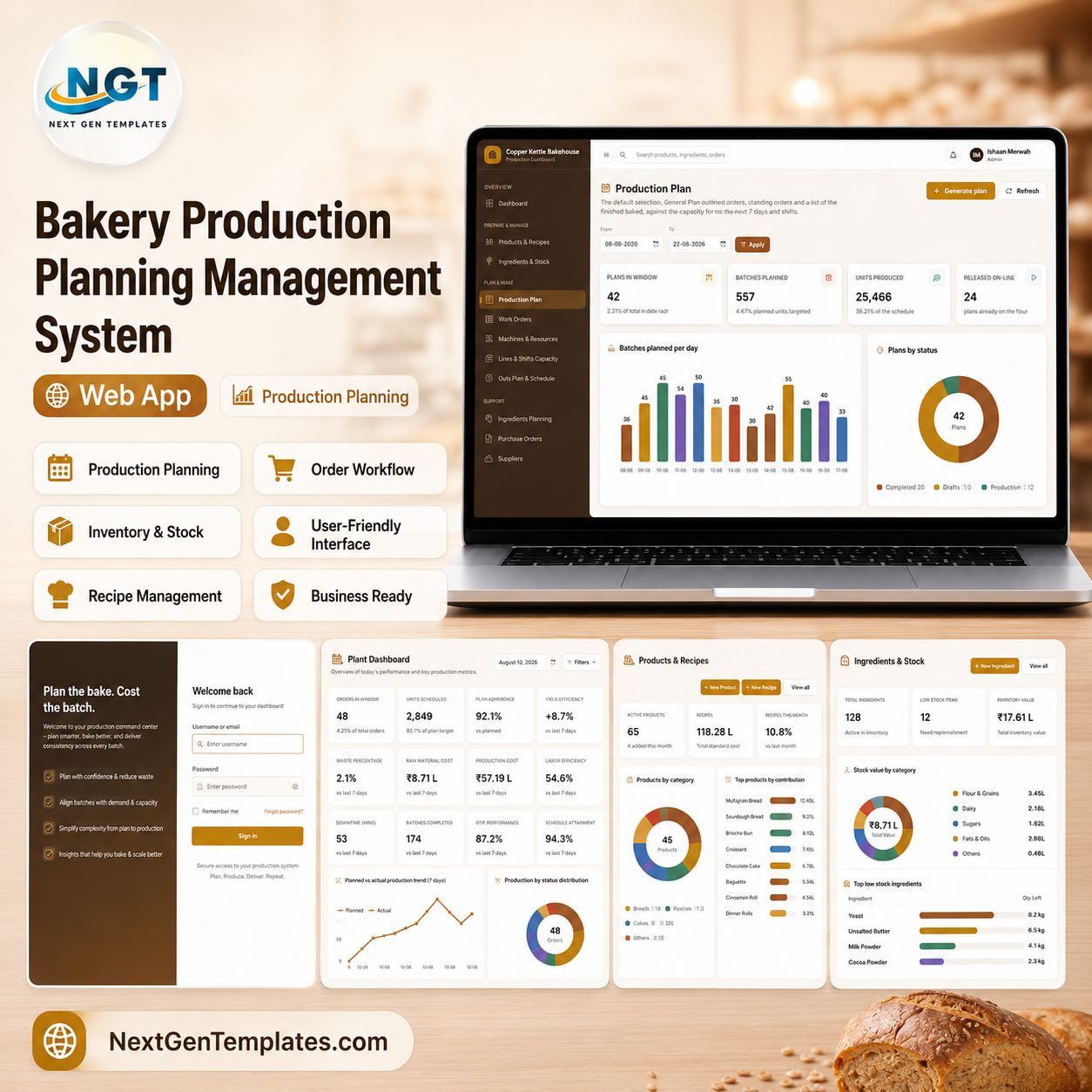

Run the whole bakery plant from one browser tab
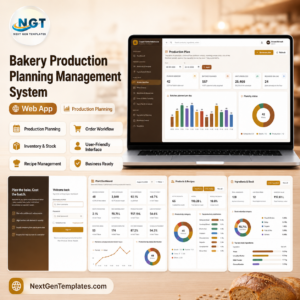
The Bakery Production Planning Management System Web App is a complete, ready-to-deploy Google Apps Script application that runs on your own Google account and stores every record in your own Google Sheet. It takes a bakery from confirmed customer orders all the way through to a costed, dispatched batch: the daily bake schedule is generated from real demand, checked against line and shift capacity, released to the floor as work orders, closed with the actual count, and then costed against what the recipe said it should cost.
Nothing is installed. There is no server to rent and no monthly fee. You paste two files into a Google Apps Script project, press Deploy, and the whole plant — 21 modules, six roles and eighteen exportable reports — opens in a browser on any device.
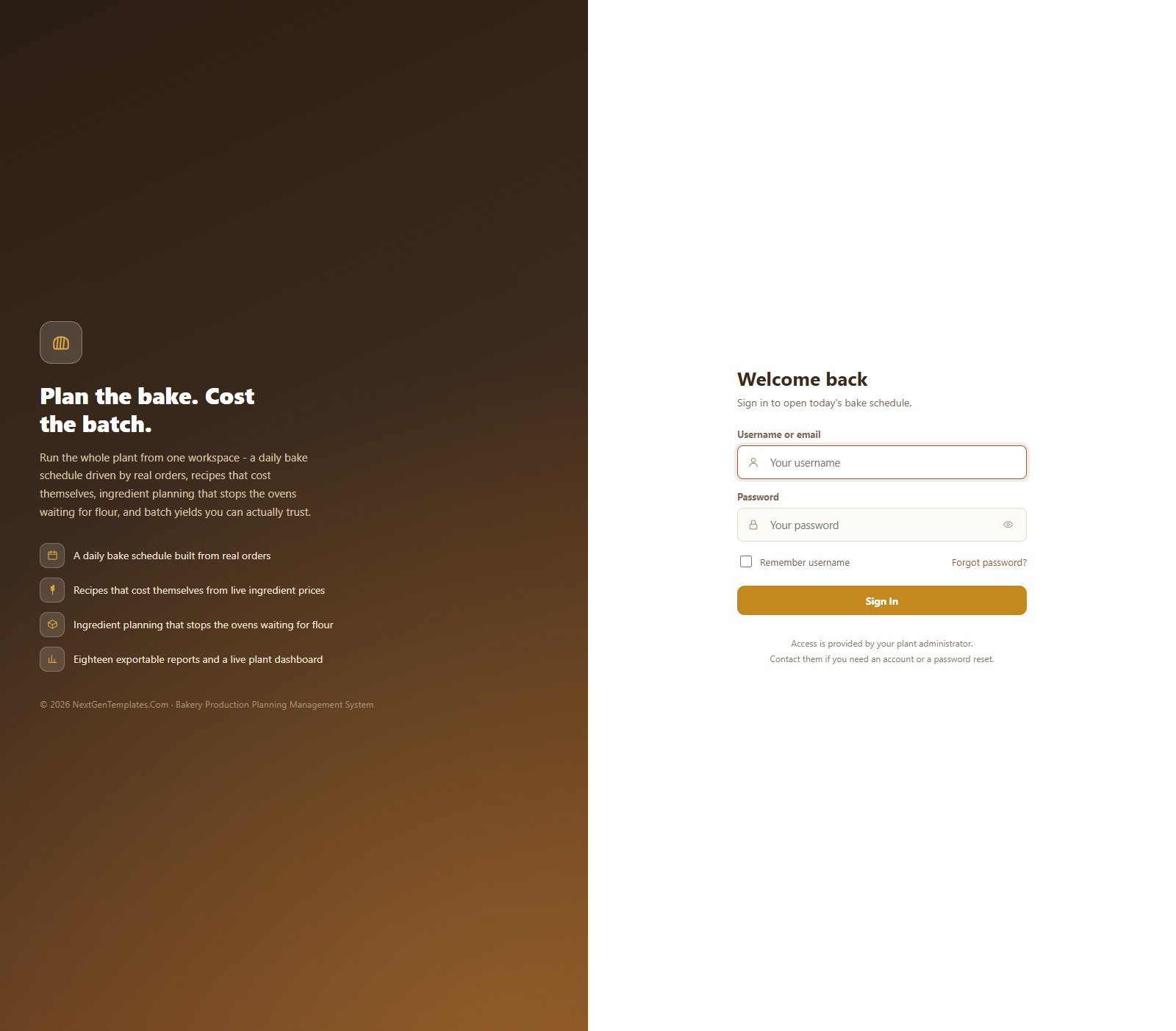
Try the Live Demo — No Purchase Needed
See the whole system running with seeded bakery data before you spend anything. Sign in as any role and the interface changes to match what that person is allowed to do.
Demo sign-in details — all six roles
| Role | Username | Password | What that role sees |
|---|---|---|---|
| Admin | admin | Admin@123 | Everything, including User Management, Settings, the Database Archive and the Audit Log |
| Production Manager | manager | Manager@123 | Generates and releases the bake schedule, approves purchase orders, signs off costing. No user administration |
| Head Baker | baker | Baker@123 | Runs the floor shift by shift: releases batches, records actual yield, signs off quality. No costing, no purchasing, no deletes |
| Store Keeper | store | Store@123 | The store and goods receipt. Cannot approve a purchase order and never sees the sales side |
| Sales Coordinator | sales | Sales@123 | Customers, customer orders, standing orders, dispatch and routes |
| Quality Officer | quality | Quality@123 | Quality checks, wastage and returns, work orders and reports |
Please note: these credentials are public by design. They are the seeded logins of a shared demo instance that resets periodically — not a customer’s live system. When you deploy your own copy you set your own passwords, and the demo data is yours to delete.
Key Features
- A bake schedule generated from real demand. Confirmed orders, standing orders and a slice of the forecast are combined into a dated, shift-by-shift plan, checked against line capacity before it is released.
- Recipes that cost themselves. Every SKU carries its recipe lines. Change one ingredient price and re-cost the whole catalogue in a single click.
- Yield and variance calculated, never typed. Close a work order with the actual good and rejected counts and the system derives yield percent, variance against standard and wastage.
- Ingredient planning that stops the ovens waiting. The released plan is exploded against on-hand stock and open purchase orders; the net shortfall becomes purchase orders in one click.
- Six roles with genuinely different screens. Permissions are enforced per module and editable at User Management, with the Admin role locked so you cannot lock yourself out.
- Eighteen reports, every one filterable, chartable, exportable and printable.
- Excel and CSV export on every table, plus print-friendly layouts for the floor.
- Your data stays in your Google Sheet. No third-party database, no data leaving your account.
- A full audit log and a database archive for closing off old periods.
- Idempotent one-press setup — run it as often as you like; it only creates what is missing.
Every Screen in the System
Plant Dashboard
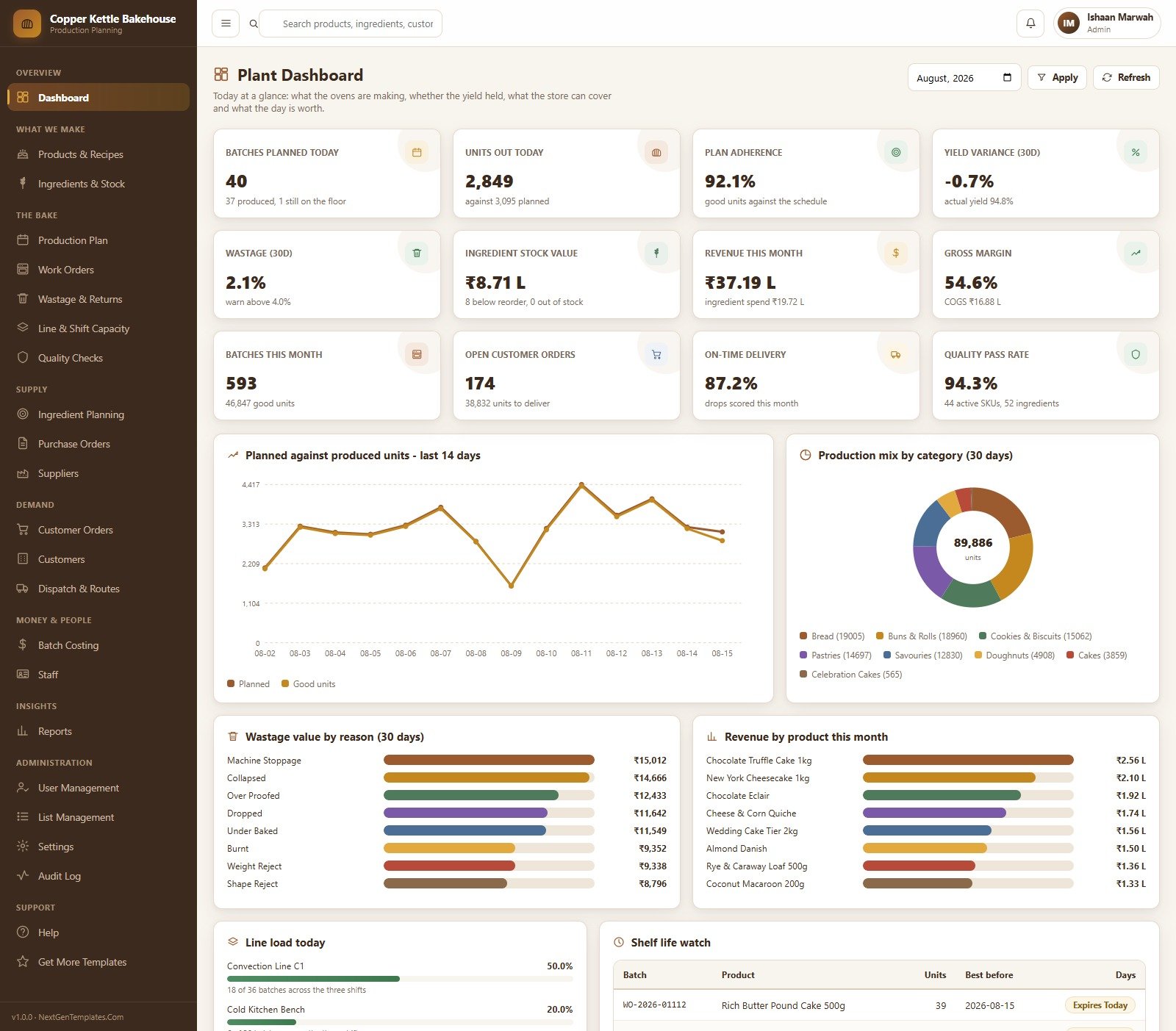
Twelve headline cards across the top — batches planned today, units out today, plan adherence, yield variance, wastage, ingredient stock value, revenue this month, gross margin, batches this month, open customer orders, on-time delivery and quality pass rate — over a planned-against-produced trend for the last 14 days, a production mix donut by category, wastage value by reason, revenue by product, today’s line load and a shelf-life watch list built from the best-before dates you enter.
Products & Recipes
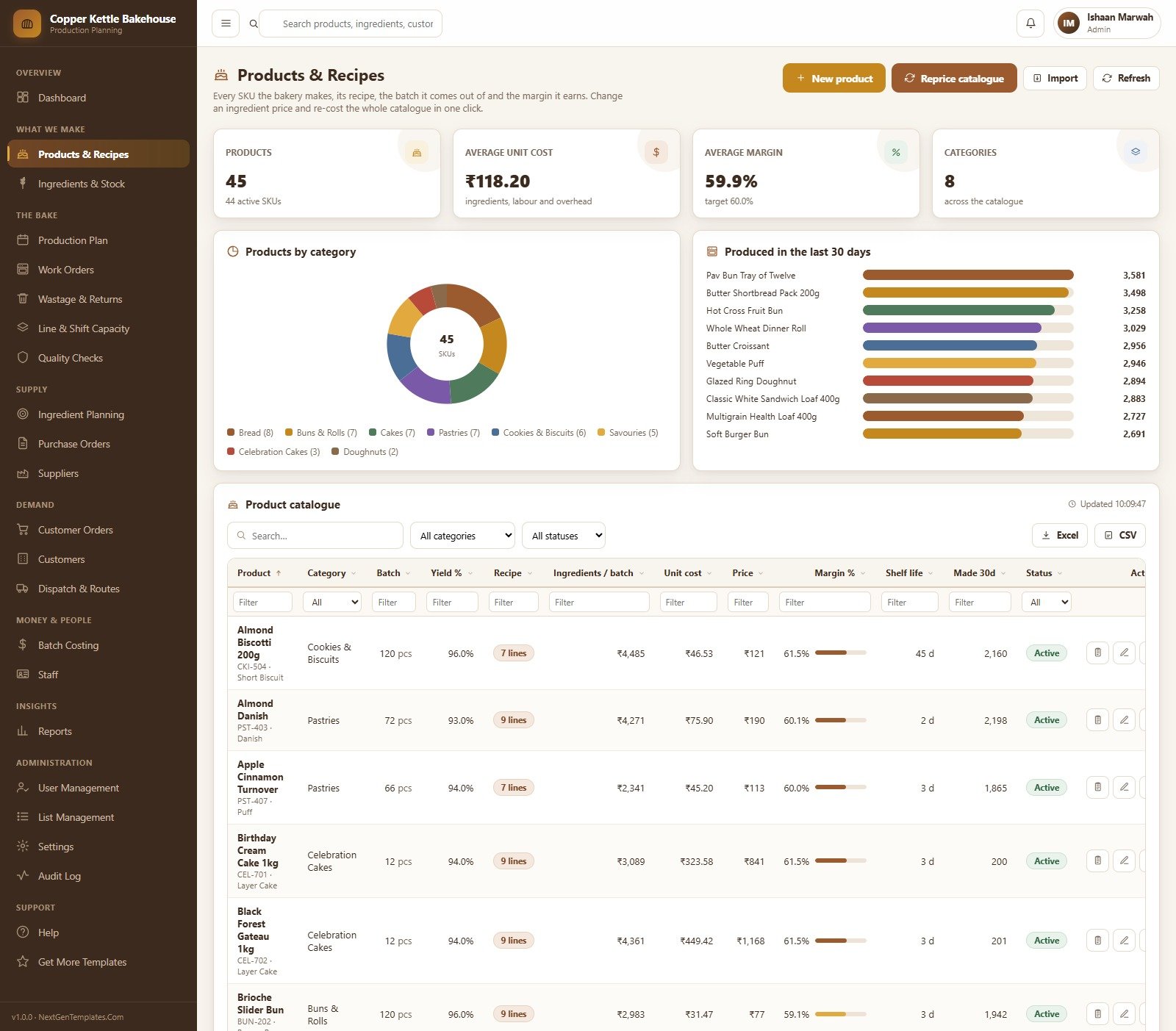
Every SKU the bakery makes, its recipe, the batch it comes out of and the margin it earns. Cards show the product count, average unit cost, average margin against target and the number of categories; the catalogue table carries batch size, yield percent, recipe line count, ingredient cost per batch, unit cost, price, margin percent, a shelf-life field and 30-day production, all filterable per column.
Ingredients & Stock
The raw material store: stock value, how many lines are below reorder, how many are out of stock and 30-day consumption, with stock value split by category and by storage type. The ingredient table tracks unit of measure, on hand, reorder point, days of cover, unit cost, value, supplier, storage location, 30-day usage and a state badge.
Production Plan
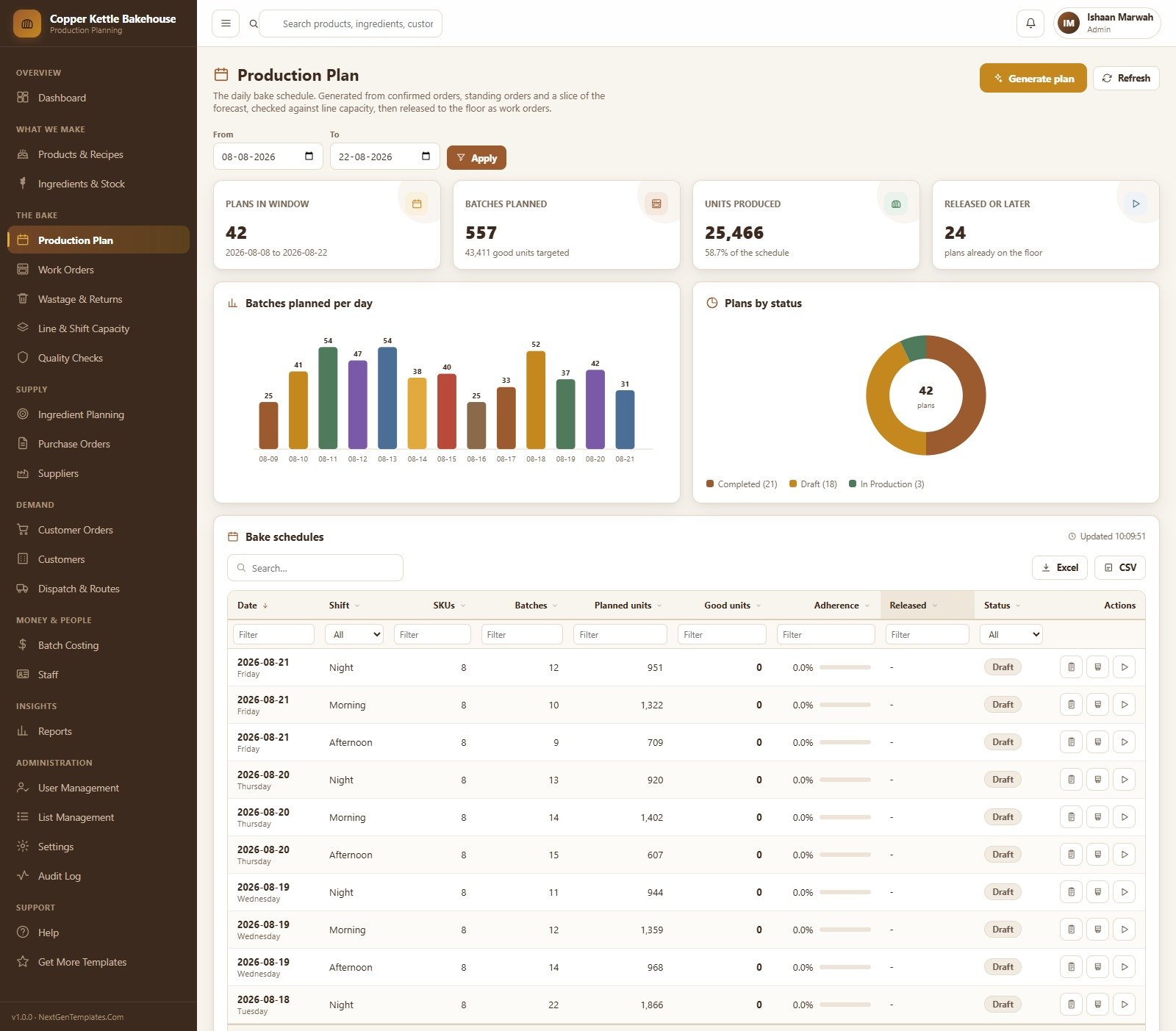
The daily bake schedule. Pick a date window and the page shows plans in the window, batches planned, units produced against the schedule and how many plans are already on the floor, with batches planned per day and a plan-status donut. Generate a plan, review it, then release it as work orders.
Work Orders
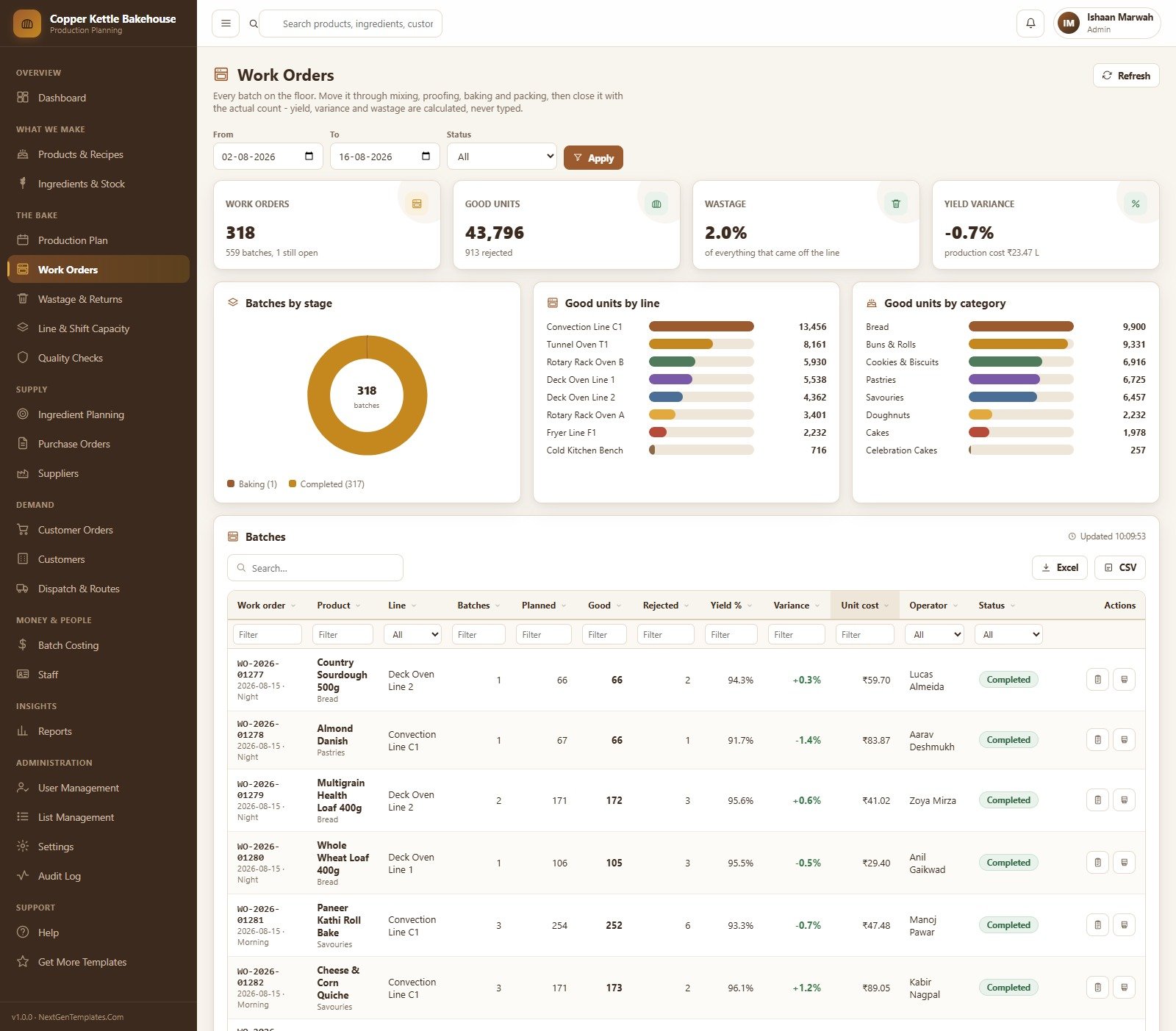
Every batch on the floor, moved through mixing, proofing, baking and packing and then closed with the actual count. Good units, wastage percent and yield variance are calculated from what you enter, never typed. Batches are broken down by stage, by line and by product category, and each row records the line, operator, planned and good units, rejects, yield, variance and unit cost.
Quality Checks
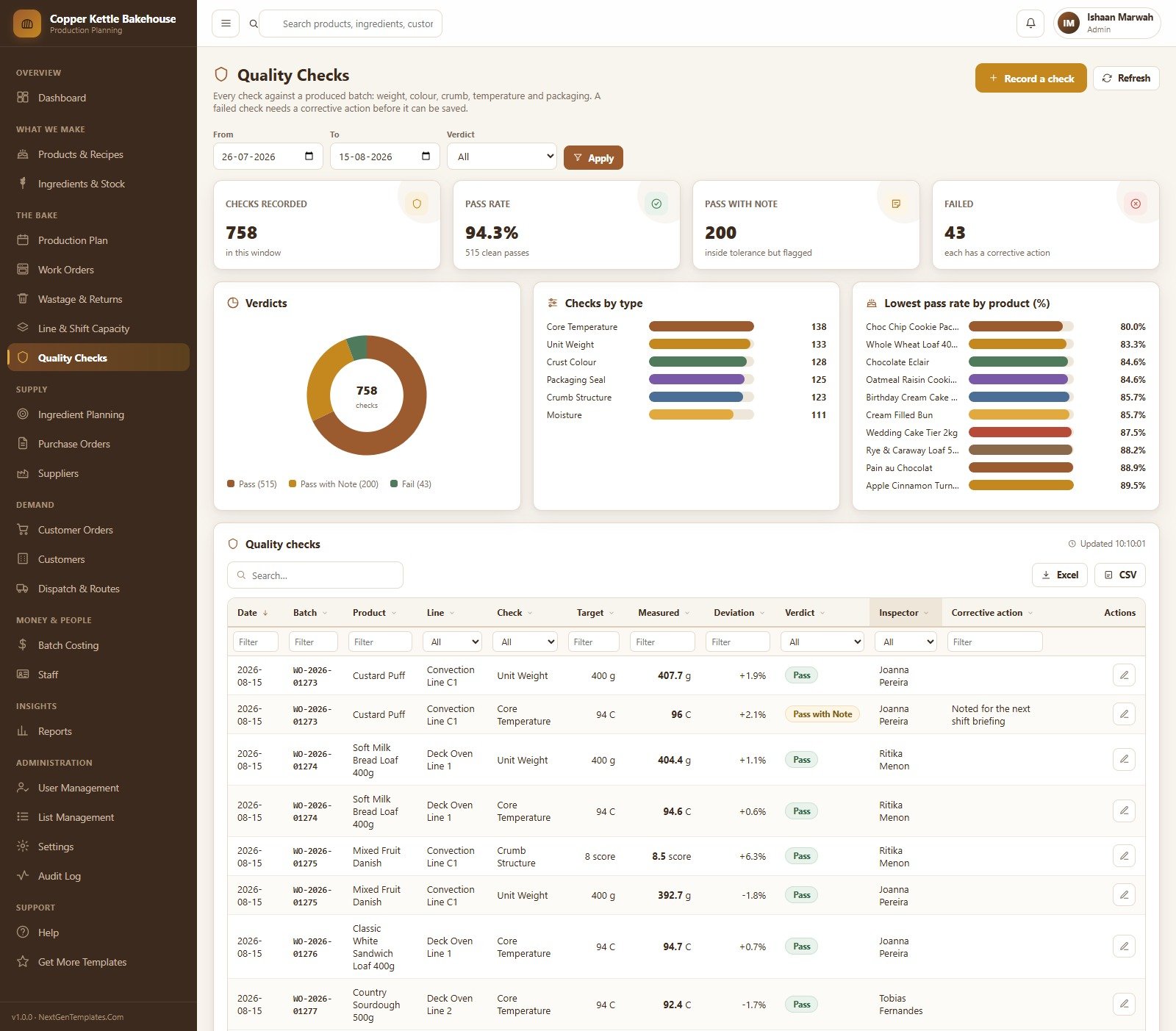
A log of the checks you define against each produced batch — unit weight, core temperature, crust colour, crumb structure, packaging seal and moisture in the seeded configuration. Each check records a target, the measured value, the deviation, a verdict and the inspector, and a failed check requires a corrective action before it can be saved. The page summarises pass rate, passes with a note, failures and the lowest pass rate by product.
Ingredient Planning
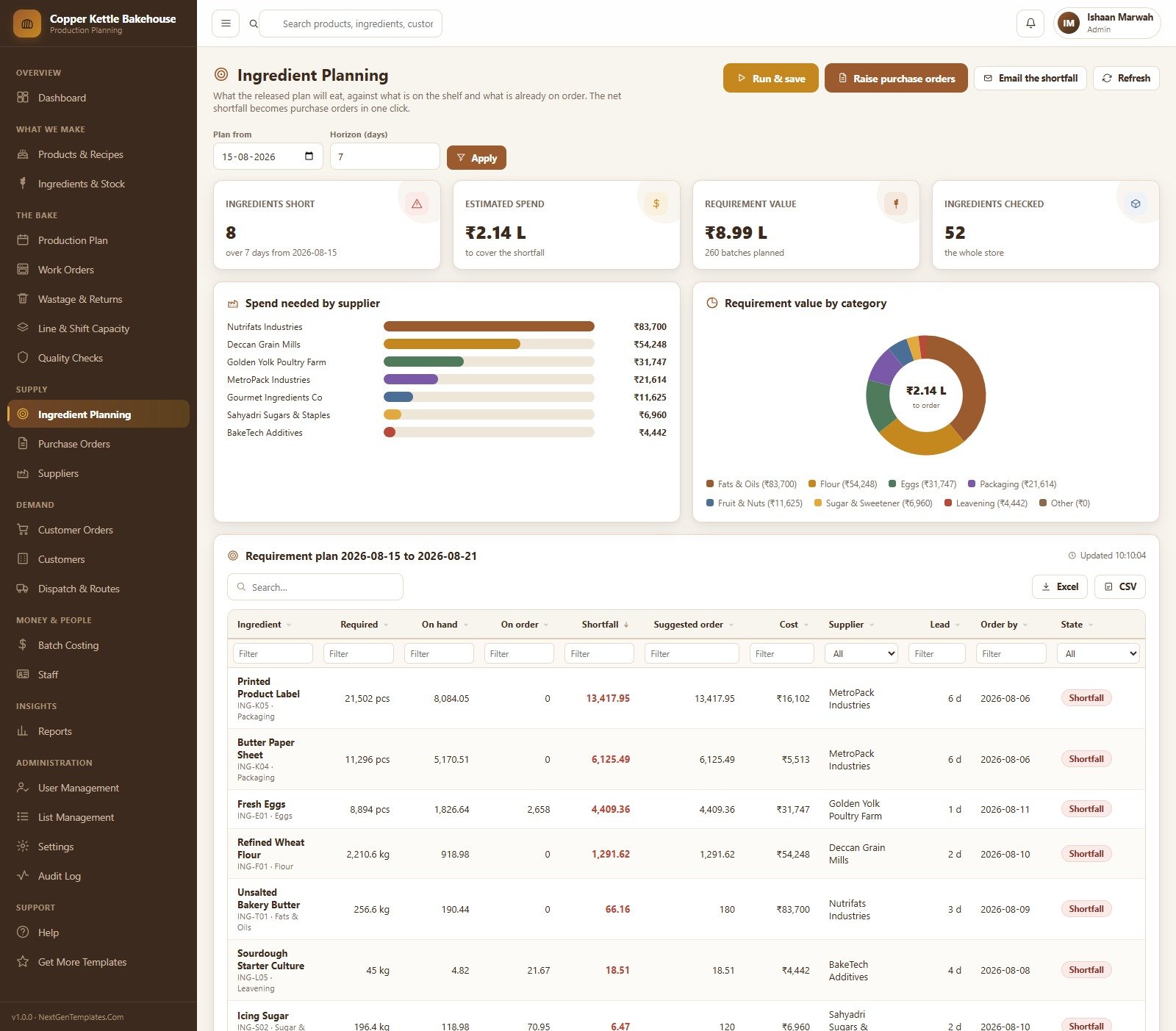
What the released plan will consume, against what is on the shelf and what is already on order. Set a start date and a horizon in days and the requirement plan lists every ingredient with required quantity, on hand, on order, shortfall, a suggested order quantity, cost, supplier, lead time and an order-by date. Spend needed by supplier and requirement value by category sit above it, and the whole shortfall converts to purchase orders in one press.
Customer Orders
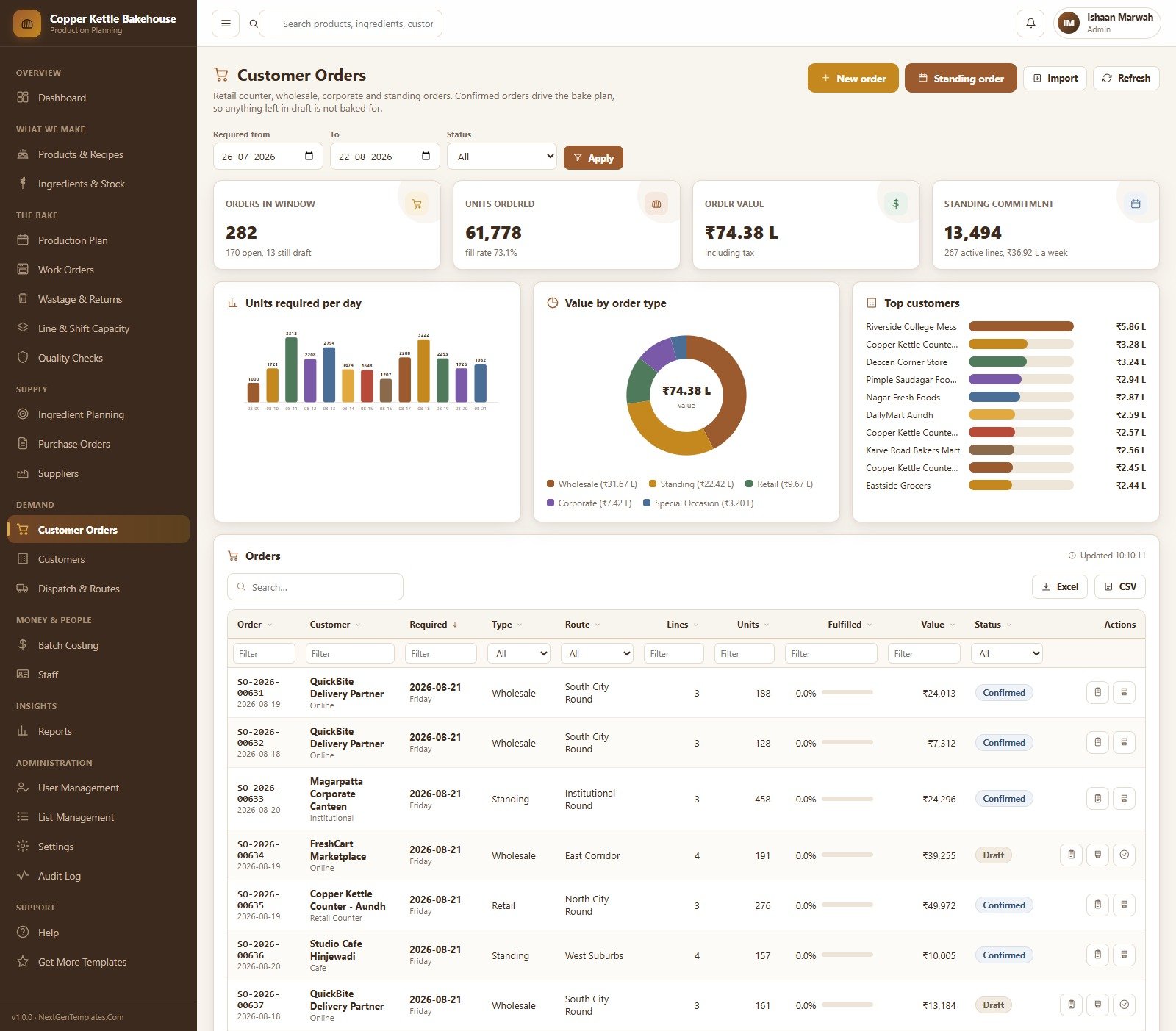
Retail counter, wholesale, corporate, special-occasion and standing orders in one queue. Confirmed orders drive the bake plan, so anything left in draft is deliberately not baked for. Cards cover orders in the window, units ordered with a fill rate, order value and the weekly standing commitment, with units required per day, value by order type and a top-customers ranking.
Batch Costing
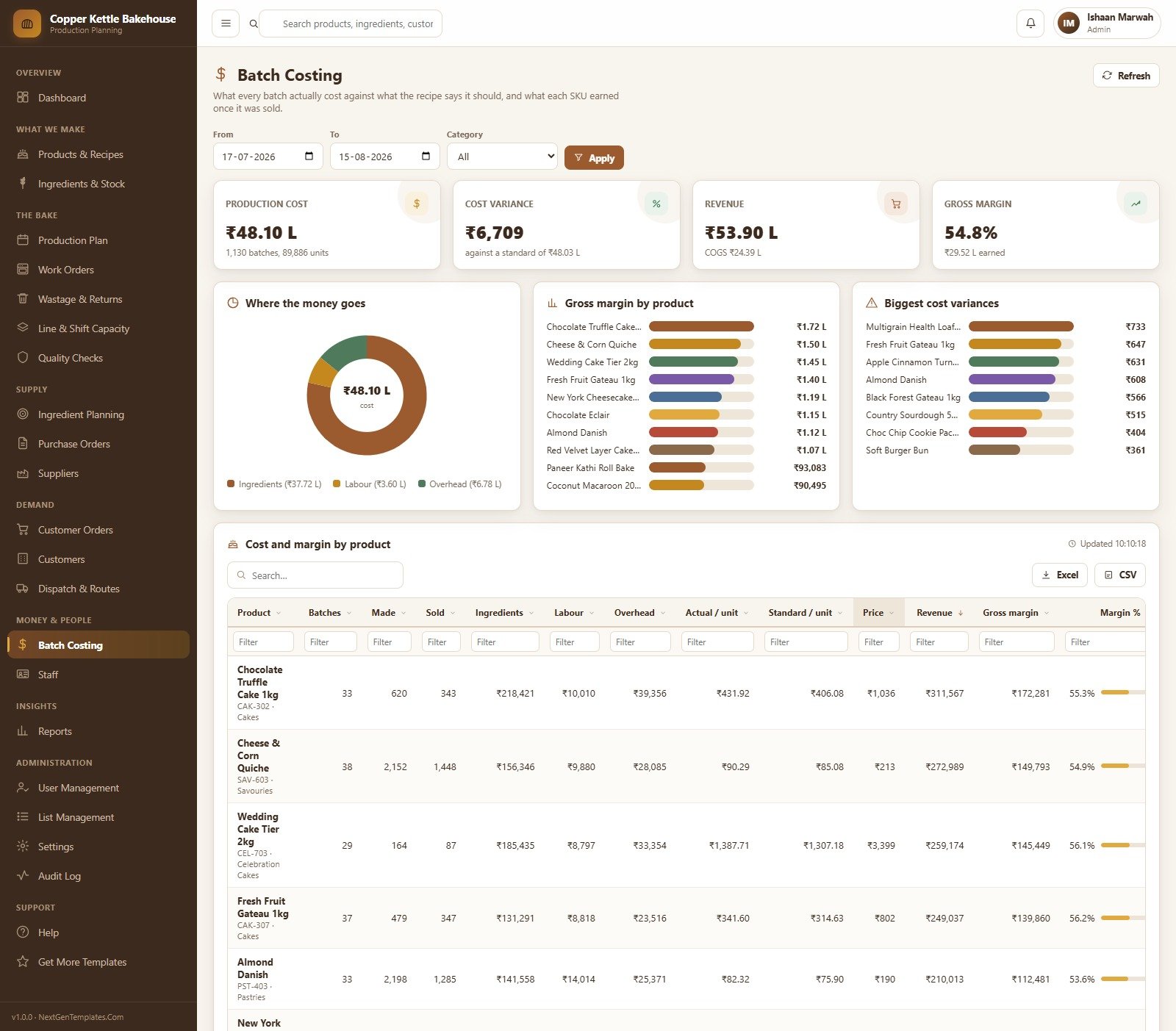
What every batch actually cost against what the recipe said it should, and what each SKU earned once it was sold. Production cost, cost variance against standard, revenue and gross margin sit at the top; below them a where-the-money-goes split across ingredients, labour and overhead, gross margin by product, the biggest cost variances, and a per-product table of batches, units made and sold, ingredient / labour / overhead cost, actual versus standard unit cost, price, revenue and margin percent.
Reports
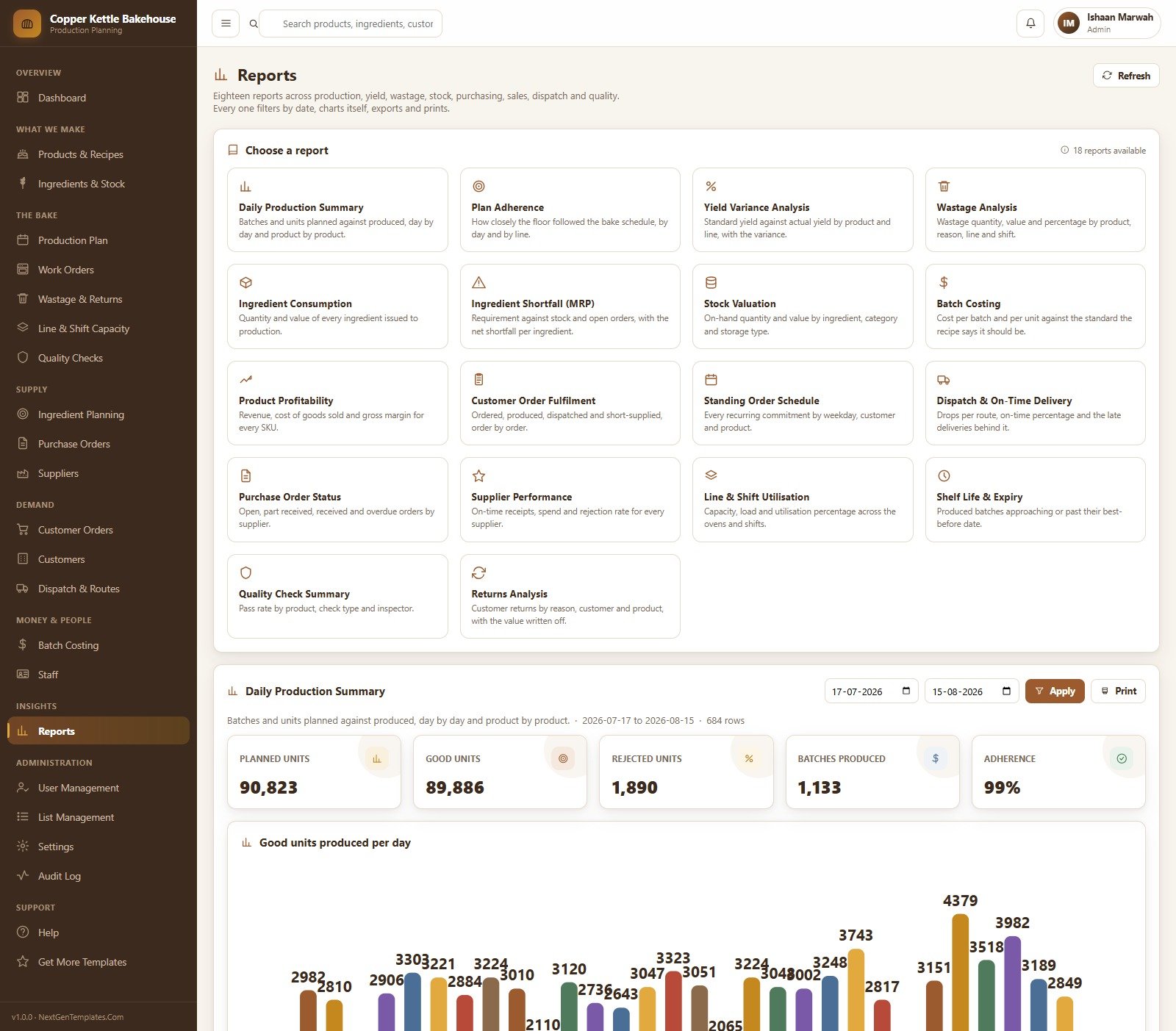
Eighteen reports across production, yield, wastage, stock, purchasing, sales, dispatch and quality: Daily Production Summary, Plan Adherence, Yield Variance Analysis, Wastage Analysis, Ingredient Consumption, Ingredient Shortfall (MRP), Stock Valuation, Batch Costing, Product Profitability, Customer Order Fulfilment, Standing Order Schedule, Dispatch & On-Time Delivery, Purchase Order Status, Supplier Performance, Line & Shift Utilisation, Shelf Life & Expiry, Quality Check Summary and Returns Analysis. Every one filters by date, charts itself, exports and prints.
The remaining screens
Wastage & Returns records write-offs by reason, line and shift alongside customer returns. Line & Shift Capacity holds the ovens, benches and fryers with their capacity per shift, which is what the plan is checked against. Purchase Orders and Suppliers cover raising, approving and receiving orders and scoring supplier on-time and rejection performance. Customers and Dispatch & Routes hold the account list and the drops that leave the plant. Staff keeps the plant roster that links each login to a person. User Management, List Management, Settings and the Audit Log sit under Administration, and Help plus Get More Templates stay available to every role.
How This Compares
| This web app | A spreadsheet | Subscription bakery ERP | |
|---|---|---|---|
| Cost | One payment | Free, but you build it | Monthly, per user, forever |
| Multi-user with roles | Yes — 6 roles, editable permissions | Share-link only | Yes |
| Where the data lives | Your own Google Sheet | Your own file | The vendor’s servers |
| Plan generated from orders | Yes | Manual | Yes |
| MRP-style ingredient shortfall | Yes | Manual | Yes |
| Batch costing vs standard | Yes | Manual | Yes |
| Source code you can edit | Yes — full Apps Script | Yes | No |
| Setup time | About 10 minutes | Weeks | Weeks of onboarding |
How to Use It
- Try the live demo first. Sign in with the credentials above — ideally as the Store Keeper or the Head Baker, because the most restricted roles show you the point fastest.
- Create a new Google Sheet and open Extensions → Apps Script.
- Paste the two files.
Code.cs.txtgoes into the file namedCode.gs;Index.txtgoes into a new HTML file named exactlyIndex. - Deploy as a web app and open the URL it gives you.
- Press “Set up the database” on the first-run panel, or run
setupfrom the editor. Every sheet, the seeded bakery and the six accounts are created. - Sign in as admin and change every password at User Management before anyone else gets the link.
- Load your own data — ingredients, suppliers, products and recipes, lines and shifts, customers — then delete the seeded demo records.
- Run a day. Take orders, generate the plan, release it, close the work orders with real counts and look at Batch Costing.
Who It Is For
- Craft and wholesale bakeries running several ovens across shifts
- Cloud and central kitchens supplying retail counters, cafes and institutional accounts
- Patisseries and cake studios that need recipe costing and margin per SKU
- Bakery plant managers who want plan adherence and yield variance in numbers rather than in their head
- Anyone replacing a stack of WhatsApp messages and printed sheets with one shared system
What This Template Is Not
This is a production-planning and record-keeping tool. Please read this list before buying:
- It does not make your bakery food-safety compliant and provides no assurance of compliance with any standard or regulator.
- It is not a HACCP system and does not build, validate or monitor a HACCP plan or critical control points.
- It does not handle allergen management, allergen declarations, ingredient labelling or nutrition panels, and does not check nutritional accuracy.
- It does not validate shelf life. Any best-before date it shows is a date you typed in; the system stores and reports it, nothing more.
- It makes no claim of conformity with FDA, FSSAI, EU food law, BRCGS, SQF, ISO 22000 or any other scheme, and is not a regulatory traceability or recall system.
- The Quality Checks module logs checks you define. It is a record, not a food-safety verification, and does not certify anything.
- It is not accounting software, not a payroll system and not a point-of-sale till.
- It needs a Google account and an internet connection; it does not run offline.
Food safety, labelling and regulatory compliance remain entirely your responsibility and should be handled with a qualified food-safety professional and the requirements of your own jurisdiction.
What You Get
Code.cs.txt— the complete Apps Script backendIndex.txt— the complete frontend- A step-by-step PDF user manual covering deployment, every module, the six roles, reports, printing and settings
- Lifetime access to the files you download, and free bug fixes to this template
Frequently Asked Questions
Does this make my bakery food-safety compliant?
No. It is a planning and record-keeping tool. It does not assess, certify or assure food safety, and it makes no HACCP, allergen, labelling, shelf-life validation or food-law claims. Compliance is your responsibility.
Can I try it before buying?
Yes. Use the live demo above with any of the six accounts. Nothing you do there affects your future copy — the demo instance resets periodically.
Do I need to know how to code?
No. You copy two files into a Google Apps Script project and press Deploy. The manual walks through it with screenshots. Everything after that is done in the browser.
Where is my data stored?
In a Google Sheet inside your own Google account. Nothing is sent anywhere else, and you can open the underlying sheet at any time.
How many people can use it?
As many as you like — you create the accounts. Six roles ship with the system and permissions per module are editable at User Management.
Can I change the currency, the categories or the check types?
Yes. Currency and plant settings live in Settings; categories, lines, shifts, wastage reasons, quality check types and every other dropdown live in List Management.
Can I edit the code?
Yes. You receive the full, unobfuscated Apps Script source and may modify it for your own bakery.
Is the seeded data real?
No. “Copper Kettle Bakehouse”, its 45 products, 52 ingredients, staff and orders are demonstration data generated to show the system working. Delete it once your own records are in.
Start Planning Your Bakes Today
Open the live demo, sign in as the Head Baker, and see the plan, the work orders and the yield variance for yourself. If it fits how your plant already works, you can be running your own copy in about ten minutes.
Built by NextGenTemplates.Com. Read the full walkthrough on NeoTechNavigators.





























Reviews
There are no reviews yet.