

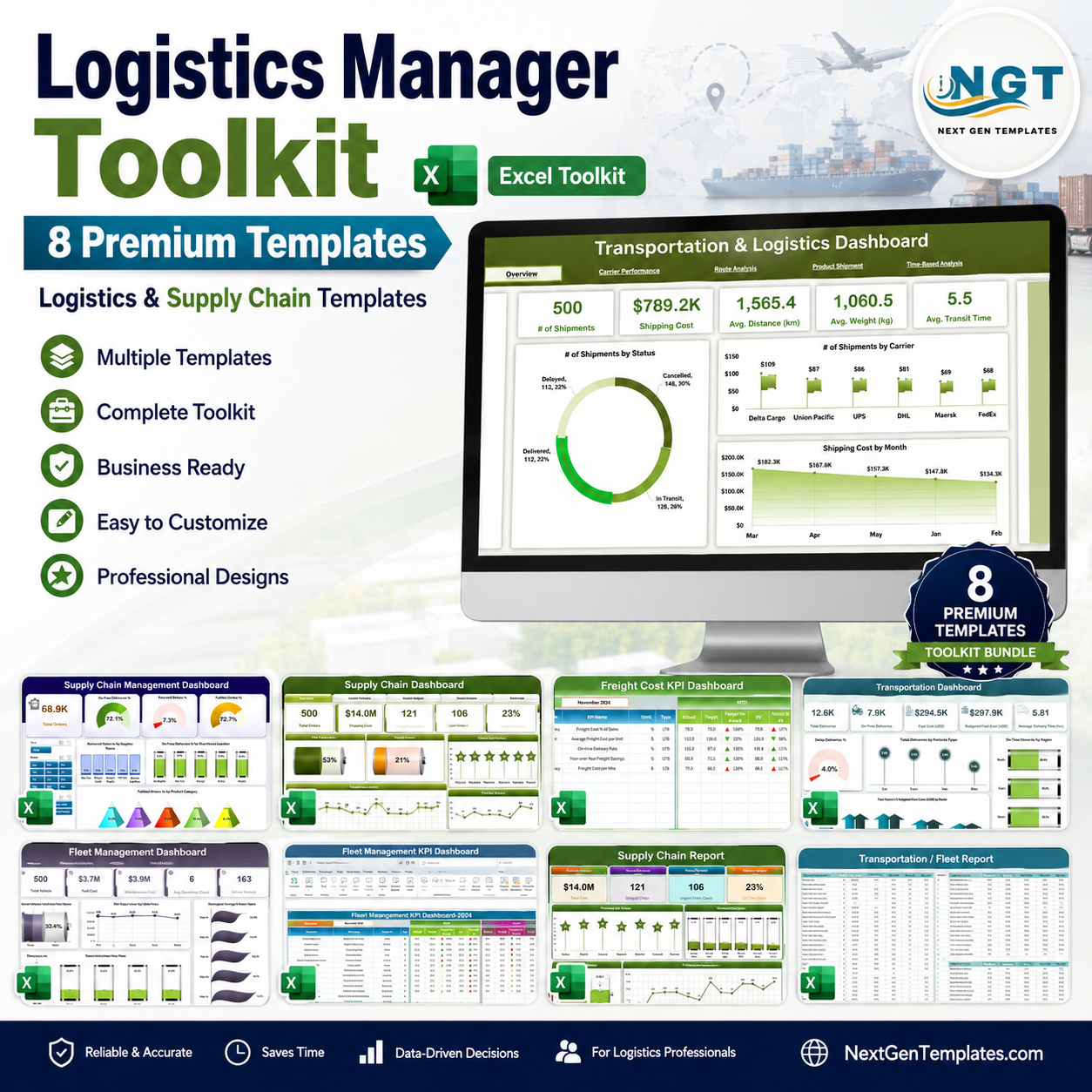
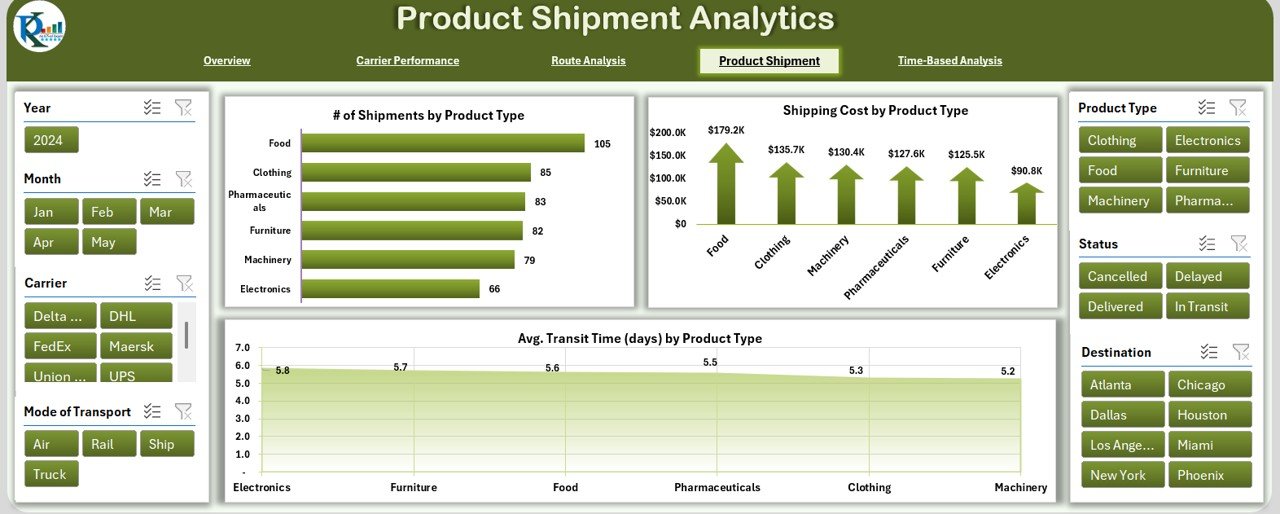
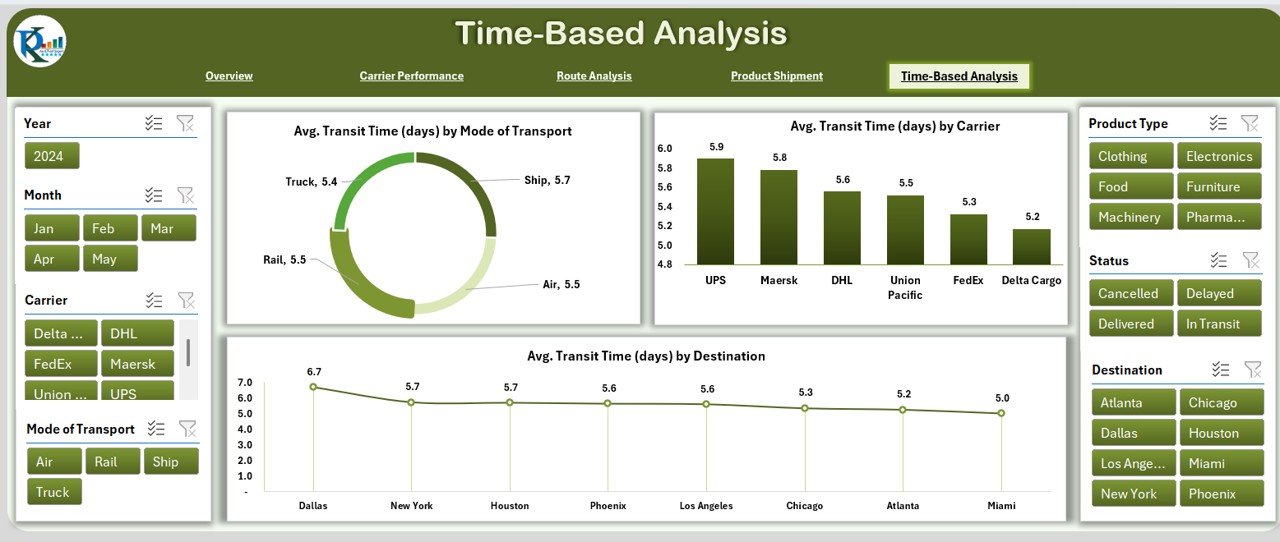
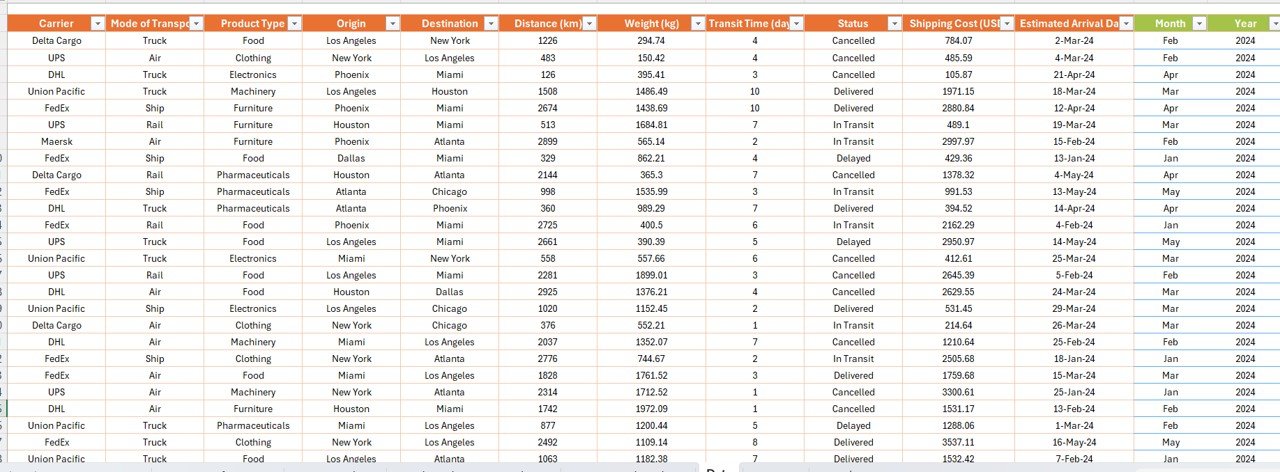


If you manage transportation, shipping, warehousing or a vehicle fleet, the Logistics Manager Toolkit gives you everything you need to run data-driven operations in one place — 8 premium Excel dashboards covering transportation, supply chain, fleet and freight analytics. Instead of juggling scattered spreadsheets or paying for expensive BI software, you get a complete, plug-and-play analytics stack that works entirely in Microsoft Excel. Buy the bundle and pay just $73.99 instead of $122.92 — an instant saving of $48.93 (40% off).
🔑 Key Features of the Logistics Manager Toolkit
- 🚚 End-to-End Logistics Coverage – shipments, carriers, routes, supply chain, fleet and freight costs in one toolkit
- 📊 PivotTables, Slicers & KPI Cards – dynamic filtering and auto-updating metrics with zero coding
- 📈 Ready-Made Charts – line, bar and pie visuals built on real-time data across every dashboard
- 💰 Cost Control Built In – track freight spend, cost-per-mile, and carrier efficiency
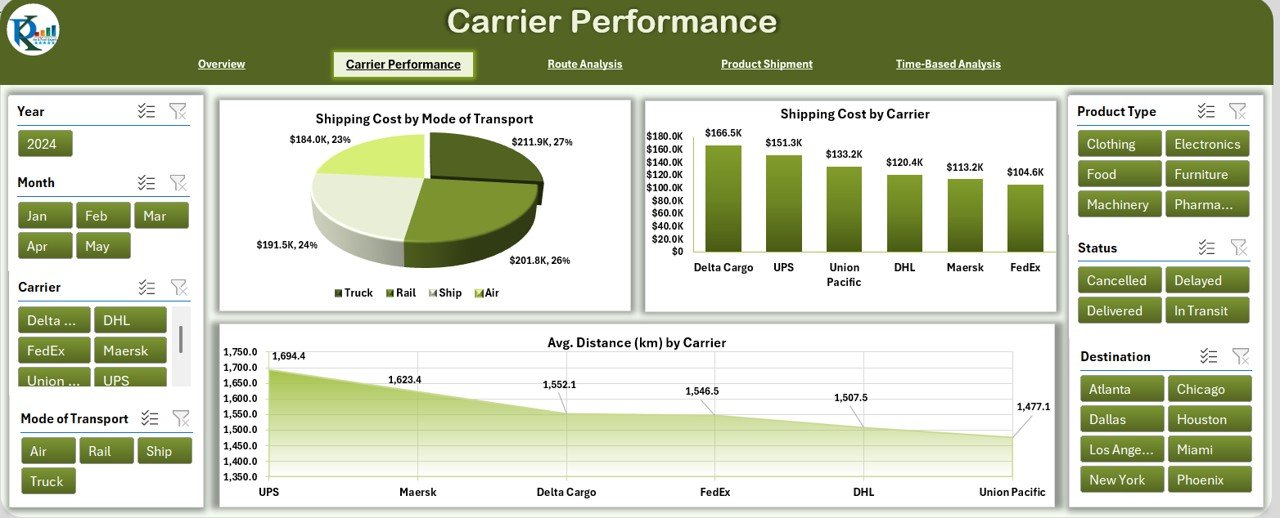
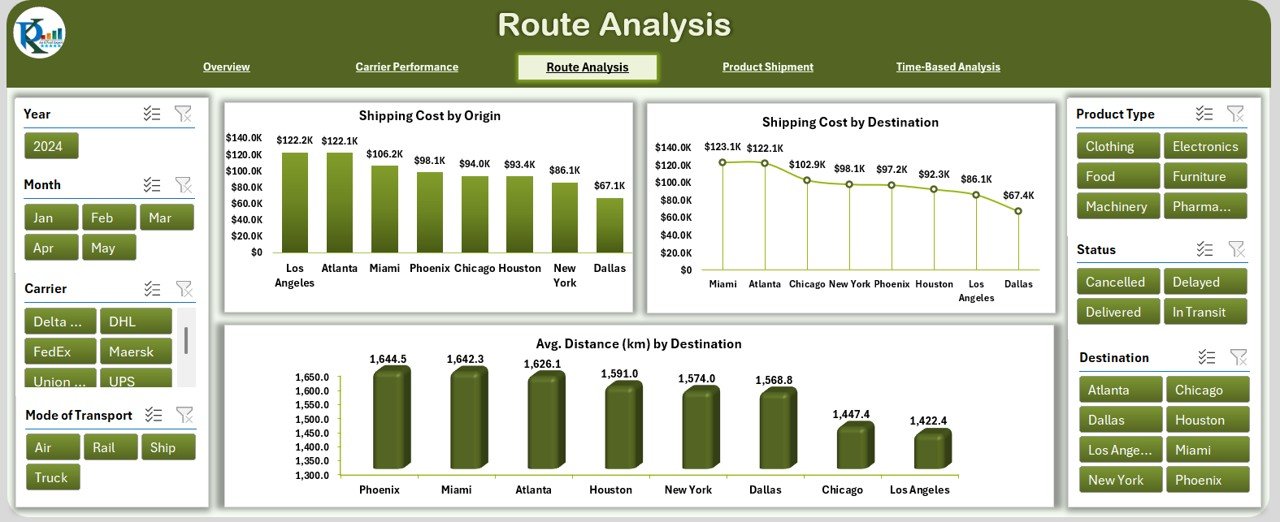
- 🗺️ Route & Carrier Analysis – spot inefficient lanes and negotiate better contracts
- 🚗 Fleet Utilization & Maintenance – monitor vehicles, downtime and running costs
- 📦 Supply Chain Visibility – suppliers, inventory, delivery performance and reporting
- ⚙️ 100% Excel – No Subscriptions – works offline, no BI licenses or SaaS fees required
- 🧩 Plug-and-Play Data Entry – structured input tables; just replace the sample data
- 🖨️ Print & Presentation Ready – clean layouts perfect for stakeholder and board reporting
📦 What’s Inside the Logistics Manager Toolkit
Eight individually-sold Excel templates, bundled together for one discounted price:
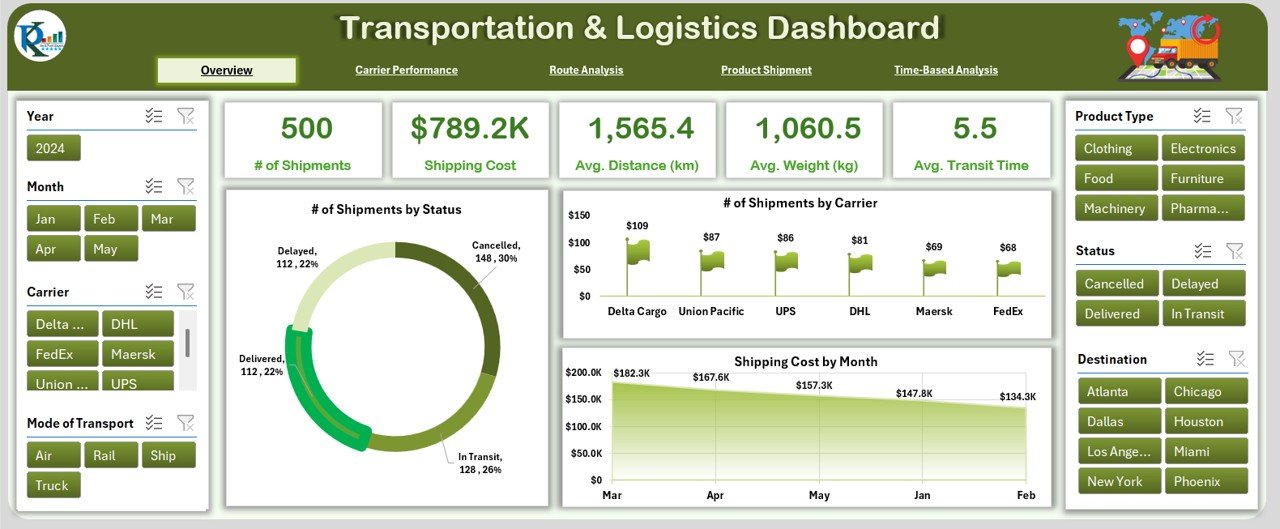
1. Transportation & Logistics Dashboard in Excel – A 5-page command center for shipments, carrier performance, route analysis, product shipment analytics and time-based trends. (Individually $17.99)
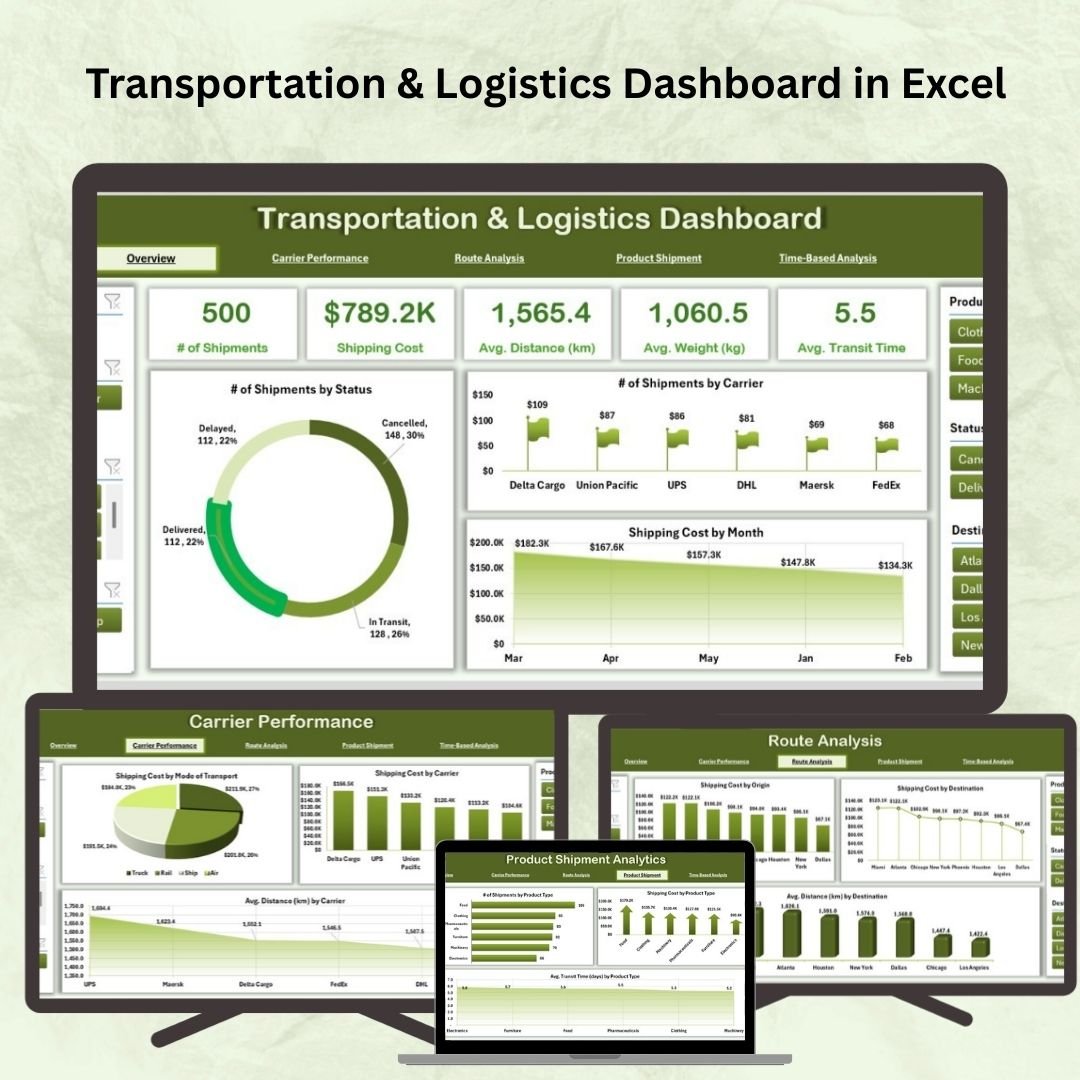
Transportation & Logistics Dashboard in Excel
2. Supply Chain Management Dashboard in Excel – Monitor suppliers, procurement, inventory and delivery performance across your entire supply chain. (Individually $17.99)

Supply Chain Management Dashboard in Excel
3. Supply Chain Dashboard in Excel – A focused KPI view of order fulfillment, lead times and stock health for fast operational decisions. (Individually $17.99)
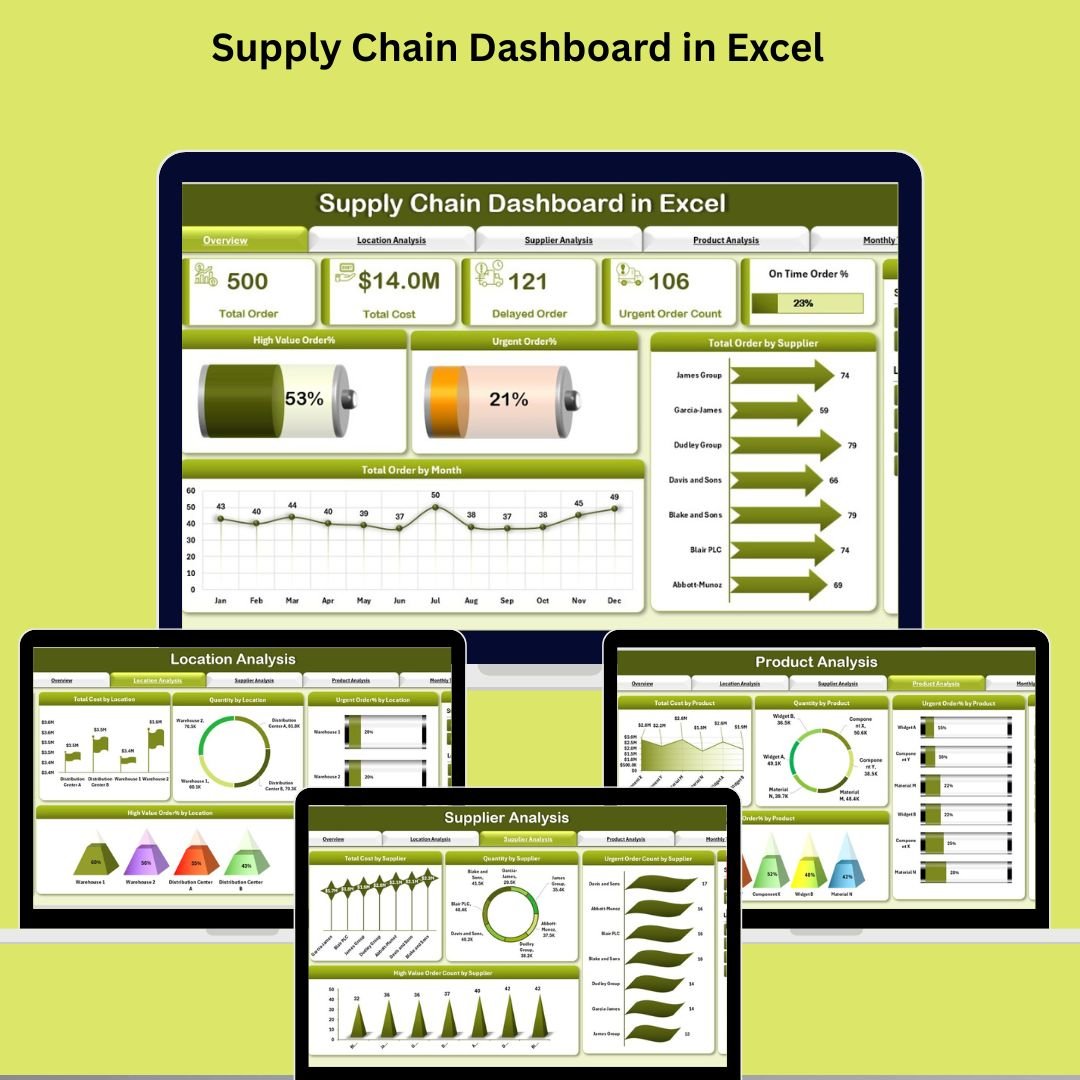
Supply Chain Dashboard in Excel
4. Freight Cost KPI Dashboard in Excel – Drill into freight spend, cost-per-shipment and cost-per-mile to keep transportation budgets under control. (Individually $12.99)

Freight Cost KPI Dashboard in Excel
5. Transportation Dashboard in Excel – Track delivery performance, transport modes and on-time rates with clean, slicer-driven visuals. (Individually $17.99)
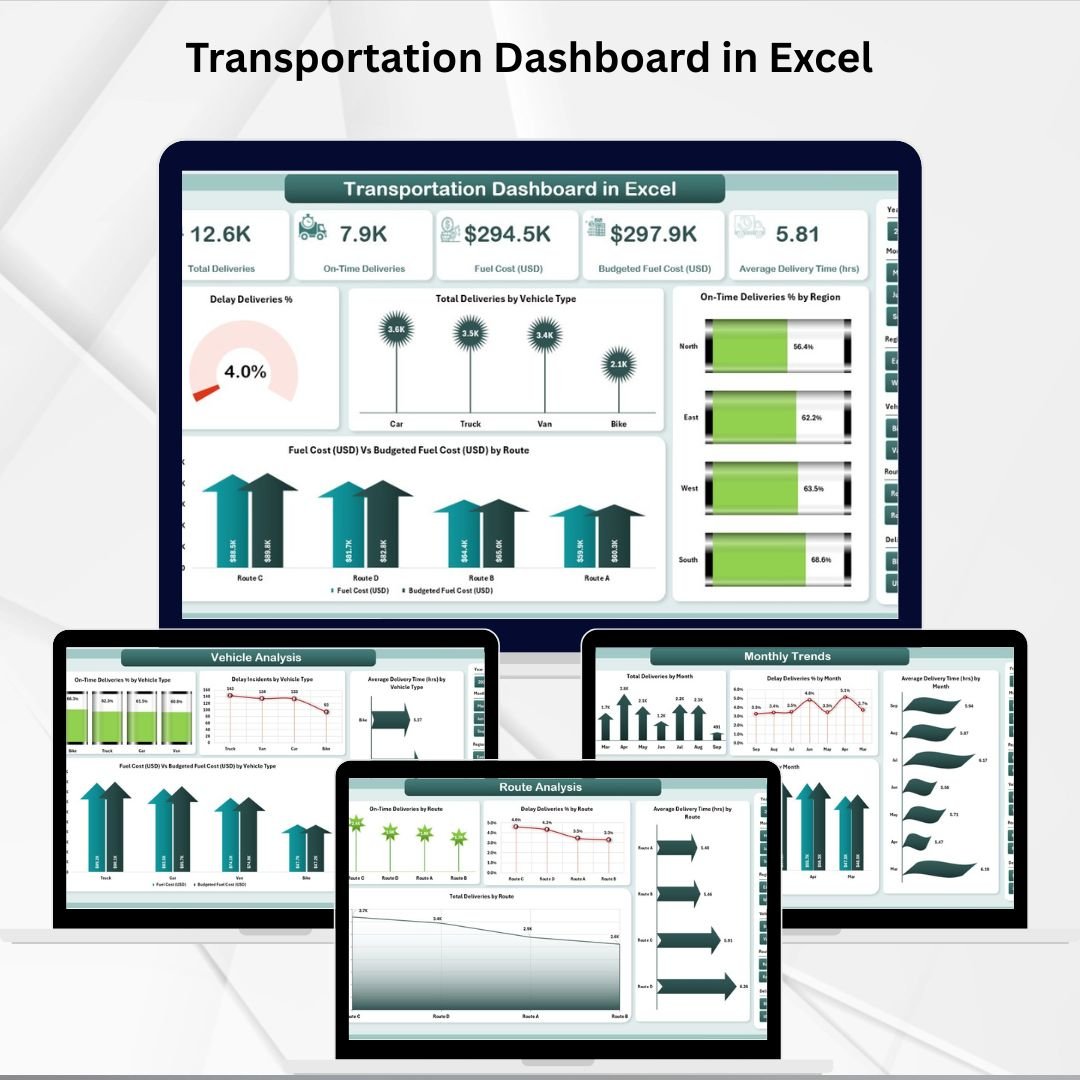
Transportation Dashboard in Excel
6. Fleet Management Dashboard in Excel – Manage your vehicle fleet: utilization, trips, fuel, maintenance schedules and running costs. (Individually $17.99)
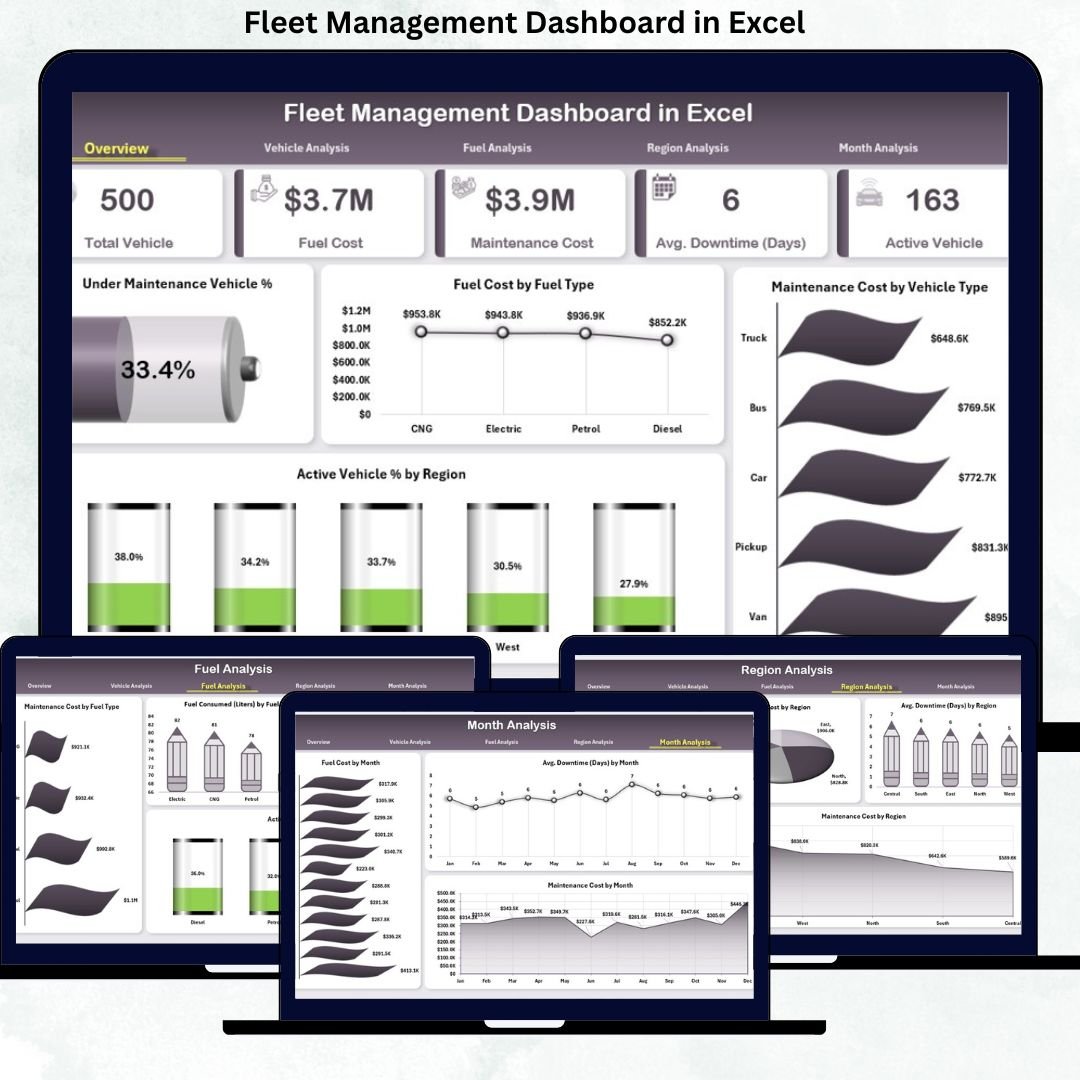
Fleet Management Dashboard in Excel
7. Fleet Management KPI Dashboard in Excel – A KPI-first fleet scorecard for utilization %, downtime, cost-per-km and maintenance tracking. (Individually $12.99)

Fleet Management KPI Dashboard in Excel
8. Supply Chain Report in Excel – A ready-to-fill reporting template that turns raw supply chain data into a clean, shareable summary. (Individually $6.99)
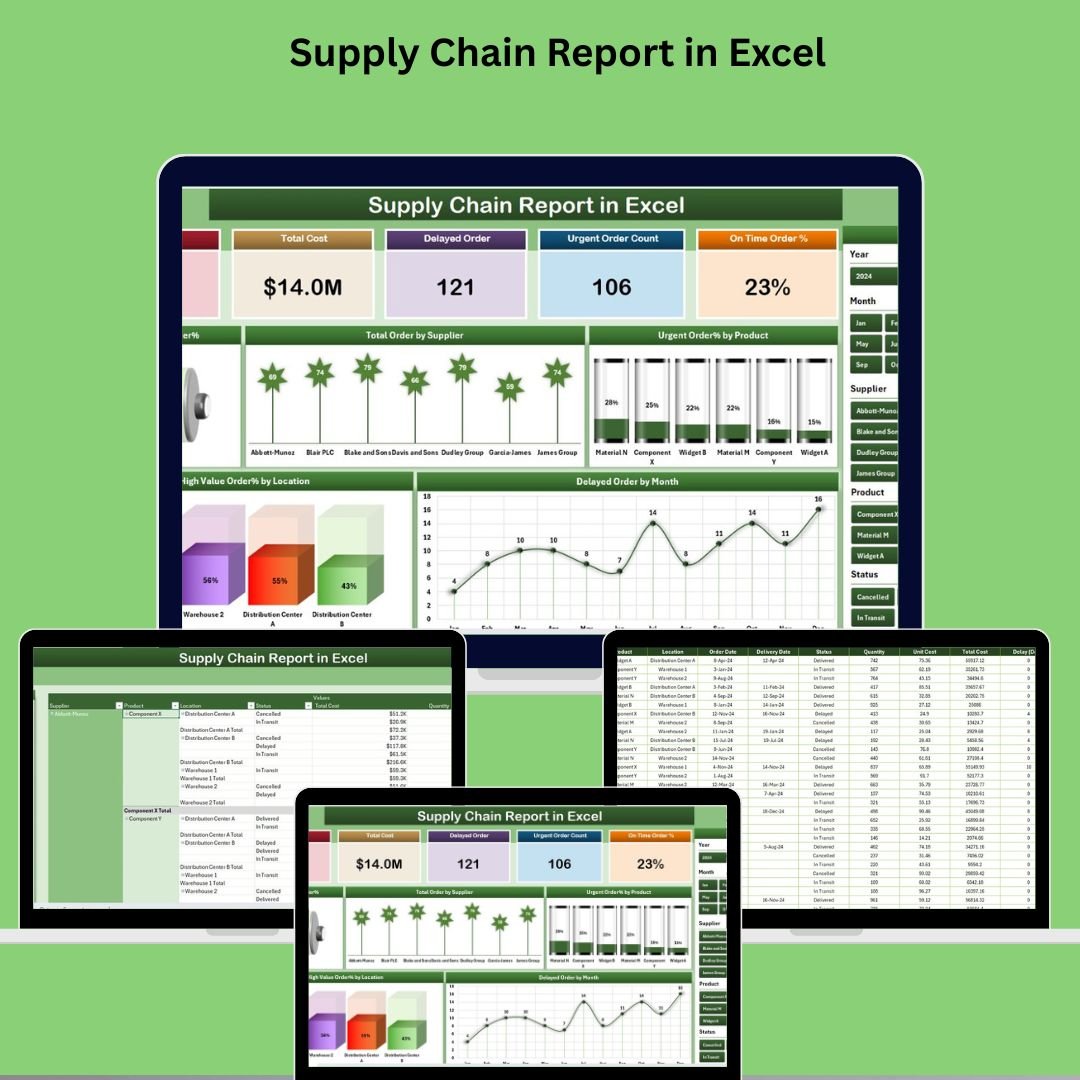
Supply Chain Report in Excel
💡 Smart Comparison — Individual vs Bundle
| # | Template | Platform | Individual Price |
|---|---|---|---|
| 1 | Transportation & Logistics Dashboard | Excel | $17.99 |
| 2 | Supply Chain Management Dashboard | Excel | $17.99 |
| 3 | Supply Chain Dashboard | Excel | $17.99 |
| 4 | Freight Cost KPI Dashboard | Excel | $12.99 |
| 5 | Transportation Dashboard | Excel | $17.99 |
| 6 | Fleet Management Dashboard | Excel | $17.99 |
| 7 | Fleet Management KPI Dashboard | Excel | $12.99 |
| 8 | Supply Chain Report | Excel | $6.99 |
| Individual Total | $122.92 | ||
| Bundle Price (You Pay) | $73.99 | ||
| You Save | $48.93 (40%) | ||
⚙️ How to Use the Logistics Manager Toolkit
- Download & Unzip – Extract the bundle and open any dashboard in Microsoft Excel.
- Enter Your Data – Replace the sample rows in each structured input table with your own shipments, routes, vehicles or supply data.
- Refresh All – Hit “Refresh All” so PivotTables, KPI cards and charts update automatically.
- Filter with Slicers – Drill into carriers, routes, time periods or vehicles to find insights.
- Report & Decide – Use the print-ready layouts for reviews, board decks and cost-saving decisions.
👥 Who Can Benefit from This Toolkit
- ✅ Logistics & Transport Managers – one toolkit for the whole operation
- ✅ Supply Chain Analysts – track lead times, fulfillment and inventory health
- ✅ Fleet & Operations Managers – control vehicle utilization and running costs
- ✅ Warehouse & Distribution Teams – monitor inbound/outbound movements
- ✅ eCommerce & Retail Businesses – manage delivery performance and freight spend
🚛 Get the Complete Logistics Manager Toolkit
8 Premium Excel Dashboards • $122.92 $73.99
You Save $48.93 (40% OFF)
📘 Click here to read the detailed blog post
🎥 Visit our YouTube channel for step-by-step video tutorials
Compatibility and Requirements
- All 8 templates open in Microsoft Excel desktop (Excel 2016 or later, or Microsoft 365).
- The dashboards use PivotTables, slicers and KPI cards; click Refresh All after adding data.
- New to slicers? Microsoft explains them in Use slicers to filter data.
Frequently Asked Questions
Which templates are included?
Transportation and Logistics Dashboard, Supply Chain Management Dashboard, Supply Chain Dashboard, Freight Cost KPI Dashboard, Transportation Dashboard, Fleet Management Dashboard, Fleet Management KPI Dashboard and Supply Chain Report, all in Excel.
Do I need any other software?
No. Everything runs in Microsoft Excel and works offline.
How do I add my own data?
Replace the sample rows in each input table with your shipments, routes, vehicles or supply data, then click Refresh All.
Can I print the dashboards?
Yes. The layouts are set up for printing and for stakeholder or board reports.
Related Logistics Bundles and Templates
- Logistics and Transportation Hub: 7 logistics templates for Excel and Power BI
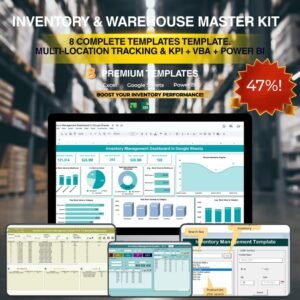
- Inventory & Warehouse Master Kit: inventory and warehouse templates
- Procurement and Vendor Management Kit: procurement templates
- Transportation & Logistics Dashboard in Power BI: the logistics dashboard in Power BI
- Trucking and Logistics Dashboard in Google Sheets: a trucking dashboard online
Browse all template bundles or the Excel logistics templates.



















Reviews
There are no reviews yet.