

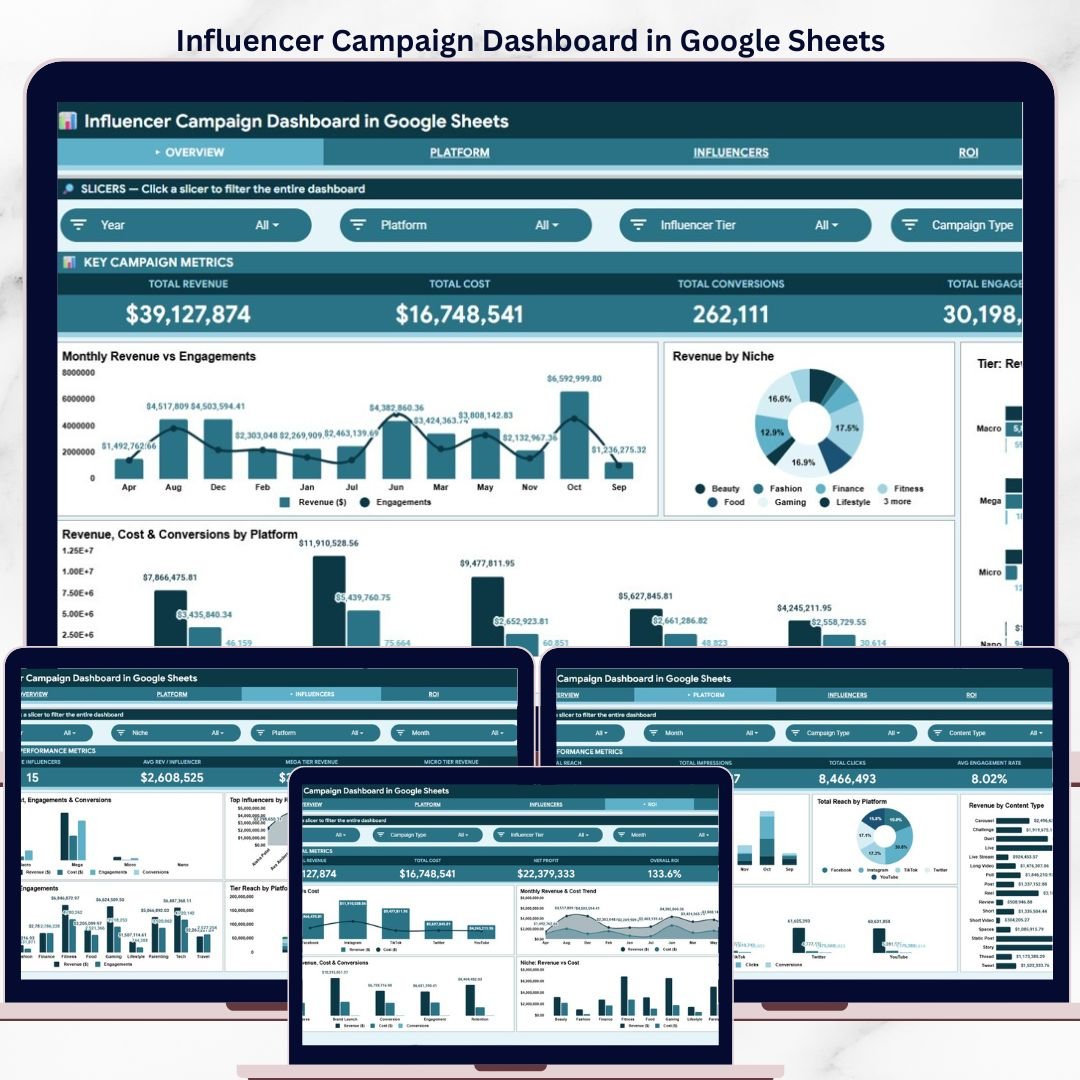
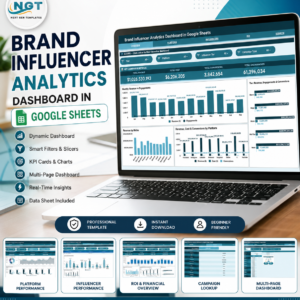
The Influencer Campaign Dashboard in Google Sheets tracks 4 headline KPIs across 6 interactive pages, with 16 pre-built charts covering Revenue, Engagements, Conversions, Cost, and Platform performance. Slicer-driven filters let you isolate any campaign subset with one click — setup takes under 10 minutes, just paste your data and every chart and KPI card rebuilds automatically.
🌍 Join 8,400+ teams in 40+ countries using NextGenTemplates to replace costly SaaS tools with one-time-purchase Google Sheets Dashboard templates.
✅ Instant download · One-time payment · No subscription · No per-user fees · Lifetime access
🔑 Key Features of Influencer Campaign Dashboard in Google Sheets
🔹 4 KPI headline cards — Total Revenue, Total Cost, Total Conversions, and Total Engagements displayed prominently on the Overview page for at-a-glance campaign health checks.
🔹 16 pre-built charts across 4 analysis pages — This dashboard tracks campaign performance across Platform, Influencer, and ROI dimensions, giving marketing teams a complete 360° picture without writing a single formula.
🔹 Slicer-driven filtering — Multiple interactive slicers on the Overview page let you filter every chart and KPI card simultaneously by platform, niche, tier, or campaign type with a single click.
🔹 Influencer Tier analysis — Revenue, Cost, Engagements, and Conversions broken down by influencer tier (Nano, Micro, Macro, Mega) so you know which tier delivers the best ROI for your budget.
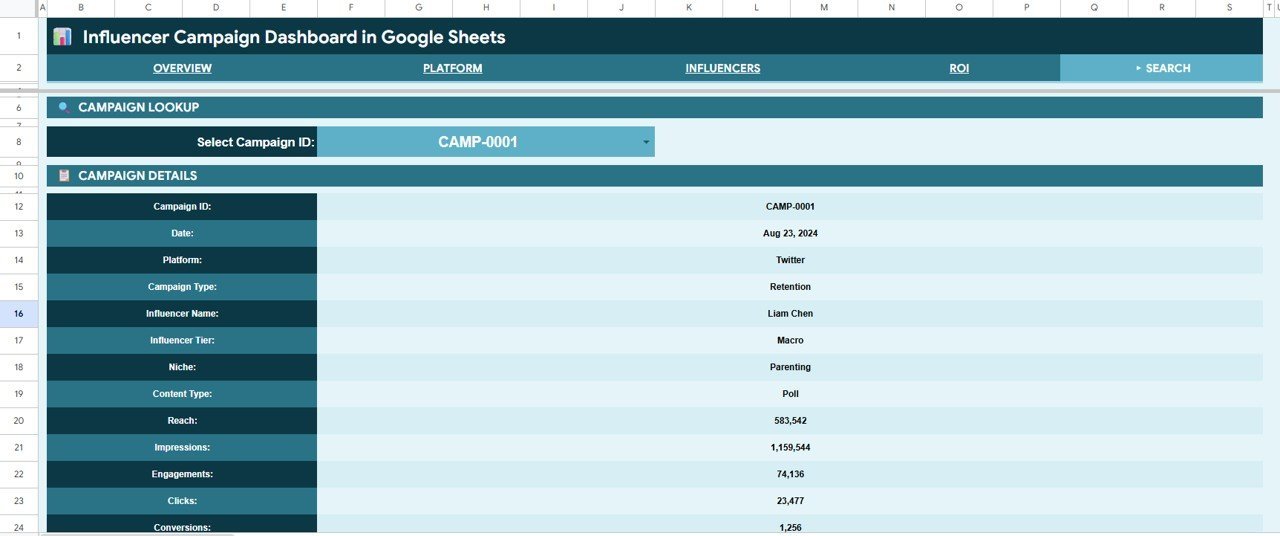
🔹 Campaign Search sheet — Select any Campaign ID from a dropdown to instantly surface all 13 data fields for that campaign: Platform, Influencer Name, Tier, Niche, Reach, Impressions, Engagements, Clicks, and Conversions.
🔹 Pivot-table backend — All charts and KPIs are powered by Google Sheets pivot tables. Add rows to the Data sheet, refresh, and every metric updates — no manual formula editing.
📦 What’s Inside the Influencer Campaign Dashboard in Google Sheets
The dashboard contains 6 structured sheet tabs:
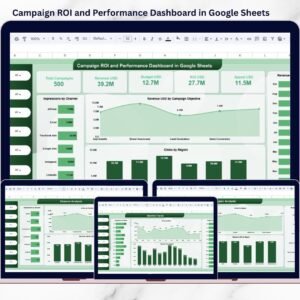
1. Overview Page — Four KPI cards (Total Revenue, Total Cost, Total Conversions, Total Engagements) sit at the top, feeding from pivot data. Four charts display Monthly Revenue and Engagements by Month, Revenue by Niche, Revenue/Engagements/Conversions by Tier, and Revenue/Cost/Conversions by Platform. Multiple slicers let you filter the full dashboard in seconds.
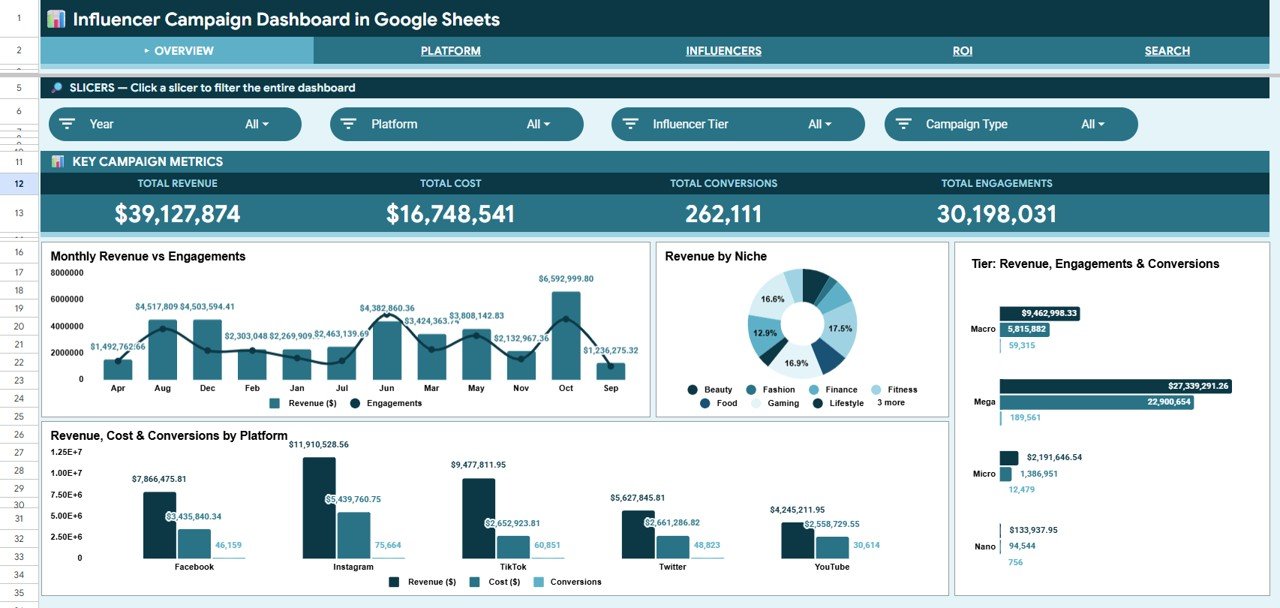
Influencer Campaign Dashboard in Google Sheets – Overview Page
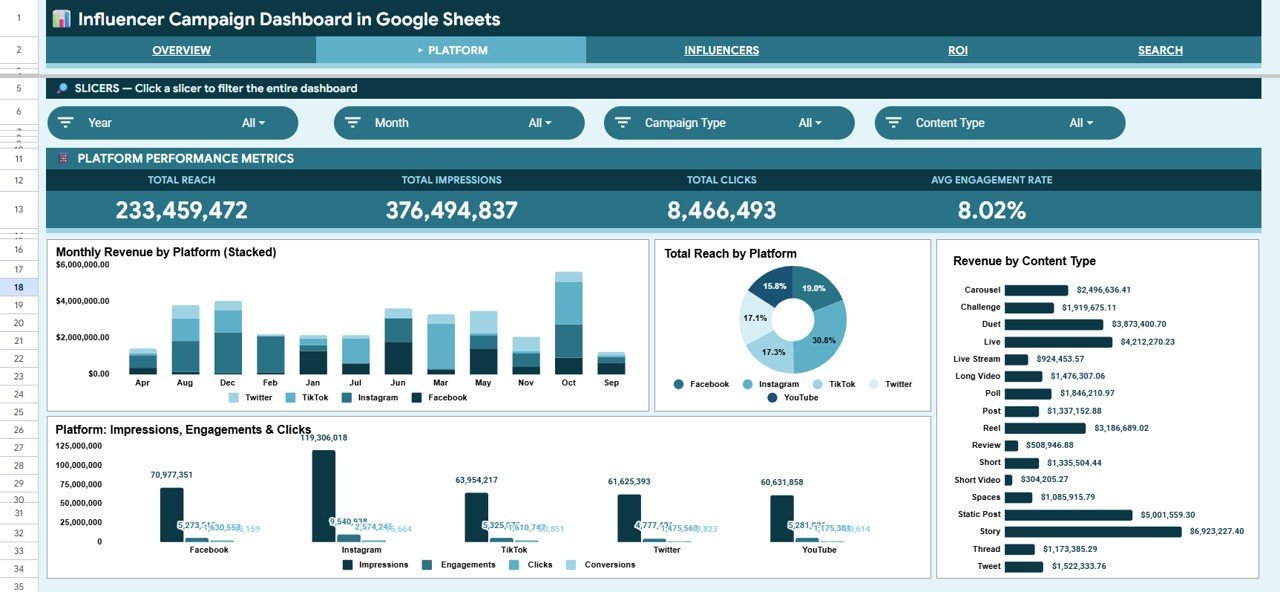
2. Platform Page — Dedicated platform analysis with Monthly Revenue by Platform, Total Reach by Platform, Revenue by Content Type, and Impressions/Engagements/Clicks by Platform side by side.
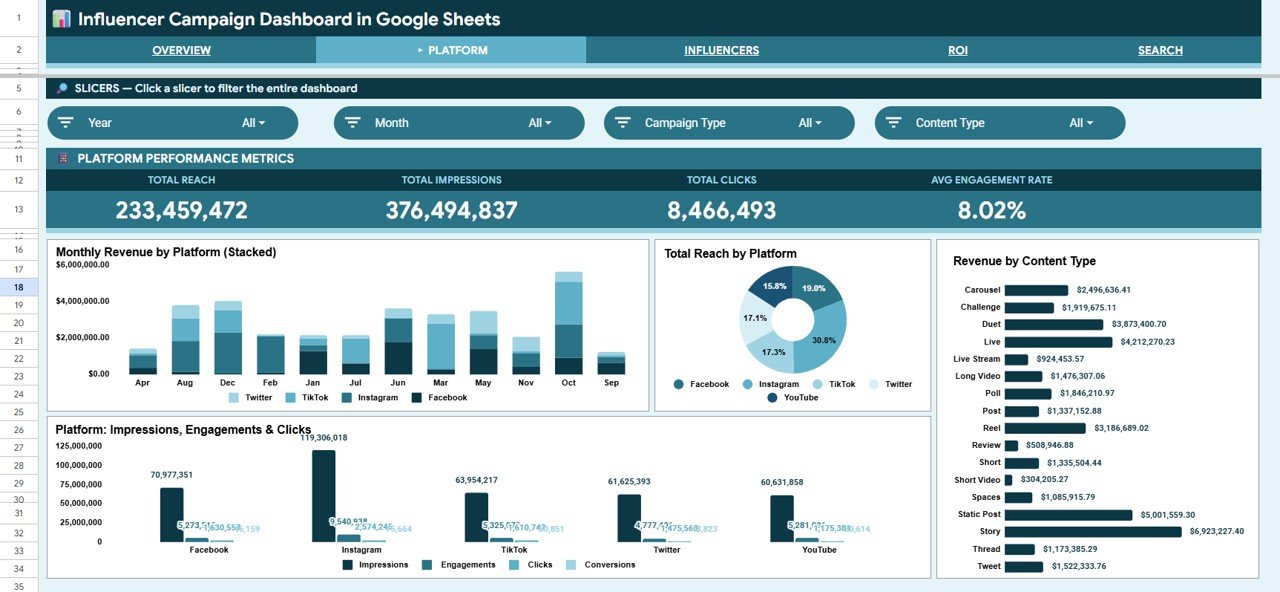
Influencer Campaign Dashboard in Google Sheets – Platform Page
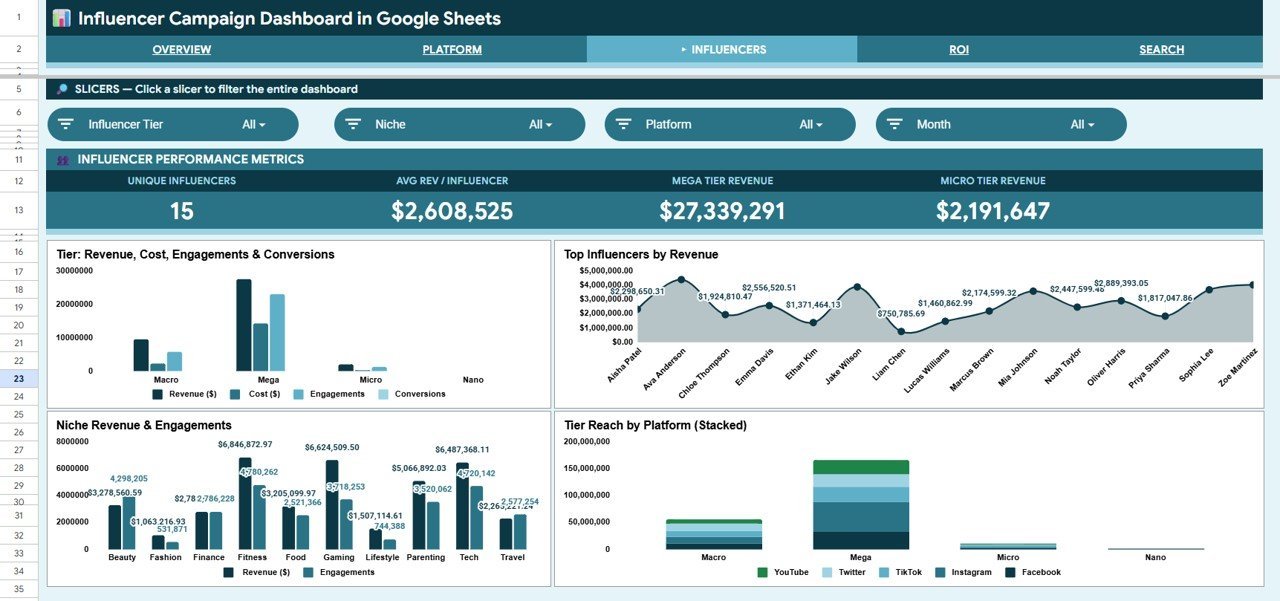
3. Influencers Page — Deep-dive into creator performance: Revenue/Cost/Engagements/Conversions by Tier, Top Influencers by Revenue, Revenue and Engagements by Niche, and Tier Reach by Platform.
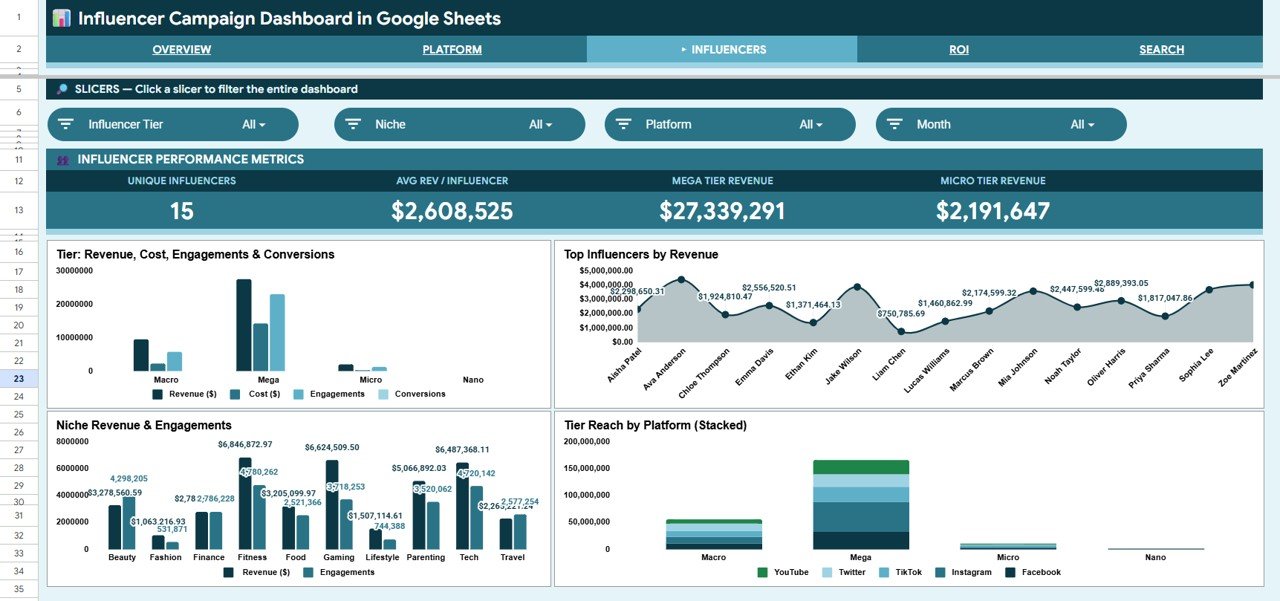
Influencer Campaign Dashboard in Google Sheets – Influencers Page
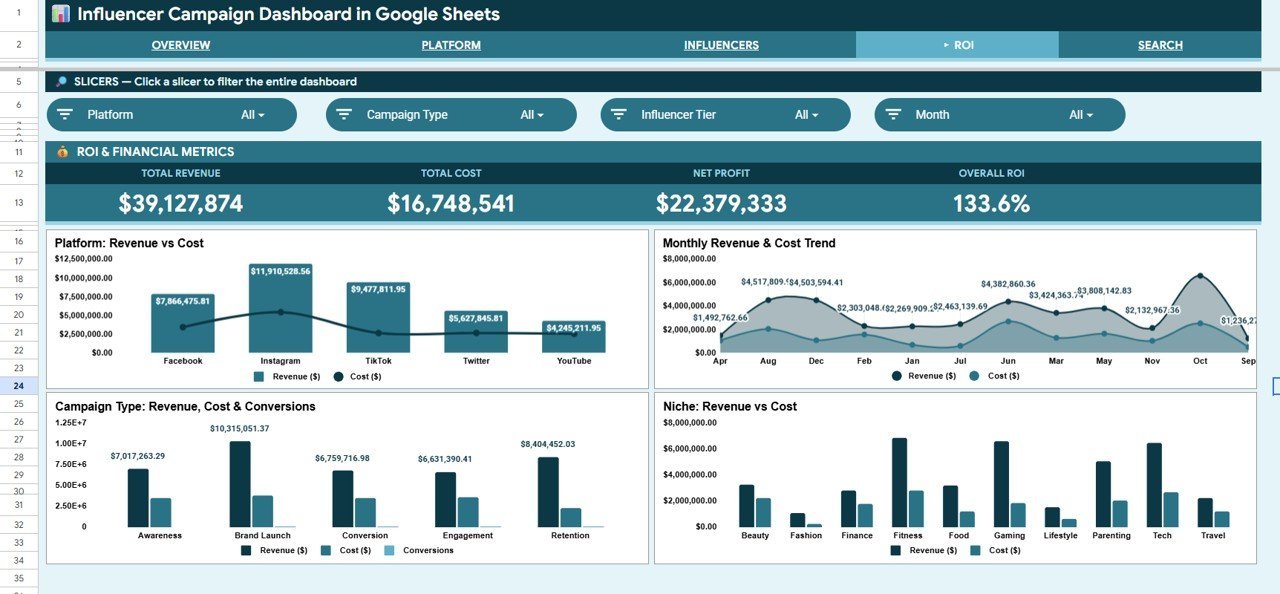
4. ROI Page — Full return-on-investment view: Revenue and Cost by Platform, Monthly Revenue and Cost Trend, Revenue/Cost/Conversions by Campaign Type, and Revenue and Cost by Niche.
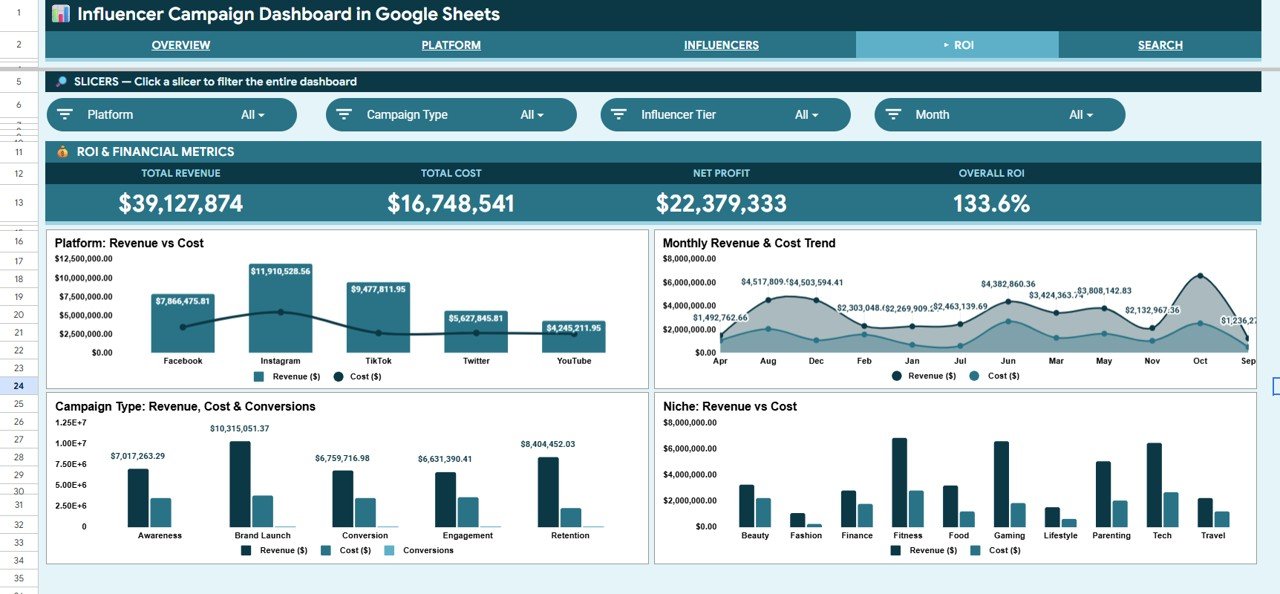
Influencer Campaign Dashboard in Google Sheets – ROI Page
5. Search Page — Select any Campaign ID from a dropdown and instantly view all 13 campaign fields: Campaign ID, Date, Platform, Campaign Type, Influencer Name, Tier, Niche, Content Type, Reach, Impressions, Engagements, Clicks, and Conversions.
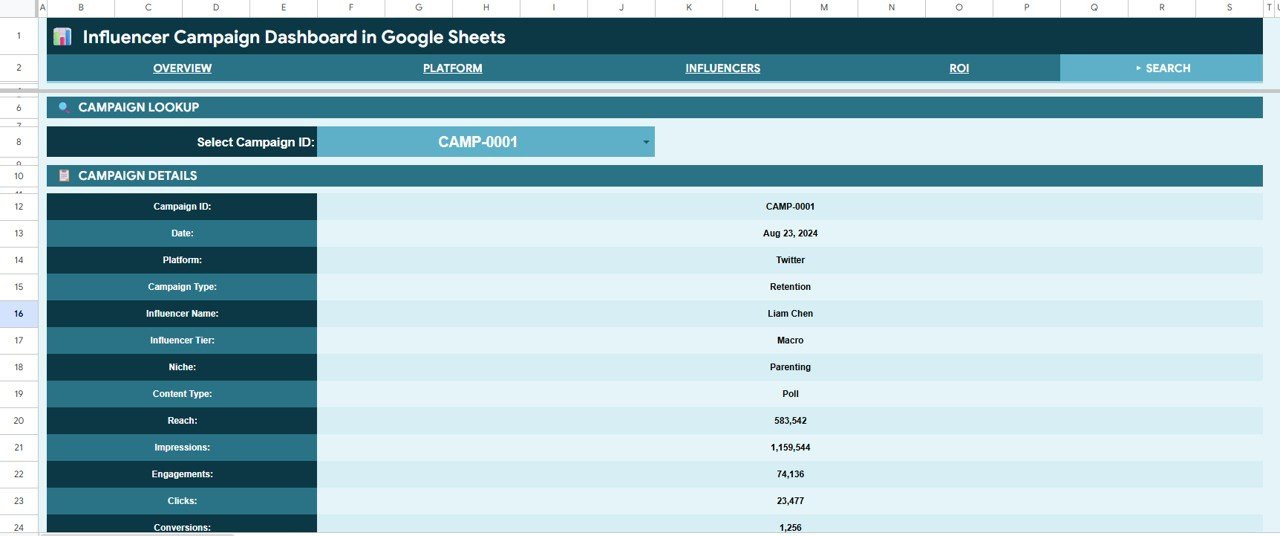
Influencer Campaign Dashboard in Google Sheets – Search Page
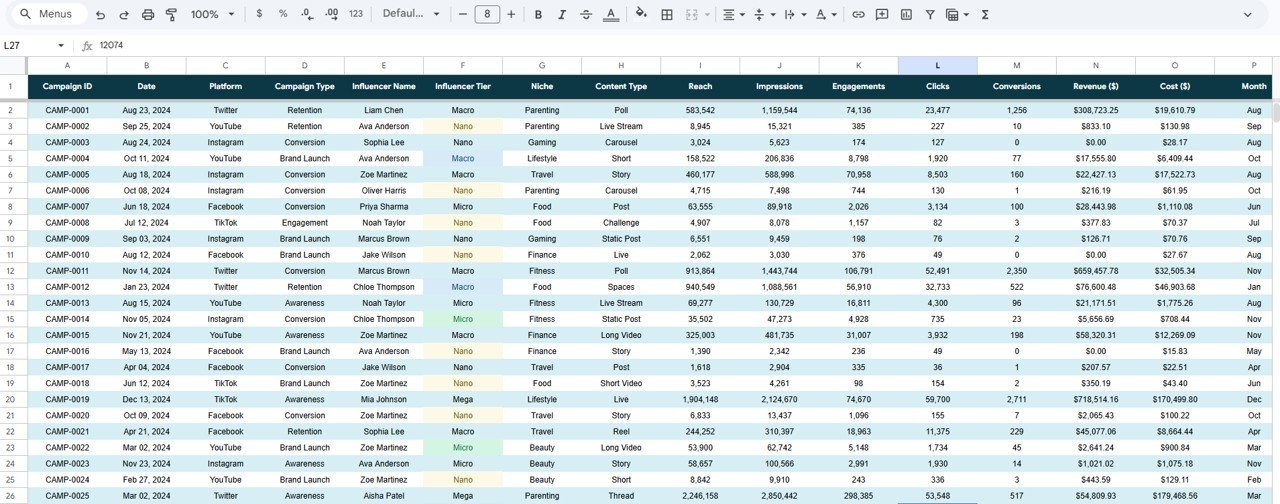
6. Data Sheet — Structured input table where you add campaign records in the defined column format. All dashboard pages feed from this single source of truth.
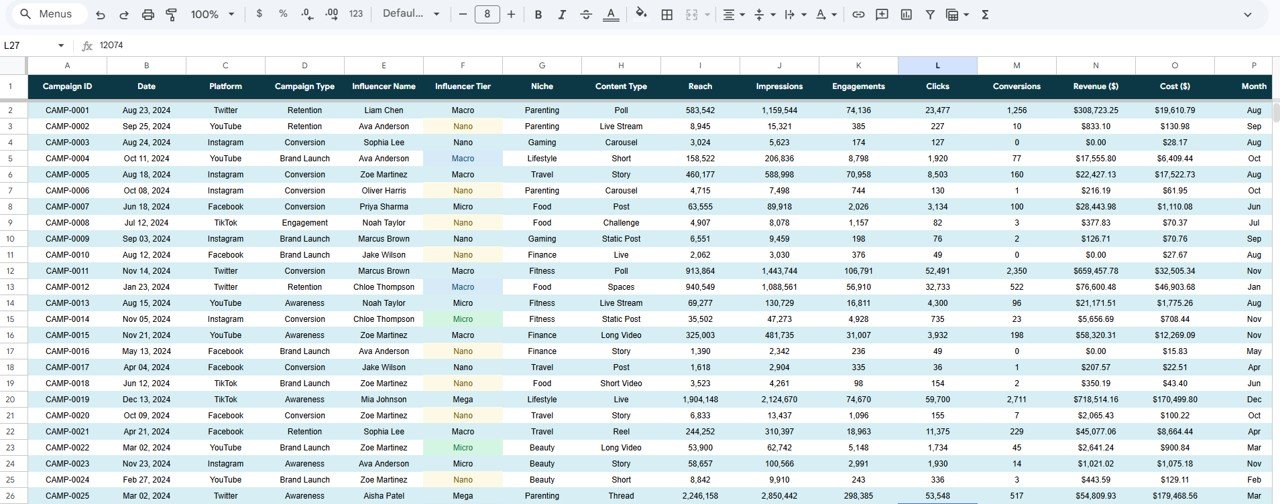
Influencer Campaign Dashboard in Google Sheets – Data Sheet
📊 Influencer Campaign Dashboard in Google Sheets vs. Excel Dashboard vs. Paid SaaS — Where This Fits
| Feature | Influencer Campaign Dashboard (Google Sheets) | Microsoft Excel Dashboard | HubSpot Marketing Hub |
|---|---|---|---|
| Cost | $9.99 one-time | Requires MS Office license | $800–$3,600/month |
| Platform | ✅ Browser-based, any device | Desktop only (Windows/Mac) | Cloud SaaS |
| Setup time | ✅ Under 10 minutes | 10–15 minutes | Days of onboarding |
| Real-time team collaboration | ✅ Built-in (Google Drive) | Limited (SharePoint required) | ✅ Yes |
| Influencer Tier breakdown | ✅ Yes (Nano/Micro/Macro/Mega) | Custom build required | Partial (third-party add-on) |
| Campaign Search by ID | ✅ Dropdown lookup | Custom formula needed | ✅ Yes |
| Customizable fields | ✅ Full control | ✅ Full control | Limited without developer |
| Year-1 cost (5 users) | $9.99 total | ~$50+ (Office licenses) | $9,600–$43,200 |
For marketing teams that need influencer ROI clarity without paying enterprise SaaS prices, the Influencer Campaign Dashboard in Google Sheets sits in the sweet spot.
👥 Who This Template Is For — and Who It’s Not For
✅ This template is built for:
- Digital marketing managers tracking multi-platform influencer campaigns
- Social media agencies managing 10–200 influencer relationships
- Brand managers who need ROI accountability from influencer spend
- Freelance marketers building reporting dashboards for clients
- E-commerce brands running affiliate and influencer programs
❌ This template is NOT for:
- Enterprise teams requiring live API data pulls from Instagram or TikTok
- Teams needing real-time contract management or CRM features
- Organizations that require SOC 2-certified data storage
⚙️ How to Use the Influencer Campaign Dashboard in Google Sheets
- Download the file and open the PDF guide — it contains your Google Sheets copy link.
- Click the link to create a personal editable copy in your Google Drive.
- Navigate to the Data sheet and enter your campaign records following the column format.
- Use slicers on the Overview page to filter by Platform, Niche, Tier, or Campaign Type.
- Visit the Platform, Influencers, and ROI pages for deeper analysis views.
- Use the Search page to look up any Campaign ID and review its full detail record.
💼 Real-World Use Cases
Priya manages influencer partnerships at a D2C beauty brand. She uses the Influencer Campaign Dashboard in Google Sheets to compare Macro vs. Micro influencer ROI each quarter, track which niches (skincare, wellness, lifestyle) drive the most conversions, and present monthly spend vs. revenue reports to her CMO — all without paying $800/month for a SaaS tool.
Marco runs a boutique digital marketing agency. He shares a copy of this dashboard with each client via Google Drive, updates campaign data weekly, and lets clients view the live Platform and ROI pages themselves — turning data transparency into a competitive differentiator for client retention.
❓ Frequently Asked Questions
What KPIs does the Influencer Campaign Dashboard in Google Sheets track?
The dashboard tracks 4 headline KPIs: Total Revenue, Total Cost, Total Conversions, and Total Engagements. Deeper analysis pages break these down by Platform, Influencer Tier, Niche, Campaign Type, and Content Type across 16 pre-built charts.
Does this work on mobile or tablets?
Yes. Because it runs entirely in Google Sheets, you can view the dashboard on any device with the Google Sheets app. Slicer controls also work on mobile, though data entry is easiest on desktop.
How do I add my own campaign data?
Navigate to the Data sheet tab and enter your records in the structured column format. All 16 charts and 4 KPI cards update automatically as you add rows — no formula editing required.
How does this compare to HubSpot or a paid influencer platform?
HubSpot Marketing Hub starts at $800/month. The Influencer Campaign Dashboard in Google Sheets costs $9.99 once, covers the same core KPIs, and gives you full control over data and layout — without recurring fees or per-user pricing.
Can I share this dashboard with my team or clients?
Yes. Google Sheets’ built-in sharing means you can invite teammates or clients with viewer or editor access directly from Google Drive, with no additional cost per user.
What influencer tiers are supported?
The dashboard supports Nano, Micro, Macro, and Mega tiers out of the box. You can rename or add tiers directly in the Data sheet — the pivot tables and charts will pick up any changes automatically.
👤 About the Author
Built by PK — Microsoft Certified Professional with 15+ years of Excel, Google Sheets, and Power BI experience. Founder of NextGenTemplates, reaching 300K+ subscribers across YouTube channels (@PK-AnExcelExpert, @NextGenTemplates, @NeoTechNavigators). Every template is hand-built and tested before release.
🔗 Explore Related Templates
Also available in other platforms: Influencer Marketing Dashboard in Excel | Influencer Marketing Dashboard in Power BI
You may also like: Influencer Marketing KPI Scorecard in Excel — ideal for monthly performance scorecards alongside this campaign tracker.
Browse all Google Sheets Dashboard Templates in our catalog.
📖 Click here to read the Detailed Blog Post
🎥 Visit our YouTube channel for step-by-step video tutorials
👉 YouTube.com/@NextGenTemplates
Watch the step-by-step video tutorial:




















Reviews
There are no reviews yet.