

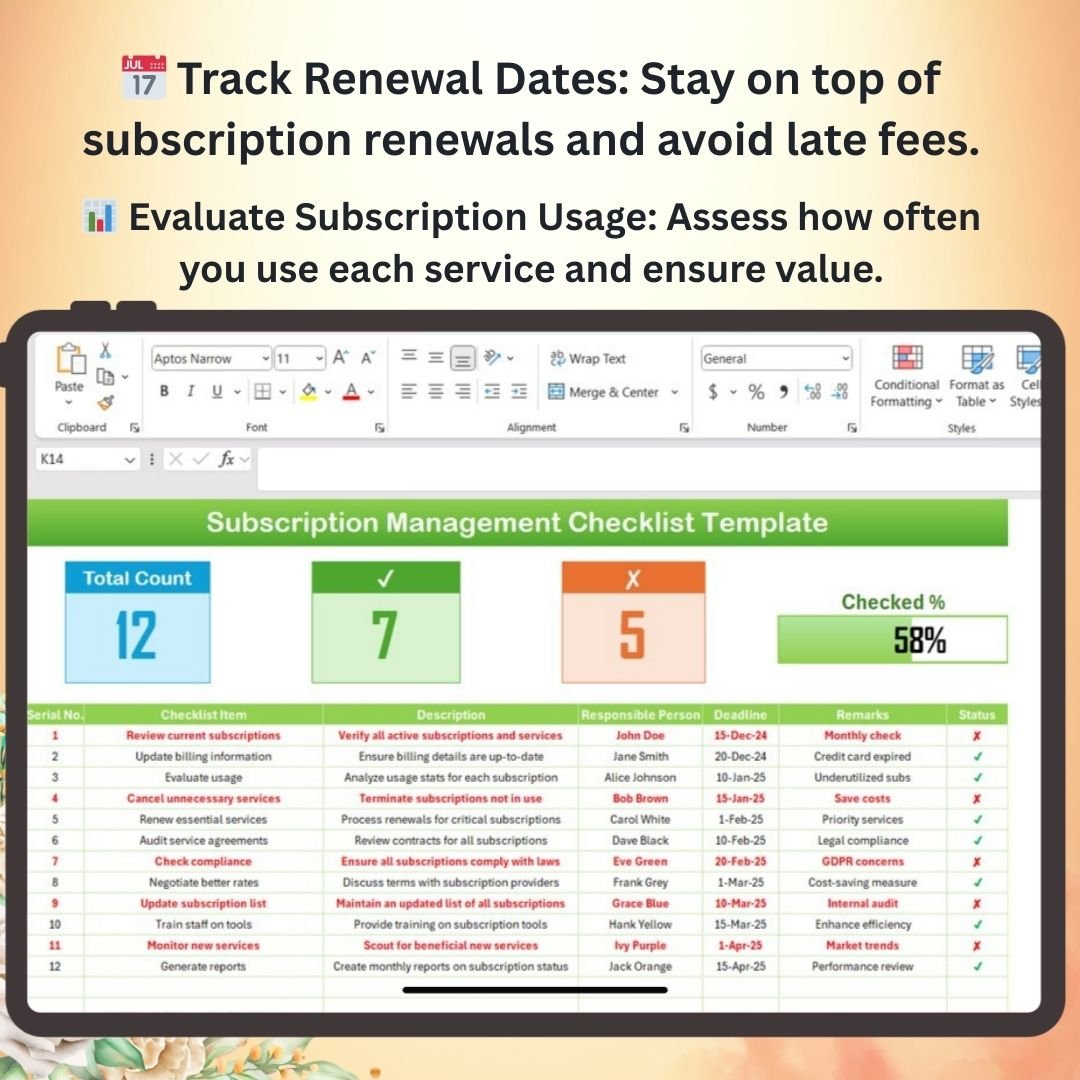


The Subscription Management Checklist Template in Excel is a comprehensive and organized tool designed to help businesses and individuals manage their subscription services efficiently. Whether you are tracking software subscriptions, streaming services, magazine subscriptions, or any other recurring service, this template provides an easy-to-use framework for keeping all your subscription details in one place.
With this Excel checklist, you can track subscription renewal dates, payment details, usage statistics, and cost management, ensuring that you never miss a renewal or get surprised by unexpected charges. The Subscription Management Checklist Template is fully customizable to meet your specific needs, providing you with a clear overview of all your subscriptions, payment schedules, and usage patterns.
Key Features of the Subscription Management Checklist Template in Excel
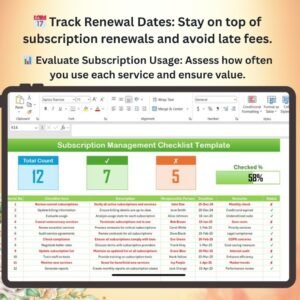
📅 Track Subscription Renewal Dates
Easily monitor subscription renewal dates to avoid unwanted charges or interruptions in services. The template allows you to set reminders for renewals and cancellations.
💸 Monitor Payment Details
Track the payment frequency, amounts, and payment method for each subscription. This ensures that you stay on top of all your recurring expenses and can plan your budget effectively.
📊 Analyze Subscription Usage
Evaluate the usage of each subscription to ensure that it’s providing value. Track how often you use a service and whether it aligns with your needs, helping you avoid paying for unused subscriptions.
📈 Cost Management & Budgeting
Monitor your total subscription spending and manage your budget effectively. The template provides easy tracking of your subscription costs, making it easier to assess whether you’re overspending.
🖥️ Interactive & Customizable Dashboard
The template features interactive columns, dropdown menus, and an intuitive layout to help you manage and track your subscriptions. It’s fully customizable, allowing you to add or modify subscription categories based on your specific needs.
Why You’ll Love the Subscription Management Checklist Template in Excel

✅ Keep Track of Renewal Dates
Monitor and manage all subscription renewal dates to avoid missing payments or incurring extra charges. This helps ensure uninterrupted access to services and avoids late fees.
✅ Manage Recurring Payments Efficiently
Track the payment amounts, dates, and methods for each subscription to manage your monthly or yearly expenses effectively. Stay within budget and avoid unnecessary costs.
✅ Evaluate Subscription Value & Usage
Assess whether your subscriptions are worth the cost by tracking how often you use them. Cancel underused subscriptions and optimize your service list for better value.
✅ Improve Budgeting & Cost Management
Monitor all your subscriptions in one place, track overall spending, and adjust your budget to ensure you’re not overspending on recurring services.
✅ Customizable & Easy-to-Use
The Excel template is user-friendly, customizable, and can be tailored to track any type of subscription. It provides a clear and simple overview of all your subscriptions in one place.
What’s Inside the Subscription Management Checklist Template?
- Subscription Details Tracking: Monitor the name, renewal dates, payment amounts, and payment methods for each subscription.
- Usage Evaluation: Track the frequency of use for each subscription to help assess its value.
- Cost Management: Monitor subscription costs and analyze your overall subscription spending.
- Renewal Alerts: Stay on top of renewal dates and receive reminders before payments are due.
- Customizable Layout: Modify the template to track subscriptions that are relevant to your business or personal needs.
How to Use the Subscription Management Checklist Template in Excel
1️⃣ Download the Template: Get instant access to the Subscription Management Checklist Template in Excel.
2️⃣ Input Your Subscription Data: Enter the details for each subscription, including renewal dates, payment amounts, and usage statistics.
3️⃣ Track & Monitor Subscriptions: Use the dashboard to track renewal dates, manage payments, and analyze usage in real-time.
4️⃣ Optimize Your Subscriptions: Use insights to evaluate your subscriptions and make adjustments as needed to optimize costs and usage.
Who Can Benefit from the Subscription Management Checklist Template in Excel?
🔹 Businesses & Entrepreneurs
🔹 Individuals with Multiple Subscriptions
🔹 Subscription-based Service Providers
🔹 Finance & Budgeting Professionals
🔹 Anyone Looking to Simplify Subscription Management & Reduce Costs
Take control of your subscriptions with the Subscription Management Checklist Template in Excel. Track renewal dates, manage payments, and evaluate service usage to stay organized and within budget.
Click here to read the Detailed blog post
Visit our YouTube channel to learn step-by-step video tutorials
Youtube.com/@PKAnExcelExpert
Compatibility and Requirements
- Works in Microsoft Excel desktop (Excel 2016 or later, or Microsoft 365).
- New to Excel? Microsoft’s Excel for Windows training covers the basics.
Frequently Asked Questions
What can I record for each subscription?
The subscription name, renewal date, payment amount, payment frequency and payment method, plus how often you use it.
Does it help me spot subscriptions I don’t use?
Yes. You log how often you use each service, so the ones that cost money but see little use stand out.
Can I track business and personal subscriptions?
Yes. You can add or change subscription categories to cover software, streaming, magazines or any other recurring service.
Can I see my total subscription spend?
Yes. The cost section adds up your subscription costs so you can compare them with your budget.
Related Subscription and Budget Templates
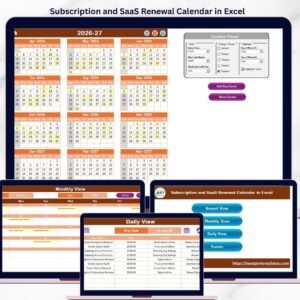
- Subscription and SaaS Renewal Calendar in Excel: plan subscription and SaaS renewal dates on a calendar
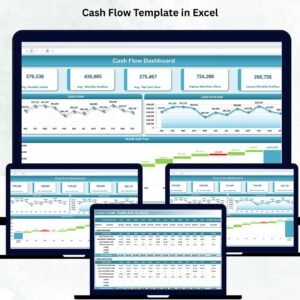
- Cash Flow Template in Excel: track money in and out in Excel
- Personal Cash Flow Tracker in Google Sheets: a personal cash flow tracker in Google Sheets
- Checklist & SOP Pack: 12 checklist templates in one bundle
Browse all Excel checklists or the Excel financial tools.






























Reviews
There are no reviews yet.