

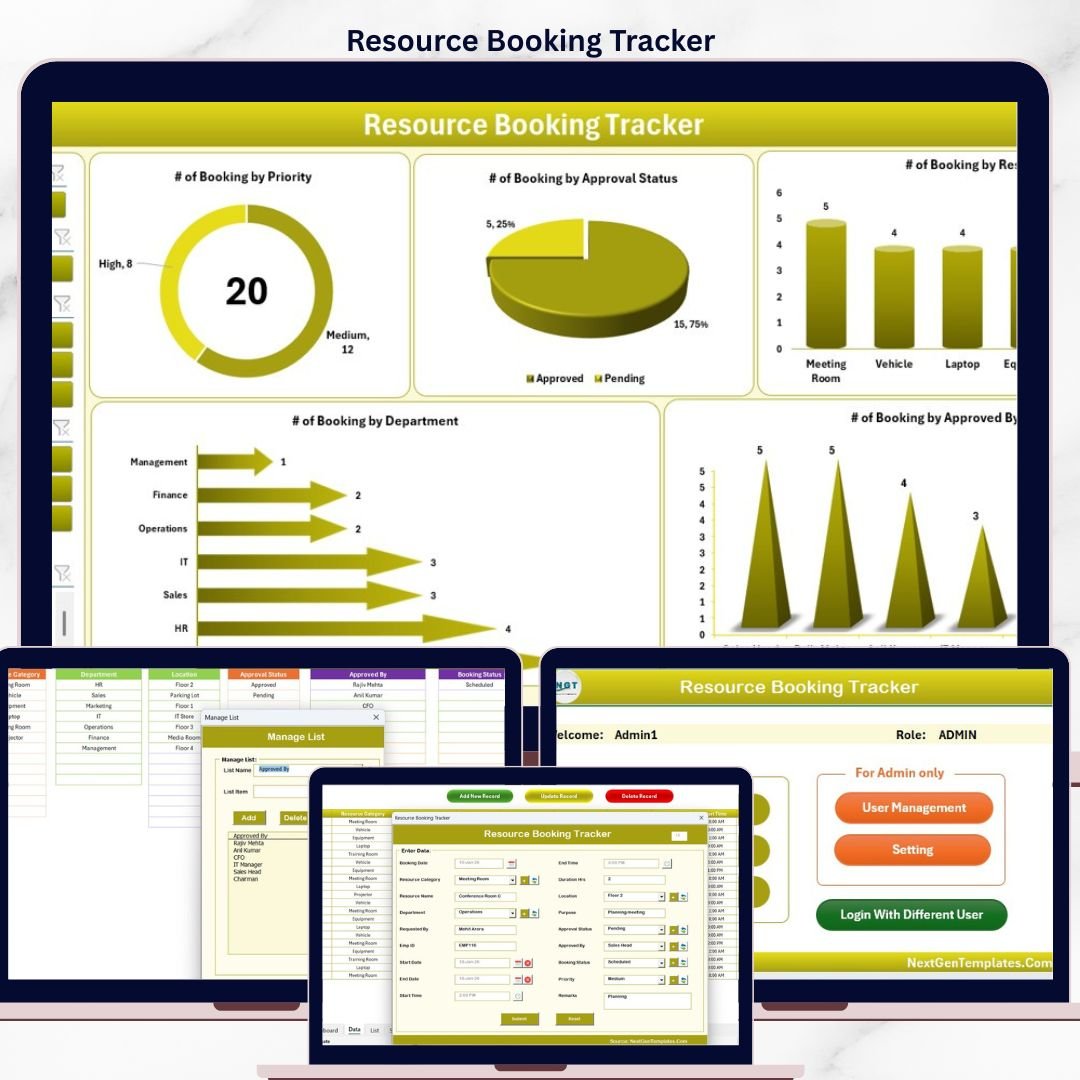

The Resource Booking Tracker in Excel manages bookings across 8 purpose-built worksheets, with a password-protected Login Form, a VBA-powered Data Entry form (Add / Update / Delete), a Dashboard page with 4 slicers and 5 auto-refreshing charts, plus a dedicated User Management sheet. Replace the sample records and every KPI, chart, and filter updates in under 10 minutes.
🌍 Join 8,400+ teams in 40+ countries using NextGenTemplates to replace paid booking SaaS with one-time-purchase Excel Dashboard Templates, Google Sheets, Power BI, and HTML templates.
✅ Instant download · One-time payment · No subscription · No per-user fees · Lifetime access
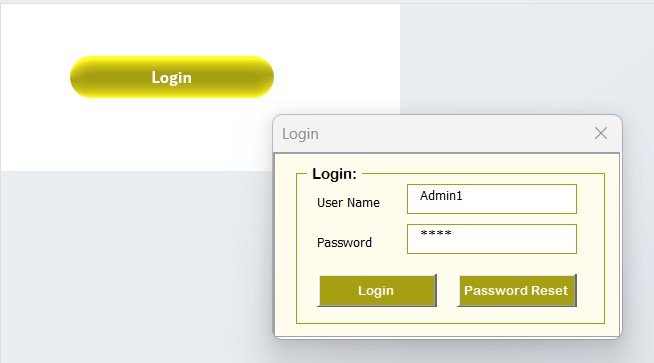
Resource Booking Tracker in Excel — Login Form
🔑 Key Features of the Resource Booking Tracker in Excel
🔹 8 integrated worksheets — Login Form, Home Page, Dashboard, Data Sheet, List Sheet, Support Sheet, Settings Sheet, and User Management Sheet — all linked through VBA code and structured references so new records flow automatically into the dashboard.
🔹 VBA-driven Data Entry form with three action buttons on the Data Sheet — Add New Record, Update Record, and Delete Record. Clicking Update auto-populates the form with the selected record’s values so you can edit without retyping.
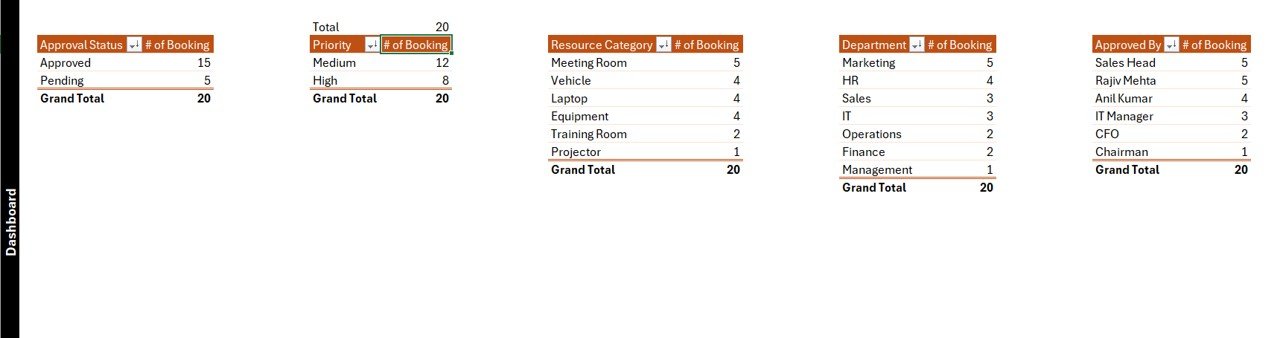
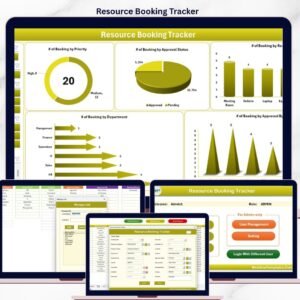
🔹 Interactive Dashboard with 4 slicers and 5 charts — Head Count by Gender (doughnut), Head Count by Department (bar), Head Count by Status (pie), Previous Employee trend (column), and Average Salary by Position (bar). Every chart is wired to pivot tables on the Support sheet and auto-refreshes when new bookings are added.
🔹 Login-protected access via the Login Form worksheet and a User Management sheet — assign usernames, passwords, and roles to control who can add, edit, or view records. Ideal for multi-person booking teams who need audit accountability.
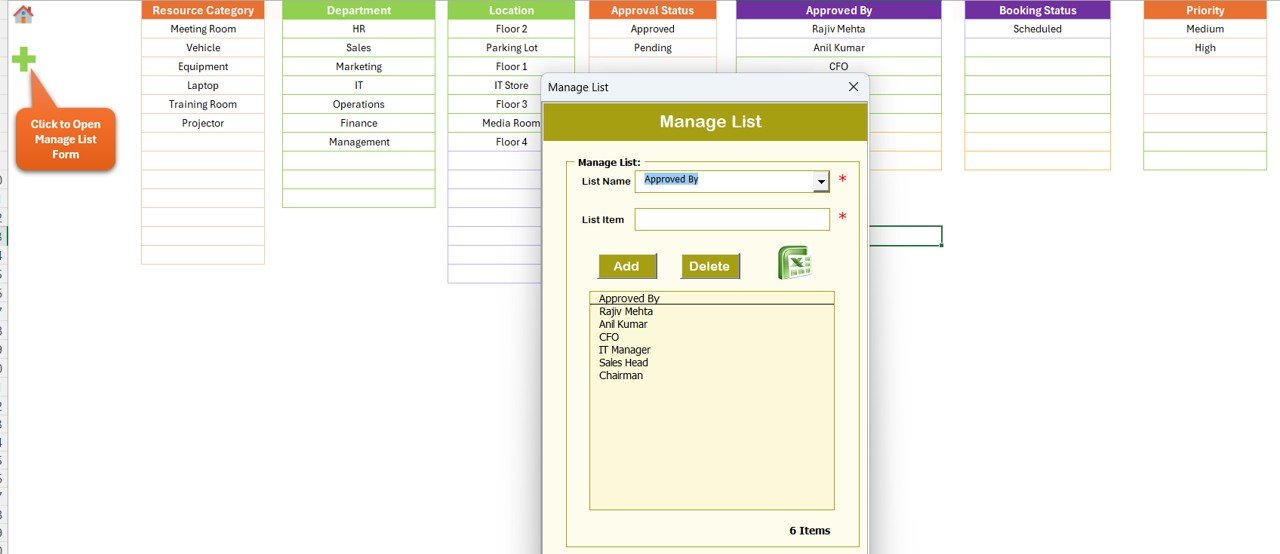
🔹 Dropdown-driven data entry — the List sheet feeds every combo box on the form (departments, statuses, resource types, positions), so data is consistent and slicers filter cleanly without spelling variations breaking the dashboard.
🔹 Works on Excel 2016, 2019, 2021, and Microsoft 365 on Windows. Enable macros once and every button, form, and login check works offline — no internet connection, no account sign-up, no per-user fees.
📦 What’s Inside the Resource Booking Tracker in Excel
The workbook contains 8 worksheets:
1️⃣ Login Form — entry gate with username and password validation against the User Management sheet.
2️⃣ Home Page — navigation hub with buttons routing to Dashboard, Data, and Settings.
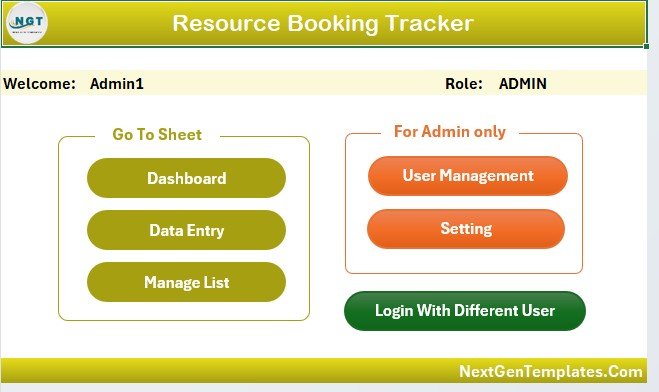
Home Page navigation
3️⃣ Dashboard — 4 slicers (typically Department, Gender, Status, Position) and 5 charts covering Head Count by Gender, Head Count by Department, Head Count by Status, Previous Employee trend, and Average Salary by Position.
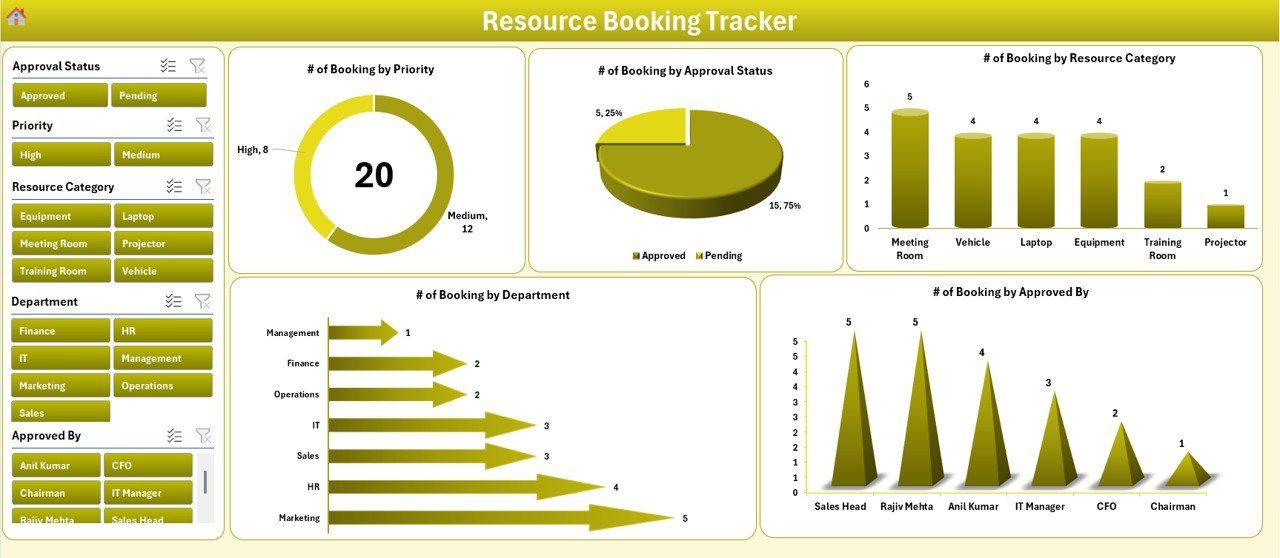
Dashboard with slicers and charts
4️⃣ Data Sheet — the master booking log with Add / Update / Delete buttons at the top. Every write goes through the VBA form so IDs stay unique and refresh the dashboard.
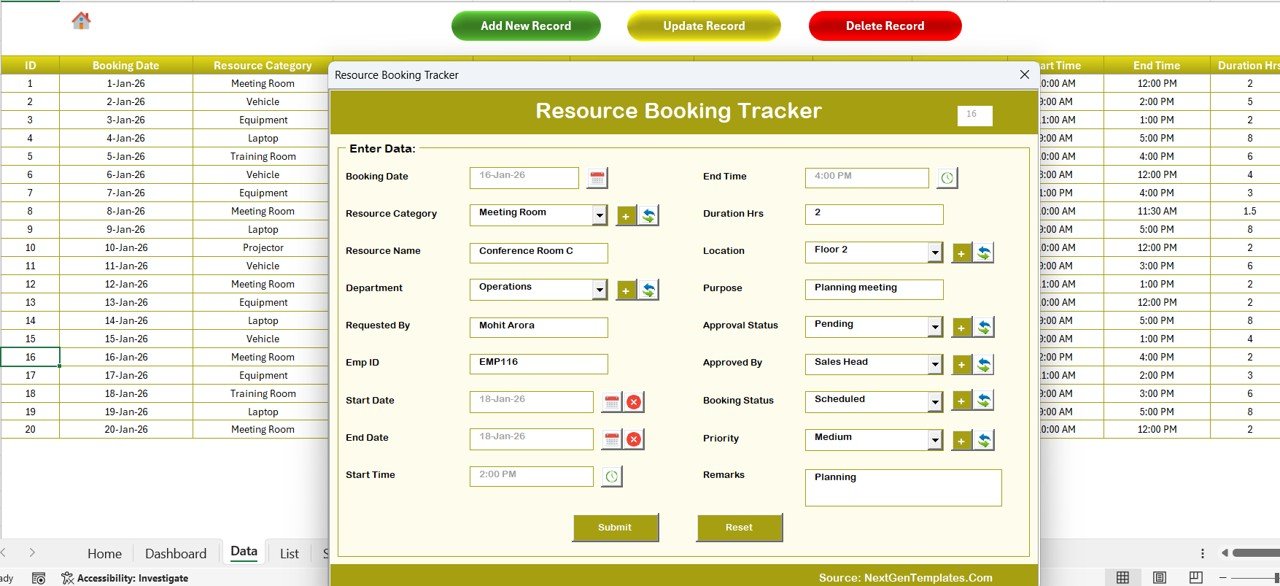
Data Sheet with Add, Update, Delete buttons
VBA Data Entry form
5️⃣ List Sheet — controls dropdown options for the form.
List Sheet for dropdowns
6️⃣ Support Sheet — pivot tables feeding the dashboard charts (can be hidden in production).
7️⃣ Settings Sheet — customize labels, theme colors, and admin preferences.
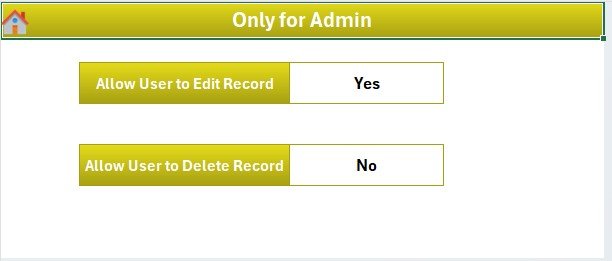
Settings Sheet
8️⃣ User Management Sheet — create and manage login accounts with role-based access.
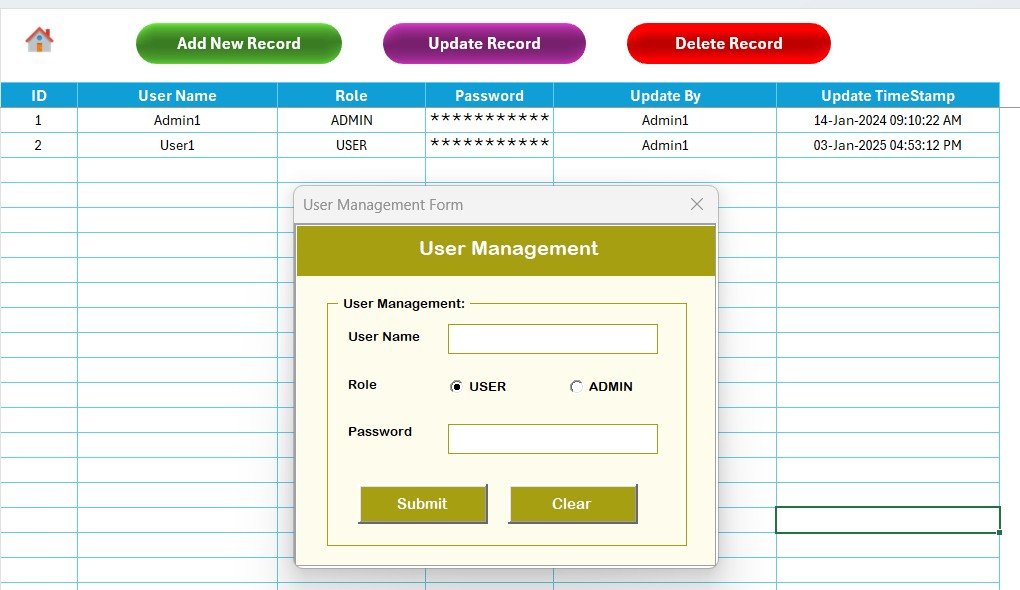
User Management Sheet
📊 Resource Booking Tracker in Excel vs. Google Sheets vs. Paid Booking SaaS — Where This Fits
| Feature | Resource Booking Tracker in Excel | Google Sheets equivalent | Skedda / Robin / OfficeSpace |
|---|---|---|---|
| Cost | $6.99 one-time ✅ | $6.99 one-time | $5–$15 / user / month |
| Platform | Microsoft Excel (offline) | Google Sheets (cloud) | Proprietary SaaS |
| Setup time | Under 10 minutes ✅ | Under 10 minutes | 2–6 weeks onboarding |
| Login / User roles | Yes — VBA login + User Mgmt sheet ✅ | Google account only | Yes (SSO extra cost) |
| Works offline | Yes ✅ | No | No |
| Customizable fields | Unlimited ✅ | Unlimited | Limited by plan |
| Year-1 cost at 5 users | $6.99 total ✅ | $6.99 total | $300–$900 |
| Data ownership | 100% local file ✅ | In your Google Drive | Vendor cloud |
For teams that want a login-protected booking log without paying $300+ per year for Skedda or Robin, the Resource Booking Tracker in Excel sits in the sweet spot.
👥 Who This Template Is For — and Who It’s Not For
✅ This template is built for:
- Office managers at 10–200-person companies tracking meeting-room, desk, or equipment bookings
- Coworking operators handling hot-desk and meeting-room reservations without buying Skedda
- Admin teams in schools, clinics, or studios scheduling shared resources across staff
- Facilities and HR leads who need a login-gated booking log with a management dashboard
❌ This template is NOT for:
- Enterprise teams needing SAML SSO, SOC 2 compliance, or real-time multi-user sync
- Public-facing customer booking (use Calendly or Acuity for that)
- Mac-only users — the VBA forms require Windows Excel to run reliably
- Teams that prefer cloud collaboration — use our Resource Booking Management Tracker in Google Sheets instead
⚙️ How to Use the Resource Booking Tracker in Excel
1. Unzip the download and open the file in Microsoft Excel. Enable macros when prompted — required for login, forms, and buttons.
2. Go to the User Management sheet and set up your admin username and password; delete the sample user.
3. Open the List sheet and customize dropdown options (departments, resource types, statuses) to match your organization.
4. Log in via the Login Form and click “Add New Record” on the Data Sheet to capture your first real booking through the VBA form.
5. Open the Dashboard sheet, right-click any chart, and click Refresh to update all 5 visuals with your latest data.
6. Use the 4 slicers to filter bookings by Department, Status, Gender, or Position — all charts and KPIs respond instantly.
💼 Real-World Use Cases
Priya runs facilities at a 60-person design studio in Bangalore. She uses the Resource Booking Tracker in Excel to log meeting-room and design-lab bookings, assigns login access to 4 team leads via the User Management sheet, and reviews utilization monthly on the Dashboard — saving ~₹40,000 / year she would have paid for Skedda’s Plus plan.
Marcus manages a 12-room coworking space in Berlin. He replaced a spreadsheet-plus-email booking workflow with the tracker, letting two receptionists add and update bookings through the VBA form. The Head Count by Department chart helps him see which client teams drive the most usage — feeding renewal conversations.
Dr. Rao, a clinic administrator in Hyderabad, tracks equipment bookings (ultrasound, ECG, consulting rooms) across 3 doctors and 2 technicians. The login-protected access means staff can add bookings without seeing each other’s salary data on the hidden Support sheet.
❓ Frequently Asked Questions
What is the Resource Booking Tracker in Excel?
The Resource Booking Tracker in Excel is a VBA-powered workbook with 8 worksheets — Login Form, Home Page, Dashboard, Data Sheet, List, Support, Settings, and User Management — designed to log and analyze meeting-room, desk, equipment, or facility bookings without a subscription.
How does this compare to Skedda or Robin?
Skedda and Robin charge $5–$15 per user per month. The Resource Booking Tracker in Excel is a $6.99 one-time purchase — for a 5-person team that’s $300–$900 saved in year one. You trade cloud sync for full offline control, lifetime access, and no per-user fees.
How long does setup take?
Under 10 minutes for most teams. Enable macros, set up your admin account in User Management, customize dropdown options in the List sheet, and start adding bookings through the form. Dashboard charts refresh automatically as you capture records.
Does the Resource Booking Tracker in Excel work on Mac?
The dashboard, pivot tables, and data sheet work on Mac Excel, but the VBA Data Entry form, Login Form, and User Management logic run reliably only on Windows Excel 2016, 2019, 2021, and Microsoft 365. Mac users should use our Google Sheets version.
Can multiple users access the tracker at the same time?
The Resource Booking Tracker in Excel supports multiple logins via the User Management sheet, but it’s a single-file workbook — not real-time multi-user. For concurrent editing, use our Google Sheets version.
Is the download file safe to use?
Yes. It’s a standard .xlsx / .xlsm workbook delivered as a zip, with VBA code written and tested by PK (Microsoft Certified Professional, 15+ years experience). Enable macros when prompted — required for the login and form buttons to function.
👤 About the Author
Built by PK — Microsoft Certified Professional with 15+ years of Excel, Google Sheets, and Power BI experience. Founder of NextGenTemplates, reaching 300K+ subscribers across YouTube channels (@PK-AnExcelExpert, @NextGenTemplates, @NeoTechNavigators). Every template is hand-built and tested before release.
🔗 Explore Related Templates
💡 Also available as: Resource Booking Management Tracker in Google Sheets — same concept, cloud-based, team-friendly.
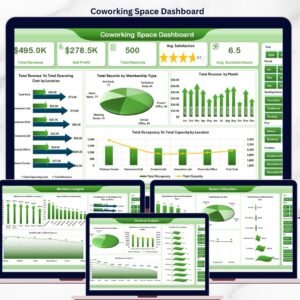
📘 Related Excel trackers: Coworking Space Dashboard in Excel, Office Event Attendance Dashboard in Excel, and the full Excel Dashboard Templates library.
📖 Click here to read the Detailed Blog Post
🎥 Visit our YouTube channel for step-by-step video tutorials
👉 YouTube.com/@NextGenTemplates
📅 Last updated: April 2026
Watch the step-by-step video tutorial:
Compatibility and Requirements
- Runs in Microsoft Excel desktop on Windows (Excel 2016, 2019, 2021 or Microsoft 365) with macros enabled. The login, forms and buttons use VBA, so it does not run in Excel for the web, Google Sheets or mobile.
- Microsoft explains how to turn macros on in Enable or disable macros in Microsoft 365 files.
More Questions About This Template
Which resource booking tracker should I use if I need a Google Sheets version?
There is a cloud version, the Resource Booking Management Tracker in Google Sheets, and a second one, the Resource Booking Tracker in Google Sheets.
Is there a version for meeting rooms only?
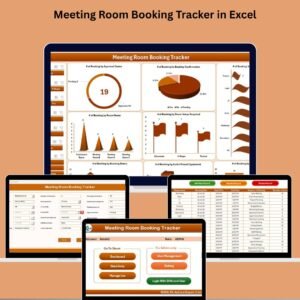
Yes. The Meeting Room Booking Tracker in Excel is built for room bookings.
Can I add or remove users after setup?
Yes. The User Management sheet is where you create and manage login accounts and roles, so you can add or change users at any time.
Related Booking and Resource Templates
- Meeting Room Booking Tracker in Excel: a booking log focused on meeting rooms
- Facility Booking Calendar in Excel: a calendar view for facility reservations
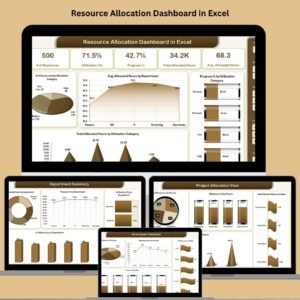
- Resource Allocation Dashboard in Excel: see how resources are allocated across teams
- Resource Booking Management Tracker in Google Sheets: the Google Sheets edition for shared editing
Browse all Excel trackers or Excel VBA tools.

Reviews
There are no reviews yet.