


Managing shared resources efficiently is critical for operational success. Whether it’s meeting rooms, vehicles, equipment, or project tools — scheduling conflicts and underutilization can cost both time and money. The Resource Booking Tracker in Google Sheets offers a simple, powerful, and collaborative solution to manage resource allocation, scheduling, and utilization across departments in real time. 📅📊
Built entirely in Google Sheets, this tracker automates data visualization, provides instant insights into usage patterns, and helps teams stay organized — without requiring complex software. It’s the perfect tool for facilities managers, project coordinators, and administrative teams who handle multiple bookings across different departments and locations.

🔑 Key Features of the Resource Booking Tracker in Google Sheets
📋 Tracker Sheet Tab (Main Dashboard)
The Tracker Sheet acts as your central dashboard, showing a live overview of all resource bookings and usage trends.
Charts Included:
📊 Booking Status Distribution – Displays the ratio of Confirmed, Pending, Canceled, and Completed bookings for quick status visualization.
🏢 Resource Booking by Location – Highlights how resources are being used across different branches or sites.
👥 Resource Booking by Department – Shows which departments are most active in booking shared resources.
📁 Bookings per Project – Provides project-wise booking trends to track workload and resource demand.
🙌 Resource Booking by Booked By – Identifies top users or teams making reservations, giving insight into resource demand sources.
All charts update automatically as new data is added, giving you real-time visibility into booking activity and utilization levels.
🔍 Search Sheet Tab (Smart Lookup)
The Search Tab allows quick filtering of booking information without manual effort.
Examples:
“Location = HQ” → View all bookings at headquarters.
“Status = Pending” → Find all bookings awaiting confirmation.
“Department = IT” → Display bookings made by the IT department.
This instant search feature streamlines data retrieval and reporting, saving time for admin and project teams.
🧾 Data Sheet Tab (Core Database)
All booking information is stored here. Every update automatically refreshes the dashboard, charts, and KPIs.
Typical Data Columns Include:
Booking ID
Resource Name
Department
Location
Booked By
Project Name
Start Date / End Date
Booking Status
Comments
This structured dataset ensures accuracy, transparency, and easy tracking for any type of shared resource.
📦 What’s Inside the Tracker
✅ Pre-built Google Sheets template
✅ Automated charts and KPIs
✅ Centralized resource database
✅ Smart search functionality
✅ Location, department & project filters
✅ Color-coded visuals
✅ Multi-user access and collaboration support
🧑💼 Who Can Use This Tracker
🏢 Facilities Managers – Manage meeting rooms, office assets, and shared spaces.
🚗 Admin Teams – Track usage of vehicles, devices, or other physical resources.
📈 Project Managers – Monitor resource allocation across multiple client projects.
👨💻 IT Coordinators – Track booking and usage of IT assets or labs.
🧑🎓 Educational Institutions – Manage classroom, lab, and equipment reservations.
It’s ideal for organizations of all sizes that need centralized visibility into resource usage.
⚙️ Opportunities for Improvement
You can extend the tracker’s functionality with:
Google Forms Integration: Automate booking submissions directly from users.
Email Notifications: Send alerts for upcoming or canceled bookings using Google Apps Script.
Calendar Integration: Sync schedules with Google Calendar for time-based visibility.
Cost Tracking: Add cost-per-use metrics to evaluate resource expenses.
Conflict Detection: Highlight overlapping bookings with conditional formatting.
🧠 Best Practices
✅ Keep booking statuses standardized (Confirmed, Pending, Canceled, Completed).
✅ Update the tracker immediately after any new booking or cancellation.
✅ Use consistent department and project names for accuracy.
✅ Review monthly utilization trends to improve resource allocation.
✅ Protect formulas and charts from accidental edits.
🌟 Why Choose the Resource Booking Tracker
Real-time booking visibility across departments
Easy collaboration and cloud-based updates
Color-coded visuals for quick decision-making
Fully customizable and automation-ready
Ideal for any business size or type of shared resource
The Resource Booking Tracker in Google Sheets helps organizations eliminate scheduling chaos, reduce downtime, and make the most of every shared asset — all from a single, interactive dashboard. 🚀
🔗 Click here to read the Detailed blog post
Watch the step-by-step video Demo:
🔗 Visit our YouTube channel for step-by-step tutorials
Compatibility and Requirements
- Works in Google Sheets. You need a free Google account and a web browser.
- The Search sheet filters bookings by location, status or department. Google explains charts in Add and edit a chart or graph.
Frequently Asked Questions
Which sheets are included?
Three sheets: Tracker (the dashboard with charts), Search and Data.
Which charts does the Tracker sheet show?
Five charts: Booking Status Distribution, Resource Booking by Location, Resource Booking by Department, Bookings per Project and Resource Booking by Booked By.
What information do I enter for each booking?
On the Data sheet you enter Booking ID, Resource Name, Department, Location, Booked By, Project Name, Start Date, End Date, Booking Status and Comments.
Do the charts update when I add a booking?
Yes. Add the booking on the Data sheet and the charts on the Tracker sheet update automatically.
Is there an Excel version?
Yes. See the Resource Booking Tracker in Excel.
Related Booking and Resource Templates
- Resource Booking Tracker in Excel: the same tracker for Excel
- Resource Booking Management Tracker in Google Sheets: another booking tracker in Google Sheets
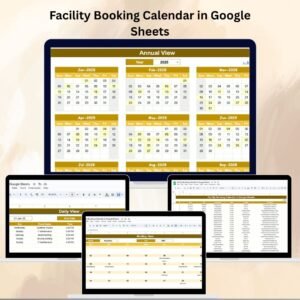
- Facility Booking Calendar in Google Sheets: a calendar view for bookings
- Resource Allocation Dashboard in Power BI: a Power BI view of resource allocation
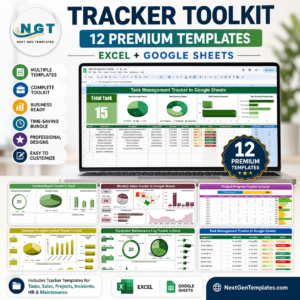
- Tracker Toolkit: 12 tracker templates in one download
Browse all Google Sheets trackers.











Reviews
There are no reviews yet.