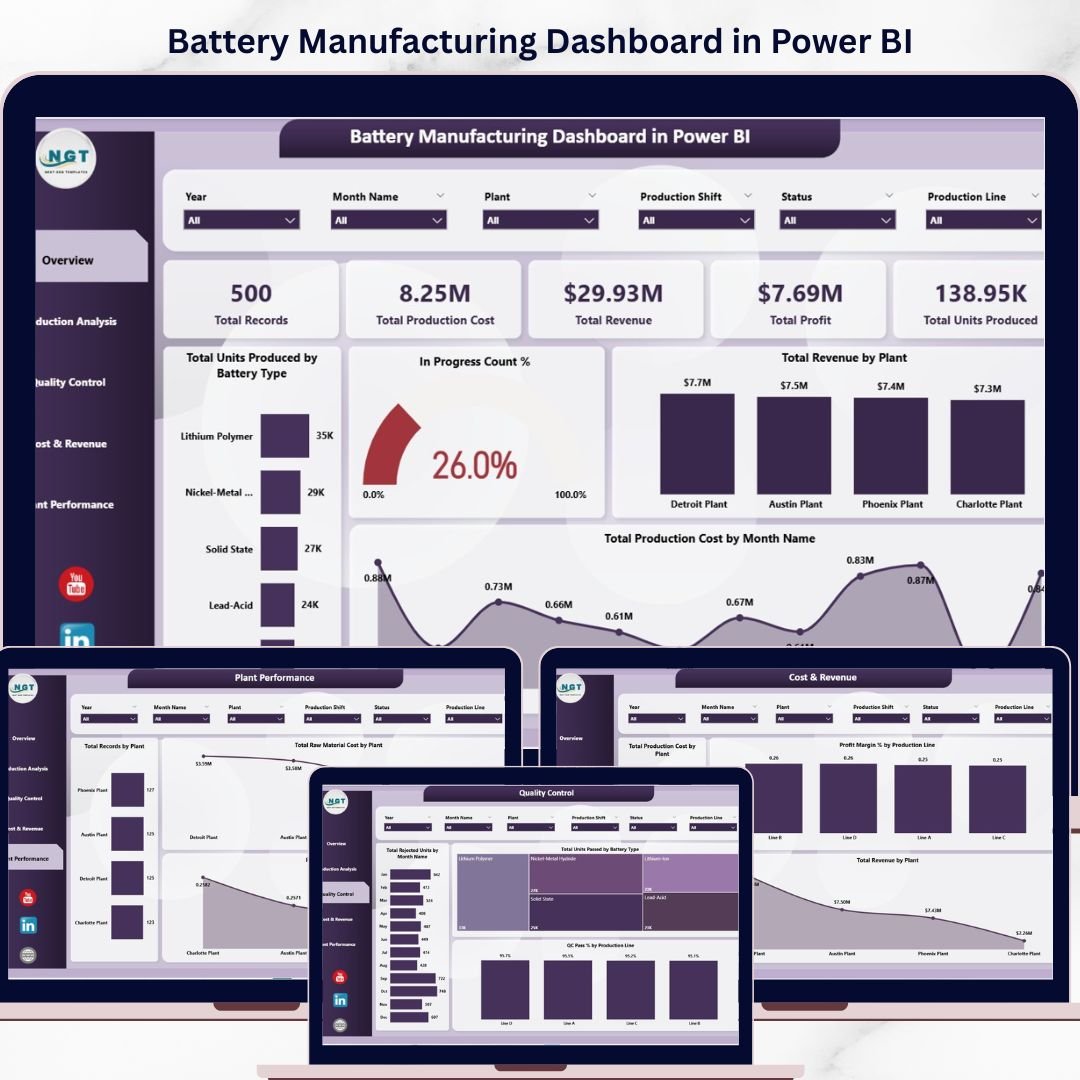
In today’s competitive manufacturing environment, battery production generates massive amounts of data—from production volume and costs to quality metrics and plant performance. However, without the right tools, this data becomes difficult to interpret and act upon. That’s where the Battery Manufacturing Dashboard in Power BI comes in.
Battery Manufacturing Dashboard in Power BI This powerful and ready-to-use dashboard converts complex manufacturing data into clear, interactive visuals. With just a simple data refresh, you can instantly monitor KPIs, track performance trends, and make smarter business decisions. Whether you want to improve efficiency, reduce costs, or enhance quality, this dashboard gives you everything in one centralized platform.
⚡ Key Features of Battery Manufacturing Dashboard in Power BI
📊 Interactive Multi-Page Dashboard – Analyze data across Overview, Production, Quality, Cost & Revenue, and Plant Performance pages.
📈 Real-Time KPI Cards – Instantly track Total Production Cost, Revenue, Profit, Units Produced, and more.
🎯 Smart Slicers & Filters – Drill down data by battery type, plant, production line, or shift with ease.
📉 Advanced Data Visualizations – Understand trends through professionally designed charts and graphs.
🔄 Quick Data Refresh – Update your data file and refresh to get the latest insights instantly.
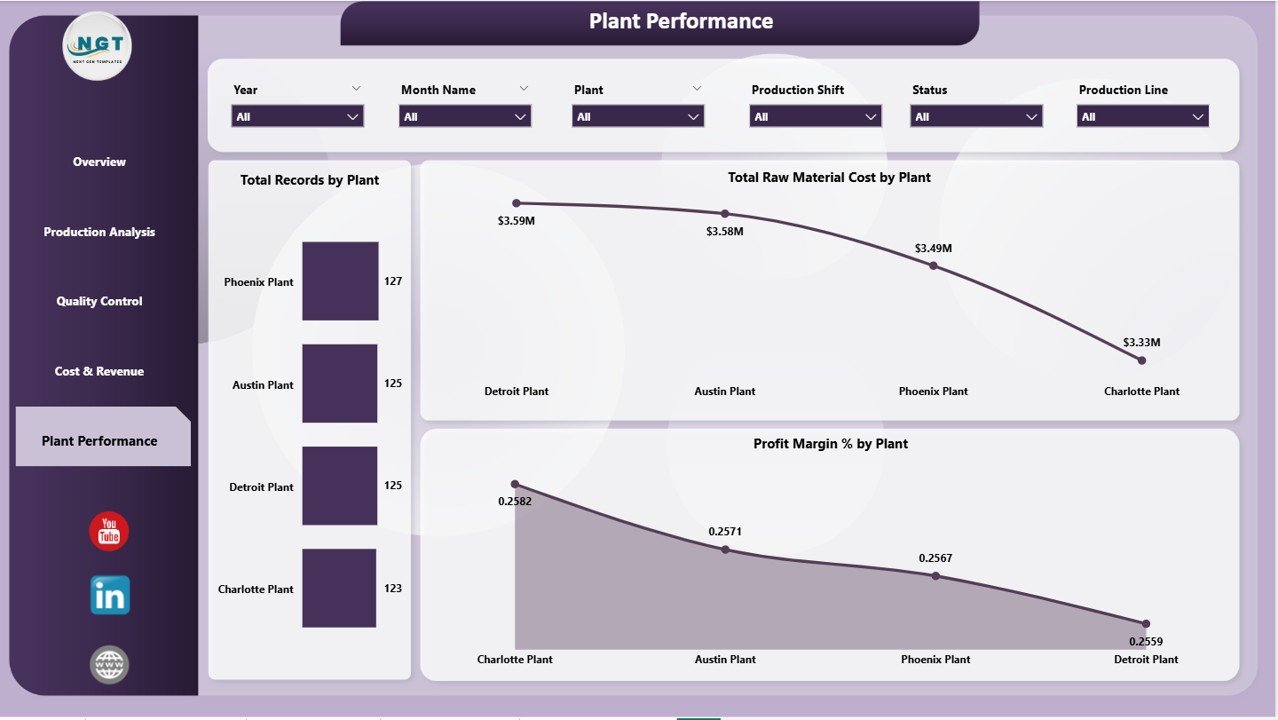
🏭 Plant-Level Insights – Compare performance, costs, and profitability across multiple plants.
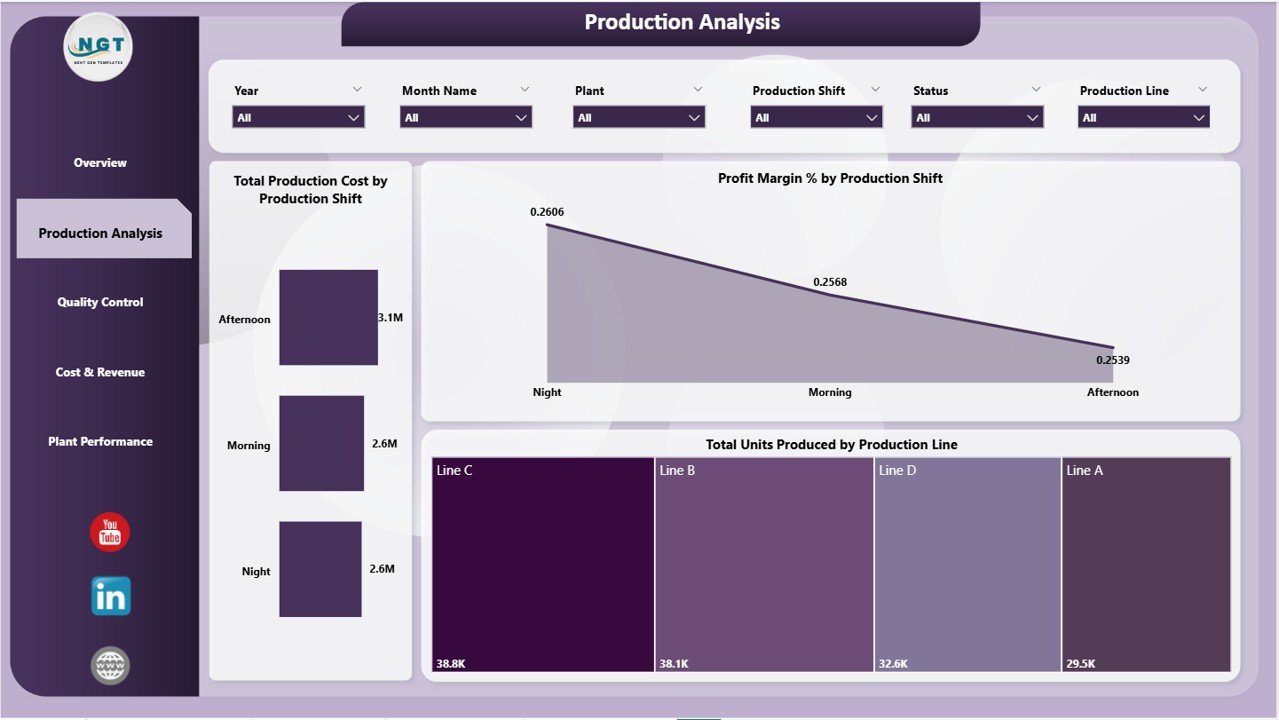
⚙️ Production Line Analysis – Identify high-performing and underperforming production lines.
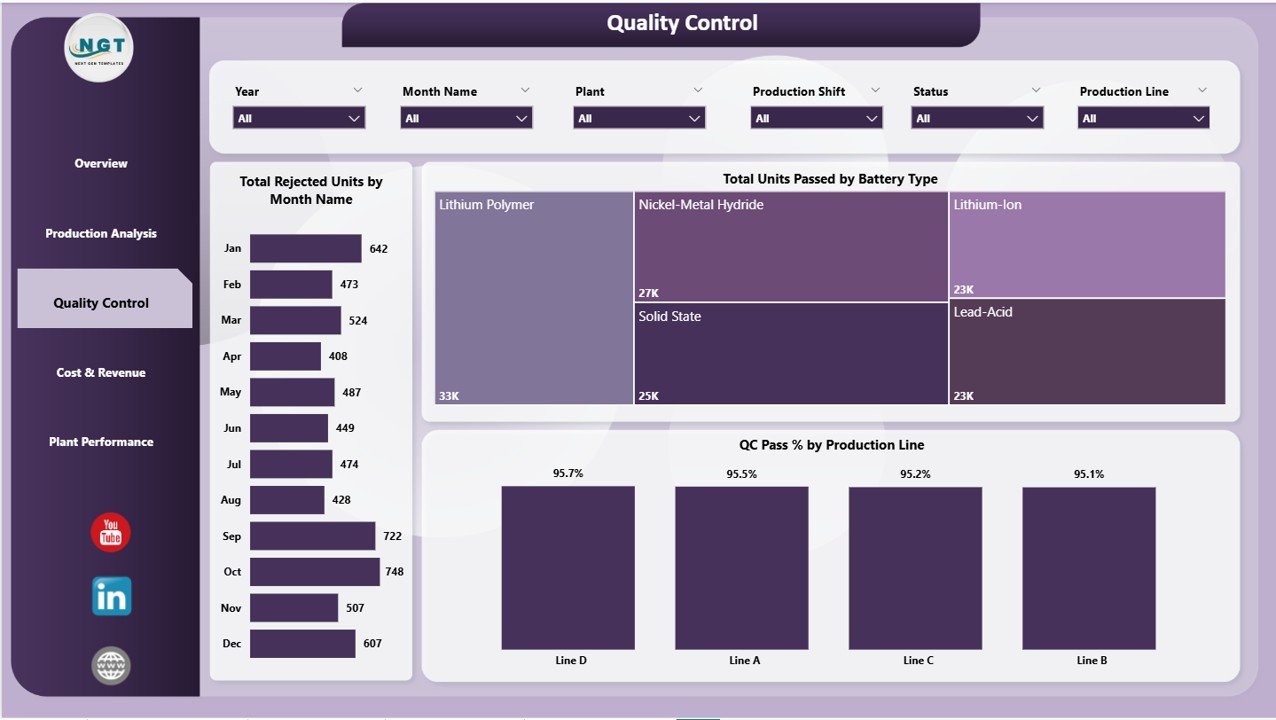
🧪 Quality Monitoring Tools – Track QC pass rates and rejected units to maintain product standards.
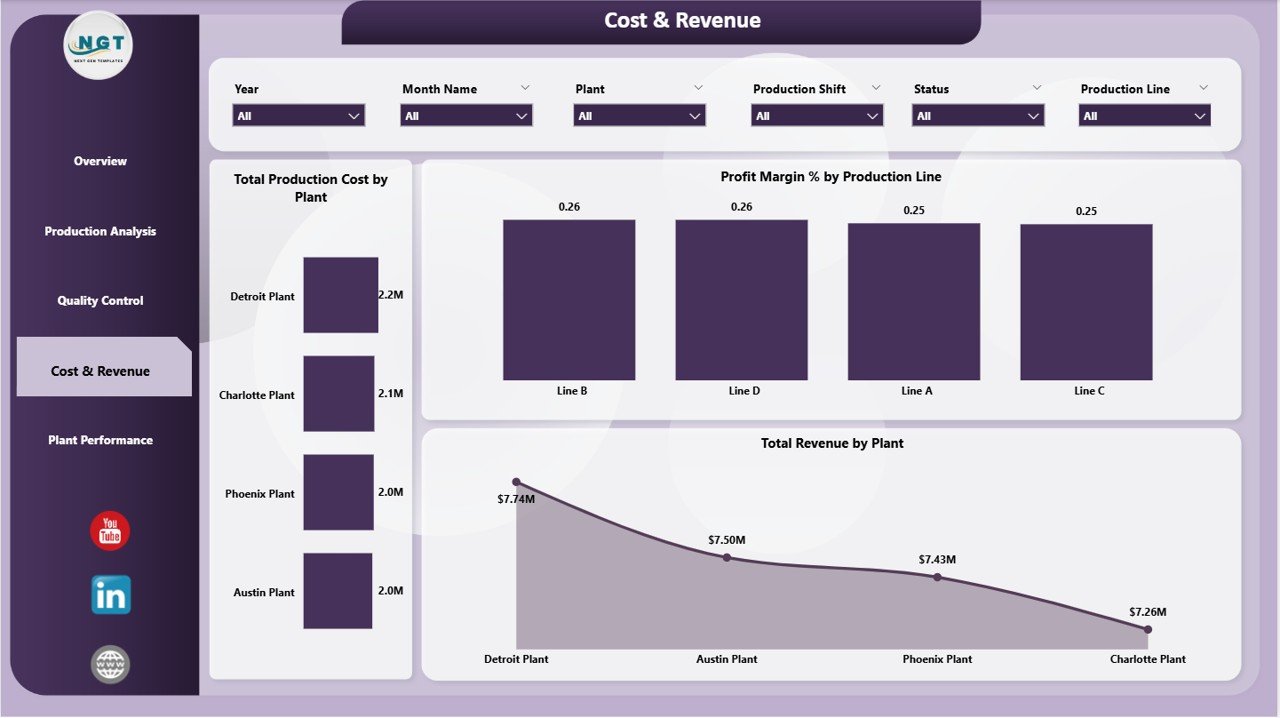
💰 Cost & Revenue Analysis – Gain a clear view of profitability and cost efficiency.
📂 Support Tab with Data Model – Ensures smooth functioning and dynamic reporting.
📦 What’s Inside the Battery Manufacturing Dashboard in Power BI
📁 5 Powerful Report Pages + Support Tab designed for complete manufacturing analysis:

✔️ Overview Page – Get a high-level snapshot of KPIs like production cost, revenue, profit, and units produced.
✔️ Production Analysis – Evaluate production efficiency across lines and shifts.
✔️ Quality Control Page – Monitor pass rates, rejected units, and quality trends.
✔️ Cost & Revenue Page – Analyze financial performance and identify cost-saving opportunities.
✔️ Plant Performance Page – Compare plant-wise output, cost, and profitability.
✔️ Support Tab – Contains backend data models and calculations powering the dashboard.
Everything is pre-built and optimized, so you can start using it immediately without complex setup.
🛠️ How to Use the Battery Manufacturing Dashboard in Power BI
Using this dashboard is simple and efficient:
1️⃣ Update your connected data source file.
2️⃣ Open the Power BI dashboard.
3️⃣ Click on the Refresh button in the Home tab.
4️⃣ Use slicers to filter data by plant, shift, or battery type.
5️⃣ Navigate through pages to explore detailed insights.
💡 Within seconds, you’ll have a fully interactive and updated dashboard ready to support your decisions.
👥 Who Can Benefit from This Battery Manufacturing Dashboard in Power BI
🏭 Battery Manufacturers – Optimize production processes and improve efficiency.
📊 Operations Managers – Monitor real-time production and identify bottlenecks.
💼 Business Analysts – Analyze trends, costs, and profitability effectively.
🔧 Production Supervisors – Evaluate shift performance and resource utilization.
🧪 Quality Teams – Ensure product quality and reduce defects.
📈 Plant Managers – Compare plant performance and drive operational excellence.
This dashboard is ideal for anyone looking to turn manufacturing data into actionable insights.
🔗 Click here to read the Detailed blog post
🎥 Visit our YouTube channel to learn step-by-step video tutorials:
👉 https://youtube.com/@PKAnExcelExpert