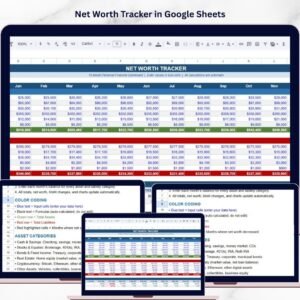

Managing personal finances effectively requires a clear understanding of what you own and what you owe. Unfortunately, many individuals struggle to track their financial progress because their assets and liabilities are spread across multiple bank accounts, investments, loans, and financial platforms. Without a centralized system, it becomes difficult to measure financial growth or identify opportunities to improve wealth.
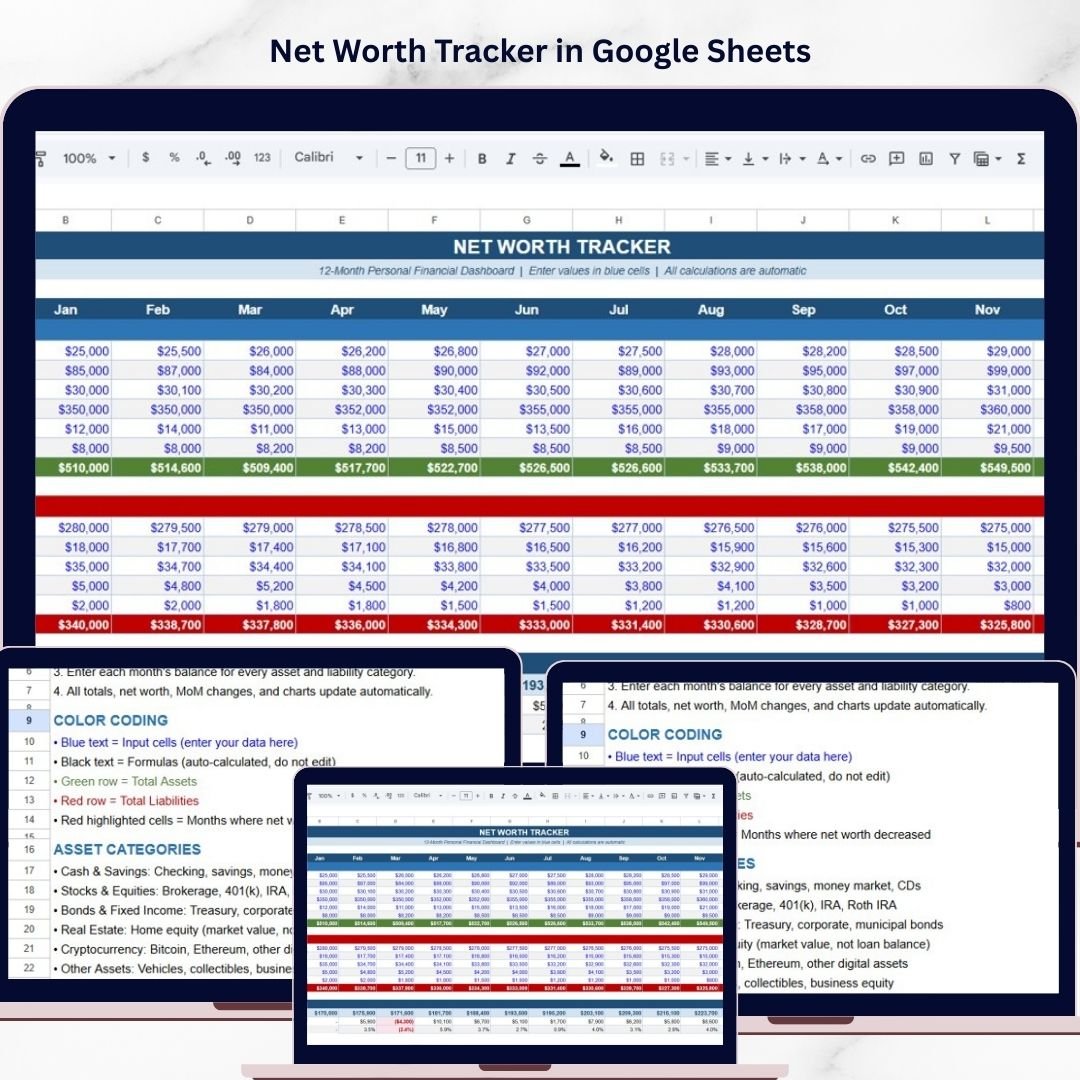
To solve this problem, we created the Net Worth Tracker in Google Sheets — a powerful and easy-to-use financial tracking template designed to help individuals monitor their financial health in one organized dashboard.
This ready-to-use template allows you to record your assets, liabilities, and financial changes on a monthly basis, automatically calculating your net worth and showing how your wealth changes over time. Instead of manually calculating totals or reviewing multiple financial statements, you can monitor your financial progress from a single structured spreadsheet.
Because the tracker is built in Google Sheets, it allows real-time updates, easy access from anywhere, and seamless collaboration if you want to share it with family members or financial advisors.
Whether you are building long-term wealth, paying off debt, or monitoring investment growth, this tracker provides a clear and visual way to stay in control of your finances.
💰 Key Features of Net Worth Tracker in Google Sheets
📊 Complete Net Worth Dashboard
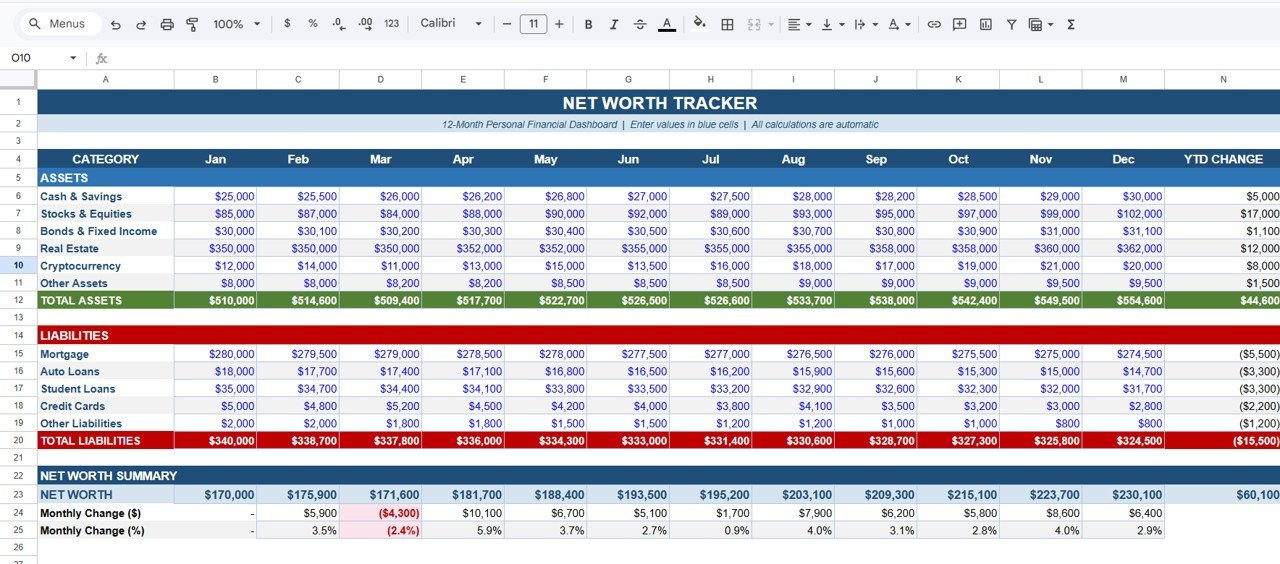
Monitor your total assets, liabilities, and overall net worth in one clear financial dashboard.
📅 Monthly Financial Tracking
Track your financial data from January to December and monitor how your wealth changes throughout the year.
🏦 Comprehensive Asset Tracking
Record various asset categories such as cash, savings, investments, real estate, cryptocurrency, and other valuable assets.
💳 Liability Management Section
Track all debts including mortgages, auto loans, student loans, credit cards, and other financial obligations.
⚡ Automatic Net Worth Calculation
The template automatically calculates Total Assets, Total Liabilities, Net Worth, Monthly Change, and Percentage Change.
📈 Year-to-Date Financial Growth Tracking
Monitor how your financial position changes over the year using YTD calculations.
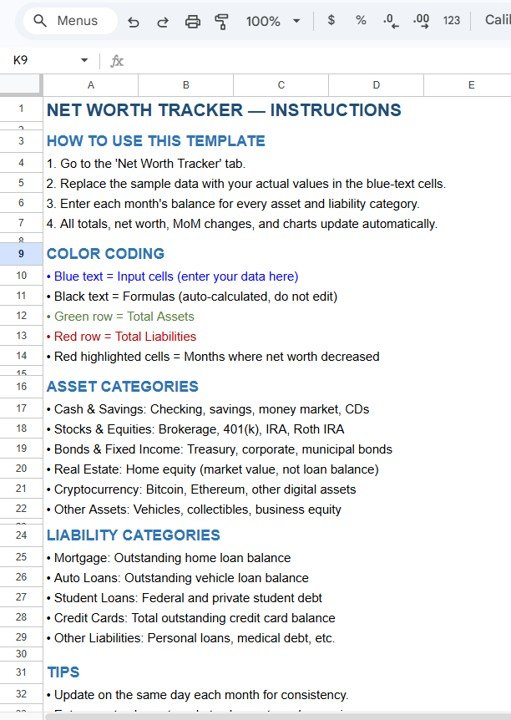
🎨 Smart Color Coding System
Color-coded indicators help users quickly identify input fields, totals, and months where net worth decreased.
☁️ Cloud-Based Google Sheets Access
Access and update your financial tracker anytime from any device.
📦 What’s Inside the Net Worth Tracker in Google Sheets
This template includes a structured financial layout designed to simplify wealth tracking.
1️⃣ Assets Tracking Section
The Assets section records everything you own that contributes to your financial wealth.
Typical asset categories include:
Cash & Savings
Stocks & Equities
Bonds & Fixed Income
Real Estate
Cryptocurrency
Other Assets
Each category records monthly balances and automatically updates the total asset value.
This allows users to easily track how their investments and savings grow over time.
2️⃣ Liabilities Tracking Section
The Liabilities section records all debts and financial obligations.
Common liability categories include:
Mortgage Loans
Auto Loans
Student Loans
Credit Card Balances
Other Liabilities
Because balances are recorded monthly, users can clearly monitor how debts decrease over time.
3️⃣ Net Worth Summary Section
This section provides a clear summary of your financial position.
Key metrics included:
Total Assets
Total Liabilities
Net Worth
Monthly Change ($)
Monthly Change (%)
These values are automatically calculated using built-in formulas, ensuring accuracy and eliminating manual calculations.
4️⃣ Monthly Financial Monitoring
The tracker allows users to update financial balances every month.
This monthly tracking helps users:
Monitor investment growth
Identify financial trends
Track debt reduction progress
Measure overall financial improvement
Over time, the dashboard provides a clear visual picture of financial progress.
⚙️ How to Use the Net Worth Tracker in Google Sheets
Using the template is simple and requires only a few steps.
1️⃣ Enter asset balances for each category every month.
2️⃣ Record outstanding debts in the liabilities section.
3️⃣ Review the automatically calculated totals.
4️⃣ Monitor monthly and yearly changes in net worth.
5️⃣ Use the dashboard insights to improve financial planning.
With just a few monthly updates, the tracker becomes a powerful financial monitoring tool.
👥 Who Can Benefit from This Net Worth Tracker
This financial template is ideal for individuals who want to take control of their financial future.
👨💼 Individuals Managing Personal Finances – Track wealth and financial growth.
👨👩👧 Families Managing Household Finances – Monitor combined financial assets and debts.
📈 Investors Monitoring Portfolio Growth – Track investment values and financial progress.
💼 Entrepreneurs Tracking Personal Equity – Monitor assets, investments, and liabilities.
📊 Financial Planners – Use the template to track client financial positions.
Anyone looking to build wealth and maintain financial discipline can benefit from this tool.
### Click here to read the Detailed blog post
Watch the step-by-step video tutorial:
Compatibility and Requirements
- Works in Google Sheets with a free Google account and a web browser.
- Google explains the basics in How to use Google Sheets.
Frequently Asked Questions
Which assets can I track?
Cash and savings, stocks and equities, bonds and fixed income, real estate, cryptocurrency and other assets.
Which liabilities are included?
Mortgage loans, auto loans, student loans, credit card balances and other liabilities.
What does it calculate?
Total assets, total liabilities, net worth, monthly change in dollars and monthly change in percent, plus year-to-date growth.
Which months does it cover?
January to December, with one balance entry per month.
Can I share it with family or an advisor?
Yes. It is a Google Sheets file, so you can share it and update it from any device.
Related Net Worth and Personal Finance Templates
- Net Worth Tracker in Excel: the same tracker in Excel
- Personal Finance Net Worth Tracker in Google Sheets: another net worth layout
- Annual Personal Financial Statement Template in Google Sheets: a yearly statement of assets and liabilities
- Personal Finance Dashboard in Google Sheets: a full personal finance dashboard
Browse all Google Sheets financial tools or the Google Sheets KPI dashboards.