

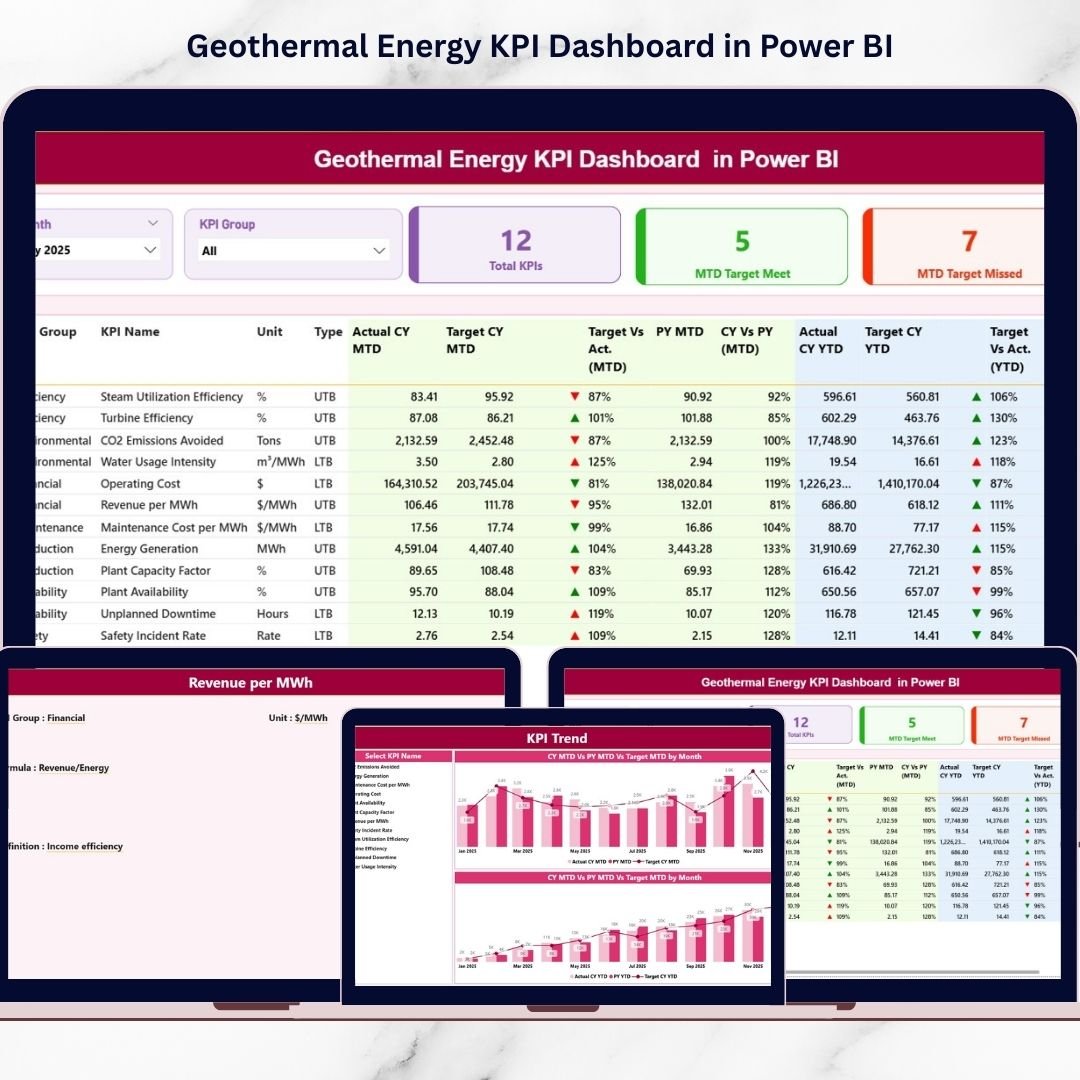

The renewable energy industry is expanding rapidly as organizations worldwide shift toward sustainable power generation. Among renewable sources, geothermal energy stands out because it delivers continuous, stable, and environmentally friendly electricity. Geothermal Energy KPI Dashboard in Power BI However, managing geothermal plants efficiently requires accurate monitoring, performance evaluation, and real-time operational insights.
Many energy companies still depend on manual spreadsheets or disconnected reports to analyze performance. As a result, identifying inefficiencies becomes difficult, reporting slows down, and decision-making lacks clarity.
The Geothermal Energy KPI Dashboard in Power BI solves these challenges by providing a ready-to-use, interactive analytics solution designed specifically for geothermal energy performance monitoring. This dashboard converts raw operational data into meaningful visual insights using advanced Power BI visualization capabilities.
Instead of analyzing multiple reports separately, managers can track operational, financial, environmental, and maintenance KPIs through a single centralized interface. With dynamic slicers, automated calculations, and drill-through analytics, decision-makers gain immediate visibility into plant performance and operational trends.
The dashboard connects seamlessly with Excel data sources, allowing organizations to maintain data easily while benefiting from powerful business intelligence reporting. Whether monitoring energy output, tracking targets, or comparing historical performance, this dashboard enables faster and smarter decision-making.
By combining structured KPI tracking with interactive visualization, the Geothermal Energy KPI Dashboard empowers renewable energy organizations to improve efficiency, enhance sustainability reporting, and achieve operational excellence.
🚀 Key Feature of Geothermal Energy KPI Dashboard in Power BI
📊 Interactive KPI Monitoring – Track geothermal performance using dynamic visuals.
⚡ MTD & YTD Analysis – Monitor short-term and long-term performance simultaneously.
🎯 Target vs Actual Comparison – Instantly evaluate KPI achievement.
📈 Trend Analysis Charts – Identify performance patterns over time.
🔎 Drill-Through KPI Details – View formulas and definitions instantly.
🧩 Excel Data Integration – Easy data maintenance and updates.
📅 Dynamic Slicers – Filter analysis by Month and KPI Group.
📑 Professional Executive Reporting – Ready for management presentations.
📦 What’s Inside the Geothermal Energy KPI Dashboard
The Power BI file contains three interactive report pages, each serving a specific analytical purpose.
📊 Summary Page – Complete KPI Overview
The Summary Page acts as the main dashboard control center.
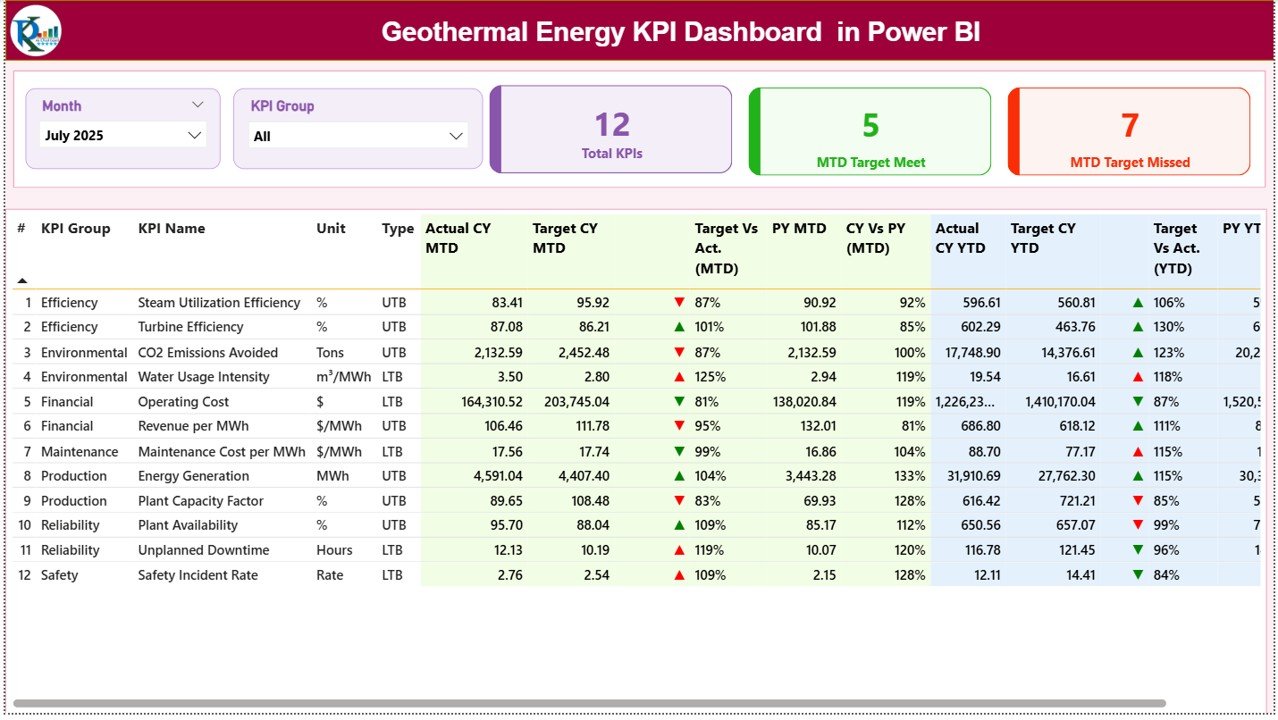
Top Filters
Month Slicer
KPI Group Slicer
KPI Performance Cards
Total KPI Count
MTD Target Meet Count
MTD Target Missed Count
Detailed KPI Table Includes
KPI Number
KPI Group
KPI Name
Unit of Measurement
KPI Type (LTB / UTB)
Performance Metrics
Actual CY MTD vs Target MTD
Target Achievement Indicators (▲ / ▼)
Previous Year Comparison
YTD Performance Analysis
Managers instantly understand overall performance health.
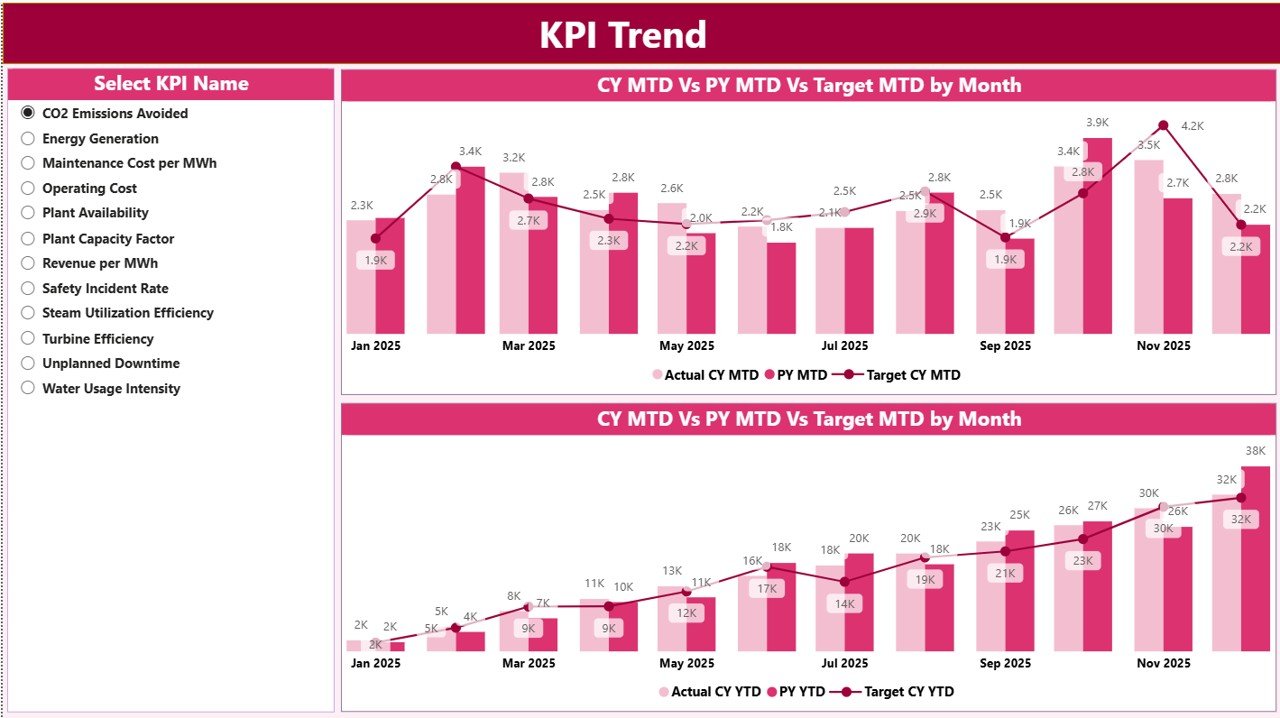
📈 KPI Trend Page – Performance Analysis
This page provides deeper analytical insights.
Users select any KPI and view:
MTD Performance Trends
YTD Performance Trends
Current Year vs Previous Year comparison
Target performance tracking
Combo charts combine bars and lines, making performance deviations easy to identify.
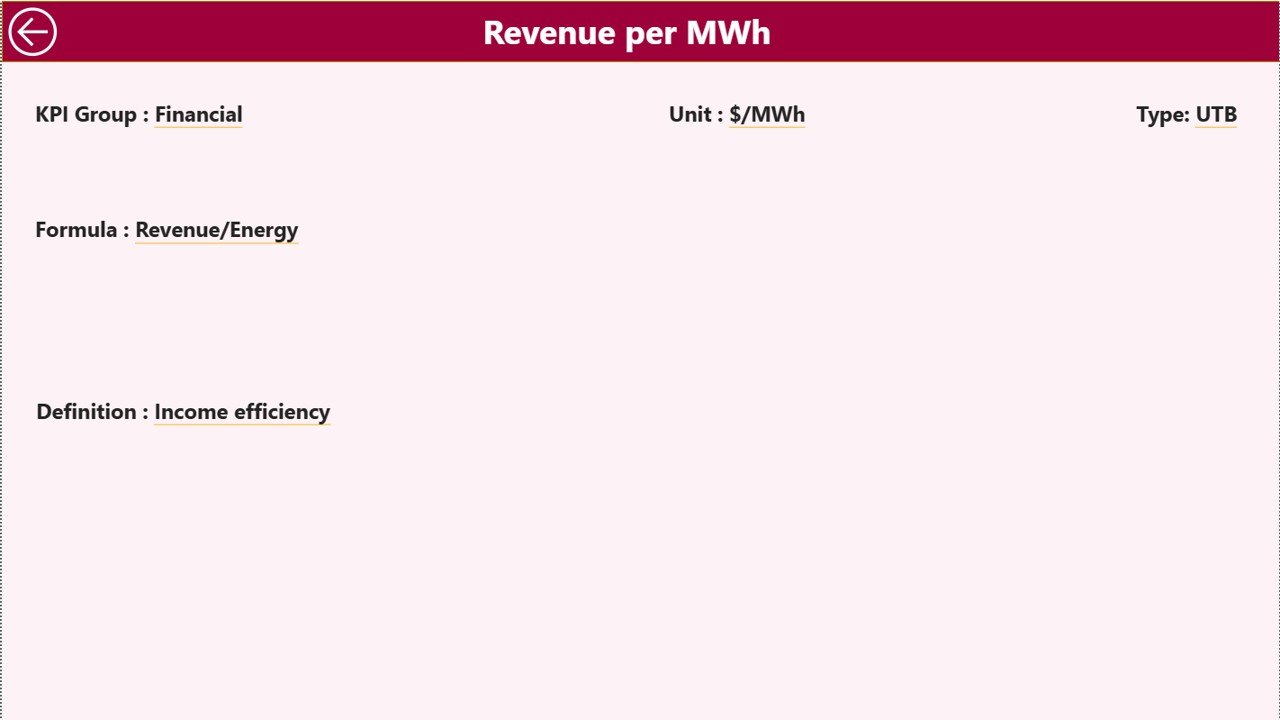
🔎 KPI Definition Page – Drill-Through Analytics
This hidden drill-through page improves KPI clarity.
Users can view:
KPI Formula
KPI Definition
Measurement Logic
KPI Classification
A back button allows seamless navigation to the dashboard.
📊 Excel Data Source Structure
The dashboard connects to a structured Excel file containing three sheets:
1️⃣ Input Actual Sheet
Stores actual KPI performance data:
KPI Name
Month
MTD Values
YTD Values
2️⃣ Input Target Sheet
Defines performance targets:
KPI Name
Month
Target MTD
Target YTD
3️⃣ KPI Definition Sheet
Documents KPI metadata:
KPI Number
KPI Group
Unit
Formula
Definition
KPI Type (LTB/UTB)
Updating Excel automatically refreshes Power BI visuals.
⚙️ How to Use the Dashboard
1️⃣ Update KPI data in Excel sheets.
2️⃣ Refresh dataset in Power BI Desktop.
3️⃣ Select Month using slicer.
4️⃣ Review KPI performance indicators.
5️⃣ Analyze trends in KPI Trend page.
6️⃣ Drill through for KPI explanations.
Within minutes, users gain actionable operational insights.
👥 Who Can Benefit from This Dashboard?
Ideal for:
⚡ Geothermal Plant Managers
📊 Energy Analysts
🏭 Operations Engineers
🌱 Sustainability Managers
💰 Financial Analysts
📈 Renewable Energy Consultants
🏢 Executive Leadership Teams
This dashboard supports both operational monitoring and executive reporting.
### Click here to read the Detailed blog post
Visit our YouTube channel to learn step-by-step video tutorials:
👉 https://youtube.com/@PKAnExcelExpert






























