
Managing attendance for meetings, workshops, corporate training sessions, and organizational events can quickly become complicated when teams rely on manual registers or disconnected spreadsheets. Tracking participation, calculating attendance percentages, and preparing reports often consume valuable time and introduce errors into decision-making.
The Attendance Tracking System for Events and Meetings in Google Sheets provides a centralized, automated, and ready-to-use solution that simplifies attendance management. Instead of managing multiple files, organizations can record attendance once and instantly generate performance insights through an interactive dashboard.
Designed using Google Sheets, this system combines structured data entry, automated calculations, and visual analytics to help organizations monitor participation levels efficiently. Because it operates in the cloud, teams can update attendance records in real time from anywhere, ensuring accurate and up-to-date reporting.
Whether managing internal meetings, employee training programs, workshops, or recurring events, this attendance system helps organizations improve engagement tracking while reducing administrative workload.
📊 Key Feature of Attendance Tracking System for Events and Meetings in Google Sheets
✅ Centralized Attendance Management
Maintain all event and meeting attendance records in one organized system.
📈 Real-Time Attendance Dashboard
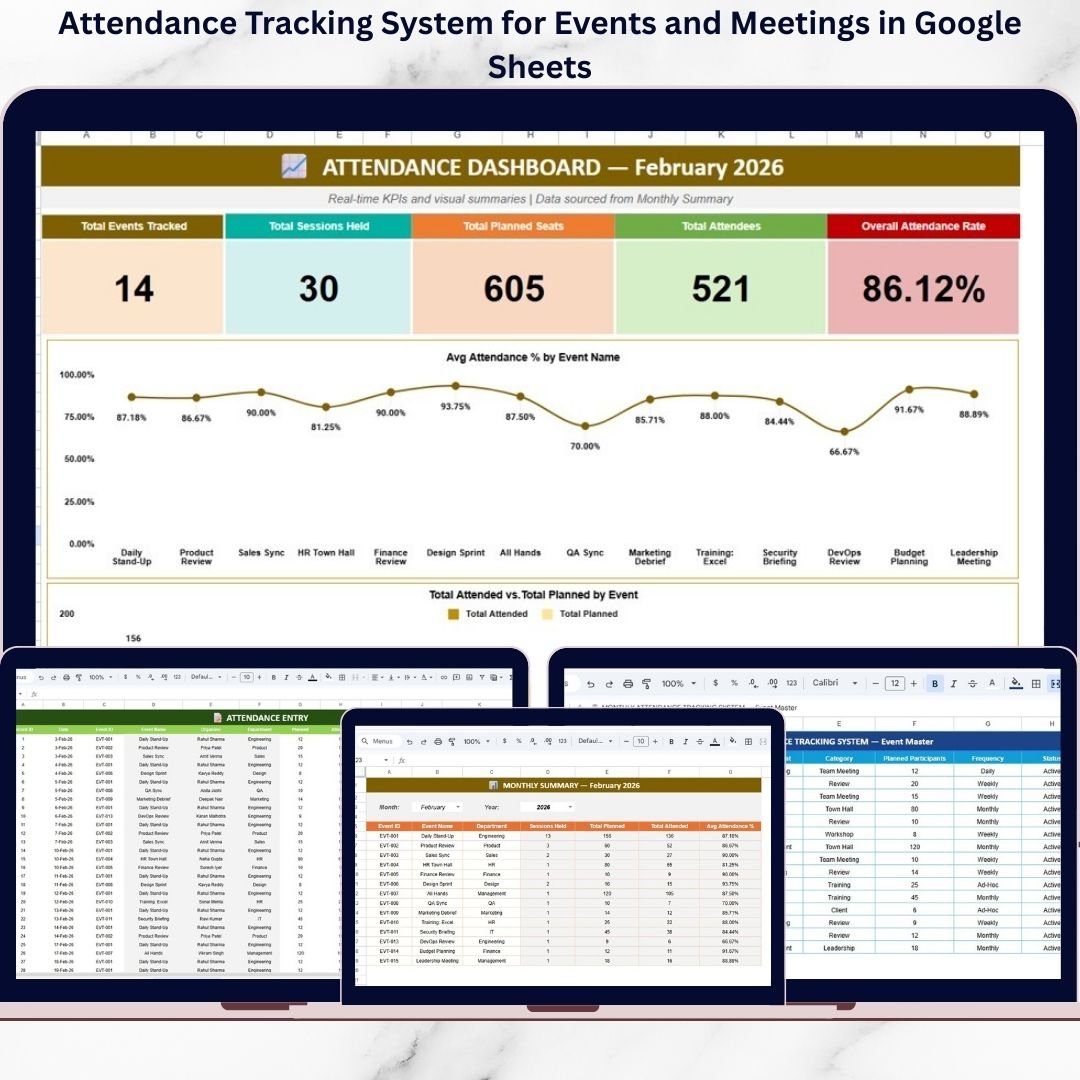
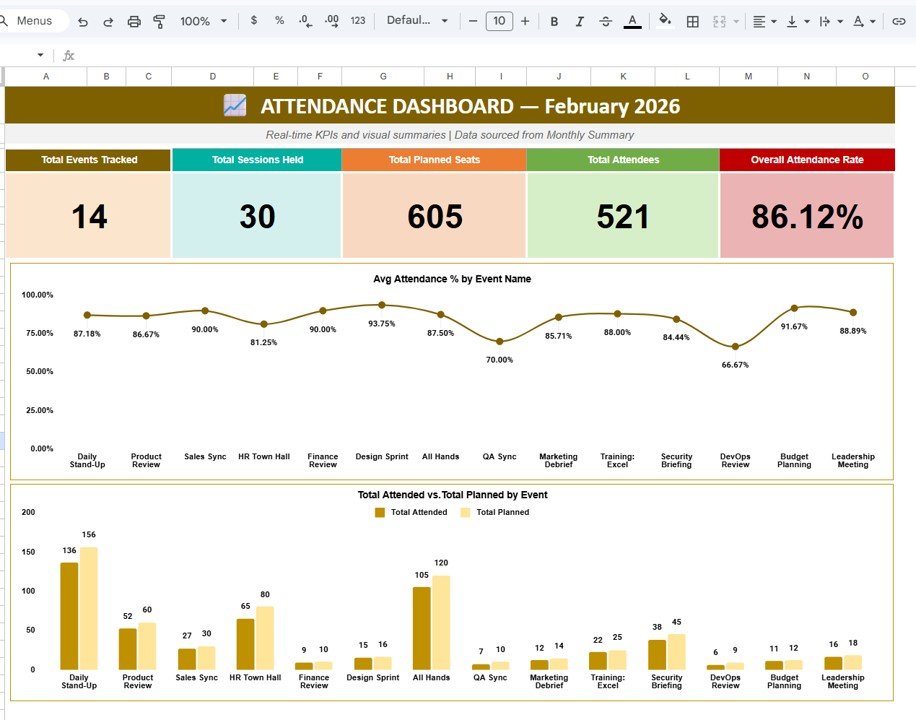
Instantly view KPIs such as total events, participants, attendance rate, and engagement performance.
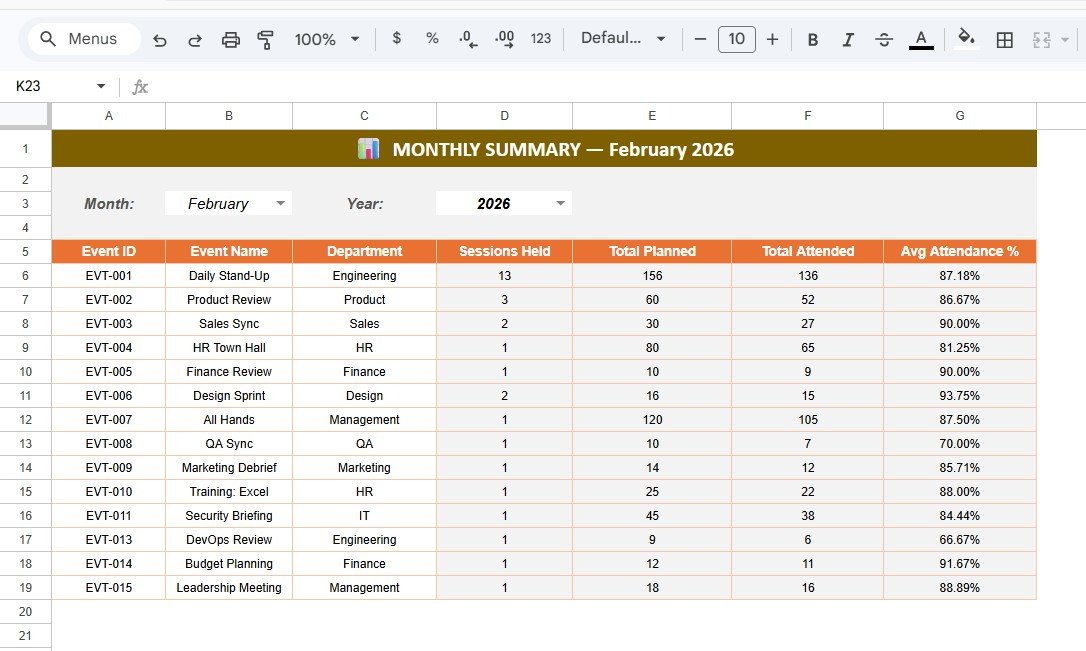
📅 Automated Monthly Summary Reports
Analyze attendance performance by month and year using dropdown selections.
⚡ Automatic Attendance Calculations
Attendance percentage, totals, and summaries update automatically.
🧩 Event Master Database
Standardize event setup with centralized configuration and structured data.
📊 Interactive Performance Charts
Visualize attendance trends and compare planned vs actual participation.
☁️ Cloud-Based Collaboration
Multiple users can update attendance simultaneously through Google Sheets.
🔄 Dynamic Dashboard Updates
All reports refresh instantly when new attendance data is entered.
📦 What’s Inside the Attendance Tracking System for Events and Meetings in Google Sheets
This professional template includes multiple interconnected sheets designed for smooth attendance workflow:
✅ Attendance Dashboard – Displays key KPIs including total events, sessions held, planned seats, attendees, and overall attendance rate with visual charts.
✅ Monthly Summary Sheet – Consolidated monthly performance analysis with automatic filtering by month and year.
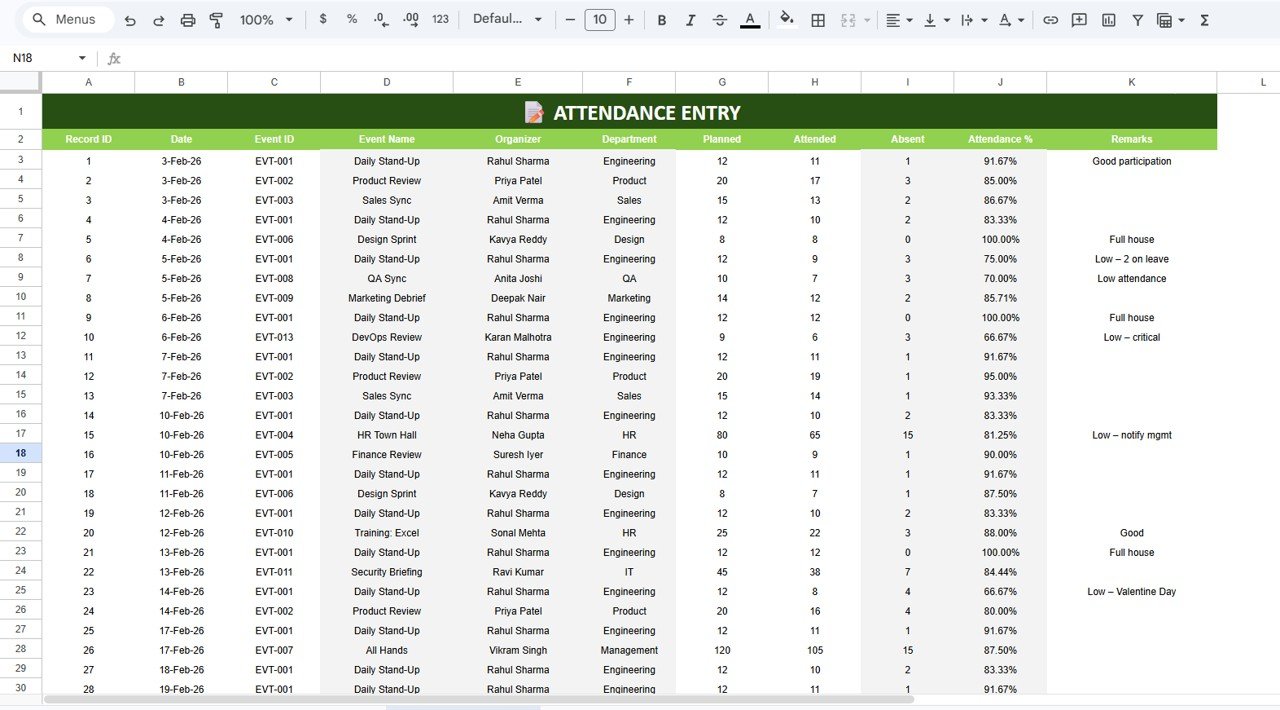
✅ Attendance Entry Sheet – Simple daily attendance recording with automated calculations.
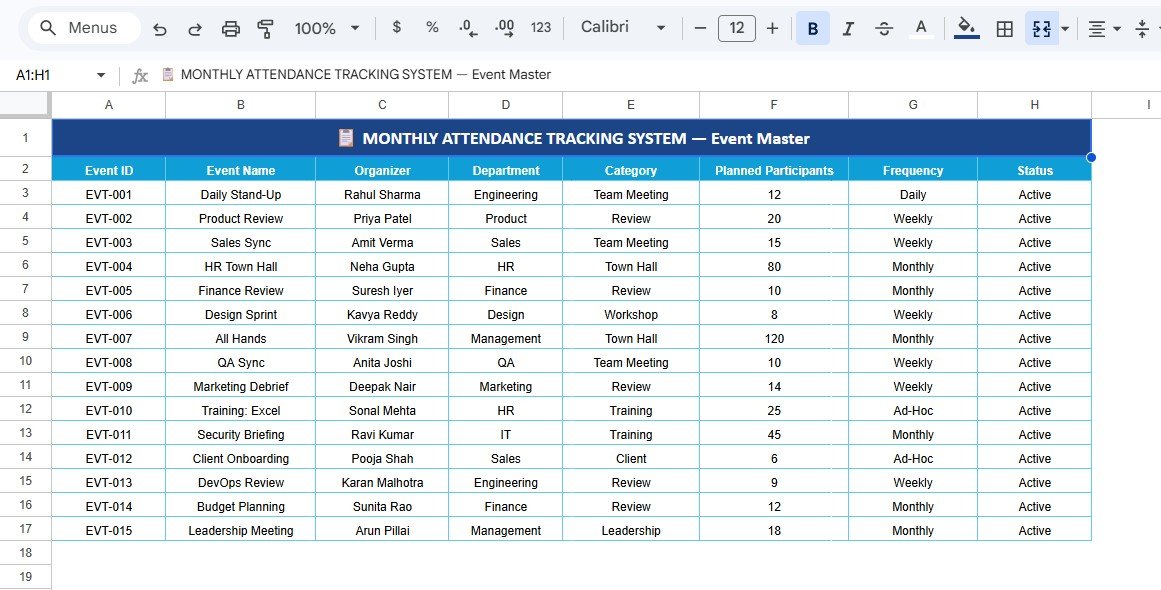
✅ Event Master Sheet – Central database storing event details such as organizer, department, category, and frequency.
Each sheet works together dynamically, ensuring seamless reporting and instant analytics.
🛠️ How to Use the Attendance Tracking System for Events and Meetings in Google Sheets
Getting started is simple and requires no advanced technical skills:
1️⃣ Configure events using the Event Master sheet.
2️⃣ Enter attendance data daily in the Attendance Entry sheet.
3️⃣ Select month and year to view summaries automatically.
4️⃣ Review dashboard KPIs and charts for performance insights.
5️⃣ Share reports instantly with stakeholders using cloud access.
Because formulas and dashboards are prebuilt, users only need to enter data while the system handles calculations automatically.
🎯 Who Can Benefit from This Attendance Tracking System for Events and Meetings in Google Sheets
👩💼 HR Teams – Monitor employee training and meeting participation.
🎓 Training Coordinators – Track workshop and learning session attendance.
📅 Event Managers – Evaluate engagement across events and programs.
🏢 Corporate Teams – Manage recurring meetings efficiently.
📊 Operations Managers – Improve participation tracking and planning.
🚀 Organizations of All Sizes – Replace manual attendance systems with automation.
This system enables organizations to move from manual administration to data-driven attendance management.
Effective attendance tracking improves engagement, planning accuracy, and organizational productivity. By transforming raw attendance data into visual insights, this Google Sheets solution helps teams identify low-performing events, optimize scheduling, and improve participation outcomes.
Stop wasting time on manual attendance reports — start managing events smarter with an automated attendance tracking system built for modern organizations.
### Click here to read the Detailed blog post
Watch the step-by-step video tutorial: