



The Sleep Improvement Checklist in Excel is the perfect tool for anyone looking to improve their sleep quality and establish a healthy sleep routine. Whether you’re dealing with insomnia, struggling with poor sleep habits, or simply aiming to get more restful sleep, this customizable checklist helps you track, monitor, and improve your sleep patterns over time.
With this easy-to-use Excel template, you can set sleep goals, monitor your bedtime routine, and track sleep quality. The built-in tracking features and intuitive design help you stay on track to achieve better sleep hygiene and improve overall well-being.
Key Features of the Sleep Improvement Checklist in Excel
🛏️ Comprehensive Sleep Tracking
Track key aspects of your sleep routine, including bedtime, wake-up time, total sleep duration, and quality of sleep.
⚡ Sleep Quality Monitoring
Monitor your sleep quality each night, including factors like how rested you feel and the number of awakenings during the night.
📅 Goal Setting & Sleep Routine Scheduling
Set realistic sleep goals, including ideal sleep duration and desired sleep times, and track your progress toward achieving them.
🔄 Customizable for Your Sleep Goals
Adapt the checklist to fit your specific sleep goals. Whether it’s improving sleep duration or creating a calming bedtime routine, this template can be tailored to your needs.
📊 Sleep Progress Dashboard
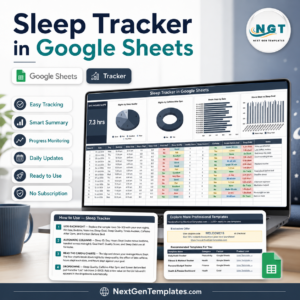
Visualize your sleep improvement progress with an interactive dashboard that summarizes your sleep quality, duration, and other key metrics.
🖥️ User-Friendly Interface
The simple and intuitive design makes it easy to track your sleep habits, update your progress, and stay on top of your sleep improvement goals.
Why You’ll Love the Sleep Improvement Checklist in Excel

✅ Monitor Your Sleep Quality
Track key metrics like sleep duration and how rested you feel each morning to monitor your progress in improving sleep quality.
✅ Stay Consistent with Your Sleep Routine
Set and track bedtime goals, prioritize healthy habits, and develop a consistent sleep routine for better results.
✅ Visualize Your Sleep Progress
Use the progress dashboard to view your sleep patterns and identify areas where improvement is needed.
✅ Personalize Your Sleep Goals
Customize the checklist to suit your specific sleep challenges, such as reducing wakefulness during the night or improving bedtime consistency.
✅ Improve Overall Well-Being
By improving your sleep habits, you’ll feel more energized, improve focus, and boost your mood, making this checklist an essential part of a healthy lifestyle.
What’s Inside the Sleep Improvement Checklist in Excel?
- Sleep Tracking Overview: Track the key details of your sleep habits, including bedtime, wake-up time, and overall sleep duration.
- Sleep Quality Monitoring: A section to monitor your subjective sleep quality and how rested you feel.
- Goal Setting: Set specific sleep goals, such as desired sleep time and sleep duration, and track progress.
- Sleep Progress Dashboard: A summary of your sleep data with key metrics, trends, and goals.
- Customizable Sections: Modify sections to track other sleep-related factors, such as meditation, relaxation, or diet that affect your sleep.
How to Use the Sleep Improvement Checklist in Excel
1️⃣ Download the Template: Get instant access to your sleep improvement checklist.
2️⃣ Set Your Sleep Goals: Define your sleep goals, including target bedtime, wake-up time, and total sleep duration.
3️⃣ Track Sleep Quality: Monitor your sleep quality and subjective feelings of restfulness each morning.
4️⃣ Analyze Progress: Use the dashboard to analyze your progress and adjust your sleep routine as needed to improve sleep quality.
Who Can Benefit from the Sleep Improvement Checklist in Excel?
🔹 Individuals Struggling with Sleep Issues
🔹 People Seeking to Improve Their Sleep Quality
🔹 Anyone Wanting to Establish a Healthy Sleep Routine
🔹 Individuals Who Feel Tired or Unproductive
🔹 Health & Wellness Enthusiasts
🔹 Coaches & Therapists Helping Clients Improve Sleep
Improve your sleep quality and overall well-being with this easy-to-use, customizable sleep improvement checklist.
Click here to read the Detailed blog post
Visit our YouTube channel to learn step-by-step video tutorials
Youtube.com/@PKAnExcelExpert
Compatibility and Requirements
- Works in Microsoft Excel desktop (Excel 2016 or later, or Microsoft 365).
- Everything is inside one workbook, so there is nothing else to install.
- New to Excel charts? Microsoft explains the basics in Create a chart from start to finish.
Frequently Asked Questions
What does the Sleep Improvement Checklist track?
Bedtime, wake-up time, total sleep duration, sleep quality, how rested you feel and the number of awakenings during the night.
Can I set my own sleep goals?
Yes. You set a target bedtime, wake-up time and sleep duration, then track progress toward them.
Is there a summary view?
Yes. A sleep progress dashboard summarizes your sleep quality, duration and other key metrics.
Is there a Google Sheets version?
Yes. See the Sleep Improvement Checklist in Google Sheets.
Related Sleep and Habit Templates
- Sleep Improvement Checklist in Google Sheets: the same checklist online
- Sleep Tracker in Google Sheets: log sleep night by night
- Daily Habits Tracker checklist in Excel: track other daily habits
- Checklist & SOP Pack: 12 checklist templates in one bundle
Browse all Excel checklists or the Excel trackers.

































Reviews
There are no reviews yet.