

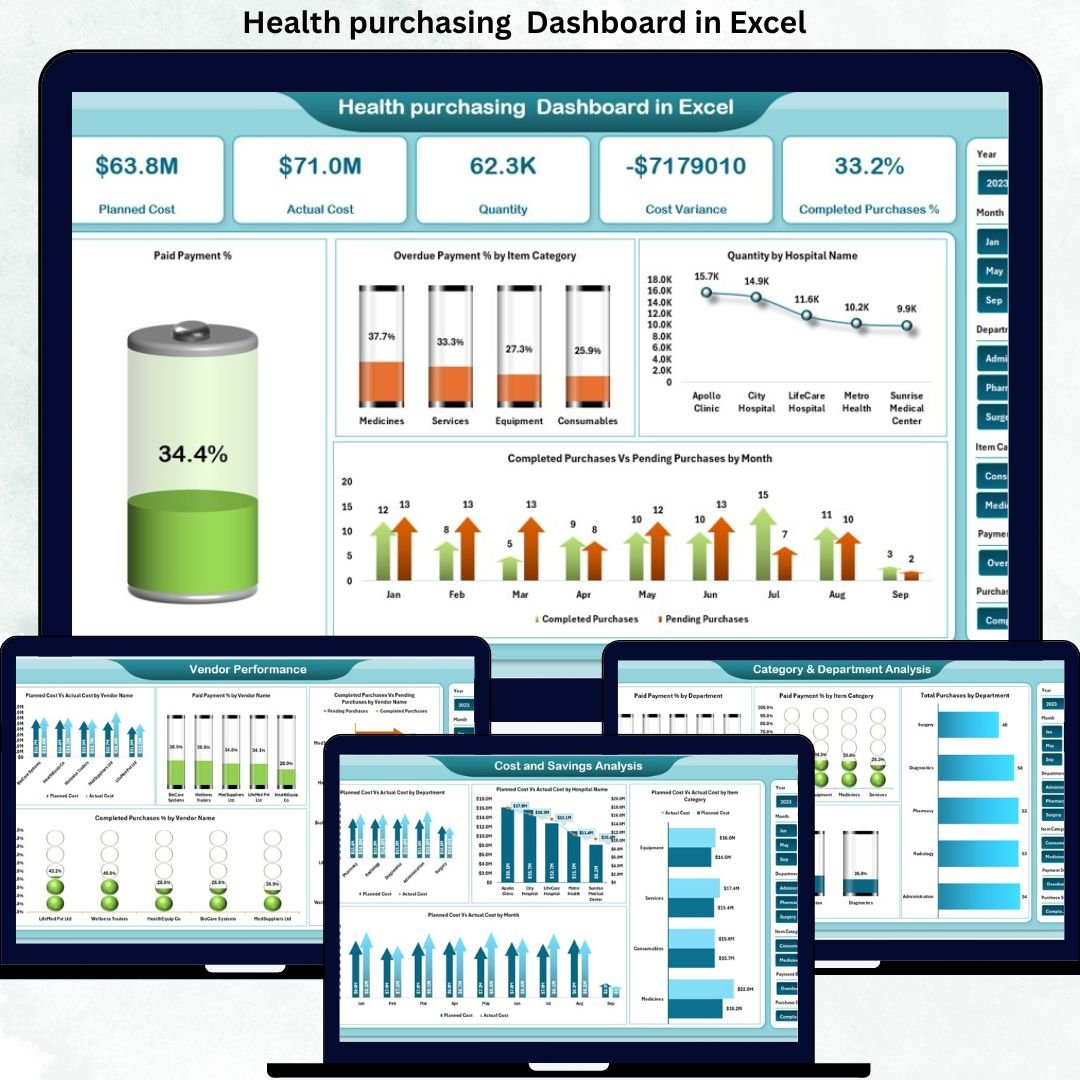
Health purchasing Dashboard in Excel organizations manage purchasing activities every single day. These purchases include medical equipment, consumables, medicines, diagnostic tools, IT services, facility supplies, and outsourced services. Because healthcare budgets are tightly controlled and patient care depends on uninterrupted supply, purchasing decisions directly impact cost control, service quality, and operational continuity. However, when purchasing data is spread across multiple spreadsheets and manual reports, visibility drops. As a result, overspending, delayed payments, vendor issues, and incomplete purchases become difficult to control.
That is exactly why the Health Purchasing Dashboard in Excel becomes an essential solution for modern healthcare organizations.
This ready-to-use Excel dashboard transforms raw purchasing data into clear, visual, and actionable insights. Instead of manually tracking procurement details, hospitals and healthcare groups can monitor planned cost, actual cost, quantities, payment status, vendor performance, and purchase completion—all from a single Excel file. Moreover, because the dashboard is built in Excel, it delivers powerful analytics without the need for expensive procurement software.
✨ Key Features of the Health Purchasing Dashboard in Excel
📊 Centralized Purchasing Visibility
Track all healthcare purchases across hospitals, departments, vendors, and item categories in one dashboard.
💰 Planned vs Actual Cost Control
Instantly identify cost overruns and savings using automated variance calculations.
💳 Payment Status Monitoring
Track paid, unpaid, and overdue purchases to improve financial discipline.
🏥 Hospital & Department-Level Analysis
Understand purchasing patterns across hospitals and departments.
🚚 Purchase Completion Tracking
Monitor completed versus pending purchases to avoid operational disruptions.
📦 What’s Inside the Health Purchasing Dashboard in Excel
🖥️ Overview Sheet Tab – Executive Summary
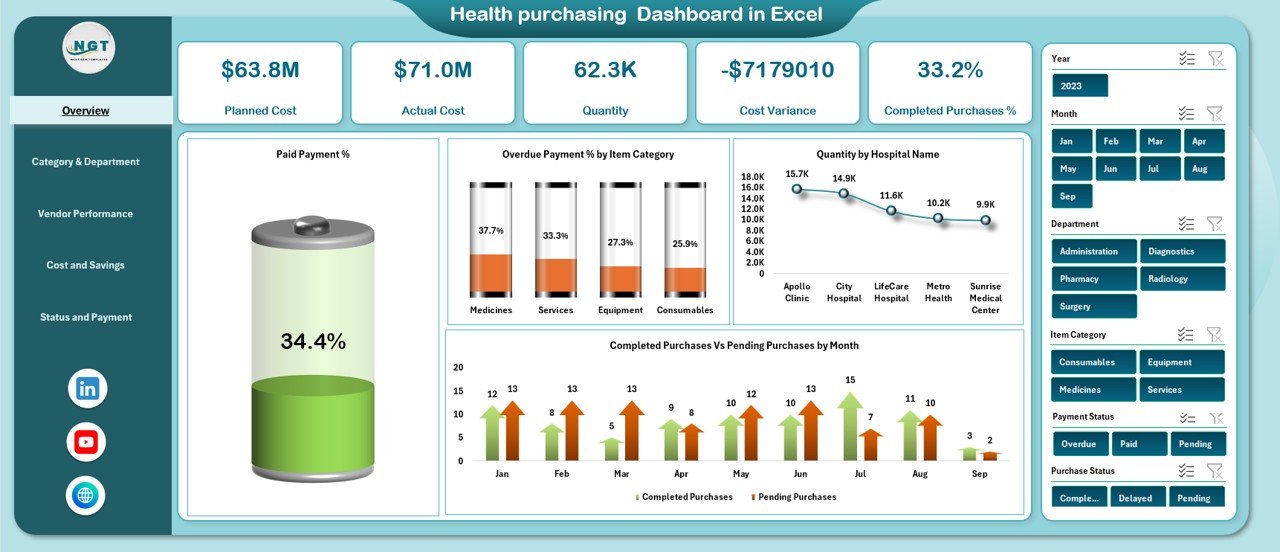
The Overview sheet provides a high-level snapshot of purchasing performance for leadership and finance teams.
KPI Cards Included
Planned Cost – Total budgeted purchasing cost
Actual Cost – Total amount spent
Quantity – Total items purchased
Cost Variance – Difference between planned and actual cost
Completed Purchases % – Purchase completion rate
Key Overview Charts
Paid Payment %
Overdue Payment % by Item Category
Quantity by Hospital Name
Completed vs Pending Purchases by Month
This sheet allows decision-makers to assess procurement health within seconds.
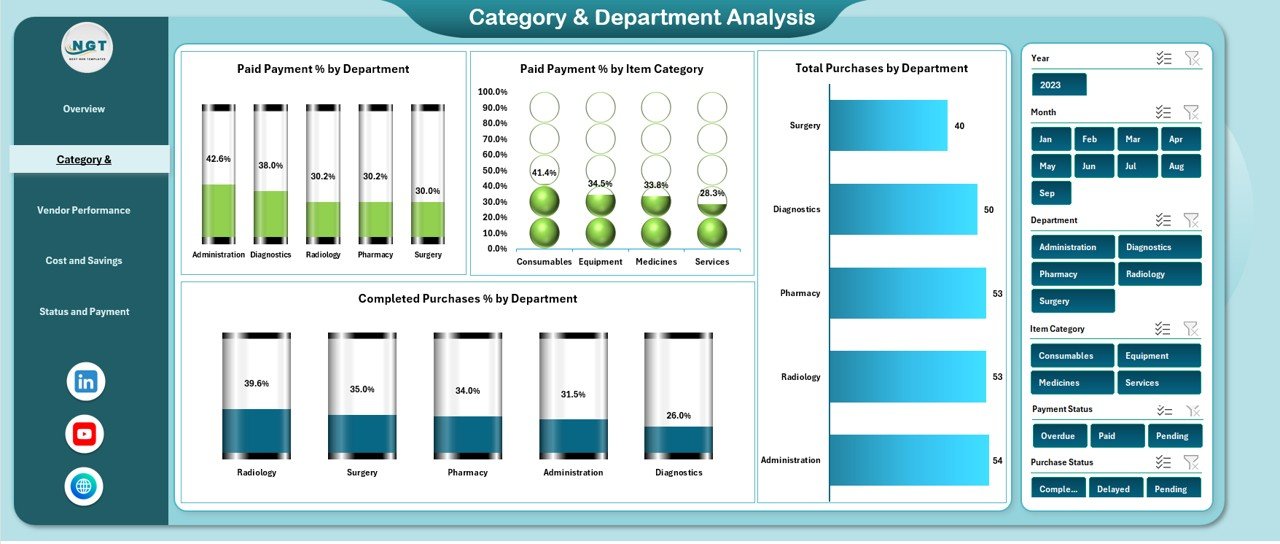
🏷️ Category & Department Analysis
This section evaluates purchasing efficiency across departments and item categories.
Charts Included
Paid Payment % by Department
Paid Payment % by Item Category
Completed Purchases % by Department
Total Purchases by Department
This analysis improves departmental accountability and budget control.
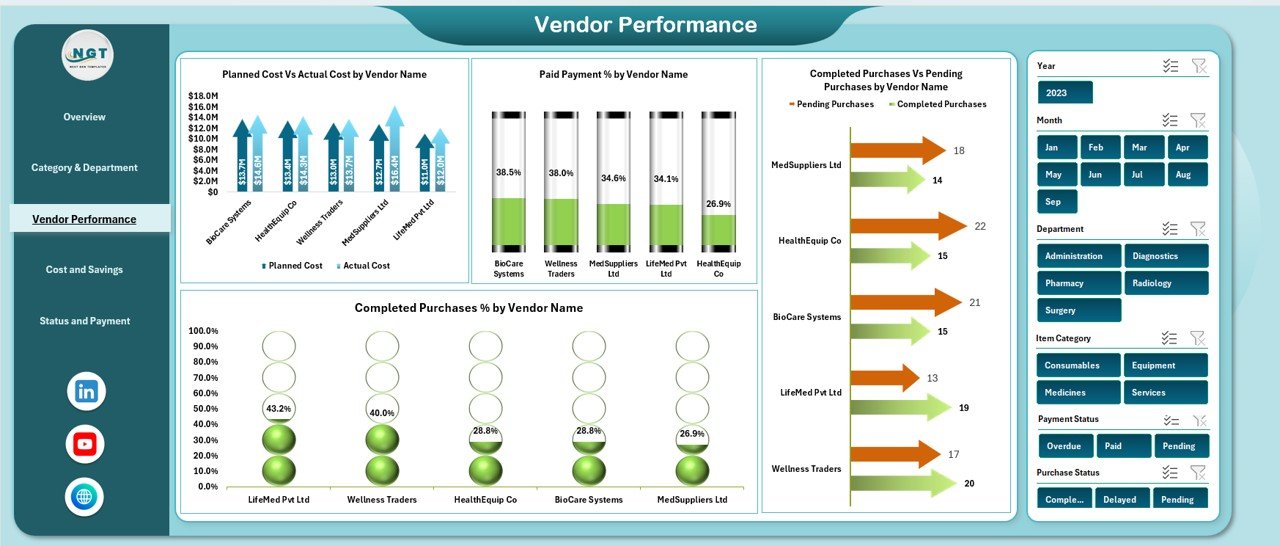
🧑🤝🧑 Vendor Performance Analysis
Vendor reliability directly impacts healthcare operations. This section focuses on supplier-level insights.
Charts Included
Planned Cost vs Actual Cost by Vendor Name
Paid Payment % by Vendor Name
Completed vs Pending Purchases by Vendor Name
Completed Purchases % by Vendor Name
Procurement teams use this view to renegotiate contracts, improve supplier selection, and reduce dependency risk.
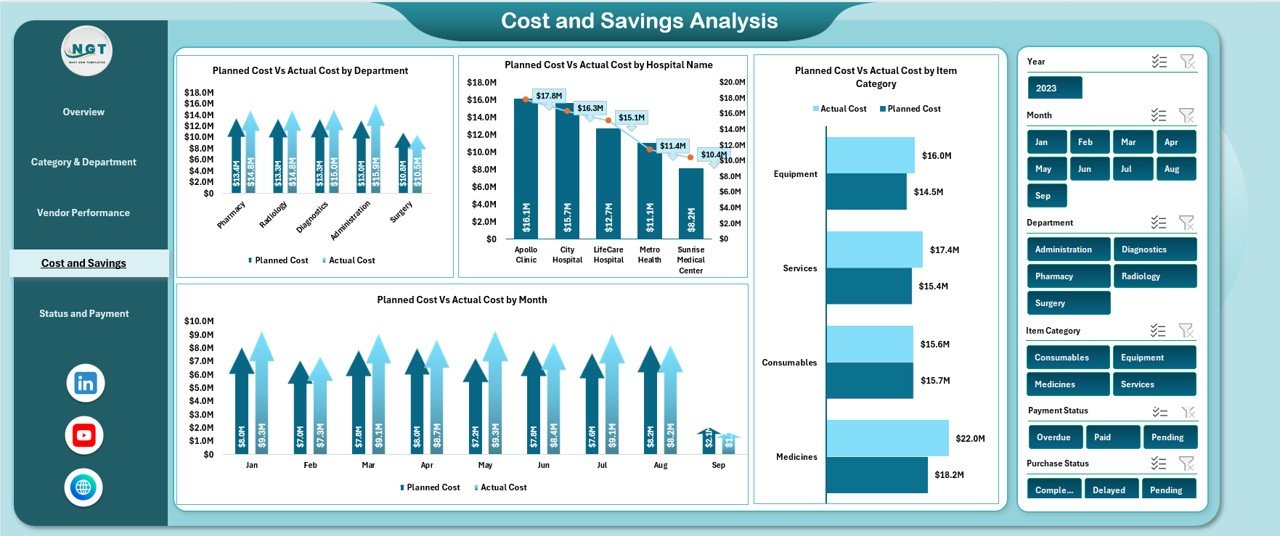
💰 Cost & Savings Analysis
This section strengthens financial governance and forecasting.
Charts Included
Planned Cost vs Actual Cost by Department
Planned Cost vs Actual Cost by Hospital Name
Planned Cost vs Actual Cost by Item Category
Planned Cost vs Actual Cost by Month
These visuals help identify seasonal trends and recurring overspending.
📌 Status & Payment Tracking
This section ensures better payment discipline and purchase execution.
Charts Included
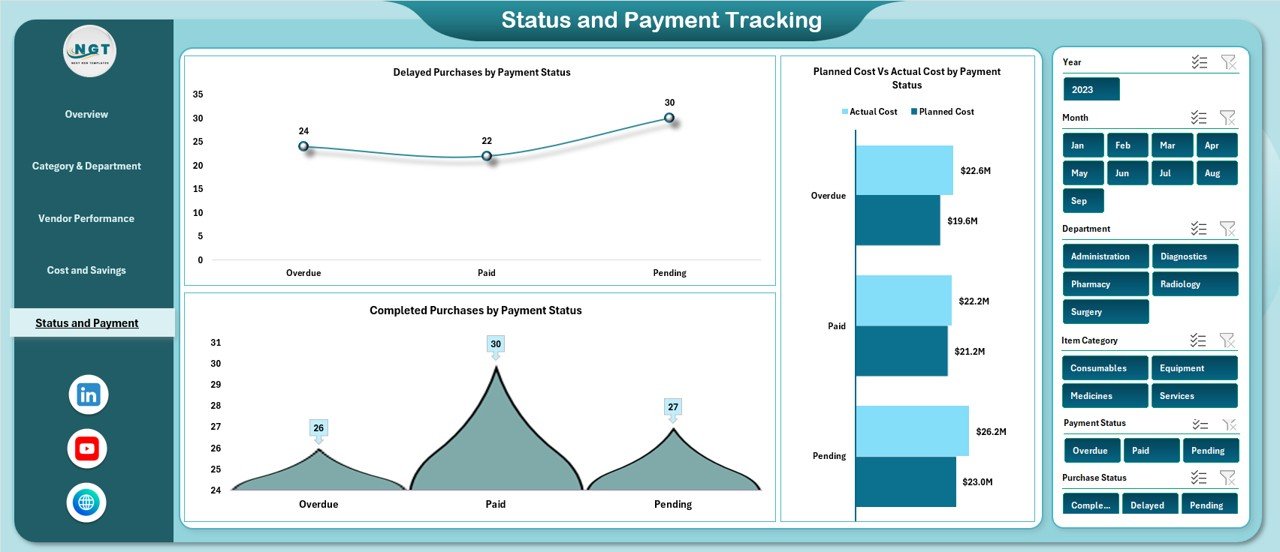
Delayed Purchases by Payment Status
Planned Cost vs Actual Cost by Payment Status
Completed Purchases by Payment Status
Finance teams use this section to reduce overdue payments and clear backlogs faster.
🎯 Who Can Benefit from This Dashboard
🏥 Hospitals & Healthcare Groups
📦 Procurement & Purchasing Teams
💼 Finance & Accounts Departments
🧾 Vendor Management Teams
🧠 Healthcare Administrators & Leadership
📺 Click here to read the Detailed blog post
Watch the step-by-step video tutorial:





























Reviews
There are no reviews yet.