


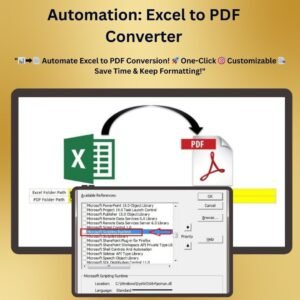
The Excel to PDF Converter for Selected Worksheets is an Excel VBA tool that turns the worksheets you choose into clean, professional PDFs in just a few clicks. It is built for professionals who regularly share reports, invoices and other documents from Excel. The tool replaces manual copying, pasting and one-by-one exporting with a fast, consistent batch PDF conversion process.
Simple controls let you select the sheets you need and adjust page orientation, margins and output folder location. You stay in control of the final result while saving time on every conversion.

Key Features of the Excel to PDF Converter for Selected Worksheets
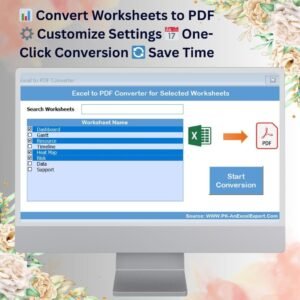
- Batch worksheet conversion: Convert multiple worksheets to PDF in one go instead of exporting each sheet separately.
- Customizable PDF settings: Set page orientation, margins and the output folder for a tailored result.
- Single-click conversion: Select the worksheets you want, click one button and the tool generates your PDFs.
- Date formatting: Formatted dates are added to your PDFs automatically, which keeps your reports accurate.
- Real-time progress tracking: Watch the conversion progress as it happens and get instant results.
- User-friendly interface: A clean, simple interface lets you convert worksheets to PDF without technical expertise.
Why You Will Love This PDF Conversion Tool
- Quick and efficient: Convert your worksheets to PDF in one click, saving time and effort.
- Customizable output: Fit the PDF settings, including page layout and folder location, to your requirements.
- Ideal for professional reports: Produce PDFs that are ready for printing or sharing.
- Consistent documents: Every PDF uses the same settings, so your documents look uniform.
- Automates a tedious task: No more repetitive manual exports when several sheets need to become PDFs.
- No advanced Excel skills needed: The intuitive design makes the tool easy for anyone to use.
What’s Inside the Download
You receive an Excel file containing the VBA code that powers the converter. The download includes the following:
| Component | What it does |
|---|---|
| Worksheet selection | Choose multiple worksheets to convert to PDF. |
| Custom PDF settings | Adjust margins, orientation and folder location for custom output. |
| Conversion button | Converts your selected worksheets to PDF with one click. |
| Real-time progress monitoring | Shows the conversion progress for a seamless experience. |
| Date formatting | Adds formatted dates to your PDFs automatically. |
Who Can Benefit from the Excel to PDF Converter?
This Excel VBA tool suits anyone who regularly produces PDFs from Excel workbooks, including:
- Business professionals sharing reports and invoices
- Financial analysts distributing statements and summaries
- Report managers preparing recurring report packs
- Consultants sending client deliverables
- Project managers circulating project updates
- Educators producing handouts and records
- Freelancers and entrepreneurs who want polished documents fast
How to Use It
- Download the template: Get instant access to the Excel file with the VBA code for converting worksheets to PDF. Unzip the file and make sure macros are enabled.
- Select worksheets: Choose the worksheets you want to convert to PDF.
- Customize PDF settings: Adjust page orientation, margins and output folder to suit your needs.
- Click to convert: Press the conversion button and the tool creates your PDFs automatically while showing real-time progress.
- Save and share: Your PDFs are saved to the location you chose, ready to print or share.
After you download and unzip this file, enable macros before use. The tutorial below gives step-by-step instructions on enabling macros in Excel:
https://www.pk-anexcelexpert.com/4-easy-ways-to-enable-macros-in-excel-vba/
Click here to read the detailed blog post
Visit our YouTube channel for step-by-step video tutorials.
Watch the step-by-step video tutorial:
Frequently Asked Questions
What does the Excel to PDF Converter for Selected Worksheets do?
It converts the worksheets you select in an Excel workbook into PDF files. It uses VBA, so you can process multiple sheets at once with a single click.
Can I convert several worksheets at the same time?
Yes. The tool supports batch PDF conversion, so you can select multiple worksheets and convert them together.
Which PDF settings can I customize?
You can set the page orientation, the margins and the output folder location where your PDFs are saved.
Do I need to enable macros?
Yes. This is an Excel VBA tool, so you must enable macros after unzipping the file. Follow the tutorial link above for step-by-step instructions.
Do I need advanced Excel skills to use it?
No. The user-friendly interface is designed for people without technical expertise. You select the sheets, adjust the settings and click to convert.
Can I see the progress while the conversion is running?
Yes. The tool shows the conversion progress in real time, so you know when your PDFs are ready.
Save time and boost productivity with this simple yet powerful PDF conversion tool for Excel.
Also check our Asset Transfer Management System V1.0
Last updated: October 2026
Compatibility and Requirements
- Needs Microsoft Excel desktop on Windows with macros enabled, because the file runs on VBA.
- It does not work in Excel for the web, Google Sheets or the Excel mobile apps. Microsoft explains macro settings in Enable or disable macros in Microsoft 365 files.
Related Excel PDF and VBA Tools
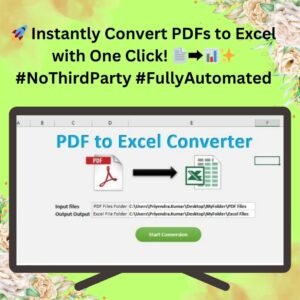
- PDF to Excel Converter in Excel VBA: the reverse direction, PDF into Excel
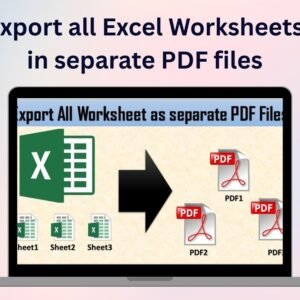
- Export all Excel Worksheets in separate PDF files: saves every sheet as its own PDF
- Automation: Excel to PDF Converter: another macro for PDF export
- PDF to Word Converter Macro in Excel VBA: converts PDF files to Word from Excel
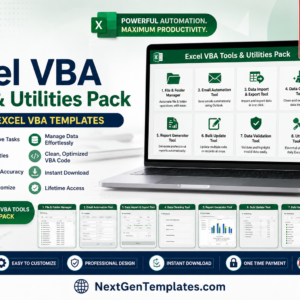
- Excel VBA Tools and Utilities Pack: 8 VBA tools in one bundle
Browse all utility and converter tools or the Excel VBA tools.









Reviews
There are no reviews yet.