



Managing a yoga centre becomes harder as customer numbers grow, sessions increase, and multiple branches open. Without the right reporting system, studio owners struggle to track revenue, customer satisfaction, attendance patterns, yoga style trends, and membership performance. Reports stay scattered across sheets, slowing down decision-making. That’s exactly why the Yoga Centres Dashboard in Excel is the perfect solution.
This ready-to-use Excel dashboard brings every key metric into one clean, interactive, and easy-to-navigate tool. With simple slicers, structured visuals, and instant updates, yoga studios get complete visibility into their operations. Whether it’s financial performance, customer ratings, membership behavior, or seasonal trends—everything becomes clear within seconds. This dashboard helps owners, trainers, and managers run their studios with confidence and clarity.
⚡ Key Features of Yoga Centres Dashboard in Excel
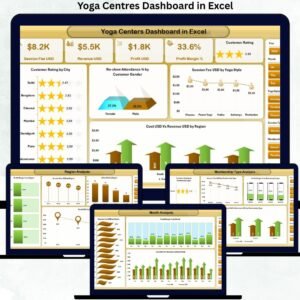
This dashboard includes five analytical pages designed to answer the most important business questions. With a left-side Page Navigator, you can jump to any page instantly.
🧘 Overview Page – Your Studio Performance at a Glance

The Overview Page highlights the most crucial KPIs through five clean and powerful cards:
💵 Total Cost (USD)
💰 Revenue (USD)
📈 Profit (USD)
🎯 Conversion Rate (%)
📊 Profit Margin (%)
It also includes four performance-enhancing charts:
⭐ Customer Rating by City – understand satisfaction across regions
👥 No-Show Attendance % by Gender – reduce cancellations and improve attendance
🧘 Session Fee by Yoga Style – identify high-value yoga categories
🗺 Cost vs Revenue by Region – evaluate regional profitability
This page acts as the command center for the entire yoga centre.
🧘♀ Yoga Style Analysis – Which Styles Perform Best?
Different yoga styles attract different customers and generate varying levels of profit. This page reveals:
⭐ Customer Rating by Yoga Style
📈 Profit Margin % by Yoga Type
💰 Profit by Yoga Type
🔄 Cost vs Revenue by Yoga Type
Studios use this analysis to improve class offerings, adjust session fees, and identify high-performing yoga styles.
📍 Region Analysis – Performance Across Locations
If your yoga centre operates in multiple cities or regions, this page becomes essential. It includes:
🎯 Profit Margin % by Region
💳 Session Fee by Region
👥 Attended Count by Region
💰 Profit (USD) by Region
Owners use this page to identify strong regions, improve weaker ones, and plan expansions strategically.
🎫 Membership Type Analysis – Which Plans Work Best?
Memberships drive long-term revenue for yoga studios. This page provides:
⭐ Customer Rating by Membership Type
🧾 Session Fee by Membership Type
📊 Profit Margin % by Membership Type
💵 Cost vs Revenue by Membership Type
This analysis helps studios design the right membership plans based on customer preferences and financial performance.
📅 Month Analysis – Understand Seasonal Trends
Monthly patterns help studios plan promotions, staff schedules, and new sessions. This page includes:
💳 Session Fee by Month
📉 Profit Margin % by Month
📊 Cost vs Revenue by Month
Seasonality becomes easy to understand, allowing centres to optimize their operations throughout the year.
📦 What’s Inside the Yoga Centres Dashboard in Excel
When you download this dashboard, you get:
📁 Fully automated Excel dashboard template
🧮 Structured Data Sheet for all raw inputs
🧭 Easy Page Navigator for quick movement
📊 Five analytics pages with detailed KPIs
⚡ Auto-updating visuals (no formulas to adjust)
🧘 Insights on yoga styles, memberships, regions & monthly trends
Everything is built for usability—no coding, no complexity.
🧭 How to Use the Yoga Centres Dashboard in Excel
Using the dashboard is straightforward:
1️⃣ Update your customer, session, membership, and revenue data in the Data Sheet
2️⃣ Refresh the dashboard (updates automatically)
3️⃣ Use slicers to filter by city, yoga style, membership, or month
4️⃣ Explore the charts to understand performance
5️⃣ Use insights to improve operations, pricing, and services
Fast, simple, and extremely effective.
👥 Who Can Benefit from This Dashboard?
This dashboard is designed for:
🧘 Studio Owners
👨🏫 Yoga Trainers
🧾 Administrative Staff
📊 Financial Teams
📍 Multi-location Studio Chains
📈 Business Analysts in Wellness Industry
Anyone responsible for daily operations or growth strategy will benefit from this tool.
### Click here to read the Detailed blog post
Visit our YouTube channel to learn step-by-step video tutorials
👉 Youtube.com/@PKAnExcelExpert
Watch the step-by-step video tutorial:
Compatibility and Requirements
- Works in Microsoft Excel desktop (Excel 2016 or later, or Microsoft 365).
- The dashboard uses slicers to filter by city, yoga style, membership and month. Microsoft explains them in Use slicers to filter data.
Frequently Asked Questions
How many pages does the dashboard have?
Five analysis pages: Overview, Yoga Style Analysis, Region Analysis, Membership Type Analysis and Month Analysis. A Page Navigator on the left lets you jump between them.
Which KPIs are on the Overview page?
Total Cost (USD), Revenue (USD), Profit (USD), Conversion Rate (%) and Profit Margin (%). Four charts sit below the cards: Customer Rating by City, No-Show Attendance % by Gender, Session Fee by Yoga Style and Cost vs Revenue by Region.
Where do I enter my own data?
Enter your customer, session, membership and revenue data in the Data Sheet. The dashboard visuals update from it, and you can filter them with slicers.
Can I compare yoga styles and membership plans?
Yes. The Yoga Style Analysis page shows customer rating, profit margin, profit and cost vs revenue by yoga type. The Membership Type Analysis page shows customer rating, session fee, profit margin and cost vs revenue by membership type.
Is there a Power BI version?
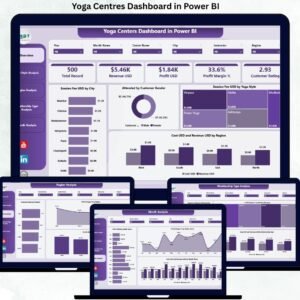
Yes. See the Yoga Centres Dashboard in Power BI. A KPI-focused edition is also available in Excel.
Related Yoga and Wellness Templates
- Yoga Centres Dashboard in Power BI: the same dashboard in Power BI
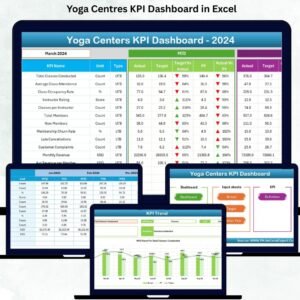
- Yoga Centres KPI Dashboard in Excel: a KPI view for yoga centres
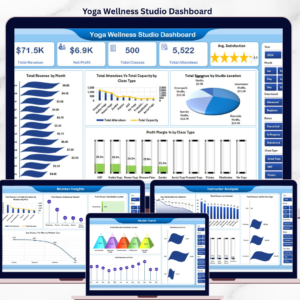
- Yoga & Wellness Studio Dashboard in Excel: a dashboard for studios in Excel
- Yoga Studio KPI Dashboard in Google Sheets: a KPI dashboard for Google Sheets users
- Spas and Wellness Centres KPI Dashboard in Excel: KPIs for wellness centres
Browse all Excel dashboards.





Reviews
There are no reviews yet.