

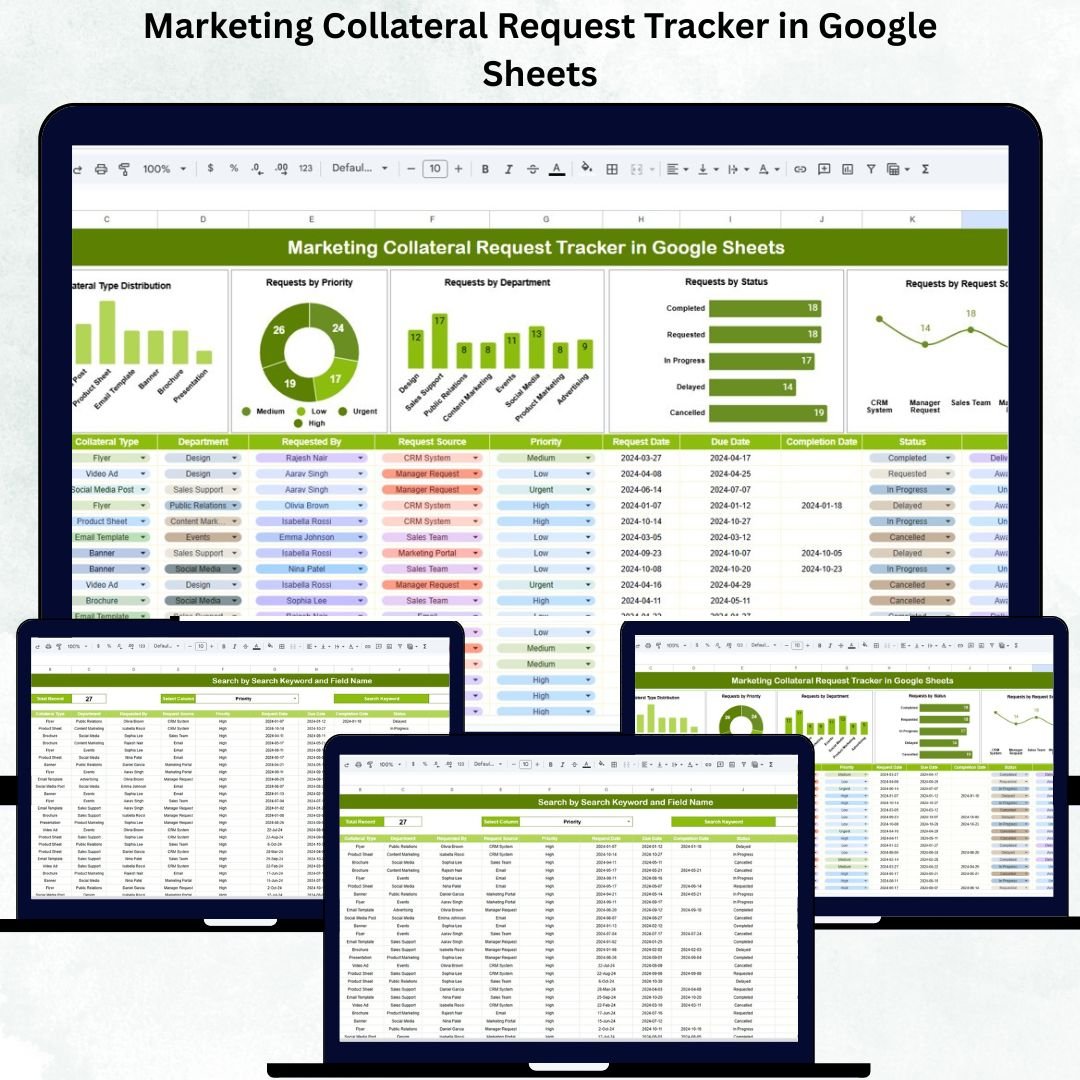
Managing marketing collateral requests across multiple departments can get overwhelming — from brochures and pitch decks to social media creatives and event banners. Without a proper system, deadlines are missed, requests are duplicated, and priorities are unclear. That’s where the Marketing Collateral Request Tracker in Google Sheets comes in — your all-in-one tool for managing creative requests efficiently and transparently. 🎯📊
This ready-to-use Google Sheets tracker simplifies the entire request management process by centralizing all submissions, tracking progress, and providing automated visual insights. It’s perfect for marketing, design, and creative teams who need to coordinate with multiple departments while maintaining visibility, accountability, and on-time delivery.
🔑 Key Features of the Marketing Collateral Request Tracker in Google Sheets
📋 Tracker Sheet Tab (Main Dashboard)
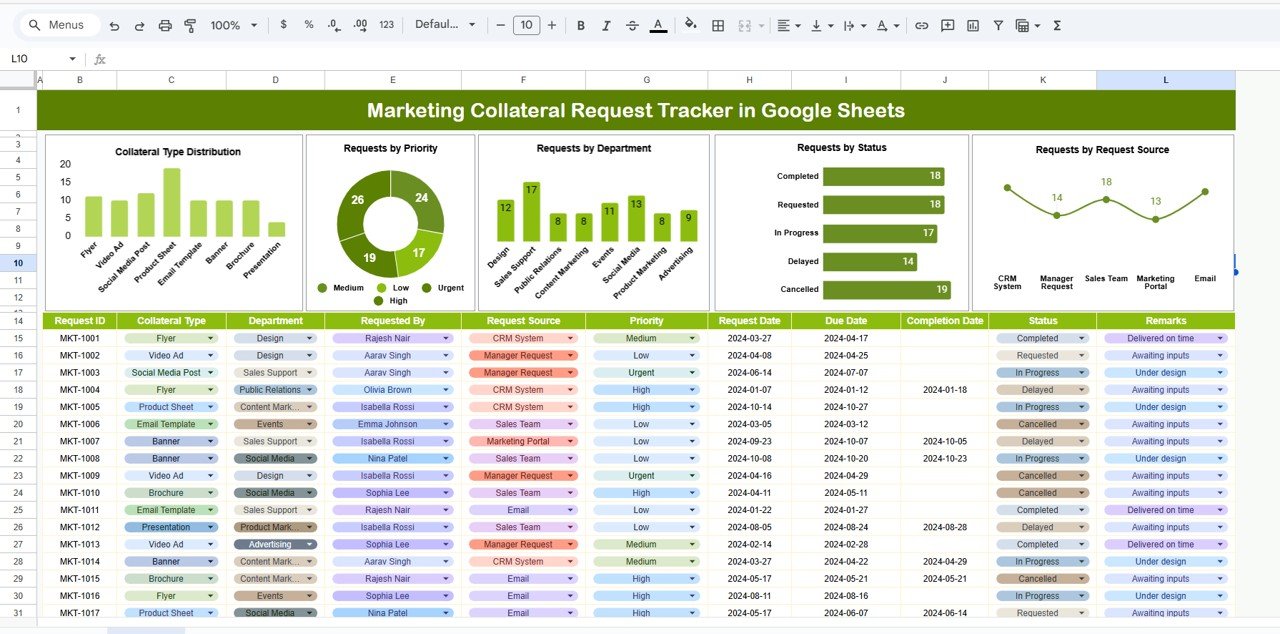
The Tracker Sheet is the control center where all collateral requests are logged, analyzed, and visualized in real time.
Charts Included:
📄 Collateral Type Distribution: Displays request categories like brochures, digital ads, social media posts, or videos.
🚦 Requests by Priority: Visualizes High, Medium, and Low priority tasks for better workload planning.
🏢 Requests by Department: Identifies which departments (Sales, HR, Events, etc.) generate the most collateral requests.
🧾 Requests by Status: Tracks each item’s progress — Pending, In Progress, Completed, or On Hold.
✉️ Requests by Request Source: Shows where requests come from — email, forms, or internal tools.
Each chart updates automatically when data changes, providing a real-time snapshot of the team’s progress and priorities.
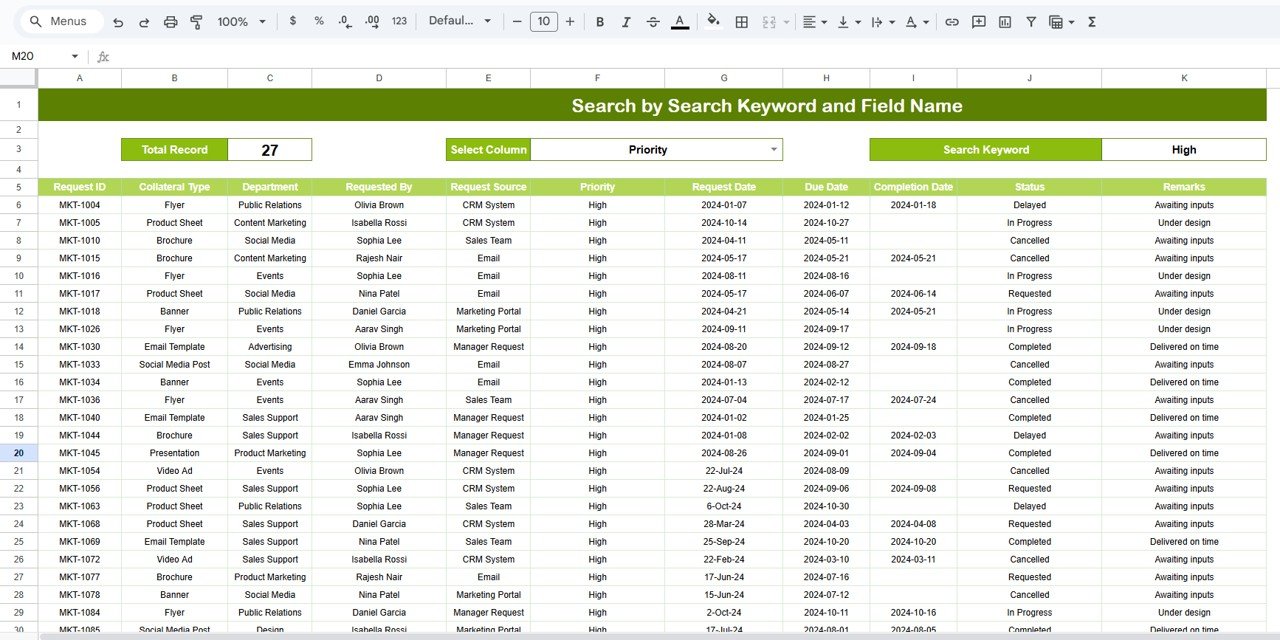
🔍 Search Sheet Tab (Smart Filter System)
This tab allows quick access to specific requests without manual scrolling or filtering.
You can search by:
Department
Requester
Collateral Type
Priority
Status
Example Searches:
“High Priority” → Displays all urgent creative requests.
“Sales Department” → Filters requests generated by the Sales team.
“Brochure” → Lists all brochure-related collateral items.
The Search Sheet saves valuable time, especially for project managers handling high volumes of requests.
📦 What’s Inside the Tracker
✅ Fully functional Google Sheets file
✅ Tracker Sheet with 5 dynamic charts
✅ Search Sheet with instant filtering
✅ Editable fields for department, requester, and due date
✅ Real-time collaboration via Google Workspace
✅ Customizable structure (add your own KPIs or visuals)
✅ No software installation or coding required
It’s everything you need to keep your marketing production pipeline organized, visual, and efficient. 💼✨
🧑💼 Who Can Benefit from This Tracker
🎨 Design Teams – Track creative production and delivery timelines.
📢 Marketing Managers – Prioritize and monitor cross-departmental requests.
💼 Sales Teams – Submit and track promotional material requests effortlessly.
🏢 Corporate Communication Departments – Maintain visibility on all branding assets.
🧠 Freelancers & Agencies – Manage multiple client collateral projects from one dashboard.
The Marketing Collateral Request Tracker in Google Sheets is your digital assistant for handling high-volume creative workflows — ensuring no request gets overlooked.
🧪 How to Use the Tracker
1️⃣ Add Collateral Requests: Enter each new request in the Tracker Sheet with fields like department, type, requester, and due date.
2️⃣ Monitor the Dashboard: Review charts to understand request distribution by type, priority, and department.
3️⃣ Filter Using Search Tab: Quickly find requests based on keywords or attributes.
4️⃣ Update Status Regularly: Change statuses (Pending, In Progress, Completed) as work progresses.
5️⃣ Share with Stakeholders: Collaborate in real time with other teams via Google Sheets.
💡 Pro Tip: Integrate with Google Forms to automate incoming requests directly into the tracker — no manual data entry required!
🌟 Why Choose This Tracker
🧾 Centralized request management in one sheet
📊 Real-time visual tracking with dynamic charts
🧑💻 Multi-user collaboration across teams
⚙️ Fully customizable layout & design
🕒 Time-saving automation & reporting
🚀 Simple setup — ready to use instantly
With the Marketing Collateral Request Tracker in Google Sheets, you’ll improve visibility, accountability, and delivery timelines while keeping every stakeholder aligned.
🔗 Click here to read the Detailed blog post
Watch the step-by-step video Demo:






















Reviews
There are no reviews yet.