

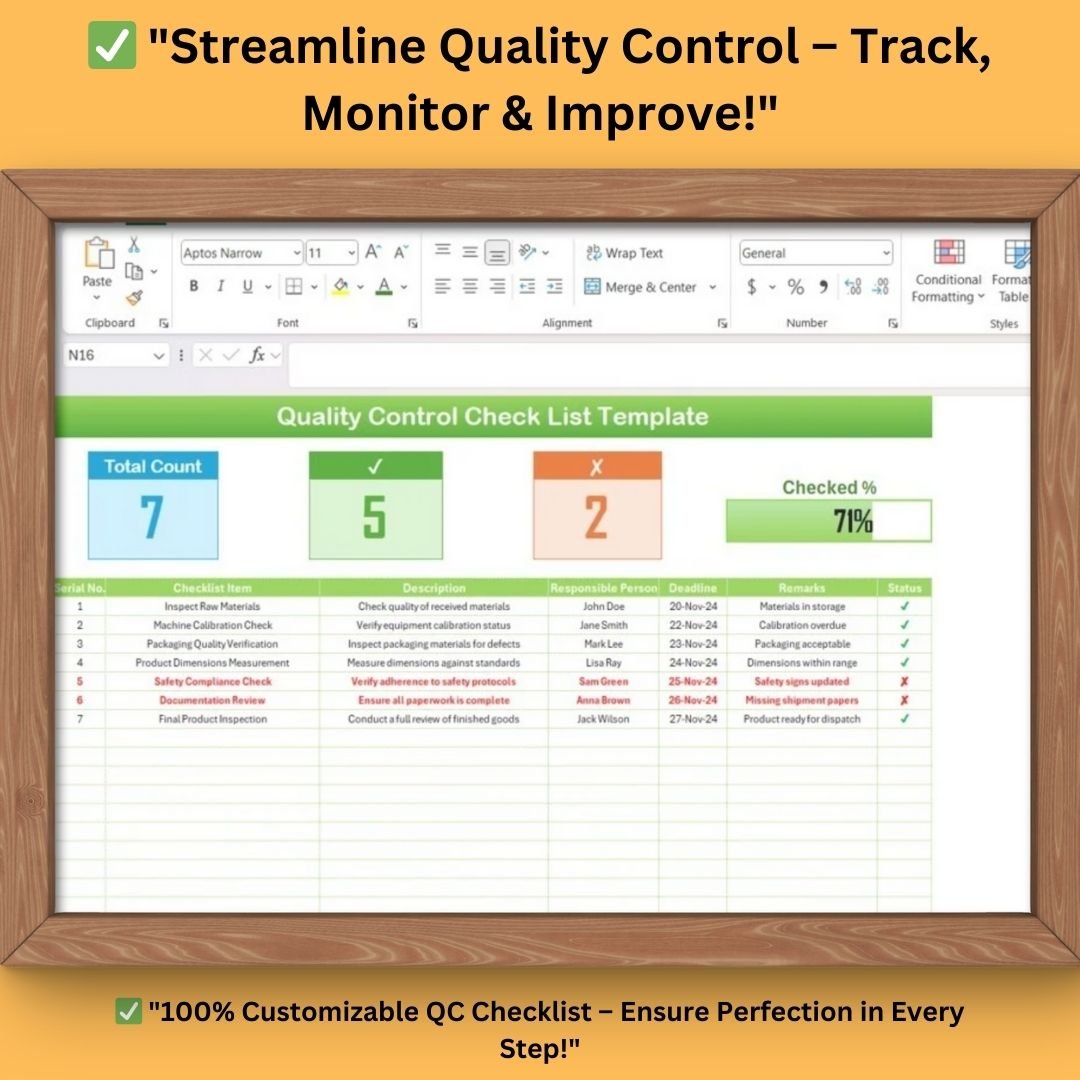

Ensure seamless quality control with our Quality Control Checklist Template in Excel! Designed for manufacturing, production, retail, and service-based industries, this fully customizable and dynamic template helps you track, document, and monitor Quality Control Check List Template measures efficiently. Whether you’re inspecting raw materials, verifying calibration, or reviewing product dimensions, this Excel-based template makes quality control structured, measurable, and error-free.
📌 Key Features of the Quality Control Checklist Template
1️⃣ Comprehensive Quality Check List Sheet
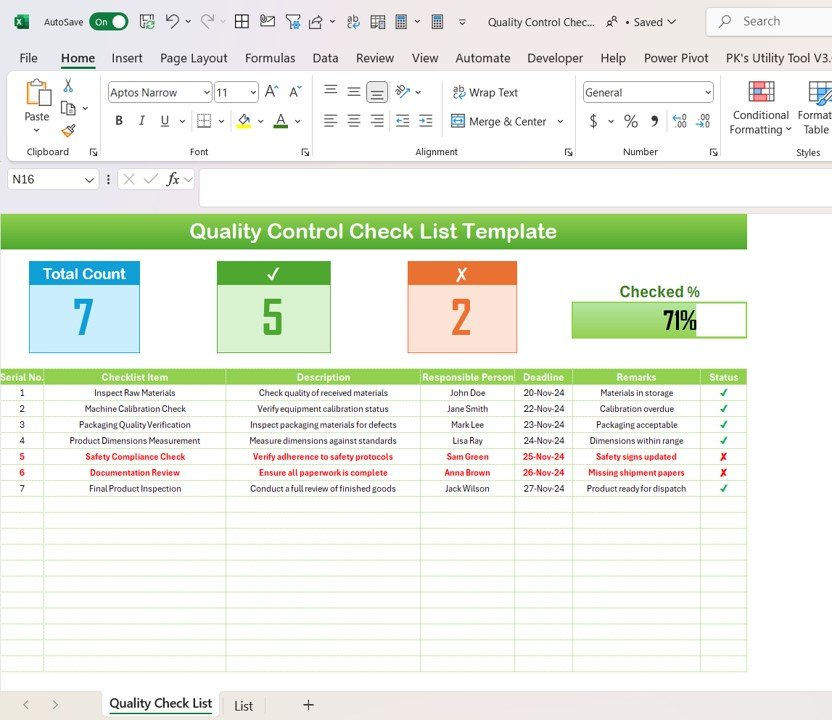
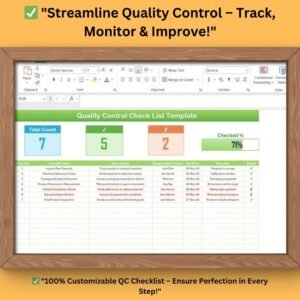
The Quality Check List Sheet is the core of this template, providing an interactive, structured layout to track all quality inspection activities in one place.
🔹 Progress Indicators:
- Displays Total Count, Checked Count, and Crossed Count for a quick performance summary.
- A dynamic progress bar indicates the percentage of completed checks.
🔹 Checklist Table Columns:
- Serial No. – Assigns a unique identifier for each quality check task.
- Checklist Item – Lists each quality inspection task.
- Description – Provides a detailed explanation of what needs to be checked.
- Responsible Person – Assigns accountability to team members.
- Deadline – Helps track when each inspection should be completed.
- Remarks – Allows additional comments or observations.
- Status – Uses checkmarks (✅) for completed tasks and red crosses (❌) for pending tasks.
🔹 Example Entries in the Template:
✔️ Inspect Raw Materials – Ensures material quality before production starts.
✔️ Machine Calibration Check – Verifies accuracy in manufacturing processes.
✔️ Packaging Quality Verification – Checks for defects in finished product packaging.
✔️ Final Product Inspection – Confirms readiness for shipment and customer satisfaction.
2️⃣ List Sheet for Easy Dropdown Management
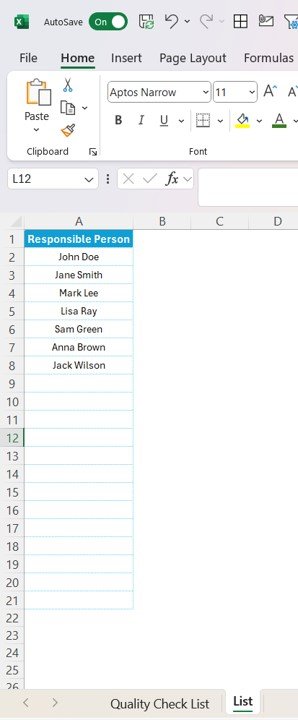
The List Sheet automates data entry and improves accuracy by maintaining a dynamic list of responsible persons.
✔️ Pre-filled with Example Names – Ensures consistency in assigning tasks.
✔️ Prevents Duplicate Entries – Avoids repetition and maintains clean data.
✔️ Dropdown Integration – Users can simply select responsible persons from a dropdown, reducing manual errors.
This feature streamlines data input and ensures organized, structured, and error-free quality control tracking.
🎯 Why Use This Quality Control Checklist Template?
✅ Boosts Quality Assurance Efficiency – Tracks all inspections in one place.
✅ Reduces Errors & Improves Compliance – Ensures adherence to quality standards.
✅ Saves Time with Automation – Pre-filled dropdown lists minimize manual entry.
✅ Improves Accountability – Assigns responsibilities to team members for better tracking.
✅ Customizable for Any Industry – Ideal for manufacturing, warehousing, logistics, healthcare, and food production.
📊 How This Template Enhances Your QC Process?
✔ Step 1: Enter Quality Check Items
Define each inspection task, assign responsibilities, and set deadlines in the Checklist Table.
✔ Step 2: Update Inspection Status
As team members complete tasks, update the Status column using checkmarks (✅) for completed and red crosses (❌) for pending items.
✔ Step 3: Monitor Progress with Dashboard Insights
Use the progress indicators at the top to monitor how many tasks are completed and how many remain.
✔ Step 4: Analyze and Improve Quality Control
Review the remarks section for potential quality issues and ensure continuous improvement in the QC process.
🎯 Who Should Use This Template?
This Excel Quality Control Checklist Template is perfect for:
✔ Quality Control Managers – To oversee inspection processes efficiently.
✔ Production & Manufacturing Teams – To ensure defect-free production cycles.
✔ Warehouse & Inventory Managers – To verify stock quality and storage compliance.
✔ Food & Beverage Industry – To maintain health and safety standards.
✔ Healthcare & Pharma Sector – To comply with medical regulations and product safety.
📂 What You Get?
📌 Instant Download – Get your file immediately after purchase.
📌 Fully Editable Excel File – Customize it according to your needs.
📌 User-Friendly Interface – No advanced Excel knowledge required.
📌 Automated Dropdowns & Progress Tracking – Enhances usability.
📌 Pre-filled Example Data – Get started instantly!
💡 Why Choose This Template?
🔹 Timesaving & Efficient – Eliminate paperwork and manual errors.
🔹 Scalable & Customizable – Adapt it for different teams and industries.
🔹 Cost-Effective – One-time purchase, unlimited use.
🔹 Instant Access – Download and start using it right away.
Click hare to read the Detailed blog post
Visit our YouTube channel to learn step-by-step video tutorials
Compatibility and Requirements
- Works in Microsoft Excel desktop (Excel 2016 or later, or Microsoft 365).
- Microsoft’s guide Use conditional formatting to highlight information explains the Excel feature this file is built on.
Frequently Asked Questions
What sheets are in the Quality Control Checklist Template?
Two. The Quality Check List sheet holds the checklist table and progress indicators. The List sheet stores the responsible persons used in the dropdown.
What columns does the checklist have?
Serial No., Checklist Item, Description, Responsible Person, Deadline, Remarks and Status.
How is progress shown?
Total, checked and crossed counts plus a progress bar at the top update as you mark items done or pending.
Does it come with sample tasks?
Yes. It includes example entries such as raw material inspection, machine calibration, packaging verification and final product inspection, which you can edit or replace.
Related Quality Control Templates
- Quality Control Tracker in Excel: a quality control tracker in Excel
- Quality Control Review Checklist in Excel: a quality control review checklist
- Quality Control To-Do List Checklist in Excel: a quality control to-do checklist
- Quality Control Tracker in Google Sheets: a quality control tracker in Google Sheets
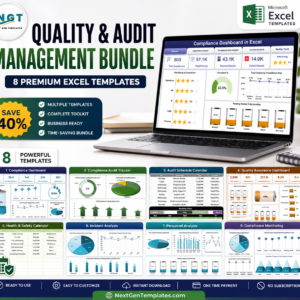
- Quality & Audit Management Bundle: eight quality and audit templates in one bundle
Browse all Excel checklists or the Excel quality control templates.






























Reviews
There are no reviews yet.