



Managing a Substance Abuse Treatment Center efficiently requires continuous performance tracking and data-driven decisions. The Substance Abuse Center KPI Dashboard in Google Sheets is your all-in-one solution for monitoring patient recovery, staff efficiency, relapse trends, and treatment outcomes — all within a beautifully designed, interactive dashboard built entirely in Google Sheets.Substance Abuse Center KPI Dashboard in Google Sheets
This ready-to-use template empowers rehabilitation centers, NGOs, and healthcare administrators to turn raw data into meaningful insights — helping improve recovery rates, operational efficiency, and resource utilization.
✨ Key Features of the Substance Abuse Center KPI Dashboard in Google Sheets
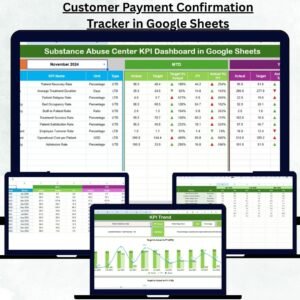
✅ All-in-One Dashboard: View real-time data on admissions, relapse rates, counselor workloads, and treatment outcomes in one central place.Substance Abuse Center KPI Dashboard in Google Sheets
📊 Interactive Visuals: Automatically updating charts and conditional formatting (green/red arrows) make performance trends instantly visible.
📅 Month Selector: Choose any month from the dropdown (cell D3) to refresh all KPIs automatically for that period.
📈 MTD & YTD Tracking: Analyze Month-to-Date and Year-to-Date performance with Actual vs Target and Previous Year comparisons.
🤝 Collaboration Ready: Multiple team members can access, update, and review performance in real time through Google Sheets.
💡 Customizable KPIs: Modify KPI names, targets, and formulas easily to fit your center’s unique goals.
💰 Cost-Effective Solution: No need for complex software—Google Sheets provides advanced analytics at zero extra cost.
🔒 Error-Proof Setup: Built-in data validation and formatting ensure accuracy and consistency across all sheets.

📦 What’s Inside the Substance Abuse Center KPI Dashboard
This comprehensive dashboard contains six structured worksheets, each designed for a specific function:
1️⃣ Dashboard Sheet Tab:
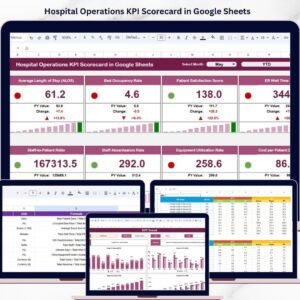
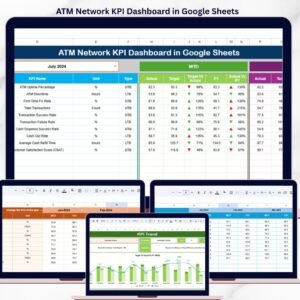
The main page showing MTD/YTD comparisons for Actual, Target, and Previous Year data with color-coded arrows for quick interpretation.
2️⃣ Trend Sheet Tab:
Select a KPI (cell C3) and visualize detailed monthly trends for Actual, Target, and PY data with clear performance indicators.
3️⃣ Actual Numbers Input Sheet:
Input your center’s actual MTD/YTD data—everything automatically updates across the dashboard.Substance Abuse Center KPI Dashboard in Google Sheets
4️⃣ Target Sheet Tab:
Define performance goals such as reducing relapse rates, improving counselor-to-patient ratios, and increasing satisfaction scores.
5️⃣ Previous Year Numbers Sheet:
Compare progress with last year’s metrics and identify long-term improvements or concerns.
6️⃣ KPI Definition Sheet:
Understand every KPI with its formula, group, unit, and performance type (UTB or LTB).
🧠 How to Use the Substance Abuse Center KPI Dashboard
1️⃣ Enter your monthly performance data in the “Actual Numbers” sheet.
2️⃣ Set your targets in the “Target” tab.
3️⃣ Add your previous year’s figures for accurate year-over-year comparisons.
4️⃣ Use the Dashboard sheet for a quick visual summary of MTD/YTD performance.
5️⃣ Dive deeper using the Trend sheet to explore KPI-specific progress over time.
6️⃣ Share the file via Google Drive to enable collaboration among administrators and counselors.
In minutes, you’ll have a dynamic analytics system that transforms raw data into actionable insights—no coding or extra software needed.
👥 Who Can Benefit from This Dashboard
🏥 Rehabilitation Centers & Treatment Facilities — Track recovery success and reduce relapse rates.
💼 Healthcare Administrators — Monitor operations, budgets, and staff efficiency.
🤝 Non-Profit Organizations — Showcase measurable impact in grant reports or funding reviews.
📊 Analysts & Researchers — Study treatment outcomes and behavioral trends effectively.
👨⚕️ Program Managers — Gain full visibility into KPIs like counselor utilization and patient satisfaction.
Whether you’re improving patient recovery outcomes or ensuring accountability in operations, this dashboard is the perfect data partner for your center.
Click Here to Read the Detailed Blog Post
📖 Visit our website NextGenTemplates.com to explore the complete article and use case examples.
Watch the step-by-step video tutorial:
Visit Our YouTube Channel
For step-by-step video tutorials, visit YouTube.com/@PKAnExcelExpert
Compatibility and Requirements
- Works in Google Sheets. You need a free Google account and a web browser.
- You pick the month from a dropdown in cell D3 of the Dashboard sheet, and you pick a KPI in cell C3 of the Trend sheet. Google explains dropdowns in Create an in-cell dropdown list.
Frequently Asked Questions
Which sheets are included?
Six sheets: Dashboard, Trend, Actual Numbers, Target, Previous Year Numbers and KPI Definition.
How do I update the dashboard for a new month?
Enter your MTD and YTD figures in the Actual Numbers sheet and your goals in the Target sheet. Then pick the month in cell D3 of the Dashboard sheet and all KPIs refresh for that period.
Can I compare this year with last year?
Yes. Add last year’s figures to the Previous Year Numbers sheet. The Dashboard shows Actual, Target and Previous Year side by side for both MTD and YTD.
How do I see the trend for one KPI?
Open the Trend sheet and select the KPI in cell C3. It shows the monthly Actual, Target and Previous Year values for that KPI.
Can I change the KPI names, targets or formulas?
Yes. KPI names, targets and formulas can be edited to fit your center’s goals. The KPI Definition sheet lists each KPI with its formula, group, unit and type (UTB or LTB).
Is there an Excel version?
Yes. See the Substance Abuse Center KPI Dashboard in Excel.
Related Healthcare and Center Templates
- Substance Abuse Center KPI Dashboard in Excel: the same dashboard in Excel
- Substance Abuse Center KPI Scorecard in Excel: a scorecard view for the same center
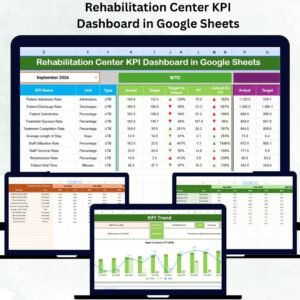
- Rehabilitation Center KPI Dashboard in Google Sheets: a similar Google Sheets dashboard for rehab centers
- Mental Health Center Management System V1.0: a management system for mental health centers
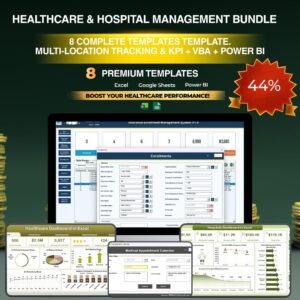
- Healthcare & Hospital Management Bundle: 8 healthcare templates in one download
Browse all Google Sheets KPI dashboards.




Reviews
There are no reviews yet.