

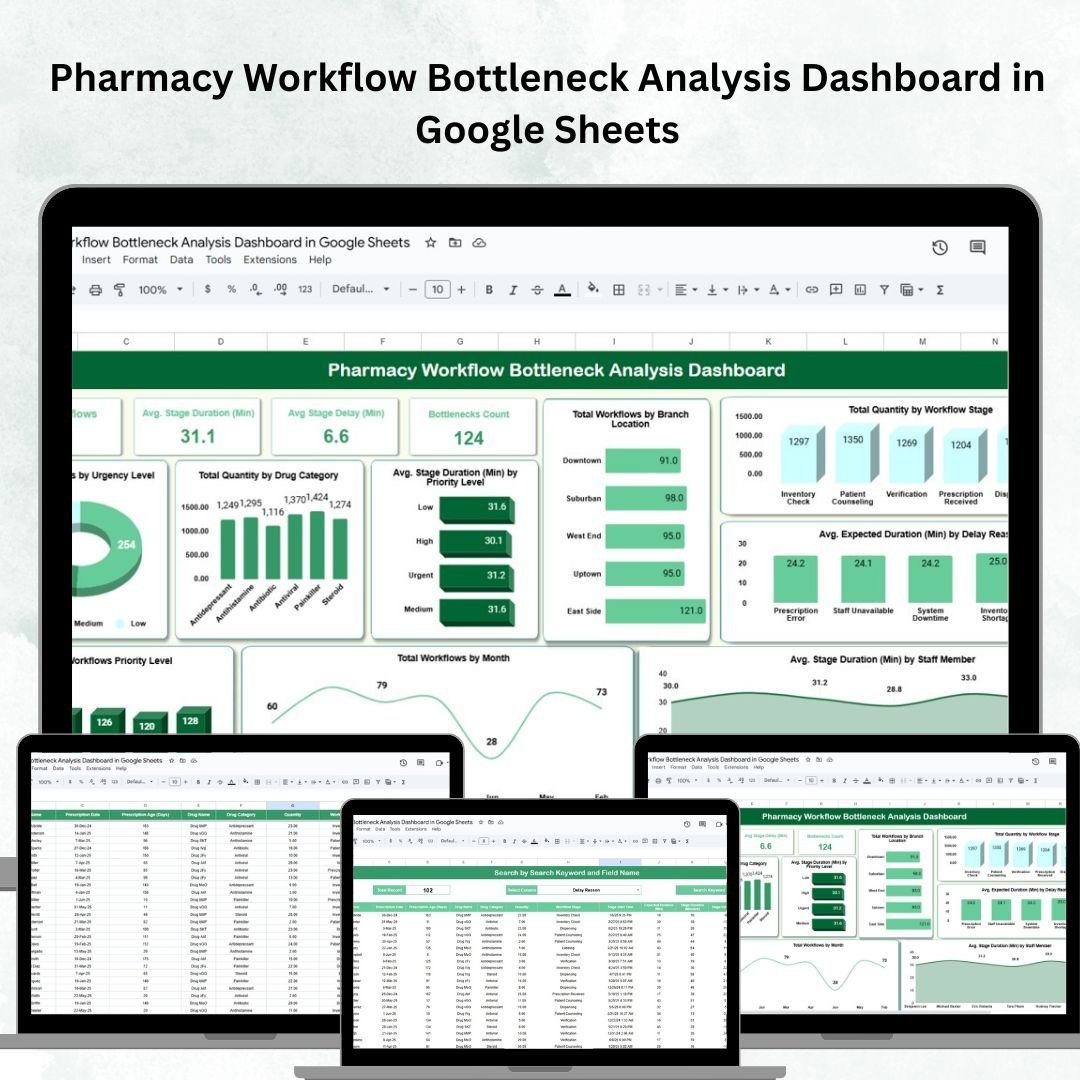
Efficient pharmacy operations are crucial for ensuring patient safety, reducing waiting times, and improving service quality. However, delays and bottlenecks in workflows can create serious challenges, from medication errors to dissatisfied patients. To address these challenges, we created the Pharmacy Workflow Bottleneck Analysis Dashboard in Google Sheets — a ready-to-use, collaborative tool that helps pharmacy managers track workflows, identify delays, and enhance overall efficiency. 📊💊
Built in Google Sheets, this dashboard consolidates workflow data into interactive visuals and performance metrics. With its real-time tracking and collaboration features, pharmacy teams can manage daily operations more effectively, whether operating from a single branch or across multiple locations.
🔑 Key Features of the Pharmacy Workflow Bottleneck Analysis Dashboard
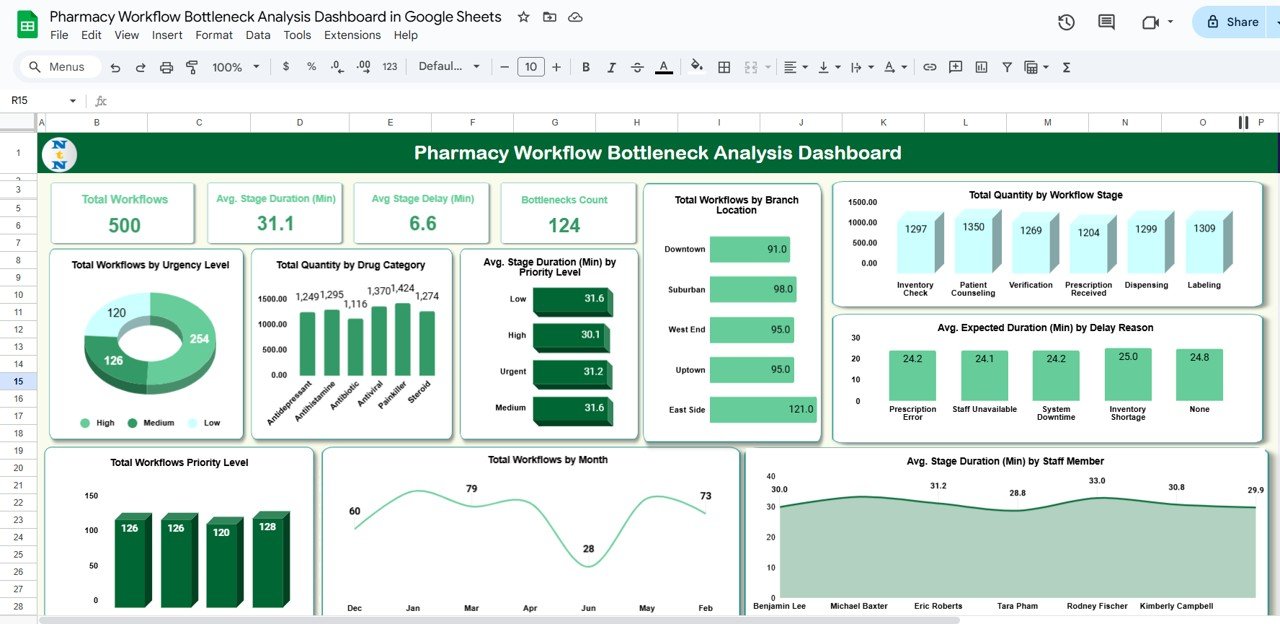
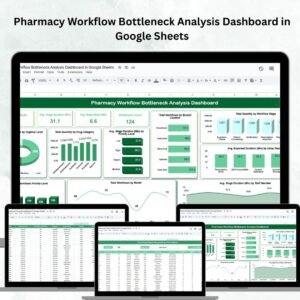
📋 Dashboard Overview
Cards displaying:
Total Workflows
Avg. Stage Duration (Min)
Avg. Stage Delay (Min)
Bottlenecks Count
Interactive charts for:
Workflows by Urgency Level
Drug Category Analysis
Stage Duration by Priority Level
Workflow Volume by Branch Location
Expected Duration by Delay Reason
Stage Duration by Staff Member
Monthly Workflow Trends
Workflow Distribution by Priority
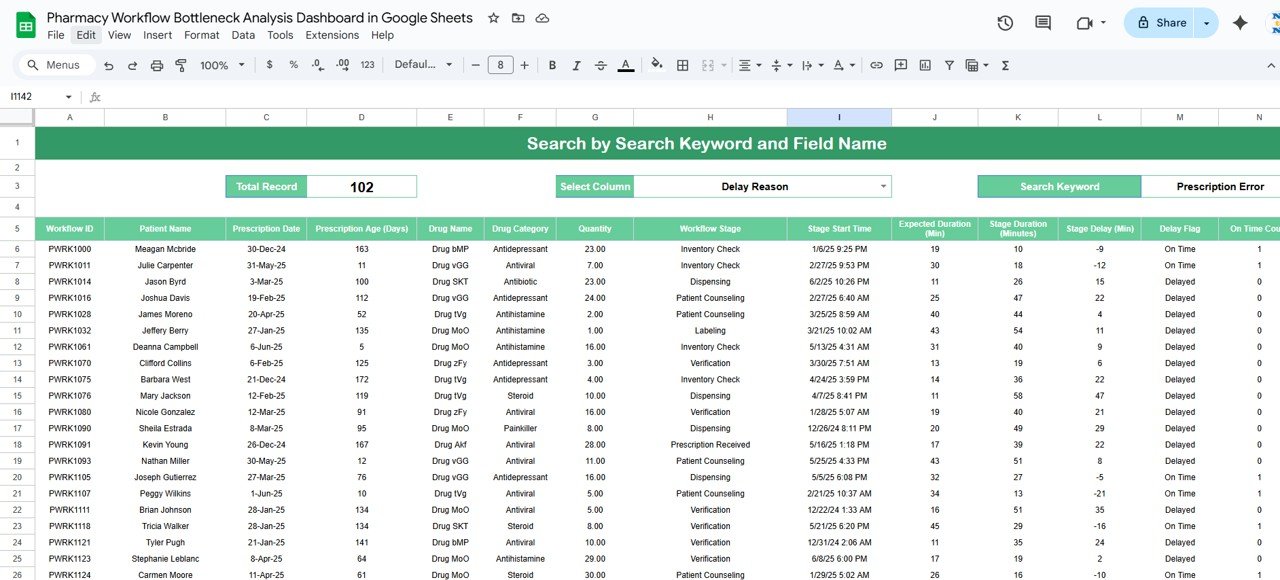
🔍 Search Functionality
Quickly filter workflows by keyword or field name
Locate cases by branch, drug type, staff, or delay reason
Saves time in identifying specific bottlenecks
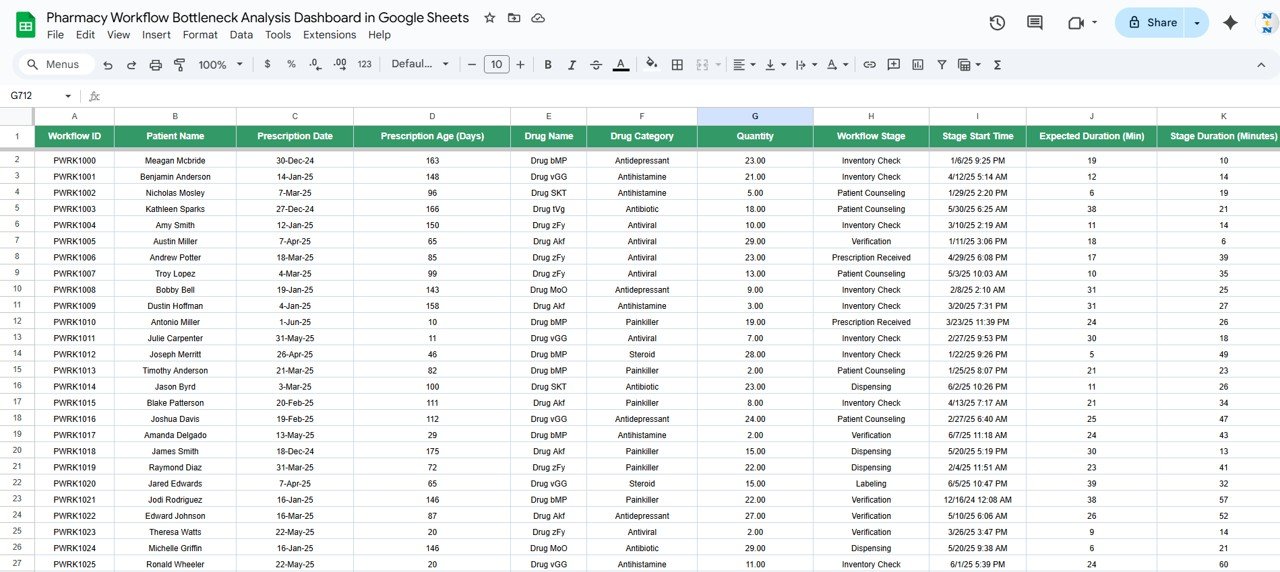
📑 Data Sheet Tab
Input structured workflow details including:
Stage Duration, Delays, Staff Assigned
Drug Category, Priority Level, Branch Location
Data auto-updates the Dashboard for accurate, real-time insights
📦 What’s Inside the Dashboard?
When you download this dashboard, you’ll get:
✅ Main Dashboard Sheet – Centralized KPIs and performance charts
✅ Search Tab – Quick filters for detailed workflow analysis
✅ Data Sheet – Structured entry format for workflows
✅ Pre-filled Sample Data – To help you get started instantly
✅ Interactive Reports – Real-time visuals powered by your data
✅ Customizable Fields – Adjust to your pharmacy’s unique needs
🧑⚕️ Who Can Benefit from This Dashboard?
🎯 Pharmacy Managers – Monitor operations and reduce delays
🎯 Branch Supervisors – Compare performance across locations
🎯 Staff Leads – Track efficiency of staff handling different workflow stages
🎯 Healthcare Administrators – Improve patient safety and service delivery
🎯 Multi-Branch Pharmacies – Collaboratively manage workflows across sites
This tool is perfect for both small independent pharmacies and large chains aiming to deliver fast, safe, and efficient service.
🧪 How to Use the Pharmacy Workflow Bottleneck Analysis Dashboard
Enter Data – Input workflow details in the Data Sheet
View Dashboard – Instantly see updated KPIs and charts
Search & Filter – Use the search function for targeted analysis
Identify Bottlenecks – Monitor delays by stage, staff, or category
Take Action – Optimize staff allocation, resources, and workflows
The entire dashboard is plug-and-play, requiring no coding or advanced setup. ✅
🌟 Why Choose This Dashboard?
Centralized Monitoring – All workflow data in one Google Sheet
Real-Time Updates – Auto-refresh dashboards with each entry
Staff & Branch Comparison – Pinpoint bottlenecks across teams and locations
Data-Driven Decisions – Optimize staffing and workflows effectively
Customizable & Scalable – Adaptable for single or multi-branch pharmacies
Collaborative Access – Multiple staff can update data simultaneously
With the Pharmacy Workflow Bottleneck Analysis Dashboard in Google Sheets, you’ll transform raw workflow data into actionable insights that drive efficiency, safety, and patient satisfaction. 🌟























Reviews
There are no reviews yet.