

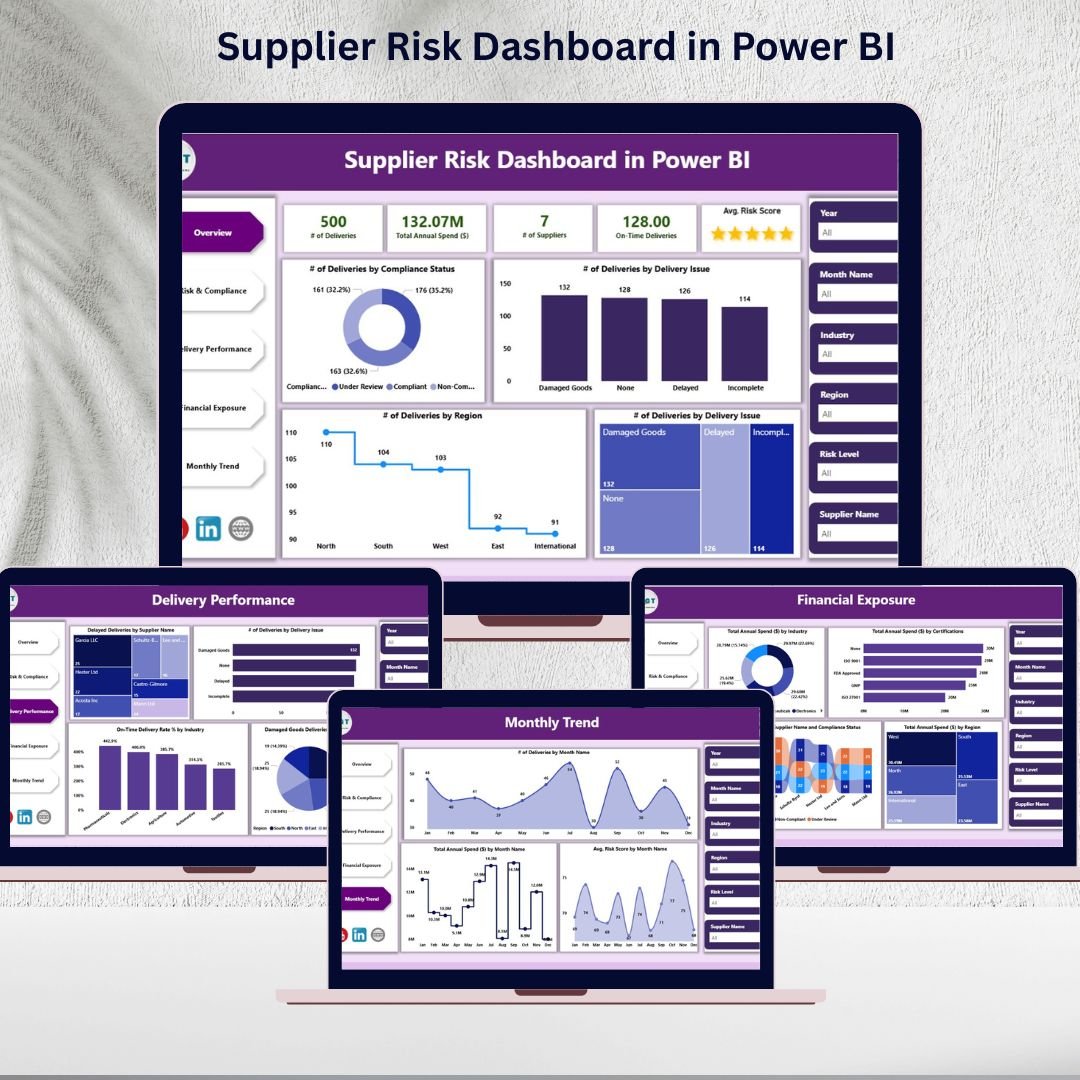

🚀 The Supplier Risk Dashboard in Power BI is designed to give procurement, supply chain, and risk management teams complete visibility into supplier performance. With interactive visuals, real-time data updates, and customizable filters, this tool makes risk management easier than ever.
Key highlights include:
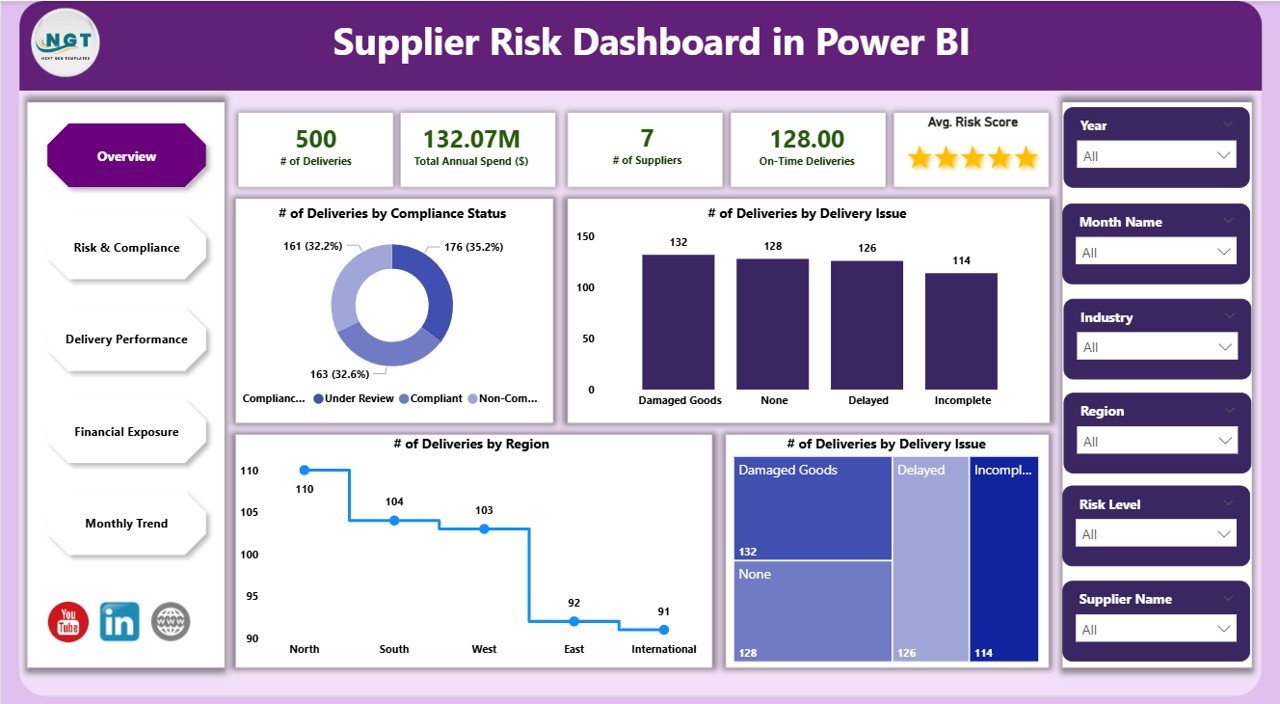
📊 Comprehensive Overview Page with KPI cards and charts on spend, suppliers, and deliveries
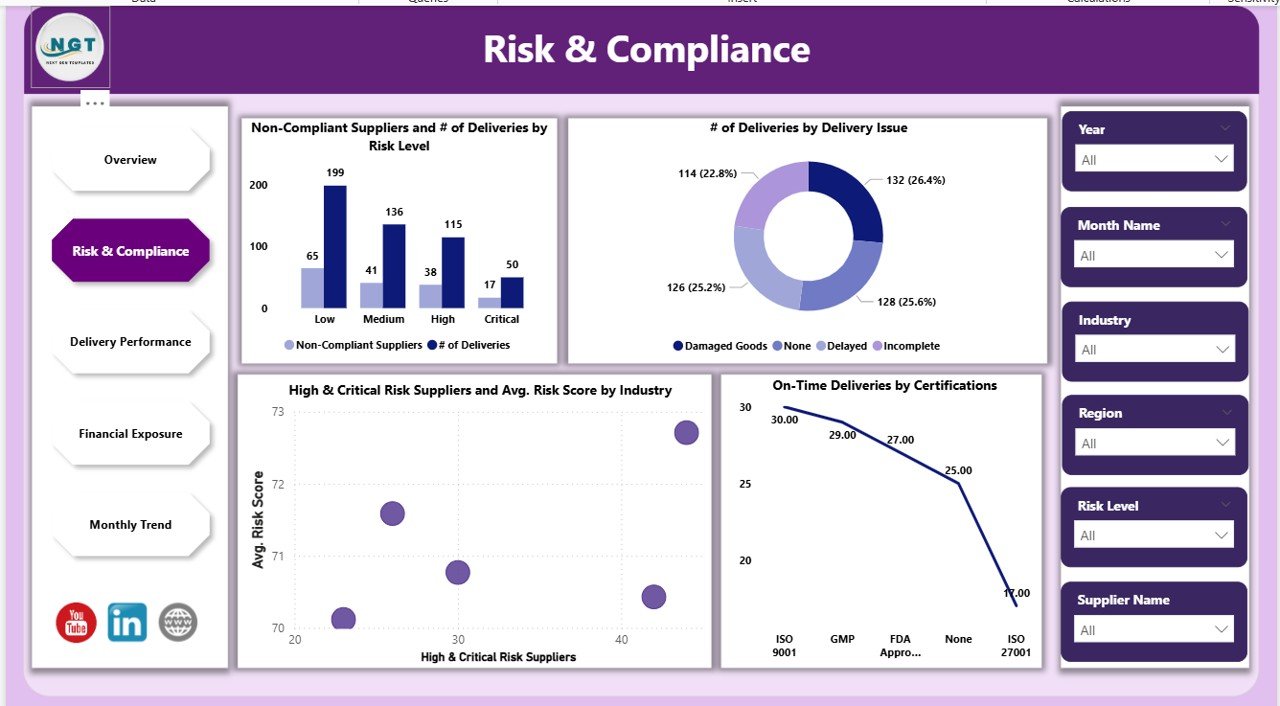
✅ Risk & Compliance Tracking to identify non-compliant and high-risk suppliers
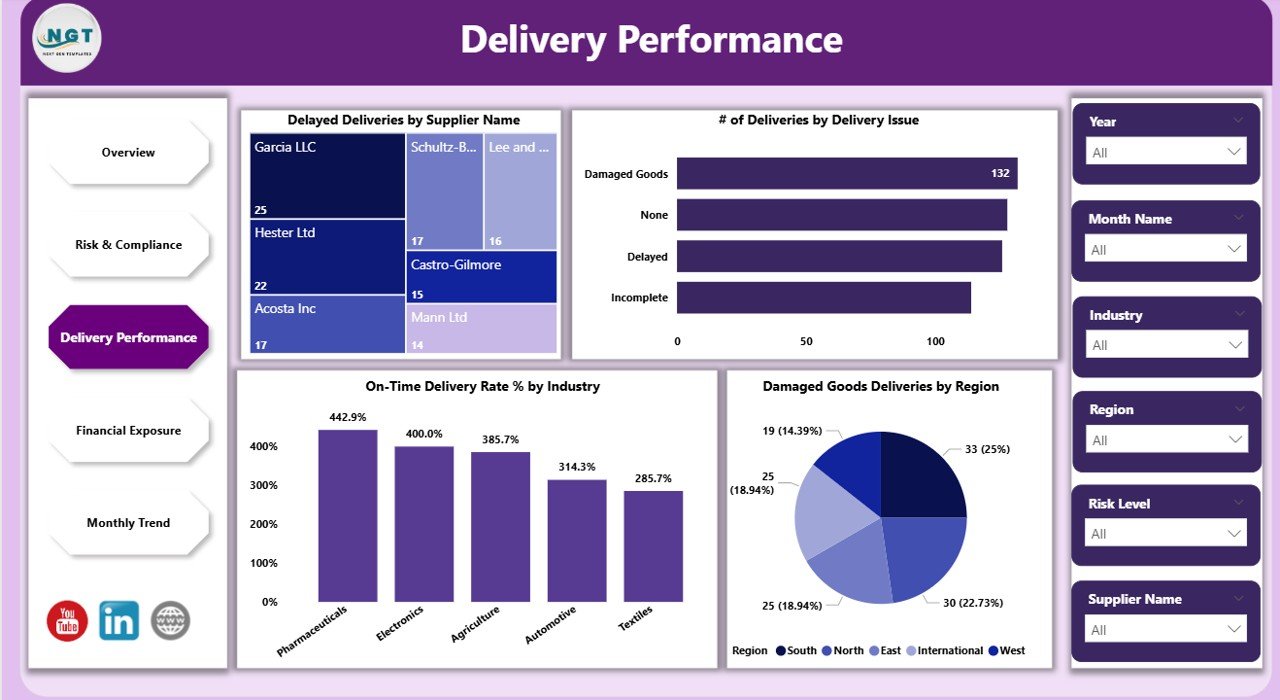
📦 Delivery Performance Analysis with insights into delays, damaged goods, and on-time rates
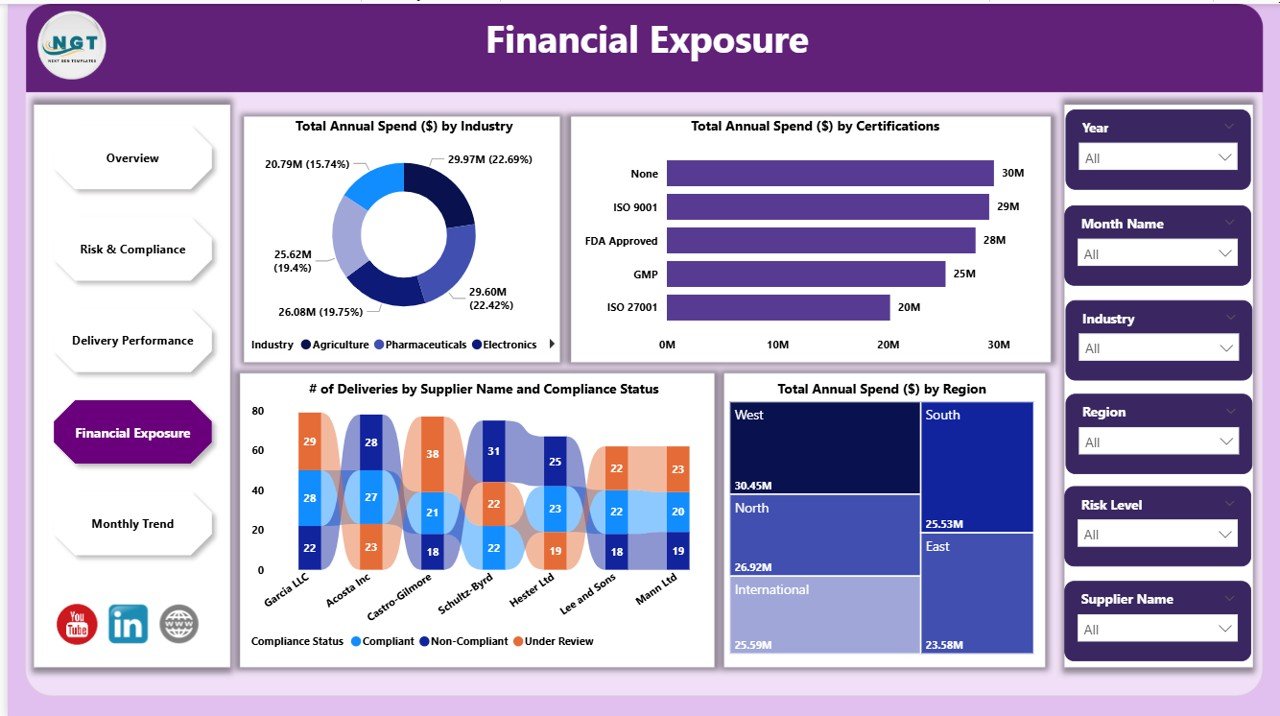
💰 Financial Exposure Monitoring to track spending by industry, certification, and region
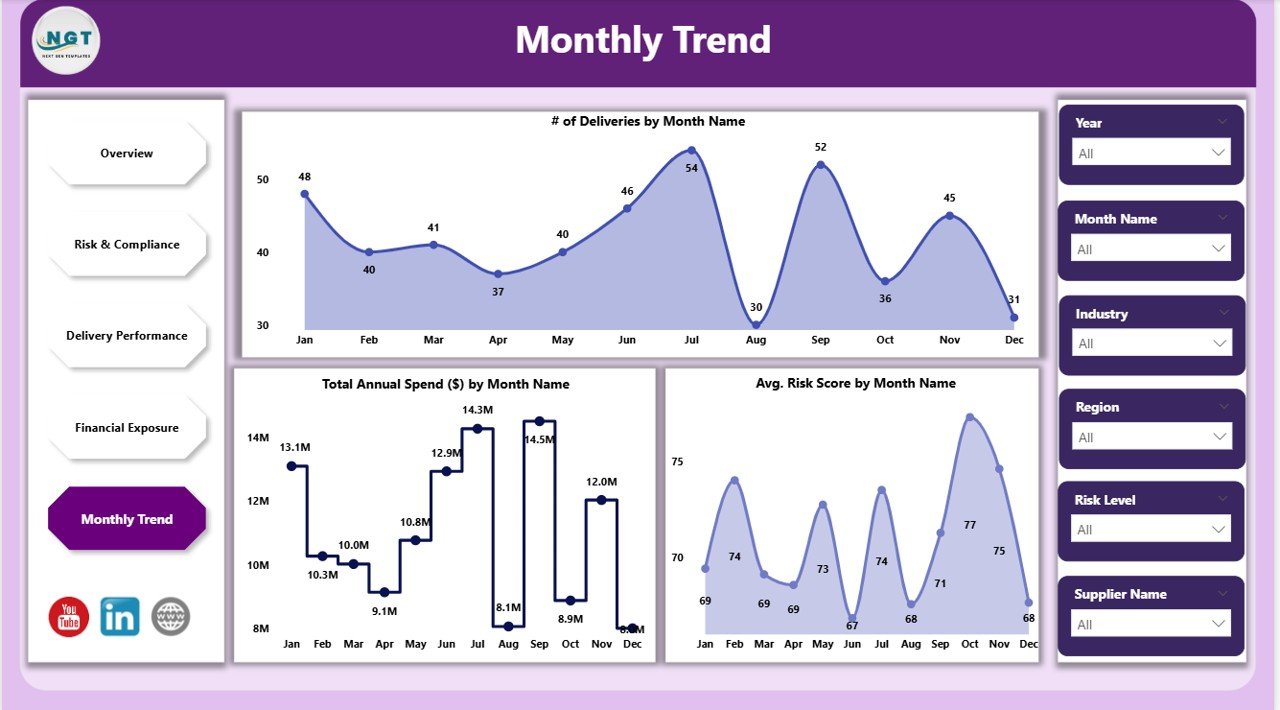
📈 Monthly Trends Page for spotting performance fluctuations and planning ahead

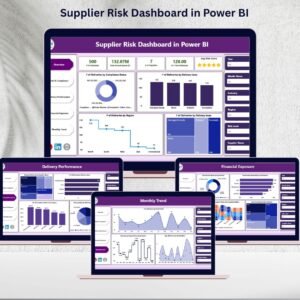
Supplier Risk Dashboard in Power BI
What’s Inside the Supplier Risk Dashboard
This dashboard is built with five interactive pages in Power BI, each focusing on a different performance dimension:
Overview Page – Snapshot of key supplier metrics (deliveries, spend, on-time rate, and risk scores).
Risk & Compliance Page – Deep dive into compliance status, certifications, and critical suppliers.
Delivery Performance Page – Track delays, damage incidents, and industry-level delivery metrics.
Financial Exposure Page – Identify high-spend suppliers and understand financial risks.
Monthly Trend Page – Monitor performance patterns month by month for proactive action.
How to Use the Supplier Risk Dashboard
Using this Power BI dashboard is simple and intuitive:
📥 Import your supplier data (deliveries, spend, compliance, etc.) into Power BI.
🔍 Navigate across pages to explore supplier performance from multiple angles.
🎯 Apply filters by supplier, region, industry, or risk level to customize insights.
📑 Review cards and charts to instantly identify bottlenecks or high-risk areas.
🛠 Integrate with ERP or procurement systems for real-time updates and seamless workflows.
Who Can Benefit from This Dashboard
The Supplier Risk Dashboard in Power BI is versatile and suited for:
🏢 Procurement Teams – to ensure supplier reliability and streamline sourcing decisions.
🔒 Risk Managers – to proactively identify and mitigate supplier-related risks.
📦 Supply Chain Managers – to monitor delivery performance and maintain operational continuity.
💼 Executives & Decision-Makers – to analyze financial exposure and align strategy with insights.
🌍 Global Enterprises – to manage suppliers across multiple industries and regions.
Why Choose This Dashboard?
Unlike static Excel reports, this Power BI solution offers:
✔ Real-time insights
✔ Interactive data exploration
✔ Automated trend analysis
✔ Easy customization
✔ Scalable use across teams and regions
With the Supplier Risk Dashboard in Power BI, you’re not just tracking suppliers—you’re gaining the intelligence needed to protect your supply chain, cut risks, and boost efficiency.
Click here to read the Detailed Blog Post
Watch the step-by-step video Demo:
Visit our YouTube channel to learn step-by-step video tutorials
Compatibility and Requirements
- Opens in Power BI Desktop, which is free from Microsoft. See Get Power BI Desktop.
- You load your own supplier data (deliveries, spend, compliance) into the report and refresh it.
Frequently Asked Questions
Which pages are in the supplier risk dashboard?
Five: Overview, Risk and Compliance, Delivery Performance, Financial Exposure and Monthly Trend.
What can I filter by?
You can filter by supplier, region, industry or risk level to focus on the suppliers that matter.
Does it show late or damaged deliveries?
Yes. The Delivery Performance page tracks delays, damage incidents and on-time rates by industry.
Can I see where spend is concentrated?
Yes. The Financial Exposure page shows spend by industry, certification and region and points out high-spend suppliers.
Related Supplier and Procurement Templates
- Supplier Risk Dashboard In Excel: the same topic for Excel users
- Supplier Performance KPI Dashboard in Power BI: tracks supplier KPIs against targets
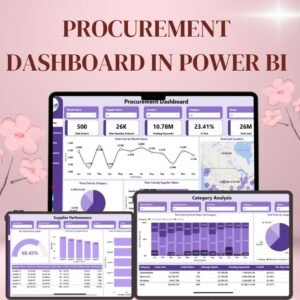
- Procurement Dashboard in Power BI: reports purchasing and spend
- Supplier Risk Report in Excel: a printable supplier risk report
- Procurement and Vendor Management Kit: 7 procurement templates in one bundle
Browse all Power BI dashboards or the Power BI templates.













Reviews
There are no reviews yet.