

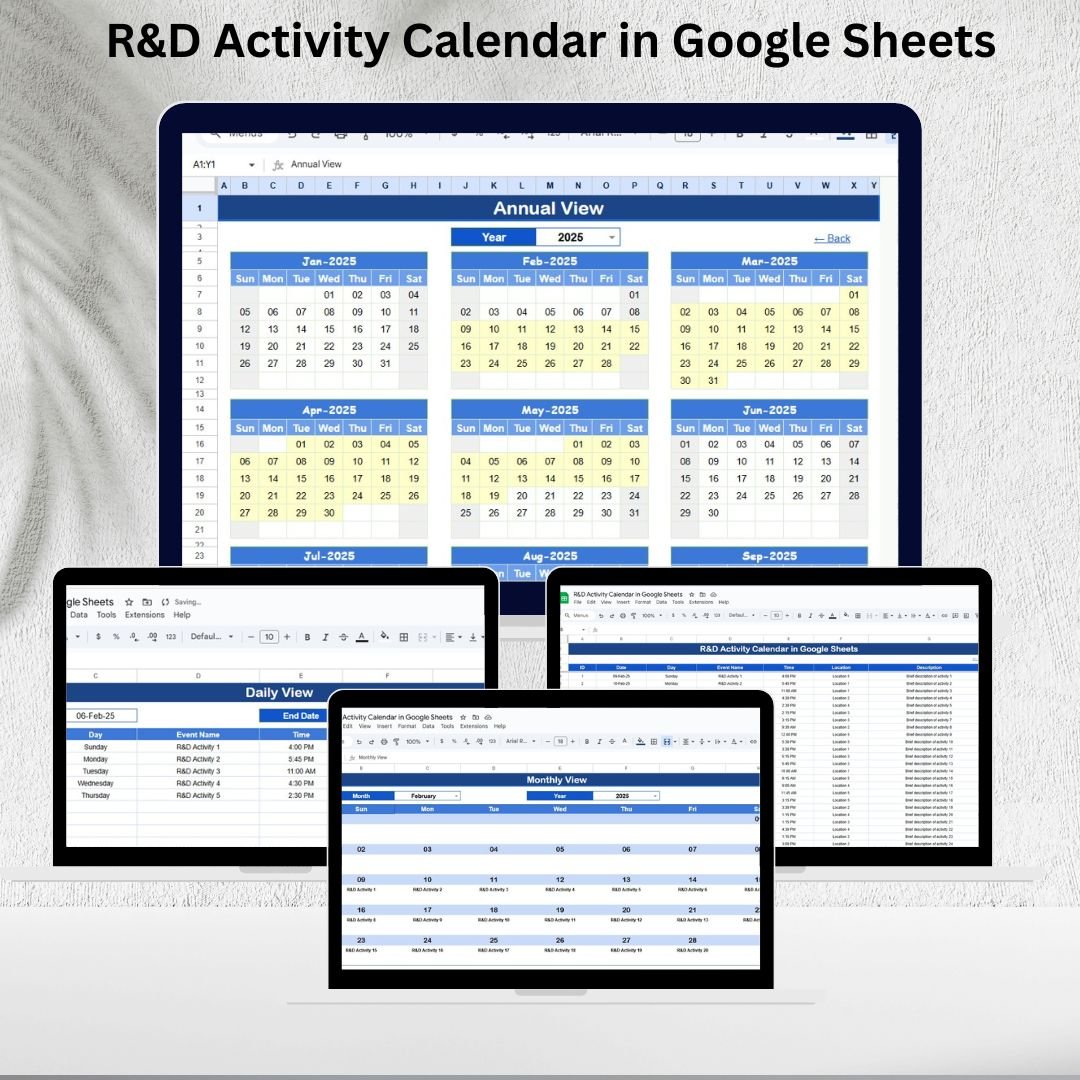

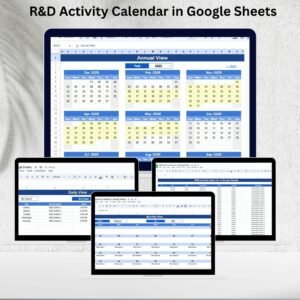
Innovation thrives on timely planning, structured tracking, and seamless collaboration. The R&D Activity Calendar in Google Sheets is a ready-to-use template that helps research teams, managers, and departments organize and monitor their projects, experiments, and milestones efficiently.
With annual, monthly, and daily calendar views, plus a centralized events database, this tool ensures no milestone is missed, deadlines are met, and resources are allocated effectively. Because it’s built in Google Sheets, the calendar is accessible, collaborative, and easy to update in real-time—making it the perfect solution for R&D teams of any size.
🔑 Key Features of the R&D Activity Calendar
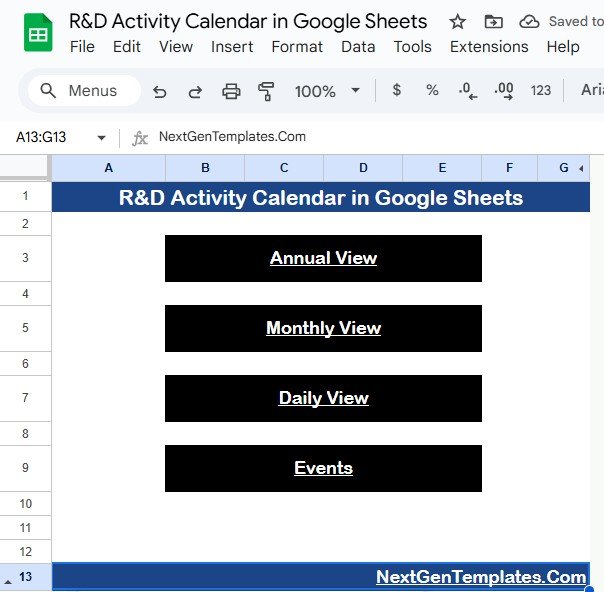
📌 Home Sheet (Navigation Hub)
Buttons to jump directly to Annual View, Monthly View, Daily View, and Events Database
Provides quick navigation and saves time
📅 Annual View
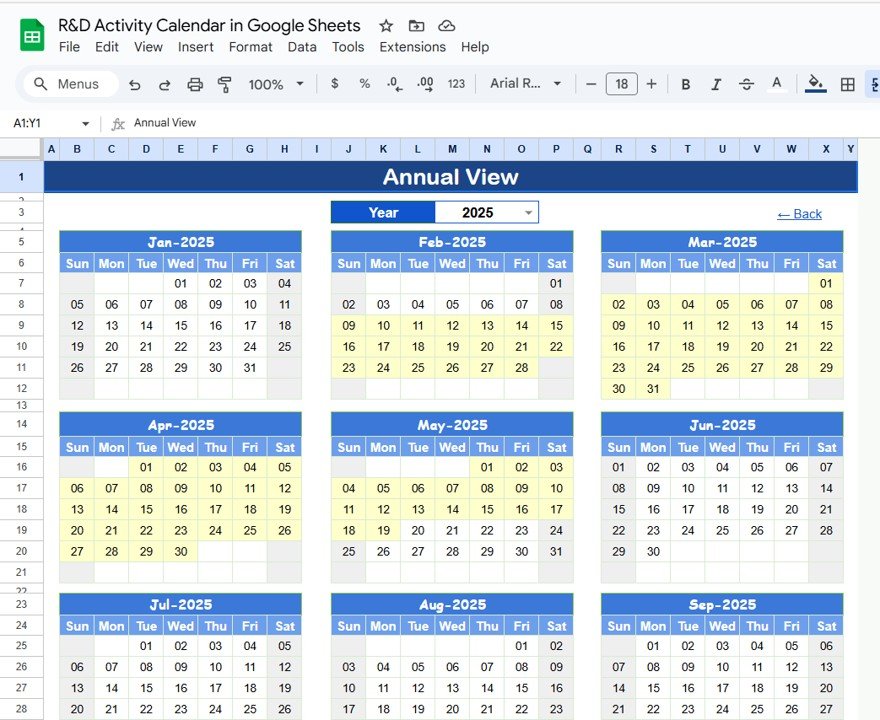
Displays all 12 months in one sheet for high-level planning
Year selector to dynamically adjust the calendar
Customizable starting month and first day of the week
Perfect for strategic, long-term R&D planning
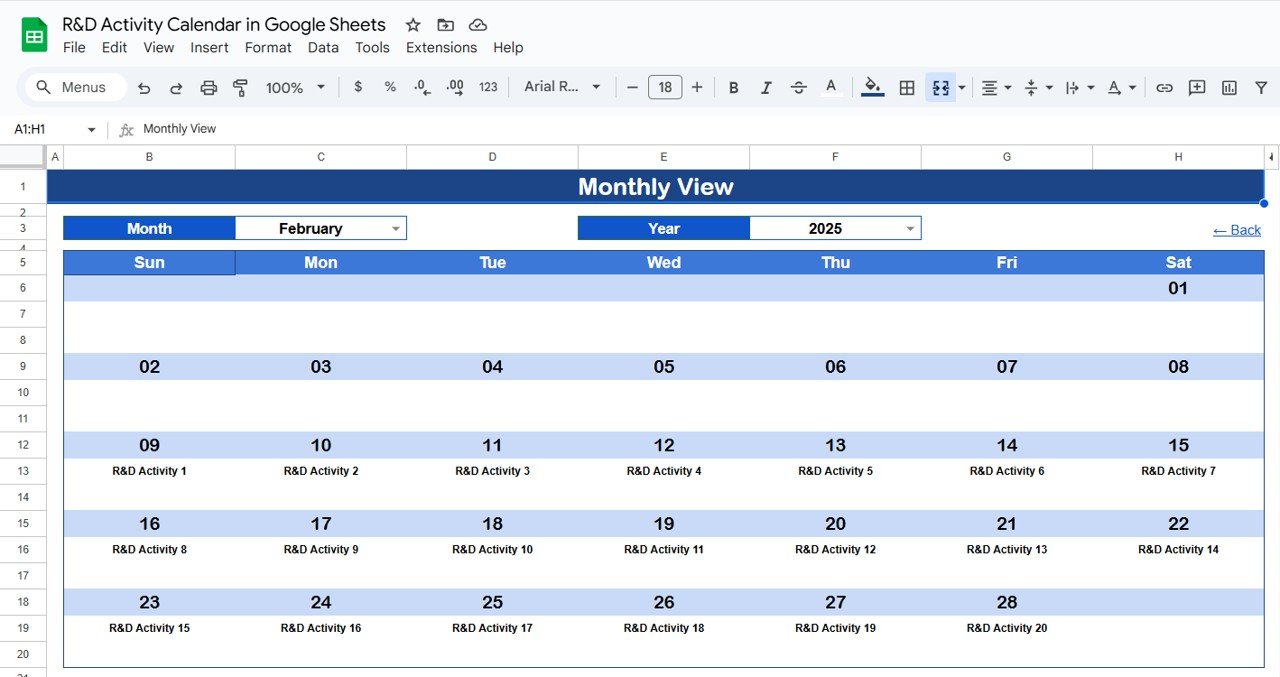
🗓 Monthly View
Select month and year for a dynamic monthly calendar
Displays daily events, with “more than 1…” notification for multiple events per day
Best for detailed project and experiment tracking
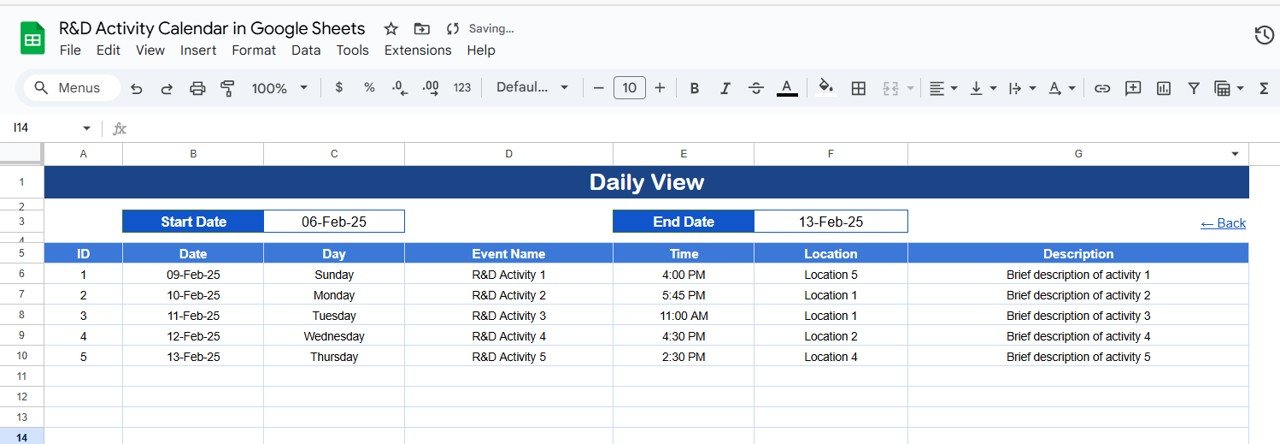
📋 Daily View
Select a start and end date to view detailed events
Shows time, location, and description for each task or activity
Helps teams stay on top of daily research tasks and milestones
📖 Events Database
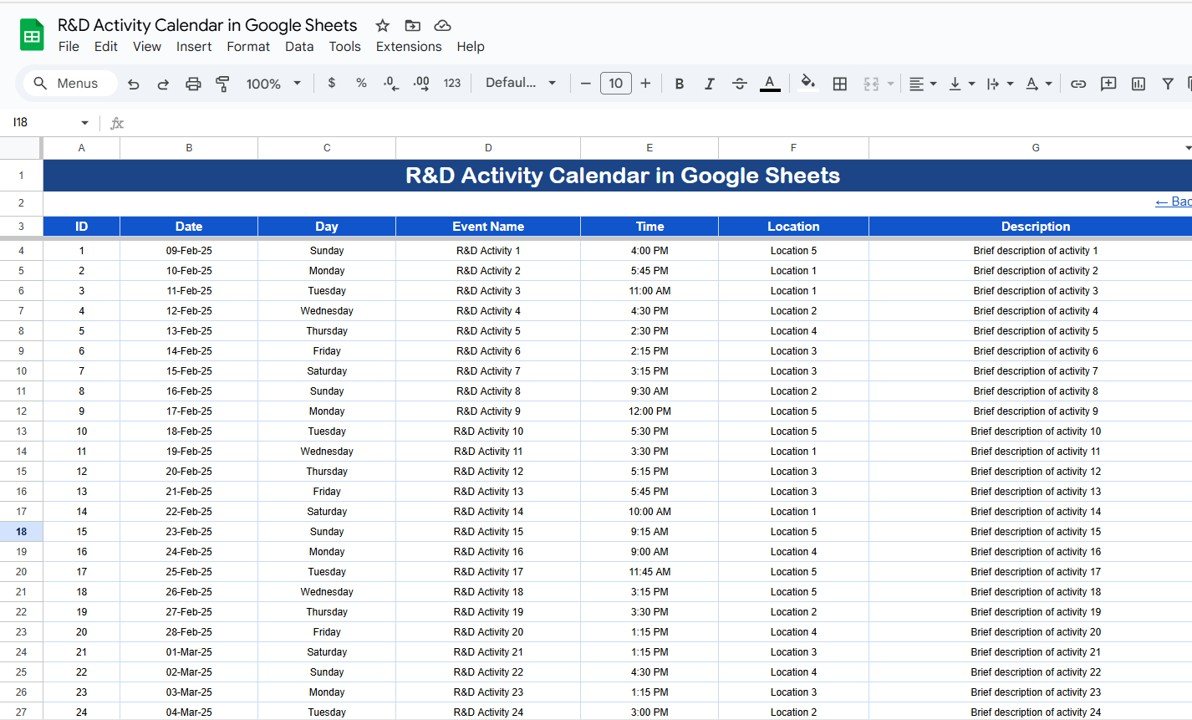
Master table storing all R&D activities
Columns include: Event ID, Date, Day, Event Name, Time, Location, Description
Centralized hub for tracking and accountability
📦 What’s Inside the R&D Activity Calendar?
✅ Home Tab – Quick navigation to all sections
✅ Annual View – High-level planning of the year’s milestones
✅ Monthly View – Track project timelines month by month
✅ Daily View – Manage day-to-day tasks with details
✅ Events Database – Centralized record of all activities
👩🔬 Who Can Benefit from This Calendar?
🔬 R&D Managers – Plan and track projects, tests, and experiments
📊 Project Managers – Coordinate timelines and ensure milestones are met
🏢 Department Heads – Gain visibility into ongoing and upcoming activities
👥 Research Teams – Stay aligned and avoid missing tasks
🎓 Academic Institutions – Manage collaborative research programs
🧪 How to Use the R&D Activity Calendar
Input Events – Enter project milestones, deadlines, and experiments in the Events database
Plan Annually – Use the Annual View to map long-term projects
Review Monthly – Check the Monthly View for upcoming tasks and deliverables
Track Daily – Use the Daily View to manage time-sensitive activities
Collaborate in Real-Time – Share with your team for instant updates
Customize as Needed – Adapt event fields and categories for your R&D workflow
🌟 Advantages of Using This Calendar
📊 Centralized Planning – All R&D activities in one place
🔄 Real-Time Collaboration – Multiple users can update simultaneously
⏰ Deadline Management – Prevent delays by tracking milestones clearly
🔍 Flexible Views – Annual, monthly, and daily perspectives for better insights
📈 Improved Productivity – Reduce errors, overlaps, and miscommunication
🛠 Customizable – Adjust for multiple projects, departments, or experiments
🚀 Why Choose This R&D Activity Calendar?
Instead of juggling spreadsheets, emails, and project tools, this all-in-one calendar template streamlines your entire R&D planning process. Whether you’re running scientific experiments, product development cycles, or collaborative academic research, this tool ensures efficiency, accountability, and clarity at every step.
🔗 Click here to read the Detailed blog post
Watch the step-by-step video Demo:
🔗 Visit our YouTube channel to learn step-by-step video tutorials
Compatibility and Requirements
- Works in Google Sheets. You need a free Google account and a web browser.
- The Annual and Monthly views use a year and month selector. Google explains dropdowns in Create an in-cell dropdown list.
Frequently Asked Questions
Which sheets are included?
Five sheets: Home, Annual View, Monthly View, Daily View and Events Database.
Where do I enter my R&D activities?
Enter them in the Events Database. Each row holds an Event ID, Date, Day, Event Name, Time, Location and Description, and the calendar views read from this table.
Can I change the first day of the week or the starting month?
Yes. The Annual View lets you pick the year, the starting month and the first day of the week.
What happens when a day has more than one event?
The Monthly View shows a “more than 1” notice for that day. Use the Daily View to see every event with its time, location and description.
Can my team edit the calendar at the same time?
Yes. It is a Google Sheets file, so you can share it and several people can update it together.
Is there an Excel version?
Yes. See the R&D Activity Calendar in Excel.
Related Calendar Templates
- R&D Activity Calendar in Excel: the same R&D calendar for Excel
- Dynamic Holiday and Event Calendar in Google Sheets: another event calendar in Google Sheets
- Project Deadline Calendar in Excel: track project due dates
- Quarterly Review Calendar in Excel: schedule quarterly reviews
- Calendar & Planner Pack: 12 Excel and Google Sheets calendar templates in one download
Browse all Google Sheets calendar templates.









Reviews
There are no reviews yet.