



Managing employee goals effectively is one of the most powerful ways to boost productivity, encourage accountability, and align teams with organizational objectives. Yet many businesses still struggle with scattered documents, manual checklists, and inconsistent tracking. That’s why we created the Employee Goal Setting Tracker in Excel—a ready-to-use tool powered with Excel and VBA automation that transforms the way organizations manage performance.
This all-in-one tracker allows managers and employees to set, monitor, and update goals seamlessly. With built-in dashboards, automated forms, and secure login functionality, you no longer have to worry about missed deadlines or lost progress reports. Everything is centralized, visualized, and easy to use.
✨ Key Features of the Employee Goal Setting Tracker
🔐 Login Form Security – Each user accesses the tool with a unique ID and password. Example: Admin1 / abcd. Ensures only authorized use.
🏠 Main Form Navigation – A central hub that connects you to goal management, dashboard, user settings, and lists.
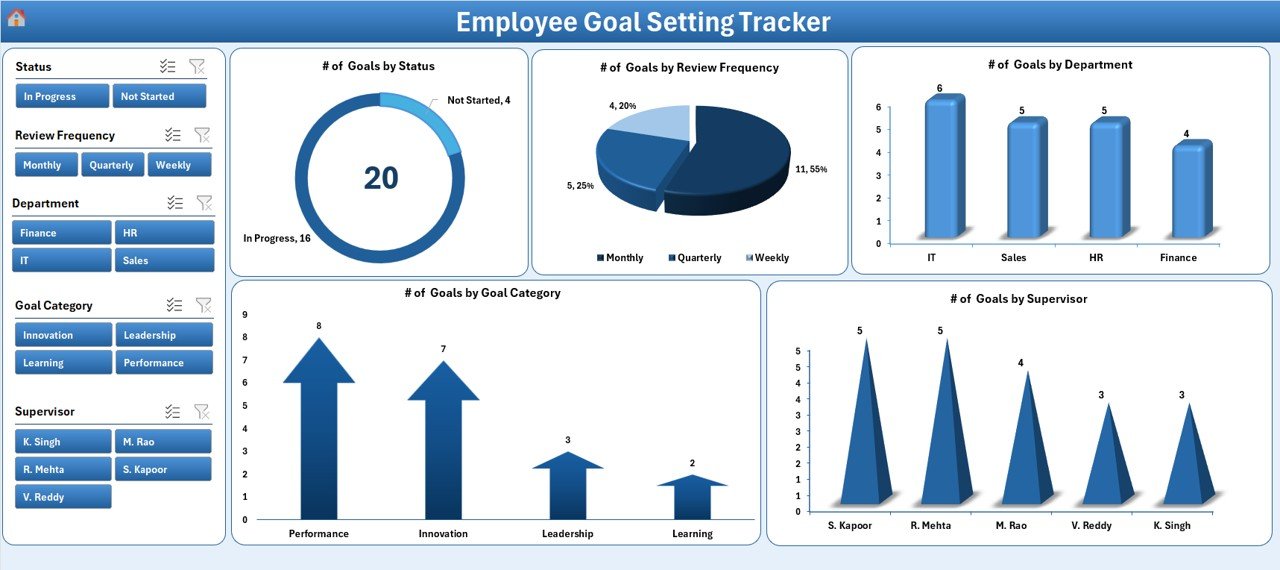
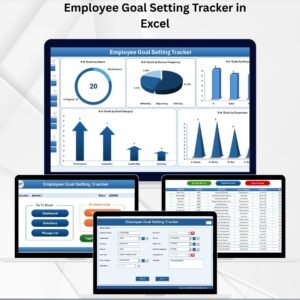
📊 Interactive Dashboard – Includes five slicers and five charts covering:
Number of Goals by Status
Number of Goals by Review Frequency
Number of Goals by Department
Number of Goals by Goal Category
Number of Goals by Supervisor
📝 Data Entry Sheet with Automation – Quickly add, update, or delete goals with three easy buttons. All changes refresh the dashboard instantly.
📋 Manage List Sheet – Maintain dropdown lists for Departments, Goal Categories, or Supervisors to ensure consistency.
⚙️ Support Sheet – Backend pivot tables power the visuals. Hidden for simplicity.
👥 User Management – Add, update, or delete users. Reset passwords. Control access securely.
🎨 Settings Sheet – Customize user access, modify color themes, and fine-tune preferences.
🔑 Multi-User Login – Employees, supervisors, and admins can log in separately with personalized roles.
📦 What’s Inside the Tracker
Login Form – Start by logging in with secure credentials.
Main Form – Navigate easily across goal management tools.
Dashboard Sheet – Analyze real-time progress with slicers and charts.
Data Entry Sheet – Add, update, or delete employee goals with just a click.
Manage List Sheet – Keep dropdowns updated for departments, goal categories, and supervisors.
User Management Module – Assign and control roles securely.
Settings Sheet – Personalize the system with themes and access controls.
🛠️ How to Use the Tracker
Login with your user ID and password.
Access the Main Form for navigation.
Add New Goals using the data entry form.
Update or Delete Goals with quick buttons.
Track Performance using dashboard charts and slicers.
Manage Lists to keep dropdowns updated.
Review Progress quarterly or annually for appraisals.
👥 Who Can Benefit from This Tool?
🧑💼 Managers & Supervisors – Monitor employee performance with clarity.
👩💼 HR Teams – Track employee development, appraisals, and compliance goals.
📊 Sales Teams – Align sales targets with organizational objectives.
🎓 Training Departments – Track learning and skill-building goals.
🏗️ Project Managers – Align project milestones with employee objectives.
🎯 Advantages of Employee Goal Setting Tracker in Excel
✅ User-Friendly – Built in Excel, requiring no technical expertise.
✅ Customizable – Modify departments, supervisors, and categories as needed.
✅ Automated – Reduce errors with forms and VBA-powered automation.
✅ Visual Insights – Dashboards make it easy to track trends and progress.
✅ Secure – Login system protects sensitive employee data.
✅ Cost-Effective – No need for expensive HR software subscriptions.
🚀 Opportunities for Improvement
🔔 Add automated reminders for goal deadlines.
📱 Create a mobile-friendly version for on-the-go use.
🔗 Integrate with HR systems for seamless syncing.
📈 Add advanced KPIs like % Completed Goals or Employee Achievement Rates.
🏆 Best Practices for Using the Tracker
Define SMART goals (Specific, Measurable, Achievable, Relevant, Time-bound).
Update goals promptly to ensure accuracy.
Use slicers on the dashboard to compare departments or supervisors.
Review progress monthly or quarterly.
Regularly update user credentials for security.
Store the file on a shared drive for collaboration.
🌍 Real-World Use Cases
HR teams monitoring employee development plans.
Sales departments tracking monthly and quarterly targets.
Training managers following skill-building goals.
Organizations simplifying annual performance reviews.
📖 Click here to read the Detailed blog post
🎥 Visit our YouTube channel to learn step-by-step video tutorials
Watch the step-by-step video tutorial:
Compatibility and Requirements
- Built with Excel VBA, so it needs Microsoft Excel desktop on Windows with macros enabled.
- The login form, main form and data entry buttons do not run in Excel for the web, Google Sheets or mobile apps.
- Microsoft explains how to turn macros on in Enable or disable macros in Microsoft 365 files.
Frequently Asked Questions
Do users need to log in?
Yes. Each user signs in with a user ID and password. Admins can add, update or delete users and reset passwords from User Management.
What does the dashboard show?
Five slicers and five charts: goals by status, by review frequency, by department, by goal category and by supervisor.
How do I add or change a goal?
Use the Data Entry Sheet buttons to add, update or delete goals. The dashboard refreshes after each change.
Can I change the departments and supervisors?
Yes. Edit the dropdown lists on the Manage List Sheet for departments, goal categories and supervisors.
Related Goal and Performance Templates
- Employee Goal Setting Tracker in Google Sheets: the same idea in Google Sheets
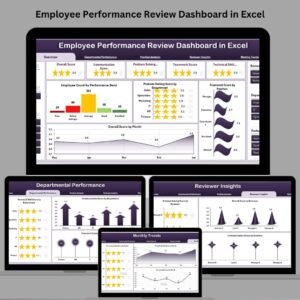
- Employee Performance Review Dashboard in Excel: review results by employee
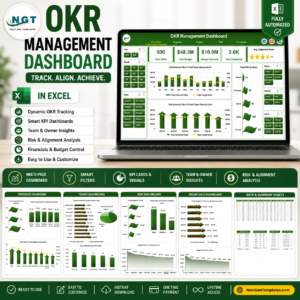
- OKR Management Dashboard in Excel: track objectives and key results
- Goal Setting Checklist in Excel: a simple checklist for setting goals
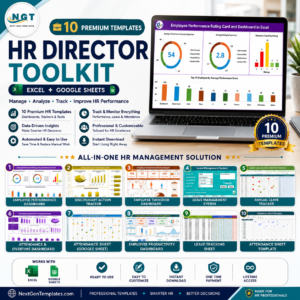
- HR Director Toolkit: 10 HR templates in one download
Browse all Excel trackers or the Excel HR and payroll templates.
Reviews
There are no reviews yet.